Project Manager Toolkit: 7 Notion Templates for Project Managers
7 Notion templates for project managers and team leads, a $90 value for $49 (save 46%). BRD, project plans, costs, resources, standups and meeting minutes. Duplicate in one click, works on Notion’s free plan.
Original price was: $90.00.$49.00Current price is: $49.00.
Product Details
Every document, meeting and risk for your projects, from charter to closure.
Projects rarely fail because of one big disaster. They fail because of small things nobody wrote down: a cost that crept up, a decision from a meeting nobody remembered, a team member who was quietly overloaded.
This toolkit gives you a home for all of it. Start with a Business Requirements Document so everyone agrees what “done” means. Run big projects in the Ultimate Project Management system, with AI prompts that turn your notes into status reports, or smaller ones in Project Management Simplified. Keep costs honest with the Cost Tracker, see who’s overloaded in Team & Resource Management, and use Daily Standup and Meeting Minutes so decisions and actions never disappear.
What’s inside (7 Notion templates)
- Ultimate Project Management (with AI): 30+ pages covering every project phase, with AI prompts. ($49 on its own)
- Project Management Simplified: charter, task board, timeline, risks, lessons learned. ($39 on its own)
- Business Requirements Document (BRD): scope, objectives, requirements and sign-off. ($2 on its own)
- Project Cost Tracker: planned vs actual costs by category. (free on its own)
- Team & Resource Management: skills matrix, allocation and resource costing. (free on its own)
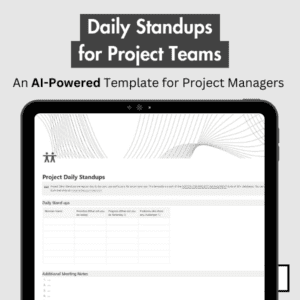
- Daily Standup: yesterday, today, blockers for every team member. (free on its own)
- Meeting Minutes: agenda, decisions and action items with owners. (free on its own)
Separately $90. In this bundle $49, a saving of 46%.
How you get it
- Click Buy on Gumroad and complete checkout.
- Every template in the bundle appears in your Gumroad library. Open each one and click Duplicate (top right of the Notion page) to copy it into your workspace.
- Open the User Manual page inside each template, delete the sample data and add your first real entry.
Works on Notion’s free plan. Lifetime access, no subscription. Questions? Email hello@marjanarbab.com and I’ll help.
Get the Project Manager Toolkit on Gumroad →
Join our free community for weekly Notion setups: Notion Market Hub Templates Community
Try Notion Free — No Credit Card Needed
New to Notion? The free plan gives you everything you need to run these templates right now — unlimited pages, all database views, and every feature used in this bundle. No credit card required. Start your free Notion trial here
Ready to Scale? Upgrade to Notion Plus
Notion Plus unlocks unlimited team members, unlimited file uploads, 30-day version history and advanced collaboration — everything a growing team needs. Upgrade to Notion Plus
Let Notion AI Work Inside These Templates
Auto-fill properties, generate summaries, draft status reports and run AI actions directly inside your workspace. Add Notion AI to your workspace
Affiliate links: I may earn a commission at no extra cost to you.