Simple Project Management Notion Template for Small Teams
Picture a marketing lead at a small company who has been asked to run a website relaunch. There is no formal project office, no PM software budget and no time to learn a complex tool. They need somewhere to record the brief, the stakeholders, the tasks, the budget and the risks, and they need it this week. A simple project management Notion template gives them the full project lifecycle in linked databases without the overhead of enterprise software. This scenario is illustrative, but it is exactly the situation many accidental project managers find themselves in.
Read on for why lightweight projects still need structure, how to set up a simple project workflow in Notion, and what is inside Project Management Simplified.
Get Project Management Simplified →
Why small projects still go off track
Smaller projects tend to skip the paperwork, which feels efficient at the start. Then the same questions keep coming up: who approved this? What was the budget? Did we agree to that change? The usual tools don’t quite fit:
- A to-do list captures tasks but not stakeholders, requirements, risks or costs.
- Heavyweight PM software can take longer to set up than the project takes to run.
- Documents and spreadsheets cover pieces of the picture, but nothing ties them together.
There is a people side as well. When a project has no written charter or requirements, every stakeholder carries their own version of what was agreed. Disagreements then surface late, when changing course is most expensive. Writing a few key things down early is less about bureaucracy and more about making sure everyone is working towards the same result.
What helps is a light structure that covers the whole lifecycle, from requirements to closure, without asking you to become a certified project manager first.
How to set up a simple project management Notion template
Whether you start from scratch or from a template, these steps keep a project on course.
- List stakeholders. A small database of clients and stakeholders with their role and interest in the project. It tells you who to inform and who must approve.
- Capture requirements. Write what the project must deliver. If there is an RFP or brief, store it alongside.
- Write a short charter. Purpose, scope, success criteria and the sponsor. Half a page is enough; the point is agreement.
- Break the work into tasks and milestones. A task board with status, owner and due date, plus milestones for key dates.
- Log meetings and assignments. Each meeting gets an entry with decisions and who is responsible for each action.
- Manage risks, issues and changes. A risk is something that might happen; an issue is something that has happened; a change alters scope. Track all three, each with an owner.
- Compare budget with actual cost. Planned versus actual by category, reviewed at each milestone.
- Close properly. Record final deliverables and a closure report with lessons learned, so the next project starts smarter.
Tip: keep the structure light. If a section doesn’t help your project, hide it rather than filling it in for the sake of it.
A first-week plan for a new project
- Day 1: list stakeholders and book a short kickoff conversation with the sponsor.
- Day 2: write down requirements and draft the charter. Share it for comments.
- Day 3: break the work into tasks and set milestones. Assign owners.
- Day 4: set the budget by category and list the top five risks.
- Day 5: hold the kickoff meeting, log decisions and confirm the charter is agreed.
By the end of the first week, everyone knows what is being delivered, by whom and by when, and you have a baseline to compare progress against.
Mistakes that slow small projects down
- Skipping the charter. Even half a page of agreed purpose and scope prevents most later arguments.
- Tracking tasks but not risks. A short risk list reviewed weekly gives you time to act before a risk becomes an issue.
- Accepting changes informally. Log every change with its impact on time and cost, even if you agree to it.
- Not closing the project. A brief closure report and lessons learned turn one project’s mistakes into the next project’s checklist.
Inside Project Management Simplified
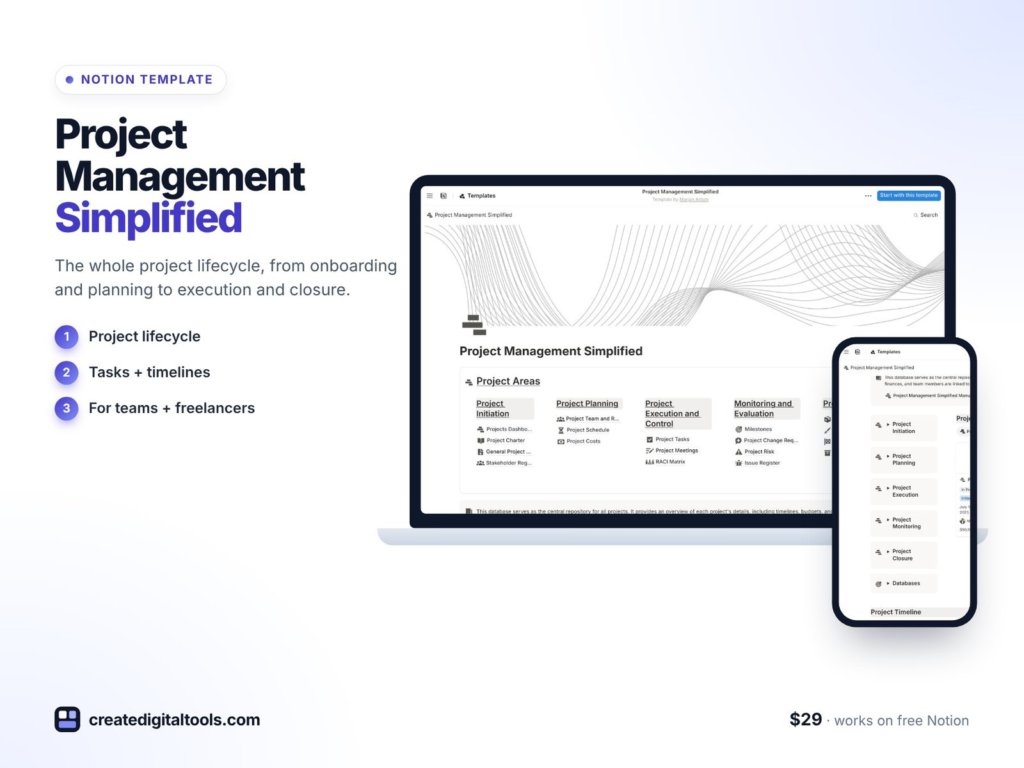
Project Management Simplified is a Notion template from Create Digital Tools that covers the entire project lifecycle with pre-built, interlinked databases.
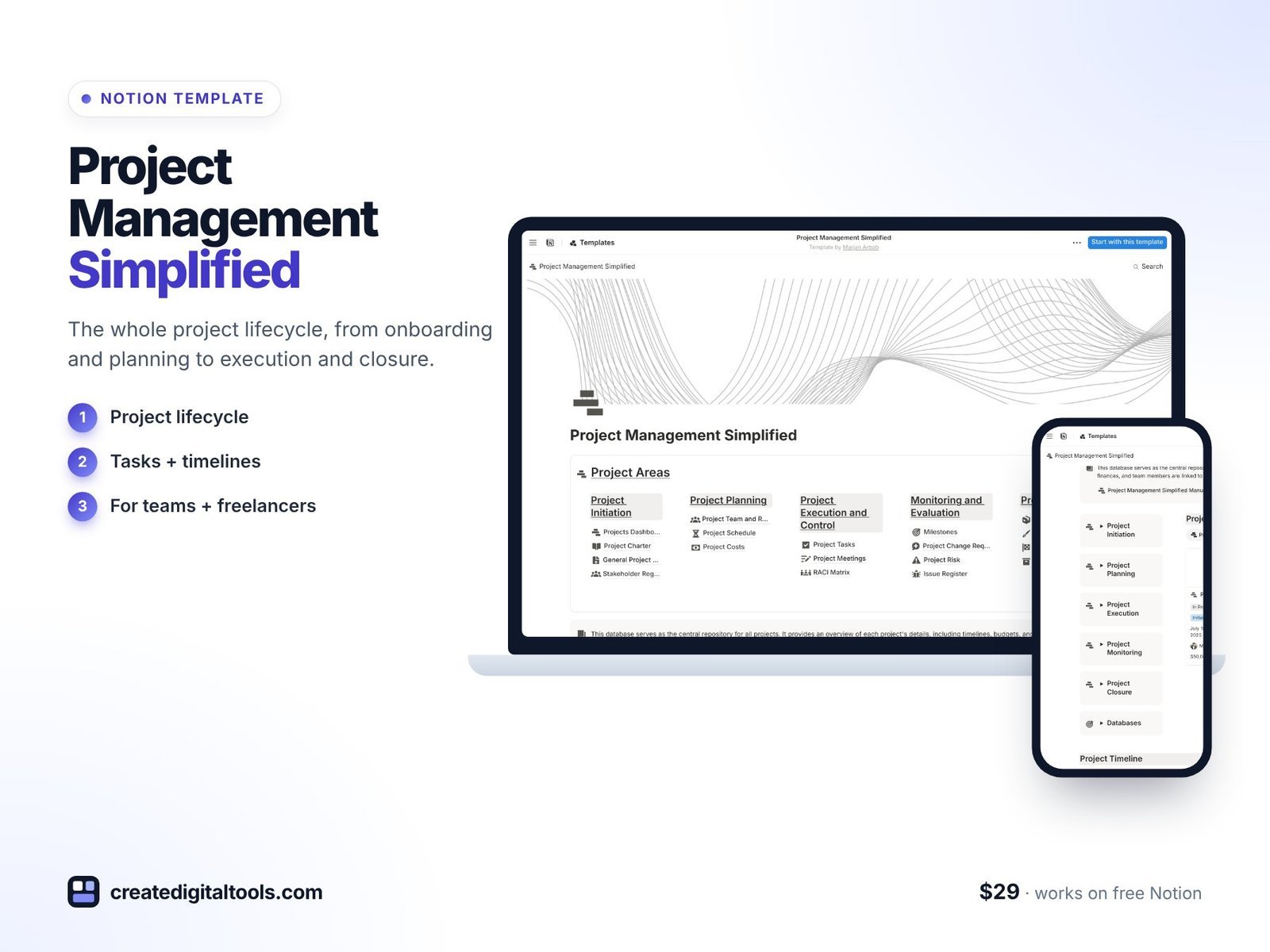
Client and stakeholder tracking
Keep everyone involved in the project, and their role, in one database you can link to tasks and meetings.
Business requirement docs and RFPs
Store requirements and any request-for-proposal documents so scope is written down from day one.
Project charters and contracts
Record what the project is for, what is in and out of scope, and any contracts that apply.
Task boards and milestones
Plan and track the work with boards and key milestones.
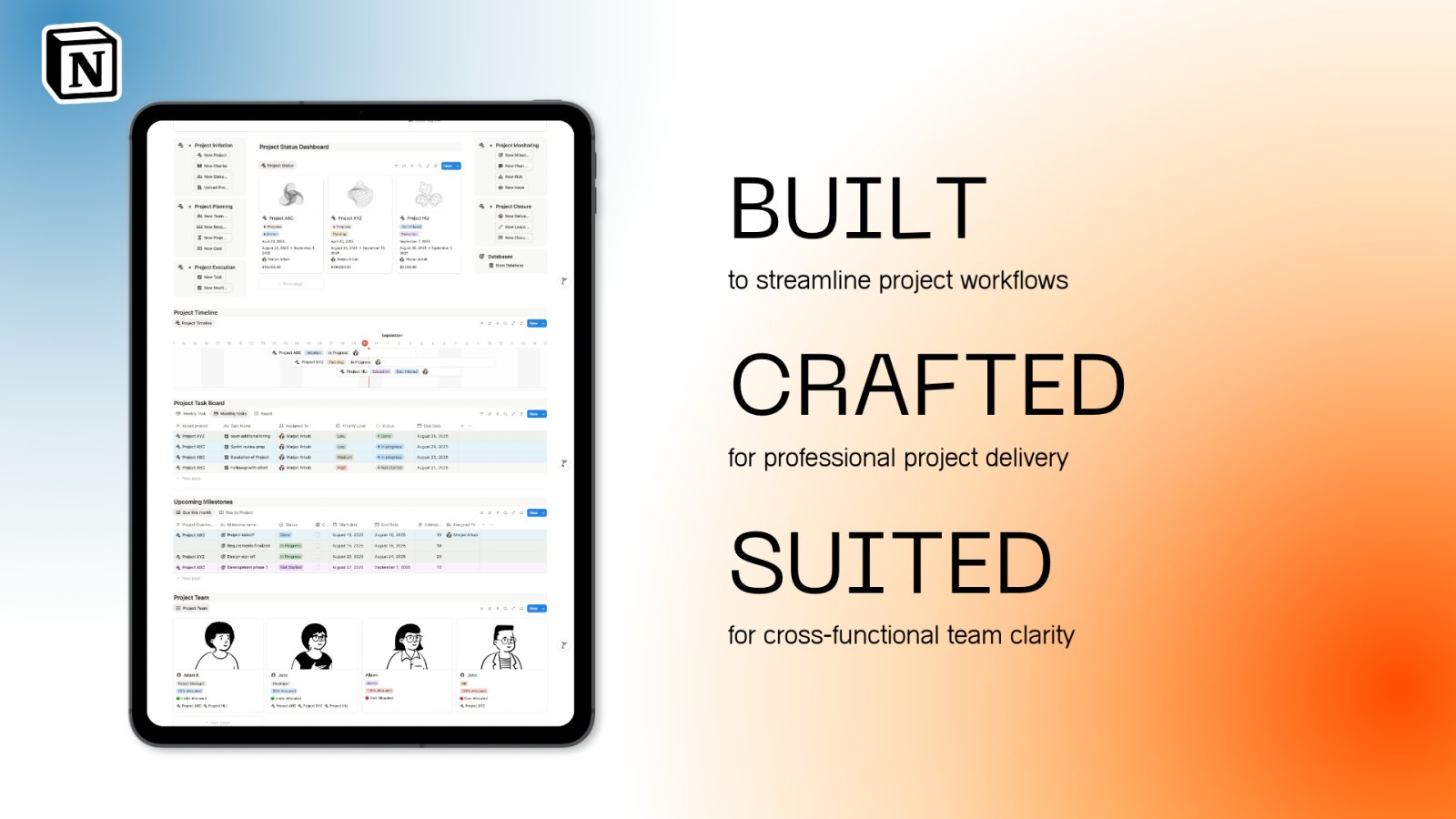
Meeting logs and team assignments
Log meetings and decisions, and see who is assigned to what.
Risk, issue and change management
Track what could go wrong, what has gone wrong and what has changed, each with an owner.
Budget versus actual cost tracking
Compare planned spend with actual spend as the project moves forward.
Final deliverables and closure reporting
Wrap up with a record of what was delivered and a closure report.
Because these databases are interlinked, a meeting decision can point to the task it created, and a change request can point to the requirement it alters. That traceability is what makes a lightweight template hold up when a project gets busy.
The product page says the free Notion plan gives you what you need to run it.
Watch a walk-through
Here is a short video of this simple Notion project template:
Who it’s for, and who it isn’t for
A good fit for:
- People who manage projects as part of another job, such as marketing leads, operations staff or founders.
- Small teams and freelancers who want the full lifecycle covered without complex software.
- Notion users who want a ready-made project structure they can adapt.
Not a good fit for:
- Large programmes that need portfolio reporting, critical path analysis or resource levelling.
- Teams that need AI-assisted planning built into the template. For that, look at Project Management with AI.
Project Management Simplified is also included in the Project Manager Toolkit. Browse more Notion templates.
FAQ
What format is Project Management Simplified?
A Notion template. You duplicate it into your own Notion workspace.
Do I need a paid Notion plan?
No. The product page says the free Notion plan gives you what you need. Notion Plus is aimed at teams that need to scale.
Can I use it for more than one project?
Yes. You can duplicate the template for each project, or adapt the databases to hold several projects with a project property.
Can I share it with my team or client?
Yes, using Notion’s sharing settings. You can share the whole workspace or only specific pages, such as the task board.
Can I remove sections I don’t need?
Yes. Every section is editable. Hide or delete the parts that don’t apply to your project.
Get Project Management Simplified →
Notion is a trademark of Notion Labs, Inc. YouTube is a trademark of Google LLC. This is an independent template, not affiliated with or endorsed by Notion or Google.
Notion systems, spreadsheets and planners with a setup guide. Instant download.