Self-Care Digital Planner 2027 in Blush (Portrait Layout)
Picture someone who plans in the evening, tablet held upright like a book, stylus in hand. Most digital planners they have tried are landscape, so they either turn the tablet sideways or zoom in and out to write. They also want more than a task list: somewhere to note three things they are grateful for, check off a few self-care habits and see how their mood shifts across the month. That is an illustrative scenario, and it describes the reader a portrait digital planner is made for: pages that fill an upright screen, with self-care and gratitude built into every day.
Below you will find why orientation matters more than it seems, a simple self-care planning routine you can start today, and a tour of the 2027 Portrait Digital Planner in blush.
Get the 2027 Portrait Digital Planner →
Why orientation and focus matter in a digital planner
Many popular digital planners are designed in landscape, with tabs along the side and two-page spreads. That suits a tablet in a keyboard case on a desk. But plenty of people hold their tablet upright, on the sofa or in bed, the way they would hold a paper notebook. In that position, a landscape page shrinks to a strip across the middle of the screen. Common problems:
- Constant zooming to write in small boxes.
- Wasted screen space above and below the page.
- Self-care as an afterthought, tucked away in a separate wellness section you never visit.
- Weekly spreads that read sideways, which feels awkward when the tablet is upright.
A portrait layout makes the page fill the screen, and stacking the week from top to bottom suits the way you read and write naturally.
Self-care planning is also easier to keep up when it sits on the same daily page as your schedule. If gratitude and habits live in a separate journal, they are the first thing to slip on a busy day. Putting them next to your to-do list keeps them in view every time you open the planner.
How to build a self-care planning routine
These steps work in any planner. Keep them light; the point is to look after yourself, not add pressure.
1. Pick a small set of self-care habits each month
Choose a few that are realistic: a walk, an early night, time outside, reading for pleasure. Track them for the month and adjust next month.
2. Write three gratitude lines every day
Keep them short and specific. A good cup of coffee counts. Over time, the habit nudges your attention towards what is going well.
3. Log your mood without judging it
A quick mood note each day helps you spot patterns, such as which days or activities leave you drained. It is a personal record, not a diagnosis.
4. Choose a weekly focus
One theme for the week, such as rest, connection or getting outside, keeps your intentions simple.
5. Keep the daily list realistic
Top 3 priorities, a to-do list and a short self-care checklist. If the list is longer than the day, move things to tomorrow.
6. Review the month gently
Look at your habit tracker, mood log and gratitude highlights. Note what helped and carry it forward.
Inside the 2027 Portrait Digital Planner (Blush)
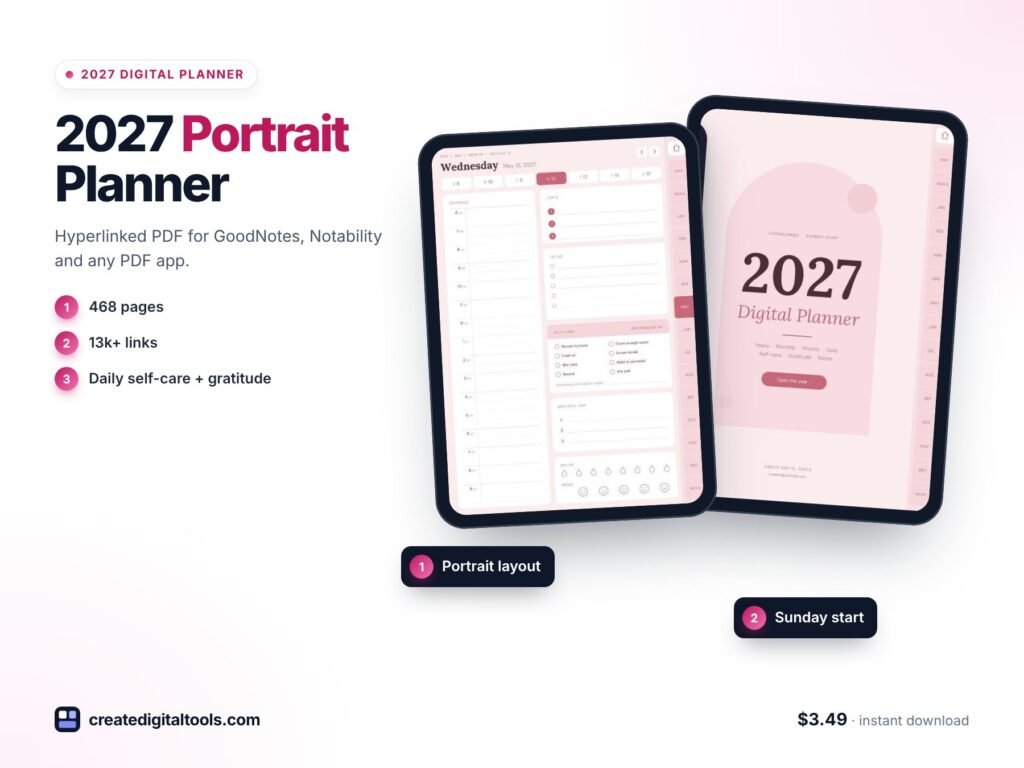
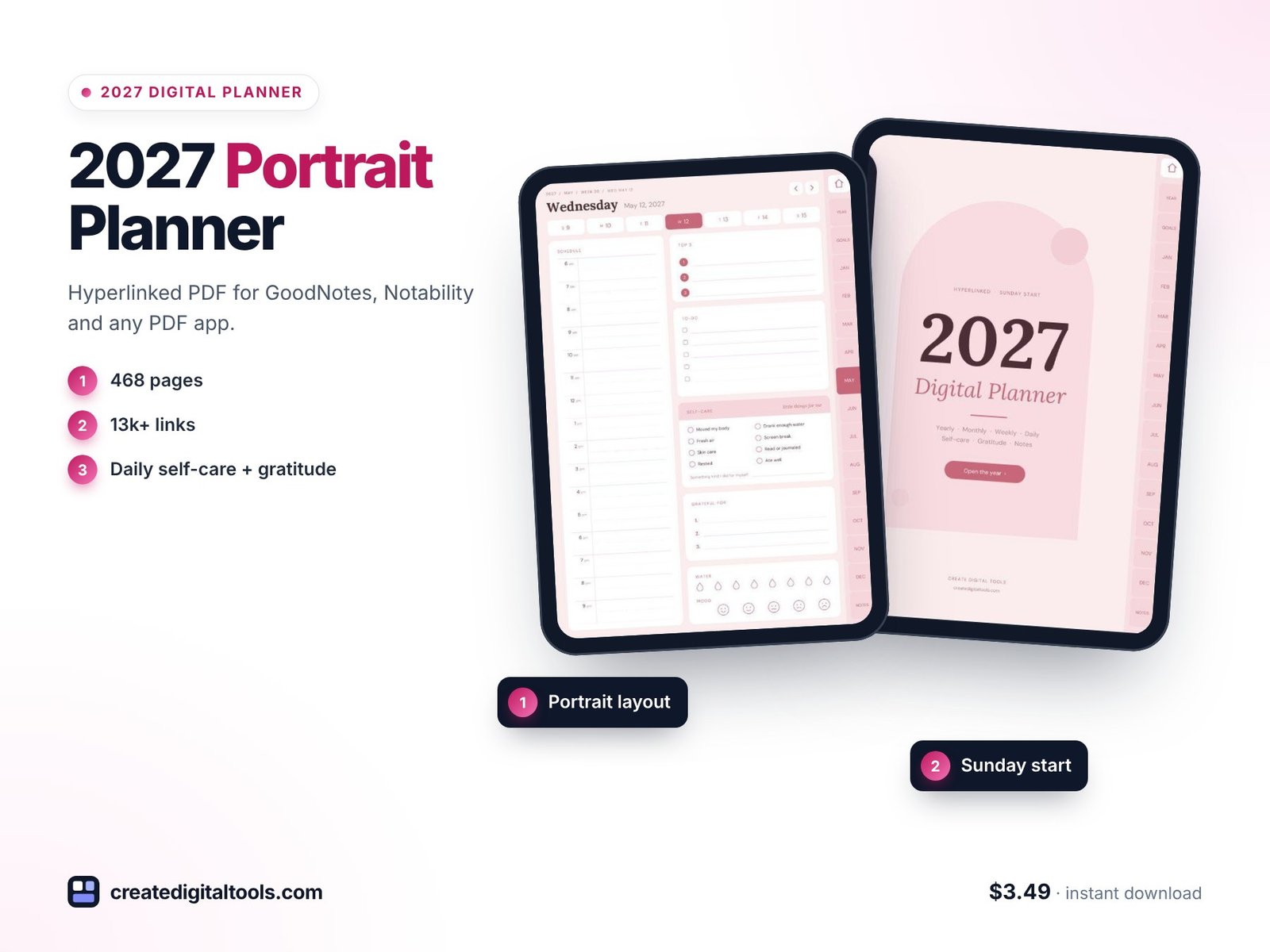
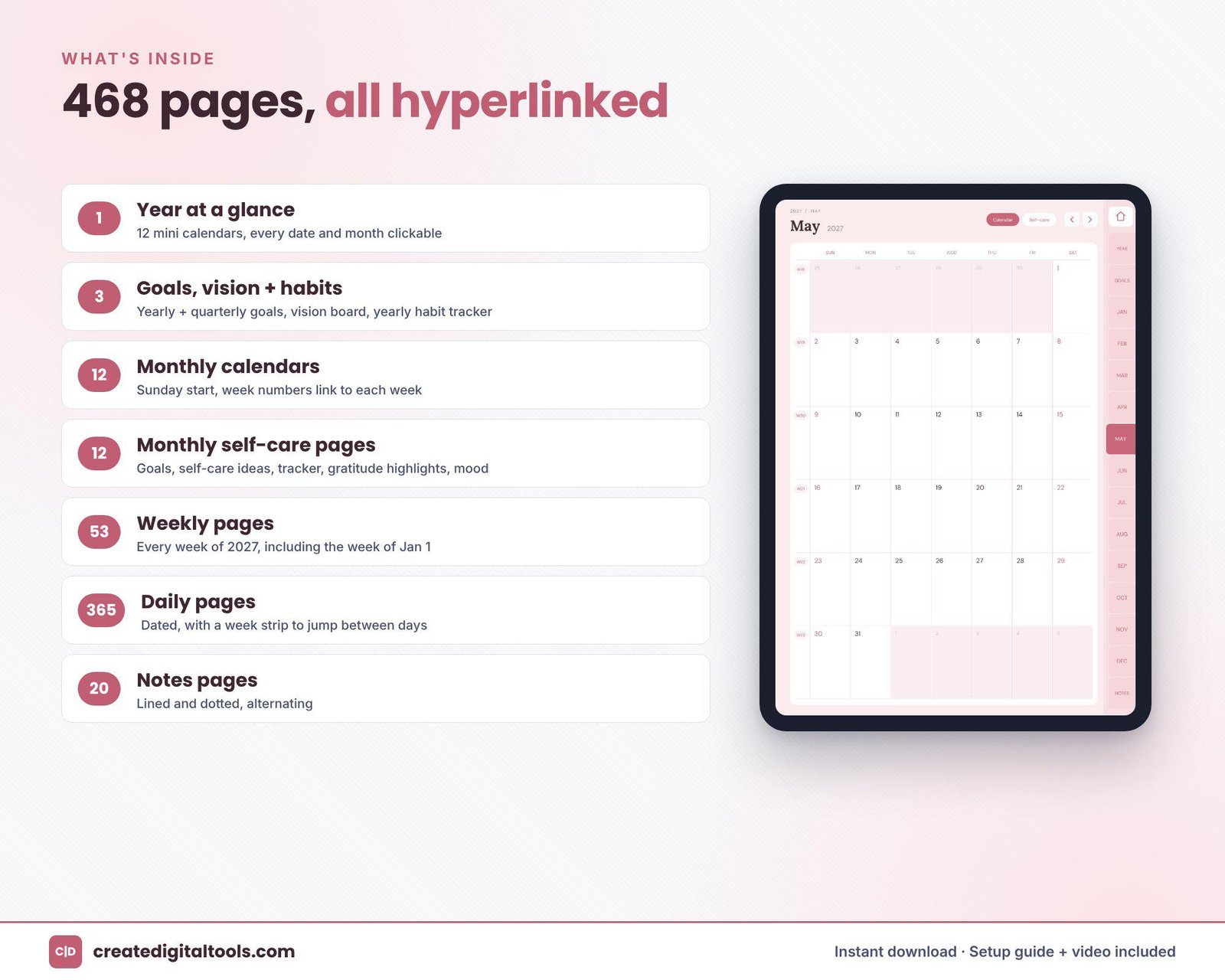
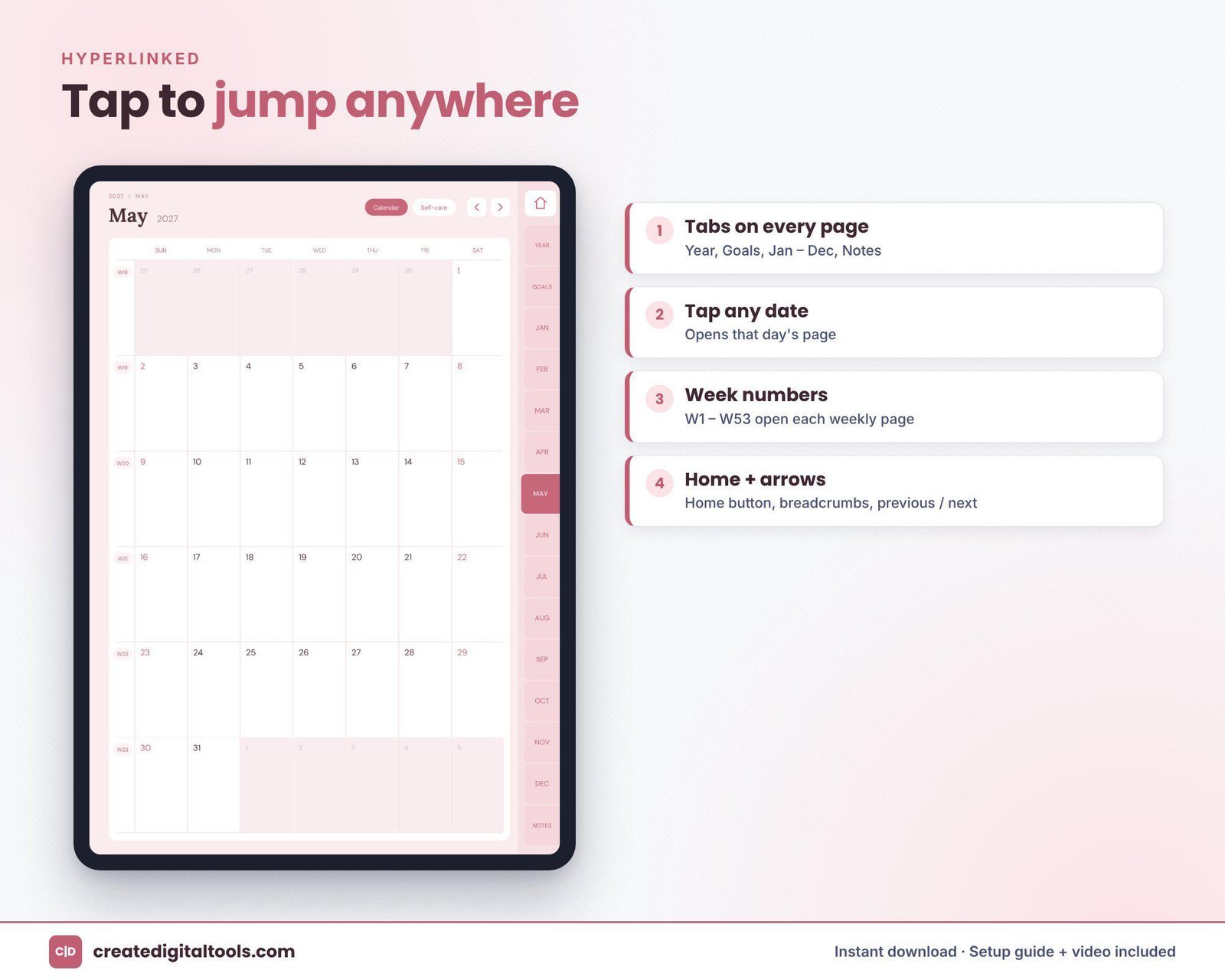
The 2027 Portrait Digital Planner is a 468-page hyperlinked PDF in soft blush pink, laid out in portrait so it fills a tablet held upright. Its themes are self-care and gratitude. Everything is hyperlinked, so tabs, months, weeks and days link directly to their pages. It works in GoodNotes, Notability, Noteshelf, Xodo and other PDF apps that support internal links, on iPad or Android tablets.
Yearly overview
2027 at a glance, goals, a vision page and a yearly habit tracker.
Monthly calendars
12 monthly calendars with a Sunday start, where every date links to its daily page.
Monthly self-care pages
12 pages with goals, self-care ideas, an 8-habit tracker, gratitude highlights and a mood log.
Weekly pages
53 vertical weekly pages with Sunday to Saturday stacked top to bottom, a weekly focus and a self-care habit grid.
Daily pages
365 dated pages with a 6am to 9pm schedule, top 3 priorities, a to-do list, a self-care checklist, 3 gratitude lines, and water and mood trackers.
Notes
20 notes pages in lined and dotted styles.
The download includes the planner PDF, a Setup Guide PDF and a setup video.
Getting started with your portrait planner
Here is an easy way to begin without making self-care feel like homework:
- Import and explore: follow the Setup Guide to open the PDF in your app, then hold your tablet upright and tap through the tabs.
- Fill in the year pages: a few goals and a vision page are enough to start.
- Choose this month’s self-care habits: pick from the self-care ideas on the monthly page and track up to eight.
- Set a weekly focus: one word or phrase for the week, written at the top of the vertical weekly page.
- Each day: write three gratitude lines and tick the self-care checklist. Add your schedule and top 3 when the day needs structure.
- At month end: look back at the mood log and gratitude highlights and note what helped.
The portrait layout makes the planner feel close to a paper journal, so it suits a quiet evening routine as well as a morning check-in. If you miss a day, leave it and carry on; the trackers are there to show patterns over a month, not to keep a perfect streak. Soft pen colours such as rose, plum or grey sit nicely on the blush pages.
See the portrait planner in action
This video gives a full tour and shows how to set the planner up:
Who it is for, and who it is not for
A good fit if you:
- Hold your tablet upright and want pages that fill the screen
- Want self-care, gratitude and mood tracking built into daily planning
- Like soft, feminine colours
- Prefer a Sunday-start week
Probably not the right fit if you:
- Use your tablet mainly in landscape with a keyboard case
- Need project, meeting or budget pages
- Are looking for a therapeutic or clinical tool (this is an organising tool, not medical or mental health advice)
- Need a printed planner (this is a digital download only)
Frequently asked questions
Which apps can I use it in?
GoodNotes, Notability, Noteshelf, Xodo and other PDF apps that support internal links, on iPad or Android tablets.
Is it portrait or landscape?
Portrait, designed to fill a tablet held upright.
When do I receive it?
It is an instant digital download with no physical item. You get the planner PDF and a Setup Guide PDF, and a setup video is linked.
Does the week start on Sunday?
Yes. The monthly calendars start on Sunday and the weekly pages run Sunday to Saturday.
Can I share my copy?
The planner is for personal use only.
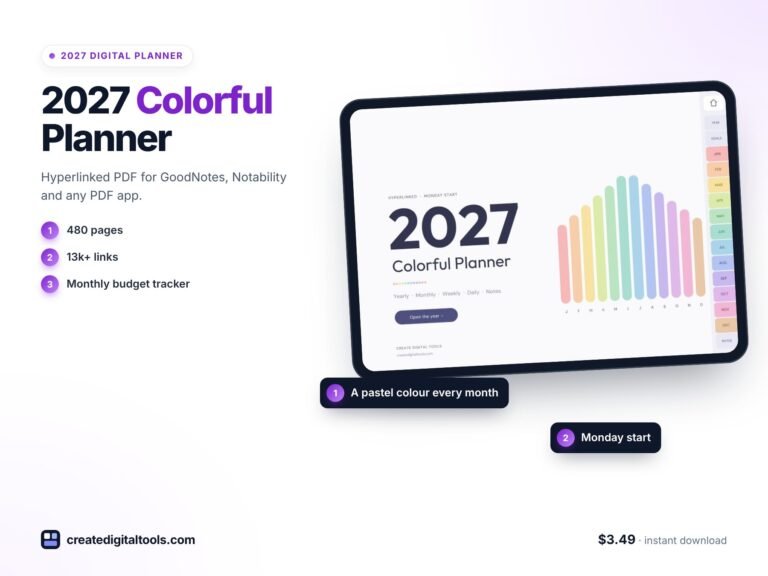
Prefer colour by month? The 2027 Colorful Digital Planner in Pastel Rainbow gives each month its own shade. You can browse every digital planner for GoodNotes and iPad in the store.
Get the 2027 Portrait Digital Planner →
GoodNotes, Notability, Noteshelf, Xodo and iPad are trademarks of their respective owners. This is an independent planner, not affiliated with or endorsed by any of them.
Notion systems, spreadsheets and planners with a setup guide. Instant download.