Description
Setup Guide & Full Tour
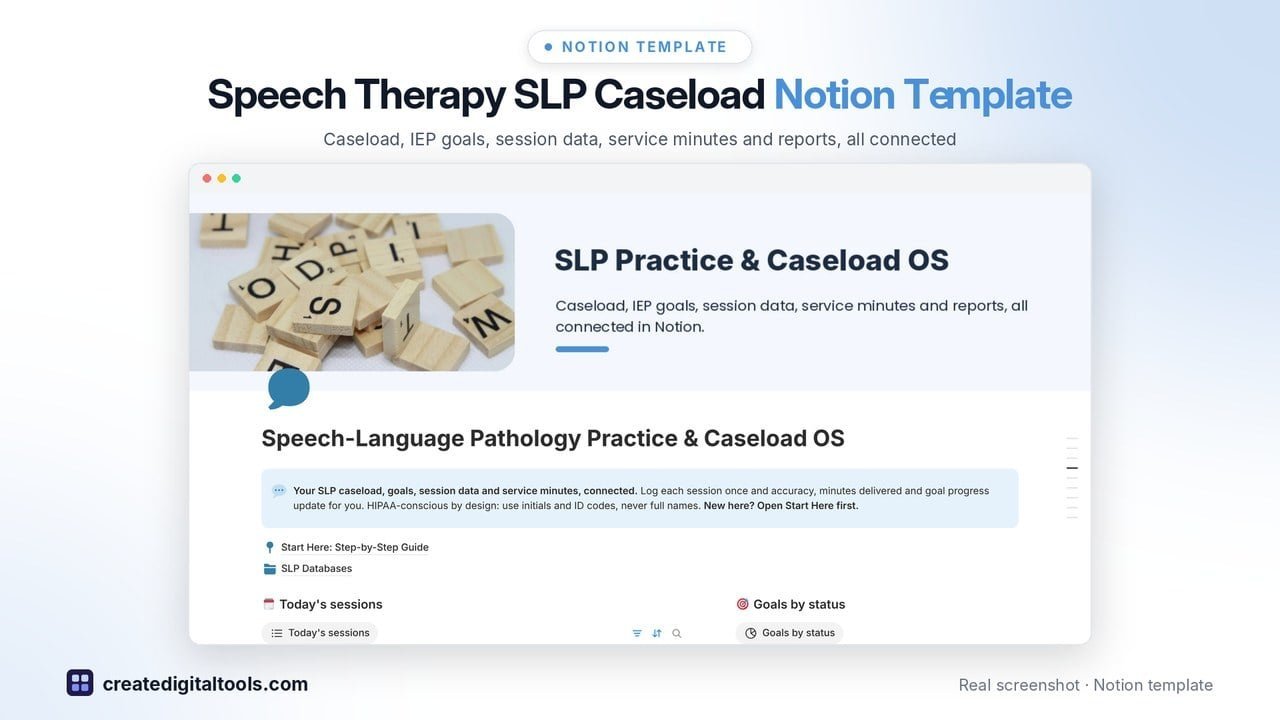
Speech therapy Notion template for SLPs: caseload, IEP goals, session data and service minutes, all connected.
Built for school-based and private-practice speech-language pathologists who want one place to log sessions, see minutes compliance and stay ahead of IEP reviews and re-evaluations.
Who it’s for
- School-based speech-language pathologists
- Private-practice SLPs and small therapy practices
- SLPs working school and private caseloads together
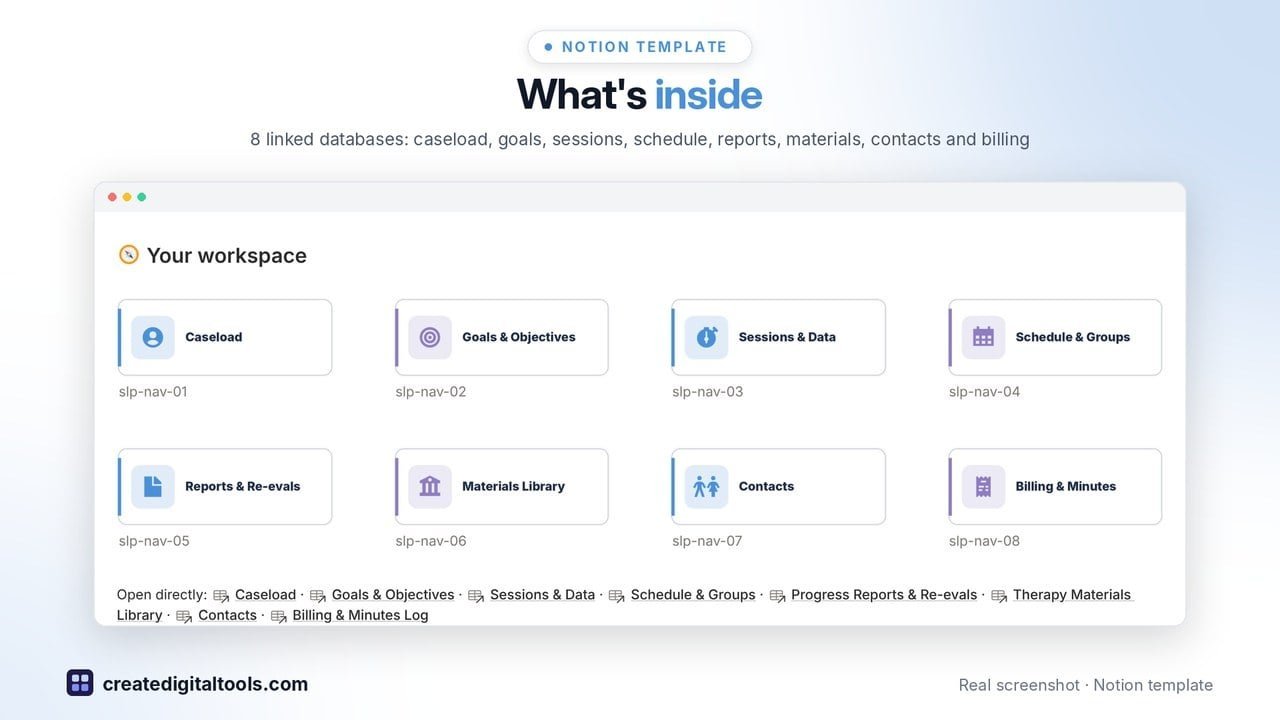
What’s inside
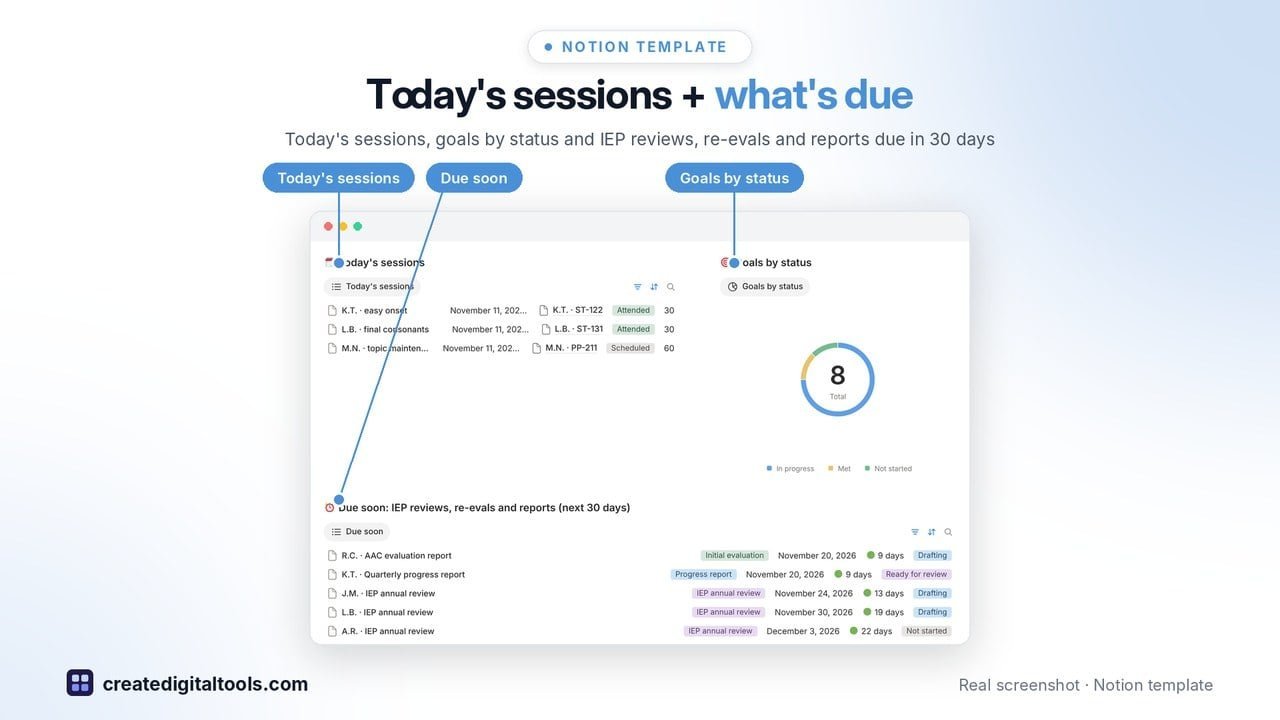
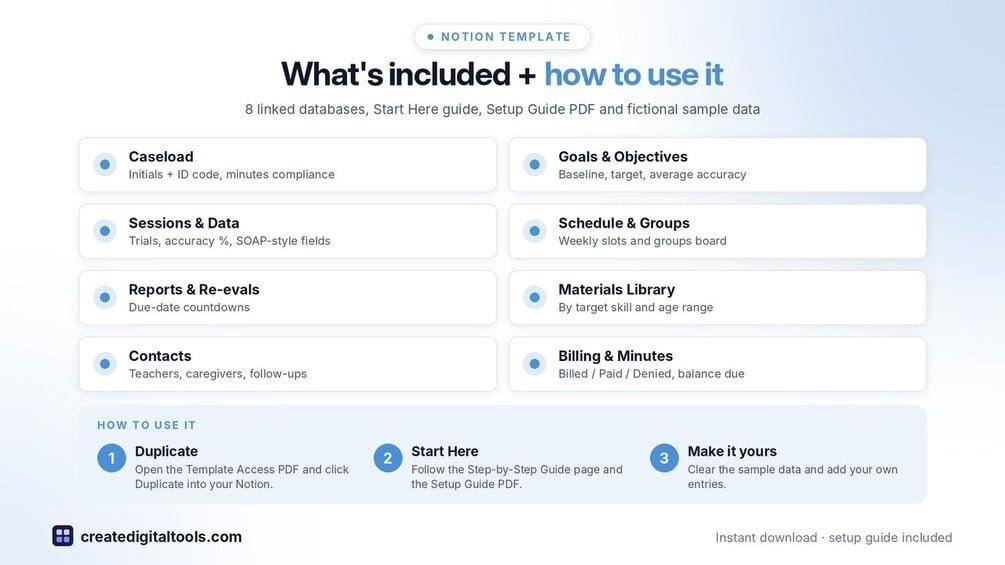
- Home dashboard: today's sessions, goals by status and a Due soon list of IEP reviews, re-evals and progress reports in the next 30 days
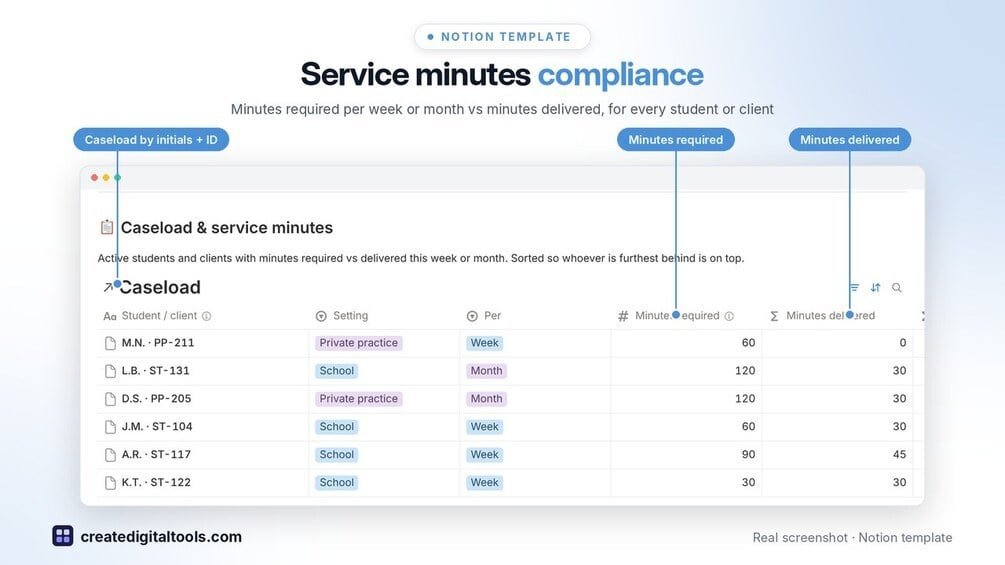
- Caseload by initials and ID code, with minutes required per week or month, minutes delivered and a compliance % (Met / Partly delivered / Behind)
- IEP and treatment goals with baseline, target and criteria; average accuracy and progress to target fill in from your session data
- Sessions & Data: minutes, trials, correct, accuracy %, cueing level and SOAP-style note fields
- Weekly schedule and groups board (day, time, location, group size)
- Progress Reports & Re-evals with due-date countdowns
- Therapy Materials Library by target skill and age range, with times used
- Contacts for teachers, caregivers and team members, with follow-up reminders
- Private practice billing: rate × units, payer, Billed / Paid / Denied, days outstanding and balance due per client
- Start Here: Step-by-Step Guide with a flow diagram, setup steps, weekly routine and FAQ, plus fictional sample data
Built-in automations
Four date stamps fill in for you: goal met, report completed, bill sent and bill paid.
Set up in 3 steps
- Open the template link in your PDF and click Duplicate to copy it into your own Notion workspace.
- Open Start Here: Step-by-Step Guide and follow the setup: add your own details and clear the sample data when you’re ready.
- Work from the front page every day and use the weekly checklist in Start Here to keep everything up to date.
What you get
- The Notion template (instant download: a PDF with your duplicate link)
- Setup Guide PDF with a step-by-step walkthrough and FAQ
- Start Here guide inside the template
- Video walkthrough: setup guide and full tour (at the top of this page)
Free plan
Works on the Free Notion plan. The built-in automations are Notion database automations, which run on paid plans (Plus and up). On the Free plan they pause and you fill those dates in by hand; every database, formula and view still works. Desktop, web and the Notion mobile app.
Please note
HIPAA-conscious design: use initials and ID codes only, never full names, and keep protected health information in your district or practice record system. This template is an organising tool, not clinical, legal or billing advice.
Digital product: nothing physical is shipped. Sample data is fictional.
Notion is a trademark of Notion Labs, Inc.; this is an independent template by Create Digital Tools (createdigitaltools.com).
New to Notion? Try it free here (affiliate link: we may earn a commission at no extra cost to you).
Want your own store like this one? createdigitaltools.com runs on Hostinger WordPress hosting. Start your own shop with Hostinger, or try the no-code Hostinger Website Builder.
Affiliate links: I may earn a commission at no extra cost to you.