Product Launch Plan Template for Excel & Google Sheets
Picture a small skincare brand getting ready to launch a new serum. The launch date is in a chat thread, the content ideas are in a notes app, the ad budget is in someone’s head, and on launch day nobody is quite sure whether sales are on track. A product launch plan template pulls those pieces into one workbook: a date, a set of goals, and a timeline, content calendar, budget and live numbers that all work from them.
This post explains how to structure a launch plan yourself, then walks through the Product Launch Planner spreadsheet for Excel and Google Sheets.
Get the Product Launch Planner →
Why launches feel chaotic
Most launches are not short of ideas. They are short of a shared plan. The usual setup looks like this:
- Scattered documents. Tasks in a project tool, posts in a content calendar, costs in a separate sheet. Nothing updates the others.
- Fixed dates that do not move. When the launch slips a week, every deadline has to be changed by hand.
- No live scoreboard. On launch week, numbers come from three dashboards, so it is hard to tell if you are ahead of or behind goal.
- No review. After launch, everyone moves on and the lessons are lost.
How to use a product launch plan template
You can follow this structure in any spreadsheet.
1. Anchor everything to launch day
Set the launch date once. Write every task and post as “days before” or “days after” launch, and calculate the real date from that. When the date moves, the plan moves with it.
2. Split the work into phases
Four phases work for most launches: Strategy (positioning, offer, pricing), Build-up (assets, waitlist, teasers), Launch week (announcements, emails, ads) and Post-launch (follow-ups, reviews, retargeting).
3. List every asset and track it to “ready”
Product photos, sales page, emails, social graphics, videos. Give each one an owner and a status, so gaps show up weeks before launch, not the night before.
4. Date your content
Plan posts and emails against launch day too. A teaser three weeks out, a waitlist email one week out, the announcement on day zero, reminders after.
5. Set a budget by channel
Write planned spend for each channel, then track what you actually spend. Divide spend by sales to see cost per sale.
6. Track daily numbers against a goal
During launch week, log visitors, sign-ups and sales each day and compare revenue to your target.
7. Review while it is fresh
Compare results to goals and write down what to repeat and what to drop next time.
What a launch week can look like
As an illustration, a small online launch week might run like this: day zero brings the announcement email, social posts and the sales page going live. Days one and two cover answering questions and sharing behind-the-scenes content. Mid-week is a good moment for a reminder email and a short video or demo. Near the end, a “last chance” message if there is a launch offer. Each evening, log visitors, sign-ups and sales, and compare them with the goal so you can adjust the next day’s content.
Common launch planning mistakes to avoid
- Setting the date before the assets. Check the asset list against the date before you announce anything publicly.
- Front-loading content. Many teams post heavily on launch day and go quiet after. Plan reminders and follow-ups in the post-launch phase too.
- Vague goals. “Do well” cannot be tracked. Set a revenue goal and a sign-up goal so daily numbers mean something.
- Budget without tracking. If you only write the plan, you cannot see cost per sale. Log actual spend as it happens.
- Skipping the review. The next launch is where the lessons pay off, so write them down within a week.
A simple test: if someone new joined the launch tomorrow, could they open one file and see what is due, what is ready and how sales are going? If not, the plan needs pulling together.
Inside the Product Launch Planner spreadsheet
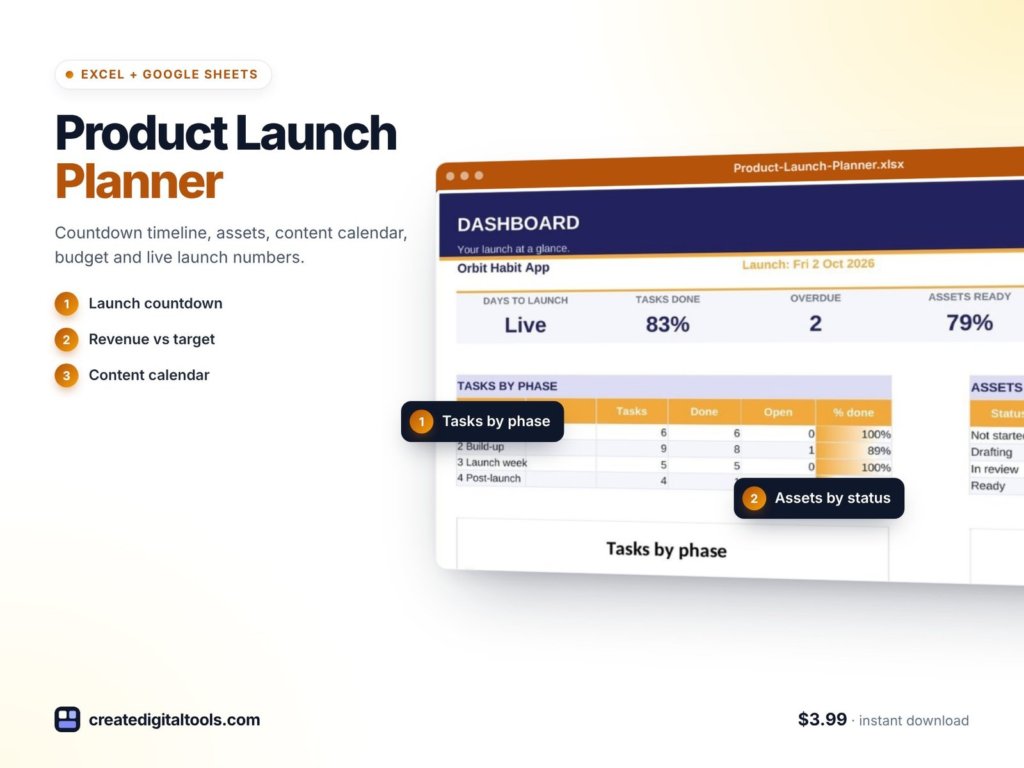
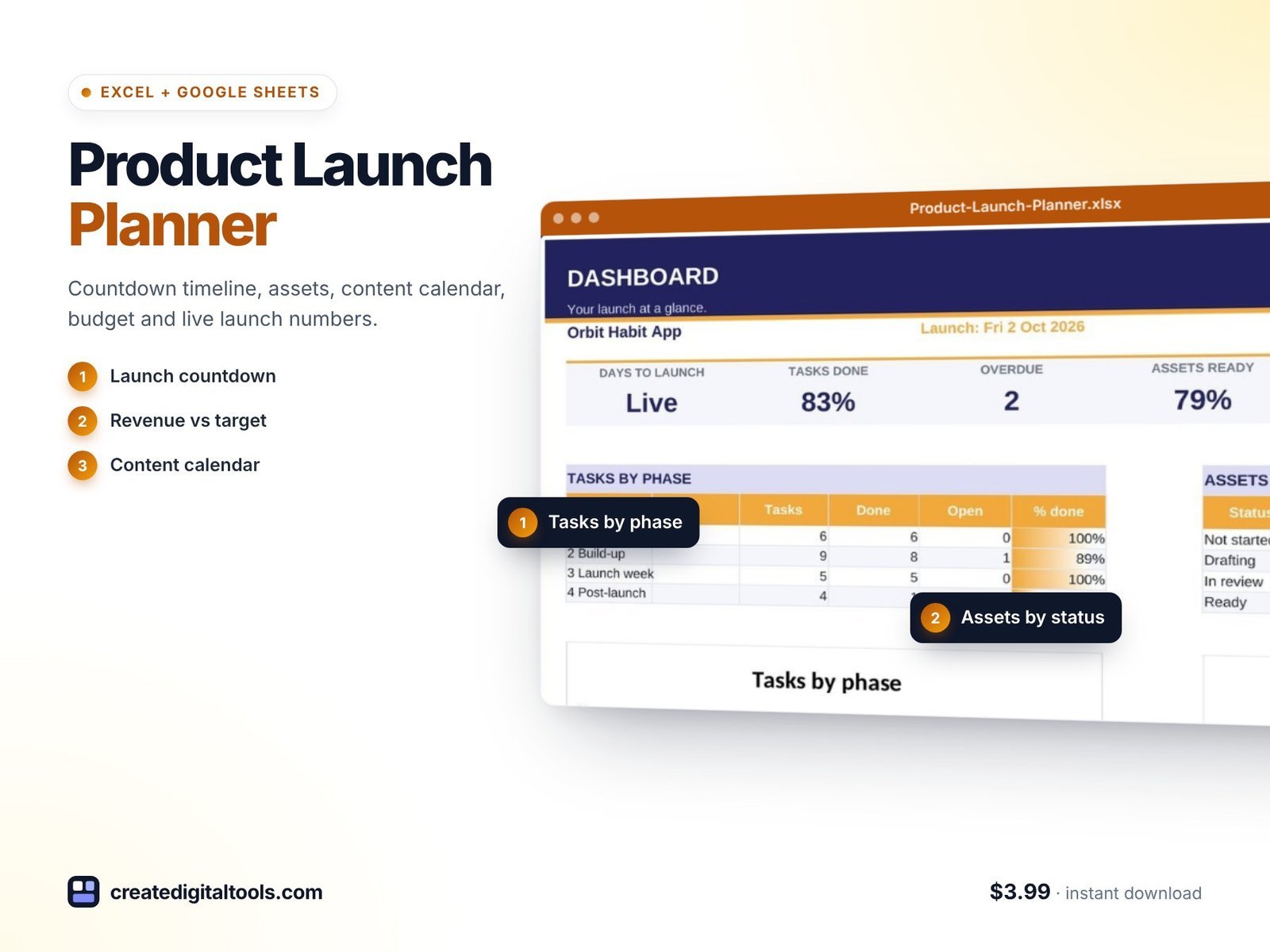
The Product Launch Planner is a ready-to-use spreadsheet for Microsoft Excel and Google Sheets. You set the launch date and goals, and the timeline, content calendar, asset list, budget and launch-week numbers all work from them. It has 9 connected tabs.
Start Here and Setup
Start Here gives a 6-step setup and a colour key. Setup is where you enter the launch date, goals, budget, channels and team.
Dashboard
A countdown, overall progress, asset status and revenue against goal, so you can see where the launch stands at a glance.
Timeline
150 tasks in four phases (Strategy, Build-up, Launch week, Post-launch), all dated from launch day. Move the date and the whole plan moves.
Assets
Every launch asset tracked through to Ready.
Content Calendar
100 posts and emails dated from launch, in the same file as the plan rather than a separate tool.
Budget
Planned versus spent by channel, with cost per sale.
Launch Metrics
Daily visitors, sign-ups and sales, with a chart against your revenue goal.
Review
Results against goals and lessons learned. The goals-versus-results part fills itself in.
Also included
- A setup guide PDF.
- A video walkthrough.
- Sample data that follows today’s date, so you can see how it works before adding your own.
It uses formulas only: no macros, no add-ons and no subscription. It works in Excel 2016 and later, Microsoft 365 and Google Sheets.
Here is the setup guide and full tour of the planner:
Who it is for, and who it is not for
A good fit if you:
- Run a small business, shop or creator brand and launch products, courses or services.
- Want the plan, content, budget and numbers in one workbook.
- Prefer a spreadsheet you own over another monthly subscription.
Probably not for you if you:
- Need multi-team resource planning across many parallel projects.
- Want automatic data pulled from ad platforms or your store. Launch metrics are entered by hand.
Planning a launch party or event around the release? The Event Planning Tracker spreadsheet covers checklist, budget, vendors and guests. You can browse more tools in our spreadsheets collection.
FAQ
Does it work in Google Sheets and Excel?
Yes. It works in Excel 2016 and later, Microsoft 365 and Google Sheets.
Do I need any add-ons or macros?
No. It is formulas only, with no macros, add-ons or subscription.
What happens if my launch date changes?
Change the date in Setup. Timeline tasks and content dates are calculated from launch day, so they move with it.
Can I add my own tasks and channels?
Yes. The timeline has room for 150 tasks and the content calendar for 100 posts and emails, and you set your own channels in Setup.
Is it an instant download?
Yes. You get the spreadsheet, the setup guide PDF and access to the video walkthrough right after purchase.
Plan your next launch in one workbook
For $3.99 you get a dated timeline, content calendar, budget and launch scoreboard that all move with your launch date.
Get the Product Launch Planner →
Microsoft Excel is a trademark of Microsoft Corporation and Google Sheets is a trademark of Google LLC. This is an independent template, not affiliated with or endorsed by Microsoft or Google.
Notion systems, spreadsheets and planners with a setup guide. Instant download.