Business Requirements Document Template for Notion
Picture a business analyst starting a new CRM rollout. The sales director wants better reporting, IT wants fewer integrations, finance wants lower licence costs, and everyone assumes the others want the same thing. Three weeks in, the team is building features nobody formally agreed on. A clear business requirements document template forces those conversations to happen at the start: what the project is for, what is in scope, what it must do and how well it must do it. This is an illustrative scenario, but most people who have worked on projects have seen a version of it.
Below: why projects without written requirements drift, how to write a BRD yourself, and what is inside the Business Requirements Documents – Project BRD Template for Notion.
Get the Project BRD Template →
Why projects without a BRD drift off course
Requirements often live in meeting notes, email threads and people’s heads. That works until someone new joins, a stakeholder changes their mind, or the project is reviewed against expectations nobody wrote down. Common symptoms:
- Scope creep, because there is no agreed boundary to point to.
- Rework, when a feature is built to one person’s understanding and rejected by another.
- Missed quality expectations, such as speed, security or accessibility, because only features were discussed.
- Slow onboarding of new team members who have to piece together the project’s purpose.
A written BRD also protects relationships. When a stakeholder later says “that’s not what I asked for”, you can open the agreed document together and talk about the change, rather than arguing from memory. It turns a disagreement into a decision: update the requirement and its impact on time and cost, or keep the original scope. A blank document doesn’t fix this, because people skip the sections they find awkward. A structured template with clear headings prompts you to cover each part.
How to write a business requirements document
These steps follow the common structure of a BRD. You can use them with any tool.
- Record project details. Name, sponsor, project manager, key dates and version. It sounds basic, but it answers “who owns this?” immediately.
- Write an executive summary. Two or three short paragraphs explaining the problem, the proposed solution and the expected benefit. Write it last if that is easier.
- Define the scope. List what is in scope and, just as important, what is out of scope.
- Explain the business drivers. Why now? Cost pressures, customer complaints, regulation, growth? Drivers help prioritise requirements later.
- List project requirements. The high-level needs the project must meet.
- Separate functional requirements. What the solution must do: “Users can export a monthly sales report as CSV.”
- Add non-functional requirements. How well it must do it: performance, security, availability, accessibility, usability.
- Get sign-off. Share the document with stakeholders, collect comments and record approval before work begins.
Tip: number every requirement (FR-01, NFR-01 and so on). Numbered requirements are easy to reference in tasks, tests and change requests.
How to write requirements people can test
A good requirement is specific, measurable and free of design decisions. Compare these:
- Weak: “The system should be fast.” Better: “Search results load within three seconds for 95% of queries.”
- Weak: “Managers need better reports.” Better: “Managers can view weekly sales by region and export the report as CSV.”
- Weak: “Make it secure.” Better: “Only users with the Finance role can view invoice amounts.”
Each better version can be checked at the end of the project: either it does this or it doesn’t.
Common BRD mistakes
- Describing solutions instead of needs. “Add a dropdown menu” is a design choice. “Users can choose their region” is the requirement.
- Skipping non-functional requirements. Speed, security and accessibility problems discovered late are expensive to fix.
- No out-of-scope list. Writing down what you are not doing is one of the most effective ways to stop scope creep.
- Treating sign-off as the end. Requirements change. Keep a version note and log changes so the BRD stays accurate.
Inside the business requirements document template for Notion
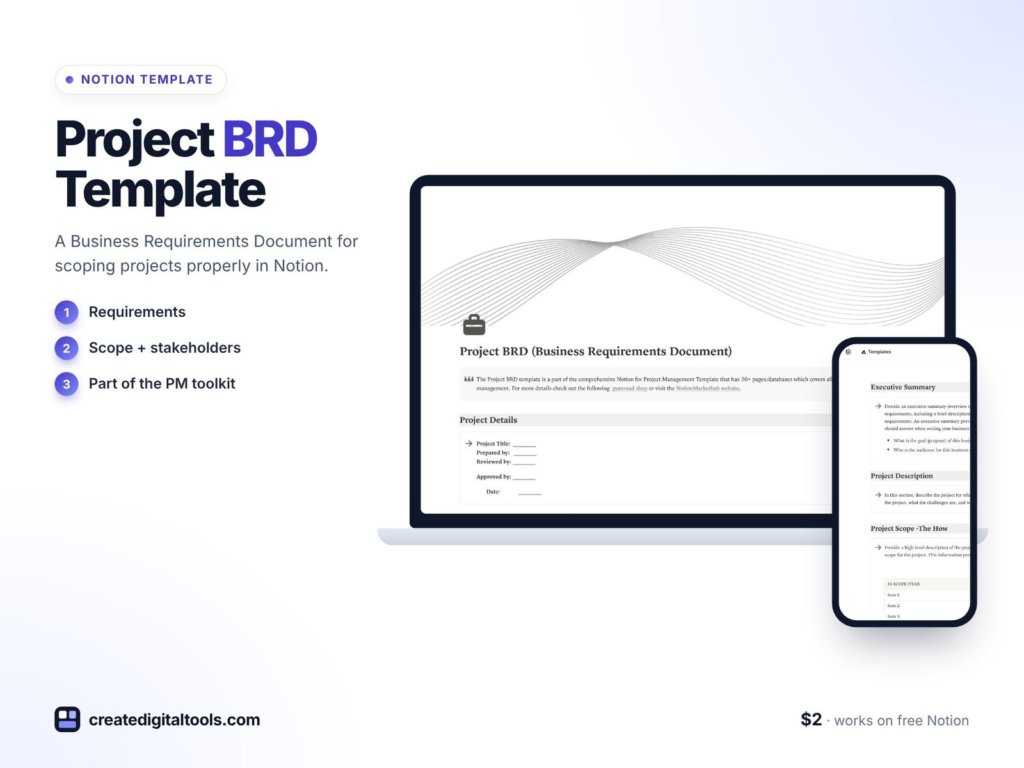
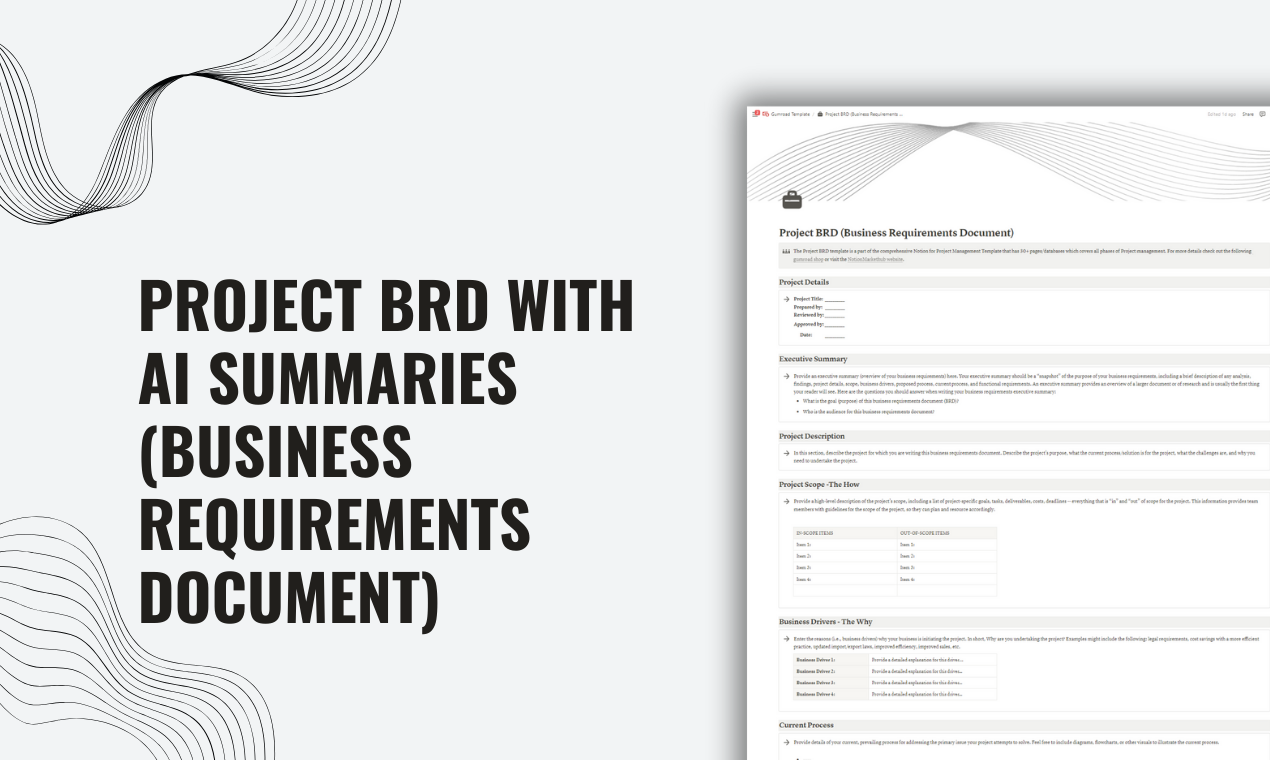
The Project BRD Template is a Notion template from Create Digital Tools. It gives each part of a BRD its own section, so you fill in the structure rather than facing a blank page.
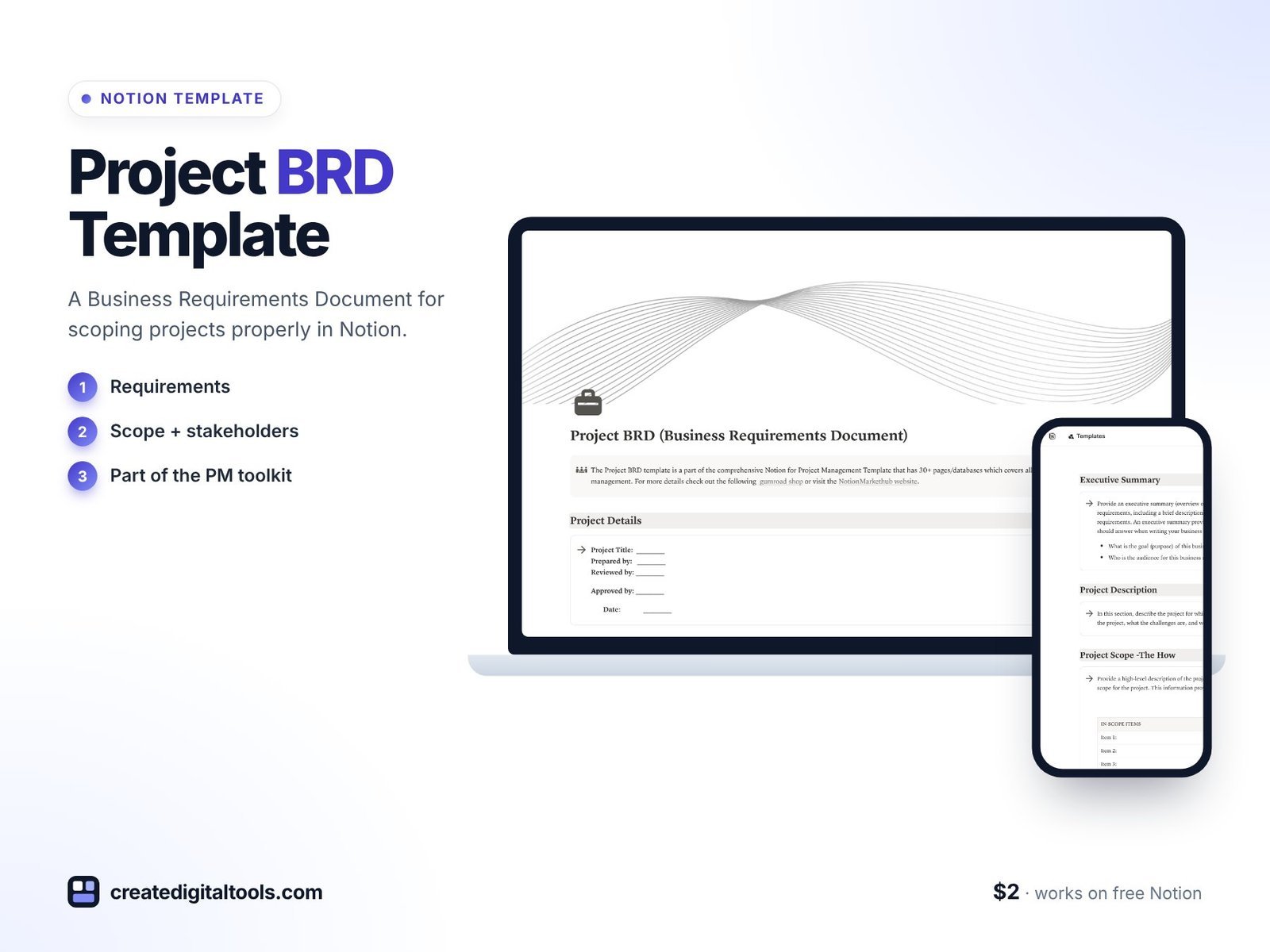
Project Details
The basic facts of the project, so anyone opening the BRD knows what it covers and who is involved.
Project Executive Summary
A short overview for stakeholders who need the gist without reading every requirement.
Project Scope
What the project will and won’t deliver.
Business Drivers
The reasons behind the project, which help when you need to prioritise.
Project Requirements
The high-level requirements the project must meet.
Functional Requirements
What the solution must do, written as clear, testable statements.
Non-Functional Requirements
Quality expectations such as performance, security and usability.
AI Summary
A section for an AI-generated summary of the document, useful when sharing the BRD with busy stakeholders.
Working in Notion has a practical advantage for a BRD: stakeholders can comment directly on a section, and you can link each requirement to the tasks or tickets that deliver it. The document stays connected to the work instead of becoming a file that nobody opens after sign-off.
The product page mentions easy customisation, flexible formatting options and regular updates. It also notes that the BRD is part of a larger Notion for Project Management template covering 30+ phases.
Who it’s for, and who it isn’t for
A good fit for:
- Business analysts and project managers who write BRDs regularly.
- Founders and team leads scoping a new system, website or internal tool.
- Students learning how a business requirements document is structured.
Not a good fit for:
- Teams required to use a specific corporate document template or a formal requirements management tool with traceability matrices.
- Anyone looking for a complete project management workspace in a single purchase. For that, see below.
If you want the BRD alongside a project lifecycle template, cost tracker, standup log and more, it is included in the Project Manager Toolkit. You can also browse all Notion templates.
FAQ
What format is the BRD template?
It is a Notion template. You duplicate it into your Notion workspace and fill in each section.
Do I need Notion AI for the AI Summary section?
Notion AI is an optional paid add-on. You can write the summary yourself or paste in a summary from another AI tool; the rest of the template works without it.
Does it work on the free Notion plan?
The product page doesn’t list a required Notion plan, and it points to Notion’s free plan as a way to get started. If you are unsure, duplicate it into a free workspace and check before relying on it.
Can I export the BRD to share it?
Notion lets you export pages as PDF, Markdown or HTML, or share a page link with stakeholders, depending on your plan and settings.
Can I add my own sections, like sign-off or assumptions?
Yes. The template is fully editable, so you can add sections such as assumptions, constraints, risks or an approval table.
Get the Project BRD Template →
Notion is a trademark of Notion Labs, Inc. This is an independent template, not affiliated with or endorsed by Notion.
Notion systems, spreadsheets and planners with a setup guide. Instant download.