Description
Setup Guide & Full Tour (5 min, start here if you are new to Notion)
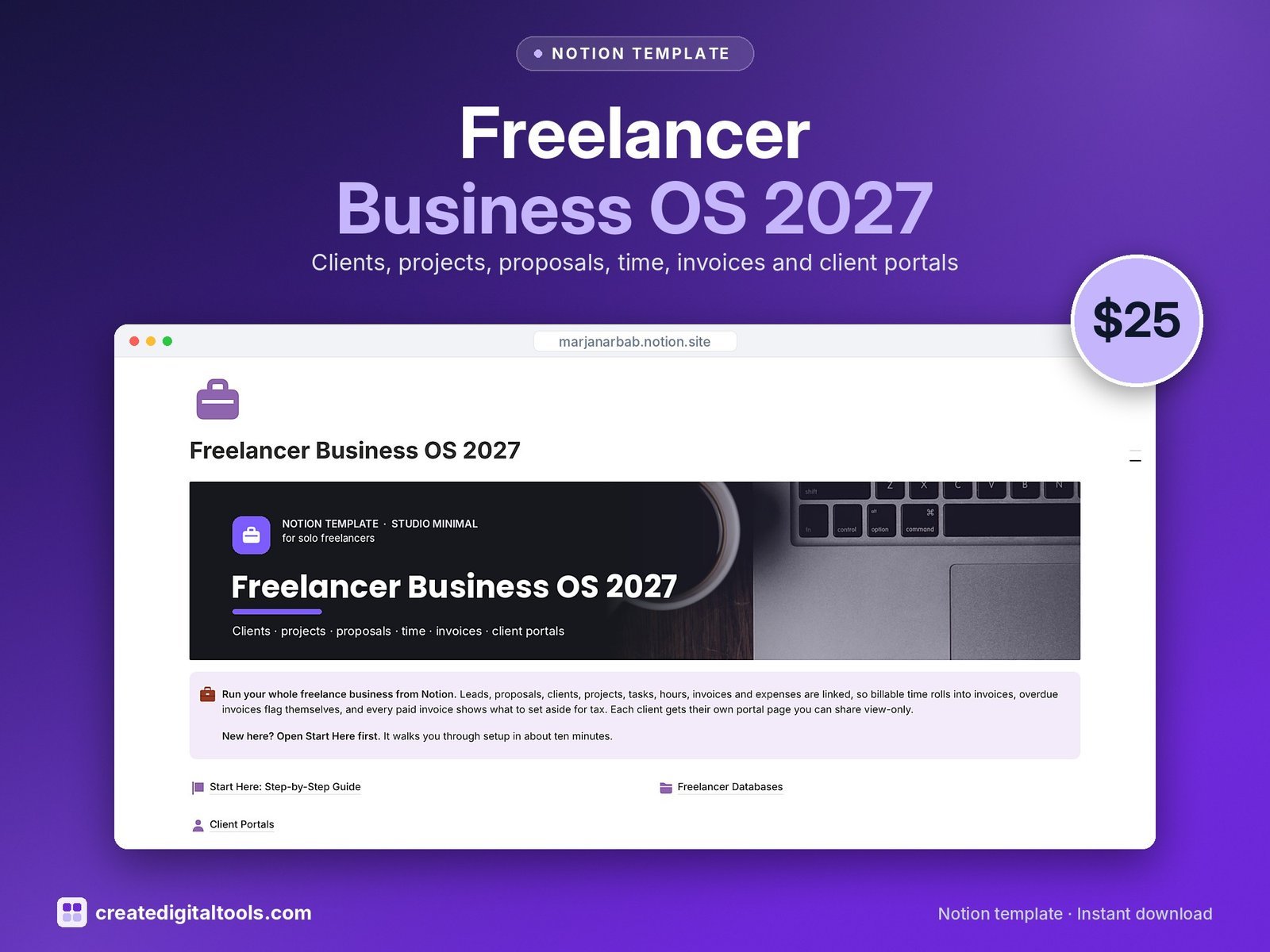
Run your freelance business in a connected Notion workspace: leads, proposals, clients, projects, tasks, hours, invoices and expenses, all linked, plus a ready-made portal page for each client.
Who it’s for
- Solo freelancers: designers, writers, developers and consultants
- Virtual assistants with several clients
- Solopreneurs who bill by the hour, by project or on retainer
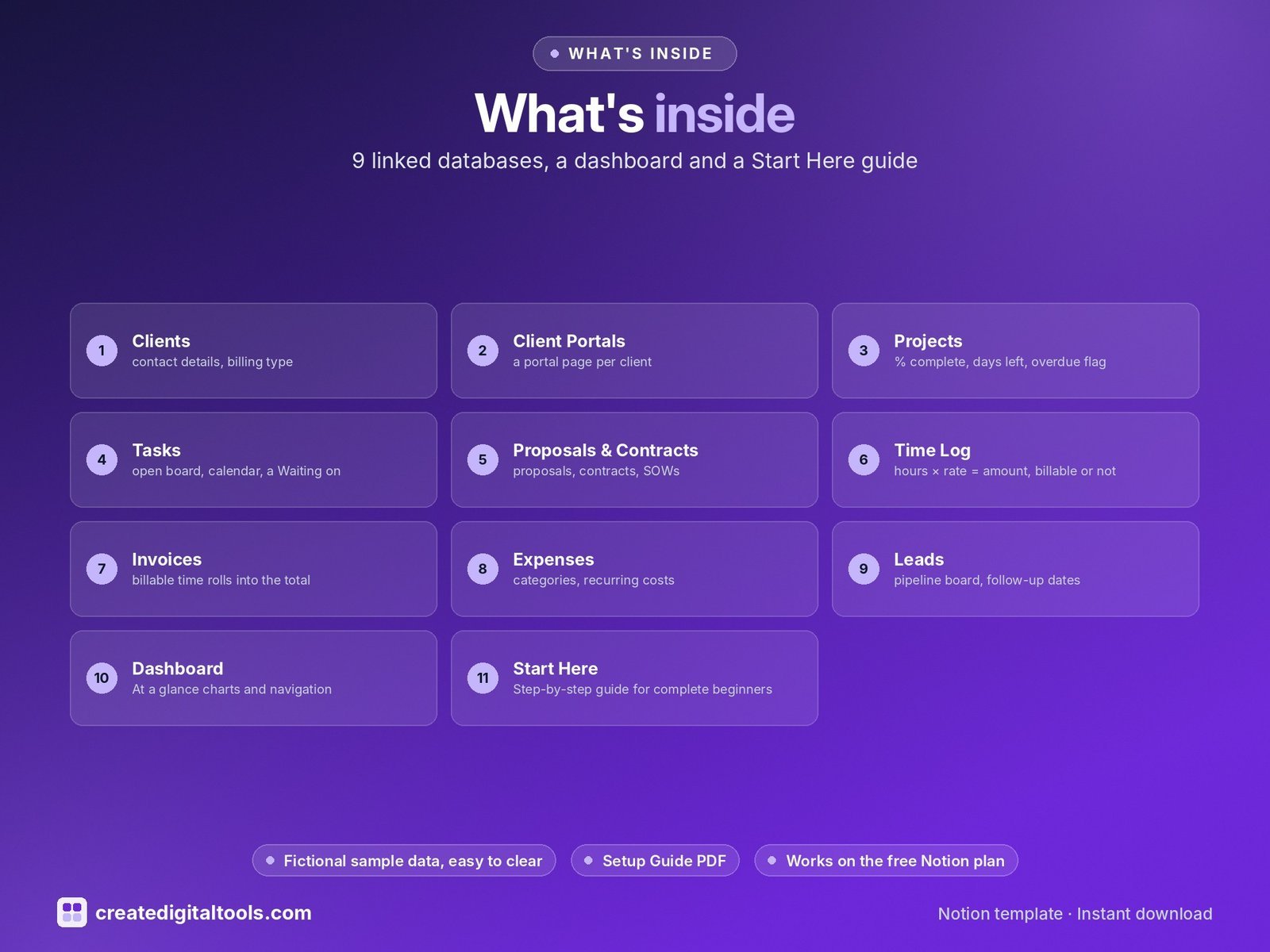
What’s inside
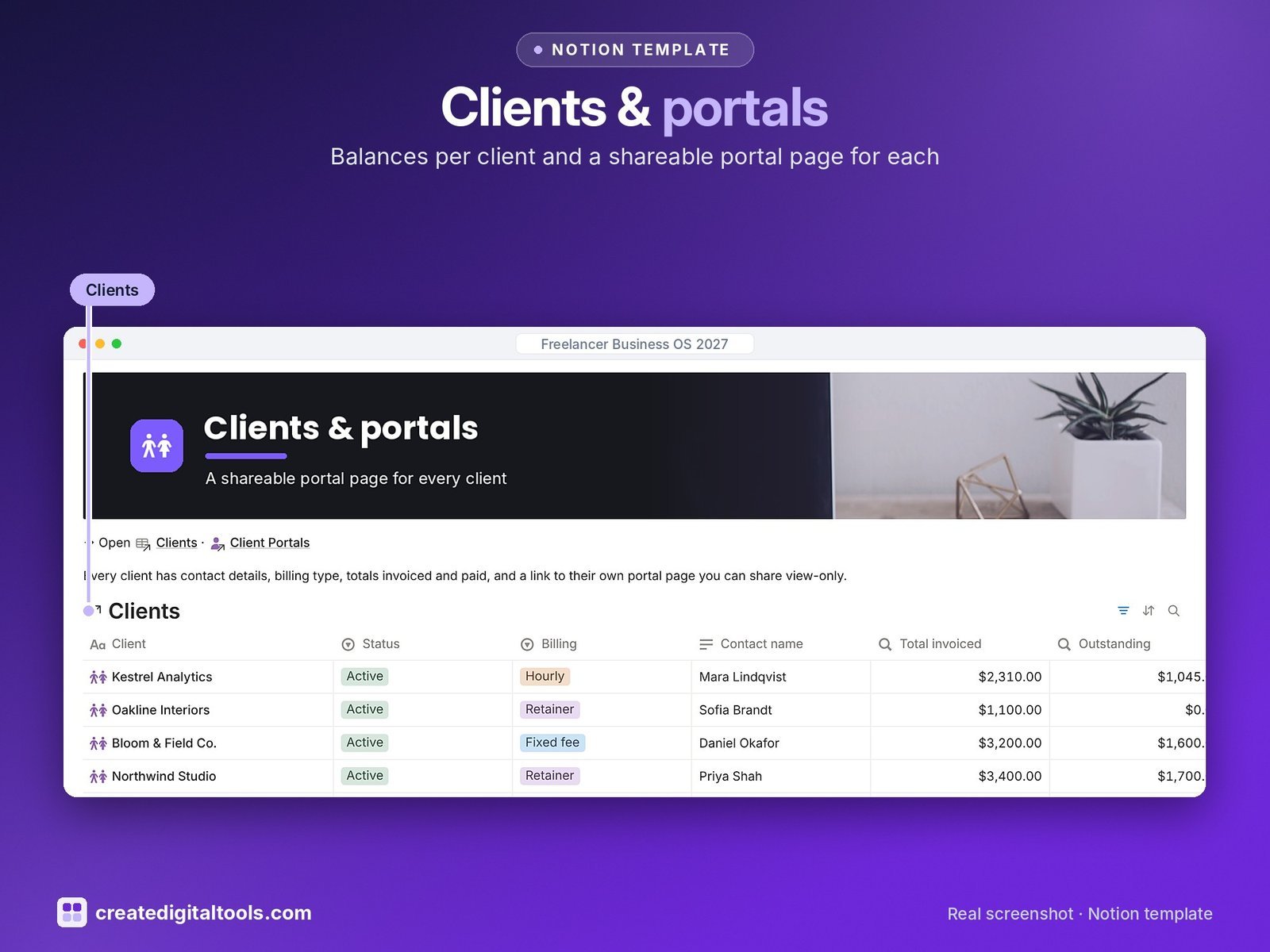
- Clients: contact details, billing type, default rate, totals invoiced and paid, outstanding balance and payment health
- Client Portals: a portal page per client with their projects, deliverables, invoices and a What I need from you checklist, to share view-only
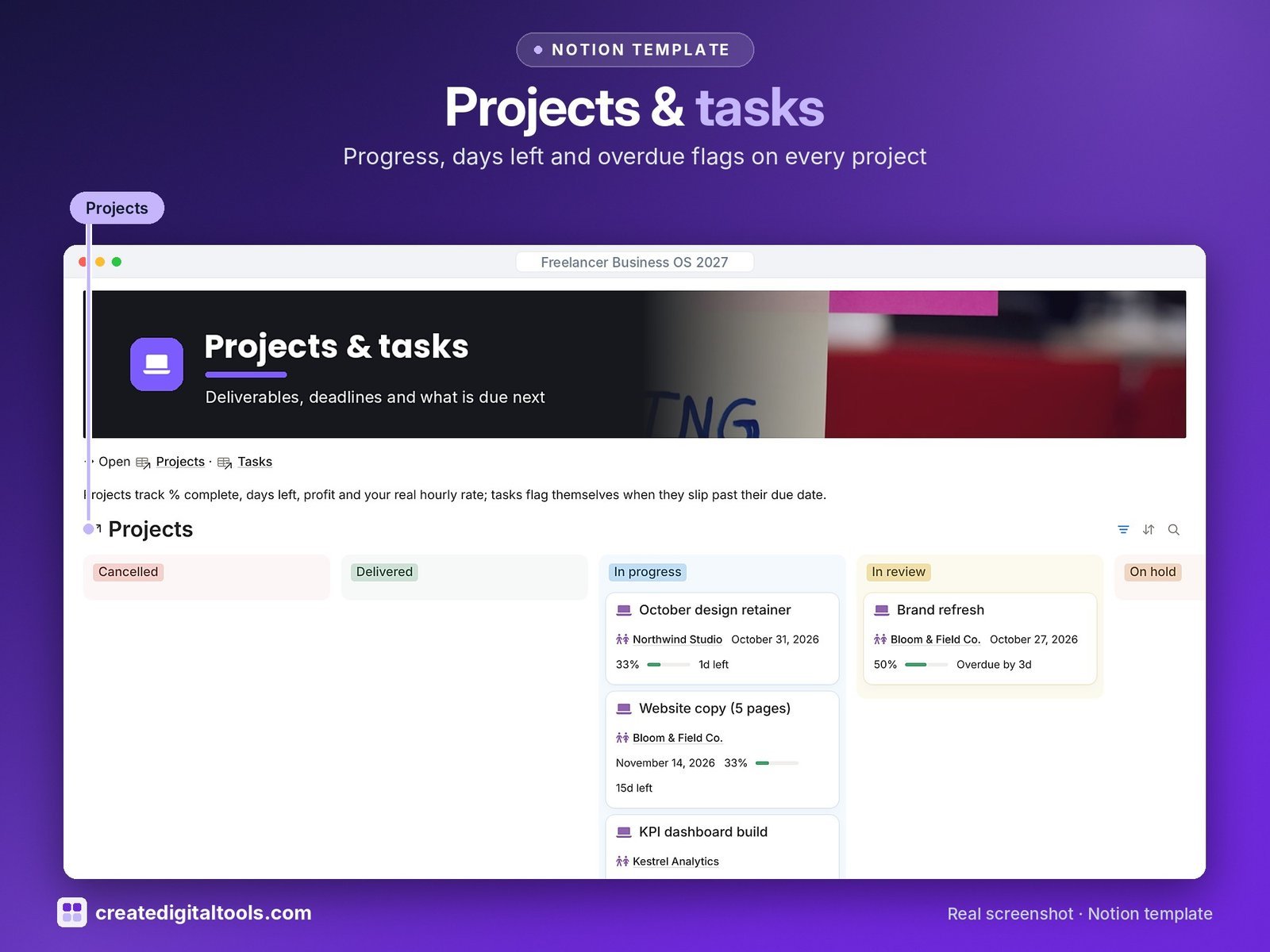
- Projects: % complete, days left, overdue flag, value, profit after costs and effective hourly rate
- Tasks: open board, calendar, a Waiting on client list and a Deliverable tick that feeds the portal
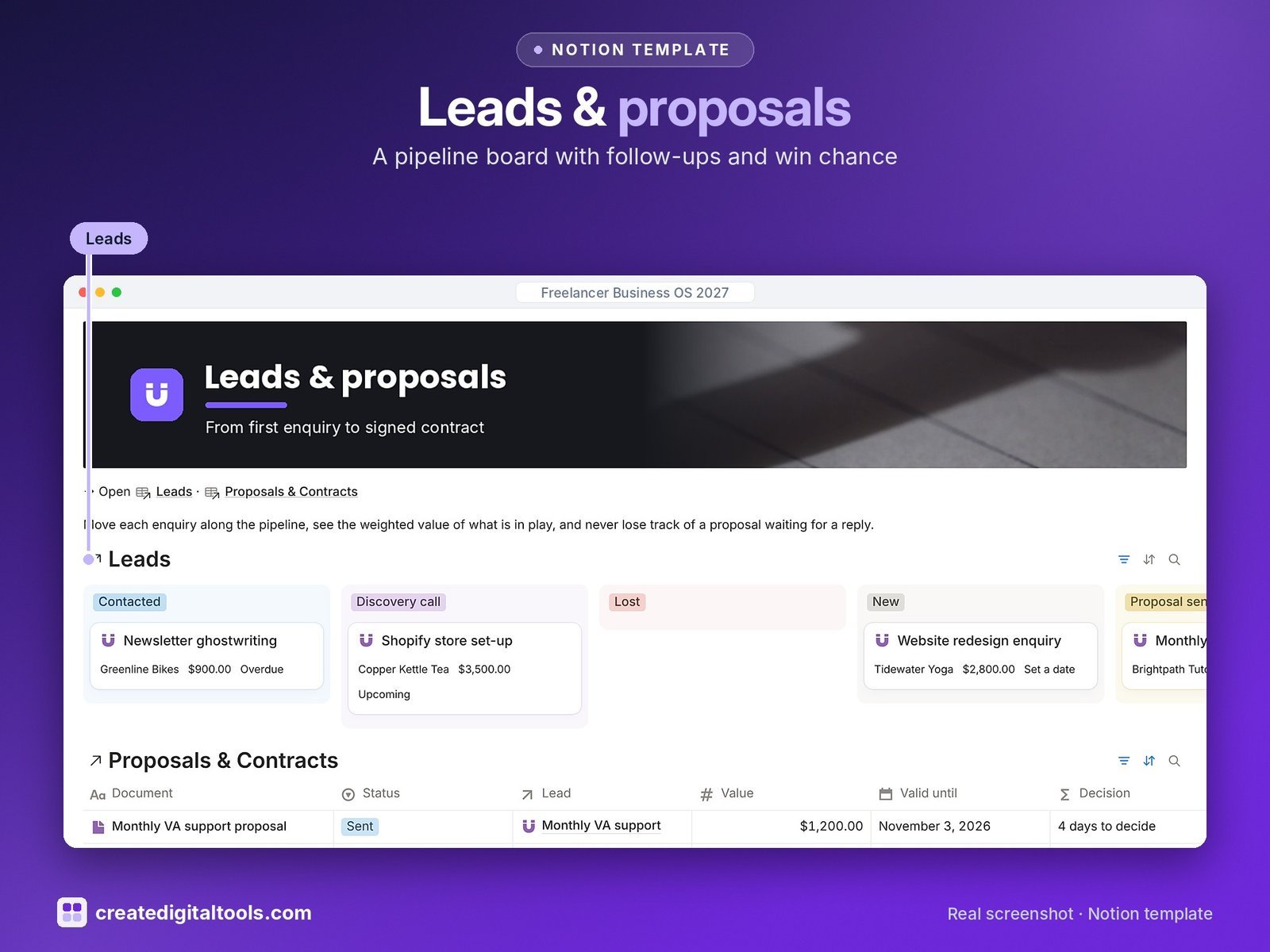
- Proposals & Contracts: proposals, contracts, SOWs and NDAs with value, valid-until date and signed status
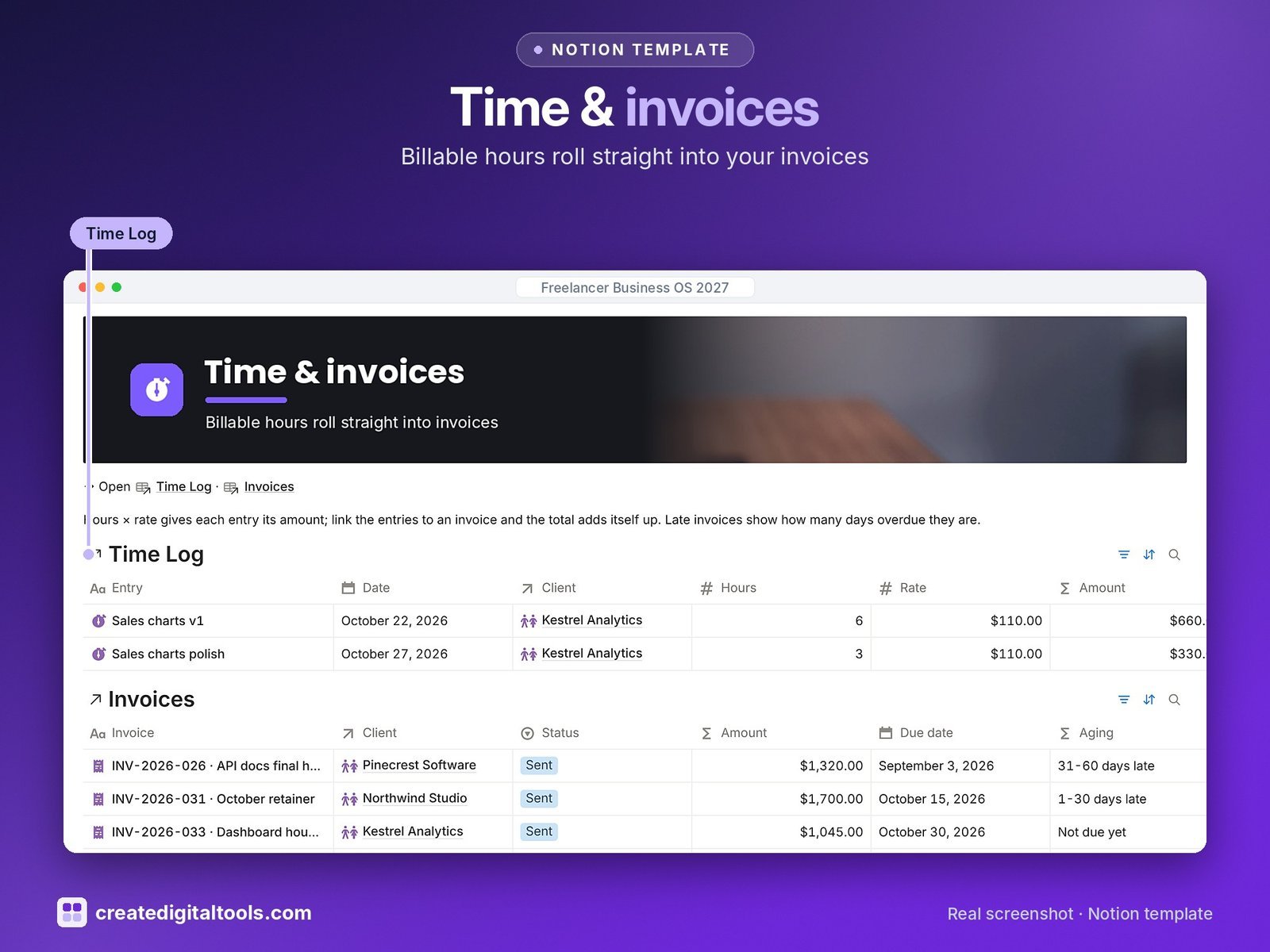
- Time Log: hours × rate = amount, billable or not, and an Unbilled hours view
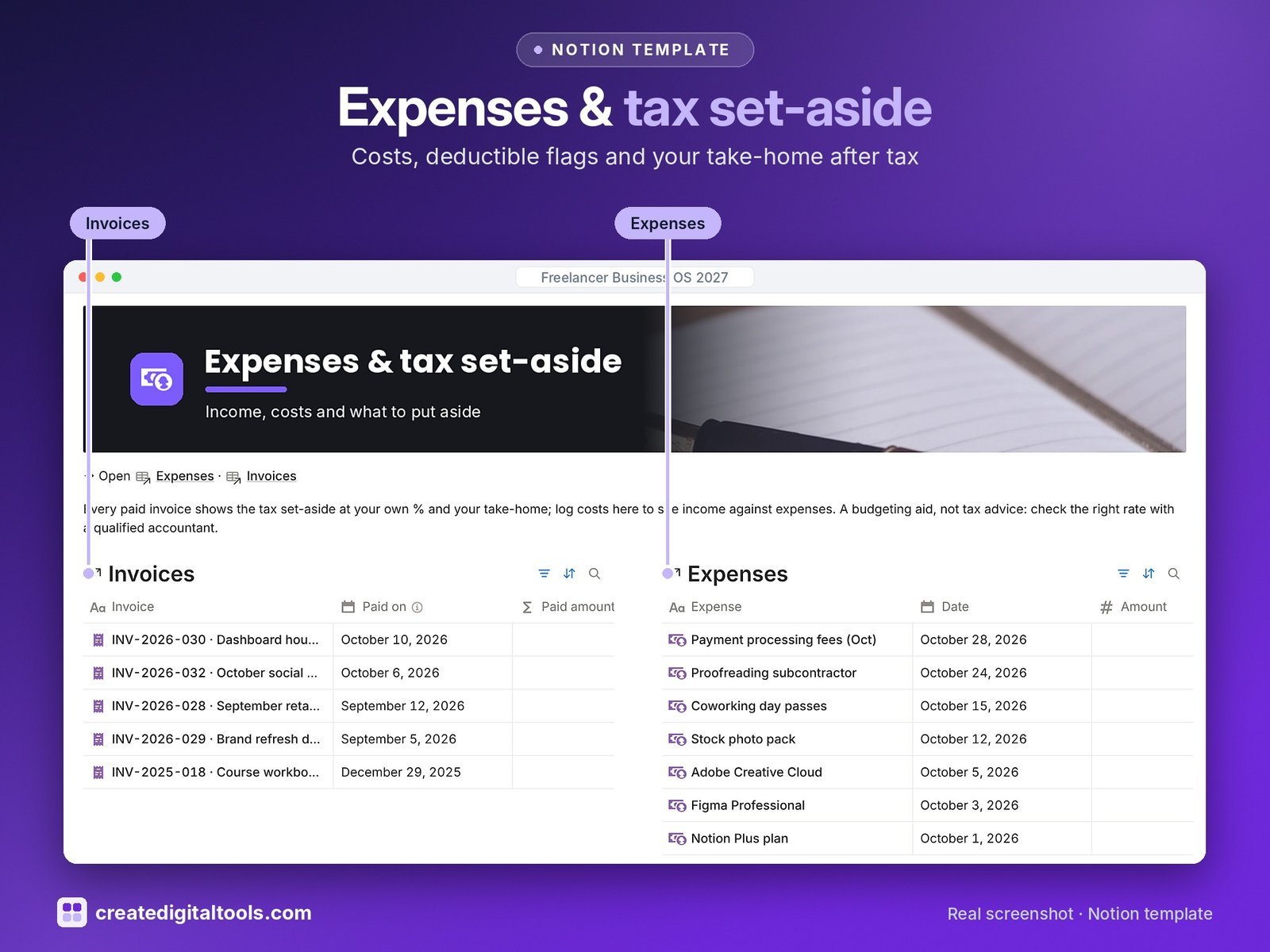
- Invoices: billable time rolls into the total; days overdue, aging buckets, tax set-aside and take-home
- Expenses: categories, recurring costs, tax-deductible flag, linked to projects
- Leads: pipeline board, follow-up dates, win chance and weighted pipeline value
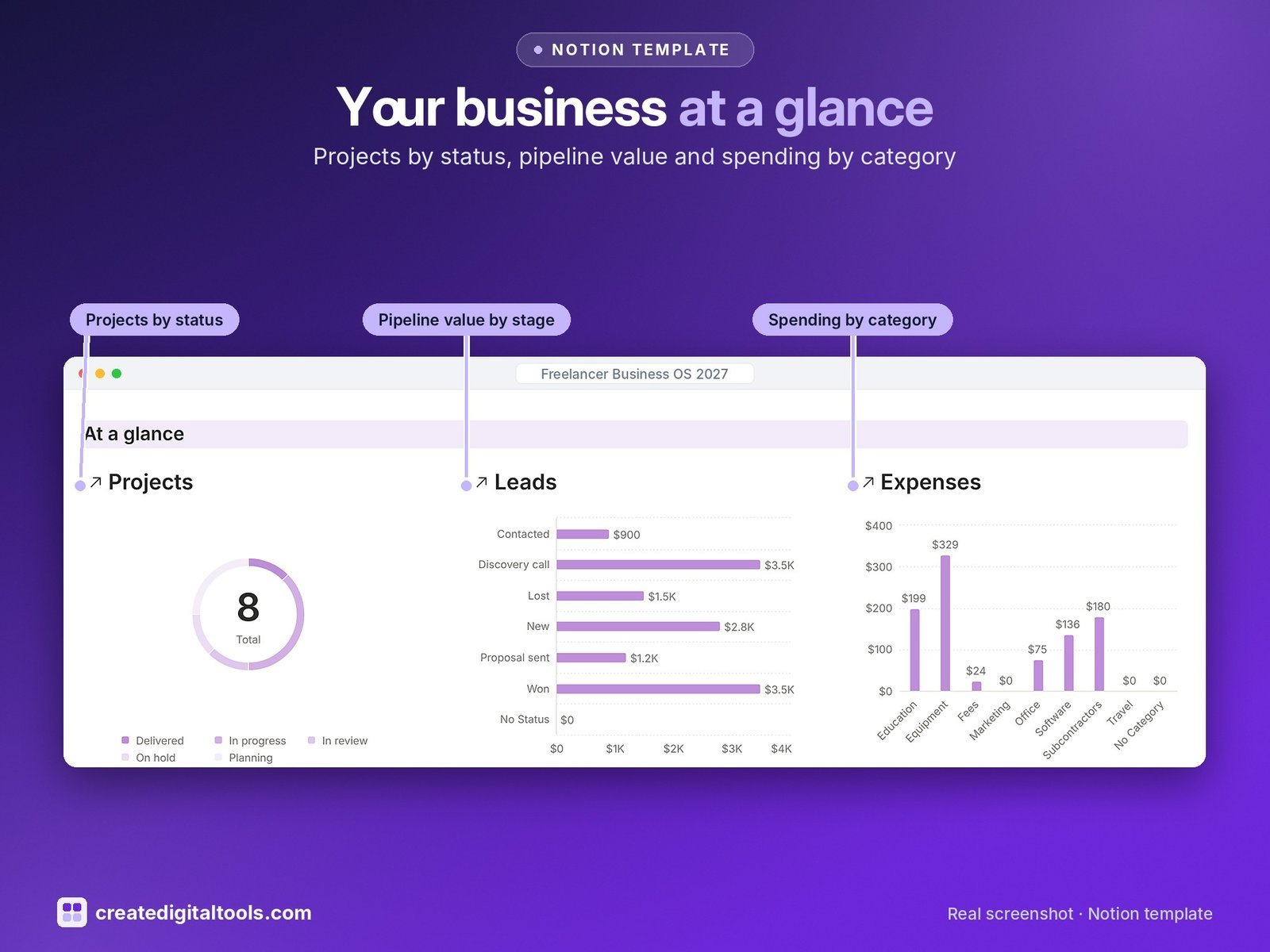
- Dashboard: three charts (projects by status, pipeline value by stage, spending by category), photo navigation cards and five work sections.
- Start Here: Step-by-Step Guide inside the template, written for complete beginners
- Fictional sample data so you can see how everything connects, easy to clear
How it works
A lead becomes a proposal, then a client and a project. Log your hours against the project, add them to an invoice, and the client’s balance, the project’s profit and your take-home after tax set-aside update for you.
Built-in automations
Five automations: Sent on, Paid on, Accepted on, Delivered on and a Follow up on date 3 days after a lead is contacted.
Set up in 3 steps
- Open the template link in your PDF and click Duplicate to copy it into your own Notion workspace.
- Open Start Here and follow the setup: add your own details and clear the sample data when you’re ready.
- Work from the dashboard every day and use the weekly checklist in Start Here to keep everything up to date.
What you get
- The Notion template (duplicate link delivered as a PDF)
- Setup Guide PDF with a step-by-step walkthrough and FAQ
- Start Here guide inside the template
Free plan
Works on the Free Notion plan. The built-in automations are Notion database automations, which run on paid plans (Plus and up). On the Free plan they pause and you fill those dates in by hand; every database, formula and view still works. Desktop, web and the Notion mobile app.
Please note
The tax set-aside is a simple budgeting estimate, not tax, legal or financial advice. Check your rate with a qualified accountant.
Digital product: nothing physical is shipped. Sample data is fictional.
Notion is a trademark of Notion Labs, Inc.; this is an independent template by Create Digital Tools (createdigitaltools.com).
New to Notion? Try it free here (affiliate link: we may earn a commission at no extra cost to you).
Also on Gumroad: Freelancer Business OS 2027: Notion Template
Want your own store like this one? createdigitaltools.com runs on Hostinger WordPress hosting. Start your own shop with Hostinger, or try the no-code Hostinger Website Builder.
Affiliate links: I may earn a commission at no extra cost to you.