How to Use Notion for Your Small Business: A Beginner Setup Guide (2027)
Short answer: to run a small business in Notion, set up six linked databases: Clients, Projects, Tasks, Finances, Content and SOPs. Put them on one dashboard with Today, This week and Money views, and spend 20 minutes each Monday reviewing it. Keep dedicated tools for payments, accounting and email. If you would rather not build from scratch, start from an industry template from Create Digital Tools (formerly Notion Market Hub), or the free Notion Starter Kit.
Why small businesses choose Notion
- One place for everything: notes, tasks, clients, documents and wikis live together.
- Flexible: you shape it around how your business works, not the other way round.
- Affordable: the free plan goes a long way for solo owners, and paid plans are cheaper than several separate tools.
- Built-in AI: Notion AI can summarise meetings, draft documents and answer questions about your workspace. Read how to use Notion AI for business productivity.
The 6 core databases
1. Clients (your CRM)
Name, company, contact details, status (lead, active or past), source and lifetime value. See our full Notion CRM guide.
2. Projects
One page per job, engagement or order: client, status, dates, budget and deliverables.
3. Tasks
Linked to projects, with owner, due date and priority. A My Tasks view per person and a Today view keep the day clear. More in our project management template guide.
4. Finances
Income and expenses with category, client or project, and tax set-aside. Not accounting software, but a clear weekly picture of cash.

5. Content
A content calendar for social posts, newsletters and blog posts, linked to campaigns.
6. SOPs and wiki
How you do things: onboarding a client, sending an invoice, handling a refund. SOPs are what make delegating possible.
How to link them
The power of Notion comes from relations. Link each project to a client, each task to a project, and each income entry to a client and project. Then add rollups: total revenue per client, open tasks per project and profit per project. In practice:
- Create the Clients database.
- Create Projects and add a Relation property pointing to Clients.
- Create Tasks and relate them to Projects.
- Create Finances and relate entries to both Clients and Projects.
- In Clients, add a Rollup that sums income from Finances. That is lifetime value.
Build your dashboard
Create a page called HQ with linked views:
- Today: tasks due today or overdue.
- This week: a calendar of tasks and deadlines.
- Pipeline: leads by stage.
- Active projects: a board by status.
- Money: this month’s income and expenses, and unpaid invoices.
A 20-minute weekly operating routine
- Inbox to zero (5 minutes): turn emails and notes into tasks.
- Pipeline (5 minutes): follow up with every lead whose next step is due.
- Projects (5 minutes): update status and flag anything at risk.
- Money (5 minutes): log income and expenses and chase overdue invoices.
What Notion can and cannot replace
- Replaces well: to-do apps, simple CRMs, project trackers, wikis, content calendars, meeting notes and SOP documents.
- Use alongside: accounting (QuickBooks, Xero or Wave), payments (Stripe or Square), email and a booking tool.
- Not a fit: payroll, point of sale, heavy inventory systems and regulated record-keeping.
Start from a template built for your industry
Building from scratch takes days. Industry templates come with the databases, relations, formulas and dashboards already done. Popular ones include:
- Small Business Back-Office Kit: 7 templates for small business owners.
- Freelancer Business Kit: 5 templates.
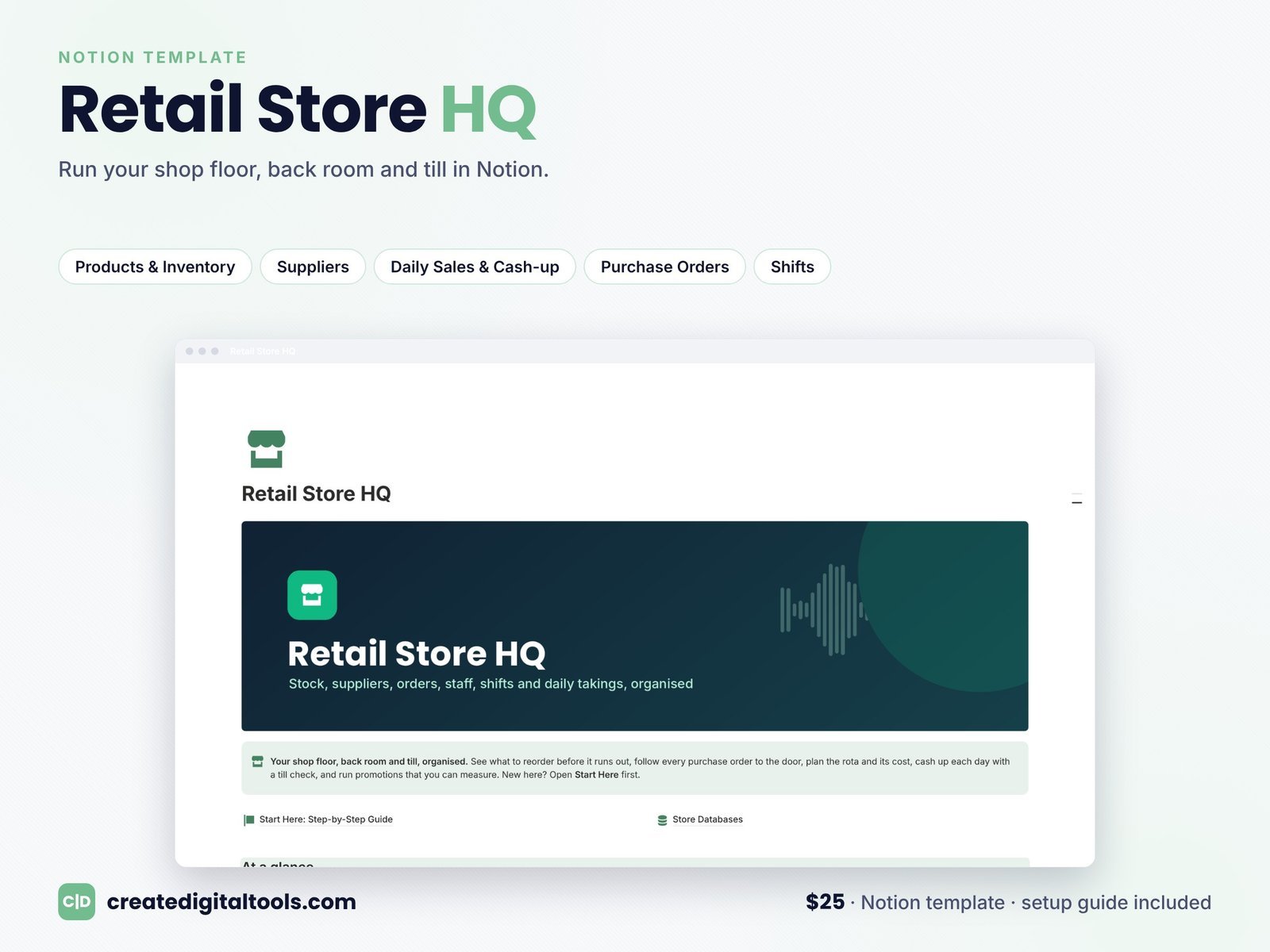
- Retail Store HQ ($25).
- Restaurant and Cafe OS ($19).
- Law Firm OS ($19).
- Notion Business Bundle: all 25 business templates.
See every industry in the best Notion templates for every type of business guide, or compare where to buy Notion templates.
Common mistakes to avoid
- Building too much on day one. Start with Clients, Projects and Tasks, and add the rest later.
- Too many properties. If you never filter or sort by it, delete it.
- No routine. A system nobody reviews goes stale within a month.
- Storing passwords in Notion. Use a password manager.
Frequently asked questions
Can I run my whole business on Notion?
You can run most of the operations side: clients, projects, tasks, content, SOPs and a finance overview. Keep dedicated tools for accounting, payments and payroll.
Is Notion free for small businesses?
The free plan works for solo owners. Teams usually move to the Plus or Business plan for more guests, history and automations.
Notion or Excel for a small business?
Notion is better for clients, projects, tasks and documents. Excel or Google Sheets is better for heavy calculations. See our Excel and Google Sheets templates for small business.
What is the best Notion template for a small business?
One built for your industry. For a general small business, the Small Business Back-Office Kit is a strong start, and the Free Notion Starter Kit is ideal if you are new to Notion.
Notion is a trademark of Notion Labs, Inc.; Create Digital Tools templates are independent.
Notion systems, spreadsheets and planners with a setup guide. Instant download.