Blog Management Notion Template for Multiple Blogs
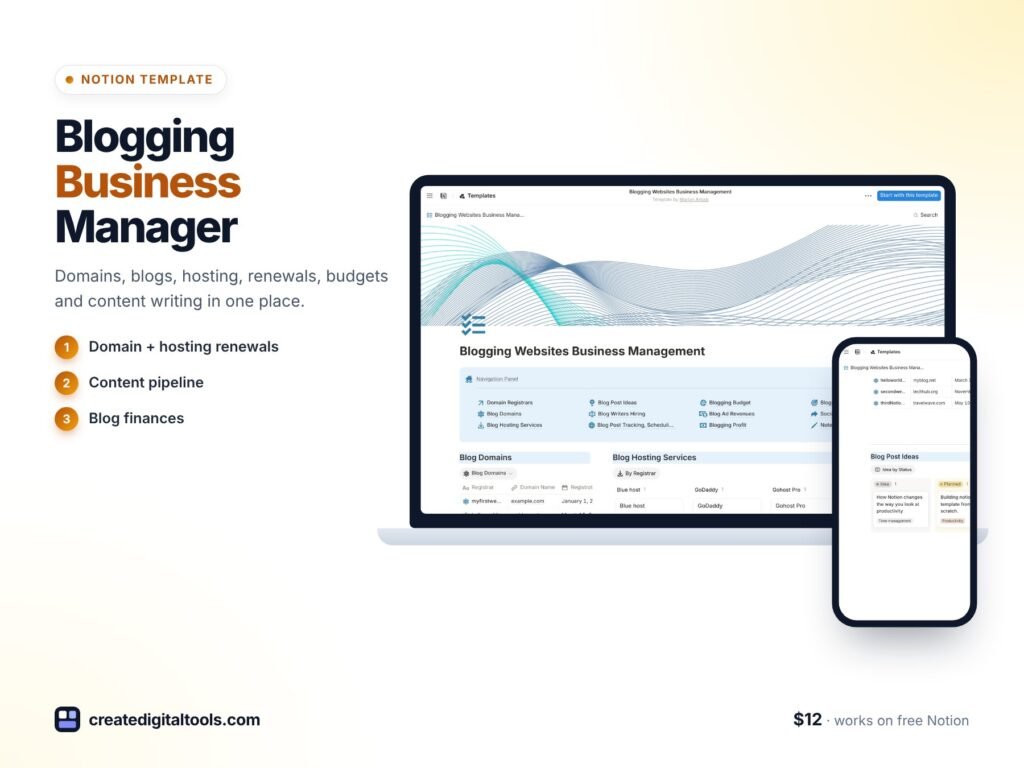
Picture someone who runs four niche blogs as a side business. One domain renews next month, another sits on a different hosting provider, two writers are waiting to be paid, and the ad income from each site arrives in separate reports. Nothing is lost yet, but it all depends on memory. A blog management Notion template puts domains, hosting, post ideas, scheduling, writer payments, expenses, ad revenue and social promotion for every site in one organised workspace.
Below: why running several blogs gets complicated, how to set up your own blog business tracker, and a walk-through of our Blogging Websites Business Management template.
Get the Blogging Websites Business Management Template →
Why managing several blogs gets complicated
One blog is a project. Several blogs are a business, with all the admin that comes with it:
- Domains and renewals are spread across registrar accounts, and expiry dates are easy to miss.
- Hosting may differ by site, with different plans and costs.
- Content ideas pile up in a notes app without being tied to a specific site or goal.
- Post scheduling and writer payments are tracked in chat messages and spreadsheets.
- Profit per site is unclear, because expenses and ad revenue live in different places.
Generic content calendars handle the posting side but ignore domains, hosting and money. Spreadsheets handle numbers but are clumsy for ideas and editorial status. A blog business needs both sides in the same workspace.
How to set up a blog business tracker in Notion
Here is a structure you can build yourself, whether you run two blogs or ten.
1. Make a site and domain inventory
Create a database with one entry per website. Add the domain, registrar, renewal date and notes. Sort by renewal date so the next expiry is always at the top.
2. Record hosting for each site
Keep a hosting list with provider, plan and cost, and relate each website to its host. When you consider switching providers, you can see every site affected.
3. Keep ideas and goals per site
Add a post ideas database related to your websites. Give each site its own goals, such as posts per month, so ideas turn into a plan.
4. Schedule posts and track writer payments
Use a posts database with status, publish date, writer and payment status. A filter for “published but unpaid” keeps freelancer payments on time.
5. Calculate net profit per website
Log expenses (hosting, domains, writers, tools) and ad revenue for each site. A simple formula, revenue minus expenses, shows which sites are worth more of your time.
6. Plan social promotion by domain
Track social media posts per site and by status, so promotion follows publishing instead of being forgotten.
Inside the blog management Notion template
The Blogging Websites Business Management template is a Notion template built around the areas above. The product page notes that Notion’s free plan has the features this template needs.
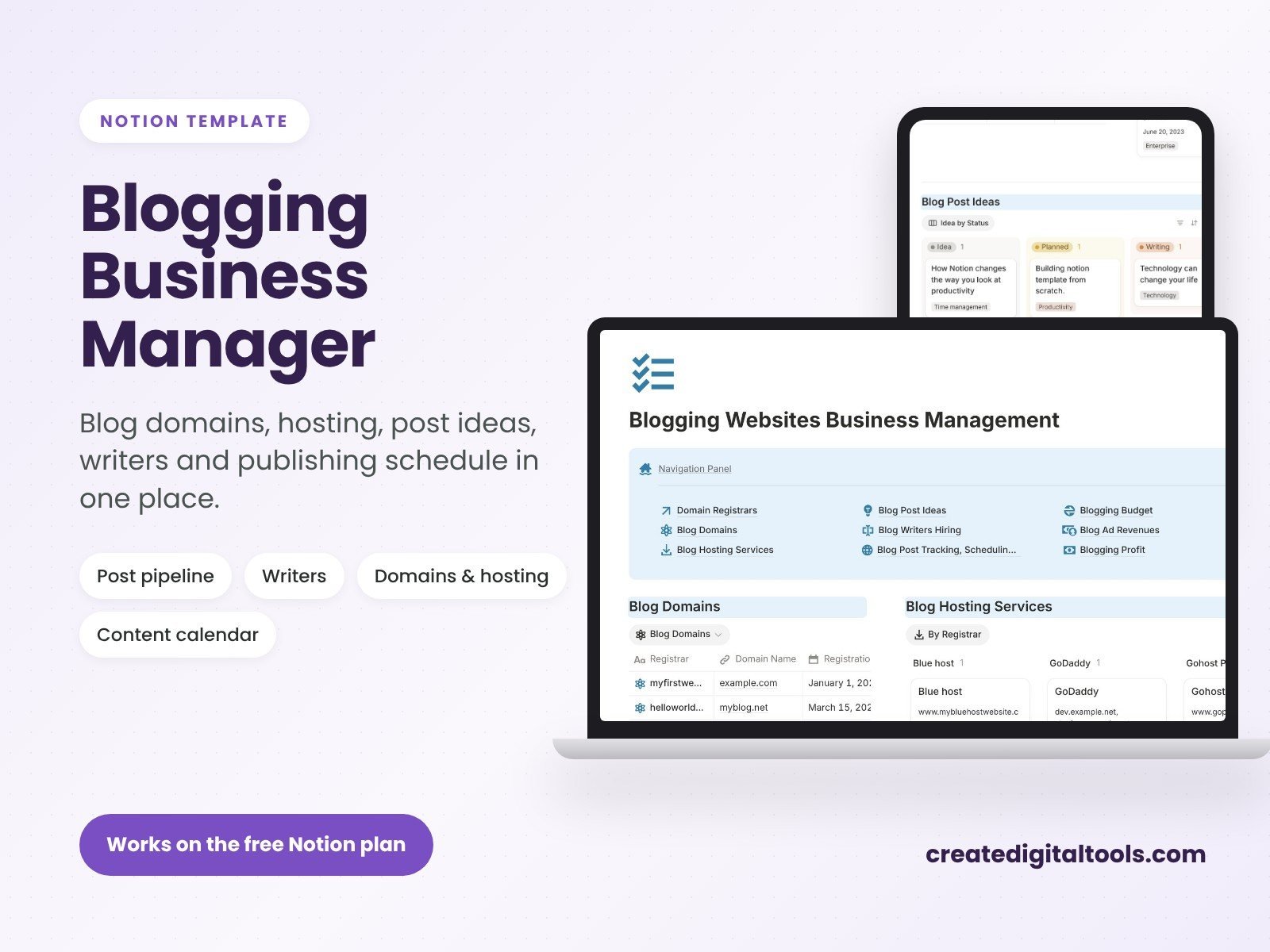
Domain inventory for multiple blogs
Keep all your domains in one list and track expiry dates, renewals and growth, so a renewal never sneaks up on you.
Hosting services inventory and selection
Record the hosting services you use and compare options when choosing where a site should live.
Blog post ideas and goals for each website
Capture ideas and set goals per site, so each blog has its own content direction.
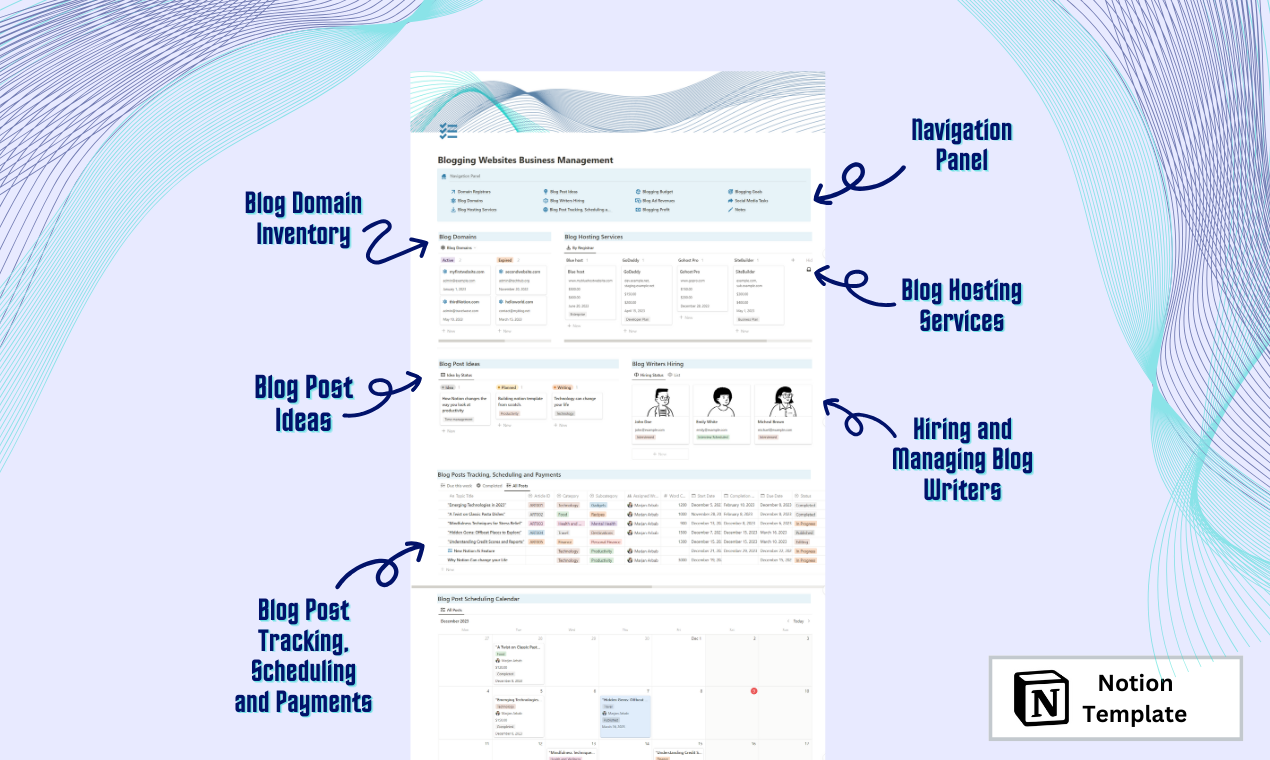
Blog post scheduling, tracking and payments per site
Schedule posts, track their progress and record payments for each website, which is especially useful if you work with freelance writers.
Blog expenses, ad revenue and net profits for every website
See costs and ad income side by side for each site, and the net profit that results.
Blog social media marketing by domains and status
Organise social media promotion by website and by status, so you know what has gone out and what is still waiting.
Tips for running a multi-blog business
- Review renewals monthly. A quick look at the domain list saves you from losing a site to an expired registration.
- Compare profit, not traffic. A smaller site with low costs can be worth more attention than a busy one with high expenses.
- Batch writer payments on a fixed day each month and mark them in the tracker as you go.
- Onboard writers properly. If you work with several freelancers or clients, our Freelance Projects and Client Onboarding template can help with the client side.
A monthly routine for blog owners
A tracker works best with a regular review. Here is a simple monthly routine you can follow with the template or your own setup:
- Check renewals: sort domains by expiry date and renew anything due in the next 60 days.
- Review hosting costs: note any price changes and whether each site still suits its plan.
- Update finances: enter last month’s ad revenue and expenses for every site and look at net profit.
- Settle writer payments: filter for published posts that have not been paid and clear them.
- Plan next month’s content: move the strongest ideas into the schedule for each site, guided by its goals.
- Line up promotion: make sure each new post has social media posts planned.
Working with freelance writers
If writers contribute to your sites, a shared structure makes the relationship smoother. Record each assigned post with the writer, the site, the due date and the agreed fee. When the post goes live, update the status, then mark the payment once it is sent. You get a clear record of what each writer has delivered and been paid for, and writers get faster, more predictable payments. Keeping the same fields for every site also makes it easy to compare content costs across your blogs and spot where spending is out of line with income.
Mistakes that cost blog owners money
- Letting a domain expire. Renewal reminders from registrars can land in spam. Keep your own list.
- Paying for unused hosting. Old sites and test installs add up. An inventory makes them visible.
- Judging sites by traffic alone. Profit per site tells you more about where to invest your time.
- Losing track of writer payments. Late payments damage relationships with good freelancers.
Who it’s for (and who it’s not for)
A good fit if you:
- Own or manage more than one blog or niche website.
- Earn ad revenue and want to see profit per site.
- Pay freelance writers and need to track who has been paid.
- Want domains, hosting and content in the same workspace.
Probably not for you if you:
- Run a single personal blog with no costs or income to track.
- Need full bookkeeping or tax reporting. This is an organising tool, not financial or tax advice.
FAQ
What format is the template?
It is a Notion template that you duplicate into your own Notion workspace.
Does it work on Notion’s free plan?
Yes. The product page states that Notion’s free plan has the features this template needs.
Is it an instant download?
It is a digital product, so you receive access after purchase. Nothing is shipped.
Can I add more websites later?
Yes. Add a new entry for each site and relate its domain, hosting, posts and finances to it.
Can I customise categories and fields?
Yes. You can rename properties, add new expense types or revenue sources, and create extra views in Notion.
Browse more business tools in our Notion templates collection.
Get the Blogging Websites Business Management Template →
Notion is a trademark of Notion Labs, Inc. This is an independent template, not affiliated with or endorsed by Notion.
Notion systems, spreadsheets and planners with a setup guide. Instant download.