Notion Thesis Template for Masters and PhD: Chapter by Chapter
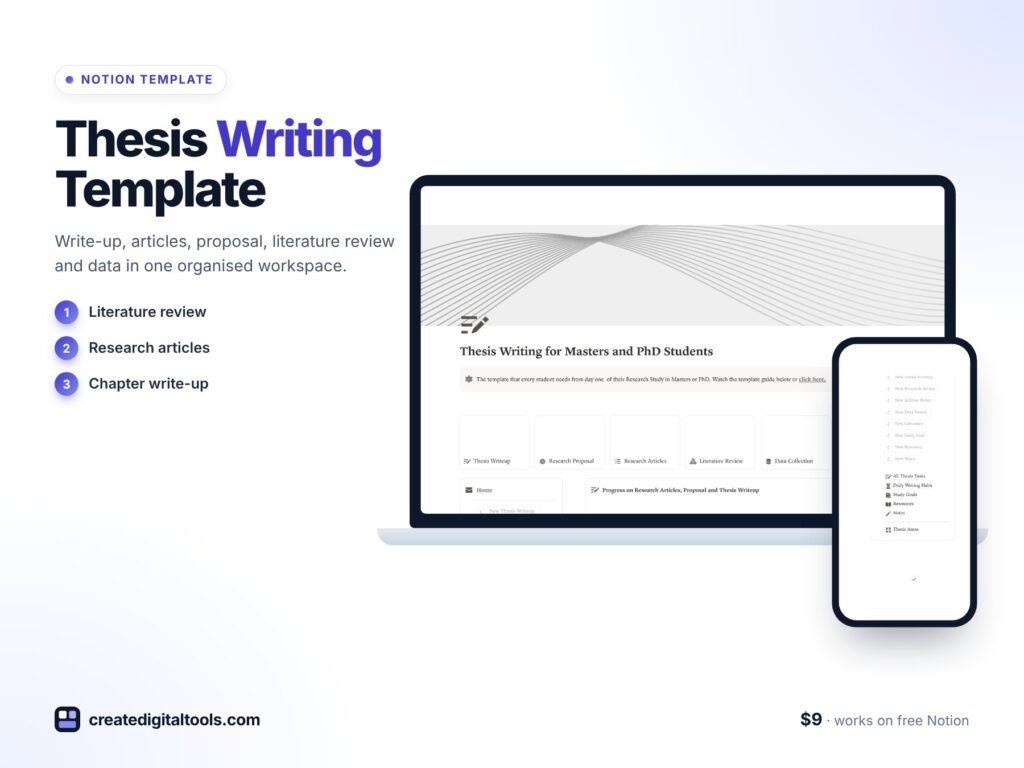
Picture a second-year PhD student with a literature review half-written, data collection notes in a separate folder, advisor feedback buried in email, and a vague sense that the thesis is “going fine” without any way to check. A thesis writing Notion template gives each part of the thesis its own space, links tasks to deadlines and keeps a daily writing log, so you can see progress instead of guessing at it.
This post covers why thesis projects lose momentum, how to set up your own thesis workspace, and what is inside our Thesis Writing Notion Template for Masters and PhD students.
Get the Thesis Writing Notion Template →
Why thesis writing loses momentum
A thesis is a long project with few external deadlines along the way. That makes it easy to drift:
- Chapters live in separate files with no overview of which are drafted, revised or done.
- Advisor meetings produce useful feedback that is never turned into tasks.
- Literature notes sit in a reference manager, a notebook and a pile of PDFs.
- Writing happens in bursts, with long gaps that make it hard to restart.
A generic to-do app tracks tasks but not the shape of a thesis. A word processor holds the text but not the plan. What helps is a workspace that mirrors how a thesis actually works: areas, tasks, meetings, sources and a steady writing habit.
How to set up a thesis writing workspace
These steps work for a Masters dissertation or a PhD thesis, with or without a template.
1. Break the thesis into areas
Create an entry for each major part: literature review, methodology, research articles, write-up. Give each a start and due date, even if they are estimates.
2. Turn every area into tasks
List the writing tasks for each area with a status from draft to done. Small, specific tasks (“draft section 2.3”) are easier to start than “work on chapter 2”.
3. Log advisor meetings
Use a consistent template for each meeting: date, topics, feedback and agreed actions. Link the actions to your task list so feedback becomes work.
4. Keep sources and data notes together
Track literature review progress and data collection notes alongside the relevant area, so you are not searching for them later.
5. Build a daily writing habit
Log each writing session, even short ones. A streak or consistency view makes steady progress visible and helps on low-motivation days.
6. Set goals for each stage
Write goals for each stage of your degree and review them each month. It keeps the long view in sight while you work on day-to-day tasks.
Inside the thesis writing Notion template
The Thesis Writing Notion Template for Masters and PhD students is a one-time purchase that works on Notion’s free plan. It arrives as a PDF with a Duplicate link, plus a setup guide, user manual and setup video.
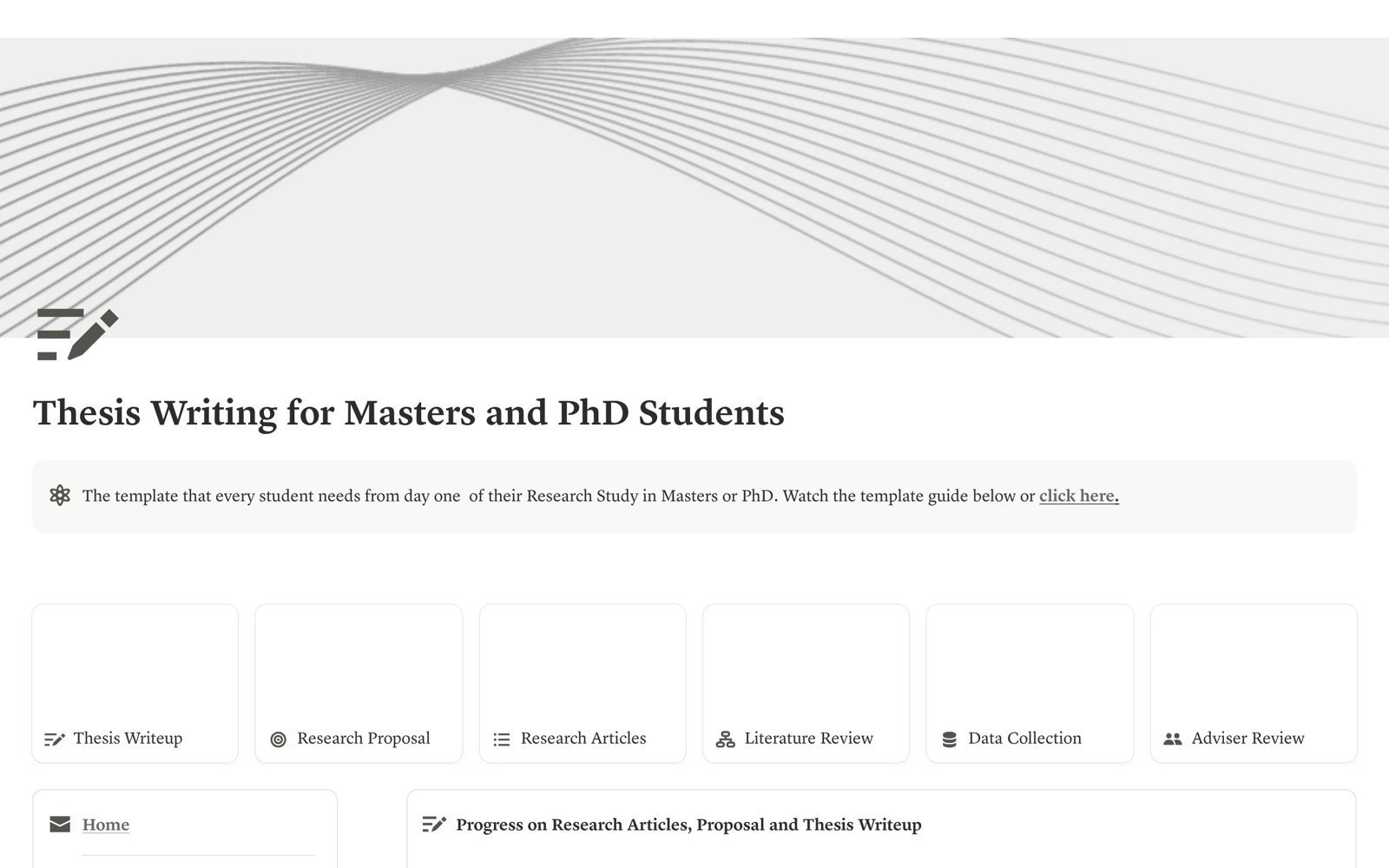
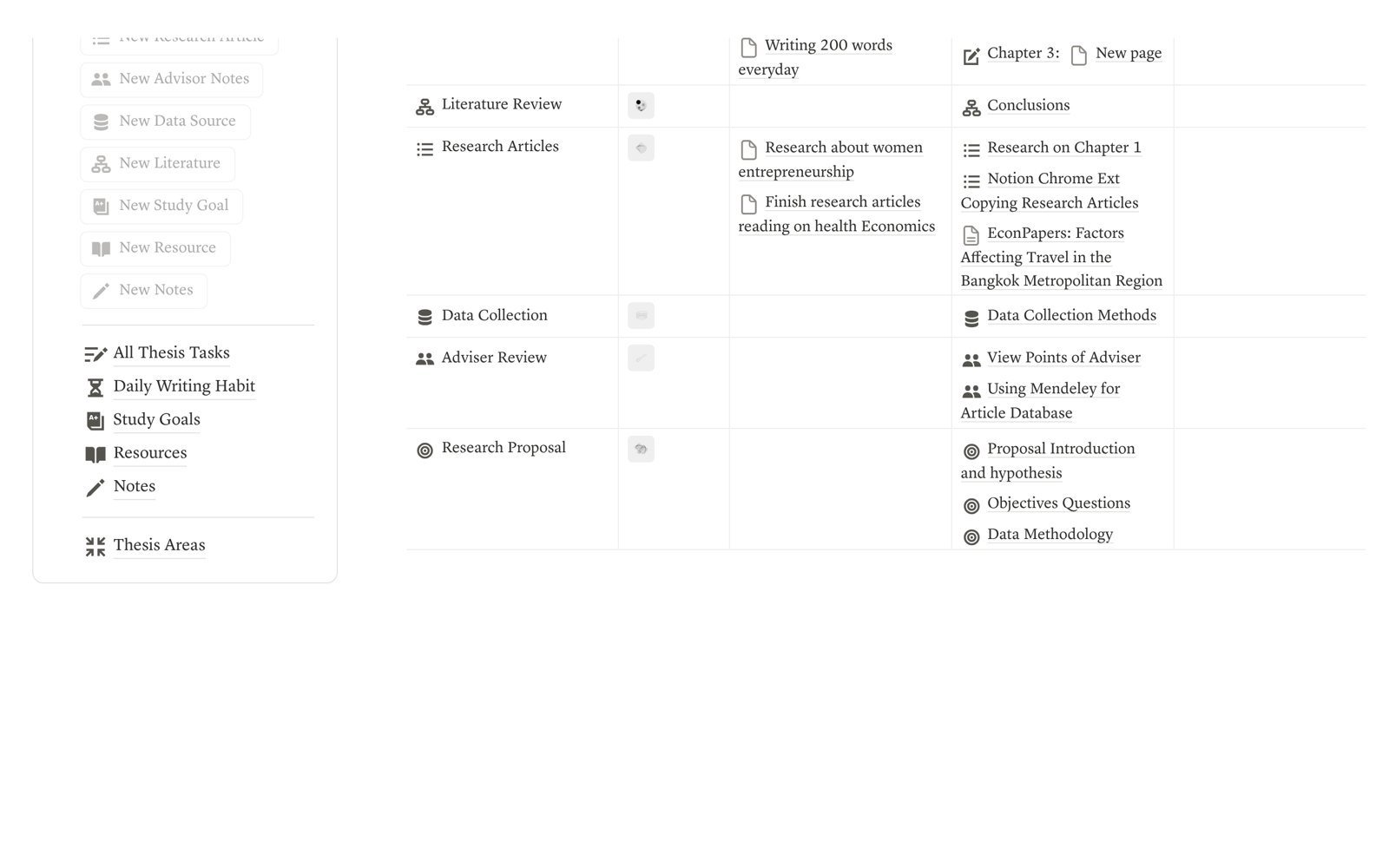
Thesis areas
Three ready templates (research article, write-up and literature review) with start and due dates, so each part of the thesis has its own space and timeline.
All thesis tasks
Writing tasks with statuses from draft to done, an advisor meeting template, and linked notes and resources. A writing status board shows where everything stands.
Daily writing habit
A daily writing log with a streak and consistency view, linked to your goals, so you can see whether you are writing regularly.
Study goals
Goals for each stage of the degree, with notes, resources and a quick notes area.
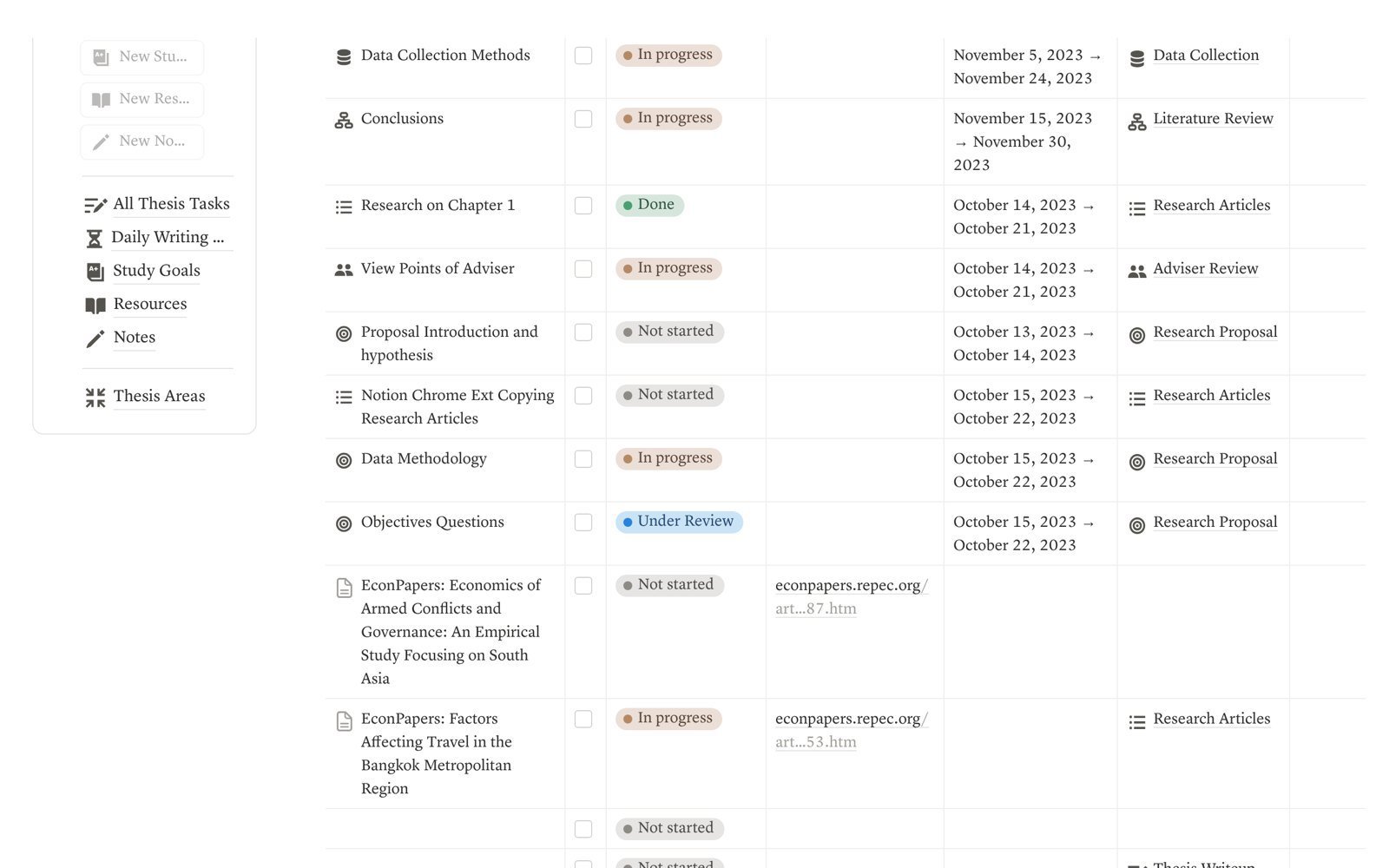
The full list of what is included: thesis areas with templates, advisor meeting tracker, literature review progress, data collection and resources, daily writing habit tracker, study goals and notes, writing status board, and a guide video built in.
See the template in action
Here is a walk-through of the Thesis Writing Notion Template:
Tips for steady thesis progress
- Write a little every day. Short, regular sessions tend to be easier to sustain than occasional long ones. Log each session, however brief.
- Turn advisor feedback into tasks the same day. Add each point from the meeting to your task list with a status, so nothing waits in an email.
- Keep the literature review moving. Track which sources you have read and summarised, and note where each fits in your argument.
- Use the status board weekly. A quick look at what is drafted, in revision and done shows where to focus next.
- Revisit your stage goals each month. Adjust dates when needed; a realistic plan is more useful than an optimistic one.
Masters vs PhD: adjusting the plan
The structure fits both, but the rhythm differs. A Masters dissertation usually runs over a shorter period, so set tighter due dates on fewer areas and keep the task list lean. A PhD spans years and often includes several research articles, so the research article template and stage goals do more of the work. In both cases, the daily writing log is the part that keeps things moving between deadlines. If your programme has formal milestones, such as a proposal, progress review or submission date, add them as goals with dates so the larger timeline stays visible while you work through daily tasks.
Common thesis planning mistakes
- Waiting until the research is “finished” to write. Writing alongside research helps you see gaps early.
- Tasks that are too big. “Write chapter 3” is hard to start. Break it into sections you can finish in a session or two.
- Scattered data notes. Keep data collection notes and resources linked to the relevant thesis area so you can find them when writing up.
- Skipping meeting notes. Advisor meetings are easy to forget in detail. A short log protects you from misremembering what was agreed.
Who it’s for (and who it’s not for)
A good fit if you:
- Are writing a Masters dissertation or PhD thesis and want a clear plan.
- Meet regularly with an advisor and want feedback turned into tasks.
- Want to build a steady daily writing habit.
- Already use Notion, or want a free-plan-friendly place to start.
Probably not for you if you:
- Need a reference manager for citations. This template tracks literature progress but does not format references.
- Prefer to plan only on paper.
If you also need tools for research beyond the thesis, the Academic Researcher Pack bundles four academic templates.
FAQ
What format is the thesis template?
It is a Notion template. You receive a PDF with a Duplicate link, which copies the template into your own Notion workspace, along with a setup guide, user manual and setup video.
Does it work on Notion’s free plan?
Yes, the product page states that it works on the free Notion plan.
How do I receive it?
It is a digital download. The file is also sent in your order email, and access is yours for life.
Can I adapt it to my university’s structure?
Yes. You can rename areas, add chapters and change statuses to match your programme’s requirements.
Can I get a refund?
Because it is a digital product, all sales are final. For questions before buying, contact hello@notionmarkethub.com.
Browse more study and productivity tools in our Notion templates collection.
Get the Thesis Writing Notion Template →
Notion is a trademark of Notion Labs, Inc. This is an independent template, not affiliated with or endorsed by Notion.
Notion systems, spreadsheets and planners with a setup guide. Instant download.