13 Week Cash Flow Forecast Template (Excel & Sheets)
Picture a small agency owner who has a strong month on paper: three big projects invoiced, a healthy pipeline. Then two clients pay late, the quarterly software renewals land in the same week as payroll, and the bank balance drops lower than ever before. Profitable, but short of cash. This illustrative scenario is exactly what a 13 week cash flow forecast template is designed to show you before it happens, not after.
Below you will find how short-term cash forecasting works, a step-by-step way to set one up in a spreadsheet, and a tour of our Cash Flow Forecast workbook for Excel and Google Sheets.
Why profit does not tell you when cash runs low
A profit and loss statement tells you whether you made money over a period. It does not tell you when that money arrives. Invoices are paid 30 or 60 days after you send them, sometimes later. Bills, loan payments and annual subscriptions arrive on their own schedule. The gap between those two timelines is where cash problems live.
Most owners manage this by glancing at the bank balance and keeping a rough sense of what is coming. That works until several things land at once. A bank balance is a snapshot of today; it cannot show the week in six weeks’ time when three bills are due and one big invoice is still unpaid.
A forecast fixes that by listing expected money in and money out by date, then rolling the balance forward. A monthly view shows the shape of the year. A weekly view over the next 13 weeks (roughly one quarter) shows the detail you can actually act on: who to chase, which payment to move, whether to hold off on a purchase.
How to set up a cash flow forecast yourself
1. Start from today’s real balance
Use the actual cash in your business accounts today. Every forecast is only as good as its starting point.
2. Choose a minimum buffer
Decide the lowest balance you are comfortable holding. The forecast should warn you whenever the projected balance drops below it, not only when it hits zero.
3. List recurring money in and out
Rent, salaries, software, loan repayments, retainers and regular sales. Put each on its own line with an amount and frequency.
4. Add receivables and payables by date
Each open invoice goes in with the date you realistically expect payment, not the due date on the invoice. Each bill goes in with its due date. If an invoice is already late, move it into the current period so it does not quietly vanish from the forecast.
5. Build the weekly and monthly views
For each week (or month): opening balance, plus money in, minus money out, equals closing balance. The closing balance becomes the next period’s opening balance.
6. Test a bad month
Copy the forecast and reduce income by a percentage you choose. If the “worst case” version dips below your buffer, you have time to plan.
7. Compare forecast to actual
Each month, record what really happened. Over time you will learn which lines you tend to over- or under-estimate.
A simple weekly forecasting routine
A forecast is only useful if it stays current. A short weekly habit is enough:
- Update cash today. Replace last week’s starting balance with the real figure from your bank.
- Mark what was paid. Remove invoices that have been paid and bills that have gone out.
- Add anything new. New invoices sent, new bills received, any one-off purchase you are planning.
- Check the lowest point. Look for the first week the balance drops below your buffer. That is your action point.
- Decide one action. Chase a specific invoice, ask a supplier for different terms, or move a purchase back a few weeks.
Most of the value comes from that final step. Seeing a dip is useful; doing one small thing about it, weeks ahead, is what keeps a tight month from becoming a stressful one.
Inside the Cash Flow Forecast workbook
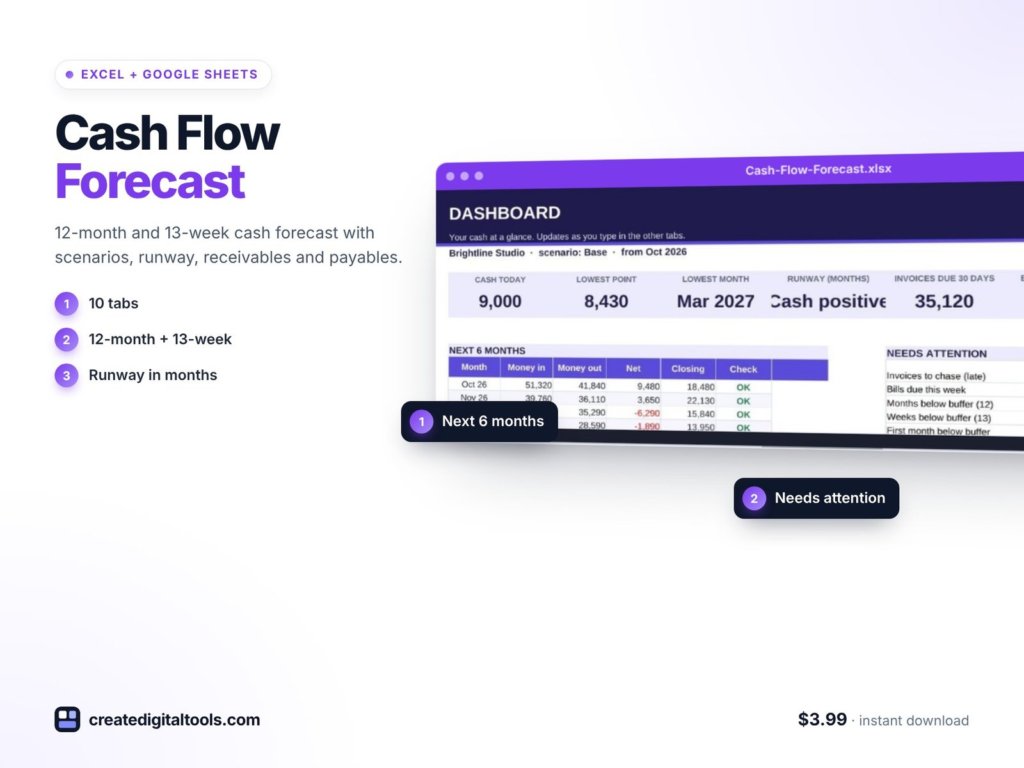
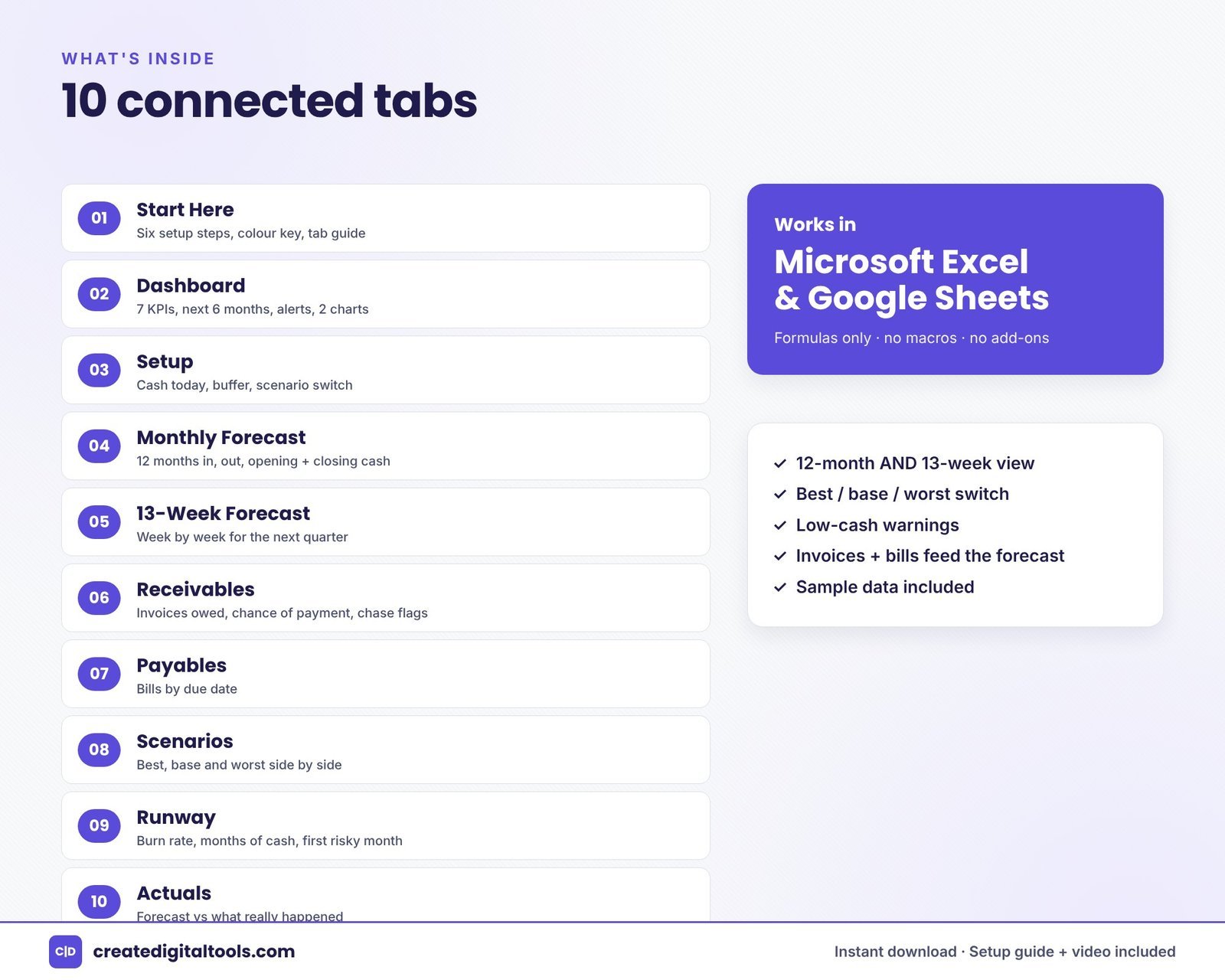
The workbook forecasts cash 12 months and 13 weeks ahead across 10 connected tabs. It has best, base and worst scenarios with a switch the whole file follows, low-cash warnings and runway figures, and it moves late invoices into the current month automatically. It uses formulas only, with no macros, no add-ons and no subscription, and starts with sample data based on the current month.
Start Here and Setup
Start Here gives six setup steps, a colour key and a tab guide. Setup is where you enter cash today, your minimum buffer, the scenario switch with custom percentages, and your money-in and money-out lines.
Dashboard
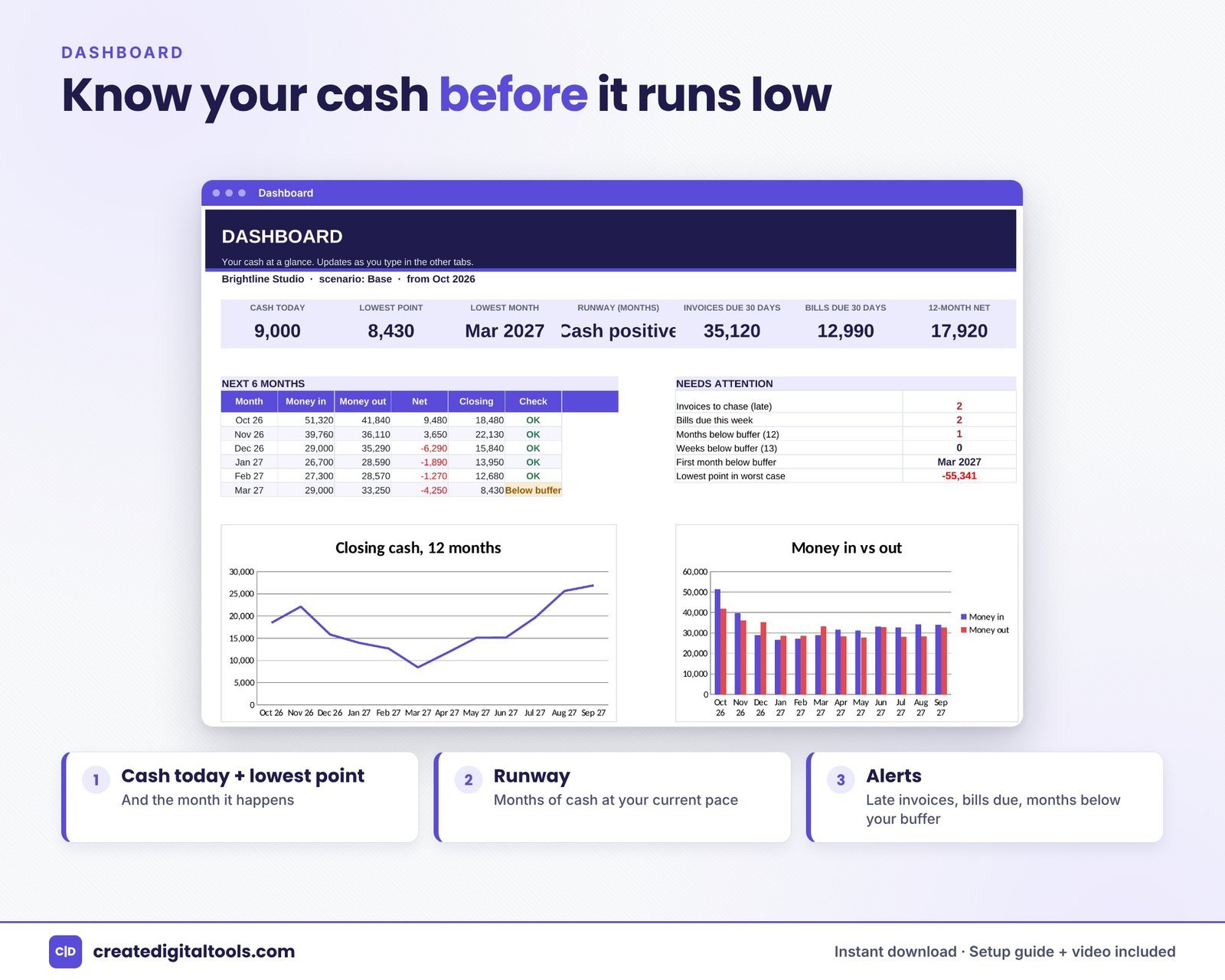
Cash today, the lowest point and the month it happens, runway, invoices and bills due in the next 30 days, the next 6 months, alerts and two charts.
Monthly Forecast
Twelve months with opening and closing cash and OK, below buffer or below zero checks.
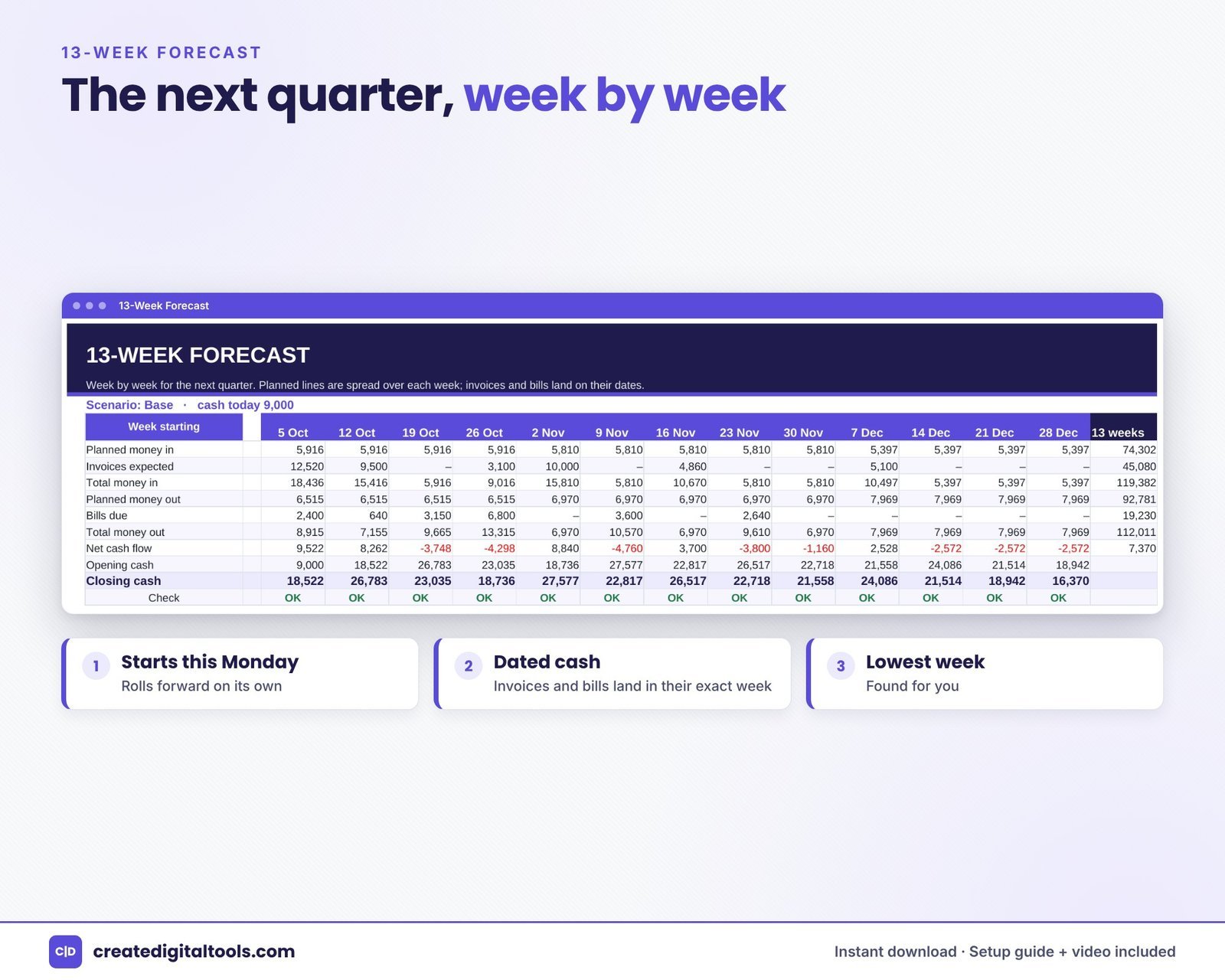
13-Week Forecast
Starts from the coming Monday, with invoices and bills placed in their exact week.
Receivables and Payables
Receivables lists invoices owed, expected dates, payment likelihood and chase flags. Payables lists bills by due date, with flags.
Scenarios and Runway
Scenarios puts best, base and worst side by side. Runway shows burn rate, months of cash and the first month below your buffer.
Actuals
Compares forecast with actual results, with variance and accuracy.
You receive Cash-Flow-Forecast.xlsx, a Setup Guide PDF and a setup and full tour video. It is also part of the Small Business Finance Spreadsheet Bundle.
Watch the setup and tour
This video shows the setup steps and walks through every tab:
Who it is for, and who it is not for
A good fit if you:
- Run a small business, studio or agency where invoices and bills do not line up neatly.
- Want an early warning when cash will dip below a level you choose.
- Prefer a spreadsheet you control to a forecasting subscription.
Probably not for you if you:
- Need live bank connections or automatic imports. You enter the figures yourself.
- Need a full three-statement financial model for investors.
To see whether those months are profitable as well as cash-positive, the Profit and Loss Statement workbook is a natural companion. Browse more in our spreadsheets collection.
This is an organising tool, not financial or tax advice.
Frequently asked questions
Does it work in Excel and Google Sheets?
Yes. It is built for Microsoft Excel and Google Sheets. In Google Sheets, upload the .xlsx file and open it.
Do I need macros or add-ons?
No. It is formulas only, with no macros, no add-ons and no subscription.
Is it an instant download?
Yes. You download the workbook and Setup Guide PDF after purchase, along with the tour video.
Can I set my own best and worst cases?
Yes. The scenario switch in Setup has custom percentages, and the whole file follows the scenario you pick.
What happens to an invoice that is paid late?
Late invoices are moved into the current month automatically, so they stay visible in the forecast.
Knowing the week your cash will be tightest, weeks in advance, gives you time to chase, reschedule or plan.
Microsoft Excel is a trademark of Microsoft Corporation and Google Sheets is a trademark of Google LLC. This is an independent template, not affiliated with or endorsed by Microsoft or Google.
Notion systems, spreadsheets and planners with a setup guide. Instant download.