Description
Paycheck Budget Planner
A paycheck-to-paycheck budget spreadsheet that plans your whole year one payday at a time. Choose weekly, bi-weekly, semi-monthly or monthly pay, add your bills with their due days, and the planner assigns each bill to the right paycheck, subtracts your spending plan and shows the money left over on every check.
Who it’s for
Anyone paid weekly or every two weeks, families living paycheck to paycheck, people paying down debt, and anyone who finds monthly budgets don't match how money actually arrives.
What’s inside
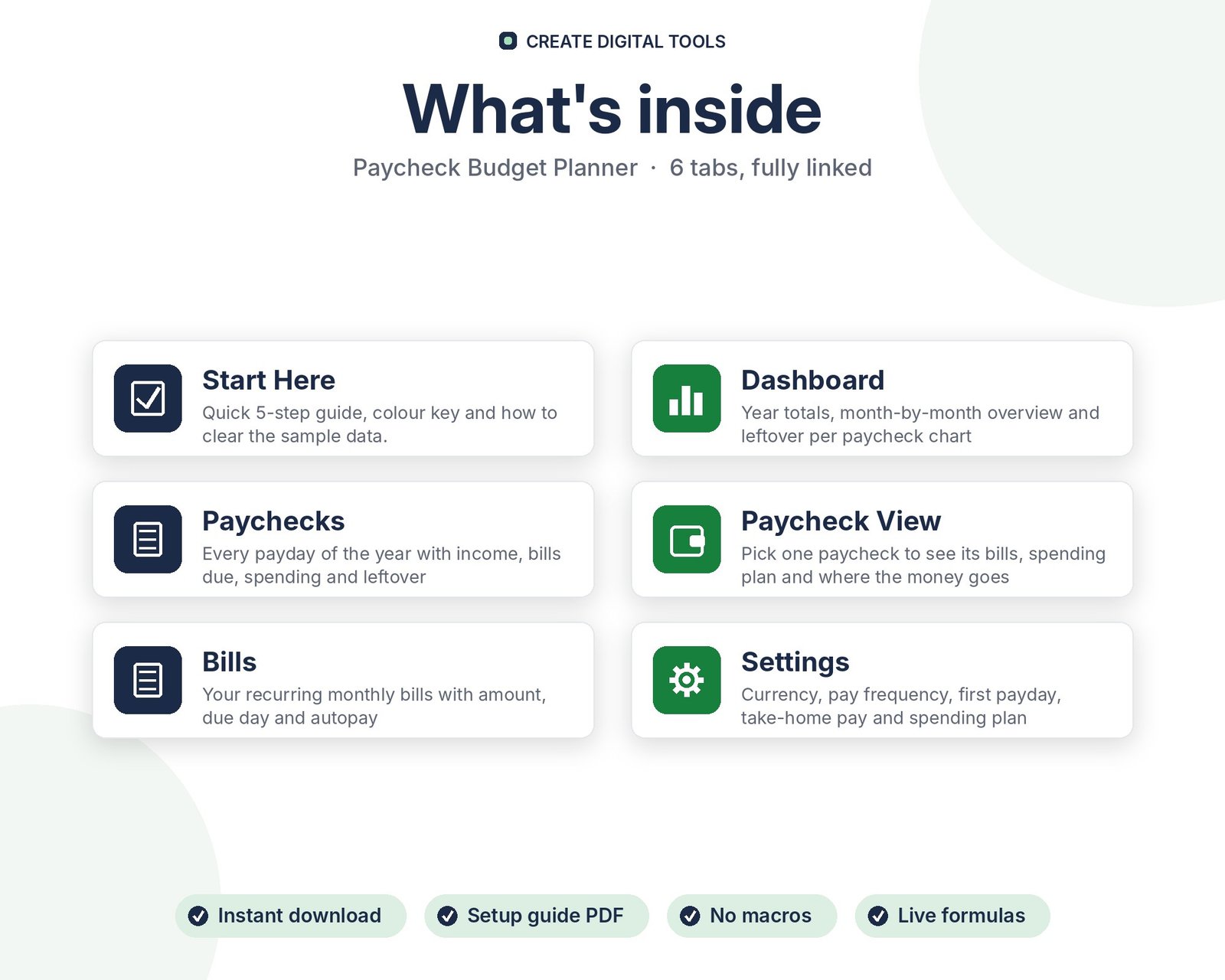
- Start Here – a 5-step quick-start guide inside the file
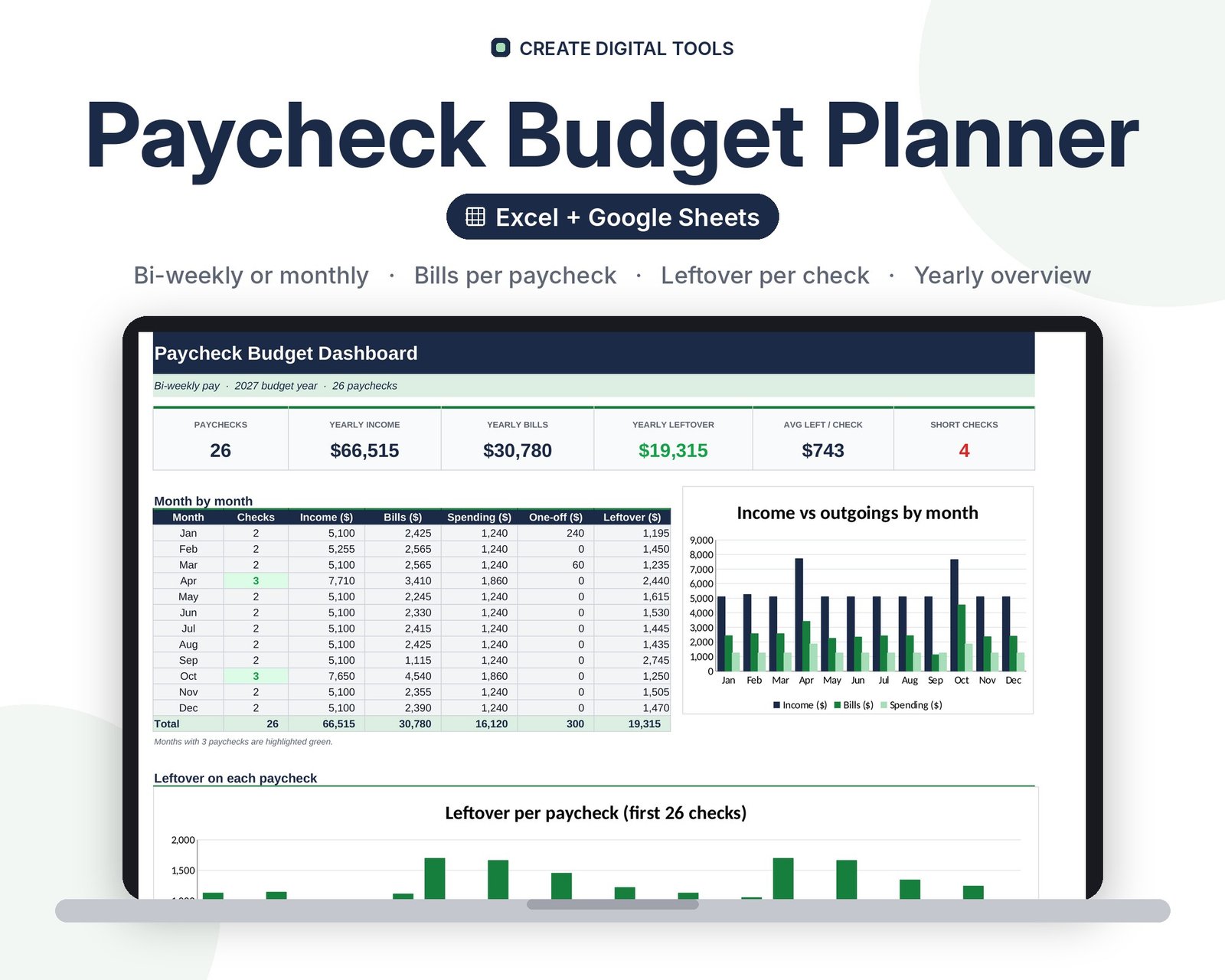
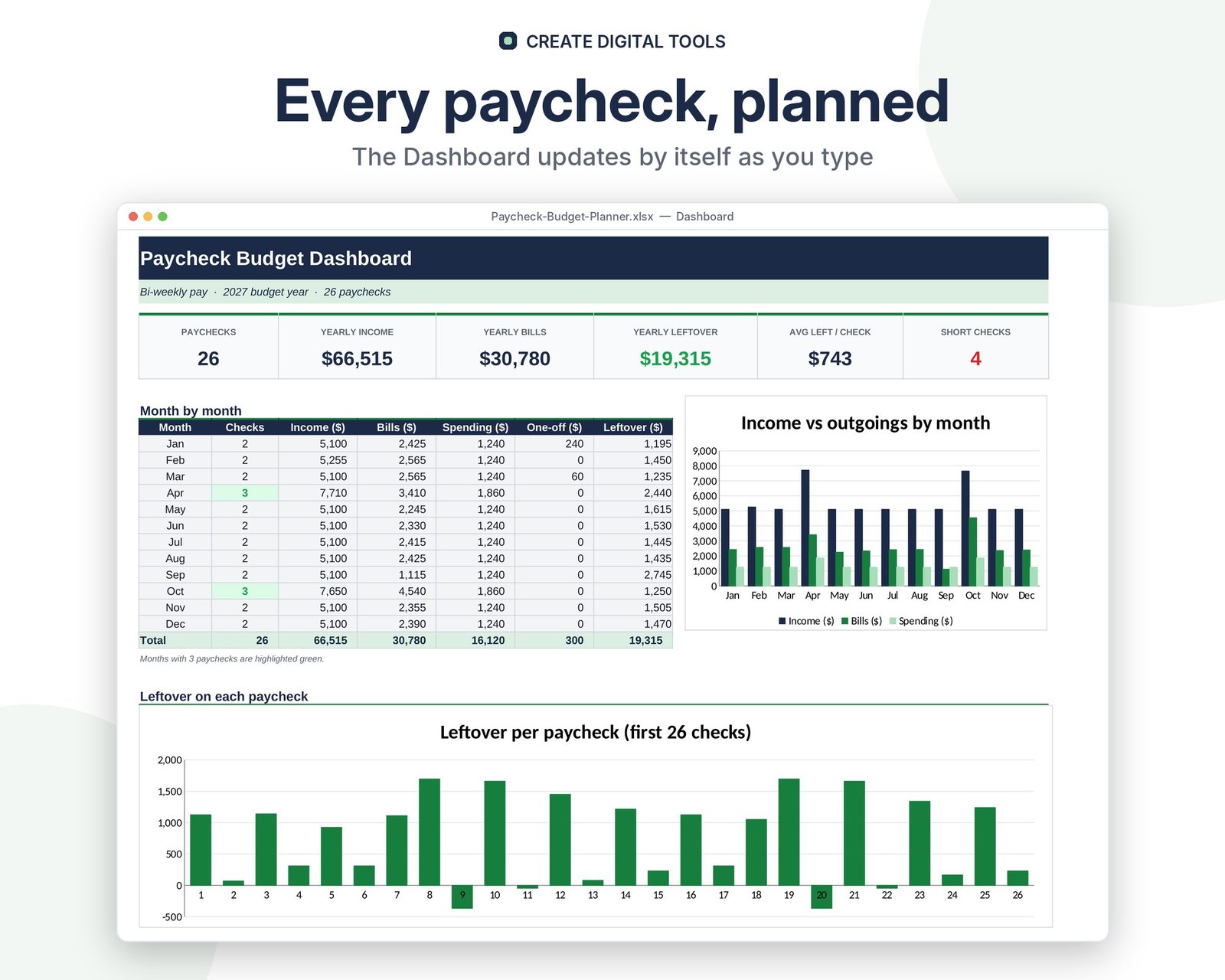
- Dashboard – Year totals, month-by-month overview and leftover per paycheck chart
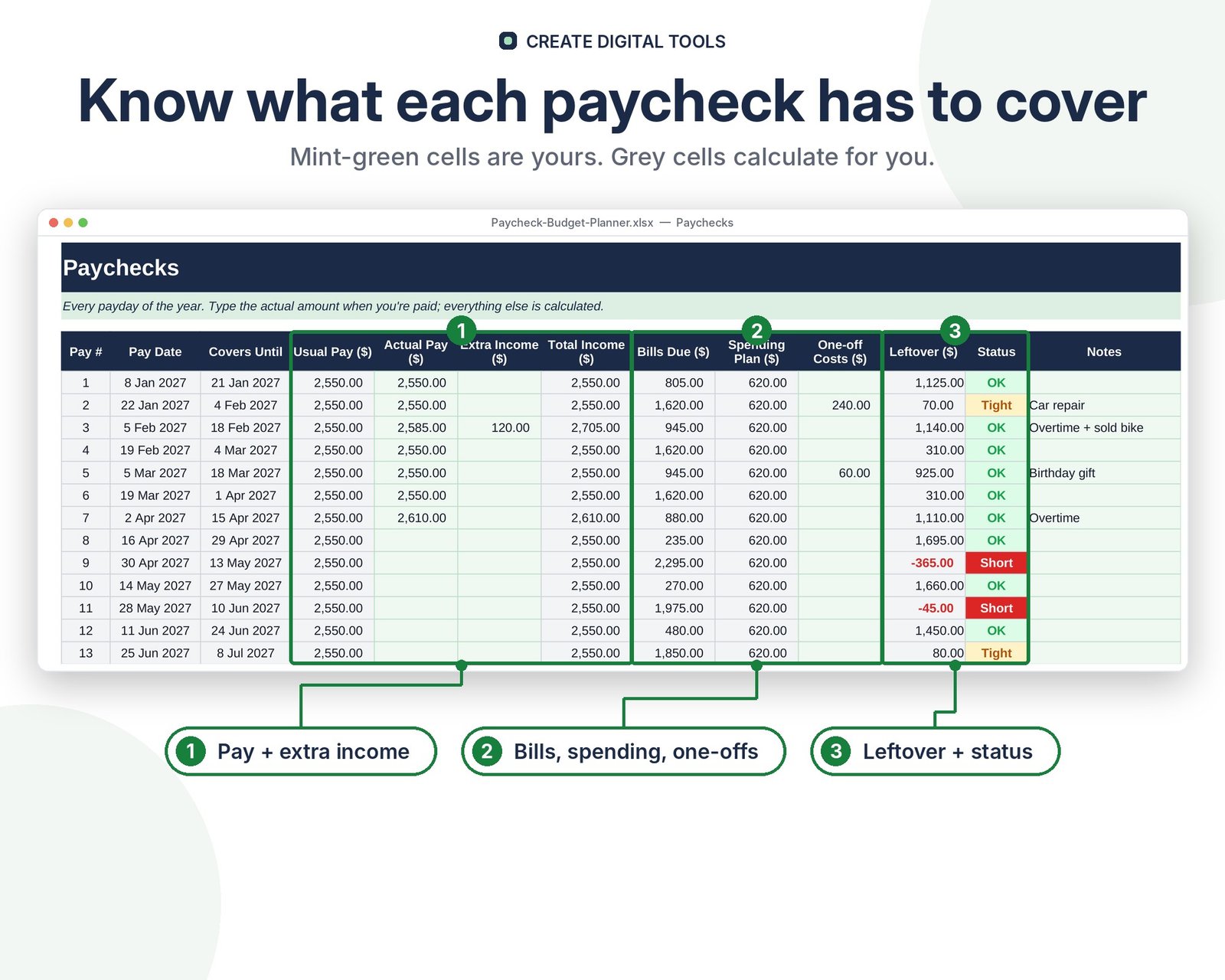
- Paychecks – Every payday of the year with income, bills due, spending and leftover
- Paycheck View – Pick one paycheck to see its bills, spending plan and where the money goes
- Bills – Your recurring monthly bills with amount, due day and autopay
- Settings – Currency, pay frequency, first payday, take-home pay and spending plan
Features
- Supports weekly, bi-weekly, semi-monthly and monthly pay schedules
- All paydays for the year generated from your first payday
- Bills automatically assigned to the paycheck that covers their due date
- Per-paycheck spending plan (groceries, fuel, savings and more)
- Leftover per check with Short / Tight / OK status colours
- Paycheck View: pick any check to see its bills and a where-it-goes chart
- Yearly dashboard with month-by-month income, bills, spending and leftover
- Track actual pay, extra income and one-off costs
How delivery works
- Instant download right after purchase: the .xlsx workbook plus a step-by-step Setup Guide PDF.
- Works in Microsoft Excel (Windows, Mac, Excel for the web) and Google Sheets (upload to Google Drive and open with Google Sheets, or File > Import).
- Comes with realistic sample data so you can see how it works, and clear instructions to remove it.
- No macros, no add-ons, no subscriptions. Pay once, use it for as long as you like.
FAQ
Does it work for bi-weekly pay with 3-paycheck months?
Yes. Every payday is generated individually, so the months with a third paycheck show up clearly on the dashboard.
Can I use it in Google Sheets?
Yes. Upload the .xlsx to Google Drive and open it with Google Sheets, or use File > Import. Everything is standard formulas.
What if my pay changes each time?
Type the actual amount on the Paychecks tab. Leave it blank and the planner uses your usual pay from Settings.
Can I change the currency?
Yes, type any symbol on Settings and all headers and totals update.
Also available in Soft Lavender: Paycheck Budget Planner – Soft Lavender
This is a digital product. No physical item will be shipped.
Want your own store like this one? createdigitaltools.com runs on Hostinger WordPress hosting. Start your own shop with Hostinger, or try the no-code Hostinger Website Builder.
Affiliate links: I may earn a commission at no extra cost to you.