Small Business Notion Template Kit for Back-Office Admin
Picture the owner of a small bakery with six staff. Job applications arrive by email, the holiday rota lives on a whiteboard, invoices are tracked in a spreadsheet nobody else understands, and the “staff handbook” is a folder of half-finished documents. Every week some admin task gets missed simply because it had nowhere to live. A small business Notion template set built for back-office work gives hiring, money, sales, people and meetings a proper home. This scenario is illustrative, but it describes how back-office work tends to pile up in a growing business.
This guide covers why that happens, how to organise a back office in Notion yourself, and what is inside the Small Business Back-Office Kit.
Get the Small Business Back-Office Kit →
Why back-office admin falls apart in small teams
Small businesses rarely have a dedicated operations person. The owner handles hiring, money and customers in between doing the actual work. The usual fixes each solve one piece:
- Shared drives store documents but don’t track status. A contract sits in a folder whether it was signed or not.
- Spreadsheets handle numbers well but become fragile as more people edit them.
- Separate HR, CRM and accounting apps each charge a monthly fee and each hold a slice of the picture.
- Email becomes the default task list, which means things get lost under newer messages.
There is also a cost that is easy to miss: switching. Every time you move between an HR app, a spreadsheet, a CRM and your inbox to answer one question, you lose a few minutes and some focus. Spread across a week, that adds up. The result is admin that depends on one person remembering everything. When that person is busy or away, the gaps show.
How to build a small business back office in Notion
You can set this up yourself with a few linked databases. Here is a practical order to do it in.
- Start with people. Create an employee directory: name, role, contact details and start date. Everything HR-related will reference it.
- Add a hiring pipeline. A database of applicants with a status property (applied, interview, offer, hired) and a board view. When someone is hired, they move into the directory.
- Write down your policies once. A handbook page with sections for leave rules, onboarding steps and day-to-day policies means new starters read the same thing, and you stop answering the same questions.
- Track money in a simple ledger. Income by source and expenses by category, with a monthly view for cash flow. Keep it simple enough that you will actually update it.
- Give customers and leads a CRM. Leads, deals and accounts with a “next step” property. A filtered view of overdue follow-ups is often the most useful view in the whole workspace.
- Record meetings with action items. A meeting minutes database where each action has an owner and a due date stops decisions from evaporating.
- Link it all from a home page. A dashboard with links to each area and a few filtered views (open applicants, overdue follow-ups, this month’s expenses) gives everyone a starting point.
Tip: decide who owns each area. A shared workspace works best when one person is responsible for keeping each database current.
Mistakes that make back-office workspaces fail
- Building everything before using anything. Start with the area that hurts most, often hiring or invoices, and add the rest once that habit sticks.
- Too many properties. Every extra field is something to fill in. Keep only what you actually filter, sort or report on.
- Sharing sensitive pages by accident. Keep finance, salaries and reviews in private pages, and share the handbook and directory separately.
- No review rhythm. A monthly check of open applicants, outstanding invoices and unresolved meeting actions keeps the data trustworthy.
What’s inside the small business Notion template kit
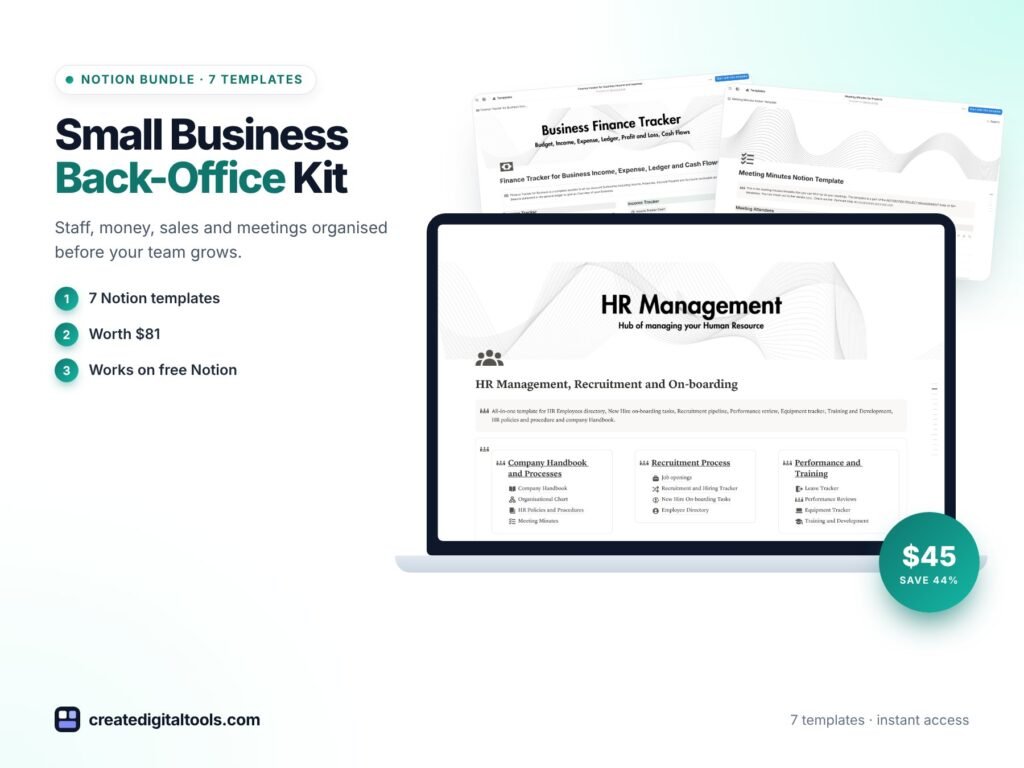
The Small Business Back-Office Kit contains seven items from the Create Digital Tools store. Each Notion template includes a User Manual page and sample data you can clear before adding your own entries.
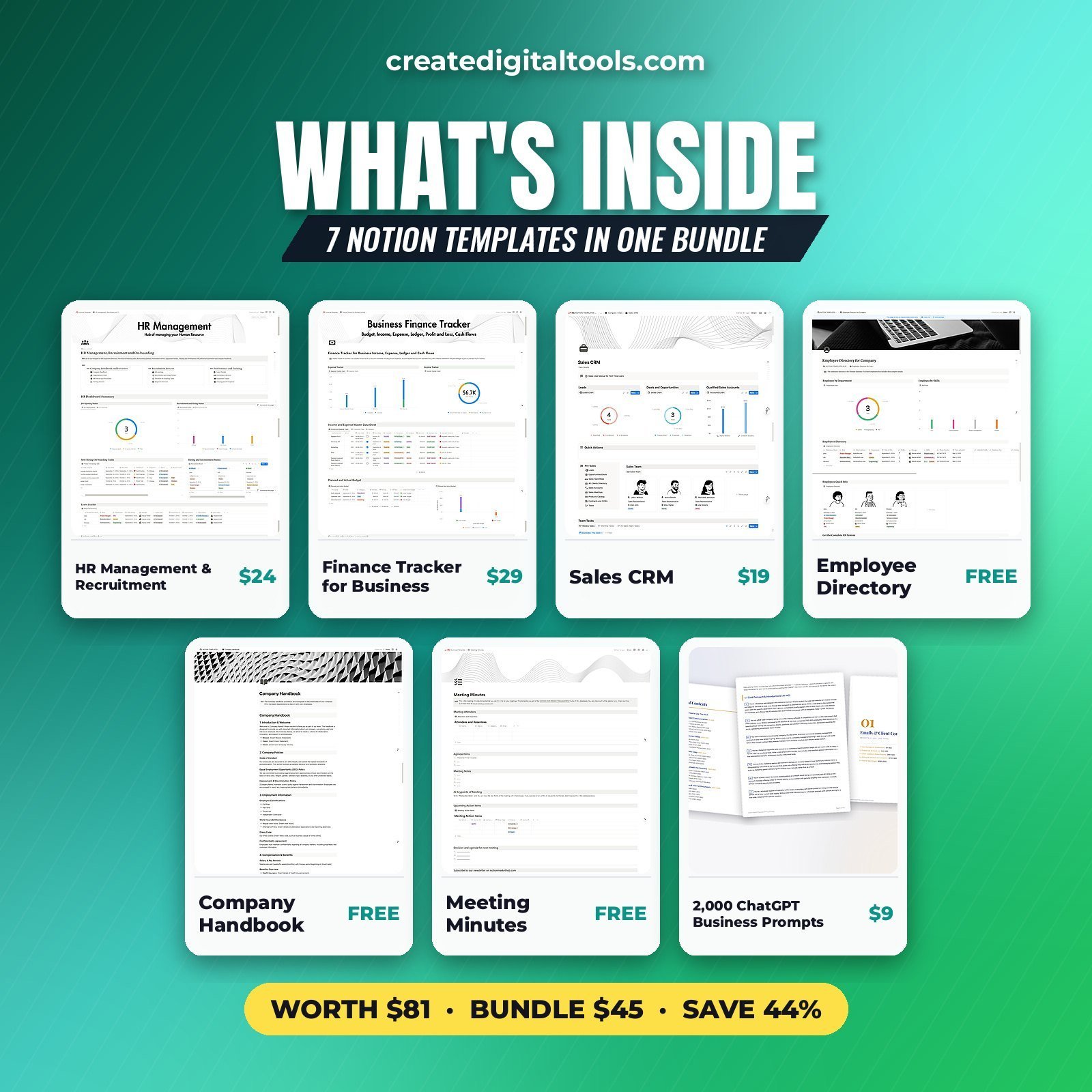
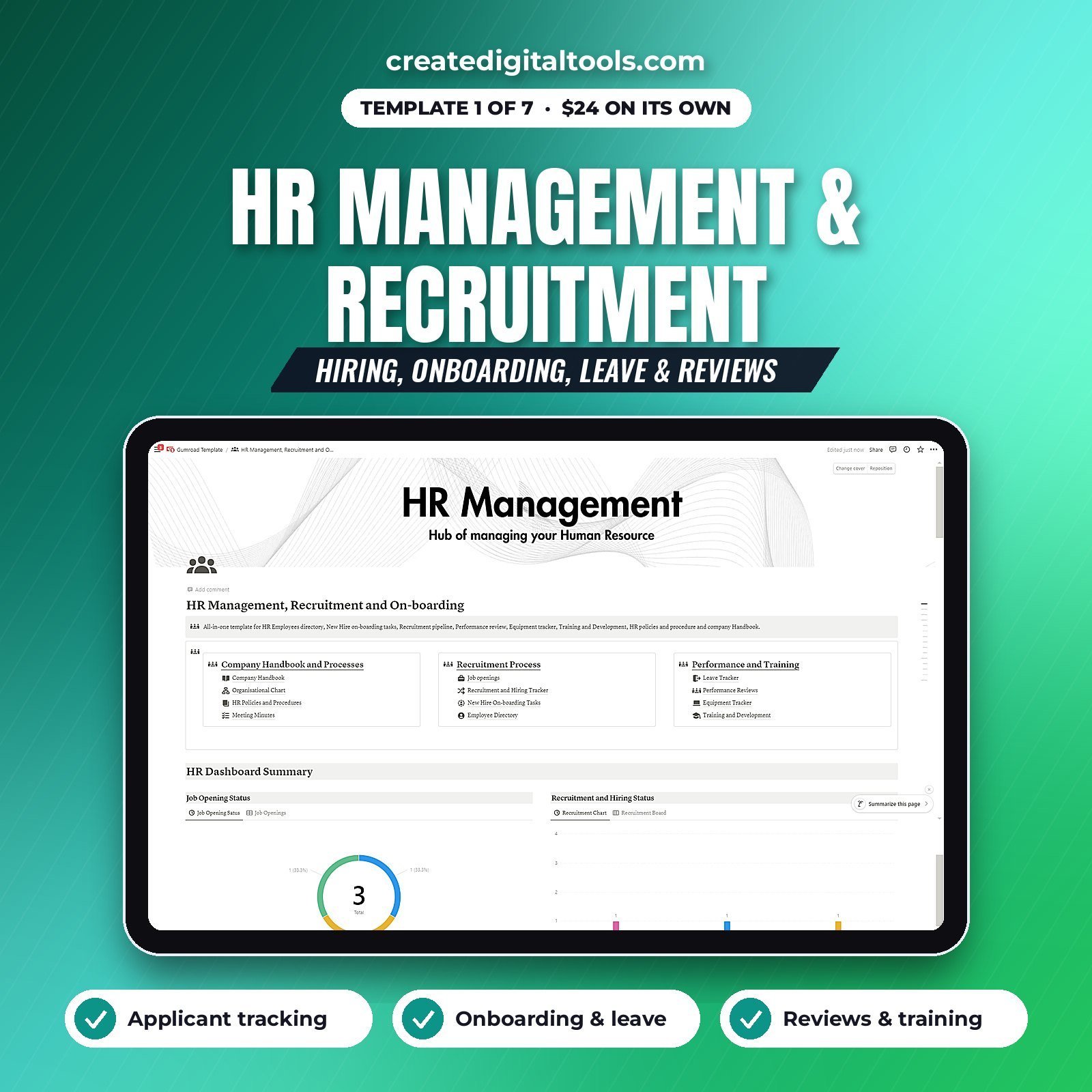
HR Management, Recruitment & Onboarding
Covers applicants, onboarding, leave, reviews and training. This is where the hiring pipeline and the employee lifecycle live, from first application to performance reviews. It is also sold on its own as HR Management, Recruitment and Onboarding.
Finance Tracker for Business
Income by source, expenses, a ledger and cash flow. It gives you a running view of where money comes from and where it goes, without needing accounting software for day-to-day tracking.
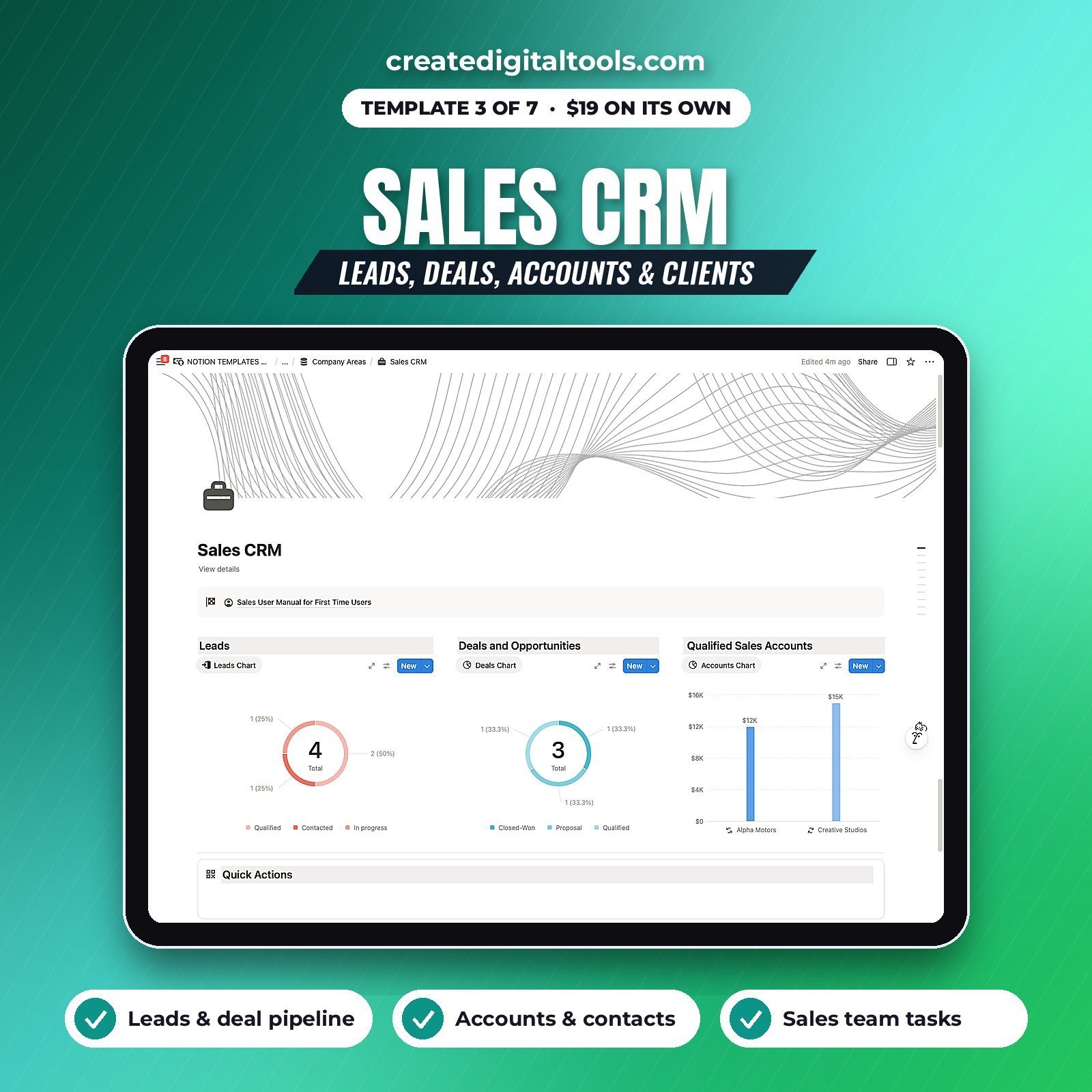
Sales CRM
Leads, deals, accounts and a client directory. Use it to follow up on quotes, track repeat customers and see what is in the pipeline.
Employee Directory
Roles, contacts and start dates for everyone on the team. Simple, but it saves a surprising amount of searching.
Company Handbook
Policies, leave rules and onboarding in a shareable format. Fill in your own policies and share the page with staff so everyone works from the same version.
Meeting Minutes
Agenda, decisions and action items with owners. Each meeting produces a clear list of who is doing what.
2,000 ChatGPT Business Writing Prompts
Prompts for emails, proposals, marketing, HR and reports. Useful for the writing side of admin: job ads, policy wording, customer replies and supplier emails.
Delivery and access
You buy through Gumroad and every template appears in your Gumroad library. Then you duplicate each template into your Notion workspace. The product page states the kit works on Notion’s free plan and comes with lifetime access and no subscription.
Who it’s for, and who it isn’t for
A good fit for:
- Owners of small businesses with a handful of staff who handle admin themselves.
- Office managers who want hiring, policies, money and customers in linked Notion templates.
- Teams already using Notion who want a structure instead of a blank workspace.
Not a good fit for:
- Businesses that need payroll processing, tax filing or legal HR compliance tools. These templates organise information; they don’t run payroll or replace an accountant.
- Large organisations that need enterprise HR software with permissions and audit trails.
If your work is more project-driven, take a look at the Project Manager Toolkit. You can also browse other bundles or the full range of Notion templates.
FAQ
What format are the templates?
The six back-office templates are Notion templates that you duplicate into your own workspace. The 2,000 ChatGPT Business Writing Prompts is a prompt collection you use with ChatGPT.
Will it work on the free Notion plan?
Yes. The product page states that the kit works on Notion’s free plan.
How quickly do I get access?
Straight after checkout on Gumroad, the templates appear in your Gumroad library, ready to duplicate.
Can my staff use it too?
Yes, within whatever sharing your Notion plan allows. A sensible approach is to share the handbook and directory with staff and keep finance and HR pages private.
Can I customise the handbook and HR pages?
Yes. Everything is editable once duplicated. Replace the sample content with your own policies and remove any sections that don’t apply to your business.
Get the Small Business Back-Office Kit →
This is an organising tool, not legal, HR, tax or financial advice.
Notion is a trademark of Notion Labs, Inc. ChatGPT is a trademark of OpenAI. This is an independent template, not affiliated with or endorsed by Notion or OpenAI.
Notion systems, spreadsheets and planners with a setup guide. Instant download.