Description
Setup Guide & Full Tour
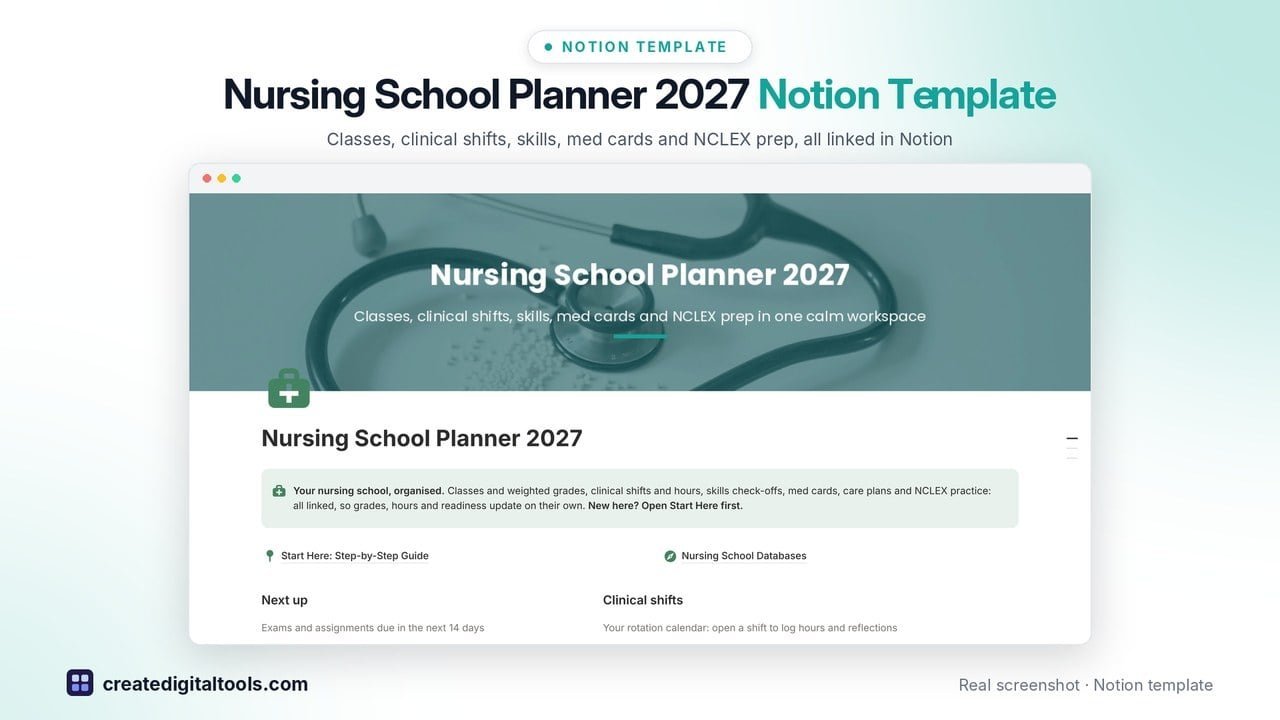
Nursing student planner Notion template for nursing school 2027: classes, clinical shifts, skills check-offs, med cards and NCLEX prep in one calm Notion workspace.
Nursing school is lectures, care plans, clinical shifts, drug cards, skills sign-offs and practice questions all at once. This planner links them together, so your grades, clinical hours and NCLEX readiness update on their own.
Who it’s for
- Nursing students in ADN, BSN and accelerated programs
- LPN / LVN students
- Anyone planning the spring 2027 semester
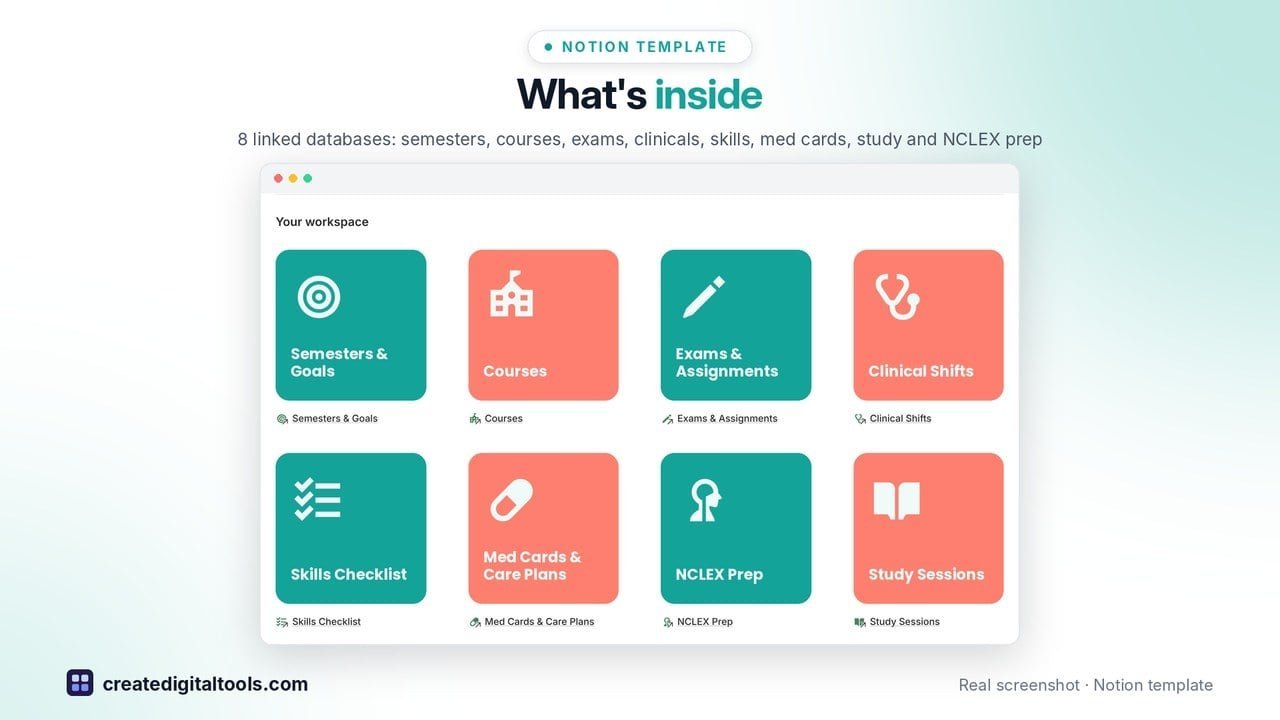
What’s inside
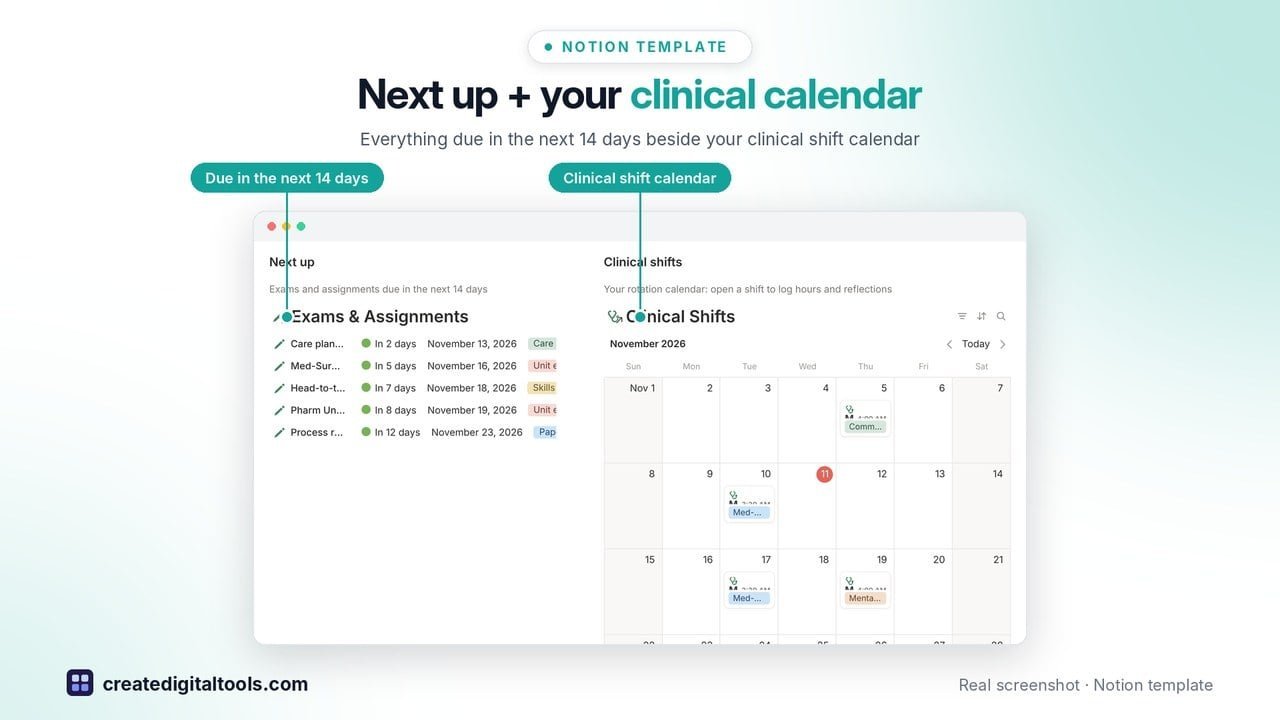
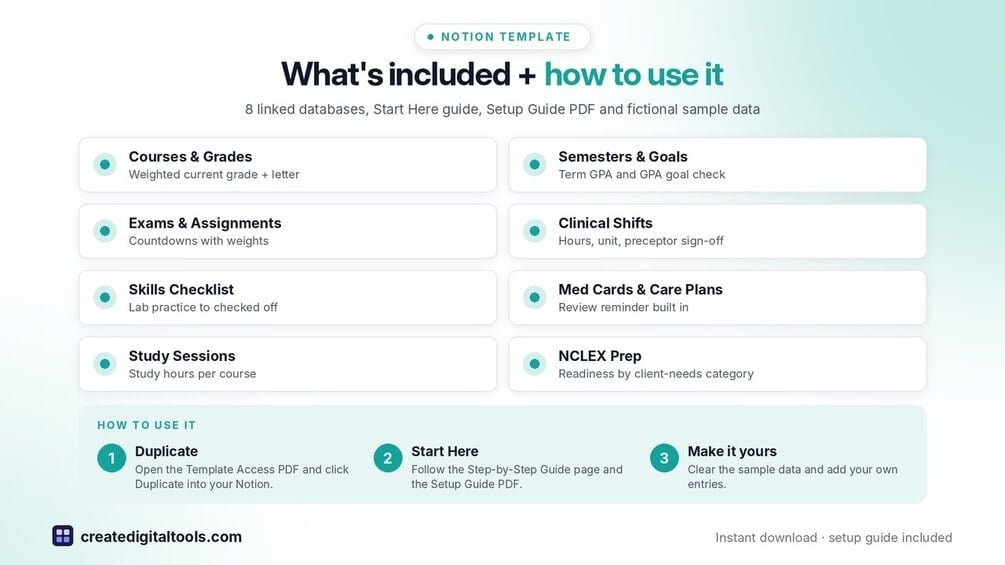
- Main page: "Next up" list of everything due in the next 14 days beside your clinical shift calendar
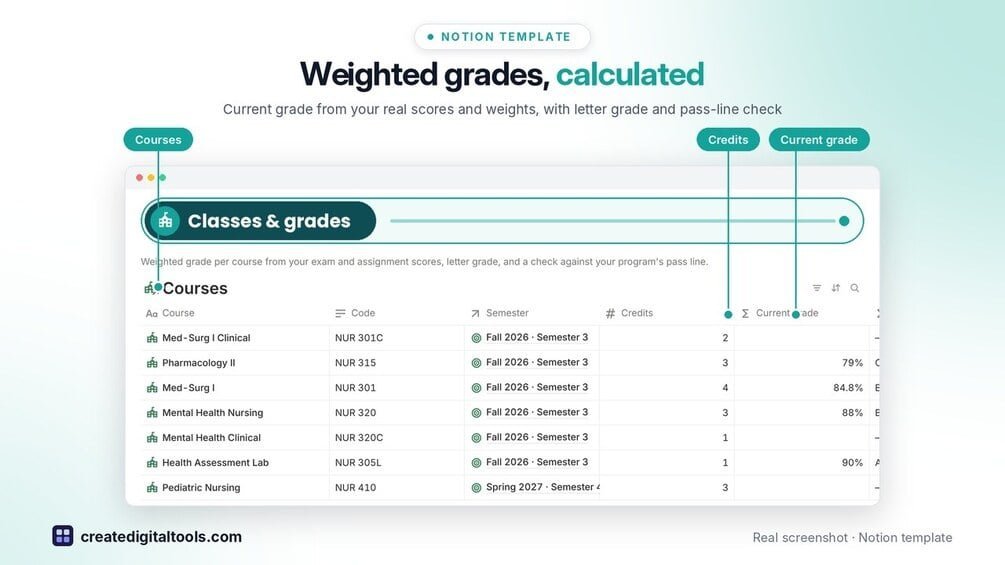
- Courses: weighted current grade from your real scores, letter grade and a check against your program's pass line
- Semesters & Goals: term GPA calculated for you, GPA goal check and clinical hours goal
- Exams & Assignments: countdown for every exam, care plan, paper and check-off, with weights
- Clinical Shifts: calendar, hours, site, unit, preceptor sign-off and reflections; hours roll up to each clinical course vs hours required
- Skills Checklist: from lab practice to clinical to checked off, linked to the shifts where you practised
- Med Cards & Care Plans: drug class, uses, nursing considerations, what to watch for and patient teaching, with a review reminder
- Study Sessions: study blocks linked to the cards you reviewed, study hours per course
- NCLEX Prep: practice sets by all 8 client-needs categories with score, readiness label and a readiness chart
- Start Here: Step-by-Step Guide inside the template, written for first-time Notion users, with fictional sample data
Built-in automations
Five date stamps fill in for you: grade returned, shift signed by preceptor, skill checked off, med card mastered and study session done.
Set up in 3 steps
- Open the template link in your PDF and click Duplicate to copy it into your own Notion workspace.
- Open Start Here: Step-by-Step Guide and follow the setup: add your own details and clear the sample data when you’re ready.
- Work from the front page every day and use the weekly checklist in Start Here to keep everything up to date.
What you get
- The Notion template (instant download: a PDF with your duplicate link)
- Setup Guide PDF with a step-by-step walkthrough and FAQ
- Start Here guide inside the template
- Video walkthrough: setup guide and full tour (at the top of this page)
Free plan
Works on the Free Notion plan. The built-in automations are Notion database automations, which run on paid plans (Plus and up). On the Free plan they pause and you fill those dates in by hand; every database, formula and view still works. Desktop, web and the Notion mobile app.
Please note
This planner is a study organiser, not medical, clinical or academic advice. Always follow your program, instructors and clinical site's policies, and do not store patient-identifying information.
Digital product: nothing physical is shipped. Sample data is fictional.
Notion is a trademark of Notion Labs, Inc.; this is an independent template by Create Digital Tools (createdigitaltools.com).
New to Notion? Try it free here (affiliate link: we may earn a commission at no extra cost to you).
Want your own store like this one? createdigitaltools.com runs on Hostinger WordPress hosting. Start your own shop with Hostinger, or try the no-code Hostinger Website Builder.
Affiliate links: I may earn a commission at no extra cost to you.