Description
Setup Guide & Full Tour
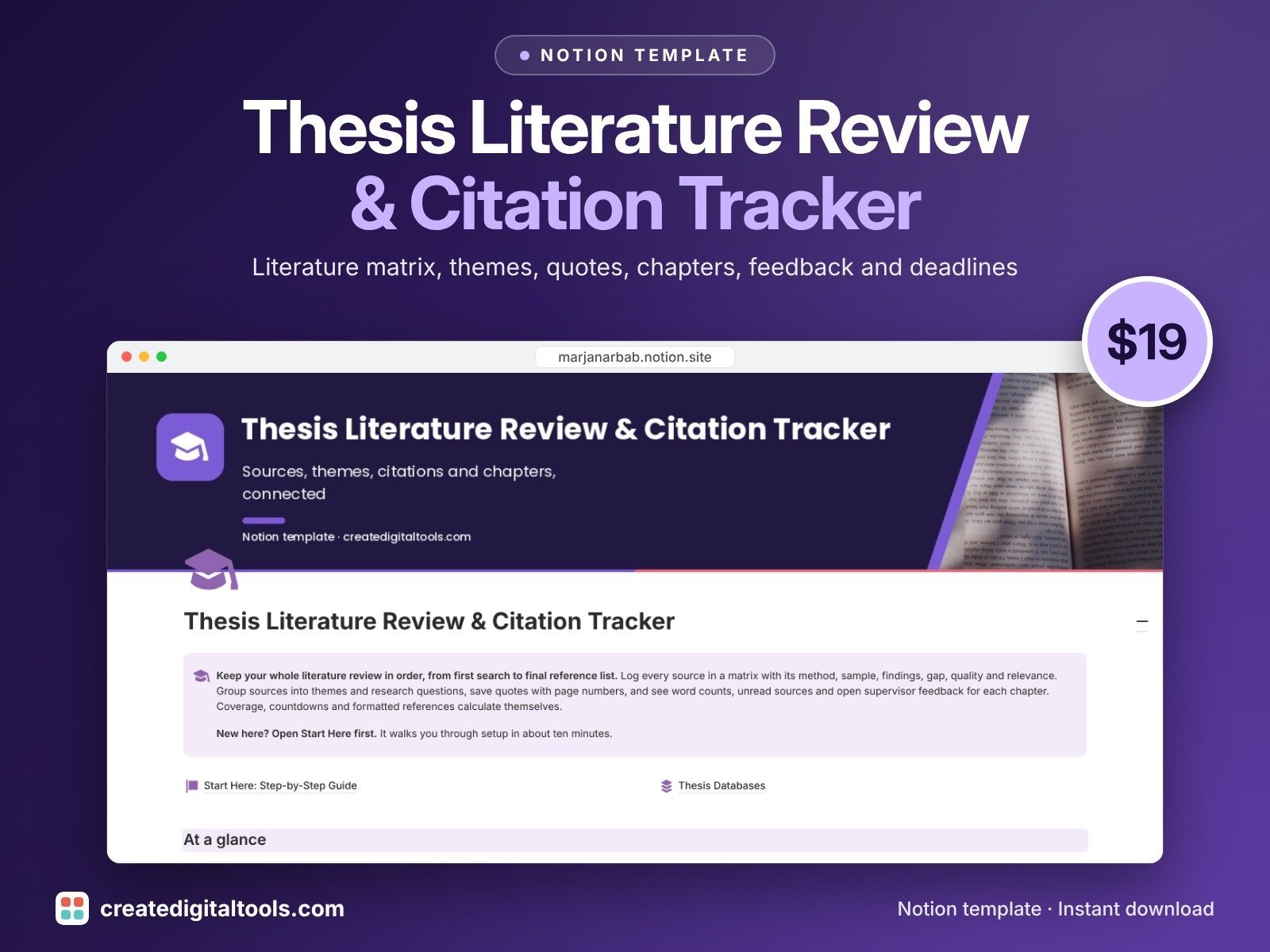
Keep your whole literature review in order, from first search to final reference list.
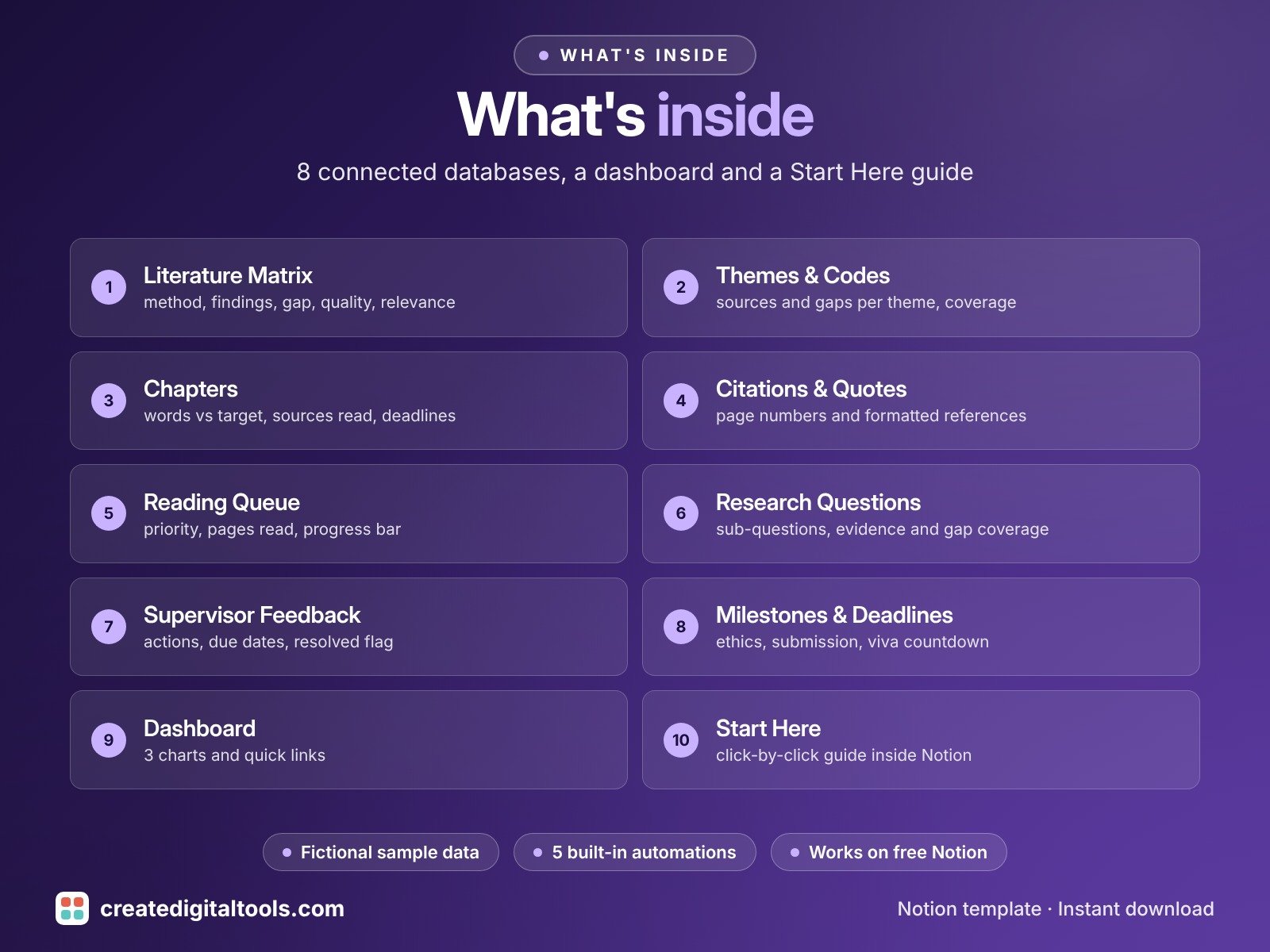
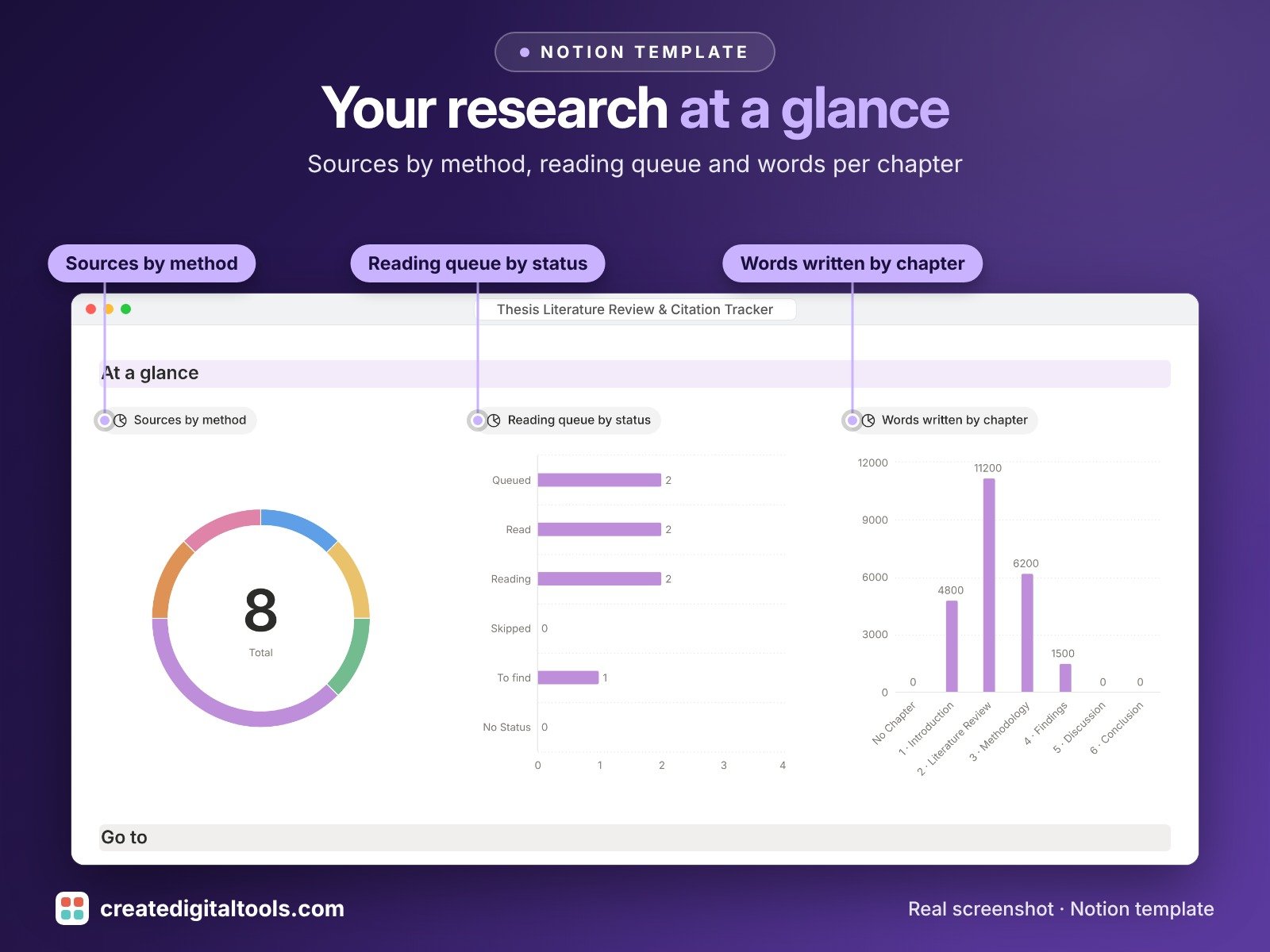
Thesis Literature Review & Citation Tracker is a connected Notion template for Masters and PhD students and dissertation writers. Log every source in a matrix, see which themes and research questions still need reading, keep quotes with their page numbers, and follow word counts, open supervisor feedback and deadlines for each chapter.
What’s inside
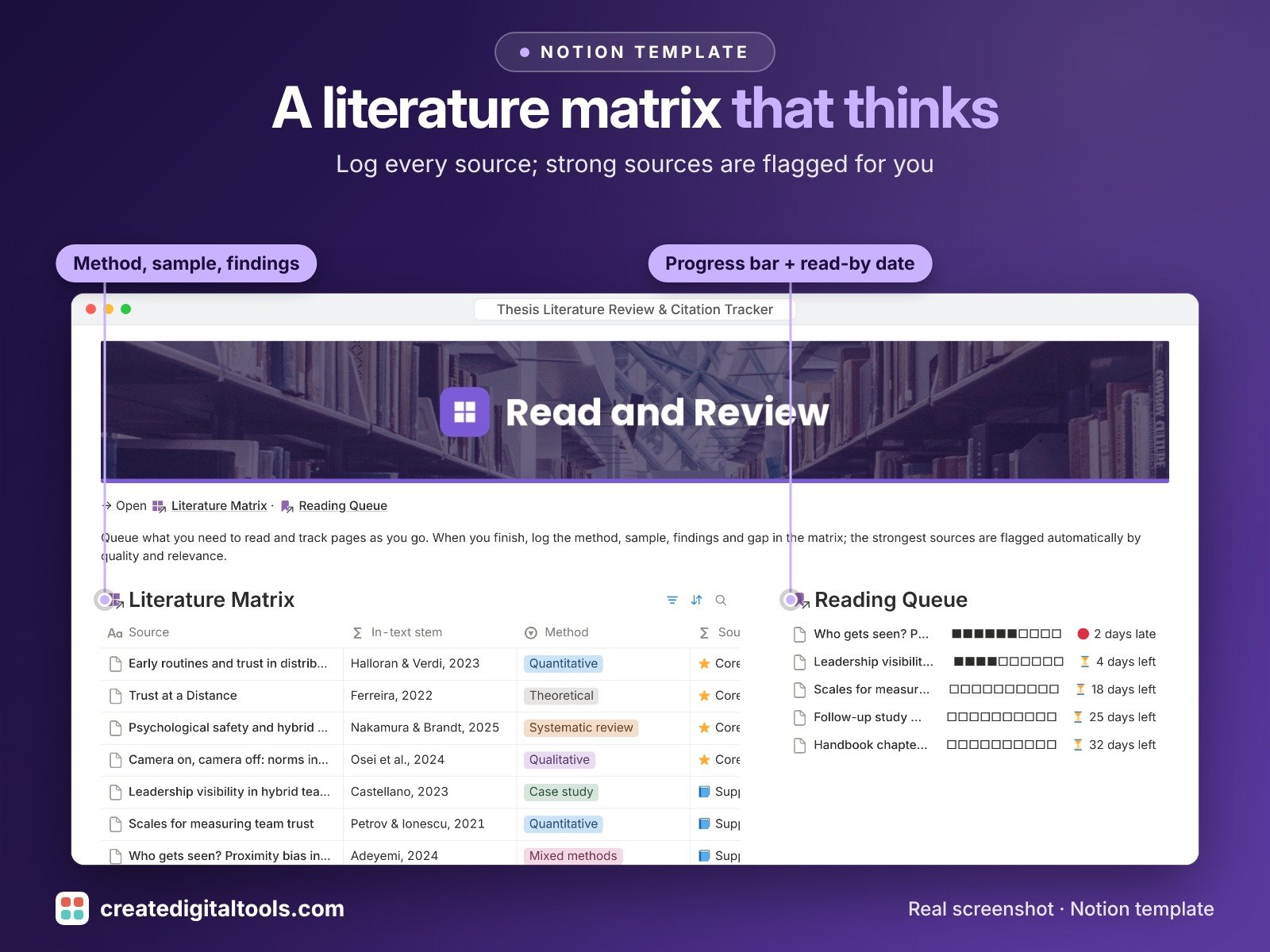
- Literature Matrix: source, authors, year, method, sample, key findings, gap, quality rating and relevance score, plus an automatic source strength label and formatted reference
- Themes & Codes: sources, citations and gaps per theme, with coverage against your own target
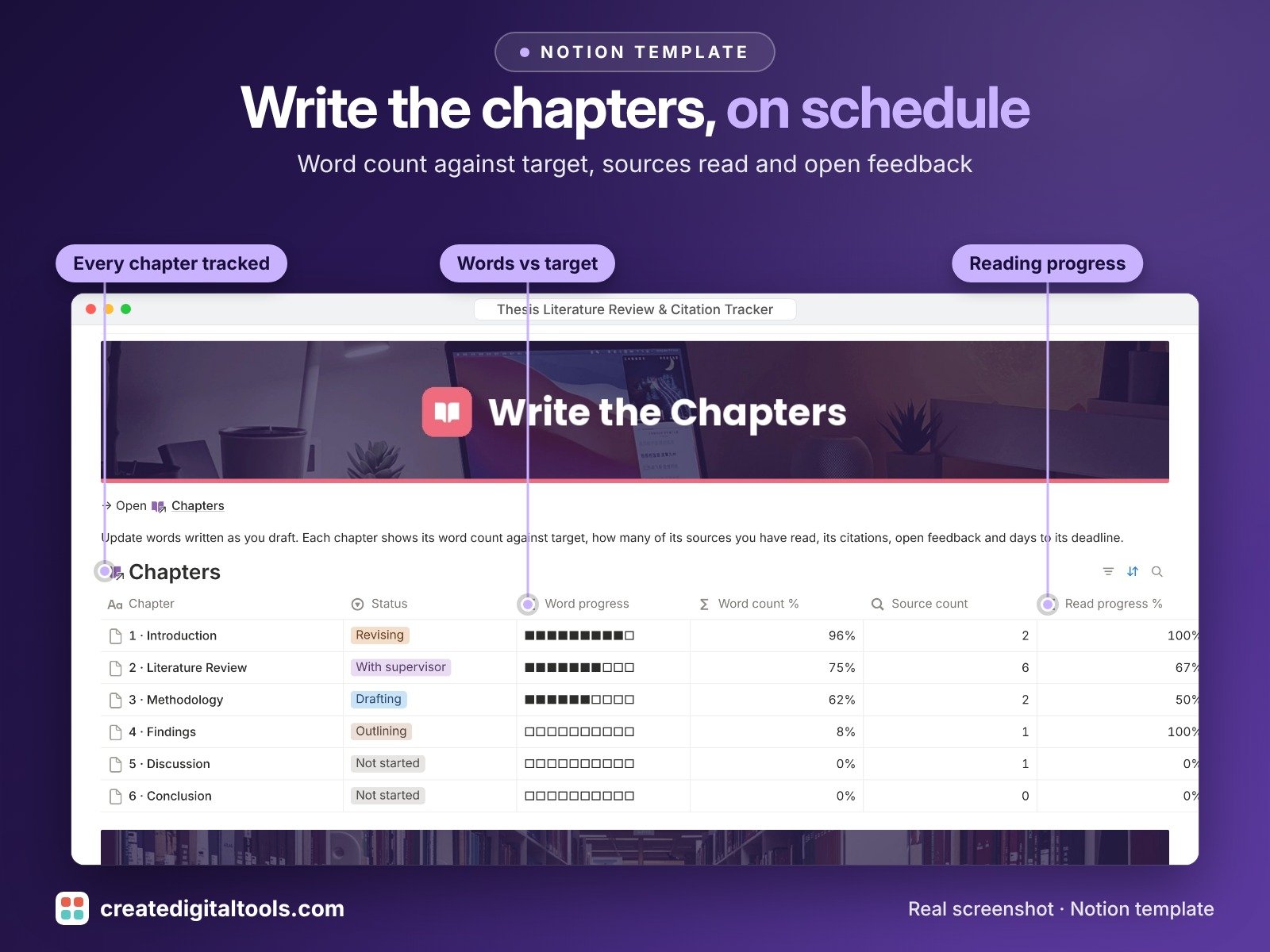
- Chapters: word count against target, sources read, citations, open feedback and days to deadline
- Citations & Quotes: quote or paraphrase, page number, in-text citation and full reference built from the linked source
- Reading Queue: priority, pages read, progress bar and read-by date
- Research Questions: main question, sub-questions and hypotheses, with evidence read and gap coverage
- Supervisor Feedback: comments linked to chapters, actions, due dates and a resolved flag
- Milestones & Deadlines: university deadlines, ethics, meetings, submission and viva or defence, with a live countdown
Built-in automations
Five automations save the date for you: when a source or queue item is marked Read, a chapter goes to your supervisor, feedback is resolved or a milestone is done. Database automations run on Notion's paid plans (Plus and up). On the Free plan they pause, and you can make the same changes by hand.
Who it’s for
- Masters and PhD students writing a thesis or dissertation
- Researchers running a systematic or narrative literature review
- Students who want sources, quotes and supervisor feedback in one place
What you get
- Template link (PDF) to duplicate into your Notion workspace
- Setup Guide PDF with a step-by-step walkthrough
- Start Here: Step-by-Step Guide inside the template
- Video walkthrough
How delivery works
You get a PDF with the Duplicate link. Click Duplicate to copy it into your free Notion workspace.
- Buy and download the PDF with your template link.
- Open the link and click Duplicate (log in to Notion first; the free plan works).
- Open the Start Here page and follow the setup steps.
Good to know
- Digital product: nothing physical is shipped.
- You need a Notion account (the free plan works).
- Formatted citations follow a common author-date pattern similar to APA and are a starting point only.
- Always check them against your university's style guide.
- This is an organising tool, not academic advice.
- It does not write or review your work.
- Notion is a trademark of Notion Labs, Inc.; this is an independent template.
Writing the thesis too? Pair it with Thesis Writing for Masters & PhD Students or Thesis Writing PRO, our bestselling thesis templates. This tracker also works fully on its own.
New to Notion? Create a free account (affiliate link: I may earn a commission at no extra cost to you).
Want your own store like this one? createdigitaltools.com runs on Hostinger WordPress hosting. Start your own shop with Hostinger, or try the no-code Hostinger Website Builder.
Affiliate links: I may earn a commission at no extra cost to you.