

Description
Setup Guide & Full Tour
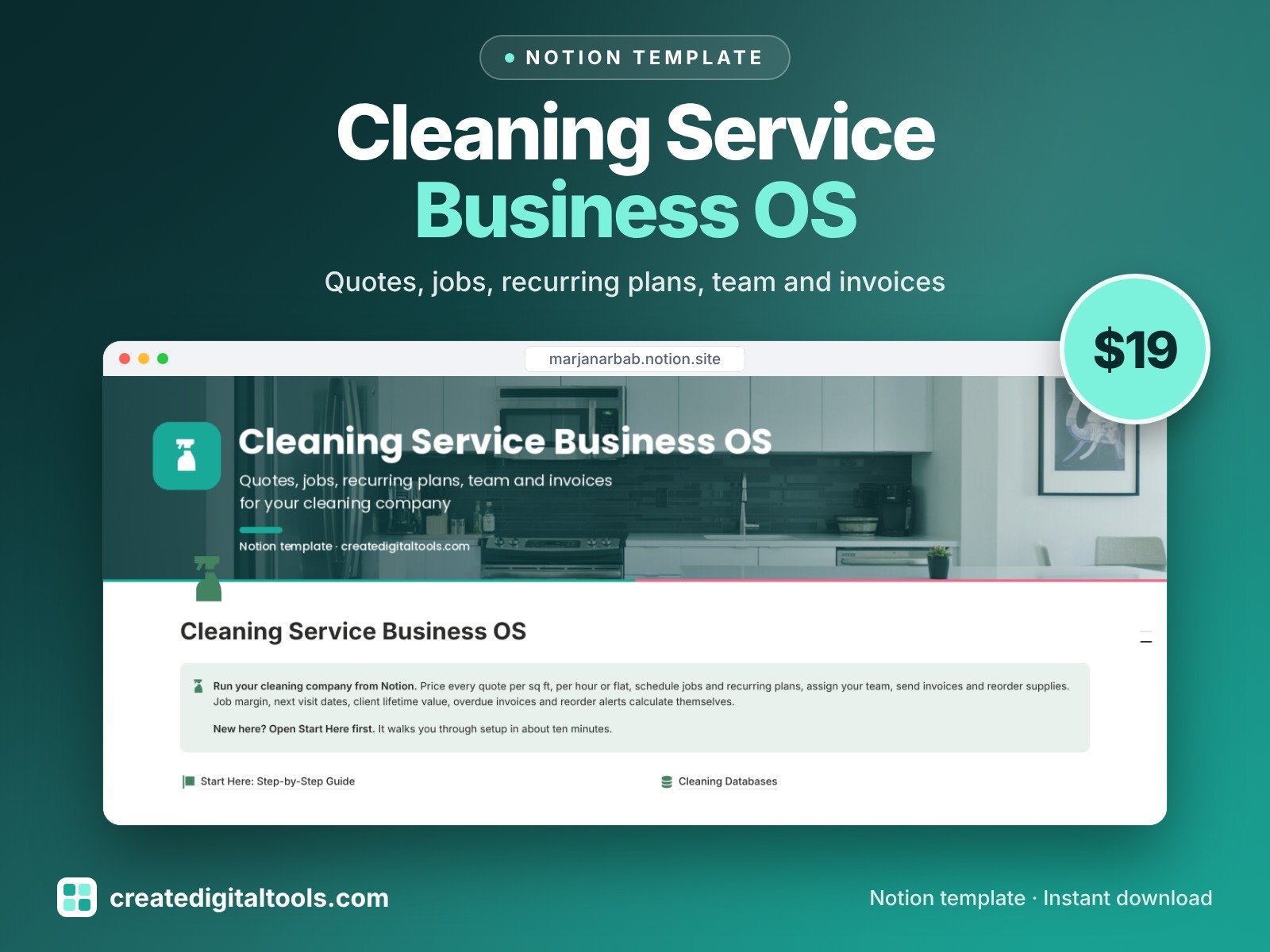
Know what every clean really earns. Cleaning Service Business OS is a Notion template for owners of residential and commercial cleaning companies, and for solo cleaners growing a team. Quote, schedule, clean, invoice and get paid from a connected workspace.
Who it’s for
- House cleaning and maid service owners
- Commercial and janitorial cleaning companies
- Solo cleaners who are hiring their first team members
What’s inside
- Clients: lifetime value, money owed, last clean and a rebook nudge
- Properties: size, rooms, access and keys, pets and special instructions
- Quotes: price per sq ft, per hour or flat, with estimated margin before you send and a follow-up nudge after 7 days
- Jobs & Schedule: open jobs board, calendar, next 7 days and true margin per job (price minus labour minus supplies), with a quality check and room-by-room checklist
- Recurring Plans: weekly, fortnightly, every 4 weeks or monthly; the next visit is worked out from the last completed clean, with a reminder to book it and monthly plan value
- Cleaners & Team: hours, labour cost, skills and alerts for checks or insurance that are about to expire
- Invoices & Payments: totals from linked jobs, balance, due date and an overdue counter
- Supplies & Expenses: reorder alerts, costs linked to jobs and spend by category
- Dashboard: at a glance charts (jobs by status, spend by category, revenue by service), photo navigation cards and a section for each part of the business
- Start Here: Step-by-Step Guide inside the template, written for complete beginners
- Fictional sample data so you can see how everything connects, easy to clear
How it works
Quote a job, accept it, and the job, hours, team and supplies link together, so true margin per job, client lifetime value and money owed calculate themselves. Recurring plans tell you when the next visit is due.
Built-in automations
Five date stamps run for you: quote sent, quote accepted, job completed, invoice sent and invoice paid.
Set up in 3 steps
- Open the template link in your PDF and click Duplicate to copy it into your own Notion workspace.
- Open Start Here and follow the setup: add your own details and clear the sample data when you’re ready.
- Work from the dashboard every day and use the weekly checklist in Start Here to keep everything up to date.
What you get
- The Notion template (instant download: a PDF with your duplicate link)
- Setup Guide PDF with a step-by-step walkthrough and FAQ
- Start Here guide inside the template
- Video walkthrough: setup guide and full tour (at the top of this page)
Free plan
Works on the Free Notion plan. The built-in automations are Notion database automations, which run on paid plans (Plus and up). On the Free plan they pause and you fill those dates in by hand; every database, formula and view still works. Desktop, web and the Notion mobile app.
Please note
This is an organising tool, not legal, tax, accounting or employment advice. Sample rates are made up, so use your own local rates.
Digital product: nothing physical is shipped. Sample data is fictional.
Notion is a trademark of Notion Labs, Inc.; this is an independent template by Create Digital Tools (createdigitaltools.com).
New to Notion? Try it free here (affiliate link: we may earn a commission at no extra cost to you).
Want your own store like this one? createdigitaltools.com runs on Hostinger WordPress hosting. Start your own shop with Hostinger, or try the no-code Hostinger Website Builder.
Affiliate links: I may earn a commission at no extra cost to you.