Best CRM for Freelancers: folk vs Apollo.io vs a Notion CRM (2026)
Disclosure: This post contains affiliate links. If you buy through them, Create Digital Tools may earn a commission at no extra cost to you. We only recommend tools we think are a good fit for small businesses.
Most freelancers do not lose clients because they picked the wrong CRM. They lose them because a follow-up lived in their head instead of on a list.
The best CRM for freelancers depends on where your work comes from. If clients find you through referrals and come back for repeat projects, you need a tidy contact list and reminders. If you have to go out and find clients, you need a prospect database and email sequences. If you want clients, projects and invoices in one place, you may not need a dedicated CRM at all. This guide compares folk, Apollo.io and a Notion CRM against those three situations.
Quick answer
Pick the tool that matches how you win work, not the one with the longest feature list.
- Referrals and repeat clients: folk gives you a clean contact CRM with pipelines, enrichment and email sync, from $24 per member per month billed yearly.
- Outbound prospecting: Apollo.io is a prospect database first and a CRM second, with a free plan to start.
- Everything in one workspace: a Notion CRM you build or buy as a template, on Notion’s free plan or Plus at $10 per seat per month billed yearly.
How this comparison was put together: this post is based on each vendor’s own pricing, feature and help pages, not on hands-on trials. All prices are in USD, and pricing is as of November 2026. Plans and limits change often, so confirm the current details on each vendor’s pricing page before you buy.
What is the best CRM for freelancers? Start with how you get clients
A CRM does three jobs: it remembers who people are, it shows where each deal stands, and it tells you who to contact next. Freelancers need all three, but in very different amounts.
Before comparing tools, decide which of these three freelancers you are today. Most people fit one profile most of the time.
1. The referral and repeat-client freelancer
Work arrives through past clients, friends of clients and your network. You might have 50 to 300 relationships that matter, and the risk is forgetting to check in.
You need contact history, a simple pipeline and reminders. You do not need a database of millions of strangers.
2. The outbound freelancer
You sell to businesses and have to create your own pipeline. That means finding decision makers, getting their work email, and sending a sequence of follow-ups.
You need prospect data and sales engagement more than you need a pretty pipeline board.
3. The all-in-one-workspace freelancer
You already plan projects, write proposals or track invoices somewhere, and you would rather keep leads next to that work. Paying for another subscription feels like overkill.
You need a flexible database you control, and you are fine doing some setup.
folk vs Apollo.io vs Notion: comparison table
| folk | Apollo.io | Notion CRM | |
|---|---|---|---|
| What it is | Contact and pipeline CRM with enrichment and outreach | B2B prospect database plus sales engagement, with deals added | A DIY database you build yourself or buy as a template |
| Best for | Referral and repeat-client freelancers | Freelancers doing cold outbound to businesses | Freelancers who want clients, projects and money in one place |
| Free option | 2-week trial with Premium features, no permanent free plan per folk’s help center | Free plan with no time limit; 14-day trials of Basic and Professional | Free plan ($0); block limit applies once a workspace has 2+ members |
| Entry paid price | Standard: $24/member/month billed yearly, $30 billed monthly | Basic: $49/seat/month billed yearly (the page shows annual billing saves 24%) | Plus: $10/seat/month billed yearly, $12 billed monthly |
| Next tier | Premium: $48/member/month billed yearly, $60 billed monthly | Professional: $79/seat/month billed yearly | Business: $20/seat/month billed yearly, $24 billed monthly |
| Contact data | Email enrichment: 500/month on Standard, 1,000 on Premium | Over 240 million contacts and 30 million companies, unlocked with credits | None built in; you add contacts yourself |
| Email outreach | 2,000 messages/member/month on Standard; sequences on Premium | Email sequencing included from Basic | No sending; log emails and follow-up dates manually |
| Pipeline | Pipeline management on all plans; custom objects and deals on Premium | Deals with admin-configured pipelines and stages | Board view grouped by a Status property, fully custom |
| Setup effort | Low | Medium (filters, credits, sequences) | Medium to high if you build; low with a template |
Prices above are per member or per seat, so a solo freelancer pays one seat. If you add a subcontractor or assistant as a member, the cost rises with each seat.
folk: a simple relationship CRM for freelancers with a network
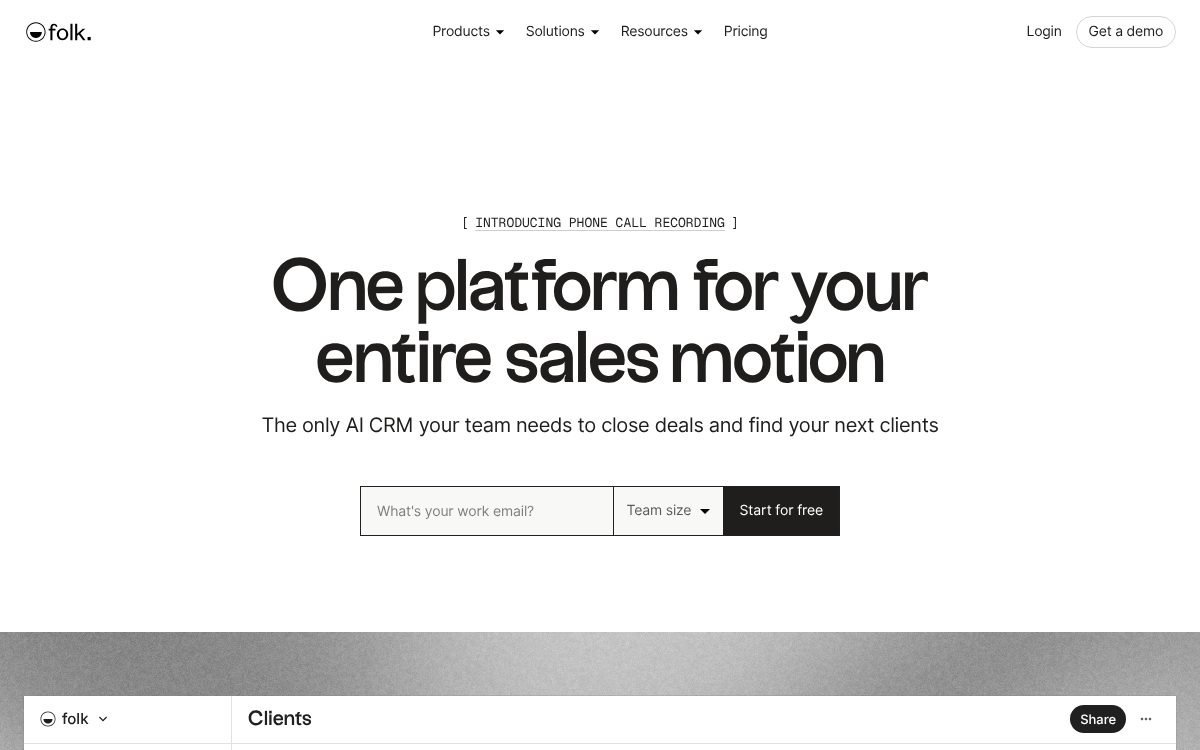
folk is a contact and pipeline CRM. Its homepage headline is “One platform for your entire sales motion,” and the features it lists cover contacts, pipelines, enrichment, sequences and AI assistants.
What folk does well for freelancers
- Contacts first: contact lists you can sort by channel, last interaction and owner, so you can see who you have not spoken to in a while.
- Pipelines: deals move through stages with deal values, next actions and overdue flags.
- Enrichment: look up work emails and phone numbers, and add company details such as category and website.
- LinkedIn capture: a Chrome extension called folkX brings CRM tracking into LinkedIn, handy if most of your network lives there.
- Sync: the Standard plan lists email, calendar and WhatsApp sync, plus integrations.
- Sequences: multi-step outreach across email, calls and events, with waits and branching if a prospect replies. Note that sequences sit on the Premium plan.
folk pricing and plan limits
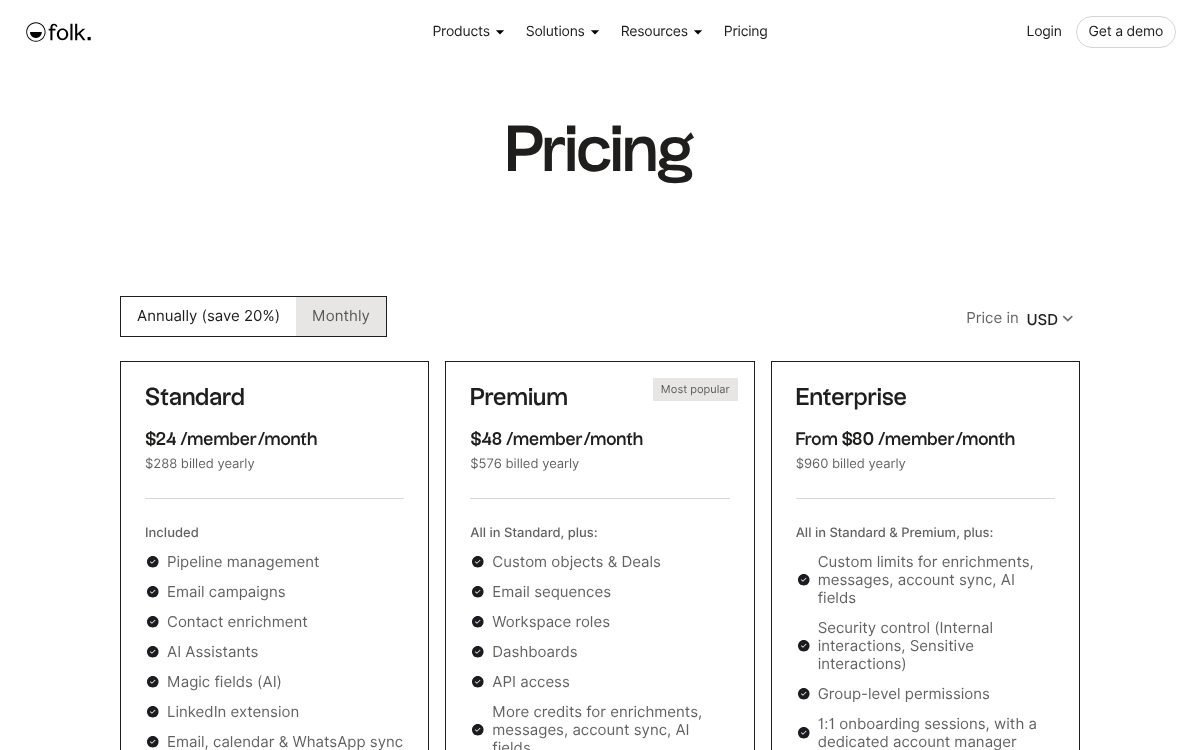
folk prices per member per month, and its pricing page says annual billing saves 20%.
- Standard: $24/member/month billed yearly ($288 a year), or $30 billed monthly. Includes unlimited contacts, pipeline management, 2,000 messages per member per month, 500 email enrichments a month and 2,000 AI “magic fields” a month.
- Premium: $48/member/month billed yearly ($576 a year), or $60 billed monthly. Adds email sequences, custom objects and deals, dashboards, workspace roles and API access, with 5,000 messages and 1,000 enrichments.
- Enterprise: from $80/member/month billed yearly, or from $100 billed monthly, with custom limits.
Free option: new sign-ups get a 2-week trial with Premium features, and the pricing page says no credit card is required. folk’s help center says you must choose a paid plan when the trial ends or the account is blocked, so treat it as a trial, not a free plan.
Who should pick folk
folk fits the referral and repeat-client freelancer best. Standard covers contacts, pipeline, enrichment and sync, which is what most service businesses with a network need.
If you need automated follow-up sequences or a proper deals object, budget for Premium. For a deeper look at the plans and trade-offs, read our folk CRM review.
Apollo.io: a prospect database first, CRM second
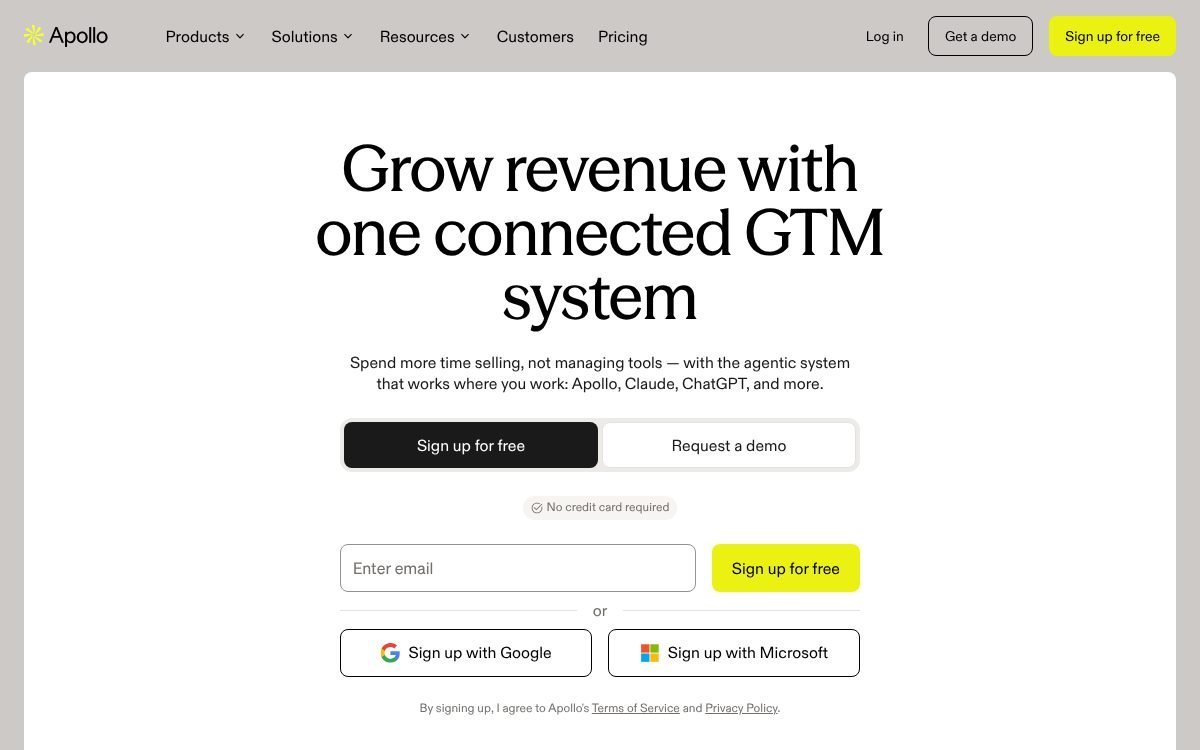
Apollo.io calls itself an AI go-to-market platform, with the homepage headline “Grow revenue with one connected GTM system.” The core is data: Apollo says it covers over 240 million contacts and 30 million companies.
For a freelancer, that means Apollo answers a different question from folk. folk helps you manage people you already know. Apollo helps you find people you do not know yet.
What Apollo does for an outbound freelancer
- Find prospects: search the database for companies and contacts that match your ideal client.
- Unlock contact details: credits are used to request emails and phone numbers, run enrichment and AI research, according to Apollo’s help center.
- Send sequences: Apollo’s pricing page says the Basic plan includes email sequencing and core integrations.
- Track deals: Apollo’s Deals feature links opportunities to people and companies, keeps tasks in one place, and shows related emails, calls and meetings. An admin sets up the pipelines and stages.
- Email warmup: free for one mailbox; more mailboxes use credits.
The CRM side is real but secondary. Apollo’s help center notes that deals can sync with Salesforce and HubSpot, which tells you it often sits alongside a main CRM rather than replacing one.
Apollo pricing and free plan limits
Apollo lists four plans: Free, Basic, Professional and Custom. Its pricing page describes Free as for “exploring Apollo or very light usage,” Basic for “individual sellers doing regular outbound,” and Professional for reps who need higher credit limits, AI features and call recording.
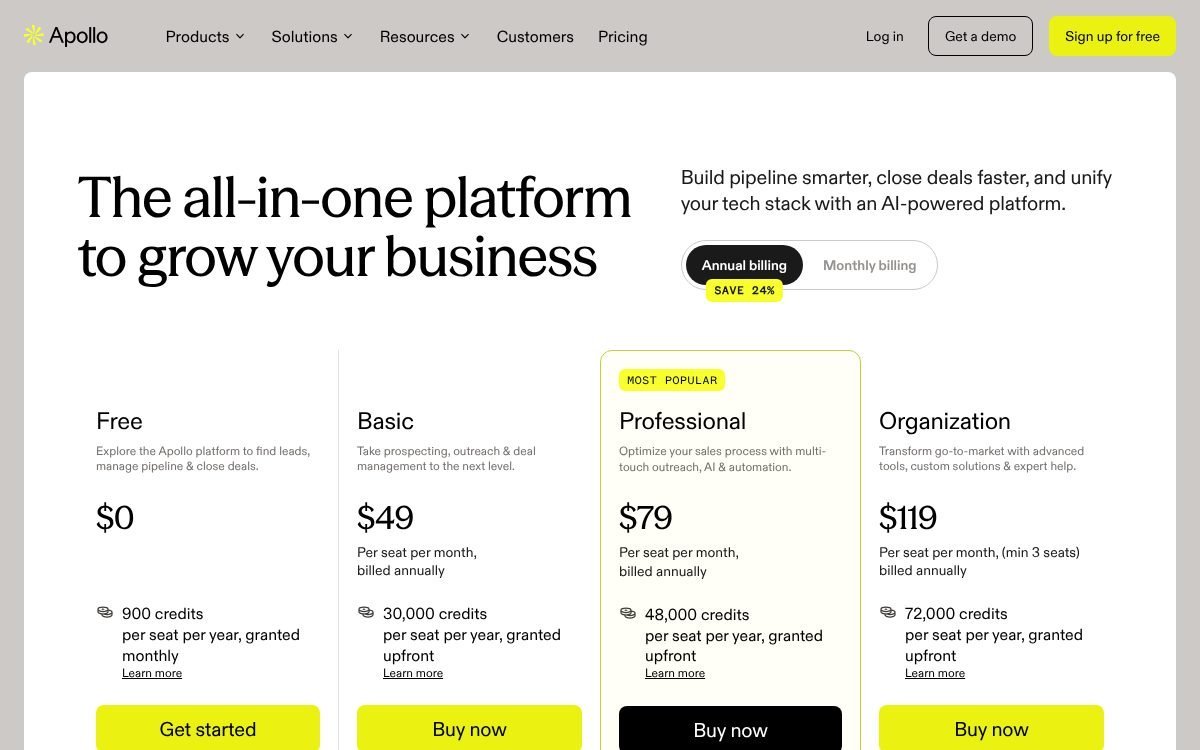
Paid plan prices (annual billing). With annual billing selected, Apollo’s pricing page shows Free at $0 (900 credits per seat per year, granted monthly), Basic at $49, Professional at $79 and Organization at $119 per seat per month (Organization has a 3-seat minimum). The paid plans list 30,000, 48,000 and 72,000 credits per seat per year, granted upfront. The page marks annual billing as saving 24%, so monthly billing costs more; check apollo.io/pricing or the Plan Overview in your account settings before you buy.
What the official pages do confirm:
- Billing: monthly (cancel anytime, higher effective cost) or annual (paid upfront at a discount, 12-month commitment).
- Seats: all seats on an account are on the same plan.
- Credits: pooled across the team, granted at the start of each billing cycle, and they do not roll over.
- Free plan: stays free with no time limit, connects Gmail accounts only, and is limited to 1 seat after 100 days of active use. Email campaigns are included on every account.
- Trials: 14-day trials of Basic or Professional, one trial per user. Apollo’s trial article lists 50 email credits on Basic and 50 email plus 5 mobile credits on Professional, while its credits article mentions 100 free credits, so check which applies when you sign up.
Who should pick Apollo
Apollo is the pick for a freelancer who sells to businesses and has to fill the pipeline with cold outreach. Start on the free plan, see whether the contacts in your niche are accurate enough, and only upgrade when you are sending sequences every week.
If outbound is your main channel, our guide to the best sales prospecting tools for small B2B teams compares Apollo with two other prospecting tools.
A word of caution: cold email carries legal and deliverability rules that vary by country. Read Apollo’s guidance and your local rules before you send at volume.
A Notion CRM: build it or buy it as a template
Notion is not a CRM out of the box. It is a workspace with databases, and a CRM is just a database of contacts and deals with the right properties and views.
The advantage for freelancers is that the same workspace can hold your projects, proposals, time logs and invoices. Your lead board can link straight to the project it turns into.
What a Notion CRM can and cannot do
- Can: hold contacts and deals with any fields you want, show a board view by stage, filter follow-ups due today, and relate deals to projects and invoices.
- Can: collect enquiries through Notion forms (basic on Free, custom on Plus).
- Cannot: find prospect emails for you, enrich contacts automatically or send email sequences. You log those yourself.
- Cannot: sync your inbox the way folk does, so contact history depends on your own notes.
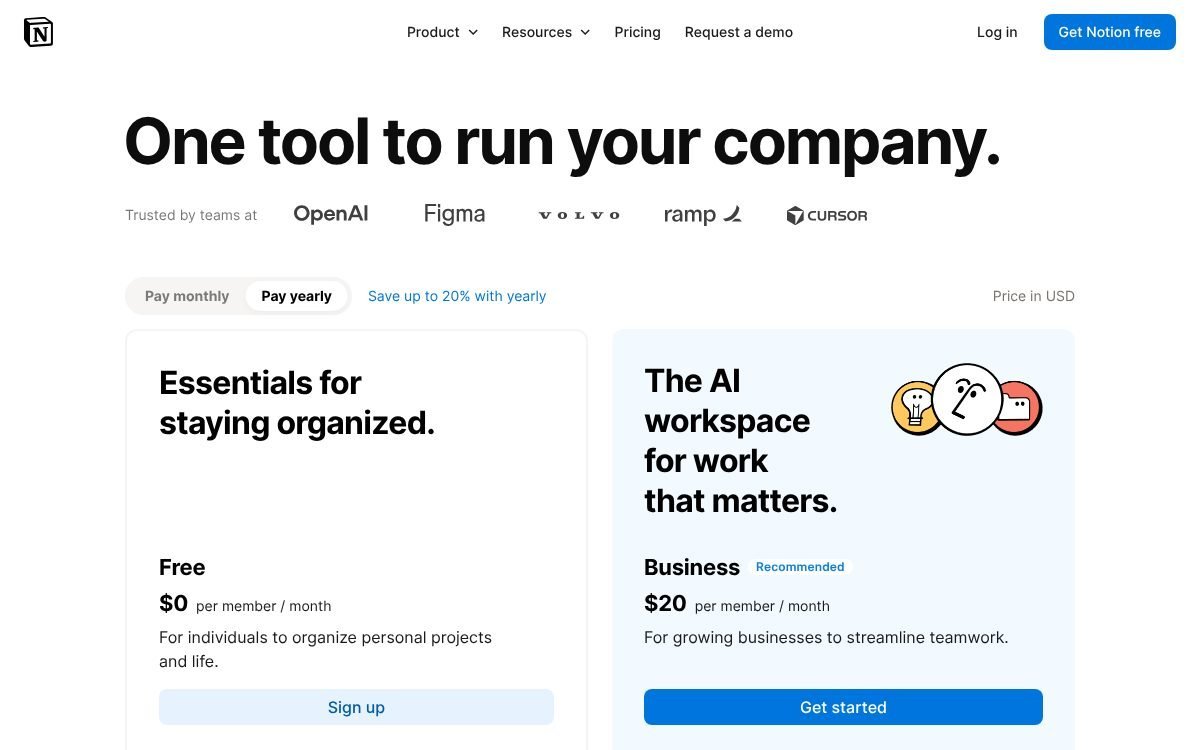
Notion pricing for a freelance CRM
- Free: $0. Files up to 5 MB each, 7 days of page history, and a block limit once the workspace has 2 or more members. A solo freelancer can run a simple CRM here.
- Plus: $10 per seat per month billed yearly, or $12 billed monthly. Files up to 5 GB, 30 days of page history and custom forms.
- Business: $20 per seat per month billed yearly, or $24 billed monthly, and includes Notion AI.
- Enterprise: custom pricing.
Build or buy?
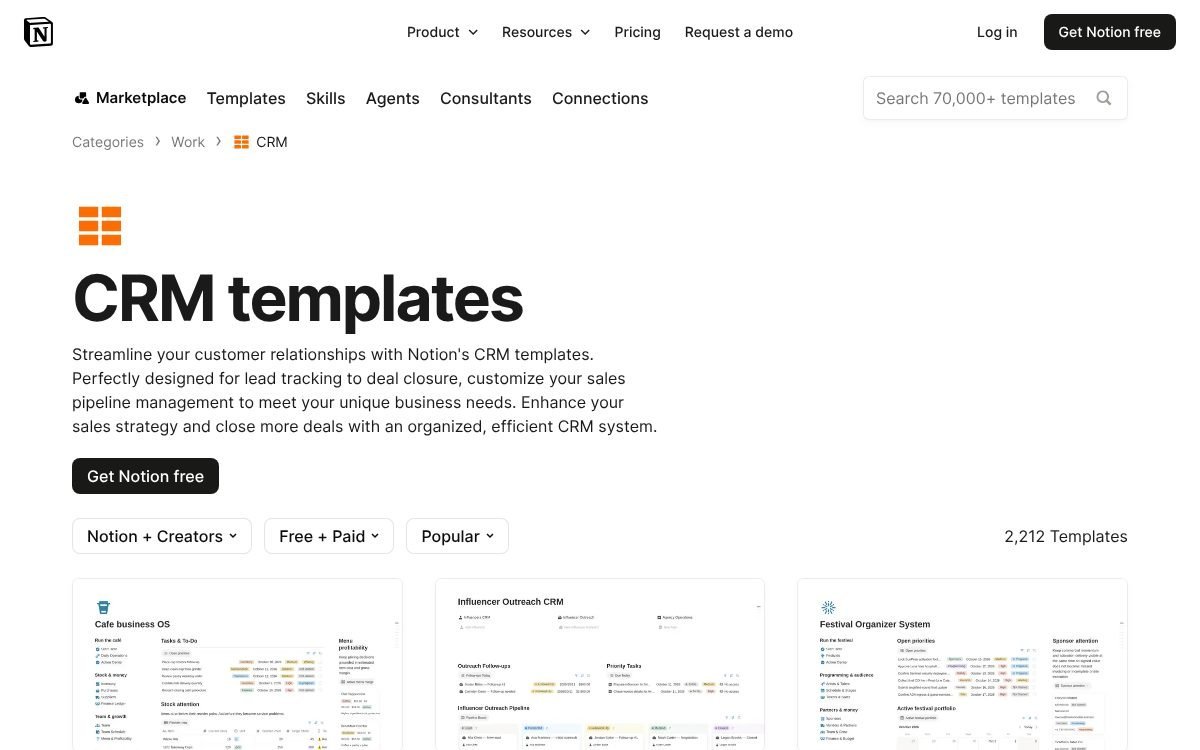
Building takes an afternoon if you keep it simple (steps below). Notion’s own template gallery also has a CRM category, which listed 2,134 templates when checked, labelled “Free + Paid.”
If you want a ready-made system, our Freelancer Business OS 2027 Notion template ($25) includes a leads pipeline with follow-up dates, win chance and weighted pipeline value, connected to clients, proposals, projects, time logs and invoices. For a lighter setup, see our guide to building a Notion CRM template.
How to set up a simple freelance pipeline in Notion
This setup uses two databases and a handful of views. It works on Notion’s free plan for a solo freelancer.
- Create a page called “Clients & Leads”. This is the home for everything below.
- Add a Contacts database. Properties: Name (title), Company (text), Email (email), Source (select: Referral, Repeat client, Inbound, Outbound, Platform), Last contacted (date) and Notes (text).
- Add a Deals database. Properties: Deal name (title), Contact (relation to Contacts), Stage (status or select), Value (number, currency), Next step (text), Follow-up date (date) and Expected start (date).
- Add your pipeline stages to the Stage property, using the list in the next section.
- Create a Board view of Deals grouped by Stage. This is your pipeline. Drag cards as deals move.
- Create a “Follow up today” view. Table view of Deals, filtered to Follow-up date on or before today and Stage not Won or Lost, sorted by Follow-up date.
- Add a rollup to Contacts that sums Value from related Deals where Stage is Won. That shows lifetime value per client, which tells you who deserves a check-in first.
- Add a “Gone quiet” view of Contacts filtered to Last contacted before 90 days ago. Work through it once a month to keep repeat clients warm.
- Optional: add an enquiry form on the Deals database so new leads land in the first stage automatically.
- Set a weekly 15-minute review. Update stages, set a follow-up date on every open deal, and archive anything stuck for more than 60 days.
The rule that makes this work: every open deal has a next step and a follow-up date. A deal without a date is a deal you will forget.
Pipeline stages that work for freelancers
Sales-team pipelines often have ten stages. A freelancer needs six or seven, each with a clear exit rule. These stages work in folk, Apollo deals or Notion.
- Lead: someone who might need you. Exit when you have had a real conversation.
- Discovery call: a call is booked or done. Exit when you know the scope, budget range and timing.
- Proposal sent: a written quote is with the client. Always set a follow-up date 3 to 5 working days out.
- Negotiating: the client has replied with questions or changes.
- Won (contract and deposit): only move a deal here once it is signed or paid, not when someone says “sounds great.”
- Lost: record the reason (price, timing, went with someone else, no reply). The reasons tell you what to fix.
- Nurture or repeat: past clients and “not now” leads to check in with later. This stage matters most for referral freelancers.
Outbound freelancers can add a “Contacted” stage before Discovery call, so you can see how many cold emails turn into conversations.
Which CRM fits each freelancer?
Referrals and repeat clients: folk, or Notion on a budget
If you want contact history pulled in from email and calendar, enrichment and a LinkedIn extension without building anything, folk’s Standard plan is the cleanest fit. If $288 a year is more than your pipeline justifies, a Notion CRM with a “Gone quiet” view covers the basics for free.
Outbound: Apollo.io
Neither folk nor Notion gives you a database of strangers to contact. If finding new B2B clients is the bottleneck, Apollo is built for that. You can keep won deals in Apollo, or move them into Notion once they become projects.
Everything in one place: Notion
If your pain is jumping between a CRM, a project tool and an invoice spreadsheet, a Notion workspace that links leads to projects and invoices solves more than a dedicated CRM would. You give up automatic enrichment and inbox sync in exchange.
Can you combine them?
Yes, and many freelancers will end up there. A common pairing is Apollo for finding and emailing prospects, then Notion for won clients and delivery. Paying for folk and Apollo together is harder to justify for one person, since both include outreach and pipelines.
Mistakes to avoid when choosing a freelance CRM
- Buying data you will not use. If 90% of your work comes from referrals, a prospect database is wasted money.
- Ignoring billing basis. folk’s $24 and Notion’s $10 are yearly-billed rates. Monthly billing costs more ($30 and $12).
- Forgetting credits expire. Apollo credits do not roll over, so an annual plan with credits you never spend is not a saving.
- Over-building in Notion. Start with two databases. Add properties only when you notice you need them.
- Skipping the weekly review. No CRM follows up for you unless you set dates or sequences.
FAQ
What is the best CRM for freelancers on a budget?
A Notion CRM on Notion’s free plan costs nothing for a solo user. Apollo also has a free plan, but it is built around prospecting rather than managing existing clients.
Does folk have a free plan?
folk offers a 2-week trial with Premium features. Its help center says you need a paid plan after the trial, so there is no permanent free plan. Standard starts at $24 per member per month billed yearly.
How much does Apollo.io cost?
Apollo has a free plan, plus Basic, Professional and Custom plans billed monthly or annually. On annual billing the page lists Basic at $49, Professional at $79 and Organization at $119 per seat per month; confirm current rates on apollo.io/pricing.
Is Apollo.io a CRM?
Partly. Apollo includes deals with pipelines and stages, but its core is a B2B contact database and sales engagement. Its help center describes syncing deals with CRMs such as Salesforce and HubSpot.
Can Notion really work as a CRM?
Yes, for a freelancer with a manageable number of contacts. You get custom fields, board views and links to projects. You do not get email sync, enrichment or sequences.
How many pipeline stages should a freelancer use?
Six or seven is enough: Lead, Discovery call, Proposal sent, Negotiating, Won, Lost, and Nurture or repeat. Each stage should have a clear rule for moving on.
Bottom line
The best CRM for freelancers is the one that matches how your clients find you. Referral-driven freelancers get the most from folk, outbound freelancers from Apollo.io, and freelancers who want one workspace for clients and projects from a Notion CRM. Start with the free trial or free plan, run your pipeline for a month, and upgrade only when the tool is clearly saving you work.
Notion systems, spreadsheets and planners with a setup guide. Instant download.