Best Landing Page and Website Builders for Small Business (2026)
Disclosure: This post contains affiliate links. If you buy through them, Create Digital Tools may earn a commission at no extra cost to you. We only recommend tools we think are a good fit for small businesses.
The best website builders for small business are not the ones with the most features. They are the ones built for the exact page you need to ship this month.
Searching for the best website builders for small business gets confusing fast, because “website builder” covers five very different jobs. A landing page builder for paid ads, a drag-and-drop site builder, managed WordPress hosting, a developer deploy platform and a Notion page you publish in one click all get lumped together. This guide sorts them by what you are actually building, so you can pick one tool and move on.
Quick answer
Match the tool to the job, not the other way round:
- Ad landing pages with A/B testing: Instapage (from $79/month on the plans page, Optimize tier for A/B tests).
- First business website by chatting with AI: Wegic (Starter from $23.9/month billed yearly; custom domain is on Premium).
- First website with a drag-and-drop builder, or WordPress on managed hosting: Hostinger (from $1.99/month on a 48-month term, renews at $10.99/month).
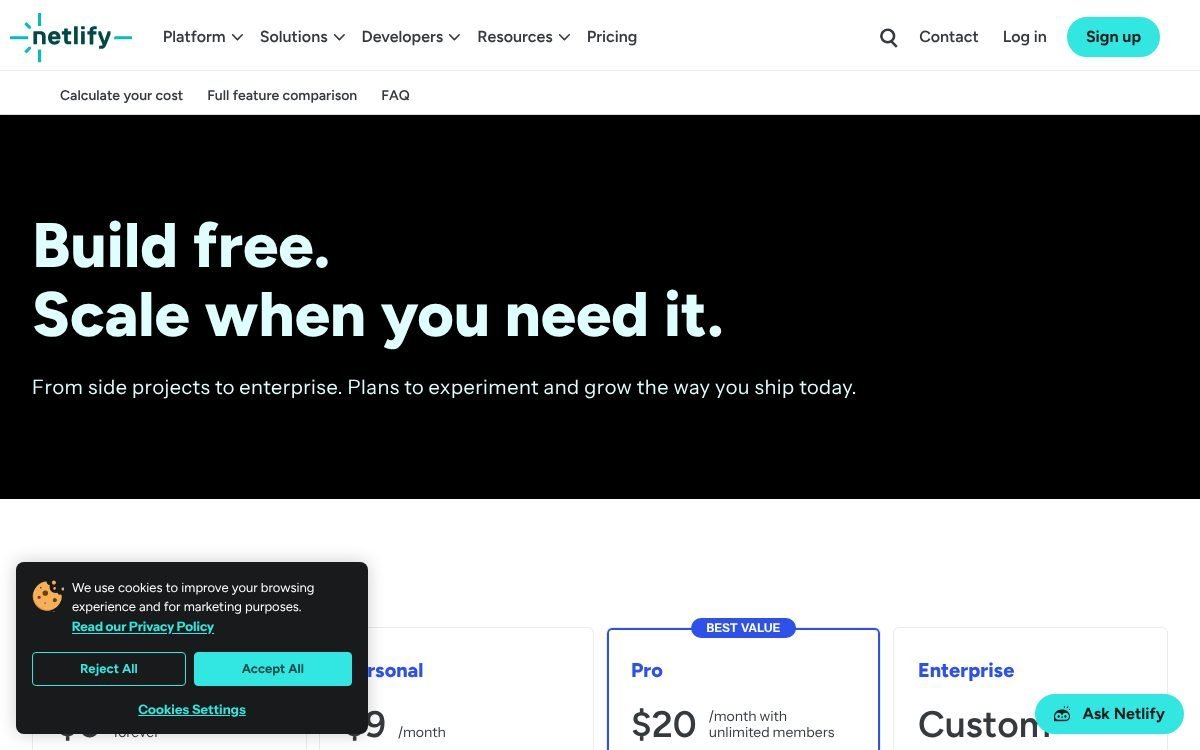
- Developer-built or static site: Netlify (Free plan, Personal $9/month, Pro $20/month, credit-based).
- Quick one-page site from existing docs: Notion Sites (free on notion.site; custom domain is a $10/month add-on on paid plans).
How we put this together: this guide is based on each vendor’s own pricing, feature and help pages, not hands-on trials. All prices are in USD, pricing as of November 2026, and several pages currently show seasonal promotions. Plans change often, so confirm the current price and terms on the vendor’s site before buying.
Landing page vs website: what is the difference?
This is the first decision, and getting it wrong is the most common way small businesses overpay.
A landing page is a single page with one goal: get a visitor from an ad, email or social post to take one action (book a call, claim an offer, download a guide). It usually has no menu, because every extra link is a way to leave. Success is measured by conversion rate, and the tools are built around testing versions against each other.
A website is your permanent home online. It has several pages (home, services, about, contact, maybe a blog or shop), navigation, and content that ranks in search over time. Success is measured by trust, enquiries and organic traffic.
- Choose a landing page builder if you spend money on Google, Meta or LinkedIn ads and need many campaign-specific pages you can test.
- Choose a website builder or hosting if you need a credible home base for customers, search and referrals.
- Many businesses need both, but not on day one. Most start with the website and add a dedicated landing page tool once ad spend justifies it.
If you want a head-to-head of the three landing page options, our Instapage vs Wegic vs Hostinger comparison goes deeper. This post is the wider decision guide.
What every small business site needs (checklist)
Whatever tool you pick, check it covers these basics before you pay. A cheap builder that is missing two of them is not cheap.
- Your own domain. yourbusiness.com, not yourbusiness.someplatform.app. Check whether the plan lets you connect one, and whether a “free domain” is free for the first year only.
- SSL (HTTPS). Browsers flag sites without it. All five tools in this guide list SSL or automatic HTTPS, but confirm it applies to your custom domain.
- Forms that reach you. A contact or quote form that sends submissions to your inbox or CRM. Check where entries go and whether there are submission limits.
- Speed and mobile layout. Most visitors arrive on a phone. Look for a CDN, responsive templates and lightweight pages.
- Analytics. At minimum, Google Analytics or a built-in dashboard. Some entry plans lock analytics behind an upgrade.
- Business email. you@yourbusiness.com builds trust. Some hosting plans include mailboxes for a limited time.
- A way to leave. Can you export your content or move your domain if you switch? Domains you register yourself are the easiest to move.
Best website builders for small business: comparison table
Here is how the five options line up on the official pages. “Entry price” is the lowest paid figure shown, with its billing basis.
| Tool | Best for | Entry price shown | Billing basis | Custom domain | Forms | A/B testing |
|---|---|---|---|---|---|---|
| Instapage | Ad landing pages | $79/month (Create) | Annual toggle, “save up to 20%”; $99 shown struck through | Yes (platform built for publishing pages) | Not detailed on plans page; 120+ integrations listed | Optimize plan and up |
| Wegic | First site built by chatting with AI | $2.99 Trial Pack; Starter $39.9/month or from $23.9/month yearly | Monthly or yearly | Premium plan | Not confirmed on pricing page | No |
| Hostinger Website Builder | First site, drag and drop or AI chat | $1.99/month (Premium) | 48 months paid upfront ($95.52), renews $10.99/month | Free domain for 1 year | Not confirmed on plan cards | No |
| Hostinger WordPress hosting | WordPress site on managed hosting | $1.99/month (Premium) | 48 months paid upfront ($95.52), renews $10.99/month | Free domain for 1 year | Via WordPress plugins | Via plugins |
| Netlify | Developer-built and static sites | Free; Personal $9/month | Monthly, credit-based | Yes, with SSL, on Free | Netlify Forms, free and unlimited on credit plans | Not a core feature |
| Notion Sites | Quick one-page site from Notion | Free on notion.site | Custom domain add-on $10/month or $8/month yearly | Paid plans plus add-on | Not built in | No |
Now the detail, organised by what you are building.
1. Ad landing pages that need A/B testing: Instapage
If you run paid ads and want every campaign to land on a matching page, Instapage is the specialist here. Its homepage calls it the “#1 Landing Page Builder” and the feature set is organised around ad traffic rather than general websites.
What it does well
- A/B testing: standard A/B tests, plus AI experiments that send ad traffic to the better-performing version. The plans page lists server-side A/B testing on the Optimize plan.
- AdMap: maps campaigns, ad groups and ads, and connects each one to a landing page so you can see what points where.
- Personalization: dynamic text replacement on Optimize, and ad-to-page personalization on Convert.
- Analytics: visitors, conversions, cost-per-visitor and cost-per-lead, with heatmaps on the top tier.
- Integrations: the homepage lists 120+ apps, including CRMs and email platforms.
Instapage pricing
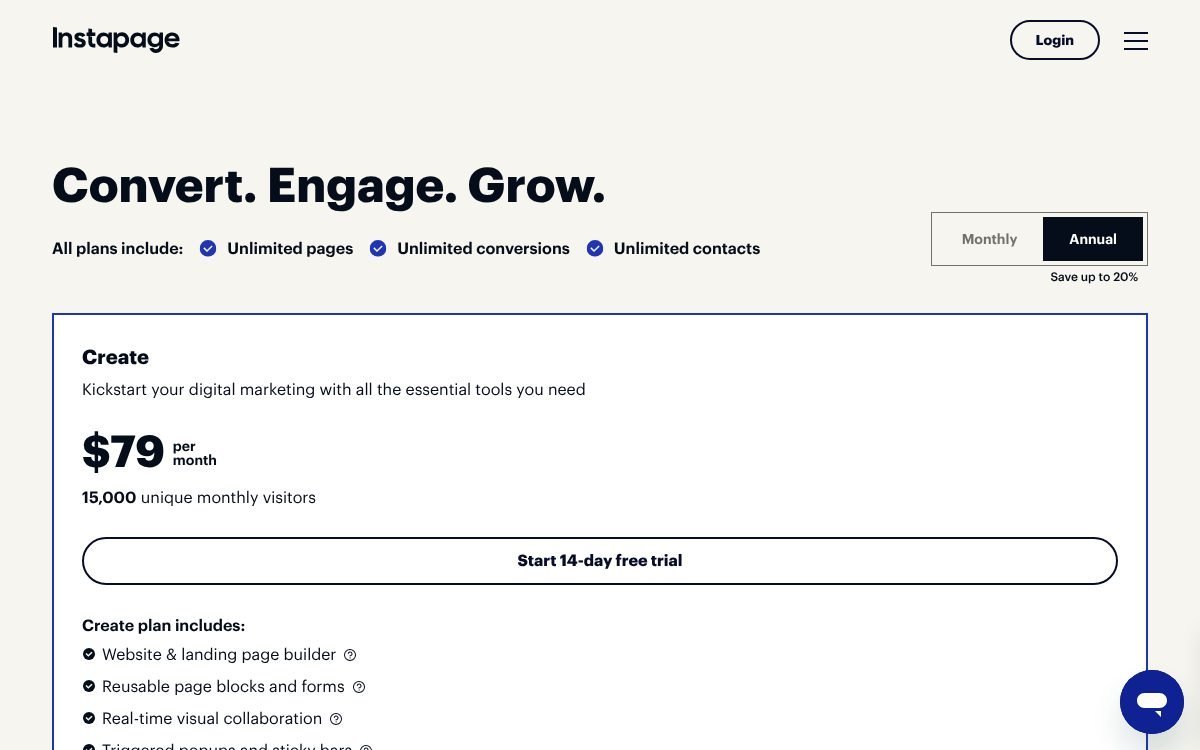
- Create: $79/month shown (with $99 struck through), 15,000 unique monthly visitors. No A/B testing listed.
- Optimize: $159/month shown ($199 struck through), 30,000 visitors standard with a 50,000 option. Includes server-side A/B testing.
- Convert: custom pricing, demo only.
The page has a Monthly/Annual toggle reading “Save up to 20%”, and the lower figures match a 20% annual discount, but the page does not label each price clearly. Treat $79 and $159 as the annual-billing rates and expect the monthly rate to be higher. Create and Optimize include a 14-day free trial capped at 2,500 unique visitors, and a credit card is required.
Who should skip it
If you do not run ads, or spend only a few hundred dollars a month on them, the subscription can cost more than the lift from testing. A website builder with a simple landing page template is the better first step. Note that the entry Create plan does not include A/B testing, so if testing is the reason you are buying, budget for Optimize.
2. A first business website without code: Wegic or Hostinger
For a service business that just needs a professional site with a few pages, there are two no-code routes: describe the site to an AI in a chat, or pick a template and drag blocks around. Wegic is built around the first approach. Hostinger now offers both in one product.
Wegic: build by chatting
Wegic’s homepage headline is “Get a Professional Website. No Expensive Agency Needed.” You describe your business in a chat, the AI generates the site, and you keep editing through the same conversation, with an AI Copilot suggesting next steps. Use cases listed include business sites, portfolios, landing pages and online stores.
Wegic pricing (from the pricing page):
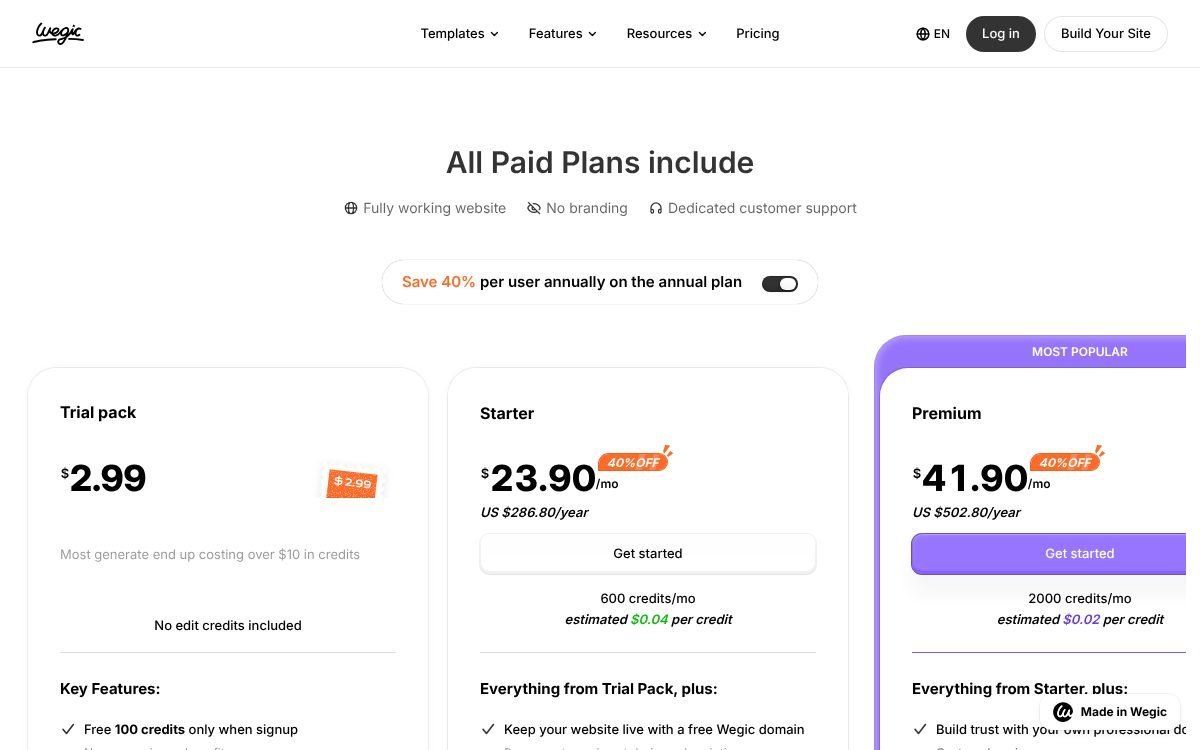
- Free: sign-up credits for chatting with the AI, but the FAQ says website generation is a paid feature, and free publishing on wegic.app lasts 7 days.
- Trial Pack: $2.99 to launch a first website.
- Starter: $39.9/month, or from $23.9/month billed yearly.
- Premium: $69.9/month monthly. The FAQ says a custom domain requires Premium. On annual billing the pricing page shows Premium at $41.90/month ($502.80 a year).
Two policies to read before paying: the pricing FAQ says payments (including the Trial Pack and renewals) are non-refundable, and unused monthly credits do not carry over. It also says plan tiers have monthly visitor limits, and exceeding the limit makes the site inaccessible, so check the limit on the plan you choose. If your subscription ends, sites on a custom domain are unpublished and the Wegic badge returns.
For a full walkthrough, see our Wegic review. If chat-first building suits how you work, you can start a Wegic site here.
Hostinger Website Builder: drag and drop or AI chat
Hostinger’s AI Builder page says Horizons (its chat-based “vibe coding” builder) has been merged with the website builder into one product with two modes: Manual (drag and drop) and Agentic (chat-based). Manual mode and manual text or image edits do not use AI credits; Agentic mode does. Hostinger says a simple business page typically uses 250 to 500 credits.
The Website Builder page lists 900+ templates, hosting, an AI assistant, and on the Unlimited plan, ecommerce. Every plan includes a free custom domain for one year and business mailboxes free for one year.
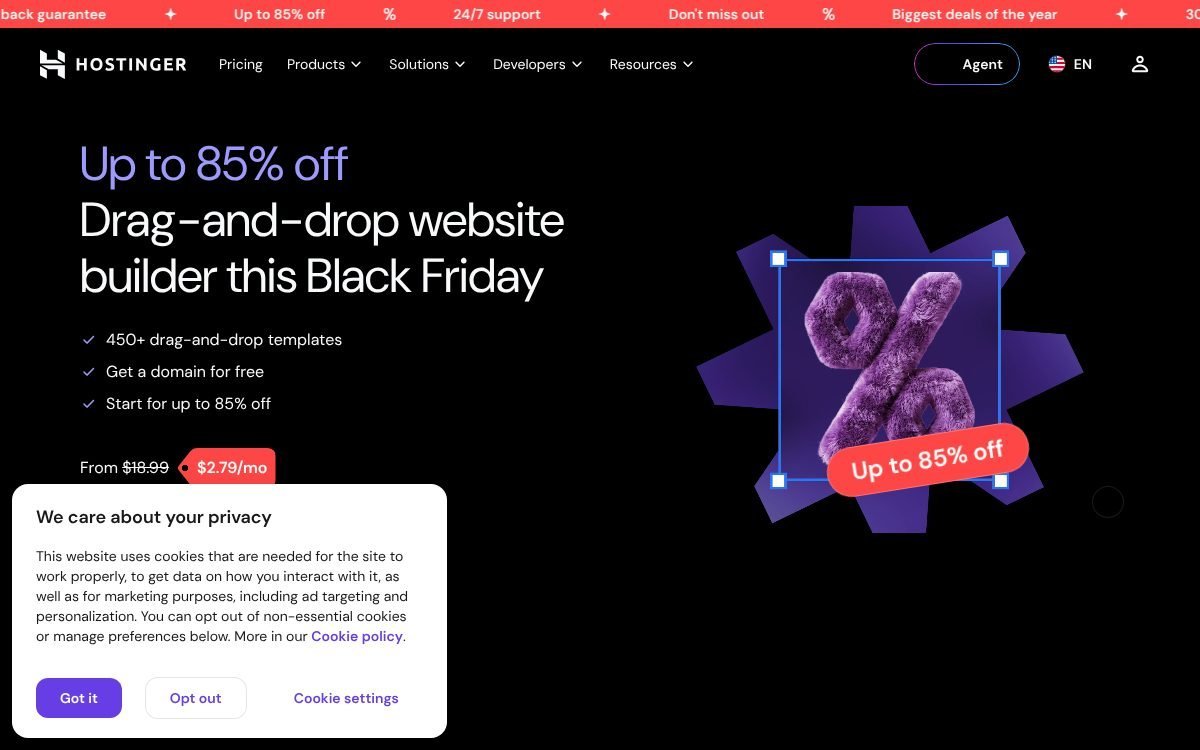
Hostinger Website Builder pricing (as shown in November 2026, Black Friday offer, excluding VAT):
- Premium: $1.99/month on a 48-month term, $95.52 paid upfront, renews at $10.99/month. Up to 3 websites, no ecommerce listed.
- Unlimited: $2.79/month on a 48-month term, $133.92 upfront, renews at $16.99/month. Unlimited websites, ecommerce available.
- Cloud Startup: $7.99/month on a 48-month term, $383.52 upfront, renews at $25.99/month.
The page also lists a 30-day money-back guarantee (the AI Builder page adds a condition: fewer than 1,500 AI credits used) and says both modes can be tried free with no card required.
Wegic or Hostinger for your first site?
- Pick Wegic if you want to talk your site into existence and are happy paying monthly or yearly with no long commitment.
- Pick Hostinger if you want the lowest upfront monthly rate, a domain and email bundled for the first year, and the option of manual drag-and-drop editing that does not consume credits.
3. A WordPress site on managed hosting: Hostinger
WordPress is the right call when you want full ownership, a big plugin ecosystem (bookings, memberships, WooCommerce, SEO plugins) and the freedom to move hosts later. The trade-off is that you manage plugins and updates yourself, even on managed hosting.
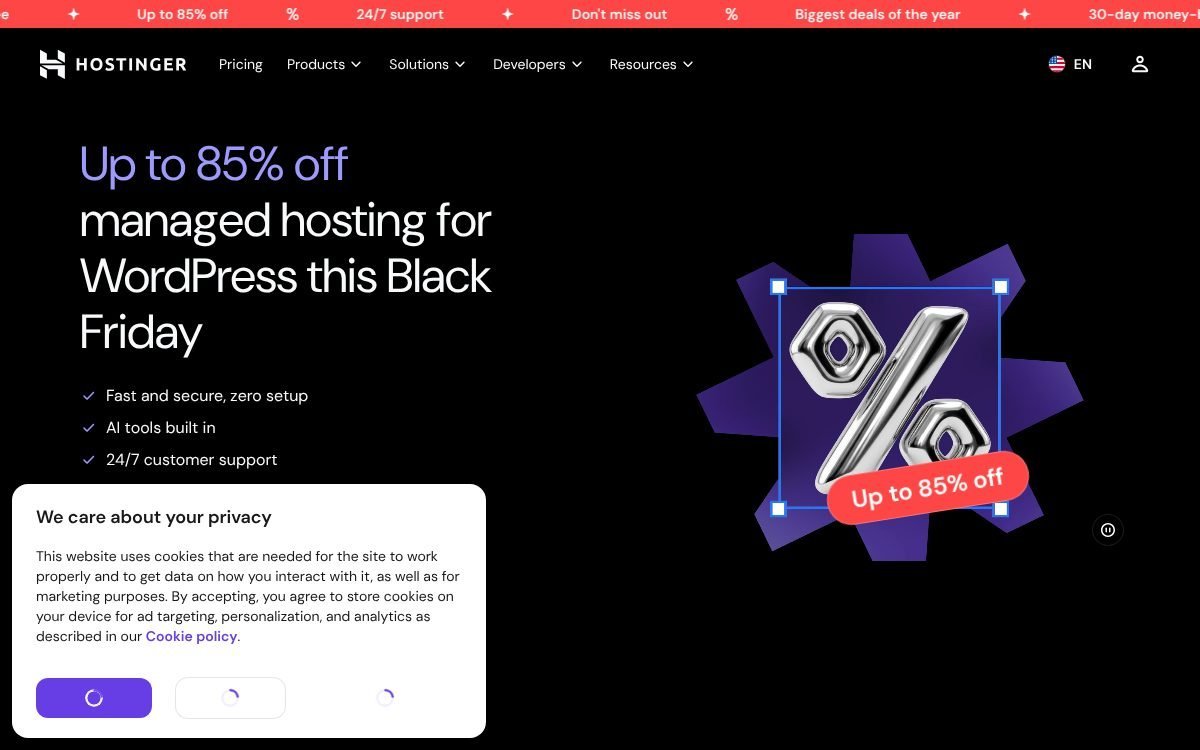
Hostinger’s managed WordPress plans use the same names and promo prices as the builder plans, with hosting-specific inclusions:
- Premium: $1.99/month (48 months, $95.52 upfront, renews $10.99/month), 3 websites, 20 GB SSD storage, free weekly backups.
- Unlimited: $2.79/month (48 months, $133.92 upfront, renews $16.99/month), unlimited websites, 50 GB NVMe storage, daily backups.
- Cloud Startup: $7.99/month (48 months, $383.52 upfront, renews $25.99/month), 100 GB NVMe storage, daily and on-demand backups.
All three list a free domain for one year, mailboxes free for one year, CDN and ecommerce. The FAQ says plans include unlimited SSL certificates. The page’s fine print: “All plans are paid upfront. The monthly rate reflects the total plan price divided by the number of months in your plan,” and unlimited features are subject to a Fair Usage Policy.
New to this route? Pick the plan by how many sites you will run and how often you need backups. When you are ready, compare Hostinger plans here.
4. A developer-built or static site: Netlify
If a developer (or you, with an AI coding tool) builds the site in code, Netlify is where you deploy it. Its homepage headline is “Push your ideas to the web”: you connect a Git repo, use the CLI, drag and drop a folder, or start from an AI agent prompt. Every change gets a private preview link before going live, and any deploy can be rolled back.
Netlify pricing and credits
- Free: $0, 300 credits per month, custom domains with SSL, global CDN.
- Personal: $9/month, 1,000 credits, priority email support.
- Pro: $20/month, 3,000 credits, unlimited members, 30-day analytics.
- Enterprise: custom pricing.
Netlify’s docs say each successful production deploy uses 15 credits, bandwidth uses 20 credits per GB, and web requests use 2 credits per 10,000. Deploy previews are free, and Netlify Forms submissions are free and unlimited on credit-based plans. The catch: on the Free plan, when credits run out, sites are paused and visitors see a “Site not available” page. Paid plans can buy more credits or turn on auto recharge (off by default).
Netlify is a great fit for a fast brochure site with a contact form, and a poor fit if nobody on your team is comfortable editing code or a static site generator. For a deeper look at the trade-offs, read Netlify vs Hostinger. You can create a free Netlify account here.
5. A quick one-page site from Notion: Notion Sites
If your services, FAQ or portfolio already live in Notion, Notion Sites can publish them as a public web page in minutes. It suits a link-in-bio page, a simple service menu, a hiring page or a resource hub. It is not a replacement for a full marketing site: there are no built-in forms or A/B tests.
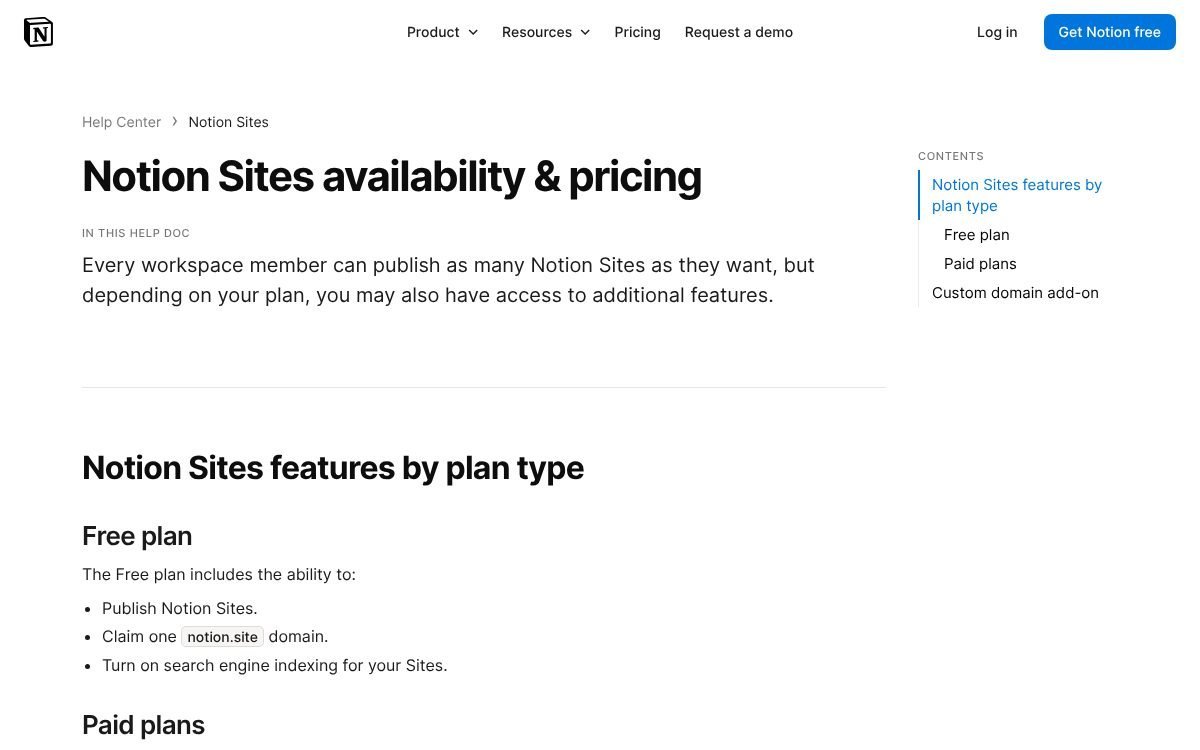
- Free plan: publish unlimited sites, 1 notion.site domain, search engine indexing.
- Paid plans: up to 5 notion.site domains, homepage setting, site customization, Google Analytics integration.
- Custom domain add-on: $10/month per domain, or $8/month with annual billing, available to workspace owners on paid plans (up to 25 domains). Notion does not sell domains, so you bring your own.
Notion’s paid plans start at Plus, $10 per seat per month billed yearly or $12 monthly. So a custom-domain Notion site costs at least the Plus seat plus the domain add-on, plus your domain registration.
If you already run your business in Notion, our Small Business Back-Office Kit gives you ready-made Notion templates for the operational side, and you can get started with Notion here.
Total cost of ownership: what you actually pay
Sticker prices are the least useful number on a pricing page. Here is what to add up before you commit.
Renewal prices
Hostinger is the clearest example. The $1.99/month Premium rate requires paying $95.52 upfront for 48 months. After that, the page says it renews at $10.99/month for the same term. Over eight years, that is $95.52 for the first four, then roughly $527.52 for the next four (48 x $10.99), if renewal prices stay as shown today. That is still reasonable for hosting plus a builder, but budget for it now.
Shorter Hostinger terms were not shown in the plan cards we reviewed, and shorter terms usually carry a higher monthly rate, so check the term dropdown at checkout.
Domains
- “Free domain” usually means year one. Hostinger lists the free domain for one year; the renewal cost depends on the extension (.com, .co, and so on) and was not shown on the plan pages, so check it at checkout.
- Instapage, Netlify and Notion let you connect a domain you own, so add your registrar’s yearly fee.
- Wegic requires the Premium plan for a custom domain, which changes the real entry price if a branded domain is non-negotiable.
Usage-based extras
- Instapage: visitor caps per plan (15,000 on Create, 30,000 on Optimize). A busy ad campaign can push you up a tier.
- Wegic: monthly credits that do not roll over, and visitor limits on lower tiers.
- Hostinger AI Builder: AI credits for Agentic mode; manual editing is free of credits.
- Netlify: credits for deploys and bandwidth. Frequent production deploys add up (15 credits each), so batch changes.
- Notion: per-seat pricing plus a per-domain add-on.
Email and the stuff around the site
Hostinger includes mailboxes free for one year, then they become a separate cost. The other tools do not include business email, so you will need a provider. Add a form-to-CRM connection, a scheduling tool and analytics if your plan does not include them.
How to choose a landing page builder or website builder in 5 minutes
- Write down the one page or site you need this quarter. “A 5-page site for my cleaning business” and “landing pages for three Google Ads campaigns” lead to different tools.
- Decide who edits it. Non-technical owner: Wegic or Hostinger. WordPress-comfortable: Hostinger WordPress. Developer: Netlify. Already lives in Notion: Notion Sites.
- Check the checklist above against the specific plan, not the product in general.
- Price four years, not one month. Include renewal, domain and email.
- Use the trial or free tier first. Instapage has a 14-day trial, Netlify and Notion Sites have free plans, Hostinger lets you try its builder without a card, and Wegic has a $2.99 Trial Pack.
FAQ
What are the best website builders for small business in 2026?
It depends on the job. For ad landing pages with testing, Instapage. For a first site without code, Wegic (AI chat) or Hostinger Website Builder (drag and drop or AI). For WordPress, Hostinger managed hosting. For developer-built sites, Netlify. For a quick page from existing docs, Notion Sites.
Do I need a landing page builder if I already have a website?
Only if you run paid campaigns often enough to benefit from testing and campaign-specific pages. Otherwise, a dedicated page on your existing site with no navigation usually does the job.
Is Hostinger really $1.99 a month?
That is the promo rate on the Premium plan when you pay $95.52 upfront for 48 months, as shown in November 2026. The page says it then renews at $10.99/month. Prices exclude VAT.
Can I use my own domain on the free plans?
On Netlify, yes: the Free plan includes custom domains with SSL. On Notion Sites, no: custom domains need a paid plan plus the add-on. On Wegic, a custom domain needs Premium. Instapage has no free plan, only a trial.
Which option is best for SEO?
WordPress on hosting gives you the most SEO control through plugins. Netlify sites can be very fast, which helps. Builders like Hostinger and Wegic cover the basics. Landing page tools are built for ad traffic, not organic search, so do not rely on them for SEO.
What happens if I stop paying?
Each tool handles it differently. Wegic’s FAQ says custom-domain sites are unpublished and other sites stay live up to 7 days. Netlify’s Free plan pauses sites when credits run out. With WordPress on hosting, you can export your site and move it, which is the most portable option.
Bottom line
Start with what you are building. Most small businesses need a solid first website before anything else, and Hostinger covers that cheaply as long as you plan for the renewal price. Add Instapage when ad spend makes testing worth it, use Netlify when a developer is building in code, and use Notion Sites or Wegic when speed matters more than flexibility.
Notion systems, spreadsheets and planners with a setup guide. Instant download.