Best AI Tools for Small Business in 2026 (By Task)
Disclosure: This post contains affiliate links. If you buy through them, Create Digital Tools may earn a commission at no extra cost to you. We only recommend tools we think are a good fit for small businesses.
Skip the setup: AI Notion Business Workflow Kit (with Master Resell Rights) gives you this workflow ready to duplicate, with a step-by-step guide. Also popular with readers: Project Management with AI.
Most lists of the best AI tools for small business hand you twenty logos. A small business needs one tool for the job it keeps repeating, and permission to ignore the rest.
Quick answer
Match the tool to the task you repeat every week, and start with one. If you run client calls, MeetGeek is the lowest-risk first pick because its free plan covers 3 hours of transcription a month.
- Meeting notes and follow-ups: MeetGeek
- Pitch decks, proposals and documents: Gamma
- Ad images and banners: AdCreative.ai
- Voiceovers and audio: ElevenLabs
- A home for all of the output: Notion
This guide sorts five tools by the recurring task each one handles, says who should skip each, and builds an example budget. It is based on each vendor’s own pricing, feature and help pages, not hands-on tests, with pricing as of November 2026. We already have separate guides on these tools, so this post links to them instead of repeating them.
The best AI tools for small business, matched to the task
Read the first column and stop at the row that describes your week. Prices are the entry paid plan as the vendor displays it, and the notes below the table explain where a page left something unclear.
| Recurring task | Tool | Free option | Entry paid price | Skip it if |
|---|---|---|---|---|
| Calls that need notes and follow-ups | MeetGeek | Basic: 3 hours of transcription a month | Pro: $15.99 on the plan card, $9.99 per user per month billed annually | You have few calls, or you are moving to Notion Business anyway |
| Pitch decks, proposals, documents | Gamma | 400 credits at signup, no refresh | Plus: check Gamma’s pricing page (see note) | Your files must follow a fixed PowerPoint master |
| Ad images and banners | AdCreative.ai | 7-day trial with 20 credits | Starter: $39 monthly, or $20 per month billed yearly | You do not run paid ads yet |
| Voiceovers for video, training, audio | ElevenLabs | 10,000 credits a month, no commercial license | Starter: $6 a month ($1 first month) | You do not publish audio or video |
| Storing the output: docs, tasks, records | Notion | Free plan, unlimited blocks for a solo workspace | Plus: $10 per member per month on yearly billing, $12 on monthly | Your team already has a workspace it uses |
A note on Gamma: its pricing page text that we could read listed plan features but no dollar amounts, and its help articles send readers back to that page. We left Gamma’s Plus and Pro prices out instead of quoting a third-party figure, so check them on Gamma’s pricing page before you budget.
A note on Notion: the Notion pricing page shows $10 and $20 on its plan cards. The plan data on that page gives those as yearly billing rates ($120 and $240 a year), with $12 and $24 on monthly billing.
Why one tool per task beats a stack
Every subscription needs a setup, a habit and someone who remembers to use it. A small team can usually keep up one or two of those at a time.
The test is frequency. A task that comes up weekly repays the setup. A task that comes up twice a year is better served by a free tier, a one-off purchase or a person you pay once.
The second test is where the output goes. A meeting summary nobody can find later is worth little, which is why Notion sits in this list as storage instead of as a competitor to the other four.
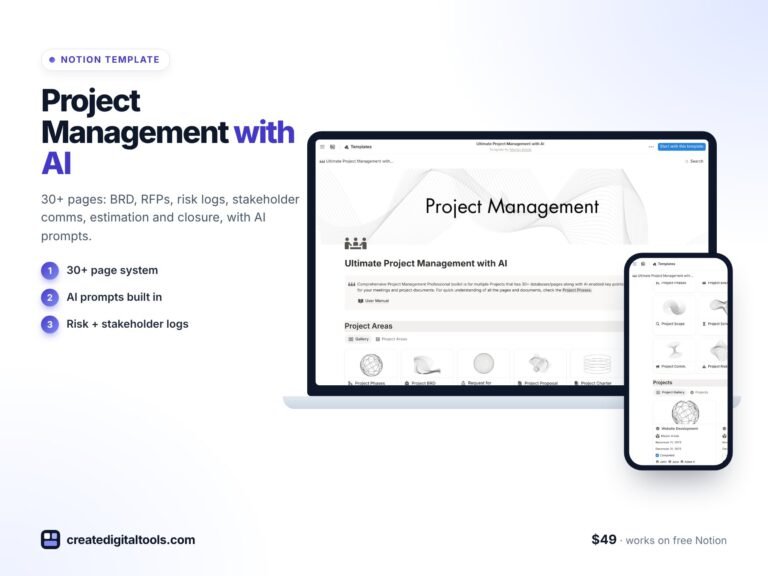 Project Management with AI Notion template$49.00 →
The tools, task by task
Meeting notes and follow-ups: MeetGeek
The job is to stop writing up calls by hand. According to MeetGeek’s pricing page, the tool records from Zoom, Google Meet and Teams, with bot and bot-free options, and it transcribes in 100+ languages with an AI summary for every meeting.
The free Basic plan gives 3 hours of transcription a month, a 2-hour limit per recording, 3 months of transcript storage and 1 month of audio storage. Pro raises that to 20 hours a month and 1 year of transcripts, with extra hours at $0.50 each. Business, at $27 on the card and $17 per user per month billed annually, has unlimited transcription.
The detail that matters for this guide is the Notion connection. MeetGeek says its Notion integration can update pages and databases with summaries and highlights. Its pricing table lists no integrations on Basic and “Unlimited integrations” on Pro, and its support guide says automated workflows start at Pro. Plan on Pro if you want summaries to arrive in Notion by themselves.
Who should skip it: anyone with only a few calls a month, since typed notes may do. Also skip it if you are moving to Notion Business, because Notion lists AI Meeting Notes on that plan and says no bot is needed. Check your local recording-consent rules either way.
Setup steps are in our MeetGeek review and setup guide. You can start on the MeetGeek free plan and find out whether 3 hours is enough.


Decks, proposals and documents: Gamma
The job is producing a client-ready first draft without starting from a blank slide. Gamma calls itself a visual communication platform for presentations, documents and more, and says it can import PowerPoints and PDFs.
Gamma runs on credits. Its help center says new free users get 400 credits at signup and that those credits do not refresh, while paid plans refill monthly on the billing date. Its example for the monthly Plus plan is 1,500 credits, and its business article puts Pro at 4,000.
Free users cannot buy more credits. Paid subscribers can top up, starting at $6 for 1,500 credits, according to Gamma’s credit purchase article. Gamma also says subscriptions are billed per user and annual plans are discounted by 28%. Its Business plan is $40 per member per month, billed annually, which is more than most small teams need.
Who should skip it: teams whose files must follow a fixed company PowerPoint master, and anyone who builds a deck twice a year. In that second case, the 400 free credits may cover you. Note that the pricing page implies free work carries a “Made with Gamma” badge, since Plus lists its removal.
Our Gamma, Canva and PowerPoint Copilot comparison covers the alternatives, and this prompt guide covers getting usable drafts. Try Gamma’s free credits on one real proposal before you pay.

Ad creatives: AdCreative.ai
The job is producing more ad variations than you can afford to commission. AdCreative.ai’s homepage says it generates ad banners, texts, photoshoots and videos, and that product photos can be turned into video ads.
According to its small business page, Starter costs $39 monthly, $29 per month billed quarterly, or $20 per month billed yearly, with 20 credits a month and 1 brand. Credits are used only when you download a creative, so generating and comparing does not cost credits. The same page lists Starter tiers at $89 for 50 credits, $139 for 85 and $189 for 120.
The homepage advertises a 7-day free trial with 20 Creative Credits. Refunds run 7 days on monthly plans and 30 days on yearly plans, only if the platform has not been used, so a refund is not a way to test it.
The vendor makes strong claims, including “up to 14x higher conversion and click-through rates” and over 90% precision for its creative scoring. Those are AdCreative.ai’s own figures. The page does not say how the first one was measured, so treat them as marketing until your own ad account says otherwise.
Who should skip it: anyone not running paid ads, or spending so little that one or two designs would last months. At $39 a month, it can cost a noticeable share of a small ad budget. If you mostly need organic social posts, a general design tool such as Canva is likely a better first buy.
Our step-by-step AdCreative.ai guide covers Facebook and Instagram formats. If you do run ads, start the AdCreative.ai trial when you have a campaign ready, so the 7 days are not wasted.

Voiceovers and audio: ElevenLabs
The job is turning a script into narration for product videos, training or short ads without booking a voice artist. ElevenLabs says it generates speech in 90+ languages and lets you clone or design a voice.
The free plan is not an option for most business use. ElevenLabs’ help center says it “does not include a commercial license and cannot be used for any commercial purpose.” All paid plans include a commercial license, provided you are not using Beta Services.
Starter is $6 a month after a $1 first month, with 30,000 credits and instant voice cloning. Creator is $22 a month after an $11 first month, with 121,000 credits and professional voice cloning. Those first-month offers can change, so read the price at checkout.
The pricing page says annual billing works out to two months free, which is $5 a month for Starter and $18.33 for Creator. Text to speech costs about 1 credit per character on its figures, so Starter covers roughly 30,000 characters a month, shared with any other ElevenLabs product you use.
Who should skip it: any business that does not publish audio or video on a regular schedule. Also skip it if your own voice is part of what customers buy from you, since a phone recording may serve you better. If you clone anyone else’s voice, get their written permission first.
Our ElevenLabs voiceover guide walks through production for video. When you have a script ready, compare ElevenLabs plans here.

Where the output lives: Notion
Every tool above produces files, summaries or drafts, and each one keeps them in its own account. The job here is a single place to find them. Notion can hold your documents, tasks, client records and meeting notes in linked databases.
According to Notion’s pricing page, a solo Free workspace can add unlimited blocks, with 5 MB per file upload. Plus is $10 per member per month on yearly billing ($12 on monthly) and Business is $20 ($24 on monthly). Notion AI, Notion Agent and meeting notes show as a “Limited Trial” on Free and Plus, and they are included on Business.
So you do not need Notion’s AI to use it as storage, and a free solo account may be enough. Paying for Business makes sense when you want its AI features as your main assistant.
Who should skip it: teams already settled in another workspace. Moving everything for the sake of one more tool rarely pays back. Also skip it if nobody on the team is willing to keep it organized, because an untidy workspace hides information as well as a shared drive does.
New to it? Start with our beginner setup guide for small business.

How to pick your first one or two tools
Run this once, on paper, before you start any trial.
- List the tasks that took time in your last two weeks. Use your calendar and sent email, not your memory.
- Mark each task weekly, monthly or rarely. Cross out anything marked rarely.
- Write the output each remaining task produces: notes, a deck, an ad, an audio file.
- Match the output to one row of the table above. If nothing matches, this list is not for you yet.
- Pick the row with the most repetitions and start on its free plan or trial, using real work.
- Set a calendar reminder for 30 days. Keep paying only if you used it every week and can name the task it replaced.
- Add a second tool only after the first has become a habit.
Three common starting points, offered as examples and not as rules:
- Consultant, coach or agency: MeetGeek plus Gamma, because calls lead to proposals.
- Shop or ecommerce brand running ads: AdCreative.ai alone, then ElevenLabs if you move into video.
- Trainer or course seller: ElevenLabs plus Gamma, since scripts and slides are the recurring work.
Notion can sit under any of these at no cost on a solo free plan, so it does not need to count as one of your two.
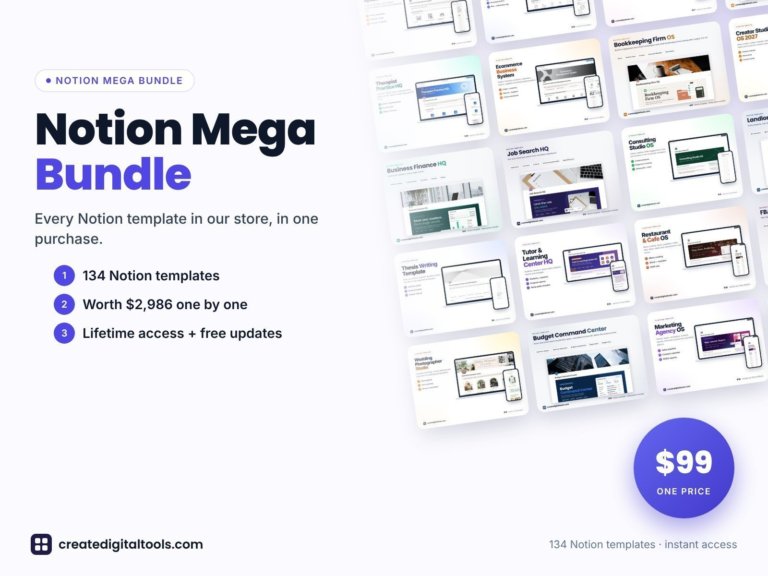 Best value: Notion Mega Bundle$99.00 →
An example monthly AI budget for a small business
These are examples only, built from the prices above. Your numbers will change with team size, tax and billing cycle. ElevenLabs states that its prices exclude taxes, levies and duties.
| Example setup | What is in it | Paying monthly | Annual-billed rate |
|---|---|---|---|
| Solo, client calls | Notion Free, MeetGeek Pro | $15.99 | $9.99 |
| Solo, running ads | Notion Free, AdCreative.ai Starter | $39.00 | $20.00 |
| Solo, video content | Notion Free, ElevenLabs Starter | $6.00 | $5.00 |
| Solo, everything with a verified price | Notion Free, MeetGeek Pro, AdCreative.ai Starter, ElevenLabs Starter, Gamma free credits | $60.99 | $34.99 |
| Two people, calls and video | Notion Plus x2, MeetGeek Pro x2, ElevenLabs Starter | $61.98 | $44.98 |
| Two people, Notion handles meetings | Notion Business x2, ElevenLabs Starter | $54.00 | $45.00 |
How to read that table:
- A paid Gamma plan is not included, because we could not verify its price from Gamma’s pages. Add it once you have checked.
- The MeetGeek $15.99 figure is the plan card price. MeetGeek’s structured page data labels $9.99 as the per-month price when billed annually, and its calculator shows that rate per user. We read the card as per user too.
- Notion seats are $12 and $24 each on monthly billing, and $10 and $20 each on yearly billing.
- Annual rates are per-month equivalents. You pay the year up front, so the cash leaving your account in month one is larger.
- First-month offers on ElevenLabs are left out, because the $6 figure is what you keep paying.
The last two rows show the choice worth making on purpose. A two-person team that needs meeting notes can pay for a separate tool, or pay for Notion Business and use its AI Meeting Notes. MeetGeek’s extras, such as the 100+ language transcription and its workflow tools, are what you would weigh against the simpler bill. MeetGeek also includes unlimited free Basic licenses, so only the people who need Pro limits have to pay.
For the wider money picture, the small business budget spreadsheet guide covers what to track.
What this list leaves out
Five tools do not cover a business. This list has nothing for bookkeeping, customer support, or a general chat assistant for drafting emails. Well-known options such as ChatGPT, QuickBooks or a dedicated help desk may matter more to you than anything here.
If a general assistant is your actual need, start with our small business AI prompts guide instead of buying a specialist tool. There are also direct rivals to each pick here, such as Otter or Fireflies for meeting notes and Murf for voice. These five are chosen for the task match and the links to our existing guides, and we earn a commission on them, so weigh that as you compare.
A ready-made Notion setup for the output
If you choose Notion as your home base, you can build the structure yourself or start from a template. Our Small Business Back-Office Kit ($45) bundles six Notion templates plus about 2,000 ChatGPT business writing prompts. The six are HR and onboarding, a finance tracker, a sales CRM, an employee directory, a company handbook and meeting minutes.
The product page says the templates work on Notion’s free plan. The meeting minutes template records agendas, decisions and action items with owners, which gives meeting summaries somewhere to go. The product page lists no MeetGeek connection, so you would set that up yourself. The kit does not include any of the AI tools in this post.
We also sell the AI Notion Business Workflow Kit ($47). Despite the name, it is a course on building and reselling Notion templates with AI prompts, with resell rights. Buy it only if selling templates is the plan. It will not run your back office.
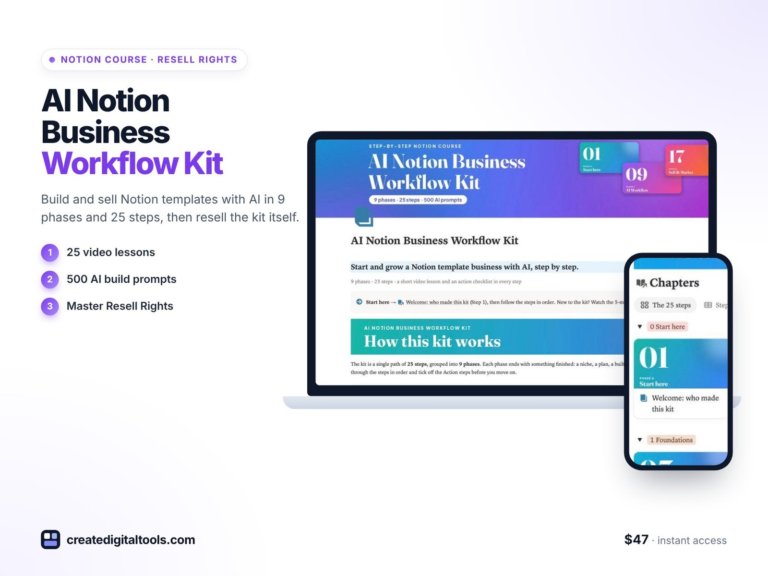
AI Notion Business Workflow Kit (with Master Resell Rights)
A step-by-step Notion course for building and selling Notion templates with AI: 9 phases, 25 video lessons, 500 AI…
FAQ
What are the best AI tools for small business if I can only afford one?
The one that matches your most repeated task. For most service businesses that is meeting notes, and MeetGeek has a free plan with 3 hours of transcription a month. For a business running paid ads, AdCreative.ai is the closer match, starting at $39 monthly.
How much should a small business budget for AI tools?
Our examples run from $6 to $60.99 a month for one person at monthly rates, before tax. That excludes paid Gamma plans, which we could not price from Gamma’s pages. Start at the low end and add only what you use each week.
Can I use the free plans for client or commercial work?
It depends on the tool. ElevenLabs says its free plan cannot be used for any commercial purpose. Gamma’s pricing page lists badge removal under Plus, so free work appears to carry its badge. Read each vendor’s terms for your use.
Do I need Notion if I use MeetGeek or Gamma?
No. Each keeps its own output in its own account. Notion earns its place once you have more than one tool, or you want notes, tasks and client records connected in one workspace.
Is Notion AI a replacement for MeetGeek?
It can be. Notion’s pricing page includes AI Meeting Notes on Business and shows only a limited trial on Free and Plus. If you already need Business, try that before paying for a separate tool. Check that the transcription limits and languages suit you, since we did not confirm those on Notion’s page.
How often do these prices change?
Often enough that you should check. This post reflects pricing as of November 2026, and AdCreative.ai’s and ElevenLabs’ pages both showed promotional wording. The checkout page is the figure that counts.
Notion systems, spreadsheets and planners with a setup guide. Instant download.