Description
Full walkthrough (2.5 min): every tab, plus a sample sale updating your totals
Craft Fair & Market Vendor Tracker
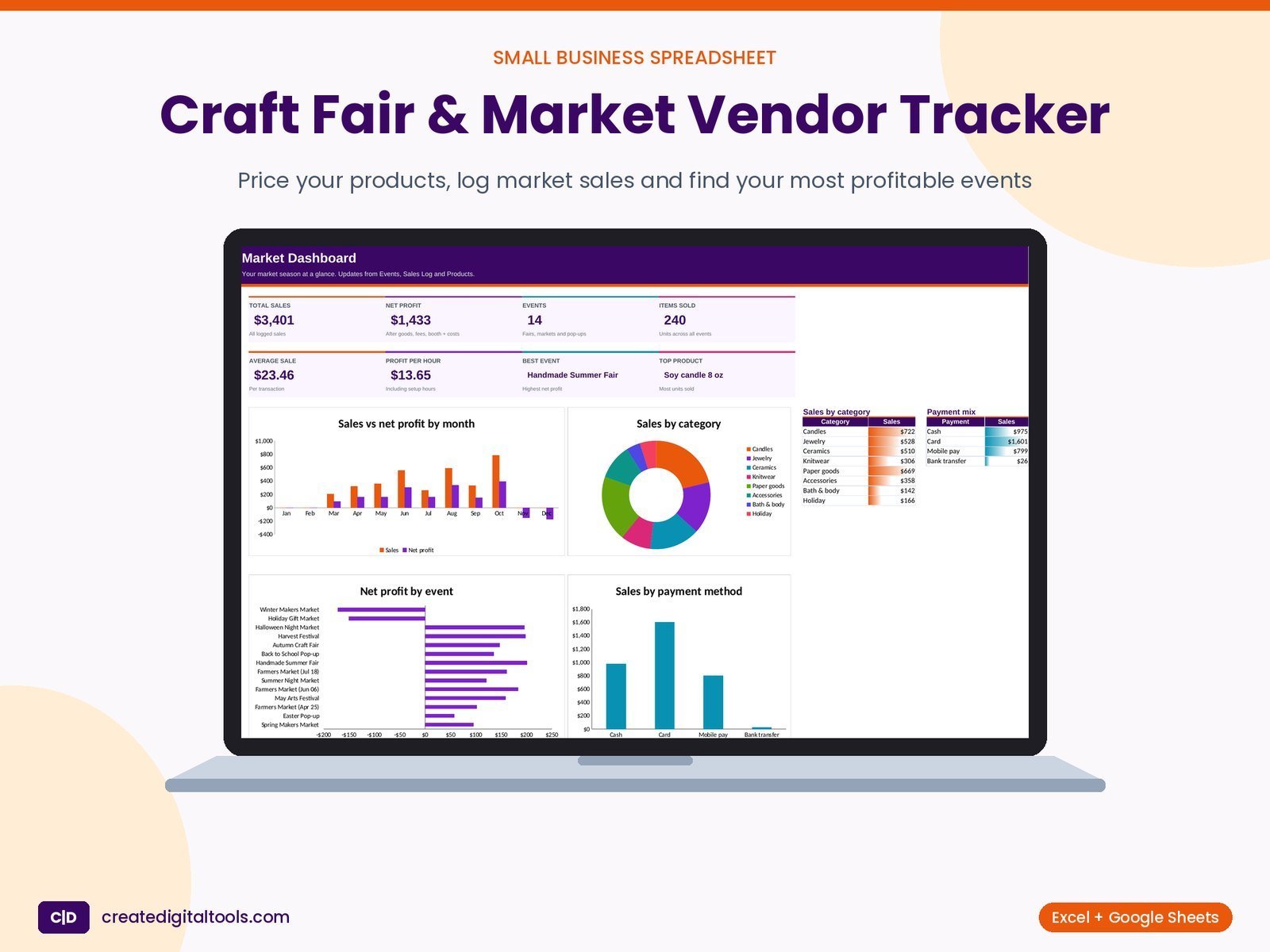
A craft fair and market vendor tracker for makers who sell in person. Price each product with materials, packaging and your time, log sales as you make them, and see which fairs, markets and pop-ups are really worth your weekend: net profit per event, profit per hour, best sellers and stock on hand.
Who it’s for
Makers and small sellers at craft fairs, holiday markets, farmers markets, pop-up shops and festivals: candles, jewelry, ceramics, knitwear, prints, stickers, bath and body, and more.
What’s inside
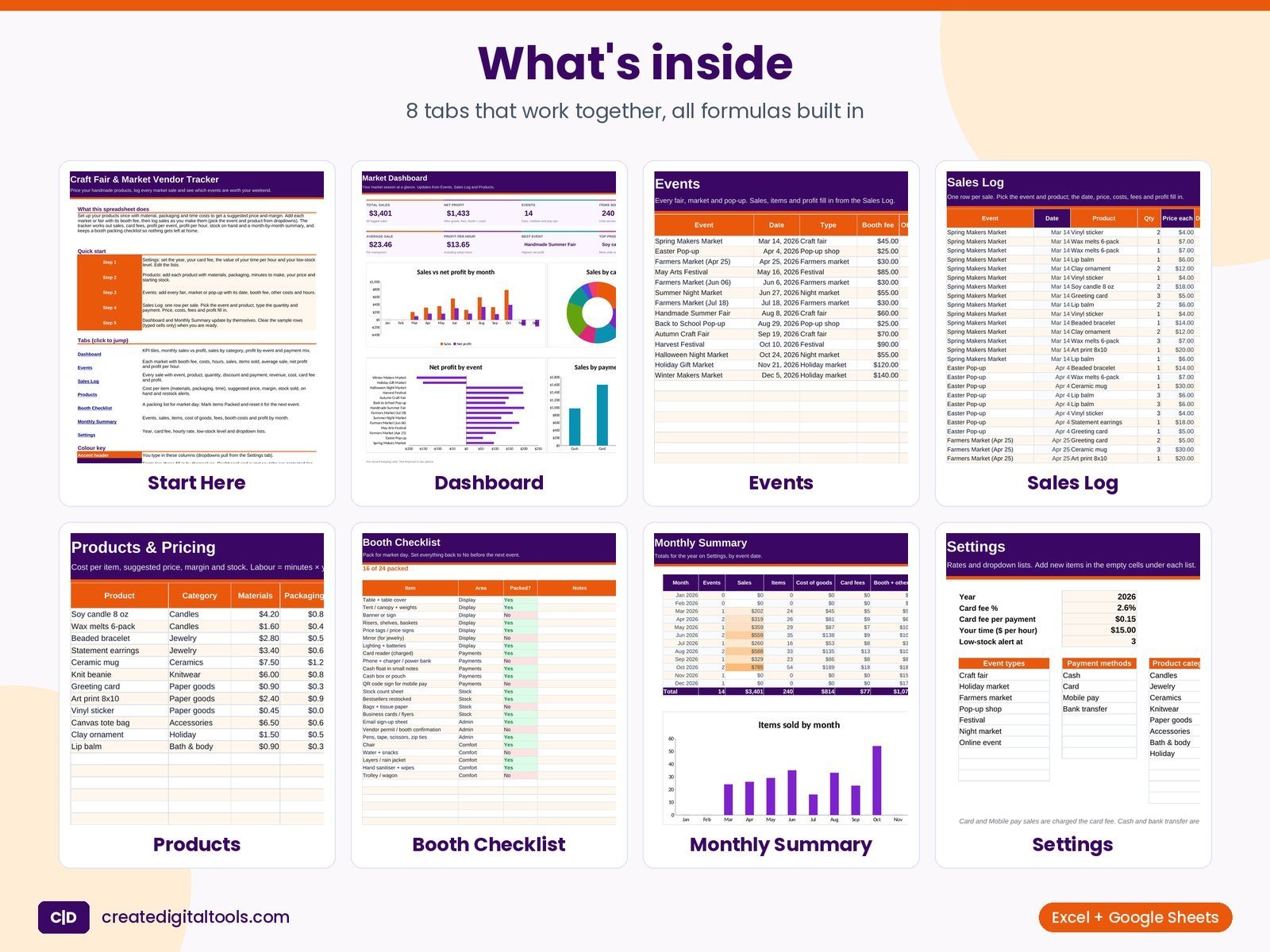
- Start Here – What the file does, a 5-step quick start, tab links and the colour key.
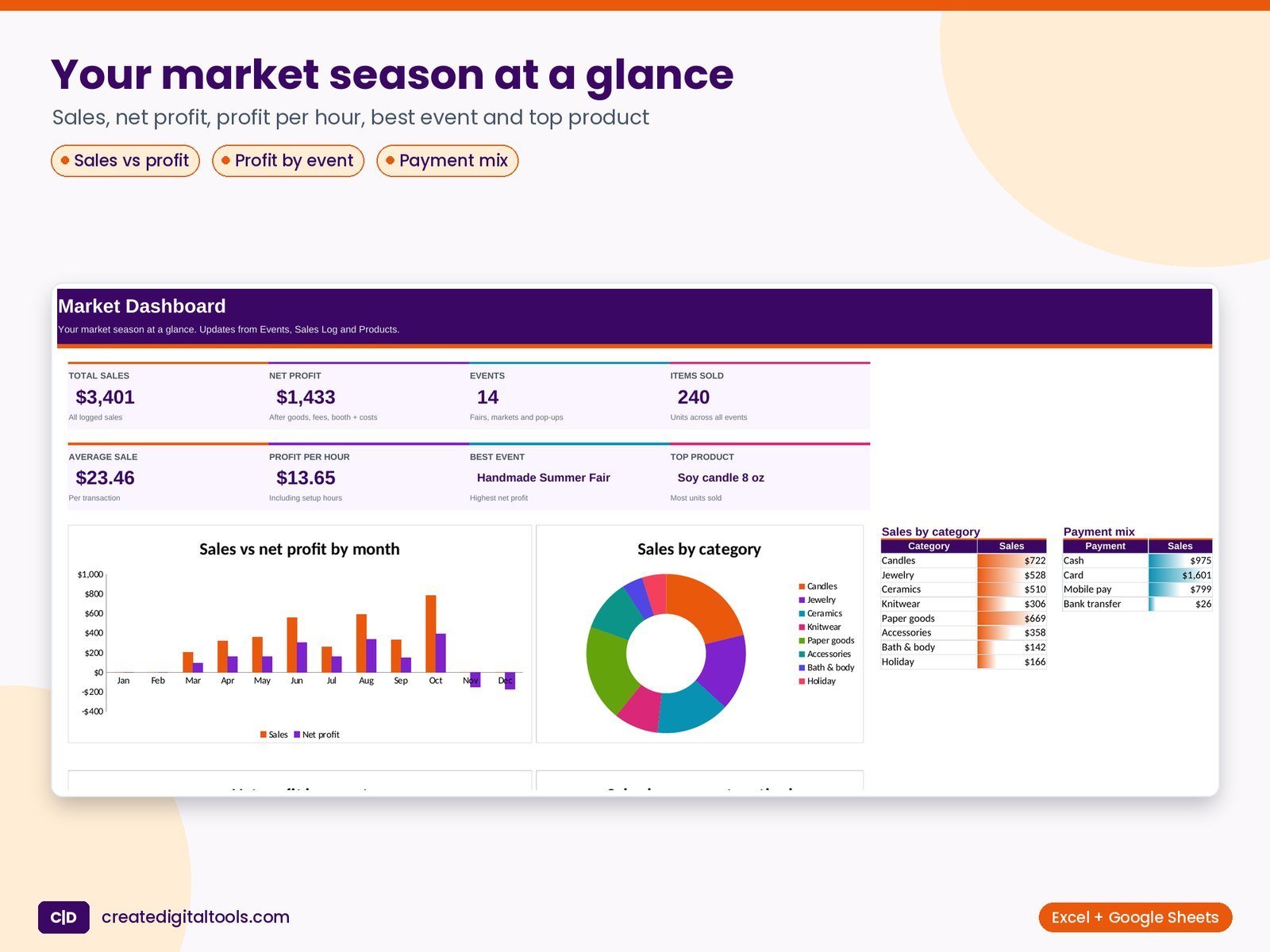
- Dashboard – Total sales, net profit, events, items sold, average sale, profit per hour, best event and top product. Charts: sales vs net profit by month, sales by category, net profit by event and sales by payment method. Protected.
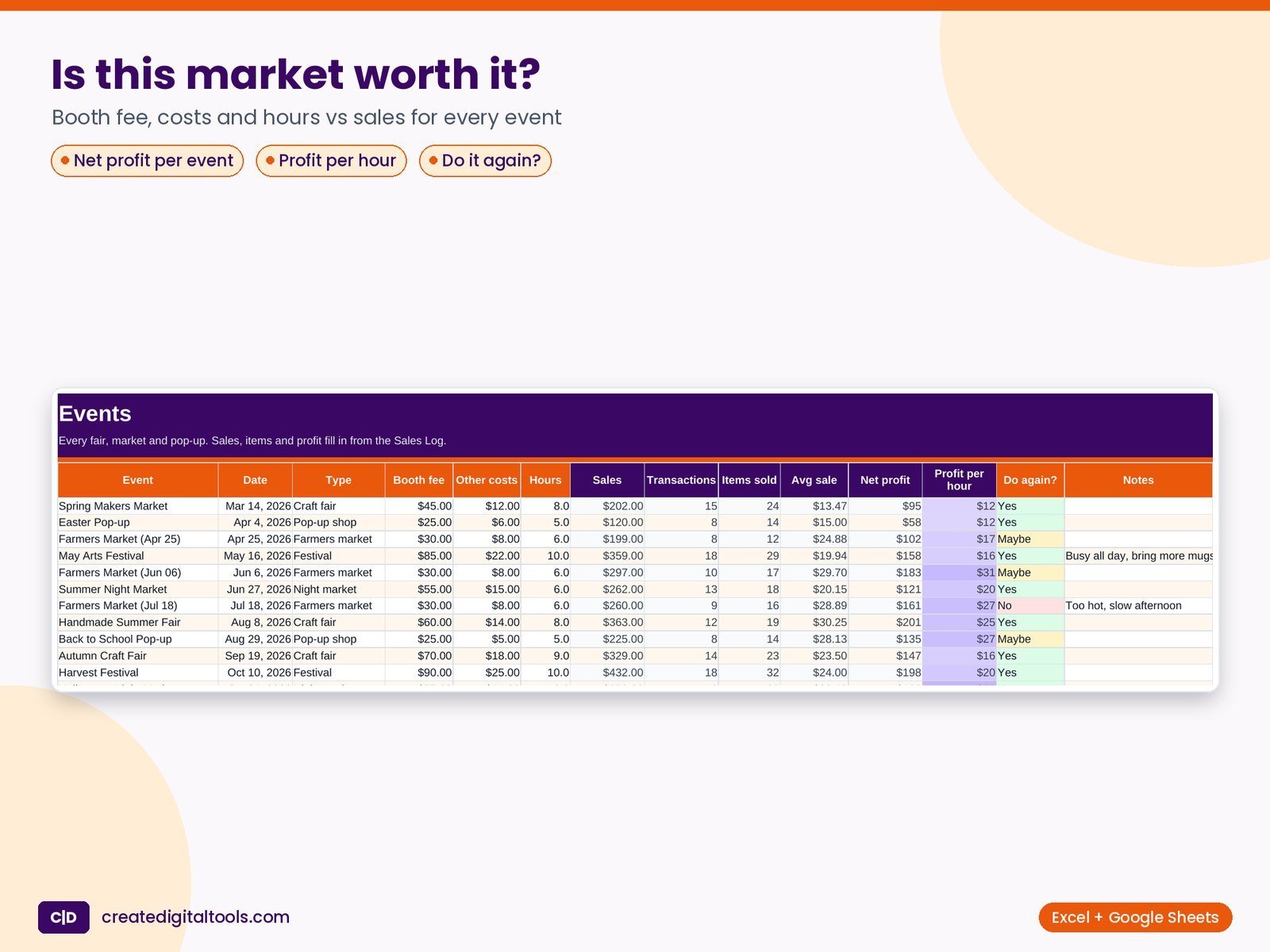
- Events – One row per fair, market or pop-up: name, date, type, booth fee, other costs (travel, display, supplies) and hours (include setup and pack-down). Sales, transactions, items sold, average sale, net profit and profit per hour are formulas. Rate each with Do again? (Yes, Maybe, No).
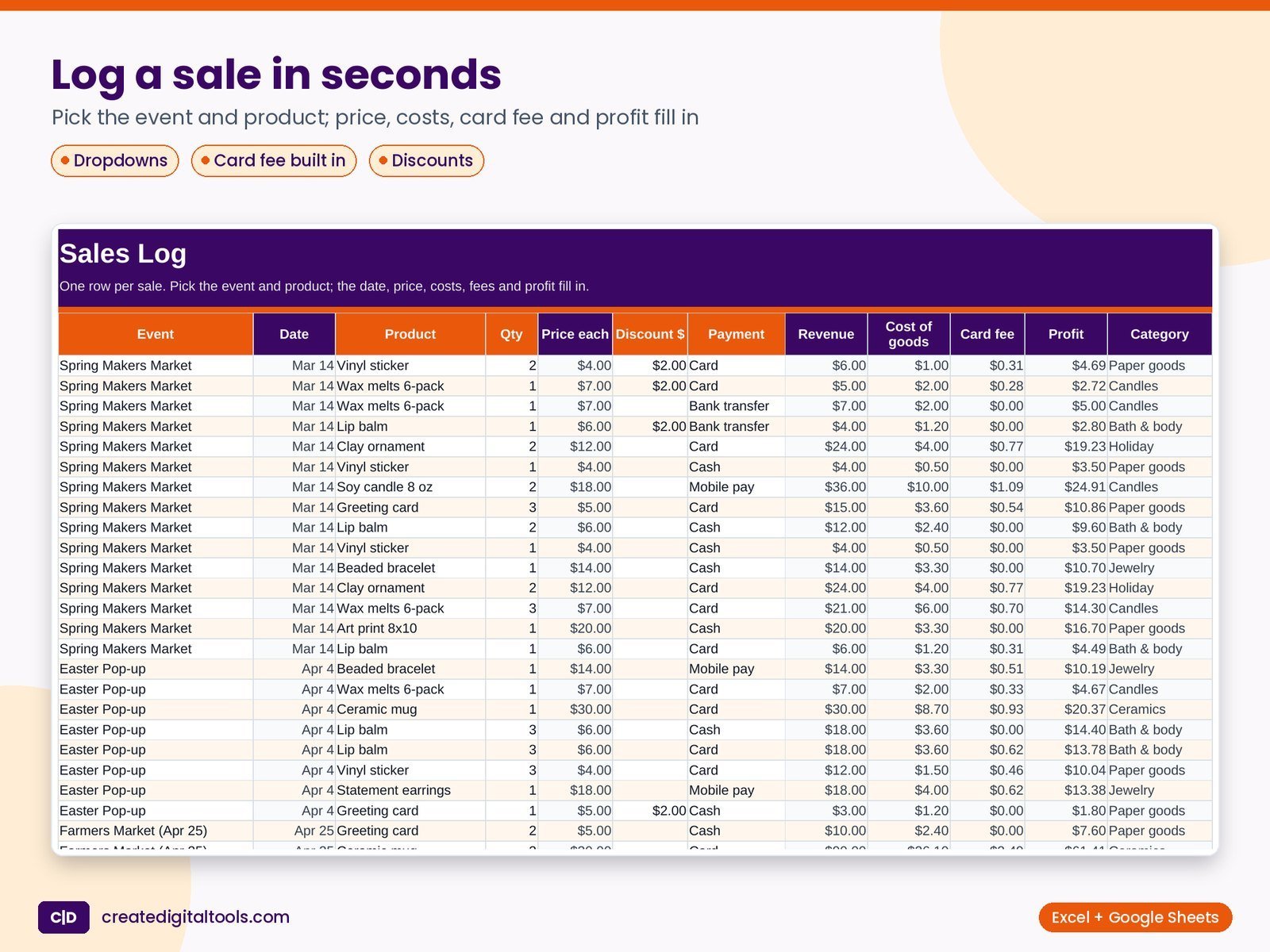
- Sales Log – One row per sale: pick the event and product, type quantity, any discount in dollars and the payment method. Date, price, revenue, cost of goods, card fee, profit and category fill in.
- Products – Product, category, materials, packaging and minutes to make. Labour (minutes x your hourly rate), total cost and a suggested price (total cost + 50%) are formulas. Type your price and starting stock; margin, sold, on hand and the stock alert (OK, Restock, Sold out) update from the Sales Log.
- Booth Checklist – A market-day packing list with area and Packed? (Yes/No) and a packed counter at the top. Add your own items.
- Monthly Summary – Events, sales, items, cost of goods, card fees, booth + other costs, net profit and margin for each month of the year on Settings, by event date.
- Settings – Year, card fee % and fee per payment (applied to Card and Mobile pay), your time per hour, low-stock level and the lists for event types, payment methods, product categories and Do again?.
Features
- Product pricing with materials, packaging and labour (your hourly rate)
- Suggested price, cash profit per item and margin bars
- Sales log with event and product dropdowns, discounts and payment method
- Card fee built in (percentage + fixed fee for card and mobile payments)
- Net profit, average sale and profit per hour for every event, plus a Do again? rating
- Stock sold, on hand and Restock / Sold out alerts
- Monthly summary of sales, costs, fees and profit
- Booth packing checklist with a packed counter
How delivery works
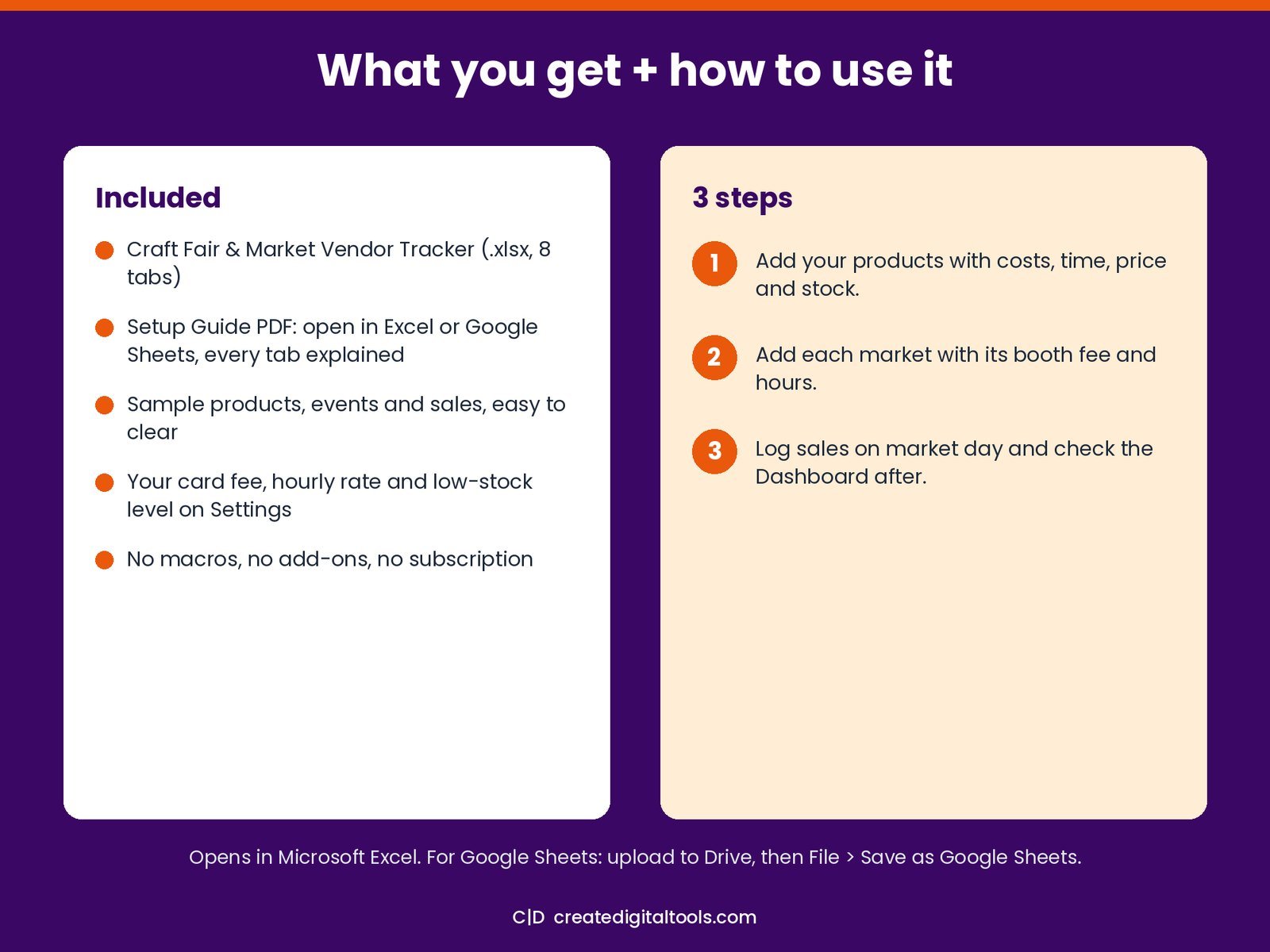
- Instant download right after purchase: the .xlsx workbook plus a step-by-step Setup Guide PDF.
- Works in Microsoft Excel (Windows, Mac, Excel for the web) and Google Sheets (upload to Google Drive and open with Google Sheets, or File > Import).
- Comes with realistic sample data so you can see how it works, and clear instructions to remove it.
- No macros, no add-ons, no subscriptions. Pay once, use it for as long as you like.
FAQ
Can I track online sales too?
Yes. Add an event such as ‘Online shop – November’ and log those sales against it.
Does it work in Google Sheets?
Yes. Upload it to Google Drive and open it with Google Sheets, or use File > Import. Formulas, dropdowns and charts carry over.
Is it tax software?
No. It’s a record-keeping tool. Ask a tax professional about your own situation.
For record keeping only. Not financial or tax advice.
This is a digital product. No physical item will be shipped.
Also on Gumroad: Craft Fair & Market Vendor Tracker on Gumroad
Want your own store like this one? createdigitaltools.com runs on Hostinger WordPress hosting. Start your own shop with Hostinger, or try the no-code Hostinger Website Builder.
Affiliate links: I may earn a commission at no extra cost to you.