Auto Repair Shop Management Template in Notion
Picture a small independent garage on a Monday morning. Six cars are booked in, two are still waiting on parts from last week, one customer has not replied to an estimate, and a car that has been ready since Saturday is still in the bay. Repair orders are on paper, parts are in a spreadsheet, and declined work is written on sticky notes that never get called back. An auto repair shop management template puts every car, every job and every follow-up call on a board you can see at a glance, from booking to payment.
This guide covers how to organise repair orders and parts in a simple digital workspace, then walks through the Automobile Repair Management System, a Notion template for independent auto repair shops and garages.
Get the Automobile Repair Management System →
Why paper and spreadsheets slow a repair shop down
Repair work moves through a lot of hands: the service advisor, the technician, the parts supplier and the customer. When the record of each job is scattered, small gaps cost real time:
- Nobody knows where a car is. Is it waiting on approval or waiting on parts? Without clear stages, the answer means walking out to the bay.
- Totals are added by hand. Labour and parts on a job are calculated on a calculator or copied between sheets, which invites mistakes.
- Old prices change old jobs. In a simple spreadsheet, updating a part price can quietly change totals on jobs that are already closed.
- Stock is a guess. If stock is not reduced when parts are used, you find out a part is missing when you need it.
- Declined work is forgotten. A customer says “not today” to brakes, and nobody calls back. Service reminders go the same way.
How to set up an auto repair shop management template in Notion
- Define your job stages. List every stage a car passes through, from booked to closed. Use them as a status property and build a board grouped by status. This board becomes your shop floor.
- Create repair orders. One entry per visit, with an RO number, customer, vehicle, dates, and tick boxes or dates for estimate sent, approved, invoiced and paid.
- Use line items for labour and parts. Each line belongs to a repair order and has a quantity, unit price and cost. Roll the lines up onto the repair order for an automatic total. Save the price on the line itself so later price changes do not rewrite old jobs.
- Keep a services price list. Standard jobs and labour rates in their own database make estimates quicker and consistent.
- Track parts and stock. A parts database with stock, cost and sell price. Relate line items to parts and roll up quantity used to keep stock on hand current.
- Link customers and vehicles. A customer can have several vehicles; each vehicle has its own service history. Rolling up spend gives lifetime value per customer.
- Record technician hours. Relate jobs to technicians to see hours and efficiency.
- Build a follow-up list. Add declined work and service reminders as entries with a due date, then filter a “calls to make” view.
- Create focused views. Needs approval, waiting on parts, ready for pickup and money owed are the questions you ask most, so give each its own view.
Inside the Automobile Repair Management System
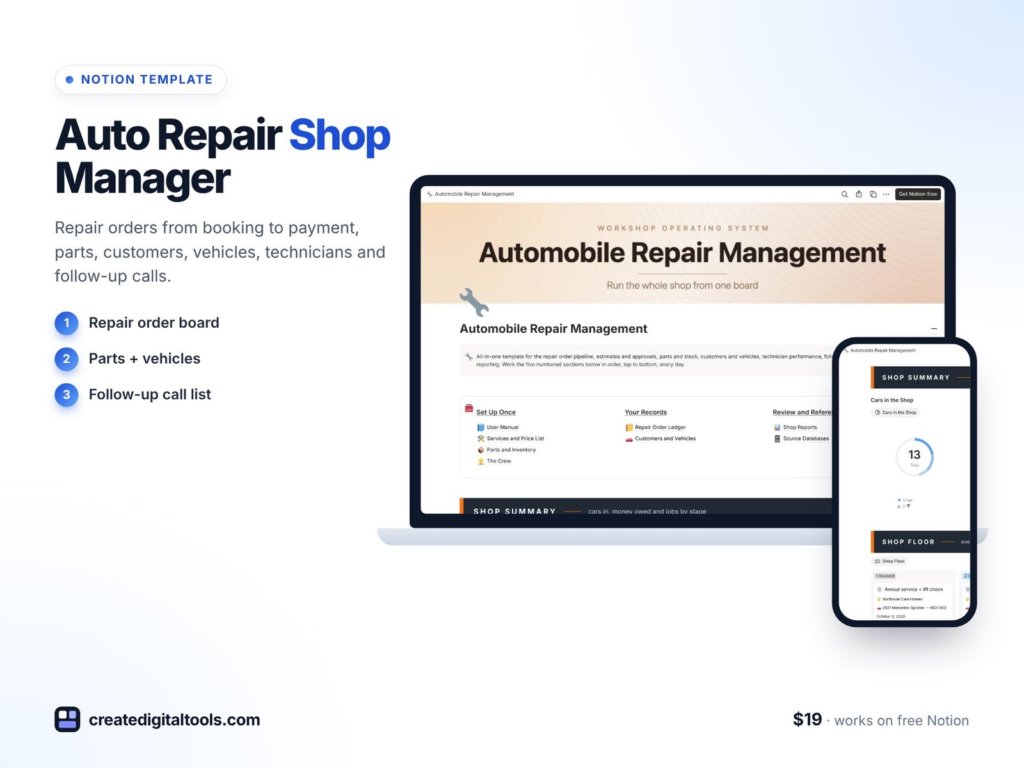
The Automobile Repair Management System ($19) is a Notion template for independent auto repair shops and garages, and for mechanics and service advisors who track jobs on paper or spreadsheets. You get a template link (PDF) to duplicate into your Notion workspace, a user manual inside the template, a video walkthrough and sample data so you can see how everything connects.
Shop dashboard and shop floor board
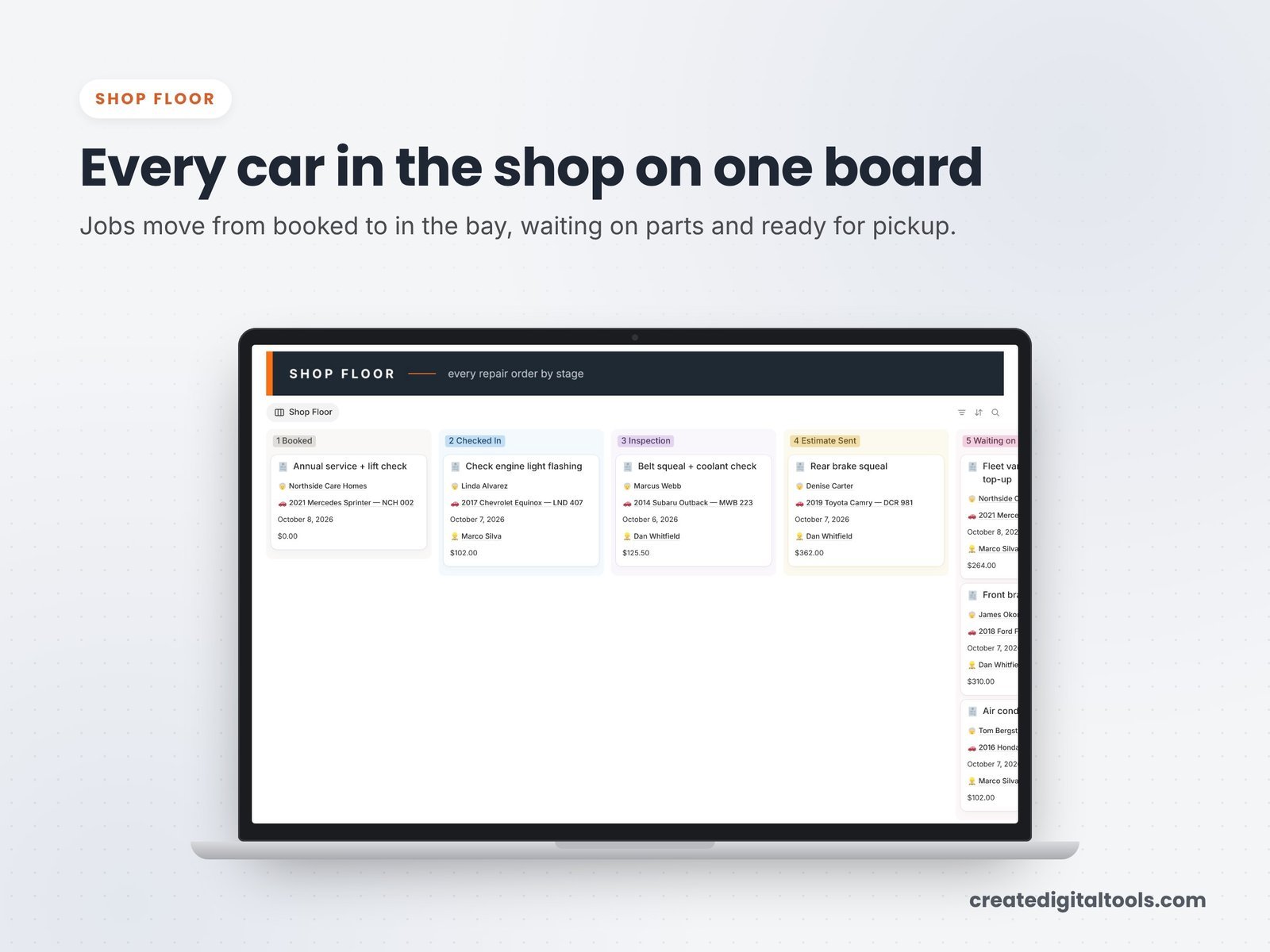
The shop dashboard shows cars in the shop, money owed and jobs by stage. The shop floor board moves every car through nine stages: Booked, Checked In, Inspection, Estimate Sent, Waiting on Approval, Waiting on Parts, In Progress, Ready for Pickup and Closed.
Repair orders and line items
Repair orders cover booking, estimate, approval, invoice and payment, with RO numbers. Line items for labour and parts total automatically. Unit price and cost are saved on each line, so changing a price later never rewrites old jobs.
Services, parts and inventory
The services and price list holds standard jobs and labour rates. Parts and inventory track stock, cost and sell price, and stock on hand updates as parts are used.
Customers, vehicles and the crew
Customers and vehicles carry service history and lifetime spend. The crew section shows technician hours and efficiency.
Focused views
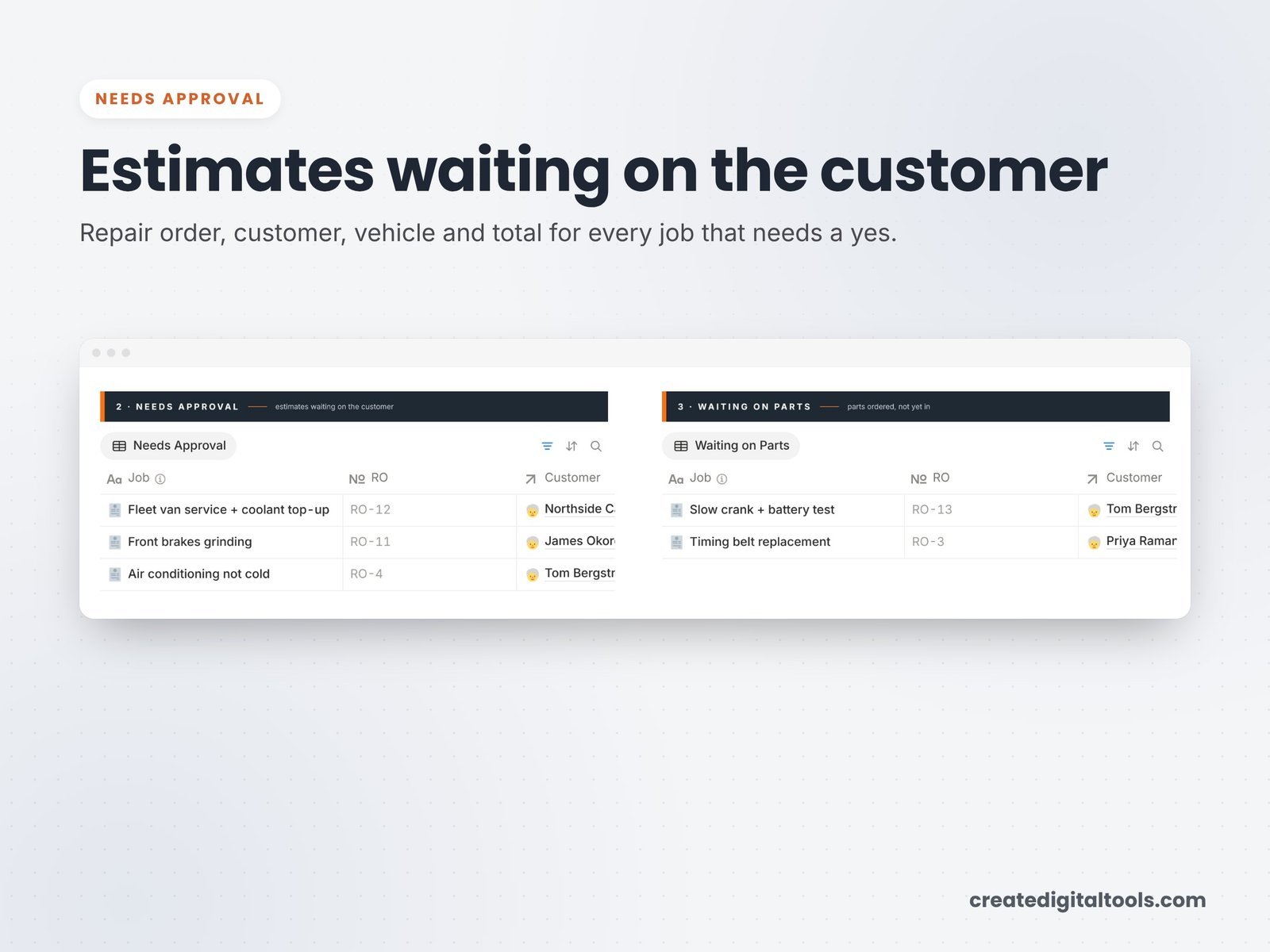
Ready-made views cover Needs Approval, Waiting on Parts, Ready for Pickup, Money Owed and a booking calendar.
Follow-up calls and reports
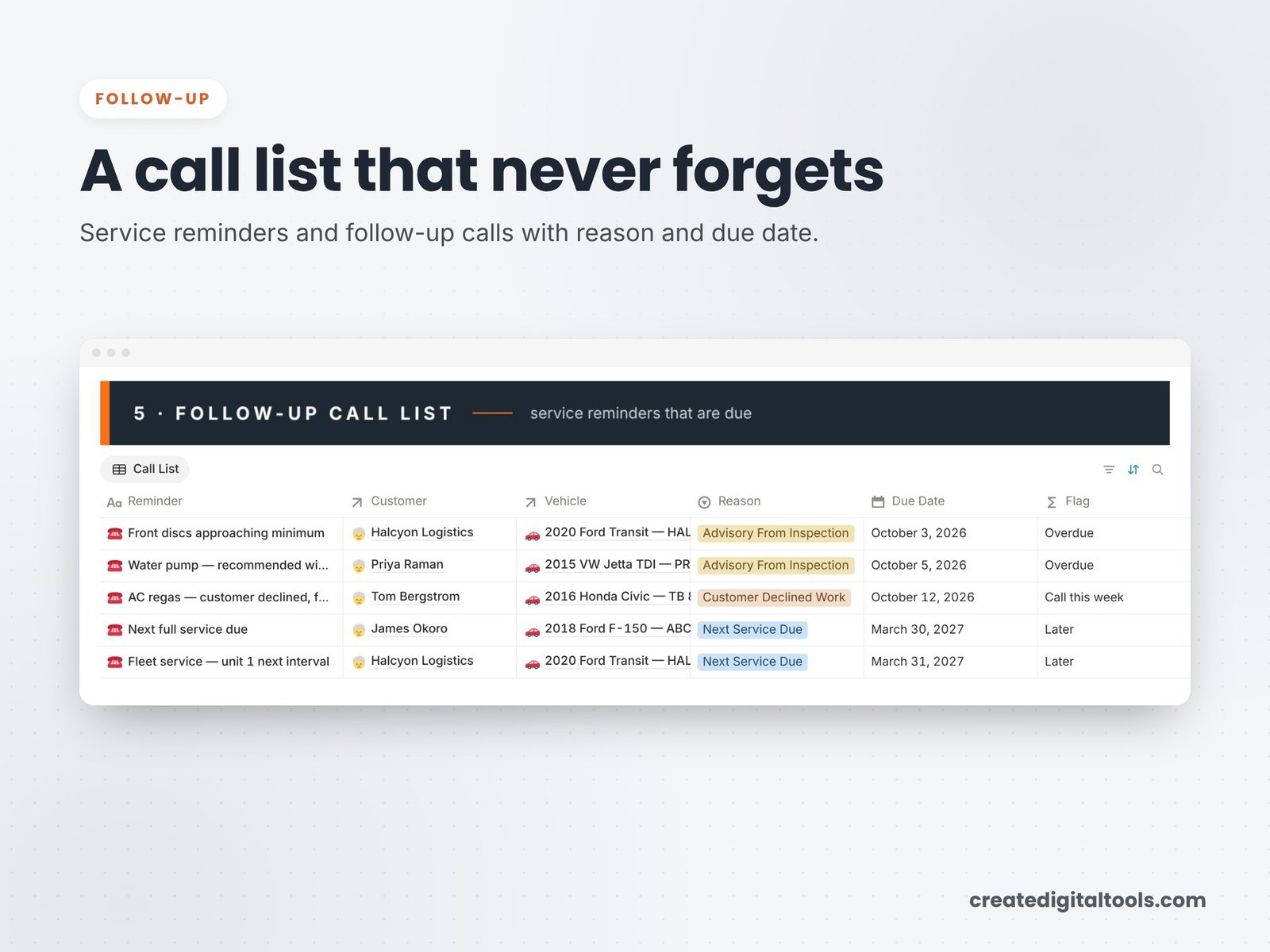
A follow-up call list keeps declined work and service reminders from slipping. Shop reports show profit by job, and a step-by-step user manual explains each part.
There are 8 linked databases: Repair Orders, Line Items, Customers, Vehicles, Parts Inventory, Services Catalog, Technicians & Staff, and Service Reminders.
Watch the full walkthrough
This video shows the setup and a full tour of the shop workspace:
Getting started in your first week
- Read the user manual inside the template and follow a sample repair order from Booked to Closed.
- Enter your services and labour rates in the price list, starting with the jobs you do most.
- Add the parts you keep in stock with cost, sell price and quantity on hand.
- Put every car currently in the shop on the board at its real stage, with customers and vehicles linked.
- Add your technicians so hours and efficiency start building from day one.
- Move any declined work you remember into the follow-up list with a call-back date.
- Check the Money Owed view at the end of each day, and clear the sample data once you are comfortable.
Who it is for (and who it is not for)
A good fit if you:
- Run an independent auto repair shop or garage
- Track jobs on paper or spreadsheets and want approvals, parts and follow-ups in view
- Want a flexible tool you can adapt to how your shop works
Probably not a fit if you:
- Need built-in parts ordering from suppliers or vehicle diagnostic data
- Need card payments taken inside the software
- Run a multi-location operation that needs dedicated shop management software
Writing down shop policies for your team? The Company Handbook Notion template is a good companion. Browse all Notion templates.
FAQ
Does it work on the free Notion plan?
Yes. You need a Notion account, and the free plan works.
How do I get it after buying?
You download a PDF with the Duplicate link. Log in to Notion, open the link, click Duplicate, then follow the setup steps.
Can I add my own services and labour rates?
Yes. The services catalog and parts inventory are yours to edit, as are the stages and views.
Can my technicians use it too?
Notion workspaces can be shared with others. How you share depends on your Notion plan and settings.
Is it an instant download?
Yes. It is a digital product, and nothing physical is shipped. The sample data is fictional.
Get the Automobile Repair Management System →
Notion is a trademark of Notion Labs, Inc. This is an independent template, not affiliated with or endorsed by Notion.
Notion systems, spreadsheets and planners with a setup guide. Instant download.