Coaching Notion Template: Clients, Sessions, Payments
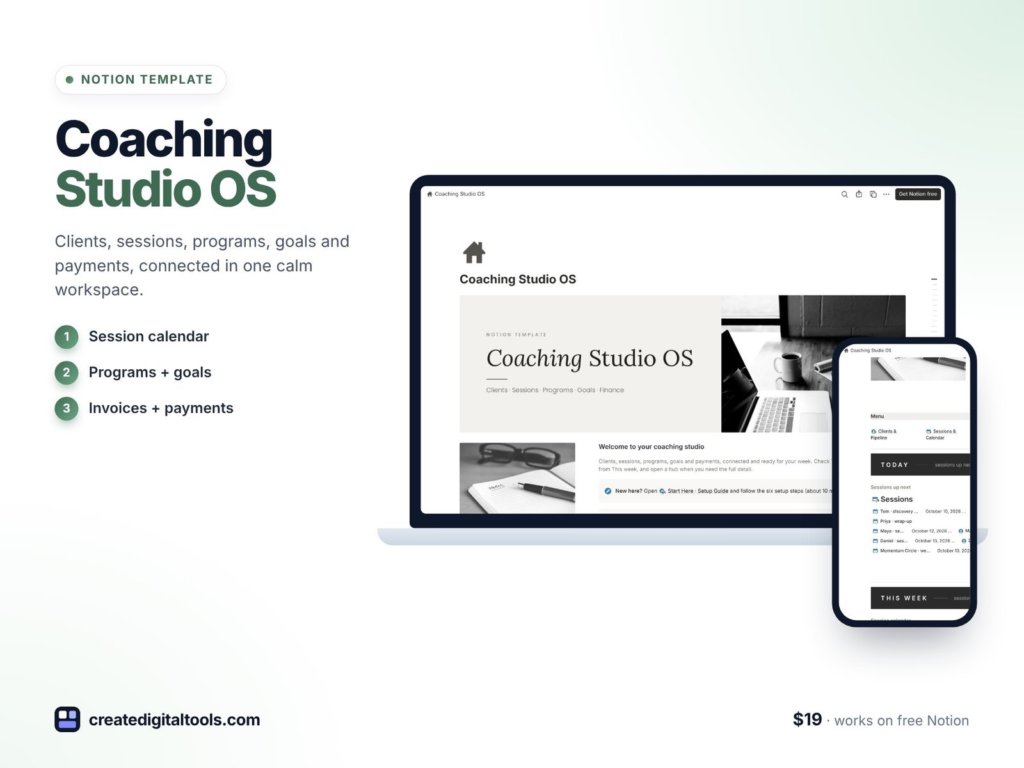
Picture a career coach with a dozen active clients on different packages: some on a six-session program, some on a monthly plan, a few in a group cohort. Session notes are in one app, goals in another, invoices in a third, and the question “how many sessions does this client have left?” means scrolling back through the calendar. A coaching Notion template connects clients, sessions, programs, goals and payments, so the answer is on the client’s page the moment you open it.
This post explains how to organise a coaching practice in Notion yourself, then walks through Coaching Studio OS, a calm workspace for life, career, business, wellness and mindset coaches.
Why coaching admin gets scattered
Coaching is personal work, but the admin around it is surprisingly detailed:
- Package tracking is manual. Counting sessions used and sessions left for each client takes time and is easy to get wrong.
- Clients drift. Without a reminder, a client who has not booked their next session can quietly fall out of touch.
- Session notes are hard to find. Wins, action items and homework from last month are buried in a long document.
- Goals are not measured. Clients set goals at the start, but progress toward them is rarely tracked in a visible way.
- Payments overlap. Deposits, instalments and paid-in-full clients all need different follow-up.
- Marketing is disconnected. Posts go out, but you cannot see which offer each one promotes or what leads it brought in.
Spreadsheets and notes apps can hold this information, but they do not connect it. A client page that pulls in sessions, goals and invoices automatically means you type each detail once.
The goal is to spend less time on admin and more time with clients. When the structure does the counting for you, you can walk into each session knowing exactly where that client stands.
How to build a coaching Notion template yourself
- Set up a client pipeline. A Clients database with stages from lead to alumni (for example, Lead, Discovery call, Proposal, Active, Paused, Completed, Alumni). A board view shows where everyone is.
- Create programs and offers. Each program has a price and sessions included. Relate clients to the program they bought, and you can calculate price per session, active clients and revenue collected.
- Log sessions against clients. Each session has a date, focus, wins, action items, homework and a follow-up tick box. Roll up sessions used onto the client.
- Show progress automatically. Sessions used divided by sessions in the package gives a progress bar and sessions left. Add the next session date.
- Add a client health formula. Combine next session date, balance due and follow-up status into a label such as On track, Book next session, Balance due or Follow up.
- Track goals and milestones. Each goal is related to a client and has a target date, a progress value and days left.
- Record invoices and payments. Deposits, instalments and paid-in-full, with a status formula for Paid, Due soon and Overdue.
- Plan content linked to offers. Each post relates to the offer it promotes, with leads counted.
- Keep a resource library. Worksheets, intake forms and email scripts organised by program and stage, ready to send.
Tip: use a page template for new clients that already contains linked views of their sessions, goals and invoices. Every client then gets their own hub without extra setup.
Finally, set aside time once a week to review the practice as a whole: which clients need their next session booked, which payments are due, which goals are close to their target dates and which offers are bringing in leads. A short, regular review keeps client care consistent even in a busy week.
Inside Coaching Studio OS
Coaching Studio OS ($19) is a Notion template for life, career and business coaches, wellness and mindset coaches running 1:1 or group programs, and coaches moving off spreadsheets and scattered notes. You get a template link (PDF) to duplicate into your workspace, a Setup Guide PDF with step-by-step instructions and a video walkthrough. Linked databases with relations, rollups and formulas come with sample data and a Start Here guide.
Studio dashboard
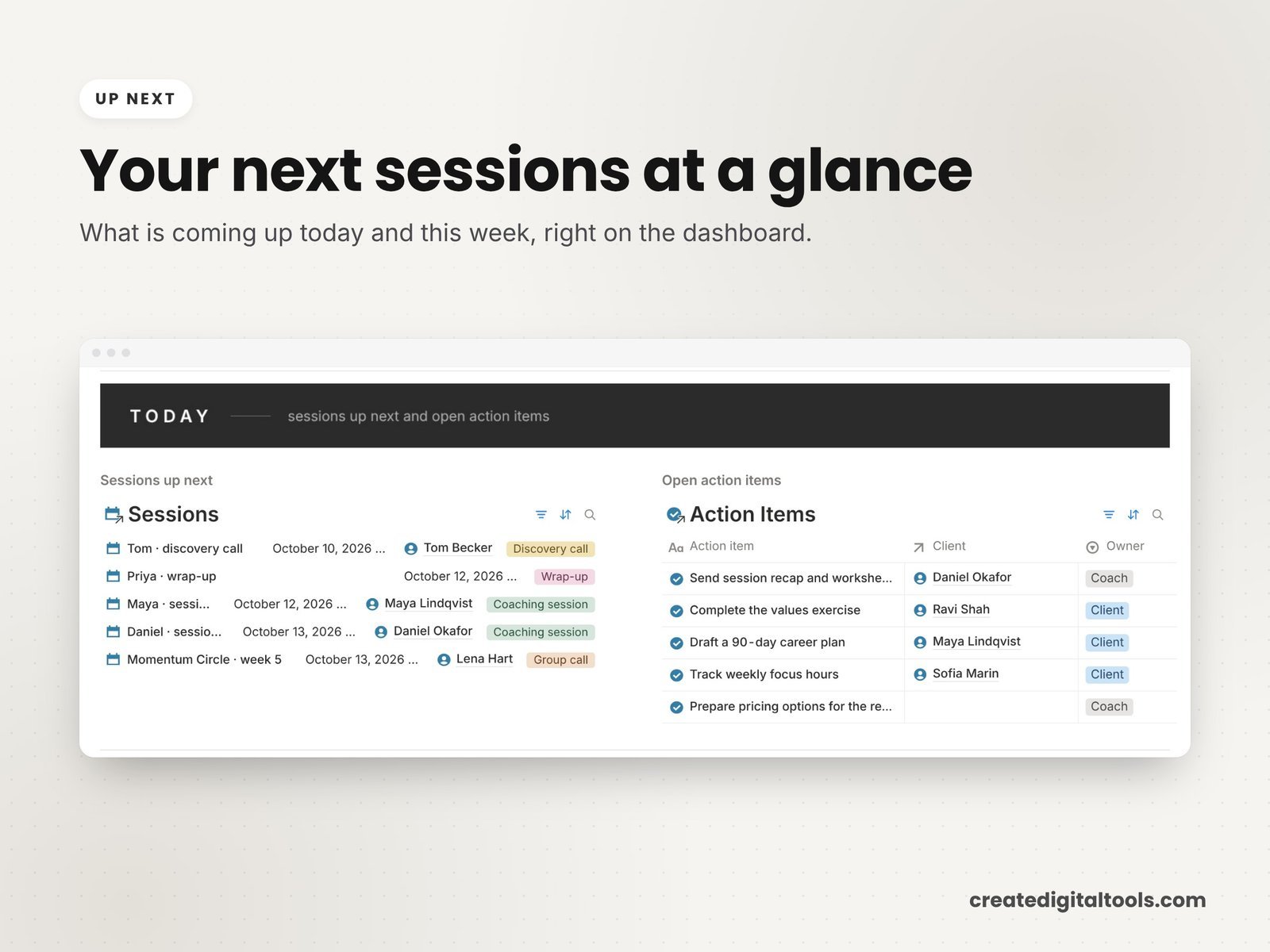
The dashboard uses photo navigation and shows upcoming sessions, active clients with health flags, payments to chase and money in by program as a chart.
Clients
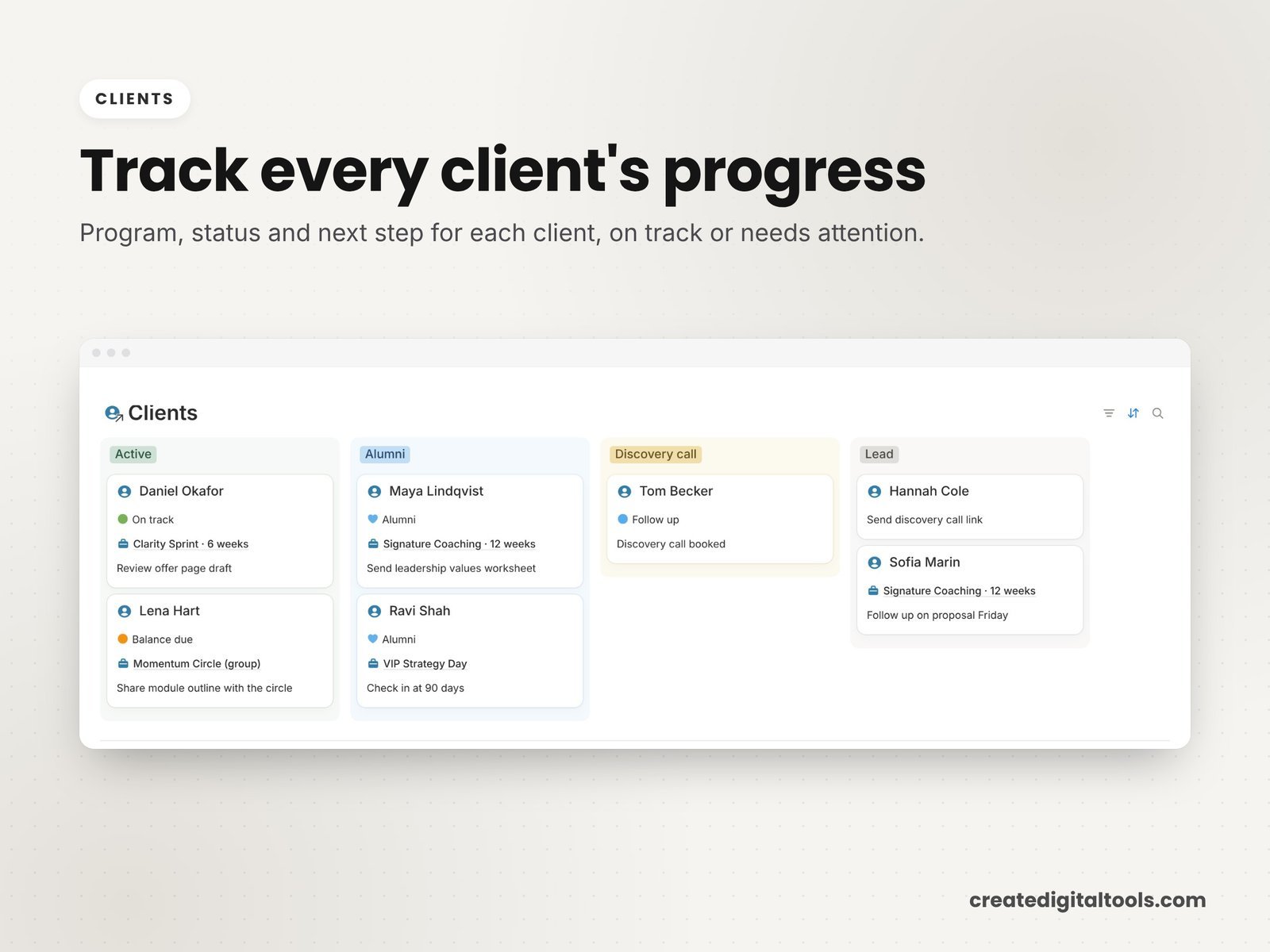
The client pipeline has 7 stages from lead to alumni, with a hub page for every client showing sessions, goals and invoices together. An automatic progress bar shows sessions used versus sessions in their package, sessions left and the next session date. Client health (On track, Book next session, Balance due, Follow up) is calculated for you.
Sessions
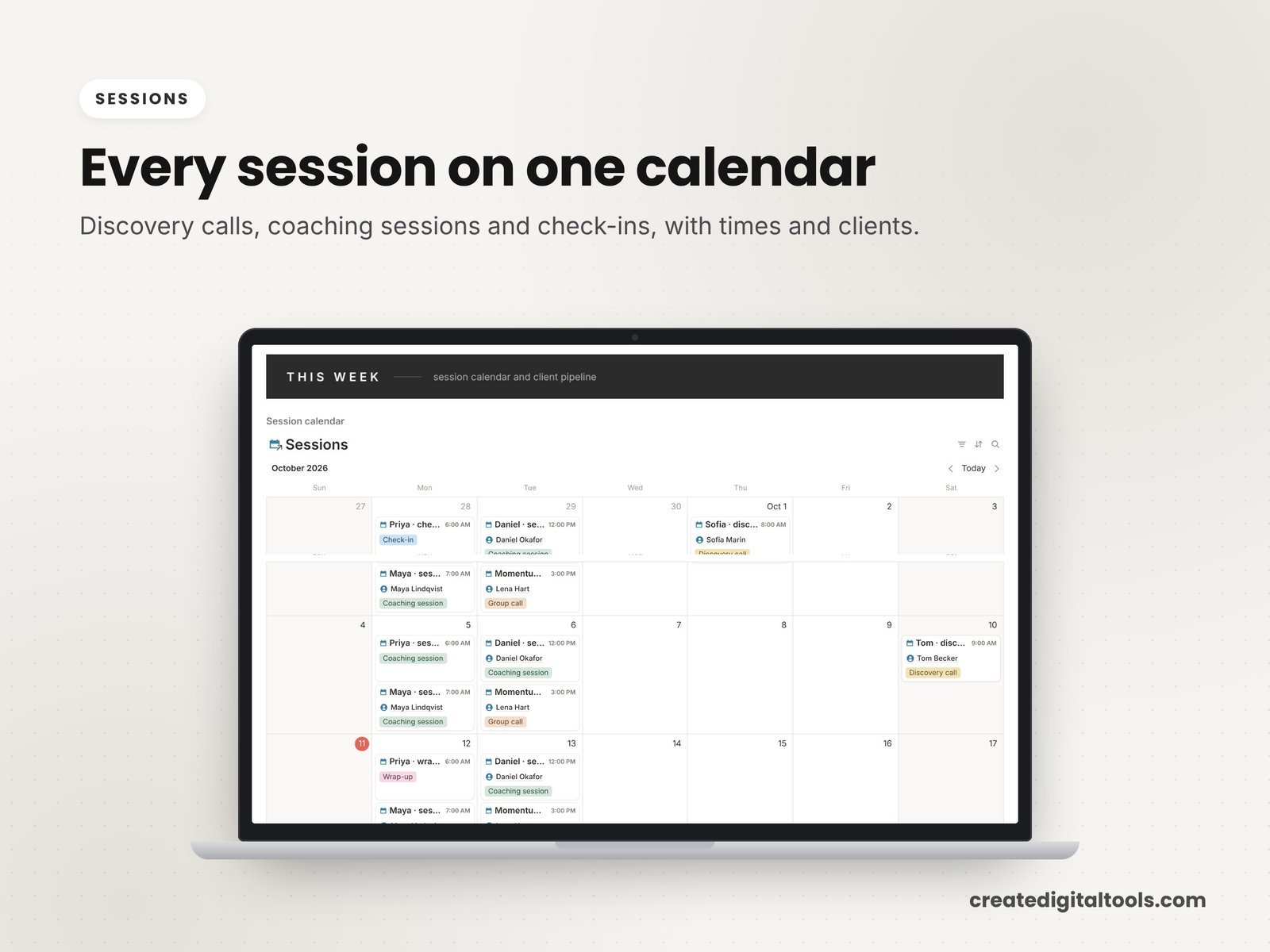
The session log and calendar record focus, wins, action items, homework and follow-up ticks.
Programs, goals and payments
The programs and offers gallery shows price, sessions included, price per session, active clients and revenue collected. Goals and milestones have progress bars and days left to the target date. Invoices and payments cover deposits, instalments and paid-in-full, with Paid, Due soon and Overdue status.
Marketing and resources
A content and marketing planner links each post to the offer it promotes, with leads counted. The resource library holds worksheets, intake forms and email scripts by program and stage.
Watch the full walkthrough
See Coaching Studio OS in action in this video tour:
Getting started in your first week
- Read the Start Here guide and open a sample client page to see sessions, goals and invoices pulled together.
- Add your programs and offers first, with price and sessions included, so package progress can be calculated.
- Add your active clients and link each one to their program.
- Log the sessions already held in each package, so sessions left is correct from the start.
- Enter each client’s main goal with a target date.
- Record outstanding payments so the payments to chase list is complete.
- Move your worksheets and intake forms into the resource library, then clear the sample data.
Who it is for (and who it is not for)
A good fit if you:
- Coach clients 1:1 or in groups on session-based packages
- Want sessions left, goals and payments visible on each client page
- Are moving off spreadsheets and scattered notes
Probably not a fit if you:
- Need online booking and video calls built in (use your scheduling tool alongside it)
- Need clinical record-keeping for therapy or healthcare
- Want clients to log in to their own portal
Turning your coaching into a course? The Online Course Creation Notion Template helps you plan it. Browse all Notion templates.
FAQ
Does it work on the free Notion plan?
Yes. You need a Notion account, and the free plan works.
How is it delivered?
You download a PDF with the Duplicate link. Log in to Notion, open the link, click Duplicate, then follow the Start Here page.
Can I change the pipeline stages and programs?
Yes. Once duplicated, every stage, program and property is editable.
Is the sample data real?
No. The sample data is fictional, and the photos are from Unsplash.
Is it an instant download?
Yes. It is a digital product, and nothing physical is shipped.
This is an organising tool for your coaching business, not legal, financial or medical advice.
Notion is a trademark of Notion Labs, Inc. This is an independent template, not affiliated with or endorsed by Notion.
Notion systems, spreadsheets and planners with a setup guide. Instant download.