Meeting Minutes Notion Template: Agenda & Attendance
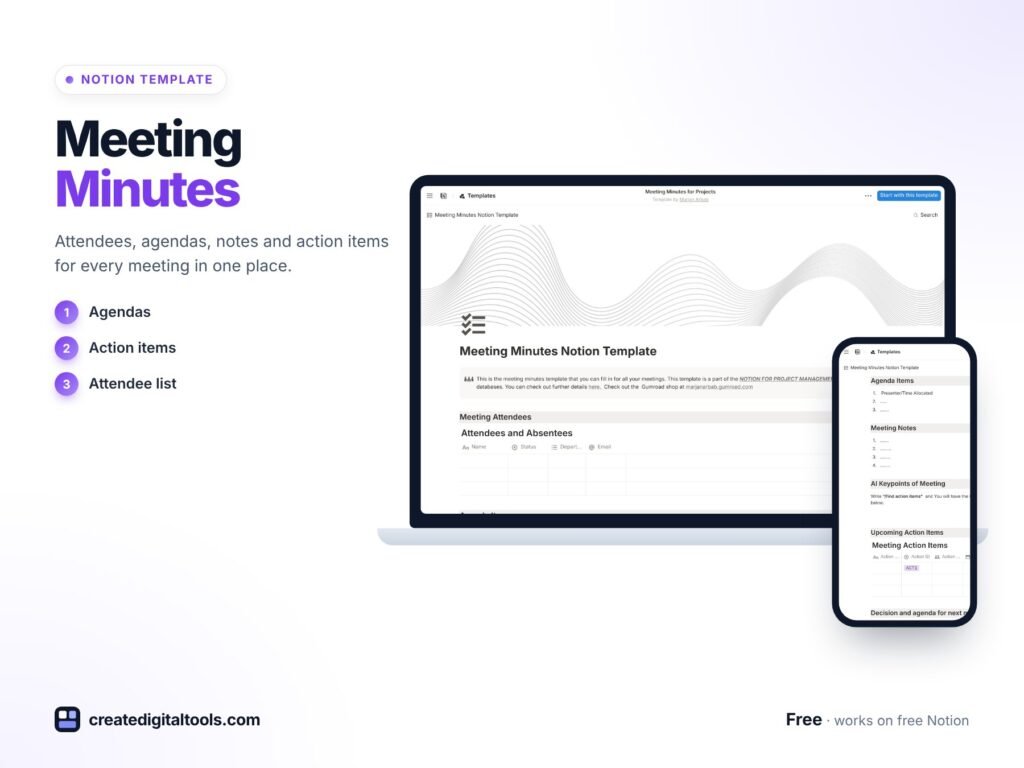
Picture a project coordinator who leaves a one-hour planning meeting with a notebook full of half-sentences. By Thursday, two people remember a decision differently, the person who was absent has no idea what was agreed, and the agenda that was meant to keep things on track was never written down. A meeting minutes Notion template keeps attendance, agenda and minutes together, so every meeting leaves a clear record behind it.
This guide covers why meeting notes go wrong, how to set up a reliable minutes routine in Notion, and what is inside our free Meeting Minutes with Notion template.
Get the Meeting Minutes with Notion Template →
Why meeting notes so often fail
Most teams do take notes. The trouble is where and how:
- Personal notebooks and documents mean each attendee keeps their own version, and none of them is the official record.
- No agenda up front means meetings drift, overrun, and the important topic gets five minutes at the end.
- No attendance record makes it hard to know who needs to be updated afterwards.
- Notes written days later lose the detail of what was actually decided.
A blank document does not solve this, because it has no structure. What helps is a repeatable layout: who was there, what was planned, and what was concluded, filled in the same way every time.
How to set up a meeting minutes routine in Notion
These steps work for project meetings, client calls, committee meetings or weekly team check-ins.
1. Create the agenda before the meeting
List the topics, assign a time slot to each and share it with attendees in advance. People come prepared, and the facilitator has a clear plan for keeping time.
2. Record who attended and who was absent
A simple attendee database with a present/absent property makes follow-up easy. Anyone marked absent gets a link to the minutes.
3. Capture decisions and actions, not a transcript
Minutes are most useful when they focus on key points, decisions and next steps with owners. Long verbatim notes are rarely read.
4. Keep every meeting in a database
Store each meeting as an entry with a date, type and attendees. Over time you can filter by project or meeting type and find past decisions in seconds.
5. Share the minutes the same day
Send or link the minutes while the meeting is still fresh. It gives people a chance to correct anything misunderstood before work starts on it.
Inside the meeting minutes Notion template
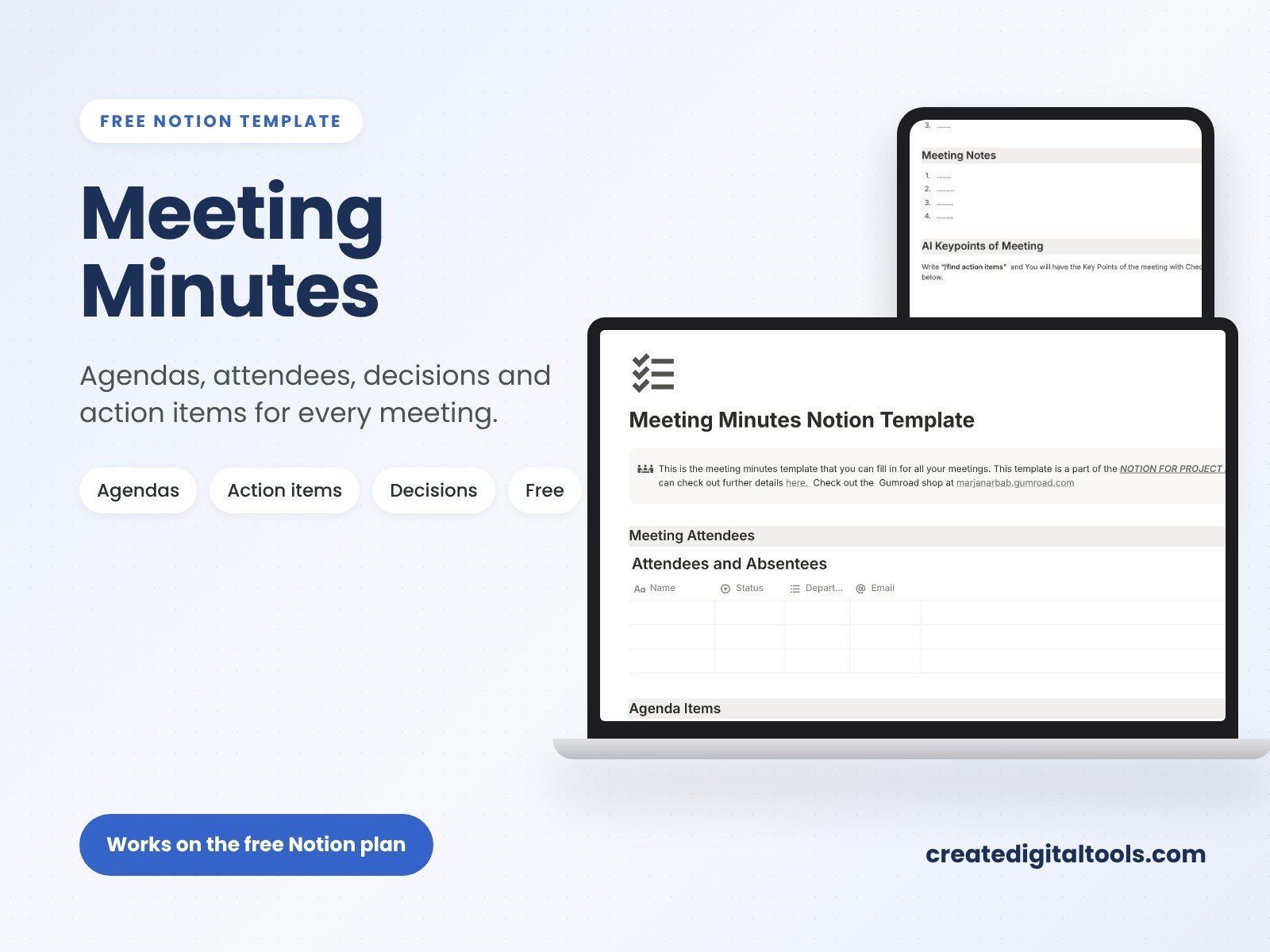
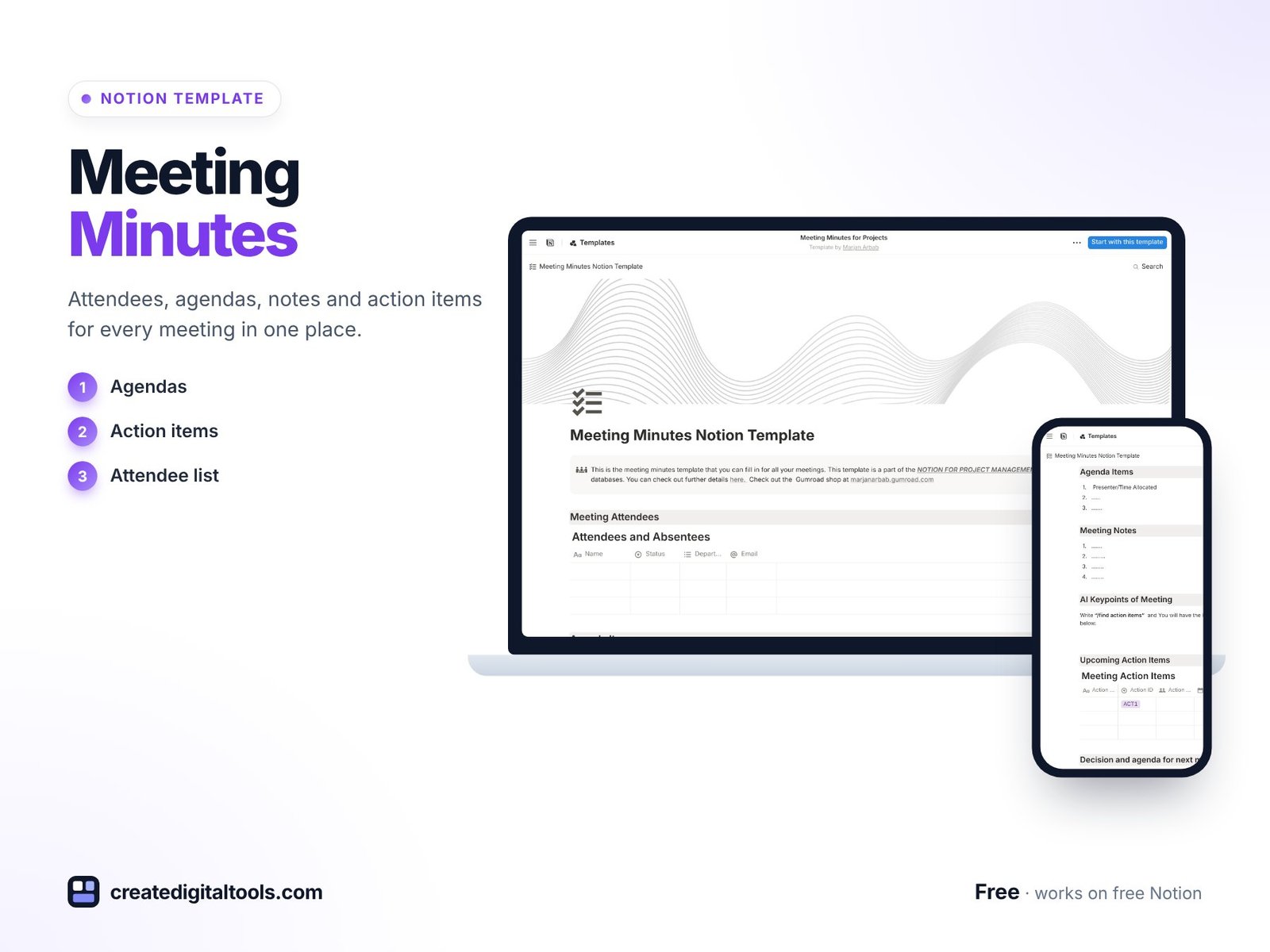
The Meeting Minutes with Notion template is free and combines attendance, agenda and minutes in a single layout.
Attendee management
A database for tracking who attended and who was absent. It gives you a quick view of participation and a list of people to update afterwards.
Agenda management
Outline discussion topics, set time allocations and follow a structured agenda. Time allocations help the facilitator keep each topic on schedule.
AI-generated minutes
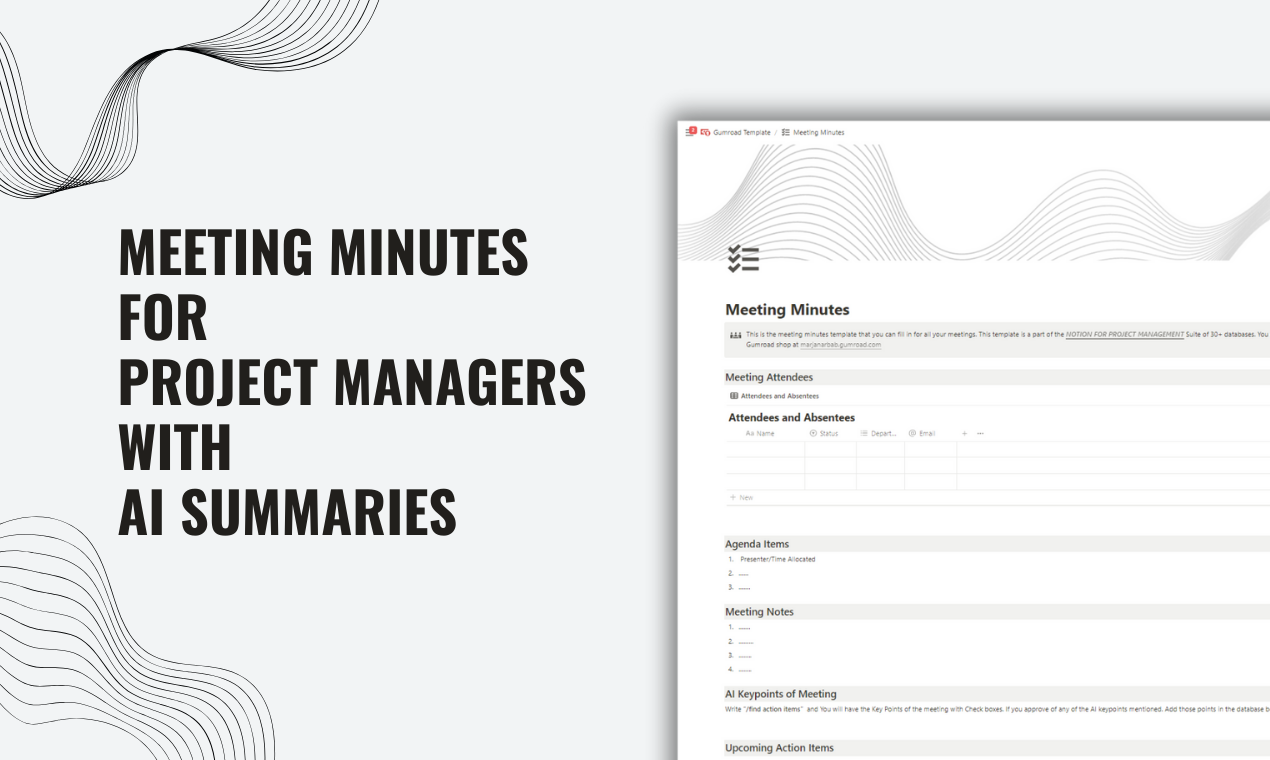
The template is set up to generate key points from your meeting discussions using Notion AI. Note that this feature needs Notion AI to be available on your Notion plan. Without it, you can still write the minutes yourself in the same structure.
Attendance, agenda and minutes together
Because the three parts sit in the same layout, nobody has to jump between files to see who was there, what was planned and what came out of it.
Tips for clearer minutes
- Name a note-taker at the start of each meeting, so it is never assumed someone else is doing it.
- End with a two-minute recap of decisions and owners. It makes the minutes accurate and gives everyone the same understanding.
- Check AI summaries before sharing. If you use Notion AI, read the generated key points and correct anything it has missed or misread.
- Link minutes to your daily routine. For short daily check-ins, a lighter format works better. Our free Daily Standup for Project Teams template is designed for that.
What good meeting minutes include
Whatever tool you use, strong minutes usually cover the same essentials:
- Meeting details: date, purpose and who chaired it.
- Attendance: who was present and who was absent.
- Agenda items: the topics discussed, in order.
- Key points: a short summary of the discussion for each item, not a word-for-word account.
- Decisions: what was agreed, stated clearly enough that someone absent would understand.
- Actions: what needs to happen next, who owns it and by when.
The template gives you the attendance and agenda structure, and the minutes area is where key points, decisions and actions go. If you add an “Action owner” property, you can build a view that lists every open action across all your meetings.
Adapting the template to different meeting types
The same structure works across many kinds of meetings with small changes:
- Project meetings: add a project property so you can filter minutes by project and see the full history of decisions.
- Client calls: add a client property and keep agreed changes in the decisions section, which helps when scope questions come up later.
- Weekly team meetings: reuse a standing agenda and only adjust the topics that change each week.
- Committee or volunteer meetings: attendance tracking is especially useful where quorum or participation matters.
Duplicating the meeting layout for each new session keeps every record consistent, which makes searching past meetings much easier.
Common mistakes to avoid
- Writing minutes days later. Memory fades quickly. Aim to finish the minutes the same day.
- Recording opinions instead of outcomes. Minutes should show what was decided, not who argued for what.
- Vague actions. “Look into the budget” is hard to act on. “Send revised budget to the team by Friday” is clear.
- Never revisiting old minutes. Start each meeting by checking actions from the last one. It closes the loop and builds trust in the process.
Who it’s for (and who it’s not for)
A good fit if you:
- Run regular project, team or client meetings and want a consistent record.
- Coordinate committees or groups where attendance matters.
- Want to try Notion AI for summarising discussions.
- Prefer a free, simple starting point you can adapt.
Probably not for you if you:
- Need formal board minutes with legal formatting requirements. This is an organising tool, not legal advice.
- Want automatic audio recording and transcription of calls.
- Do not use Notion.
FAQ
What format is the template?
It is a Notion template that you duplicate into your own Notion workspace.
Do I need Notion AI?
Only for the AI-generated minutes feature. The attendee and agenda sections, and writing minutes by hand, work without it.
Does it work on Notion’s free plan?
You need a Notion account. Notion’s free plan lets you duplicate templates and use databases. Notion AI availability depends on your Notion plan.
Is the template free?
Yes, Meeting Minutes with Notion is listed at no cost in our store.
Can I customise the agenda and fields?
Yes. You can add properties such as meeting type, project or action owner, and change the layout to suit your meetings.
Find more templates for teams and projects in our Notion templates collection.
Get the Meeting Minutes with Notion Template →
Notion and Notion AI are trademarks of Notion Labs, Inc. This is an independent template, not affiliated with or endorsed by Notion.
Notion systems, spreadsheets and planners with a setup guide. Instant download.