Rental Property Spreadsheet for Landlords: A Setup Guide
Picture a landlord with a handful of units. Rent arrives on different days by different methods, one tenant is a week late, a boiler repair is waiting on a quote, and a lease ends sometime in spring but nobody wrote down exactly when. At tax time, receipts come out of a shoebox. This illustrative scene is why a well-built rental property spreadsheet for landlords is worth setting up: rent, repairs, deposits and leases tracked side by side, with the totals worked out for you.
In this guide you will find how to structure your own landlord records in Excel or Google Sheets, followed by a tour of our Landlord Rental Property Manager workbook.
Get the Landlord Rental Property Manager →
Why landlord records get messy
Small landlords sit in an awkward spot. You have more moving parts than a household budget can handle, but not enough properties to justify a full property management platform with monthly fees per unit. So records end up split: rent in a banking app, repairs in emails, leases in a folder, deposits in someone’s memory.
The cost of that is not dramatic, it is steady. A late fee that was never charged. A lease that rolled over without a rent review. A repair paid twice. Not knowing which property actually makes money once the mortgage, insurance and maintenance are counted.
A spreadsheet works well for this scale, as long as it is structured. The key is to enter each fact once, in the right place, and let formulas do the rest.
How to set up landlord records in a spreadsheet
1. A Properties tab
One row per property: address label, purchase price, monthly mortgage, insurance. This is where per-property figures like net operating income (NOI) will roll up.
2. A Rent Roll
One row per unit: property, tenant, monthly rent, lease start and lease end, deposit held. Add a formula that flags leases ending within 90, 60 and 30 days so renewals never sneak up on you.
3. A rent ledger
Every payment received is a row: date, unit, amount, method. Never overwrite; just add. A ledger is your record if there is ever a dispute.
4. A monthly rent status view
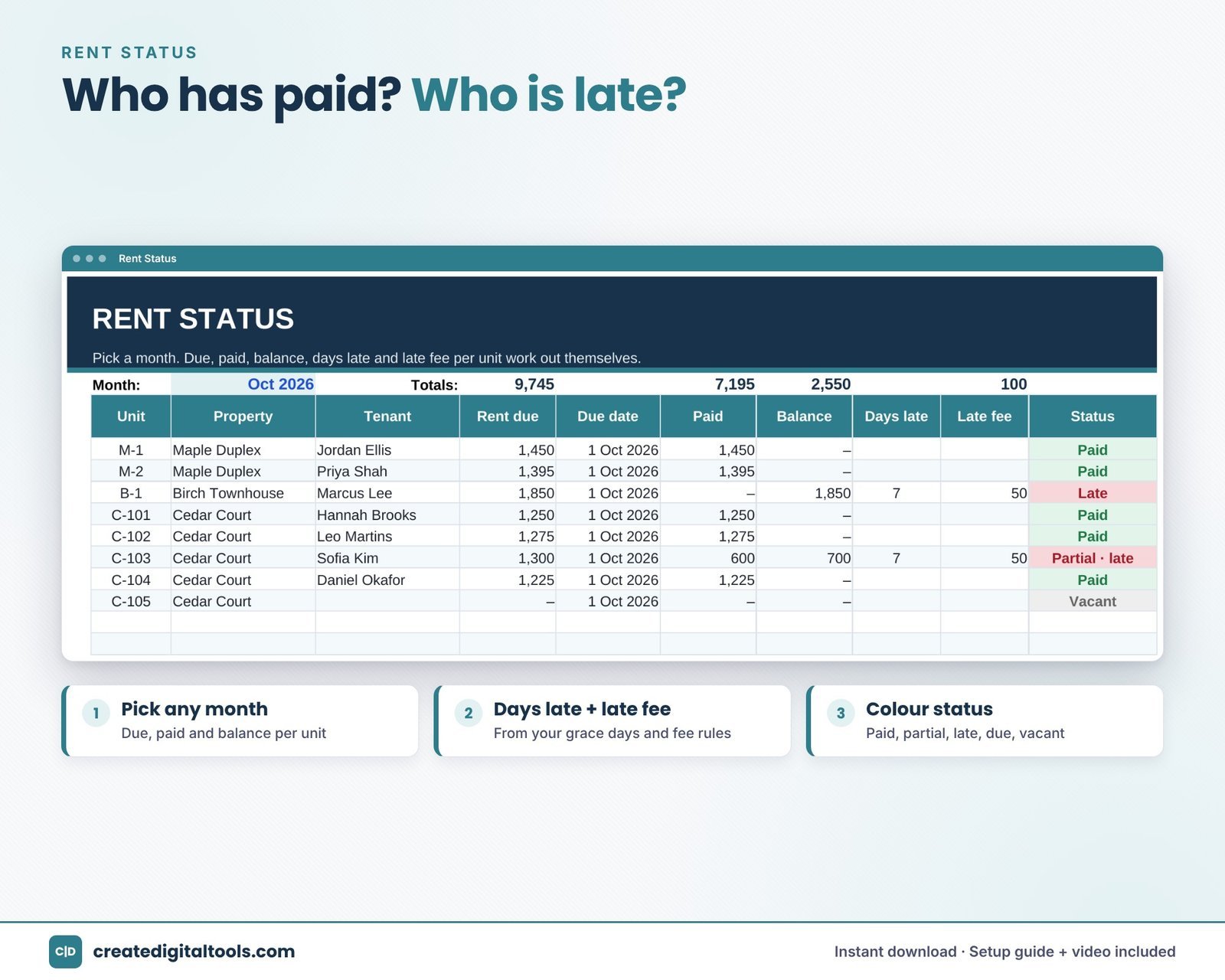
For a chosen month, compare what each unit owes against what the ledger shows was paid. The difference is the balance. Combine the due date with your grace days to work out days late and any late fee.
5. Expenses and maintenance
Log costs by property, unit and category. Keep maintenance requests separately with status, vendor and cost, so you can see what is still open.
6. Deposits
Keep a register of every security deposit: amount, date received and date returned.
7. A monthly summary
Income minus operating costs gives NOI. Subtract the mortgage to get cash flow. Run this for twelve months and the year-end picture is ready when you need it.
A monthly landlord routine
Structure only helps if you keep it current. A short routine each month is enough for most small portfolios:
- A few days after rent is due: enter every payment received, then check the rent status for the month. Anyone with a balance gets a polite reminder.
- Once the grace period ends: apply any late fees according to the rules in your lease, and note them in the ledger.
- Mid-month: enter expenses and receipts, and update open maintenance requests.
- End of month: look at the leases ending in the next 90 days and decide on renewals or rent reviews early.
- Each quarter: compare NOI and cash flow by property. If one property is consistently weaker, you will see it long before year end.
Keeping mileage for property trips as you go is also far easier than reconstructing it later.
Inside the Landlord Rental Property Manager
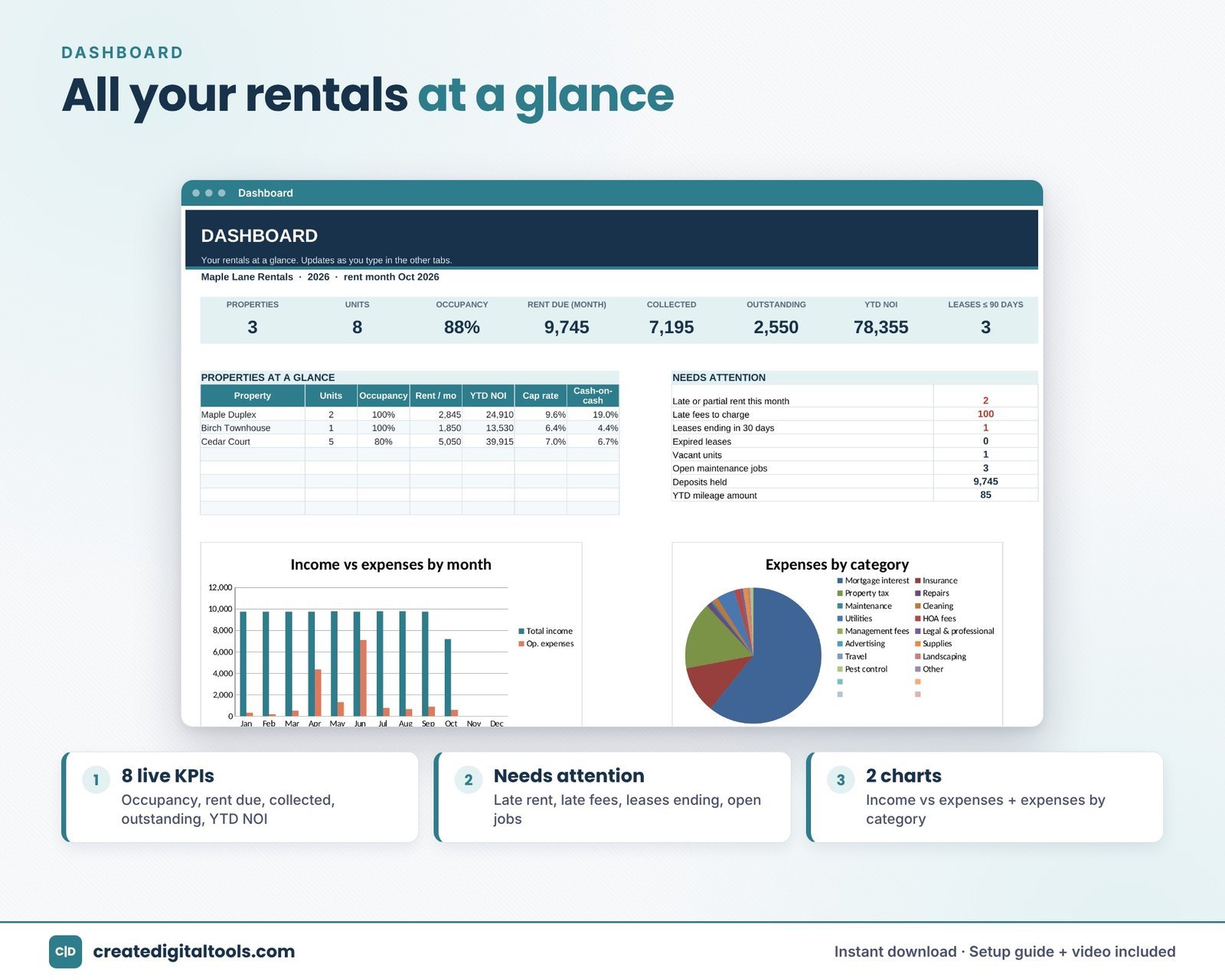
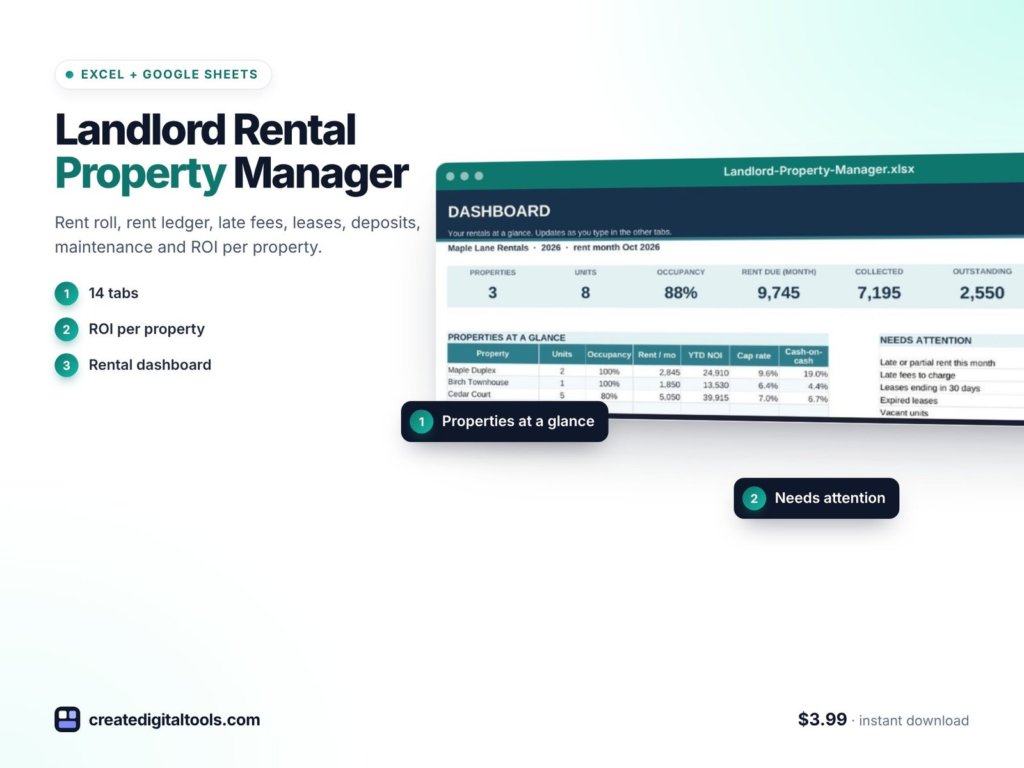
The workbook has 14 connected tabs and runs in Microsoft Excel and Google Sheets. It uses formulas only, with no macros, no add-ons and no subscription. Sample data for 3 properties and 8 units, based on today’s date, shows how everything fits together.
Start Here, Setup and Dashboard
Start Here gives six setup steps, a colour key and a tab guide. Setup holds your rent due day, grace days, late-fee rules, categories and payment methods. The Dashboard shows occupancy, rent due vs collected, outstanding balances, year-to-date NOI, leases ending, a needs-attention list and two charts.
Properties and Rent Roll
Properties handles up to 20 properties with occupancy, rent, NOI, cap rate and cash-on-cash return. The Rent Roll handles up to 100 units, with lease-end flags at 90, 60 and 30 days.
Rent Payments and Rent Status
Rent Payments is a rent ledger with 1,000 rows. Rent Status shows due, paid, balance, days late and late fee per unit for any month you choose, with late fees calculated from your grace days and fee rules.
Expenses, Maintenance and Deposits
Expenses records costs by property, unit and category. Maintenance tracks requests, vendor, status, cost, days open and urgent flags. Deposits is a security deposit register.
Monthly, Category Summary, Mileage and Property Report
Monthly shows 12 months of income, operating costs, NOI, mortgage and cash flow. Category Summary gives yearly costs by category and property. Mileage logs trips with a mileage amount at your own rate. Property Report shows one property, month by month.
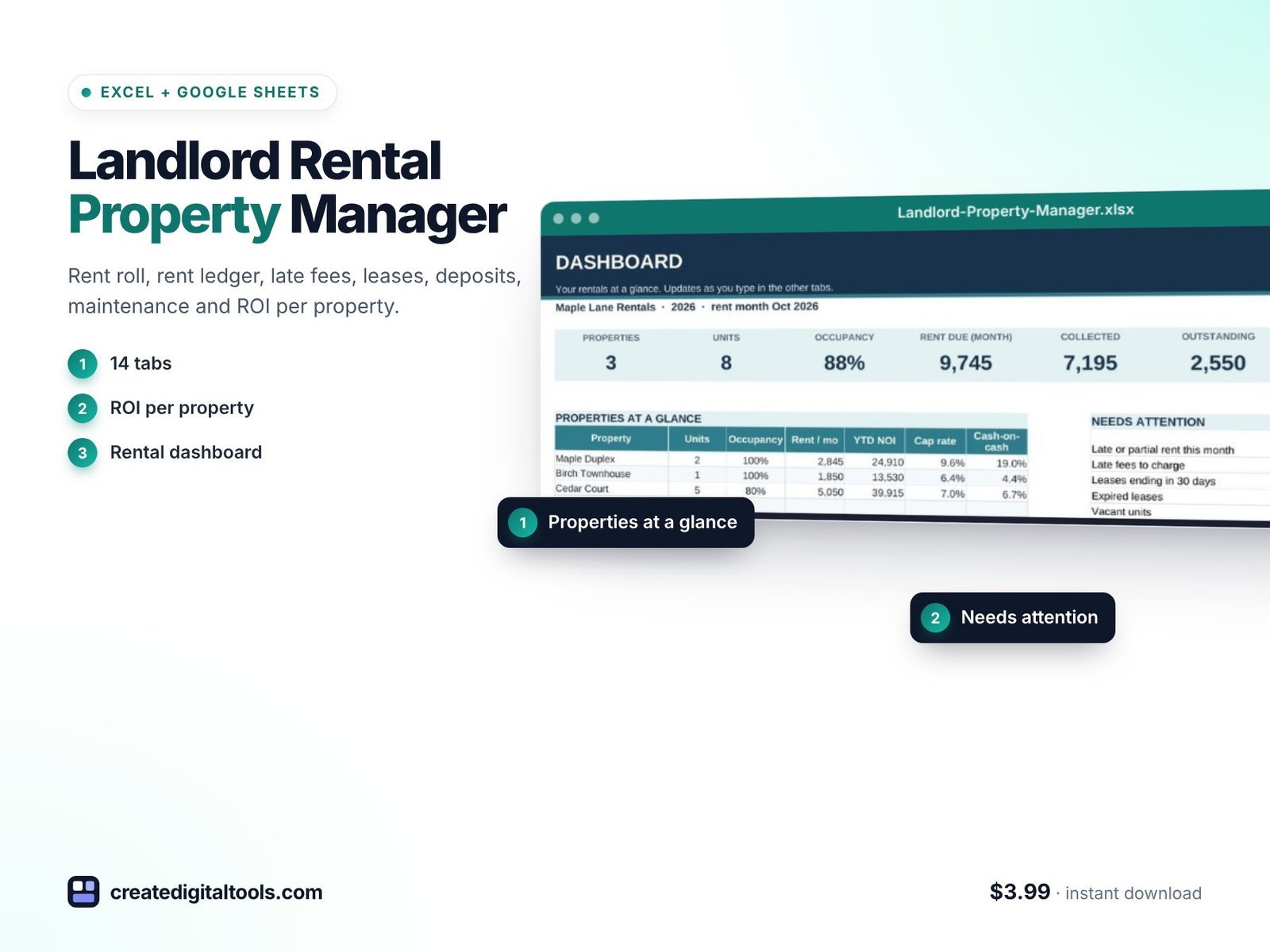
You receive Landlord-Rental-Property-Manager.xlsx, a Setup Guide PDF and a setup and full tour video.
Watch the full tour
Here is the setup guide and full tour, including the rent roll, late fees and lease flags:
Who it is for, and who it is not for
A good fit if you:
- Own or manage a small portfolio (up to 20 properties and 100 units) and want rent, costs and leases in one workbook.
- Want late fees, NOI and cap rate worked out for you.
- Prefer to keep your records in a file you own rather than a per-unit subscription.
Probably not for you if you:
- Need online rent collection, tenant screening or a tenant portal.
- Manage a large portfolio beyond the workbook’s limits.
If you also want a monthly view of profit across your other business income, see the Profit and Loss Statement. More workbooks are in our spreadsheets collection.
This is an organising tool for your own records, not tax, legal or financial advice.
Frequently asked questions
Does it work in Google Sheets as well as Excel?
Yes. It is built for Microsoft Excel and Google Sheets. Upload the .xlsx file to Google Drive and open it in Sheets.
Can I set my own late-fee rules?
Yes. The Setup tab holds your rent due day, grace days and late-fee rules, and Rent Status calculates fees from them.
How many properties and units does it handle?
Up to 20 properties and 100 units, with 1,000 rows in the rent ledger.
Is it an instant download?
Yes. You download the workbook and Setup Guide PDF after purchase, along with the tour video.
Can I remove the sample data?
Yes. The sample covers 3 properties and 8 units so you can see how it works; replace it with your own when you are ready.
Clear records make the monthly rent check, the lease renewal and the year-end summary far less stressful.
Get the Landlord Rental Property Manager →
Microsoft Excel is a trademark of Microsoft Corporation and Google Sheets is a trademark of Google LLC. This is an independent template, not affiliated with or endorsed by Microsoft or Google.
Notion systems, spreadsheets and planners with a setup guide. Instant download.