
Description
Reseller Inventory & Profit Tracker
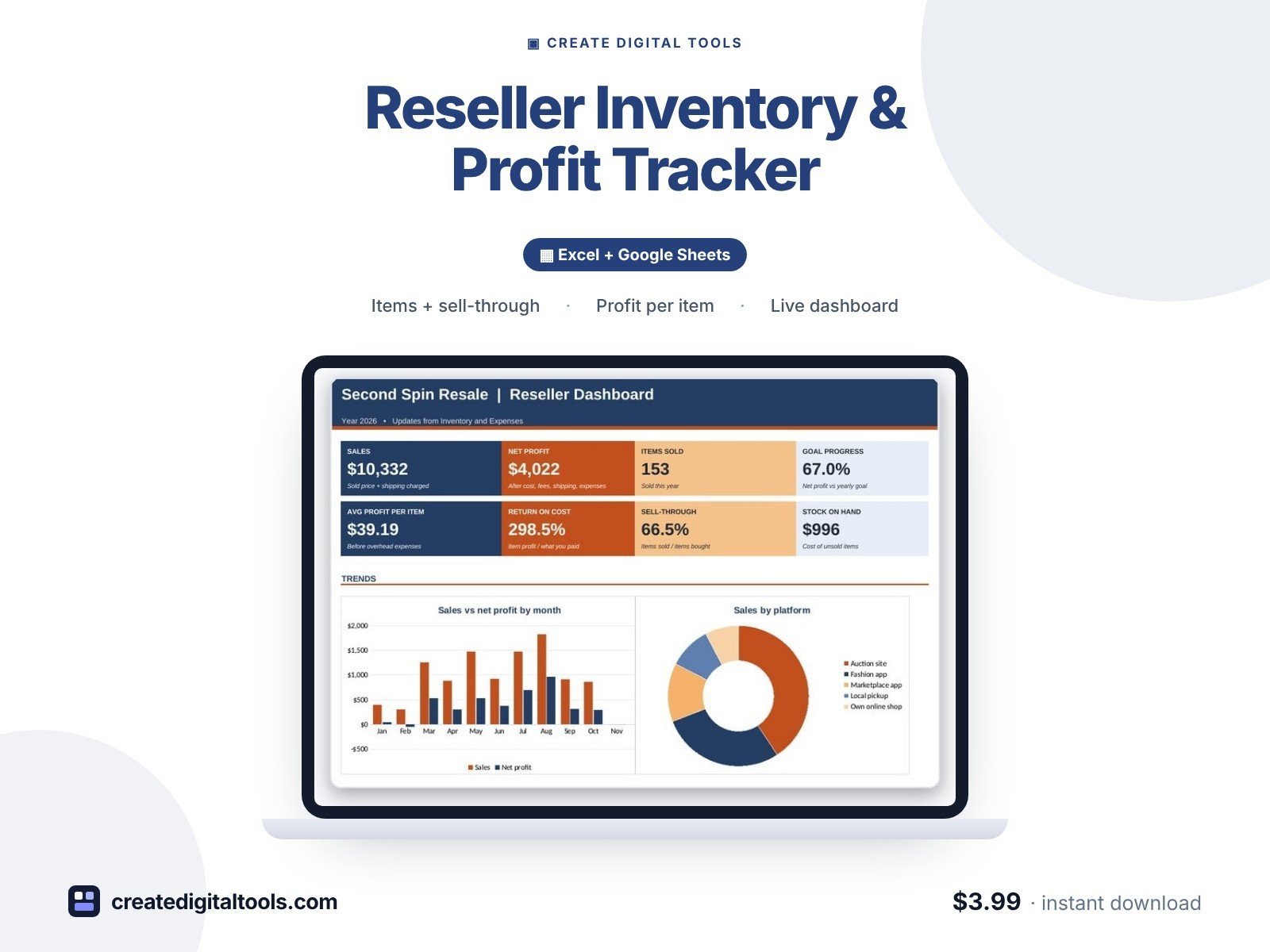
A reseller inventory and profit tracker for thrift flippers and online resellers. Add each item when you buy it, and when it sells it works out platform fees, profit, ROI and days to sell. Stale stock is flagged so you know what to reprice or bundle.
Who it’s for
Thrift flippers, clothing and vintage resellers, garage and estate sale pickers, and anyone selling secondhand items on resale apps, auction sites, marketplaces or their own shop.
What’s inside
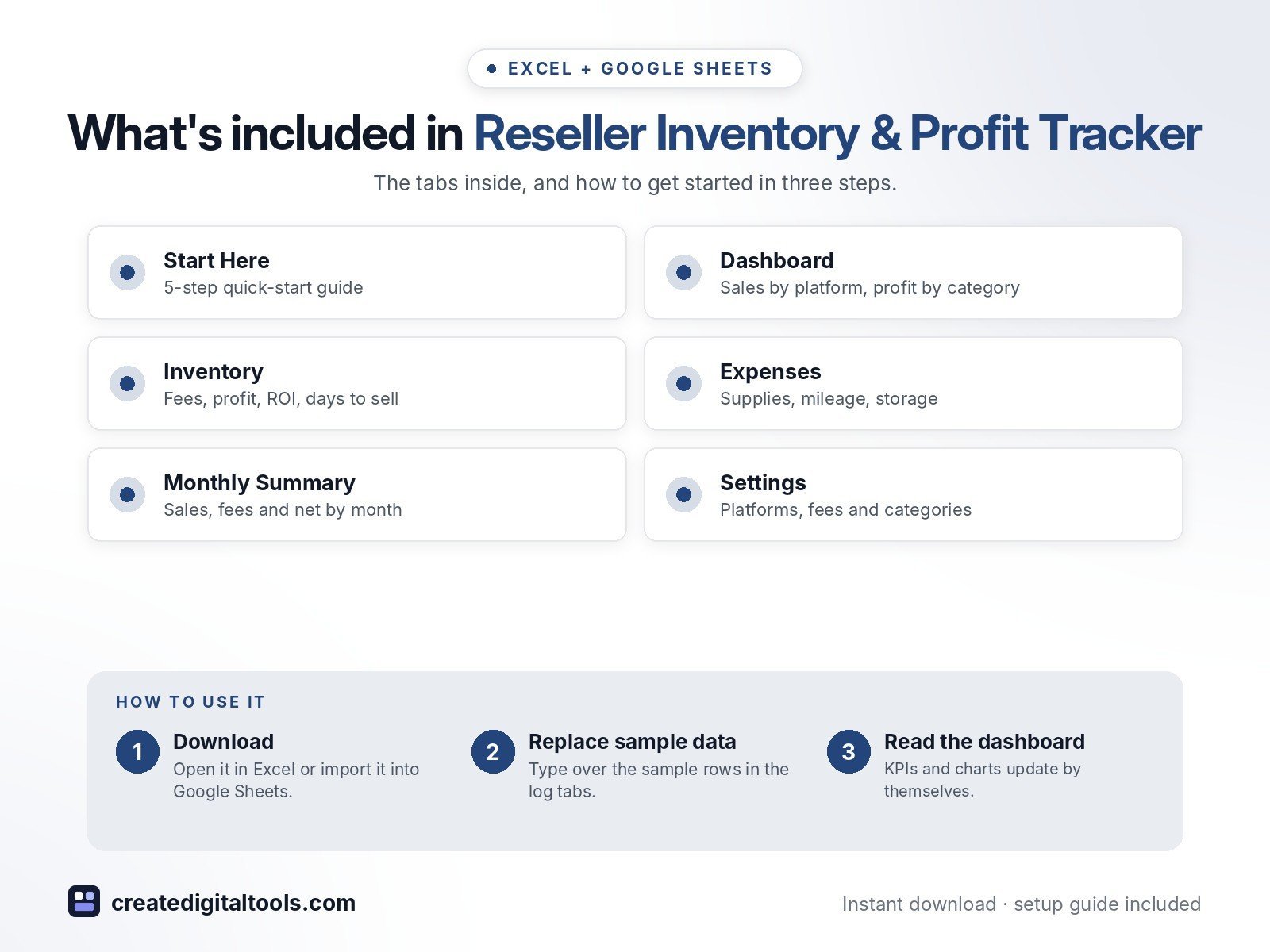
- Start Here – a 5-step quick-start guide inside the file
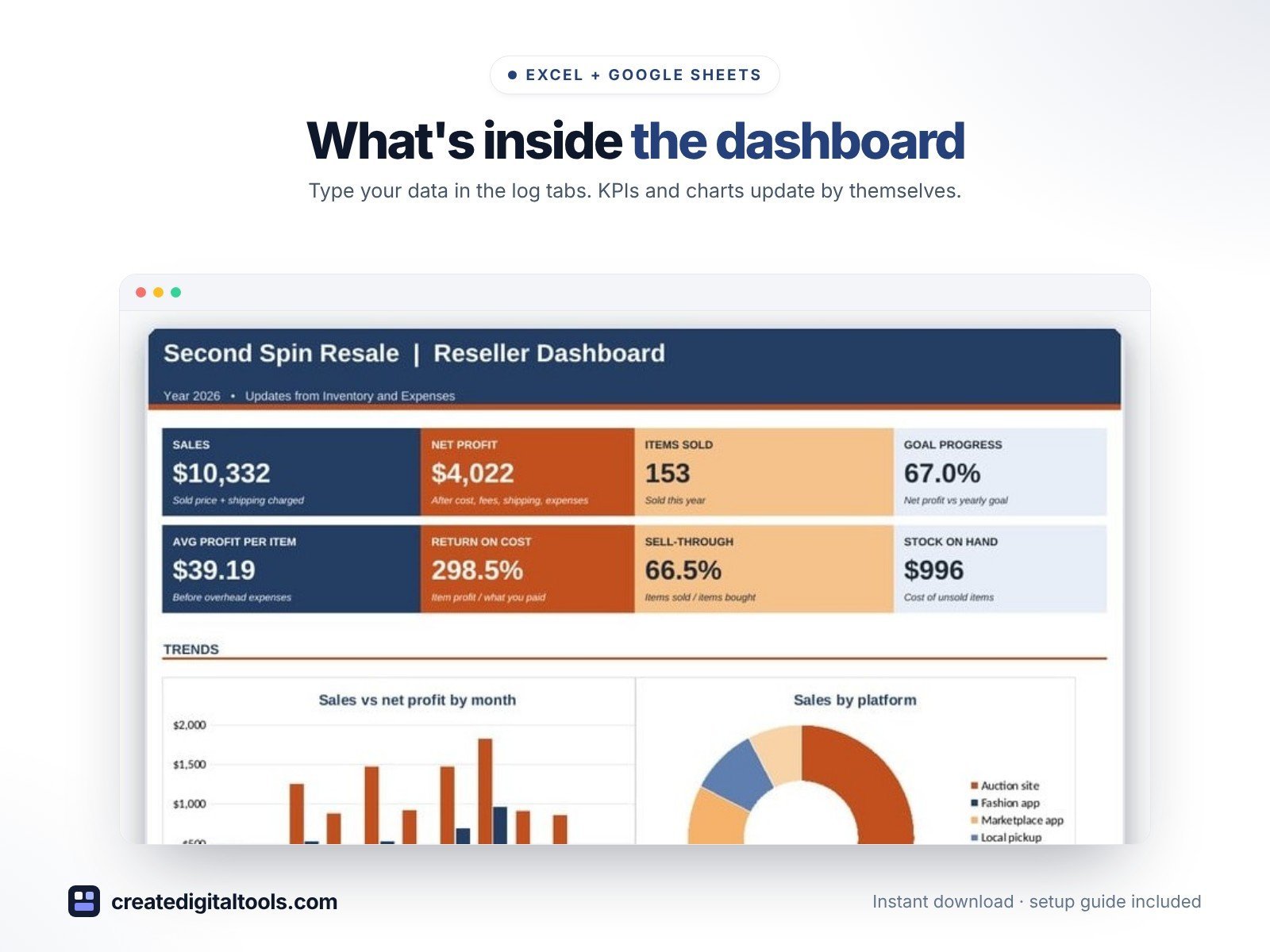
- Dashboard – KPI tiles, monthly sales vs profit, sales by platform, profit by category.
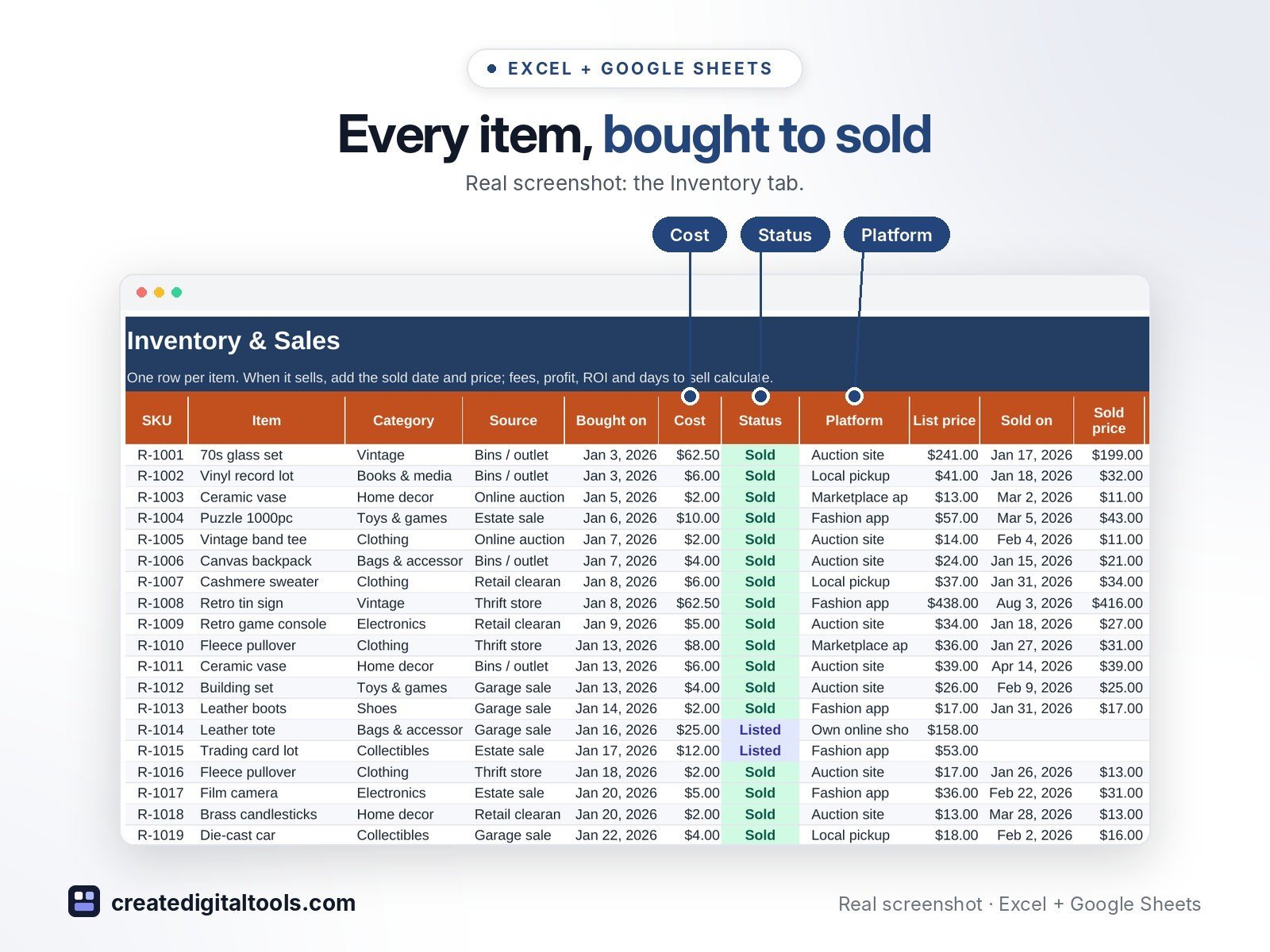
- Inventory – Every item with platform fees, profit, ROI, days to sell and age in stock.
- Expenses – Shipping supplies, packaging, mileage, storage and software.
- Monthly Summary – Items sold, sales, cost of goods, fees, shipping, expenses, net profit and stock bought.
- Settings – Platforms and fees, categories, sources, status list and expense categories.
Features
- Inventory log from purchase to sale with SKU, category, source and cost
- Platform fees from each platform's fee % and fixed fee
- Shipping charged and shipping paid per sale
- Profit, ROI and days to sell on every sold item
- Age in stock with stale-listing alerts
- Sell-through rate and stock on hand at cost
- Sales by platform and profit by category on the dashboard
- Monthly summary of items sold, sales, cost of goods, fees, shipping, profit and stock bought
How delivery works
- Instant download right after purchase: the .xlsx workbook plus a step-by-step Setup Guide PDF.
- Works in Microsoft Excel (Windows, Mac, Excel for the web) and Google Sheets (upload to Google Drive and open with Google Sheets, or File > Import).
- Comes with realistic sample data so you can see how it works, and clear instructions to remove it.
- No macros, no add-ons, no subscriptions. Pay once, use it for as long as you like.
FAQ
Which selling sites does it work with?
Any. Rename the five platforms on Settings to the sites you use and enter their current fees.
Can I track items I keep or donate?
Yes. Set the Status to Kept / donated and they drop out of stock on hand.
Does it work in Google Sheets?
Yes. Upload it to Google Drive and open it with Google Sheets, or use File > Import. Formulas, dropdowns and charts carry over.
This is a digital product. No physical item will be shipped.
Want your own store like this one? createdigitaltools.com runs on Hostinger WordPress hosting. Start your own shop with Hostinger, or try the no-code Hostinger Website Builder.
Affiliate links: I may earn a commission at no extra cost to you.