Description
Watch the setup guide & full tour
Plan the whole year, log what you spend and see exactly where your money goes, with bills, subscriptions, debt and goals in the same file.
What's Inside
- START HERE: steps and colour key
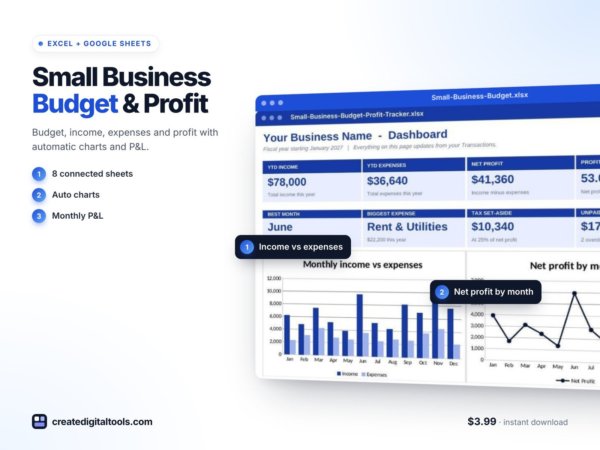
- DASHBOARD: year-to-date income, spending, debt paid, saved, savings rate, left over, net worth, emergency-fund months, charts, top categories, this month at a glance
- MONTHLY: pick any month, budget vs actual for every category and group, chart
- SETUP: year, currency, up to 40 categories in 5 groups, accounts
- BUDGET PLAN: monthly amounts for 12 months (type over any month)
- TRANSACTIONS: 3,000 rows, group and month fill in
- ANNUAL OVERVIEW: every category by month, vs plan, by group, savings rate, chart
- BILLS CALENDAR: bills with paid / due soon / overdue / autopay status and a month calendar
- SUBSCRIPTIONS: weekly to yearly costs, next renewal, 7-day alerts, money saved if you cancel
- DEBT PAYOFF: up to 10 debts, snowball vs avalanche: payoff dates, debt-free date, total interest
- SAVINGS GOALS: progress, per month needed, emergency fund months covered
- NET WORTH: assets and debts by month with a chart
Why You'll Like It
- Snowball AND avalanche compared side by side, with interest saved
- Bills calendar with paid status from your own transactions
- Subscription tracker with automatic renewal dates and alerts
- Emergency-fund months covered, worked out for you
- Works in Excel AND Google Sheets, formulas only
- A sample year to learn from
How It Works
- Download the .xlsx file and the Setup Guide PDF
- Excel: open it. Google Sheets: create a blank sheet, then File > Import > Upload > Replace spreadsheet
- Follow the Start Here tab, or watch the setup video
Please Note
- Digital download, no physical item is shipped
- A computer is recommended for setup; the Google Sheets app works for quick updates
- An organising tool for your own money, not financial advice.
- For personal and business use. Please don't resell or share the files
Want your own store like this one? createdigitaltools.com runs on Hostinger WordPress hosting. Start your own shop with Hostinger, or try the no-code Hostinger Website Builder.
Affiliate links: I may earn a commission at no extra cost to you.