Description
Setup Guide & Full Tour
If something happened to you tomorrow, would the people you trust know who to call, where your will is, which bills to cancel and what to do with your email and social accounts?
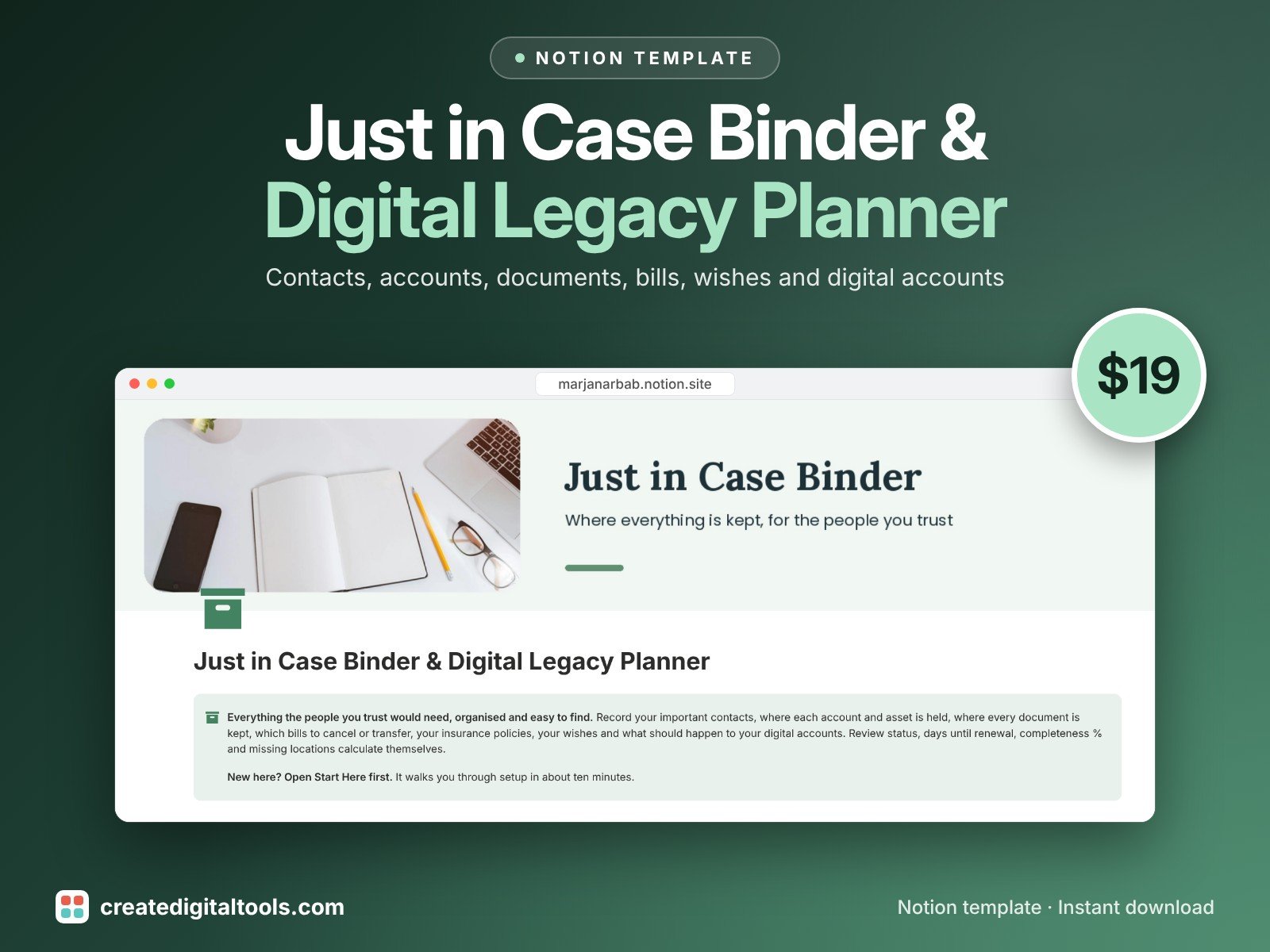
Just in Case Binder & Digital Legacy Planner is a Notion template that keeps all of that organised and private, and tells you what is still missing.
Who it’s for
- Anyone who wants their family or executor to find everything quickly
- Parents, carers and people living alone
- Executors and adult children helping a parent get organised
What’s inside
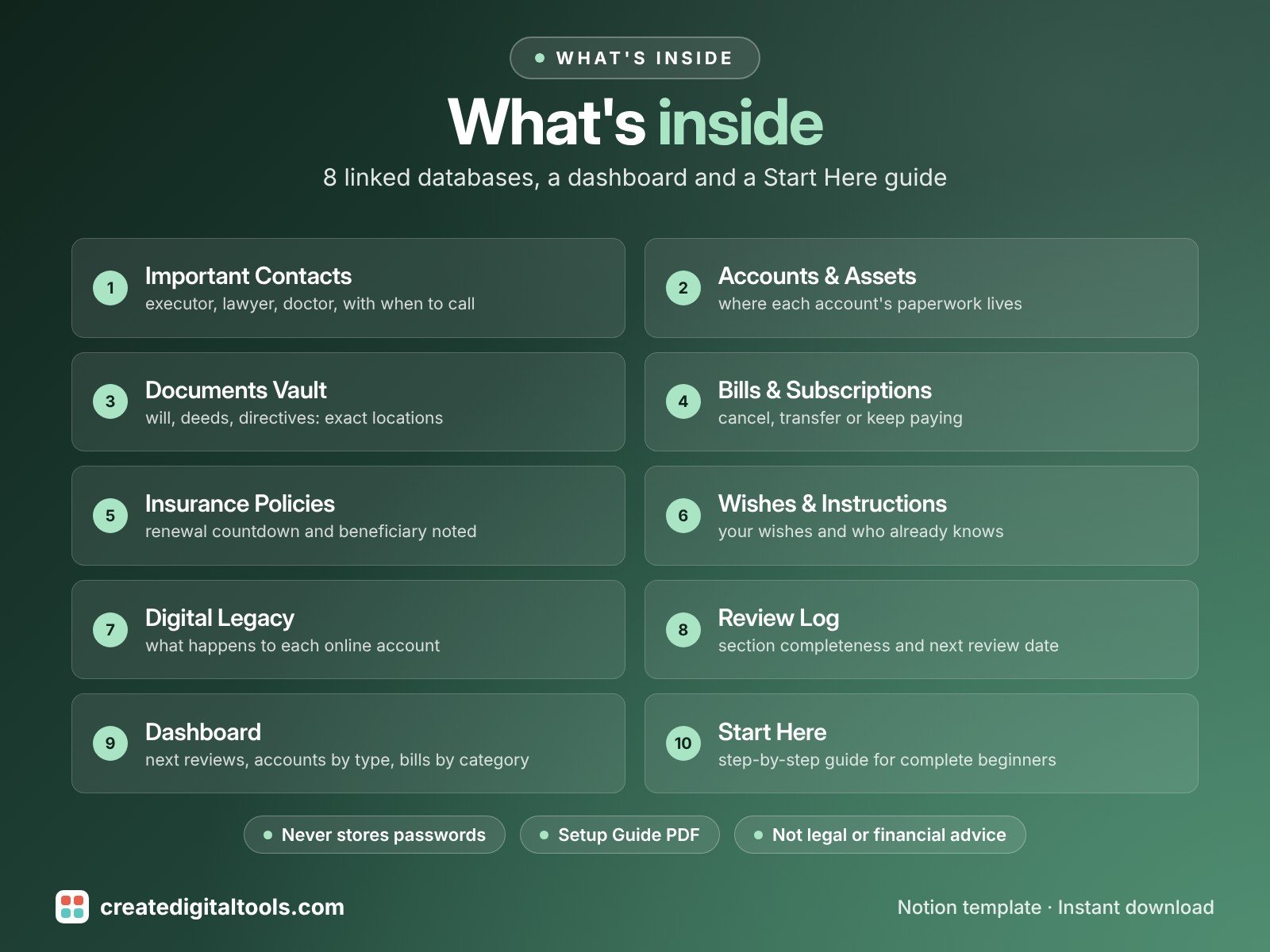
- Important Contacts: executor, backup executor, lawyer, accountant, doctor, employer / HR, insurance agent and emergency contact, each with when-to-contact notes
- Accounts & Assets: bank, savings, retirement, investment, property, vehicle, loan and digital wallet, with where the details are kept (never passwords or full account numbers)
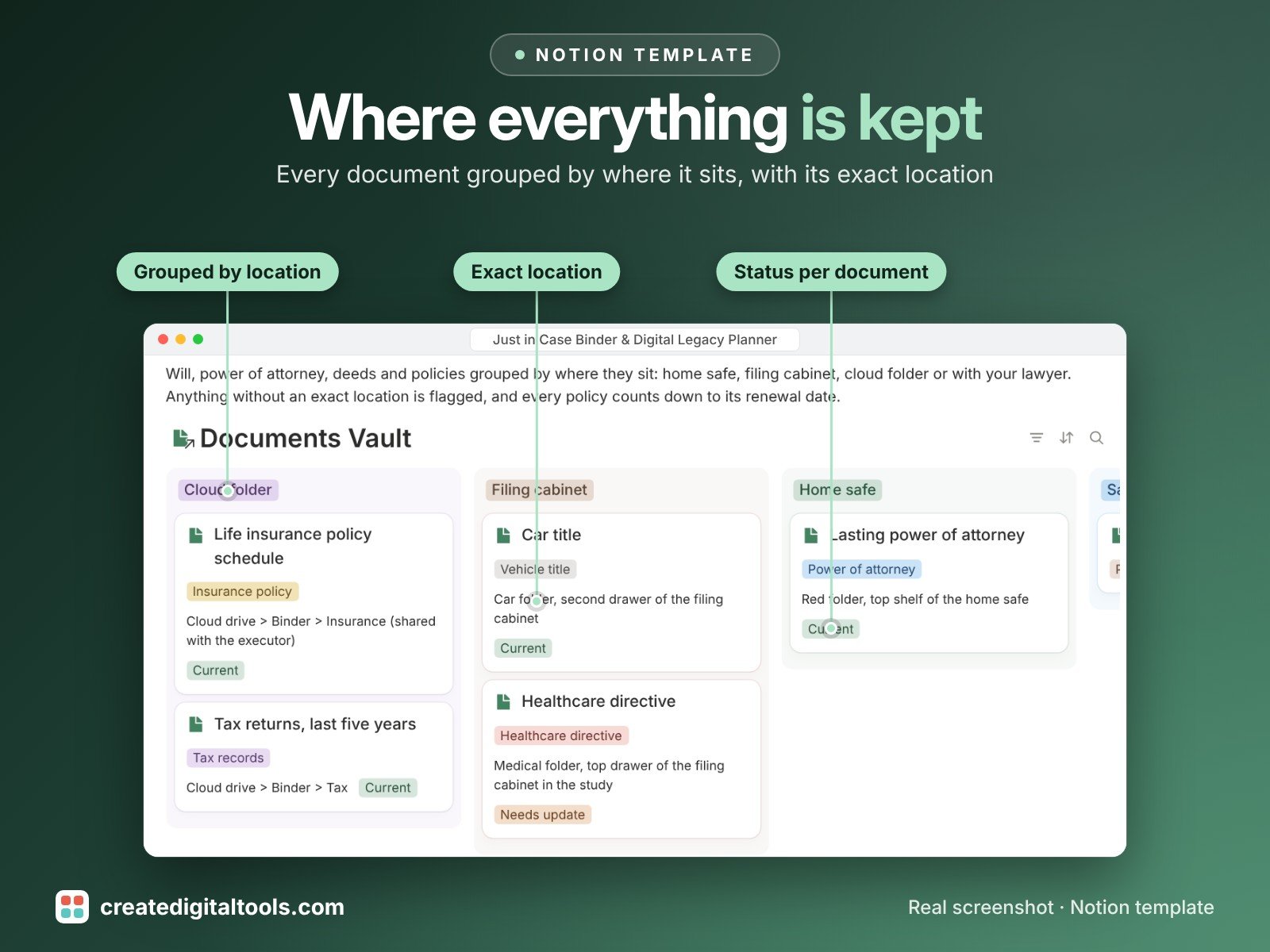
- Documents Vault: will, power of attorney, healthcare directive, deeds, titles, policies, tax records and ID, with exact location, original or copy and last updated
- Bills & Subscriptions: amount, frequency, due day, auto-pay, the paying account and cancel / transfer instructions; monthly cost and days to next due calculate themselves
- Insurance Policies: type, insurer, renewal countdown, beneficiary noted, where the policy is kept and the agent
- Wishes & Instructions: medical directive location, funeral and memorial preferences, pet care, home instructions, personal messages and who should know
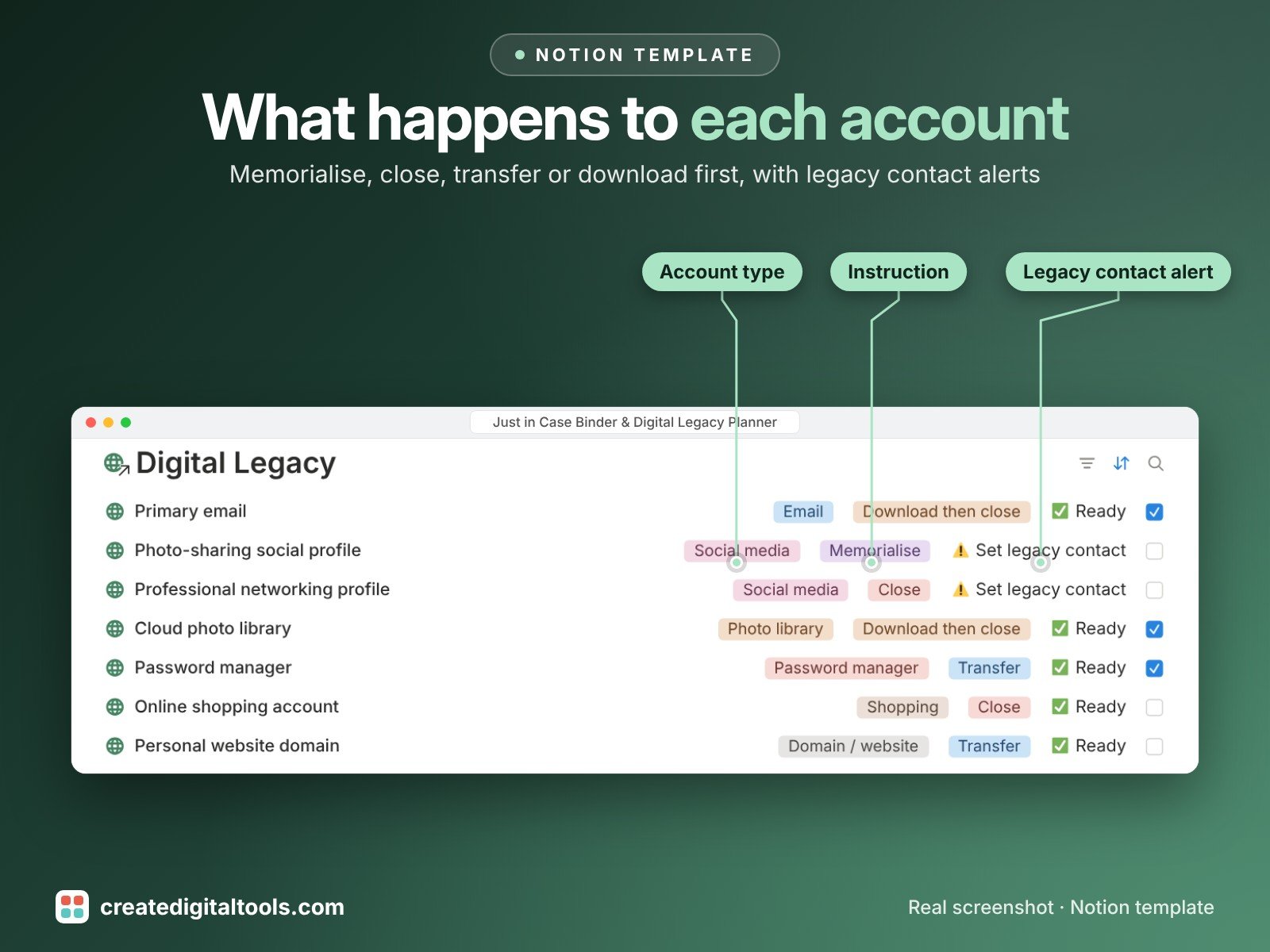
- Digital Legacy: email, social, cloud, photo, shopping and domain accounts with an instruction (memorialise, close, transfer, download then close) and a Set legacy contact alert
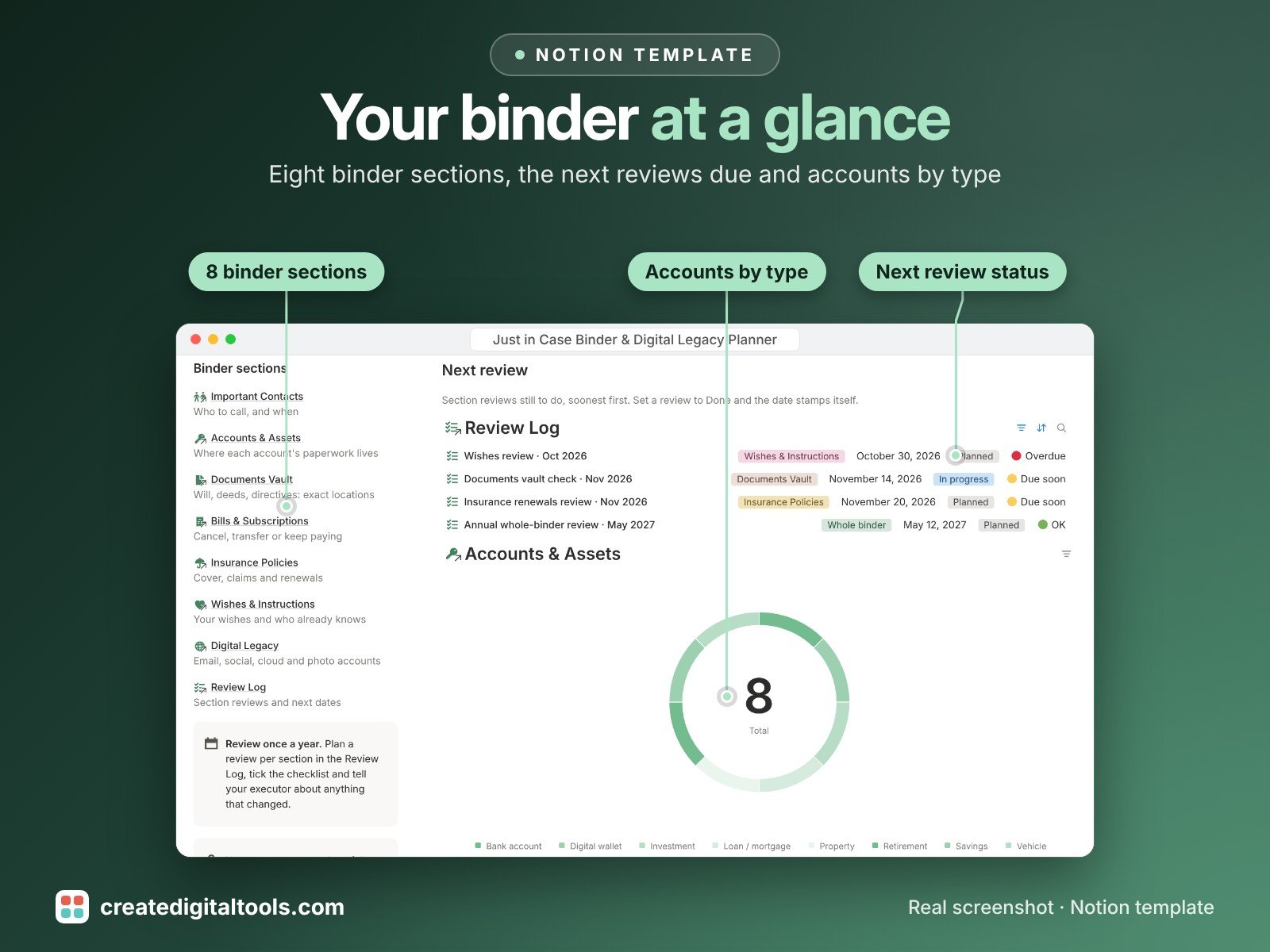
- Review Log: a review per section with a checklist, completeness %, items missing a location, next review date and Overdue / Due soon / OK status
- Dashboard: next reviews, accounts and assets by type, document locations, bills by category and go-to cards for every section
- Start Here: Step-by-Step Guide inside the template, written for complete beginners
- Fictional sample data so you can see how everything connects, easy to clear
How it works
Add each contact, account, document and bill, note exactly where its paperwork is kept, and link them together. Each section shows how complete it is and what is missing a location, and the Review Log tells you when the next yearly review is due.
Built-in automations
Four date stamps run for you: review Done stamps Reviewed on, policy Renewed stamps Renewed on, bill Cancelled stamps Cancelled on, and document Updated stamps Last updated.
Set up in 3 steps
- Open the template link in your PDF and click Duplicate to copy it into your own Notion workspace.
- Open Start Here and follow the setup: add your own details and clear the sample data when you're ready.
- Work from the dashboard and use the checklists in Start Here to keep everything up to date.
What you get
- The Notion template (instant download: a PDF with your duplicate link)
- Setup Guide PDF with a step-by-step walkthrough and FAQ
- Start Here guide inside the template
- Video walkthrough
Free plan
Works on the Free Notion plan. The built-in automations are Notion database automations, which run on paid plans (Plus and up). On the Free plan they pause and you fill those dates in by hand; every database, formula and view still works. Desktop, web and the Notion mobile app.
Please note
This organiser is not legal, financial or medical advice. Ask a qualified professional about wills, estates and directives.
Keep the template private and share it only with the people you trust. Never store passwords or full account numbers in it: record where the details are kept instead.
Digital product: nothing physical is shipped. Sample data is fictional.
Notion is a trademark of Notion Labs, Inc.; this is an independent template by Create Digital Tools (createdigitaltools.com).
New to Notion? Try it free here (affiliate link: we may earn a commission at no extra cost to you).
Want your own store like this one? createdigitaltools.com runs on Hostinger WordPress hosting. Start your own shop with Hostinger, or try the no-code Hostinger Website Builder.
Affiliate links: I may earn a commission at no extra cost to you.