

Description
Setup Guide & Full Tour
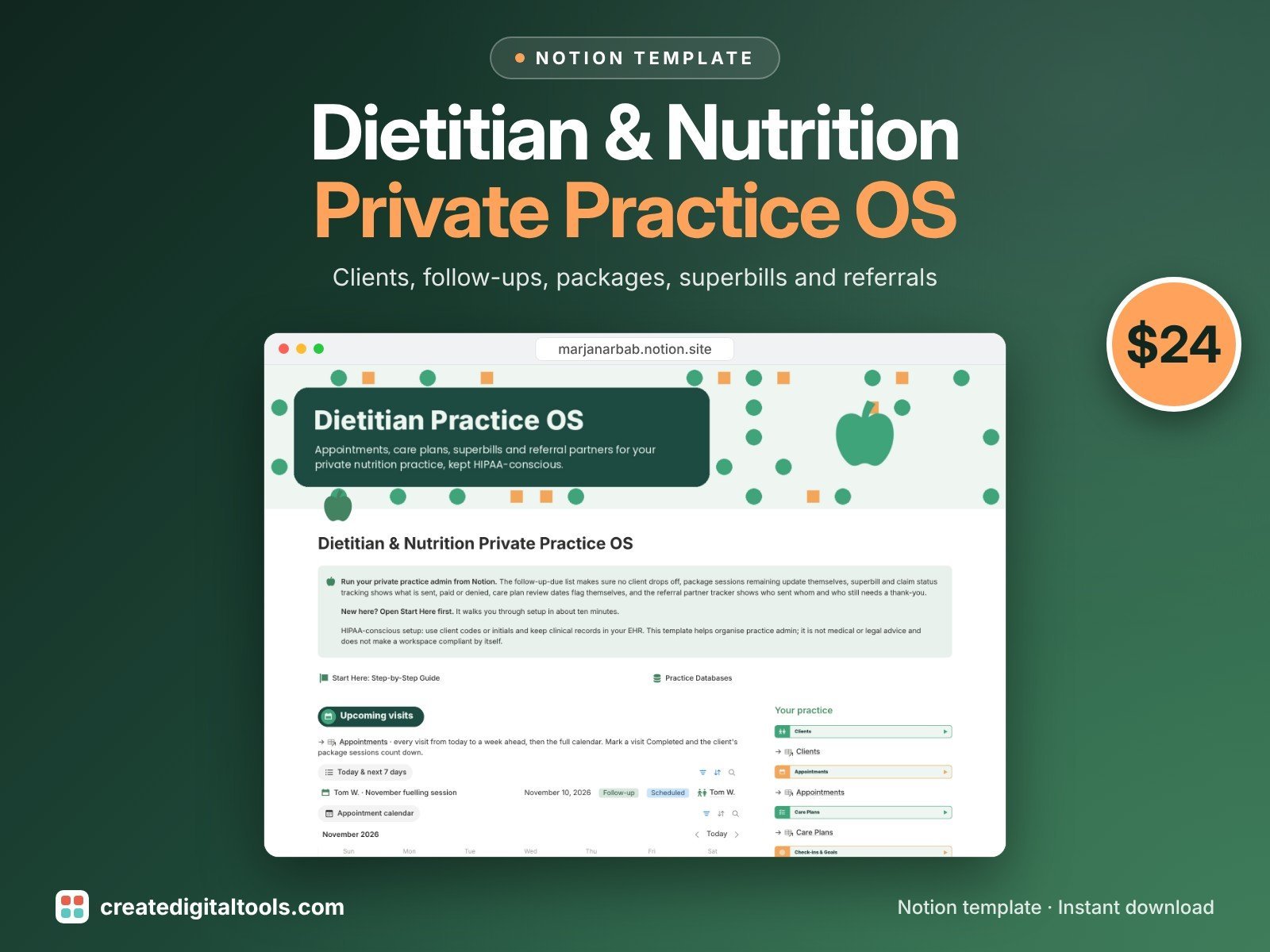
Run the admin side of your dietitian or nutrition private practice from Notion. Eight linked databases keep clients, visits, packages, billing and referrers together, so follow-ups stop living in your head.
Who it’s for
- Registered dietitians in private practice
- Nutritionists and nutrition coaches
- Small practices with a few practitioners
What’s inside
- Clients: referral source, insurance or self-pay, status, next follow-up, revenue per client and no-show rate
- Appointments: type, status, duration, fee, calendar and a to-bill list
- Care Plans: review cycle, next review date (calculated and flagged) and goals met
- Check-ins & Goals: goals on energy, blood sugar habits, digestion and sports fuelling, progress status and next check-in
- Packages & Services: sessions included, used and remaining per client, price and price per session
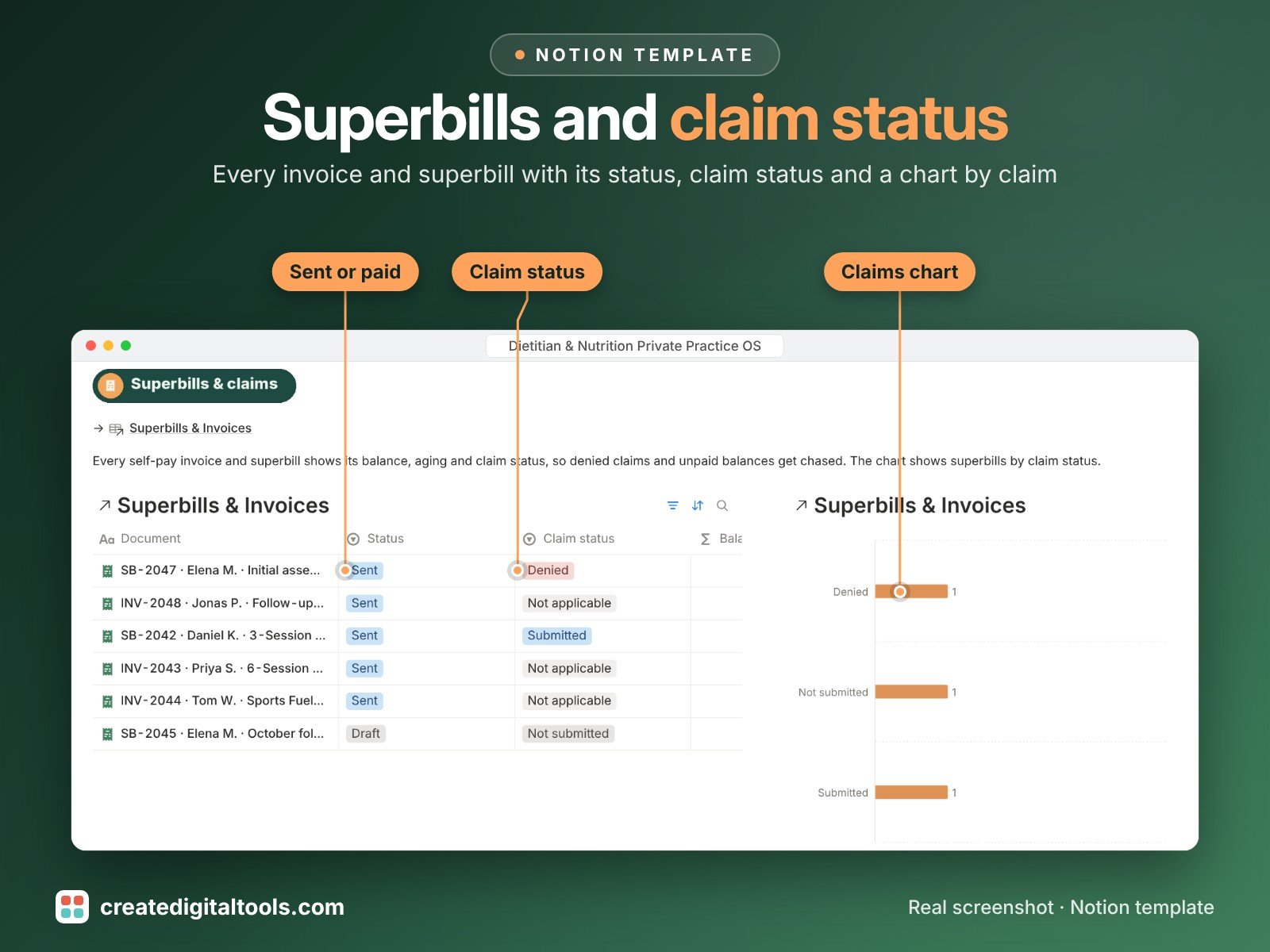
- Superbills & Invoices: self-pay invoice or superbill, claim status, amount, balance, paid on and aging
- Referral Partners: referrals per partner, follow-up thanks and next touchpoint
- Handouts & Resources: your handout library with review dates
- Front page: upcoming visits, appointment calendar, follow-up-due list (including clients with no date set), a claims chart and quick links to every database
- Start Here: Step-by-Step Guide inside the template, written for complete beginners
- Fictional sample data so you can see how everything connects, easy to clear
How it works
Add a client, book appointments and attach a package. Completed visits count down sessions remaining, care plan reviews flag themselves when due, and every invoice or superbill shows its balance, aging and claim status.
Built-in automations
Five automations stamp dates for you: Appointment Completed sets Completed on; Superbill or invoice Sent sets Sent on; Invoice Paid sets Paid on; Care plan Reviewed sets Reviewed on; Client Discharged sets Closed on.
Set up in 3 steps
- Open the template link in your PDF and click Duplicate to copy it into your own Notion workspace.
- Open Start Here and follow the setup: add your own details and clear the sample data when you’re ready.
- Work from the front page every day and use the weekly checklist in Start Here to keep everything up to date.
What you get
- The Notion template (instant download: a PDF with your duplicate link)
- Setup Guide PDF with a step-by-step walkthrough and FAQ
- Start Here guide inside the template
- Video walkthrough: setup guide and full tour (at the top of this page)
Free plan
Works on the Free Notion plan. The built-in automations are Notion database automations, which run on paid plans (Plus and up). On the Free plan they pause and you fill those dates in by hand; every database, formula and view still works. Desktop, web and the Notion mobile app.
Please note
HIPAA-conscious setup: this template helps organise practice admin. It is not medical or legal advice and does not make a workspace compliant by itself. Use client codes or initials and keep clinical records in your EHR unless you have checked your own obligations. It tracks superbills and claims; it does not create or submit them.
Digital product: nothing physical is shipped. Sample data is fictional.
Notion is a trademark of Notion Labs, Inc.; this is an independent template by Create Digital Tools (createdigitaltools.com).
New to Notion? Try it free here (affiliate link: we may earn a commission at no extra cost to you).
Want your own store like this one? createdigitaltools.com runs on Hostinger WordPress hosting. Start your own shop with Hostinger, or try the no-code Hostinger Website Builder.
Affiliate links: I may earn a commission at no extra cost to you.