Description
Setup Guide & Full Tour (8 min, start here if you are new to Notion)
Watch every department guide (12 short videos) →
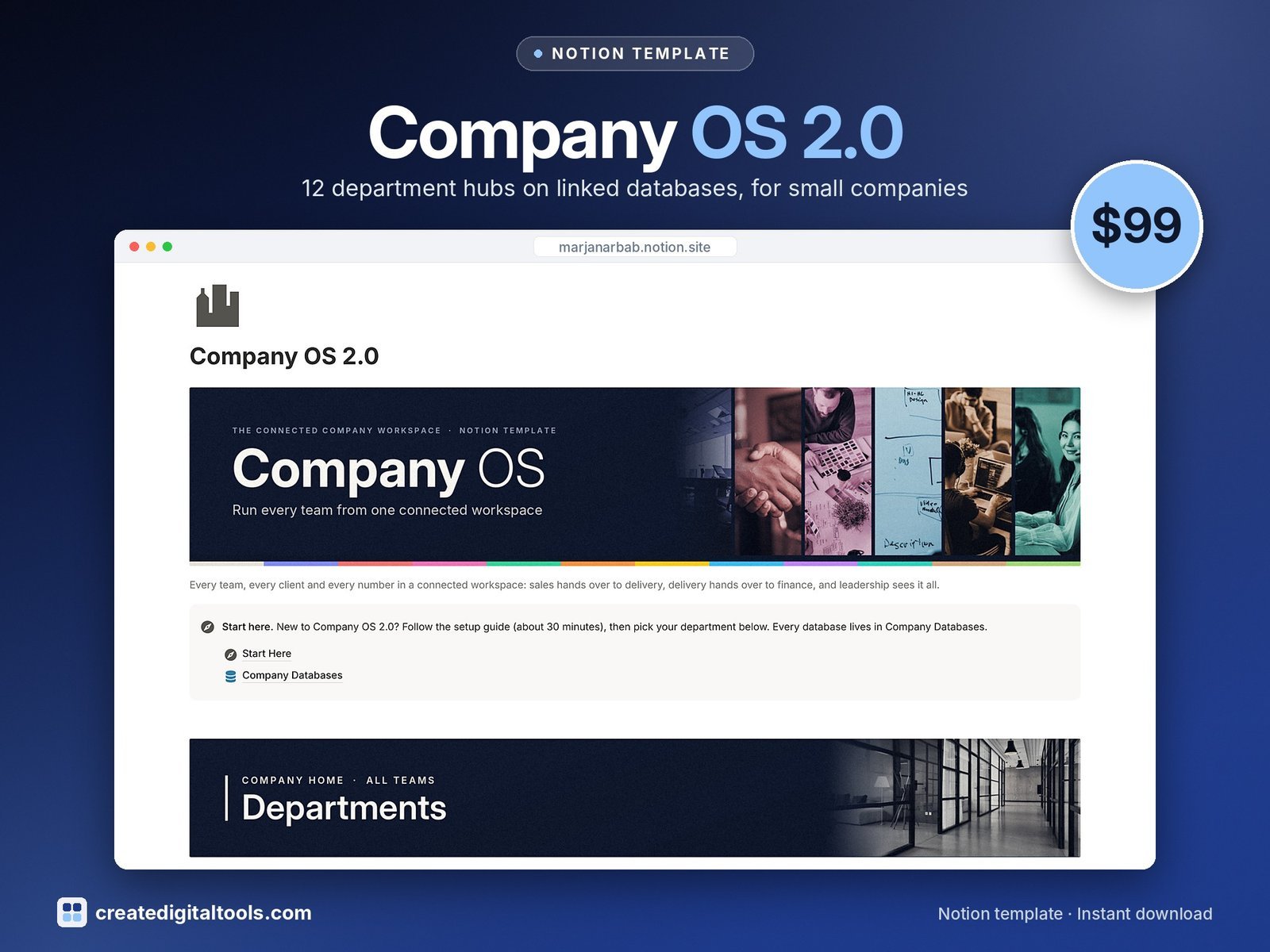
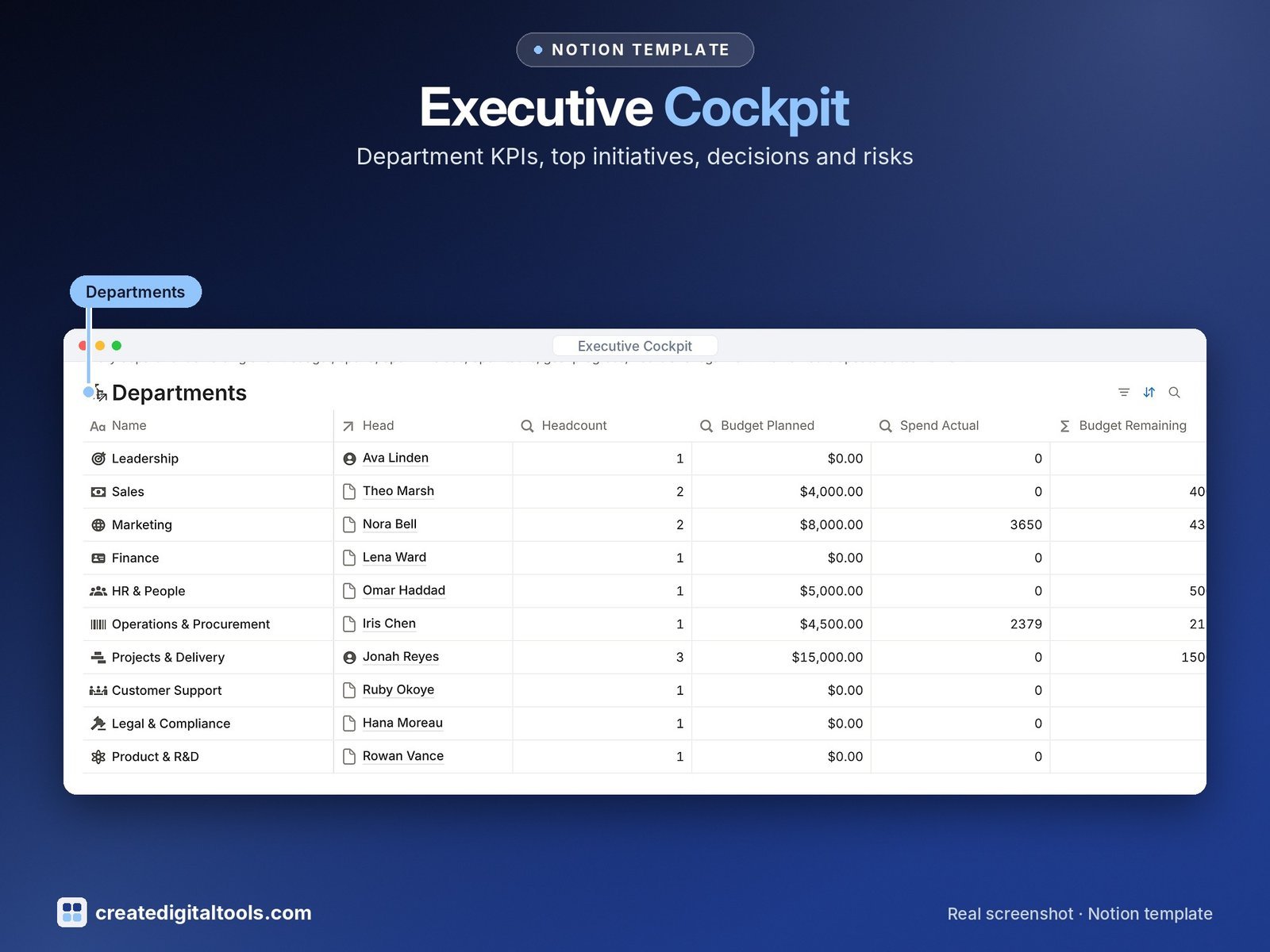
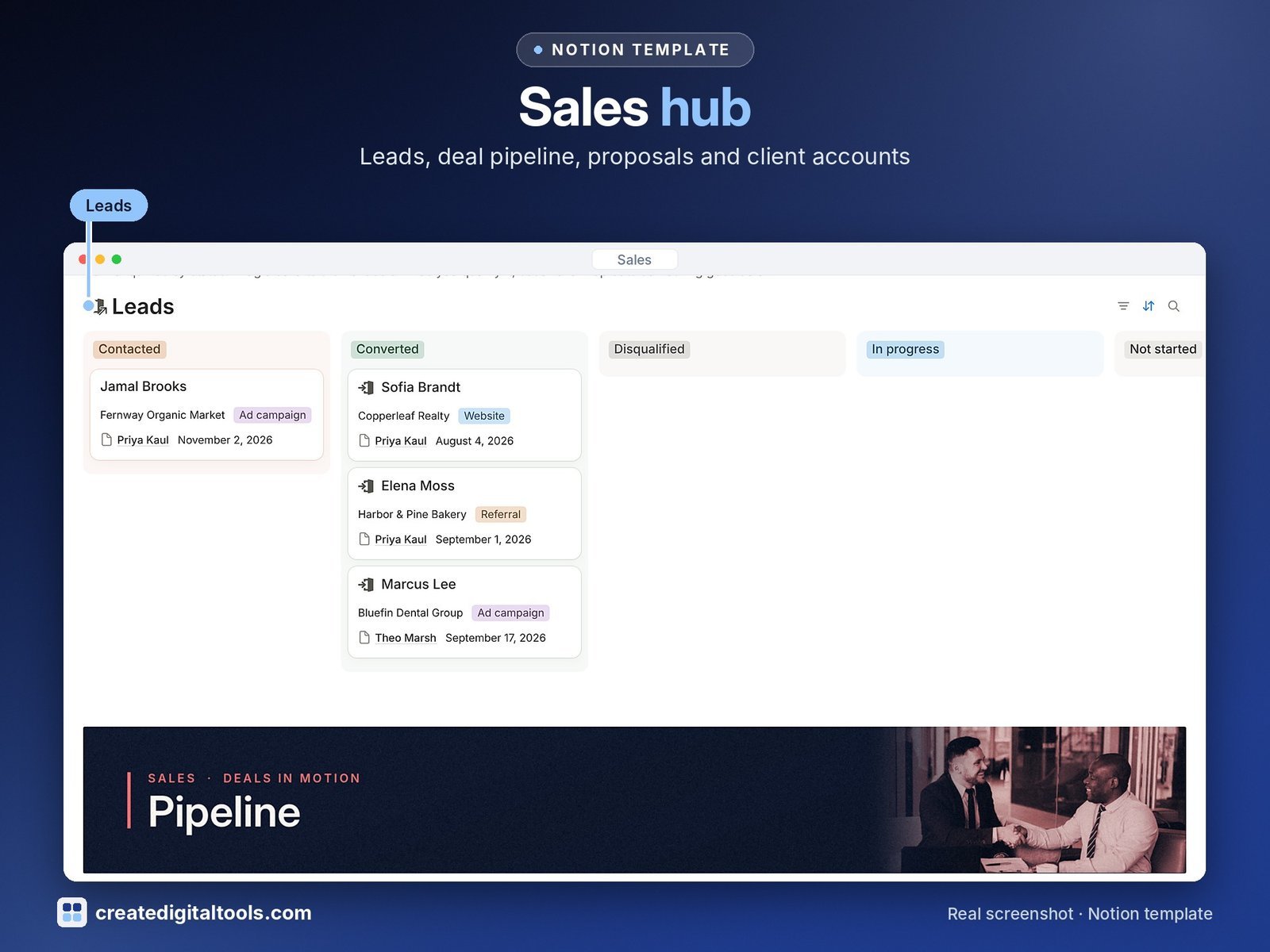
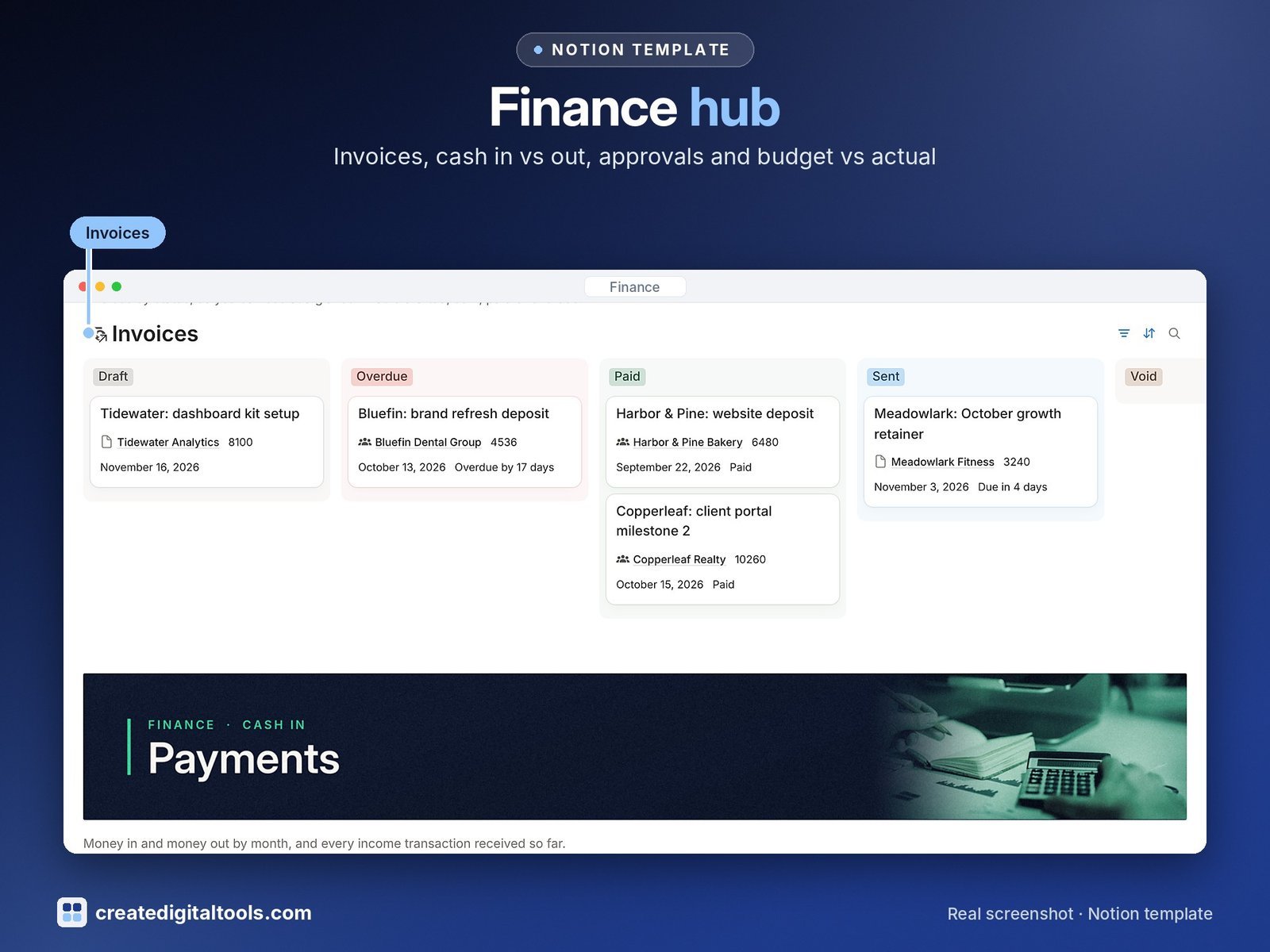
Company OS 2.0 gives each department its own workspace and links them through shared databases, so a lead becomes a deal, the deal becomes a project, and the project becomes an invoice and a payment without copying anything between tools. Leadership sees it all from the Executive Cockpit.
See the full Company OS tour and every department →
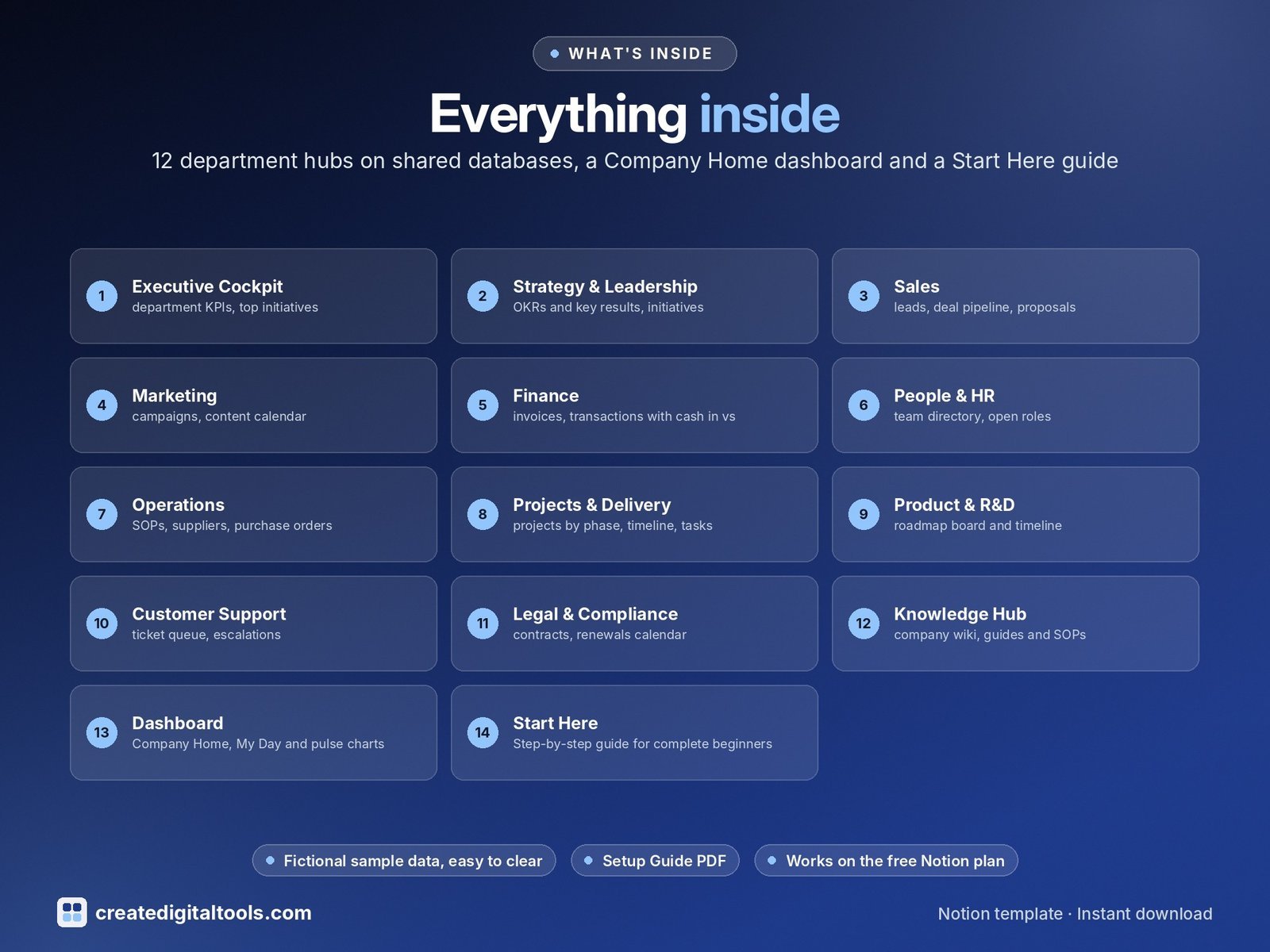
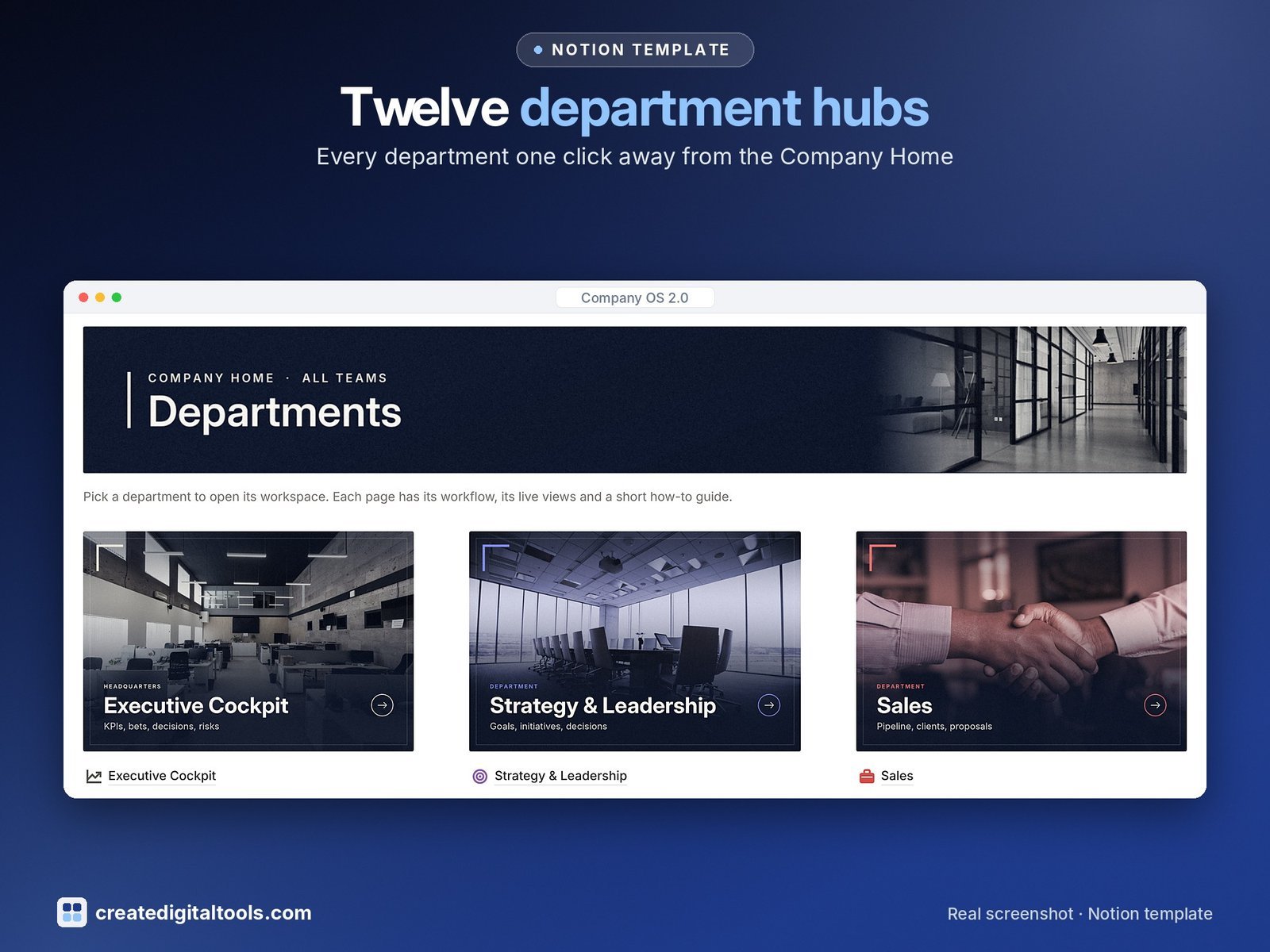
12 department areas
- Executive Cockpit · department KPIs, top initiatives, key decisions, Risks & Watchlist
- Strategy & Leadership · OKRs, Key Results, Annual Plan & Initiatives, Decisions Log, Meetings
- Sales · Leads, Deals, Clients, Proposals & Quotes, Products & Services
- Marketing · Ad Campaigns, Social Post Calendar, Social Content Post, Social Media Platforms, Branding and Design
- Finance · Income and Expense Tracker, Invoices, Budget, Payroll Summary
- People & HR · Employee Directory, Job Openings, Candidates, Onboarding, Leave Requests, Performance Reviews, Training
- Operations · Vendors, Purchase Orders, Equipment, Software & Subscriptions, Inventory & Stock
- Projects & Delivery · Projects, Tasks, Milestones, Time Tracking, Project Costs, Team & Resource Matrix
- Product & R&D · Product Roadmap with RICE score, Feature Requests, Releases
- Customer Support · Support Tickets, Escalations, CSAT & Feedback, help-centre articles
- Legal & Compliance · Contracts, Compliance & Licences, Legal Requests, company policies
- Knowledge Hub · company wiki, SOPs and how-tos, meeting notes, review queue
Every department page works the same way
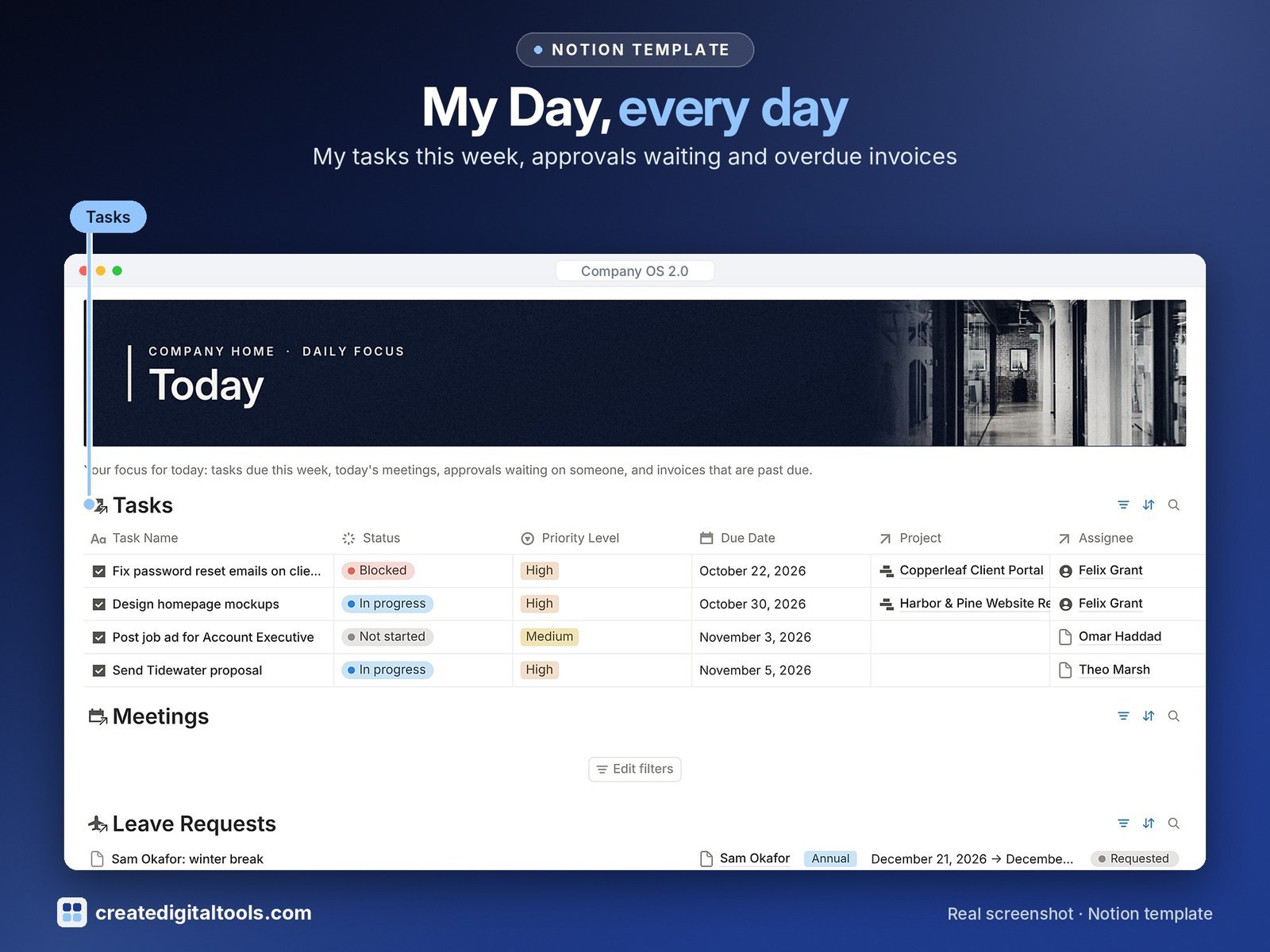
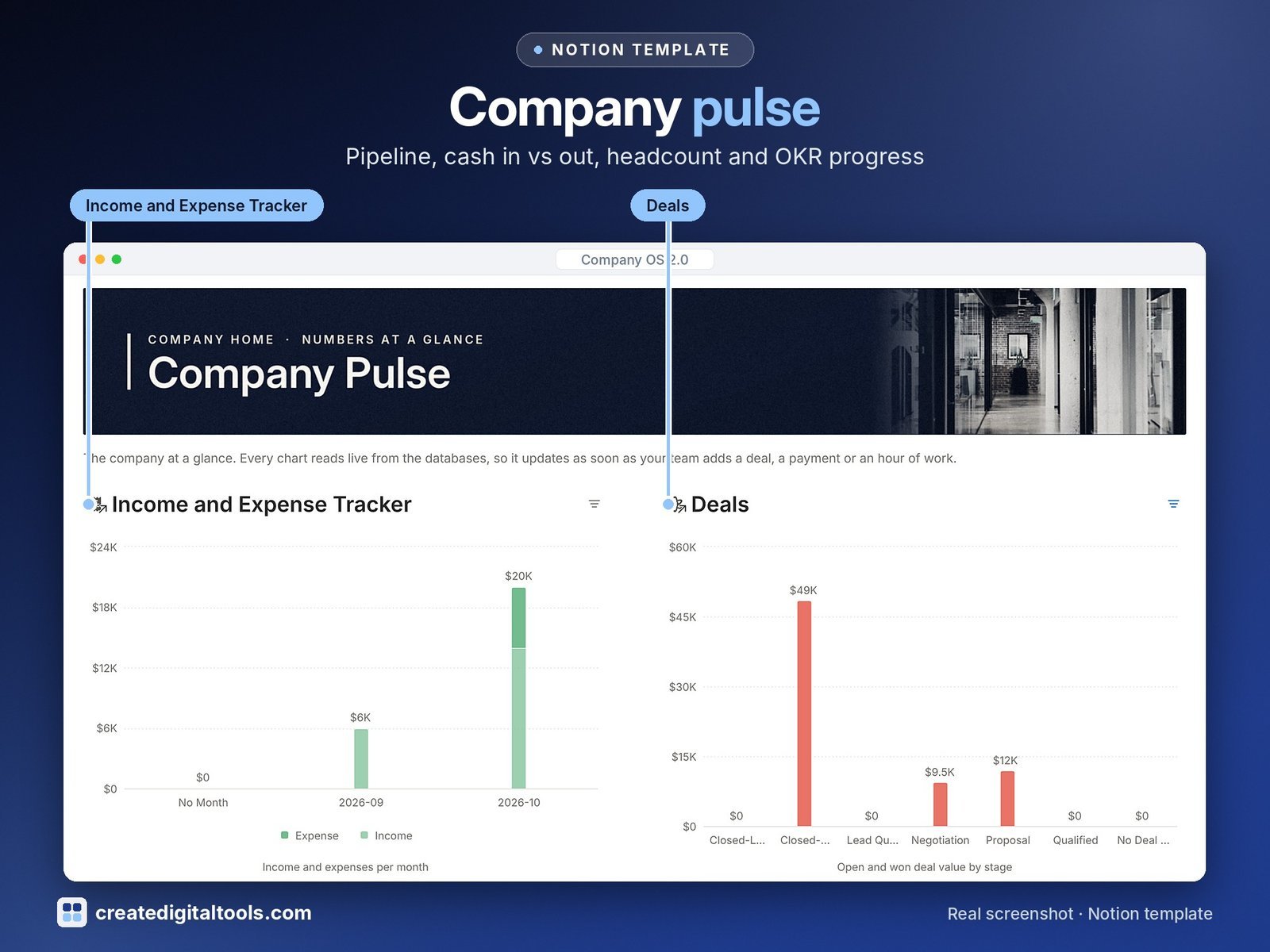
A purpose callout, a six-step “How it works” section, live views grouped into sections, and a “Guides & templates” toggle with a step-by-step guide. The Company Home page adds My Day (your tasks this week, today’s meetings, approvals waiting, overdue invoices), Company pulse charts and Quick add links.
Set up in about 30 minutes
Start Here walks you through eight steps, including a checklist that clears the sample data in the right order, and a “Your first week” plan.
Works on Notion’s Free plan
Databases, relations, rollups, formulas and linked views only. No Notion AI. Rollups, flags, filtered views and charts update by themselves; your team creates records, moves statuses, logs time and approves spending.
What you get
- A PDF with the Duplicate link: one click copies the full template into your Notion workspace
- Setup Guide PDF with a step-by-step walkthrough and FAQ
Good to know
- Sample data describes a fictional company, Northwind Studio Co.
- Finance and Legal & Compliance help you organise records; they are not financial, tax or legal advice.
- Independent template by Create Digital Tools. Not affiliated with or endorsed by Notion Labs, Inc.
- New to Notion? Get started with Notion (affiliate link: we may earn a commission at no extra cost to you).
Also on Gumroad: Company OS 2.0: The Connected Company Workspace for Notion
Want your own store like this one? createdigitaltools.com runs on Hostinger WordPress hosting. Start your own shop with Hostinger, or try the no-code Hostinger Website Builder.
Affiliate links: I may earn a commission at no extra cost to you.