Description
Business Expense & Mileage Tracker
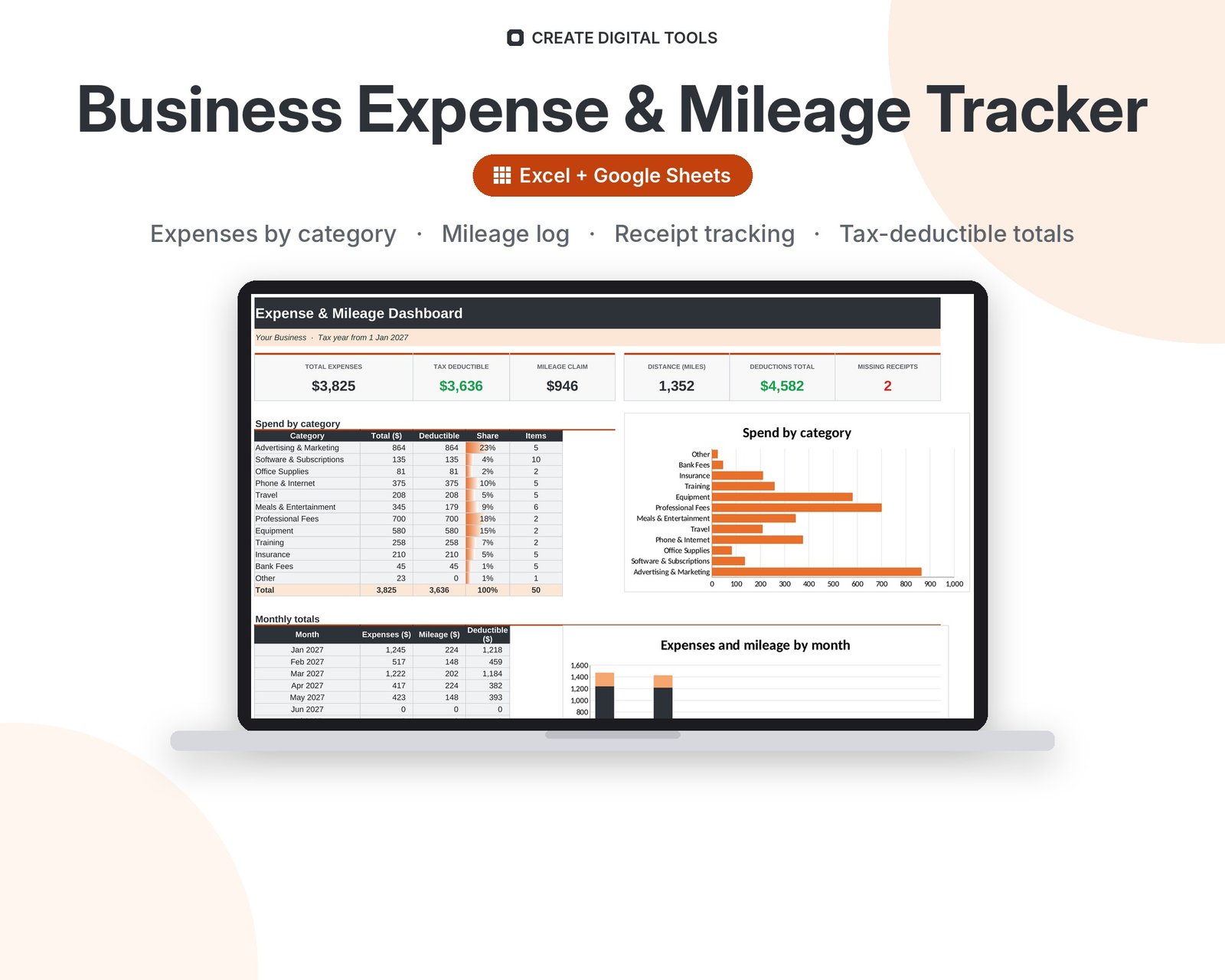
A business expense and mileage tracker for the self-employed and small businesses. Log expenses by category with receipt references and a tax-deductible flag, record business trips with your own rate per mile or km, and get monthly and yearly totals by category that are ready for your accountant.
Who it’s for
Freelancers, sole traders, contractors, realtors, delivery drivers, consultants, small business owners and anyone who claims business expenses or mileage.
What’s inside
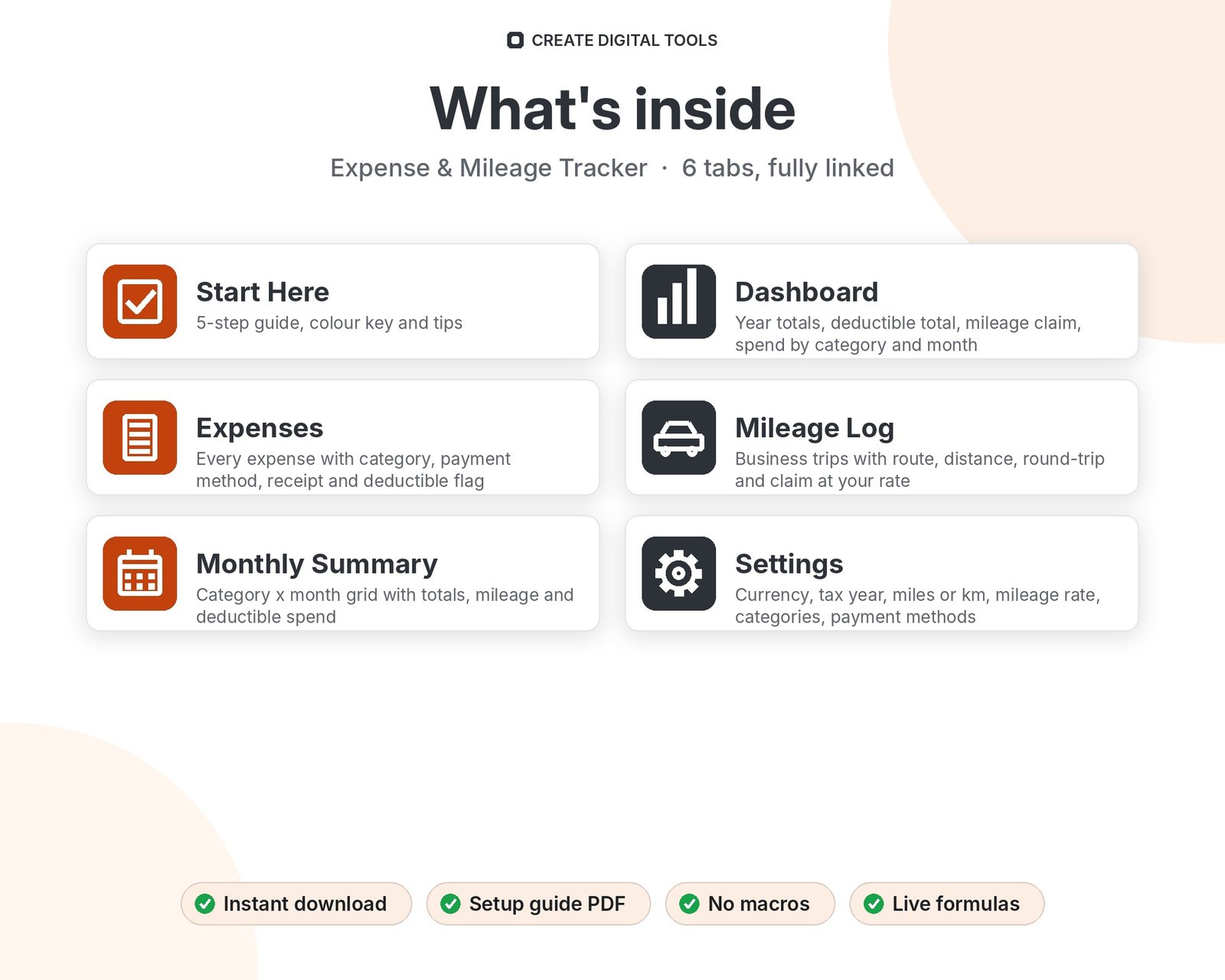
- Start Here – a 5-step quick-start guide inside the file
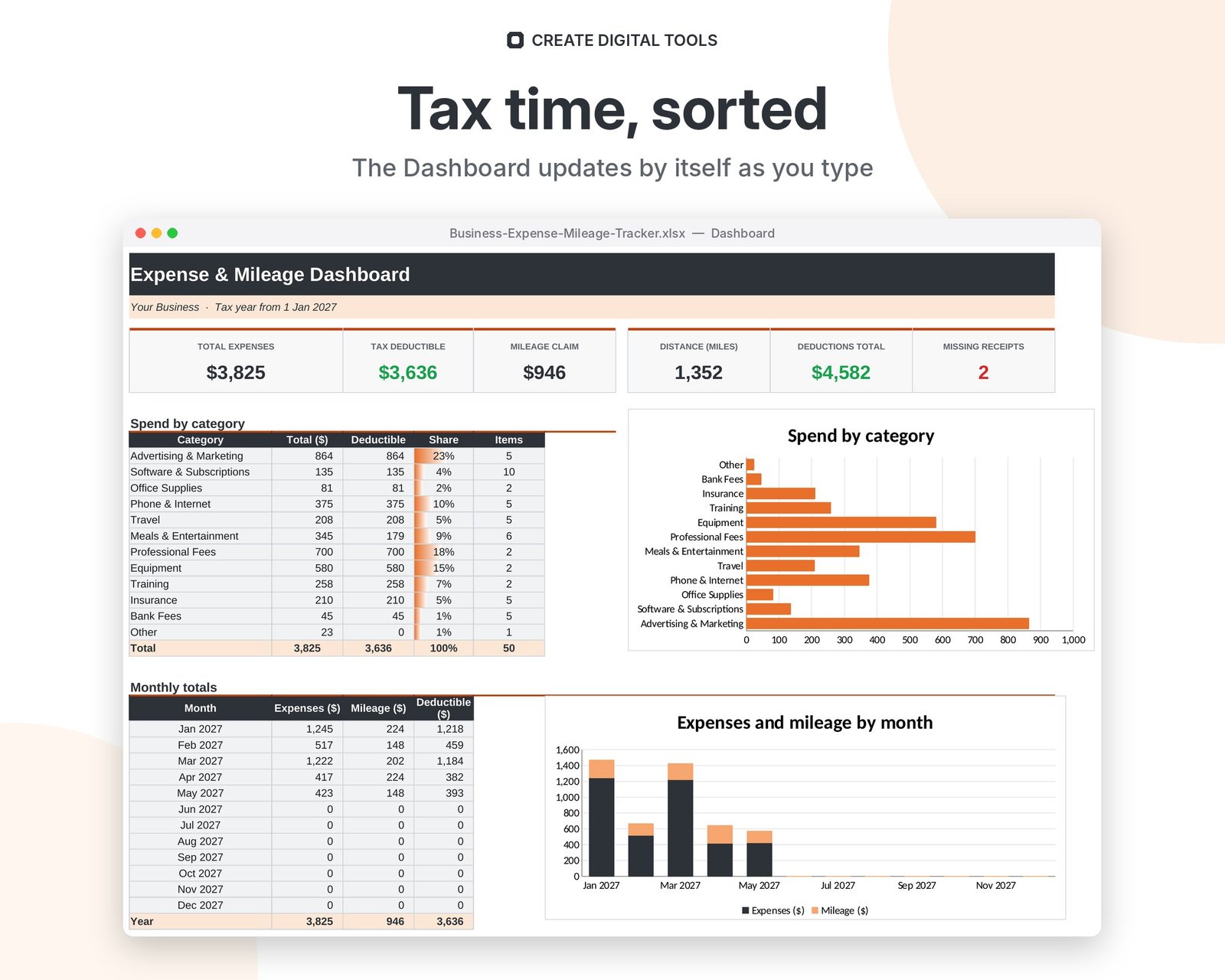
- Dashboard – Year totals, deductible total, mileage claim, spend by category and month
- Expenses – Every expense with category, payment method, receipt and deductible flag
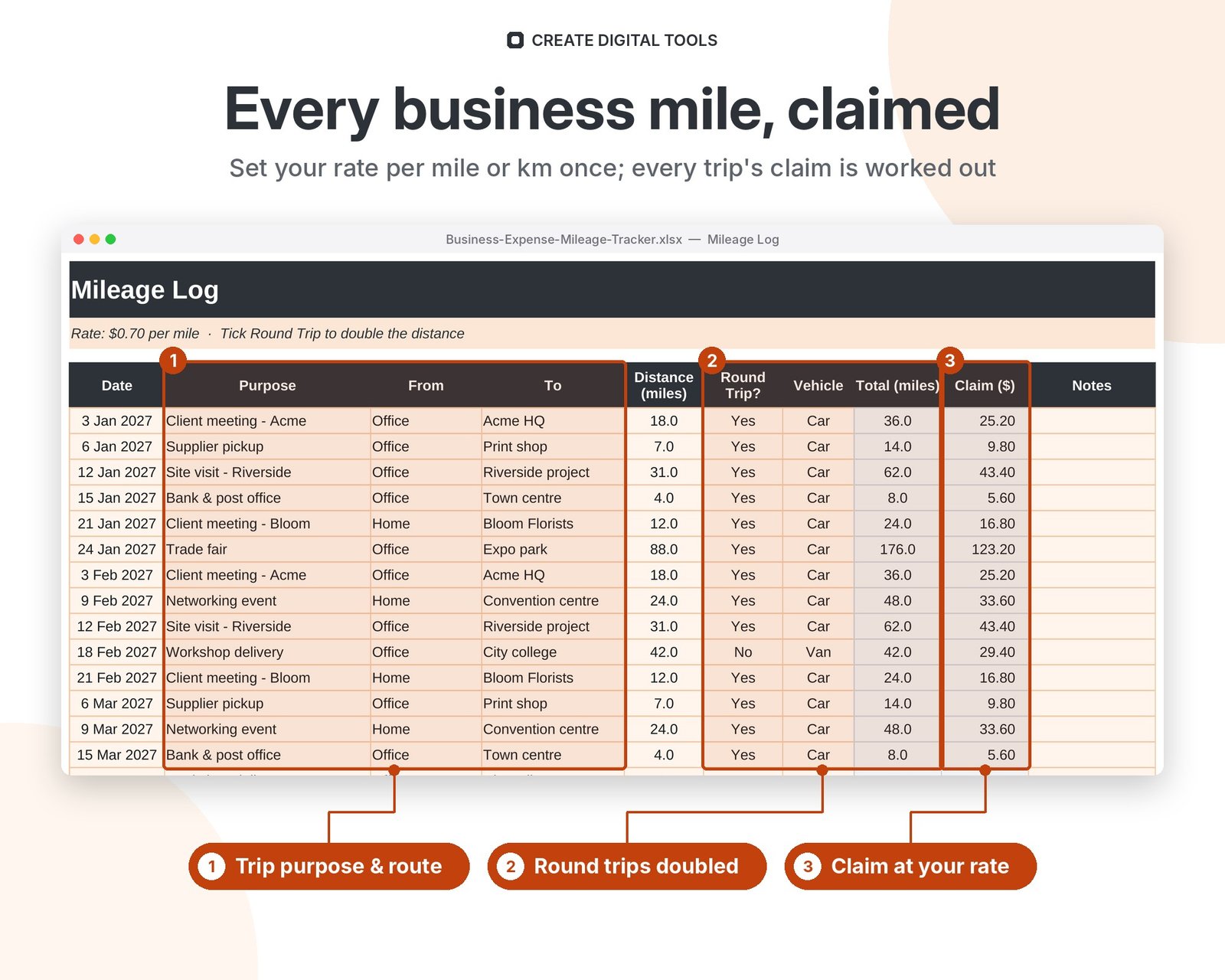
- Mileage Log – Business trips with route, distance, round-trip and claim at your rate
- Monthly Summary – Category x month grid with totals, mileage and deductible spend
- Settings – Currency, tax year, miles or km, mileage rate, categories, payment methods
Features
- Expense log with category, vendor, payment method and notes
- Receipt column for a number or a link, with missing-receipt flags
- Tax-deductible flag and deductible totals
- Mileage log with round-trip option, in miles or km
- Your own mileage rate on Settings
- Monthly summary: every category by month plus mileage
- Dashboard with year totals and charts by category and month
- Editable categories, payment methods and tax year
How delivery works
- Instant download right after purchase: the .xlsx workbook plus a step-by-step Setup Guide PDF.
- Works in Microsoft Excel (Windows, Mac, Excel for the web) and Google Sheets (upload to Google Drive and open with Google Sheets, or File > Import).
- Comes with realistic sample data so you can see how it works, and clear instructions to remove it.
- No macros, no add-ons, no subscriptions. Pay once, use it for as long as you like.
FAQ
Does it work in Google Sheets?
Yes. Upload to Google Drive and open with Google Sheets, or use File > Import. Formulas, dropdowns and charts all work.
Can I use kilometres?
Yes. Choose km on Settings and type your rate per km. All headings switch to km.
Can I attach receipts?
Spreadsheets can't hold files, but you can paste a link to the receipt (Drive, Dropbox, OneDrive) or a receipt number in the Receipt column.
Is this tax advice?
No. It organises your records. Check deductible rules and mileage rates with your tax authority or accountant.
Also available in Rideshare & Delivery Driver Green: Rideshare & Delivery Driver Expense & Mileage Tracker
This is a digital product. No physical item will be shipped.
Want your own store like this one? createdigitaltools.com runs on Hostinger WordPress hosting. Start your own shop with Hostinger, or try the no-code Hostinger Website Builder.
Affiliate links: I may earn a commission at no extra cost to you.