Description
Setup Guide & Full Tour (5 min, start here if you are new to spreadsheets)
Quick demo
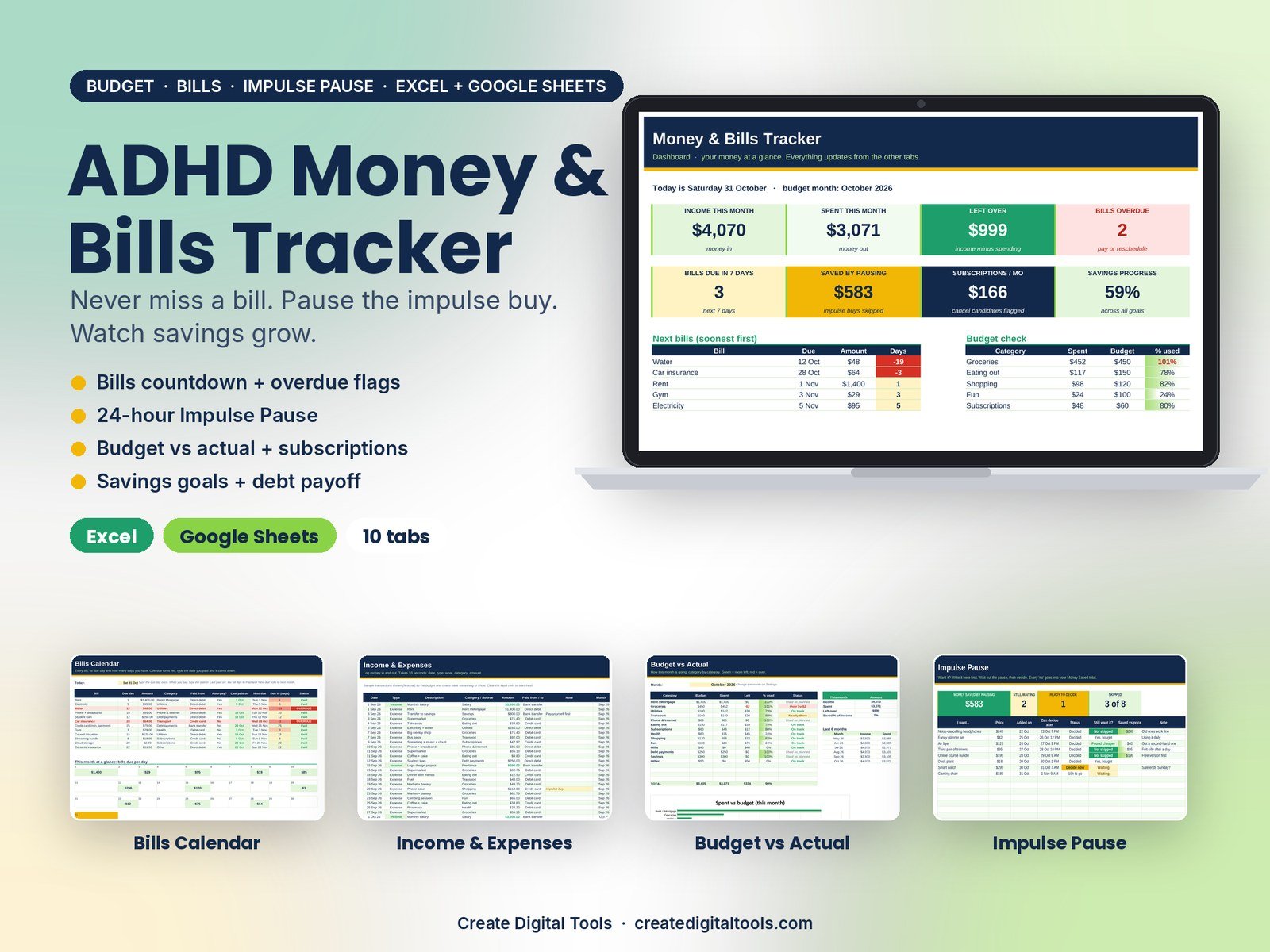
A confident, colour-coded money tracker for ADHD brains. See every bill counting down, log money in and out in seconds, pause impulse buys for 24 hours, catch forgotten subscriptions and watch savings goals fill up.
What’s inside
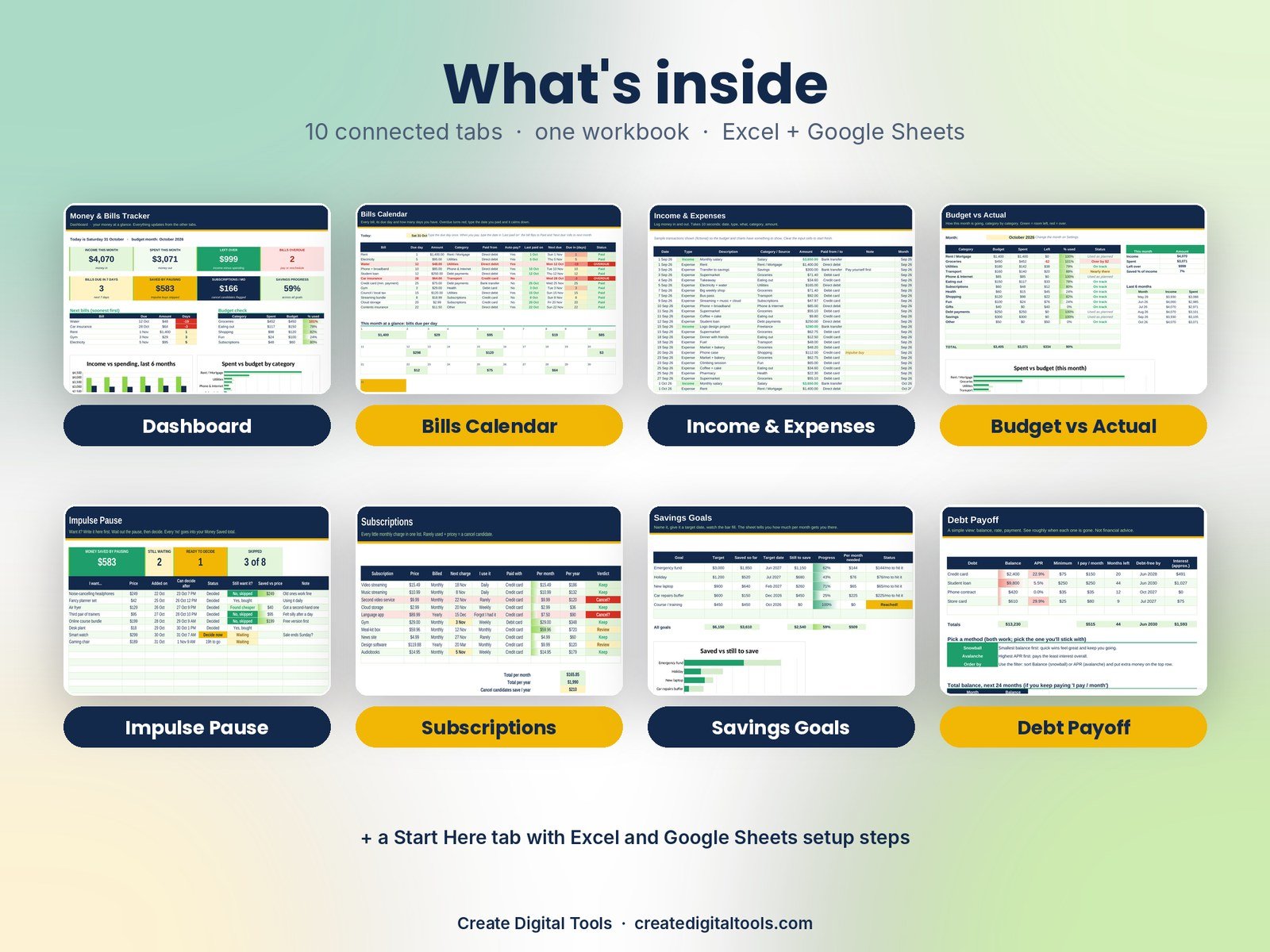
- Start Here: Explains every tab and how to open the tracker in Excel or Google Sheets.
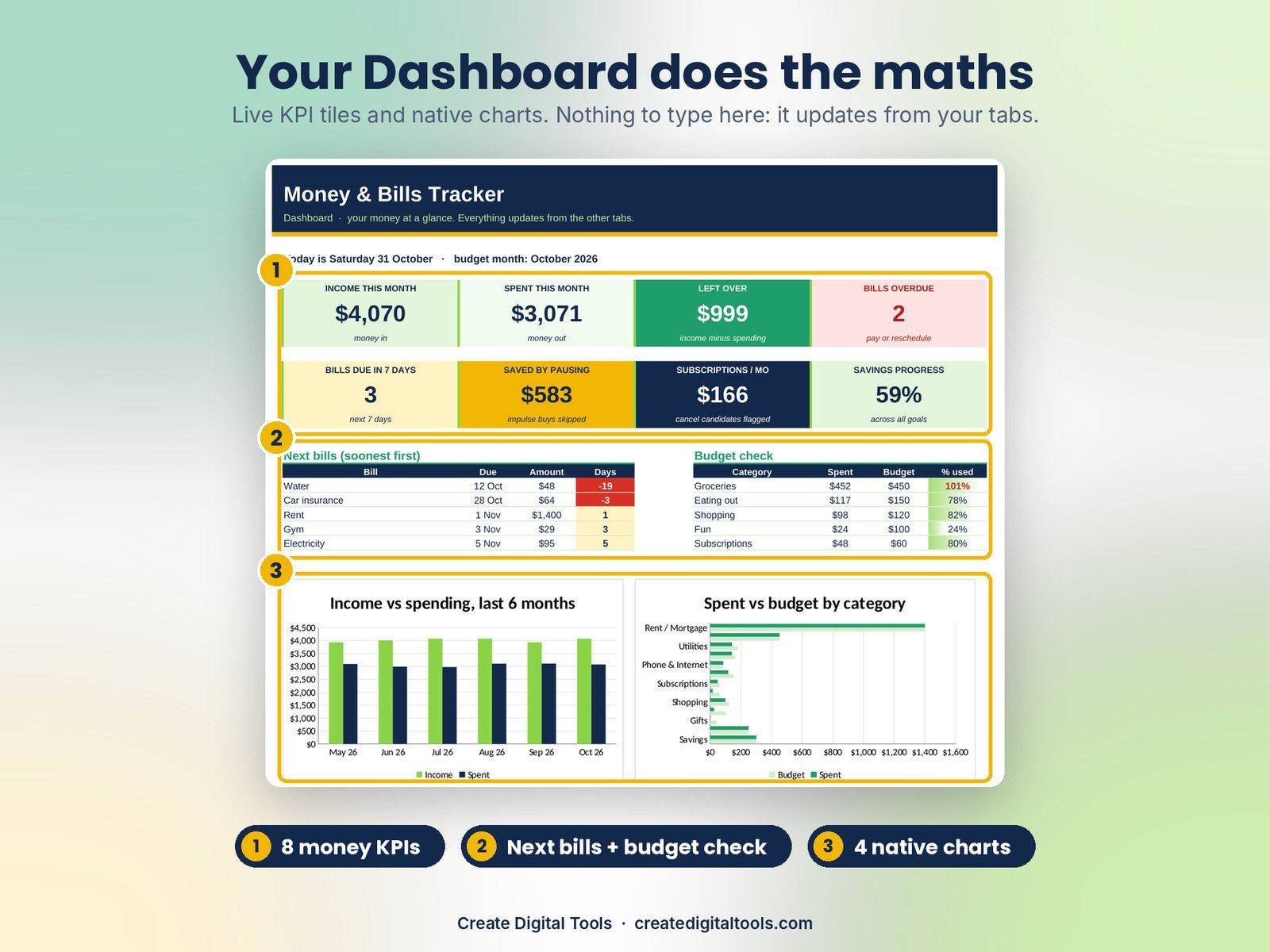
- Dashboard: Shows income, spending, money left over, overdue bills, money saved by pausing and savings progress.
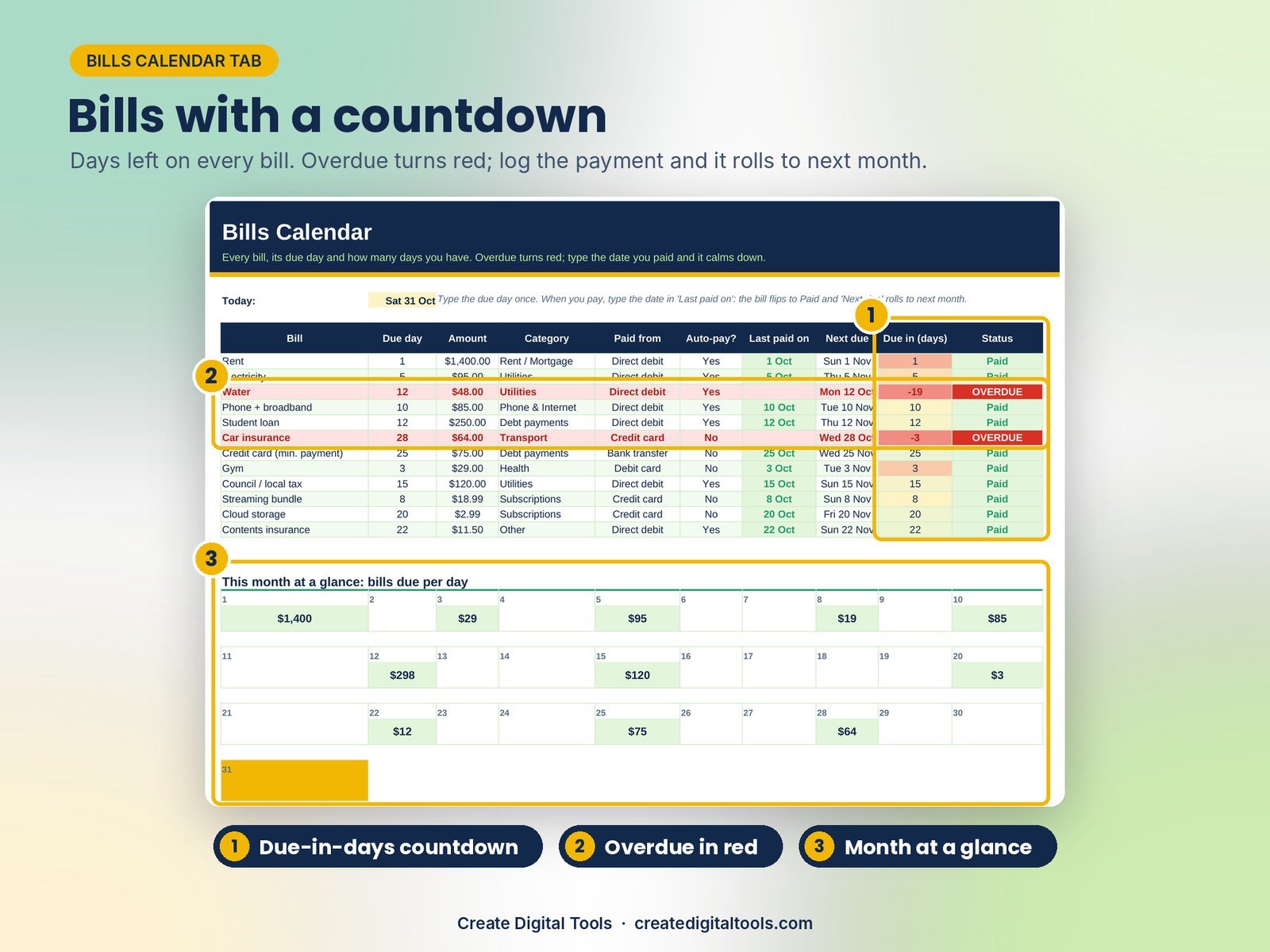
- Bills Calendar: Counts down the days to every bill and turns overdue ones red until you log the payment.
- Income & Expenses: A ten-second log of money in and out, with categories that feed the budget.
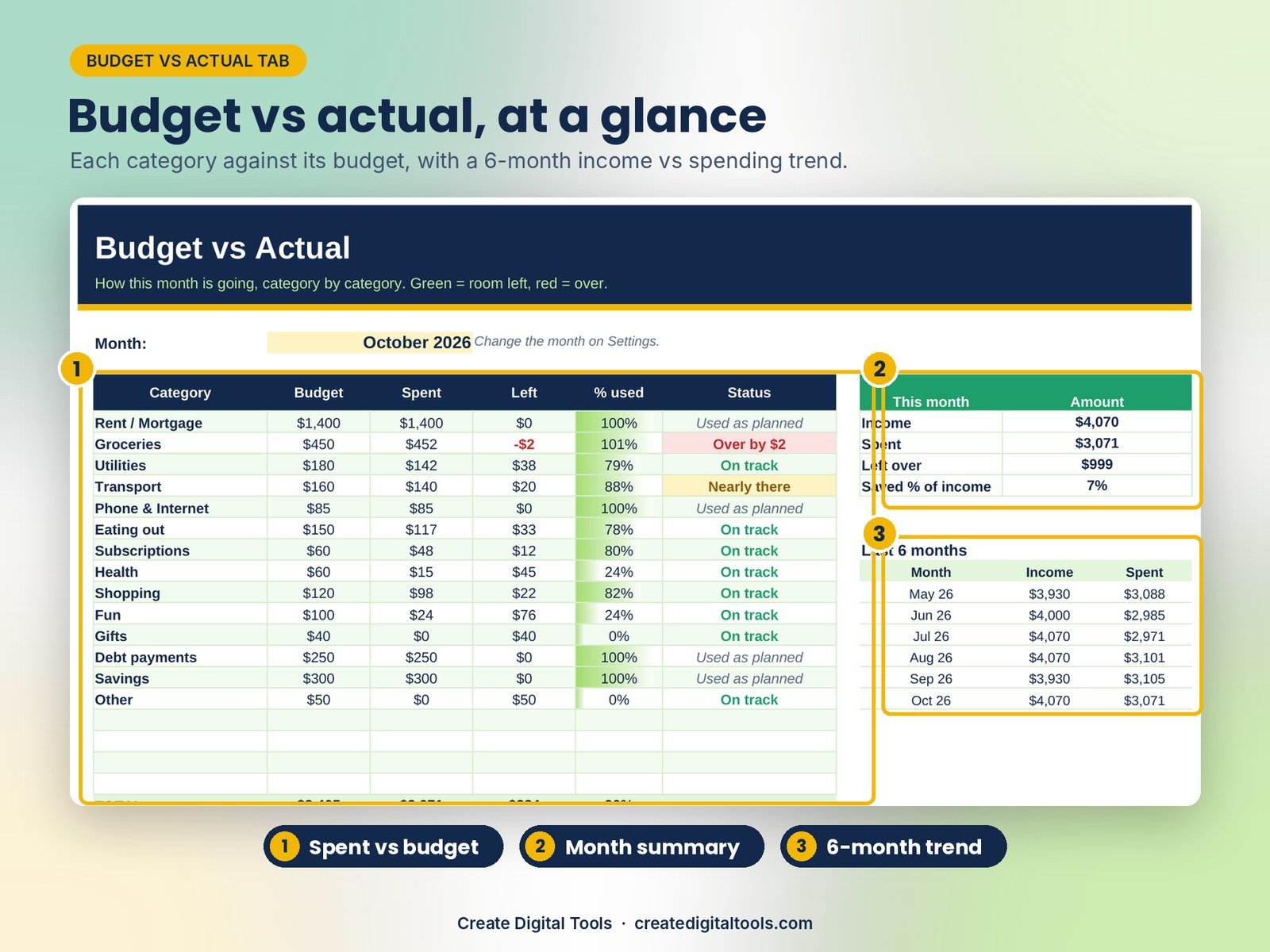
- Budget vs Actual: Budget versus Actual compares this month's spending with your budget, category by category.
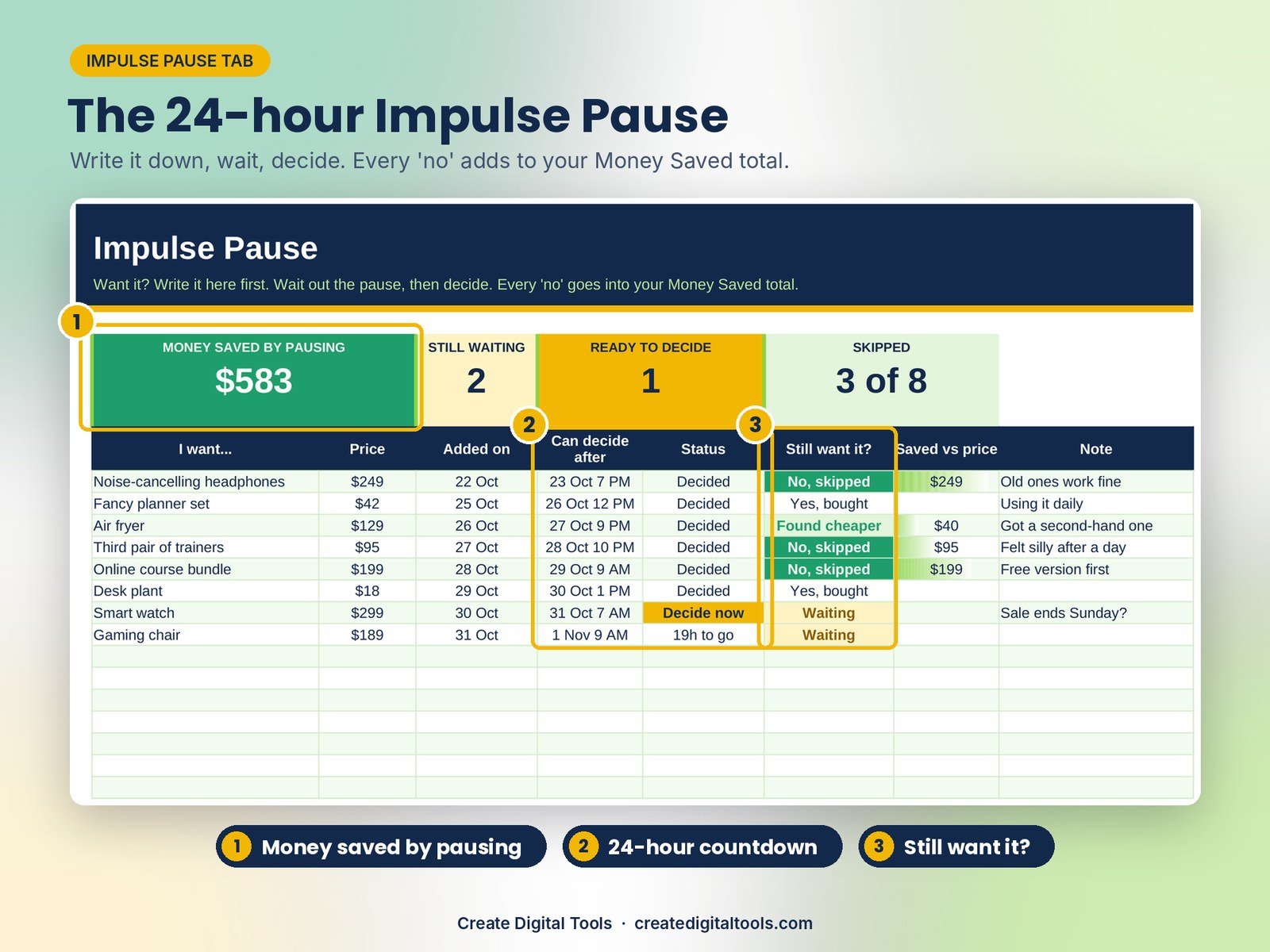
- Impulse Pause: Write it down, wait 24 hours, then decide. Every skipped buy adds to Money Saved.
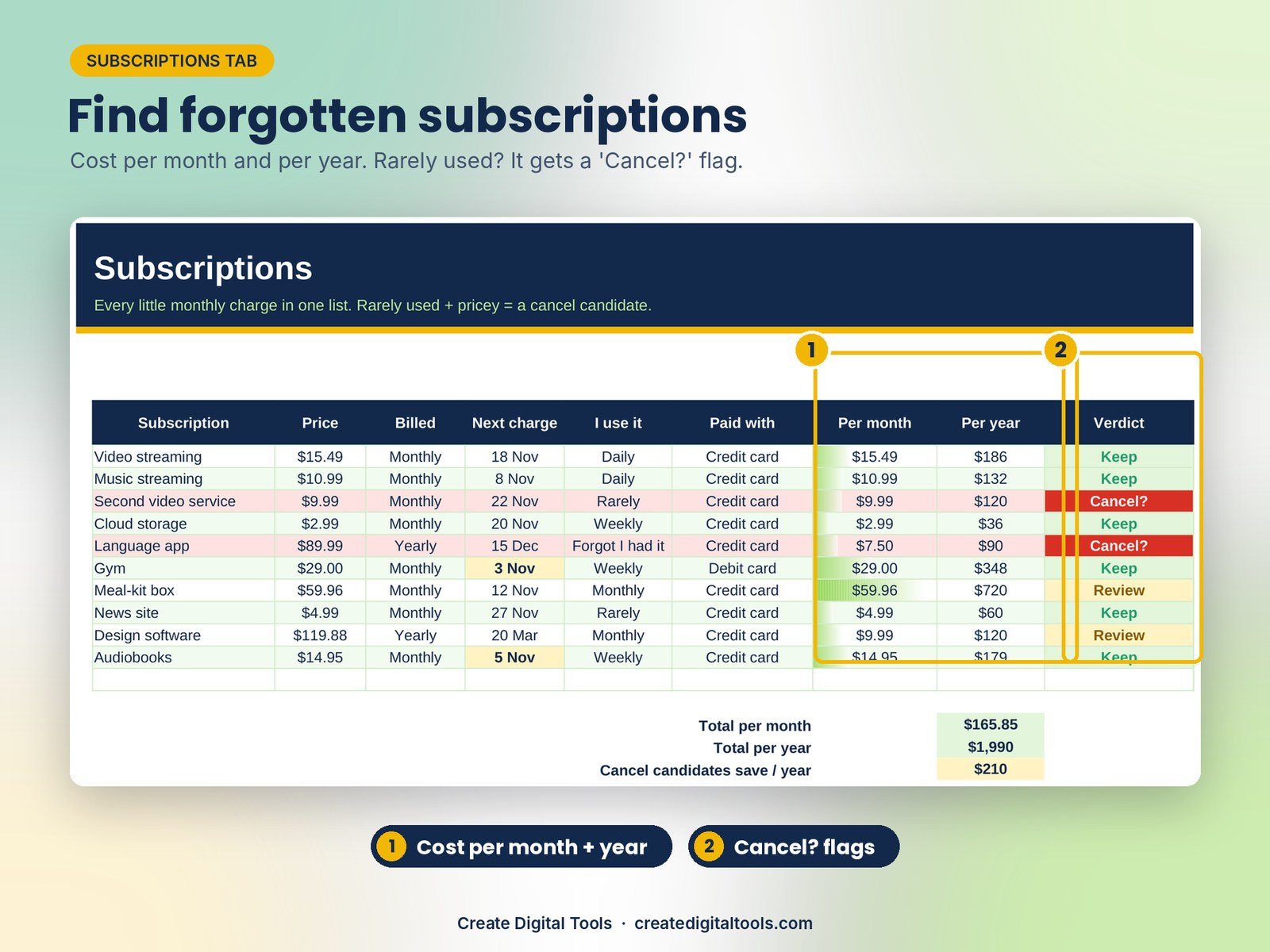
- Subscriptions: Lists every recurring charge with cost per month and year, and flags the ones to cancel.
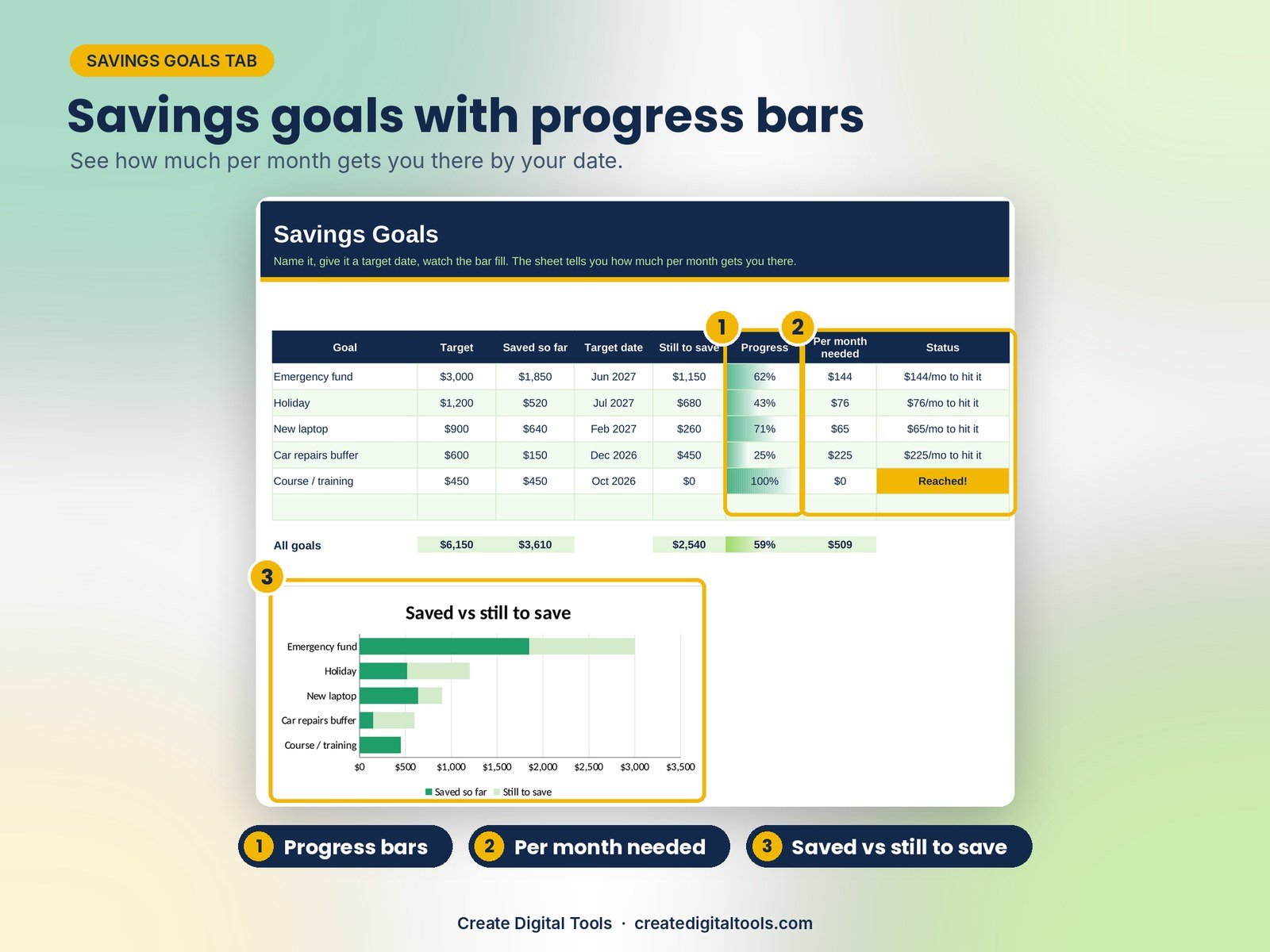
- Savings Goals: Shows progress bars and exactly how much per month gets you to each target date.
- Debt Payoff: Gives a simple view of each debt, months left, a debt-free date and a 24-month balance chart.
- Settings: Holds your budget month, categories with monthly budgets, and every dropdown list.
Key features
- Bills Calendar with due-in-days countdown, overdue flags and month strip
- Income & Expense log with categories
- Budget vs Actual by category + 6-month trend
- Impulse Pause: 24-hour wishlist with 'still want it?' and Money Saved
- Subscriptions tracker with per-month/per-year cost and cancel candidates
- Savings goals with progress bars and per-month amount needed
- Simple debt payoff: months left, debt-free date, 24-month chart
- Dashboard: 8 KPI tiles, next bills, budget check + 4 charts
Who it’s for
- ADHD brains who forget due dates or pay late fees
- Impulse spenders who want a pause button
- Anyone who wants a simple, visual budget without an app
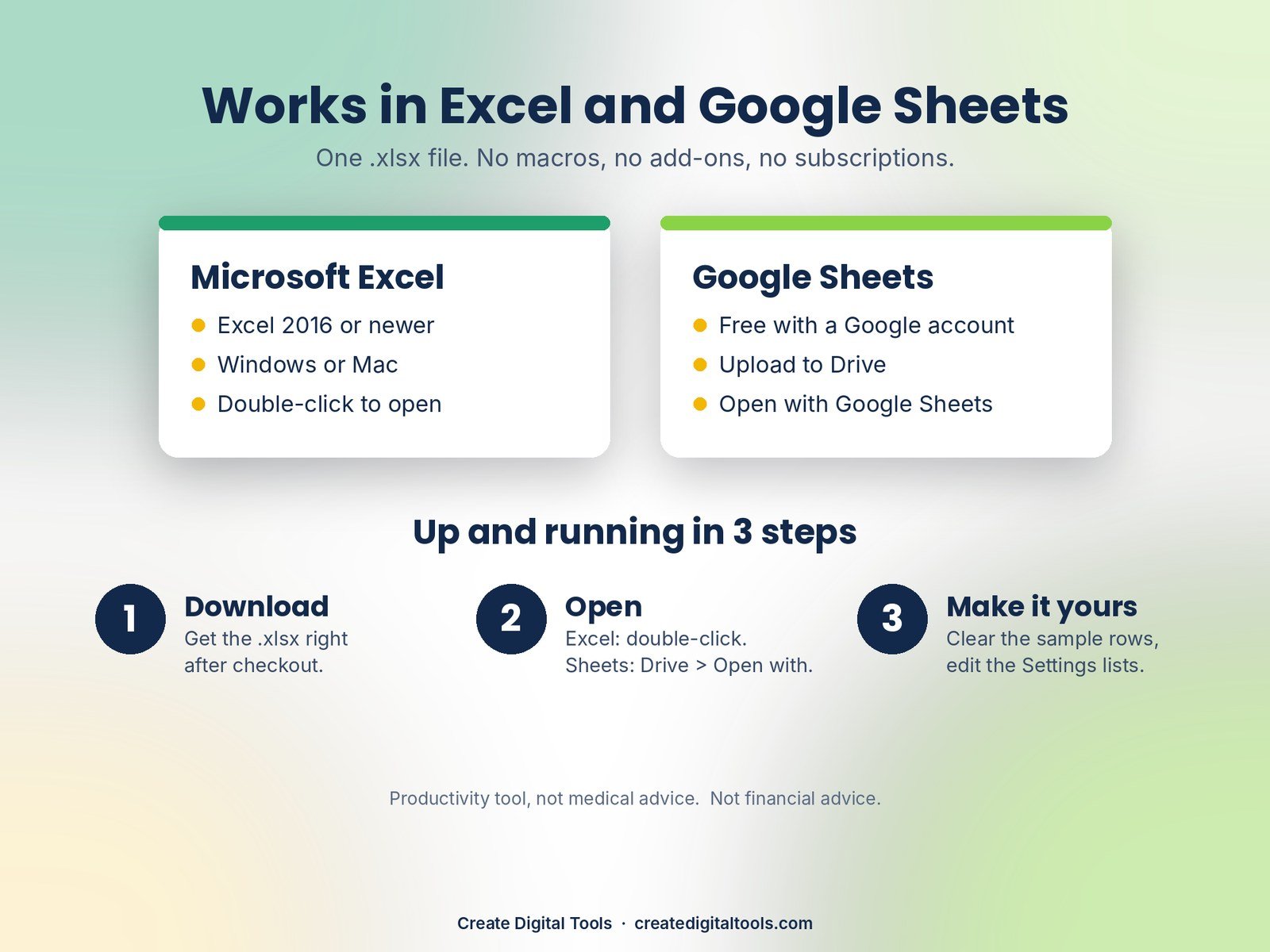
Works in Excel and Google Sheets
- One .xlsx file. Excel 2016 or newer (Windows or Mac), or free Google Sheets.
- Google Sheets: upload to Drive, Open with Google Sheets, then File > Save as Google Sheets.
- No macros, no add-ons, no subscription. Dropdowns, colour coding and charts work in both.
- Fictional sample rows show how it works; clear them in a few clicks.
What you get
- ADHD-Money-Bills-Tracker-Spreadsheet.xlsx (10 tabs)
- ADHD-Money-Bills-Tracker-Spreadsheet-Setup-Guide.pdf (5-page illustrated setup guide)
- Instant digital download. No physical product is shipped.
Get the full ADHD Planner Mega Bundle
Get the full ADHD Planner Mega Bundle: all 9 ADHD planners (3 Notion templates, 3 Excel/Google Sheets spreadsheets, 3 iPad digital planners) in one download.
More ADHD planners from the collection:
- ADHD Dopamine Dashboard: Notion Life Planner
- ADHD Focus & Brain Dump System: Notion Template
- ADHD Student Study Planner: Notion Template
- ADHD Daily Planner Spreadsheet
- ADHD Habit & Routine Tracker Spreadsheet
- ADHD Digital Planner 2027: Rainbow Pop
- ADHD Undated Digital Planner: Dark Mode Neon
- ADHD Daily Reset Digital Journal: Pastel Cloud
Productivity tool, not medical advice. Not financial advice: this is an organising tool, not a recommendation about debt, saving or investing. Made by Create Digital Tools.
Also on Gumroad: ADHD Money & Bills Tracker Spreadsheet: Impulse Spending Control on Gumroad
Want your own store like this one? createdigitaltools.com runs on Hostinger WordPress hosting. Start your own shop with Hostinger, or try the no-code Hostinger Website Builder.
Affiliate links: I may earn a commission at no extra cost to you.