Fillable Rental Application PDF Kit for Landlords
Picture a landlord with a single rental unit coming free next month. Three people want to view it, and each one asks for the application form. The old form is a scanned photocopy that applicants have to print, fill in by hand and photograph back. Half the answers are hard to read, and there is no tidy way to compare the three. A fillable rental application PDF fixes the first problem straight away: applicants type into the form, save it and email it back. A screening checklist and a scoring sheet fix the second.
This guide covers how to run a fair, organised application process, then walks through the Rental Application Kit from Create Digital Tools.
Get the Rental Application Kit →
This is an organising tool, not legal advice. Check the local rules on application fees, deposits and tenant screening before you use any form.
Why rental applications get messy
Small landlords and self-managing owners often handle applications with whatever is to hand. That leads to familiar problems:
- Inconsistent information. Different applicants share different details, so comparing them is guesswork.
- Handwritten forms. Printed forms are slow to return and hard to read.
- No written criteria. Decisions made without written criteria are hard to explain and harder to apply the same way each time.
- References chased by phone. Employer and landlord checks happen in scattered calls with no record.
A consistent set of forms, used the same way for every applicant, makes the process clearer for you and fairer for the people applying.
How to set up a rental application process
These steps work whether you use a kit or build your own forms.
1. Write your criteria first
Before you advertise, write down what you will look at, such as income, rental history and references, and how you will weigh it. Apply the same criteria to every applicant, and check fair-housing rules where the property is.
2. Use the same application for everyone
Every applicant should complete the same form. A fillable PDF makes this easy: send the same file to each person.
3. Follow a screening checklist
List each step, from receiving the application to verifying employment to contacting previous landlords, and tick them off with a date and notes. A checklist keeps you from skipping steps for one applicant and not another.
4. Verify employment and references in writing
Send a written employment verification request and a landlord reference request. Written answers are easier to keep on file than phone notes.
5. Score applicants against your criteria
Use a scoring sheet to compare applicants against the criteria you wrote down in step one, not against each other’s personalities.
6. Record each decision
Keep a short decision record for every applicant: date, outcome and reason. It helps you stay consistent and answer questions later.
7. Store files carefully
Applications contain personal information. Keep them somewhere secure and follow local rules on how long to keep them.
Inside the Rental Application Kit: a fillable rental application PDF set
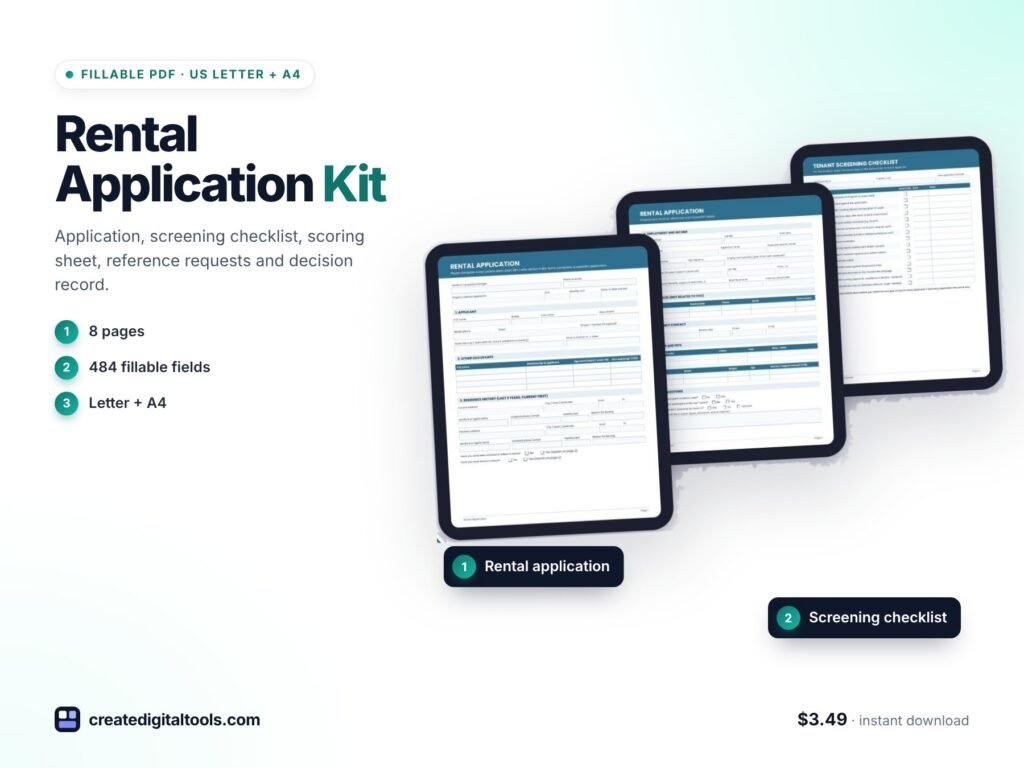
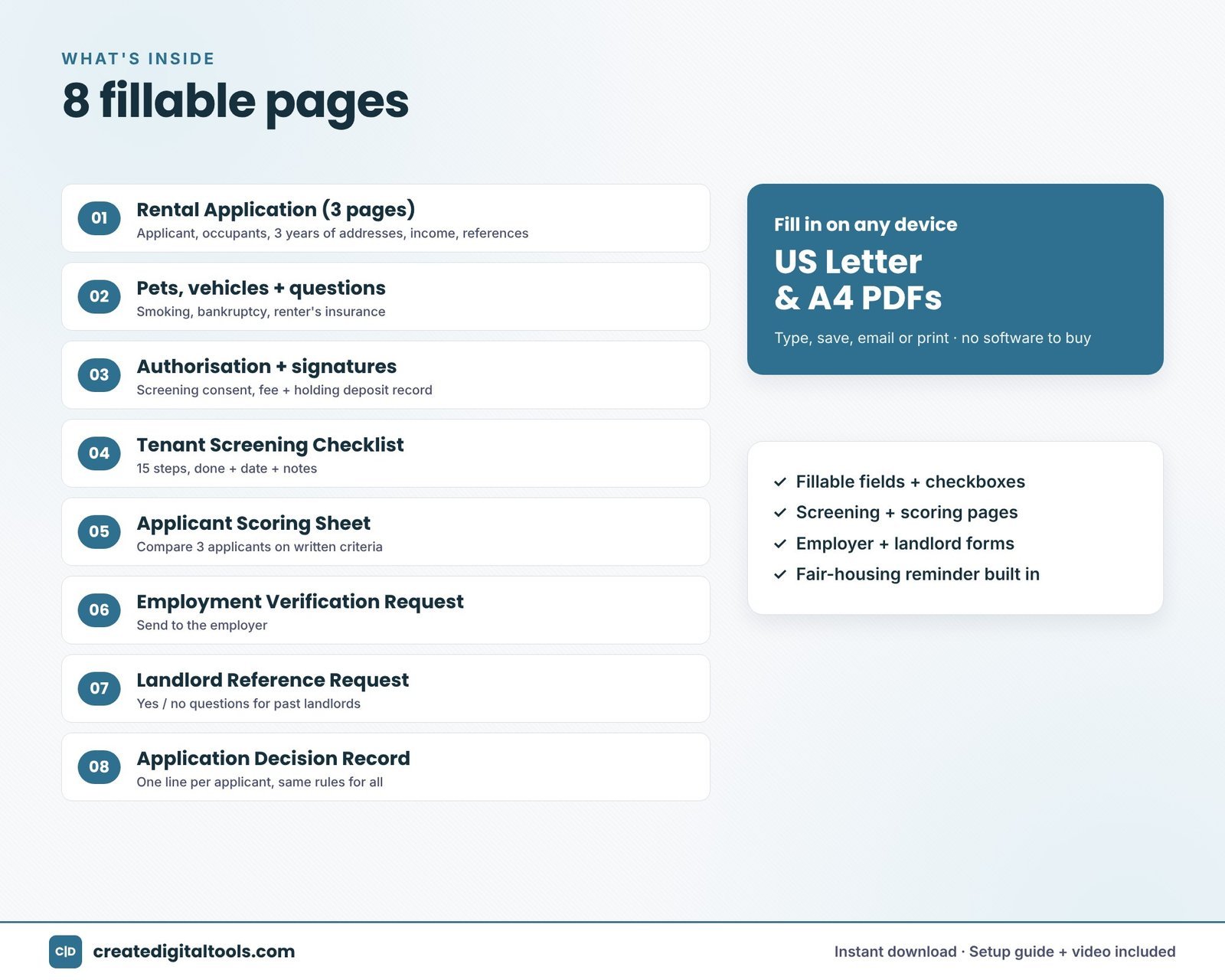
The Rental Application Kit is a set of fillable PDFs in both US Letter and A4, with 484 fillable fields and checkboxes. Fields can be typed into, saved and emailed. A fair-housing reminder is built into the forms, and a setup guide is included.
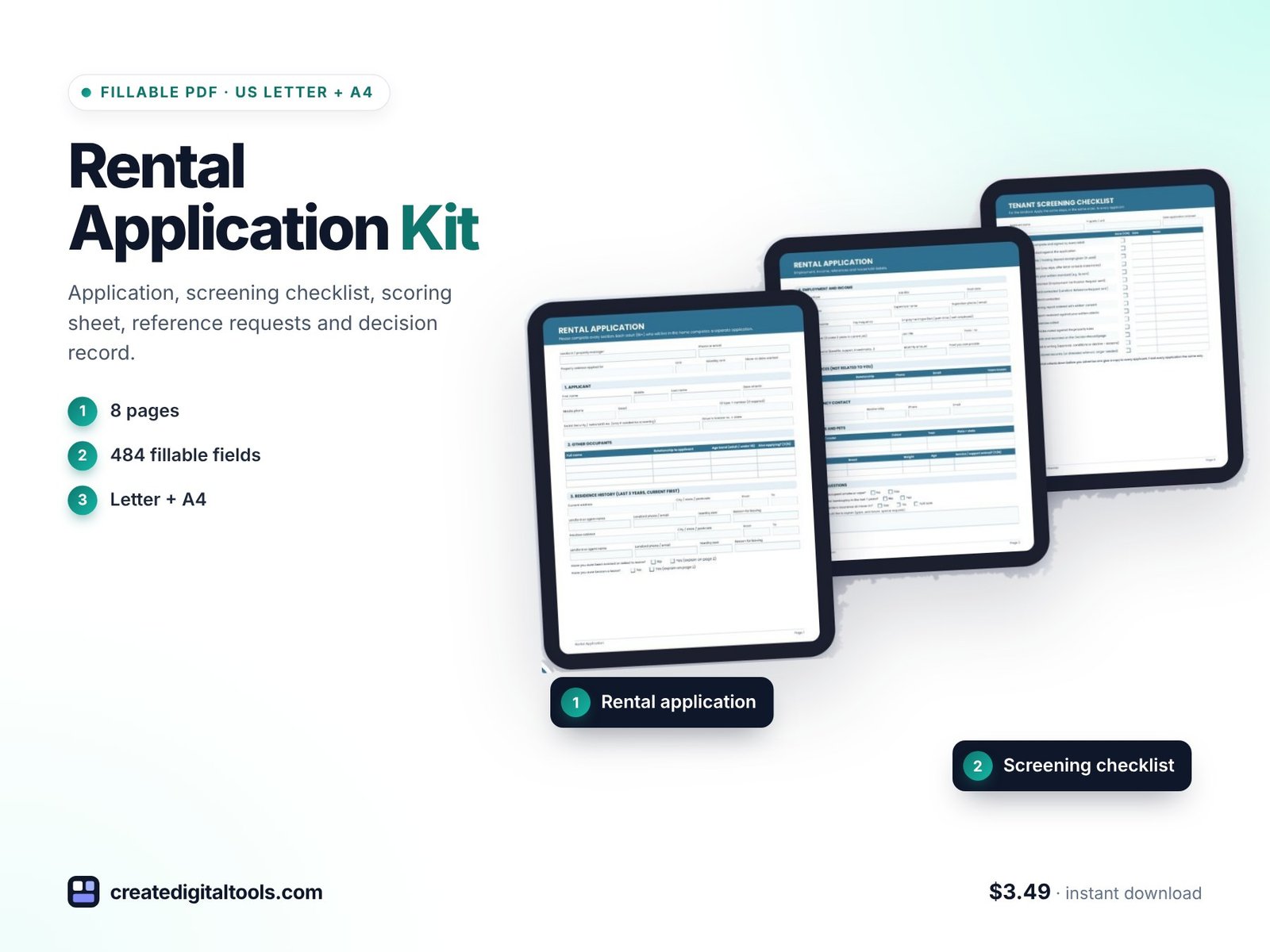
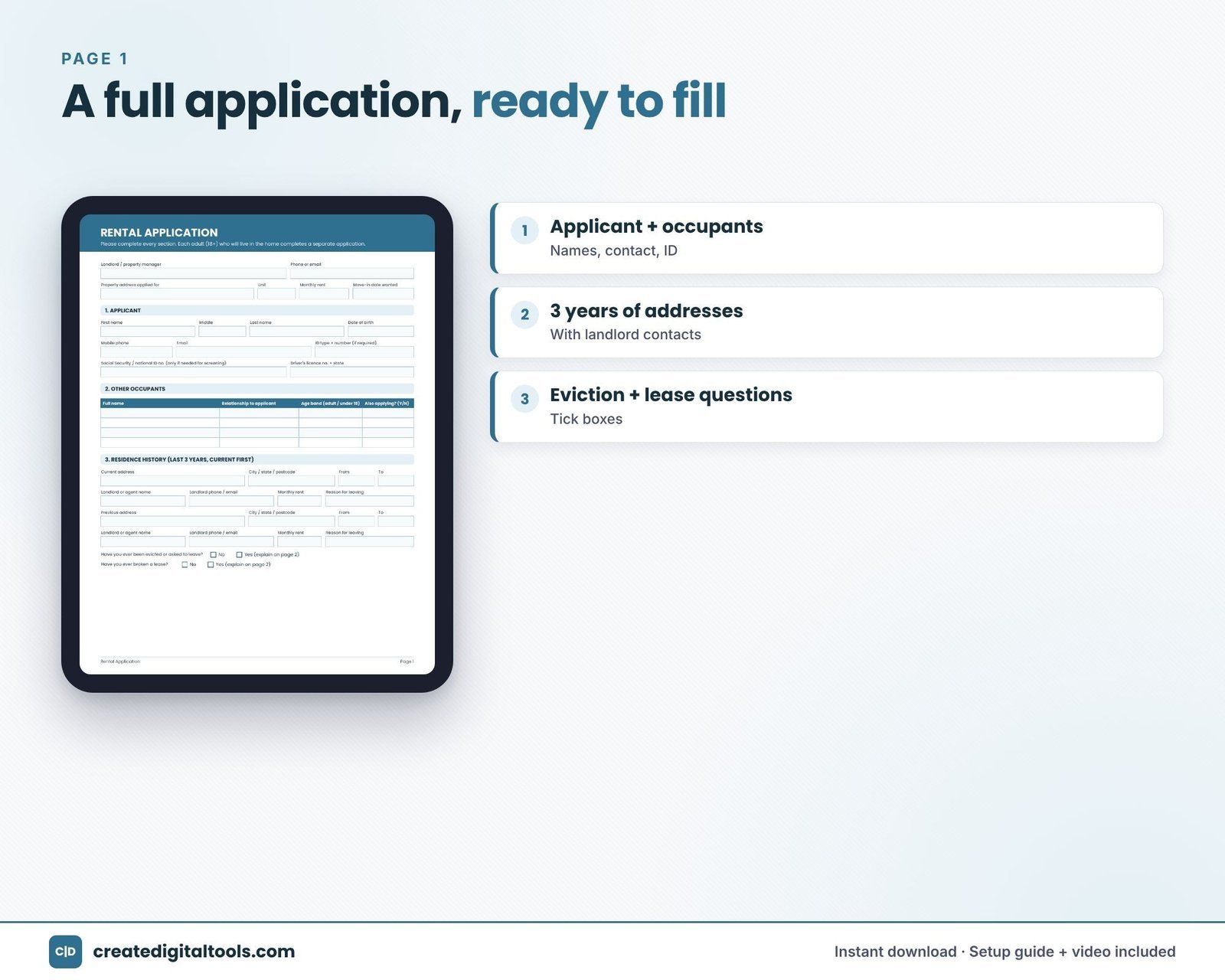
Rental application (3 pages)
Covers applicant details, occupants, three years of addresses, employment and income, references, emergency contact, vehicles, pets, questions, fees, and authorisation and signatures.
Tenant screening checklist
Fifteen steps, each with a done box, a date and notes.
Applicant scoring sheet
Compare three applicants against your written criteria.
Employment verification request
A form to send to an applicant’s employer.
Landlord reference request
A reference form with six yes/no questions for previous landlords, in the same design as the employer form.
Application decision record
One line per applicant to record each decision.
How you use it
Open the PDF in Adobe Acrobat Reader, Apple Preview or a browser, fill in your details and save a master copy. Then email it to applicants or print it for viewings. Any device with a PDF app works.
Watch the setup guide and full tour
This video walks through each form in the kit:
Common mistakes in tenant screening paperwork
- Changing the questions between applicants. Asking one applicant for more information than another makes comparisons unfair. Use the same form for everyone.
- Deciding before references are back. Wait until the steps on your checklist are complete before you decide.
- Not writing down reasons. A short note on why each application was accepted or declined is easy to write at the time and hard to recreate later.
- Asking questions you should not ask. Fair-housing rules limit what landlords can consider. Review your questions against the rules in your area.
- Charging fees without checking the rules. Application fees and deposit limits vary by location. Confirm them before you list a fee on the form.
- Keeping applications longer than needed. Applications hold personal data. Store them securely and delete them when you no longer need them, following local requirements.
A consistent kit makes these habits easier to keep, because the same forms and the same checklist guide every application.
Getting started in your first session
Read the setup guide, then choose the US Letter or A4 version. Open the rental application in your PDF app and fill in your own details, such as the property address and any fee information that applies, then save that as your master copy. Next, write your screening criteria on the applicant scoring sheet before any applications arrive. Save blank copies of the employment verification and landlord reference requests so they are ready to send. When the first application comes in, start a fresh screening checklist for that applicant and work through the 15 steps in order, adding dates and notes as you go.
Who it is for (and who it is not for)
A good fit if you are:
- A small or self-managing landlord who wants a consistent application process.
- A property manager who wants matching application, reference and screening forms.
- Anyone who needs both US Letter and A4 versions.
Probably not the right fit if you:
- Need online tenant screening with credit or background reports. This kit is a set of forms, not a screening service.
- Need a lease agreement. The kit covers the application stage only.
- Want forms already checked against the law in your area. Always confirm local rules.
Once a tenant moves in, our Rent Ledger + Tenant Ledger spreadsheet tracks rent, late fees and deposits. Browse more in our fillable PDFs and forms collection.
FAQ
What app do I need to fill in the forms?
Adobe Acrobat Reader, Apple Preview or a web browser. Any device with a PDF app works.
Can applicants fill it in on their own computer?
Yes. The fields are fillable, so applicants can type their answers, save the file and email it back.
Do I get Letter and A4?
Yes. The kit includes both US Letter and A4 versions.
Is it instant?
Yes. It is a digital download; nothing is shipped.
Can I share the files with other landlords?
No. The files are licensed for your personal and business use and should not be resold or shared.
Get the Rental Application Kit →
Adobe Acrobat Reader is a trademark of Adobe Inc., and Apple Preview is a trademark of Apple Inc. They are mentioned descriptively only. This is an independent product, not affiliated with or endorsed by Adobe or Apple.
Notion systems, spreadsheets and planners with a setup guide. Instant download.