ADHD Digital Planner for GoodNotes: Plan by Energy
Picture someone who has bought four planners in two years. Each one started with neat handwriting and colour-coded tabs, and each one was quietly abandoned by week three because the pages asked for too much: long goal lists, rigid hourly grids, guilt-inducing blank days. This illustrative scene is a common story, and it is why an ADHD digital planner for GoodNotes looks different from a standard one. It starts with how much energy you have today, not with how much you are supposed to get done.
In this guide you will find planning approaches that many people with ADHD find easier to stick with, how to set them up on a tablet, and a full tour of our ADHD Digital Planner 2026-2027.
Get the ADHD Digital Planner 2026-2027 →
This planner is an organising tool, not medical advice.
Why standard planners often do not stick
Most planners are designed around a steady, predictable day: set goals, fill in the hours, tick boxes. If your energy and attention vary from day to day, that structure can feel like a list of ways you fell short.
Common sticking points include pages that demand too much before you can start, no place to put the flood of thoughts in your head, big tasks written as a single line that is impossible to begin, and no record of what you actually did, only what you did not.
A planner that works better tends to do the opposite: lower the bar to start, give your thoughts somewhere to land, break tasks down, and celebrate what got done.
How to set up a planning routine that is easier to keep
1. Begin each day with an energy check
Before you write any tasks, note how much energy you have. On a low day, plan less. Matching the plan to the day is kinder and more realistic.
2. Choose three must-dos, not twenty
Write the three things that would make today count. Everything else is optional.
3. Brain dump first
Empty every thought, worry and reminder onto a brain dump area. Once it is out of your head, you can decide what matters.
4. Break one big task into tiny steps
“Do taxes” is hard to start. “Find last year’s folder” is not. Write the first few tiny steps and start with the first.
5. Keep a done list
Write down what you finished, including unplanned things. It is a much more accurate picture of your day than unticked boxes.
6. Build a dopamine menu
List small activities that give you a lift, sorted by how long they take. When you need a break or a restart, choose from the menu rather than scrolling.
7. Leave a note for tomorrow
End the day with one line for tomorrow-you: where you left off and what to do first.
8. Reset weekly, not perfectly
Once a week, look back at wins and reset the plan. Missed days do not need to be filled in.
Making a digital planner easy to reach
The best planner is the one you open. A few small set-up choices help:
- Put the app on your home screen dock so it is one tap away.
- Bookmark the start-here page so every session begins from a clear overview rather than wherever you last left off.
- Keep the pen and highlighter choices simple. Two or three colours are plenty and reduce decisions.
- Pair planning with something you already do, like your morning coffee or the end of the work day.
- Allow imperfect pages. A page with only an energy check and one must-do is still a page you used.
Paper or digital?
Both can work. A digital planner on a tablet has a few practical advantages for anyone who loses things or changes plans often: it is always in the same place as your other apps, mistakes can be undone without crossing out, and tapping from a month straight to a date is faster than flipping pages. Handwriting with a stylus keeps the feel of paper. If you have abandoned paper planners because they got messy or left at home, digital is worth trying.
Inside the ADHD Digital Planner 2026-2027
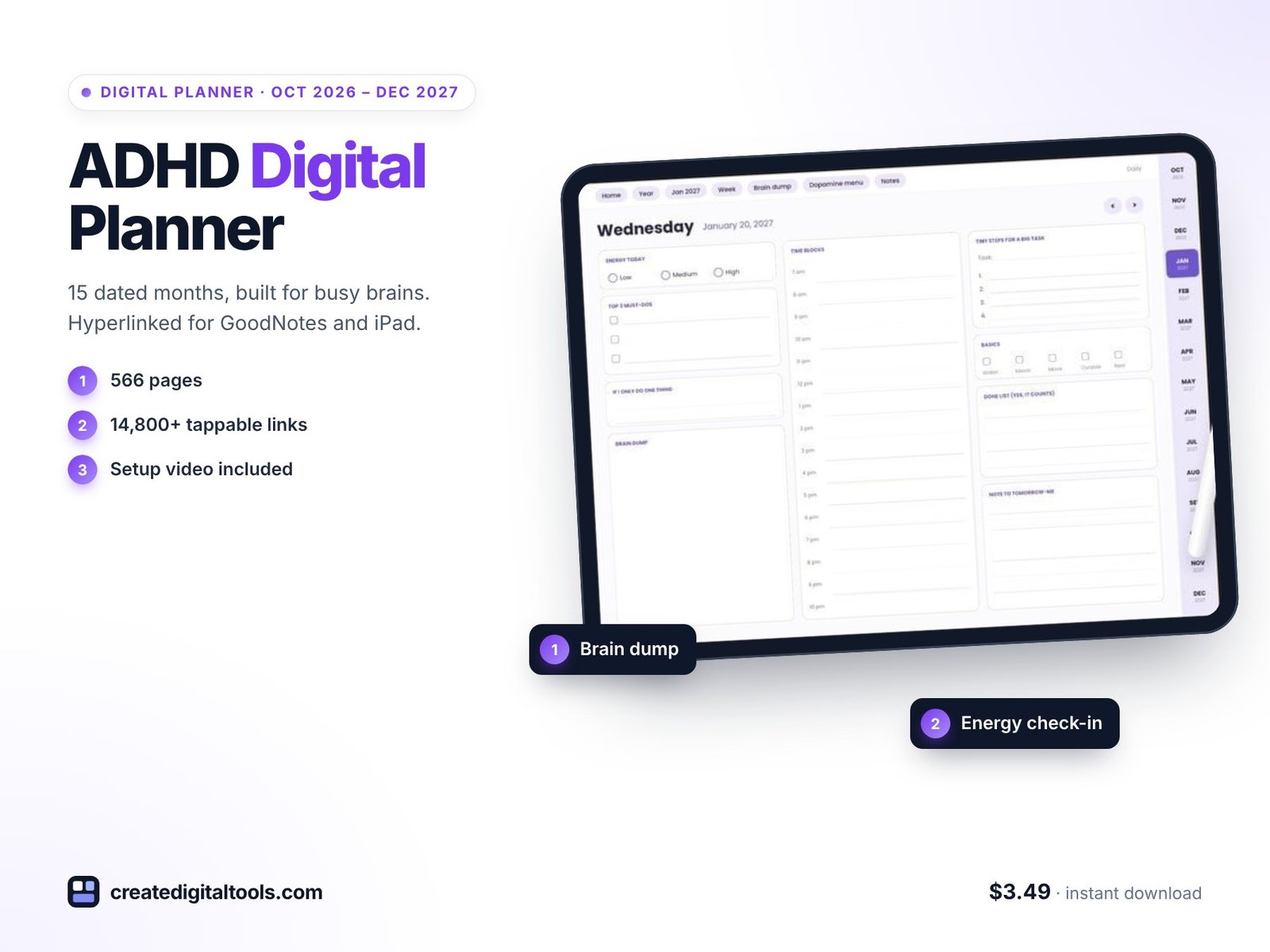
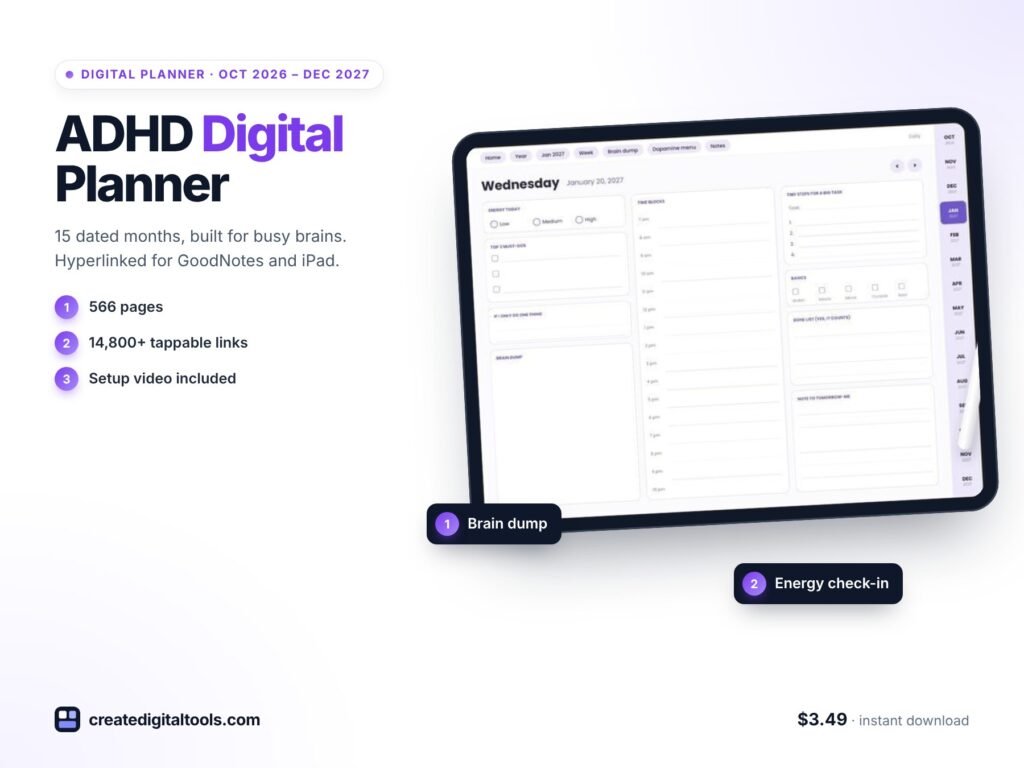
The planner is a 566-page hyperlinked PDF dated October 2026 to December 2027 (15 months), in a landscape layout with a Monday start. It has 14,872 internal links, each one checked. GoodNotes and Notability are the main apps, and it also works with Noteshelf, Xodo, Samsung Notes and other PDF apps with link support, on iPad or Android tablets.
Start-here page and year overviews
A start-here page shows every month and tool on one screen. The 2026 and 2027 year overviews make every date tappable.
Monthly calendars
Fifteen monthly calendars with a monthly focus, dates and reminders, plus 15 monthly habit trackers.
Weekly pages
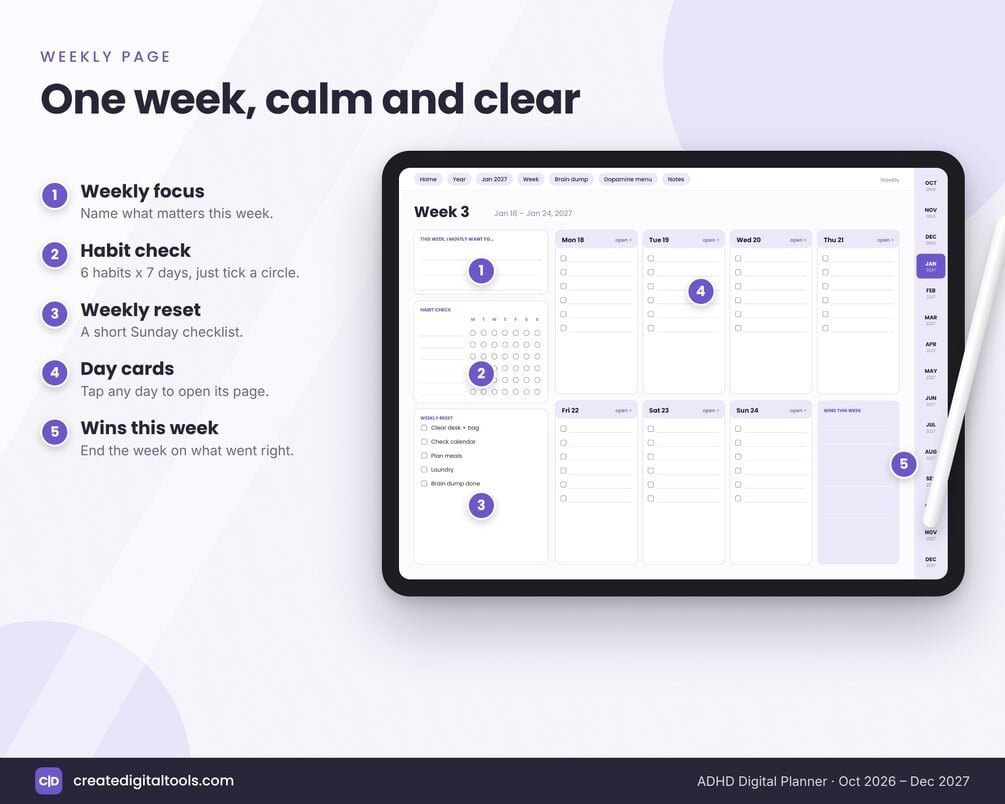
Sixty-six weekly pages with a weekly focus, habit check, weekly reset and wins this week.
Daily pages
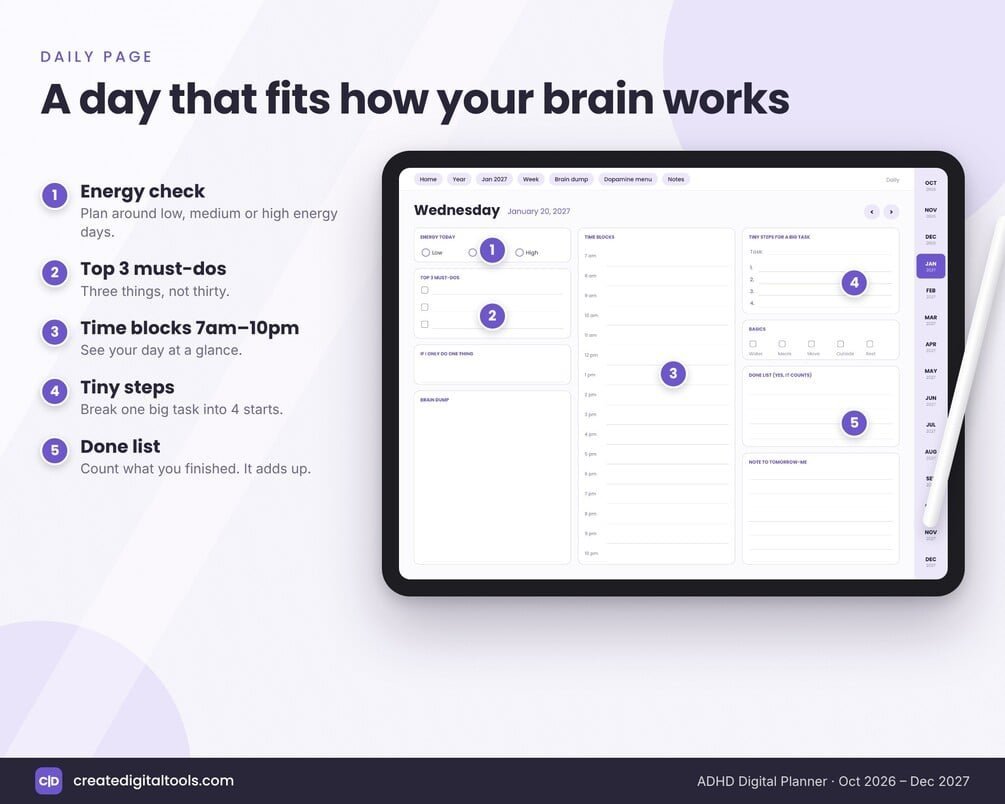
457 dated daily pages, each with an energy check, top 3 must-dos, a brain dump, time blocks from 7am to 10pm, tiny steps for a big task, a done list and a note to tomorrow.
Tools and trackers
A dopamine menu with ideas and task breakdown, a mood and energy tracker, routines, a monthly review, and a bills and dates page.
Notes
Lined and dot grid notes pages.
A setup guide PDF and a walkthrough video are included.
Watch the setup guide and tour
This video shows how to set the planner up and walks through each section:
Who it is for, and who it is not for
A good fit if you:
- Have tried standard planners and found them too rigid or too demanding.
- Like to plan by energy, brain dump first and break tasks into small steps.
- Use GoodNotes, Notability or another PDF app on a tablet.
- Want to start now: the planner begins in October 2026 and runs to December 2027.
Probably not for you if you:
- Are looking for treatment, coaching or medical support. This is an organising tool, not medical advice.
- Prefer a Sunday-start week or a portrait layout.
- Want a printed planner.
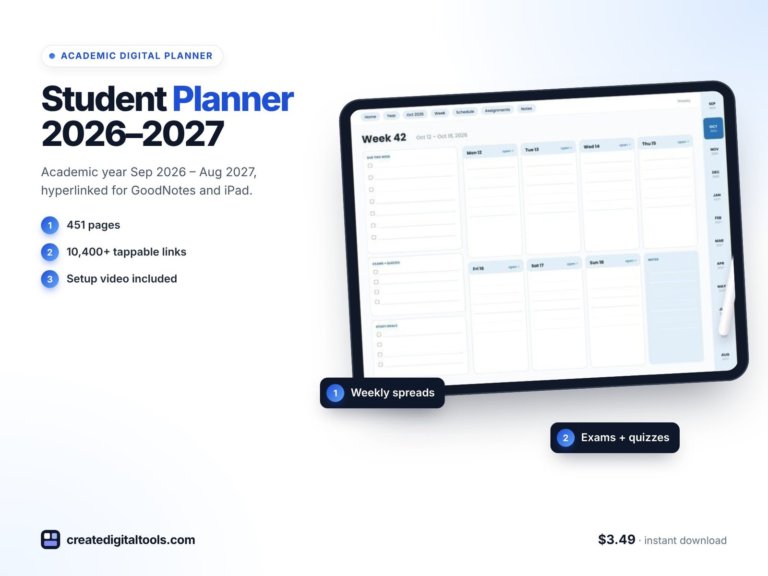
If you are a student, the Student Planner 2026-2027 focuses on classes, assignments and exams. More styles are in our digital planners collection.
Frequently asked questions
Which apps does it work with?
GoodNotes and Notability, plus Noteshelf, Xodo, Samsung Notes and other PDF apps with link support, on iPad or Android tablets.
What dates does it cover?
October 2026 to December 2027, which is 15 months, with dated daily pages.
Is it landscape or portrait?
Landscape, with a Monday start.
Is it an instant download?
Yes. It is a digital download for personal use. Import the PDF into your app as a new notebook.
What if I skip days?
That is fine. The pages are dated, so you simply pick up on today’s page. The weekly reset is there to help you restart without catching up.
A planner that starts with your energy and ends with what you got done is easier to come back to, even after a gap.
Get the ADHD Digital Planner 2026-2027 →
GoodNotes, Notability, Noteshelf, Xodo and Samsung Notes are trademarks of their respective owners. This is an independent planner, not affiliated with or endorsed by any of them.
Notion systems, spreadsheets and planners with a setup guide. Instant download.