Description
Setup Guide & Full Tour
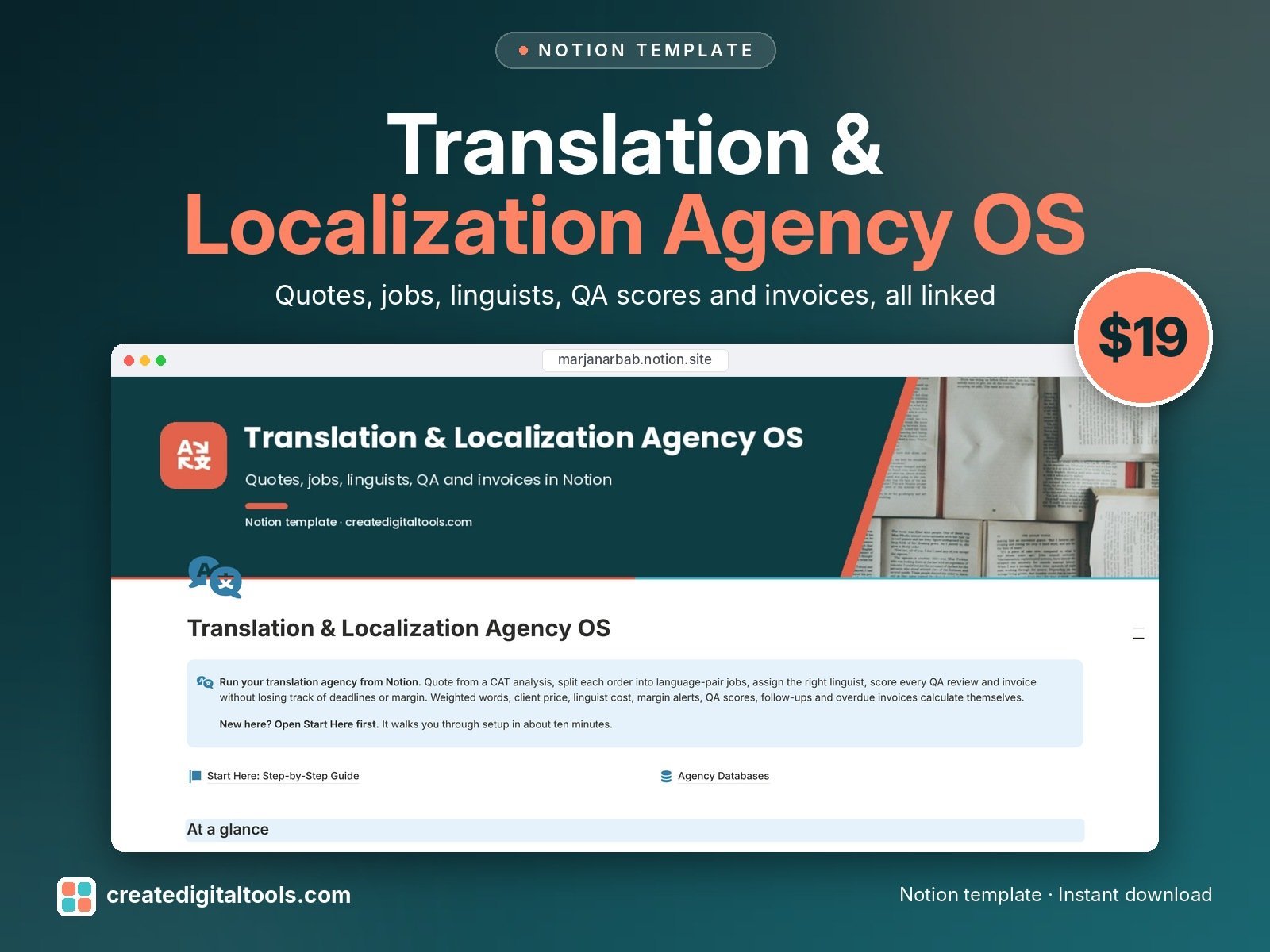
Run your translation or localization agency from one Notion workspace, from the first quote to the final payment.
Most tools for small agencies are either full translation management systems or a pile of spreadsheets. This template sits in between. Type in the word counts from your CAT analysis and it works out weighted words, client price, linguist cost and margin for every language pair, then flags any job where the margin is thin.
Who it’s for
- Small translation and localization agencies
- Freelance-led teams who subcontract to other linguists
- Project managers juggling several language pairs, deadlines and vendors
What’s inside
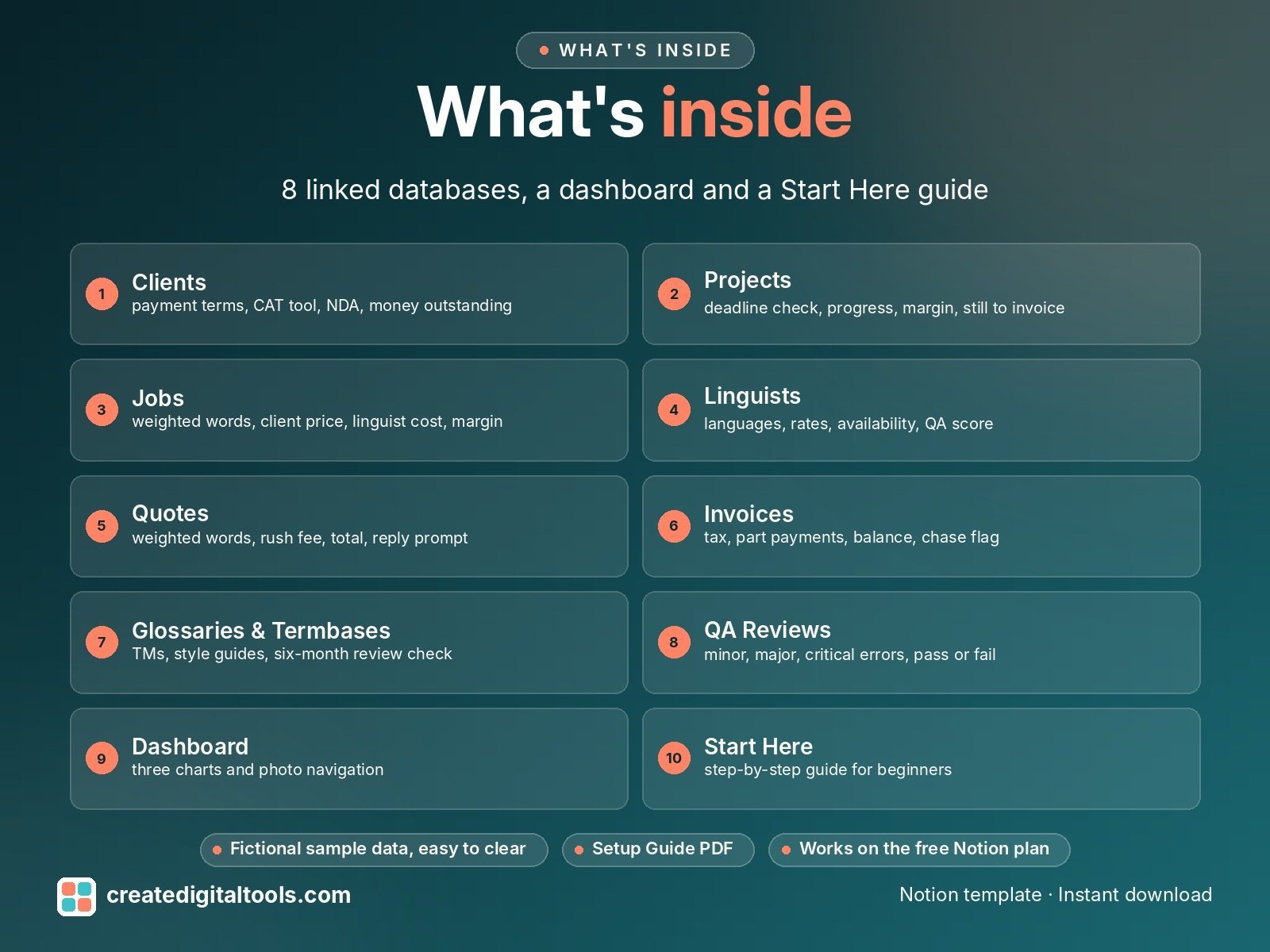
- Clients: type, payment terms, preferred CAT tool, NDA status, money outstanding, next follow-up
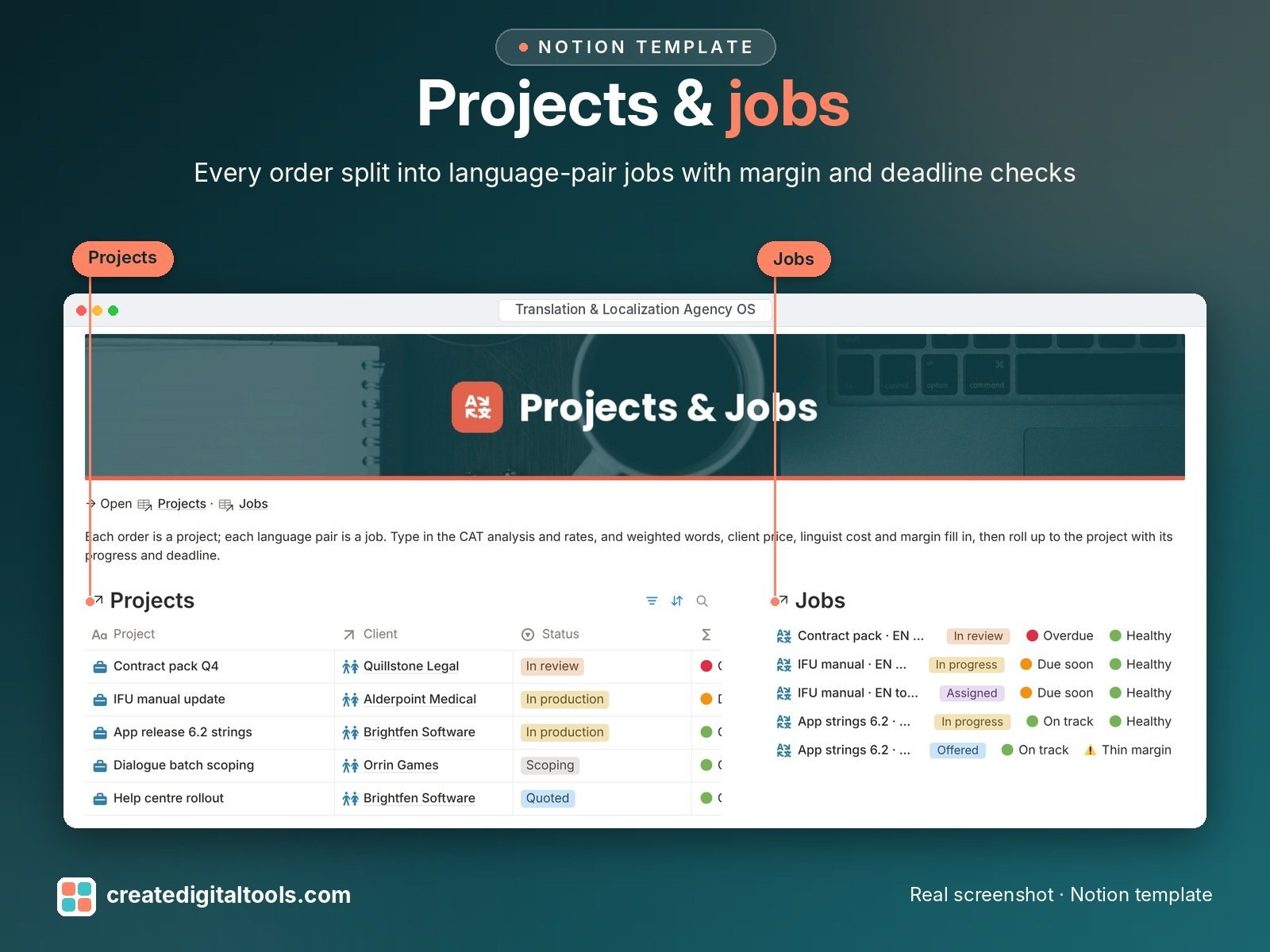
- Projects: status, deadline check, progress, words, job value, linguist costs, gross profit, margin, still to invoice
- Jobs (one per language pair): new, fuzzy and repetition words, weighted words, both rates, client price, linguist cost, margin, thin-margin alert, QA result
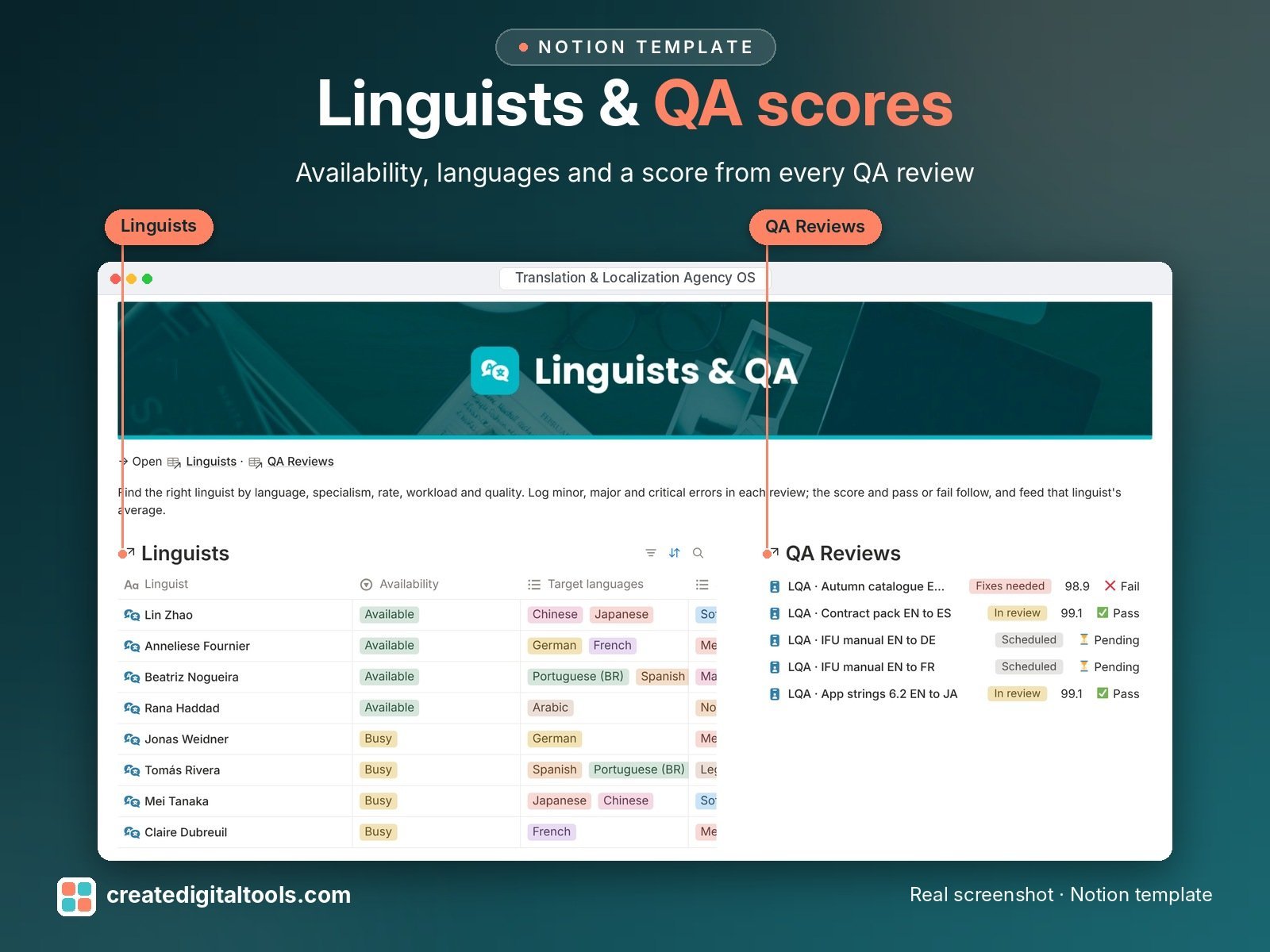
- Linguists: languages, specialisms, CAT tools, rates, availability, workload, QA score, amount to pay
- Quotes: weighted words, rate, flat fees, rush surcharge, total, reply prompt before the quote lapses
- Invoices: tax, part payments, balance, chase flag
- Glossaries & Termbases: glossaries, termbases, translation memories, style guides and do-not-translate lists per client, with an owner and a six-month review check
- QA Reviews: words sampled, minor, major and critical errors, score, pass or fail
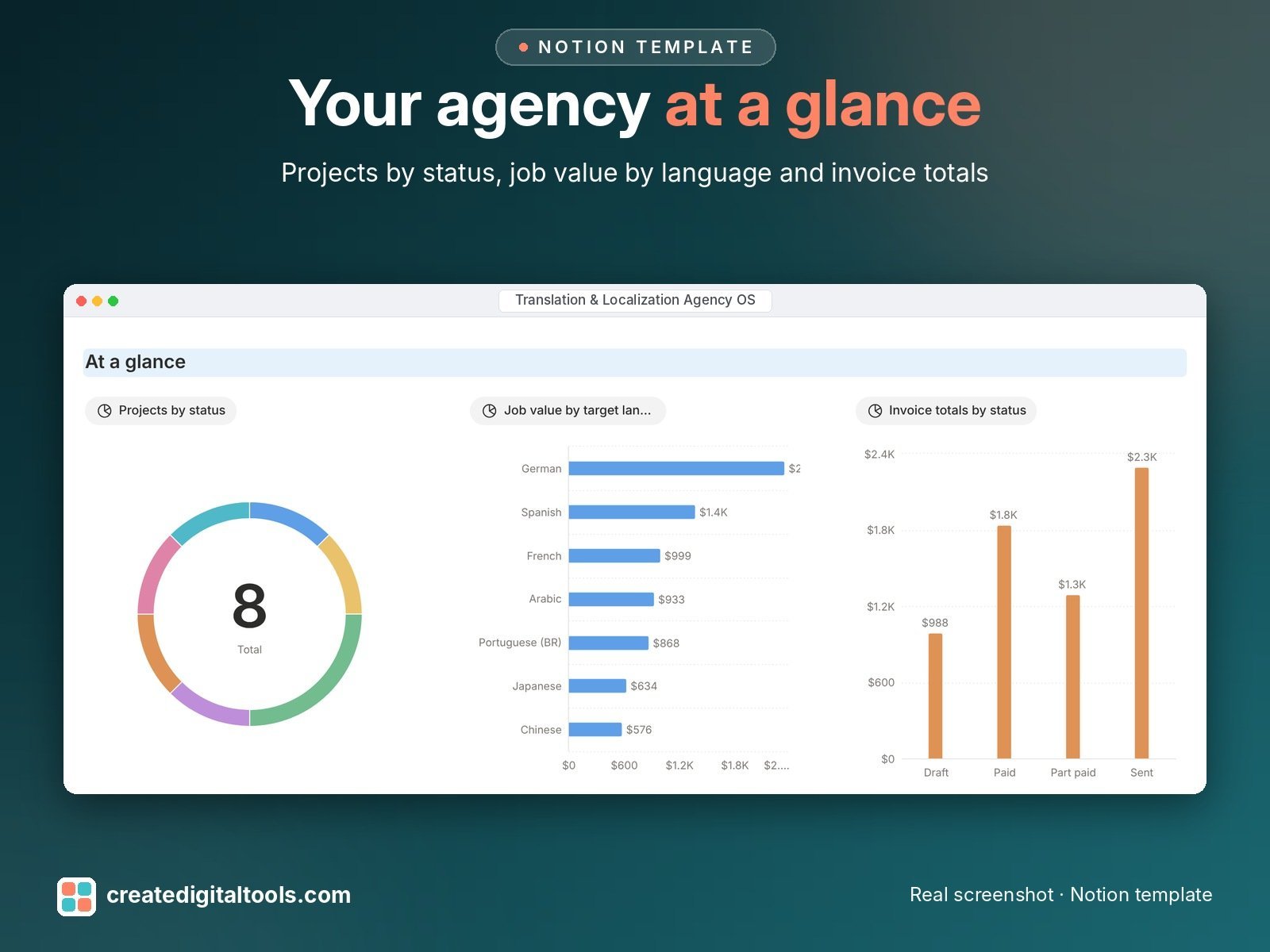
- Dashboard: three charts, navigation cards and ready-made views such as Open jobs board, Due next 7 days, Margin check, Available now, To chase and Still to invoice
- Start Here: Step-by-Step Guide inside the template, written for beginners
Good to know
- This does not connect to Trados, memoQ, Phrase or Smartcat. You copy the numbers from your analysis report.
- The fuzzy and repetition weights, the QA points and the 30% margin alert are example settings. You can change them in the formulas to match your own agreements and QA model.
Built-in automations
Five database automations stamp the date for you: quote accepted, job assigned, QA passed, job delivered and invoice paid. Each one is explained in the guide with a sample row to try. Database automations run on Notion’s paid plans (Plus and up). On the Free plan they pause and you can make the same changes by hand; every database, formula and view still works.
Set up in 3 steps
- Open the template link in your PDF and click Duplicate to copy it into your own Notion workspace.
- Open Start Here and follow the setup: add your own details and clear the sample data when you're ready.
- Work from the dashboard every day and use the views you need most.
What you get
- The Notion template (duplicate link delivered as a PDF)
- Setup Guide PDF with a step-by-step walkthrough and FAQ
- Start Here guide inside the template, with fictional sample data so you can see how everything connects
- Video walkthrough: setup guide and full tour (at the top of this page)
Free plan
Works on the Free Notion plan. Desktop, web and the Notion mobile app.
Please note
- This is an organising tool, not legal, tax or accounting advice.
- Digital product: nothing physical is shipped.
- Sample data is fictional.
Notion is a trademark of Notion Labs, Inc.; this is an independent template by Create Digital Tools (createdigitaltools.com).
New to Notion? Try it free here (affiliate link: we may earn a commission at no extra cost to you).
Want your own store like this one? createdigitaltools.com runs on Hostinger WordPress hosting. Start your own shop with Hostinger, or try the no-code Hostinger Website Builder.
Affiliate links: I may earn a commission at no extra cost to you.