Description
Setup Guide & Full Tour
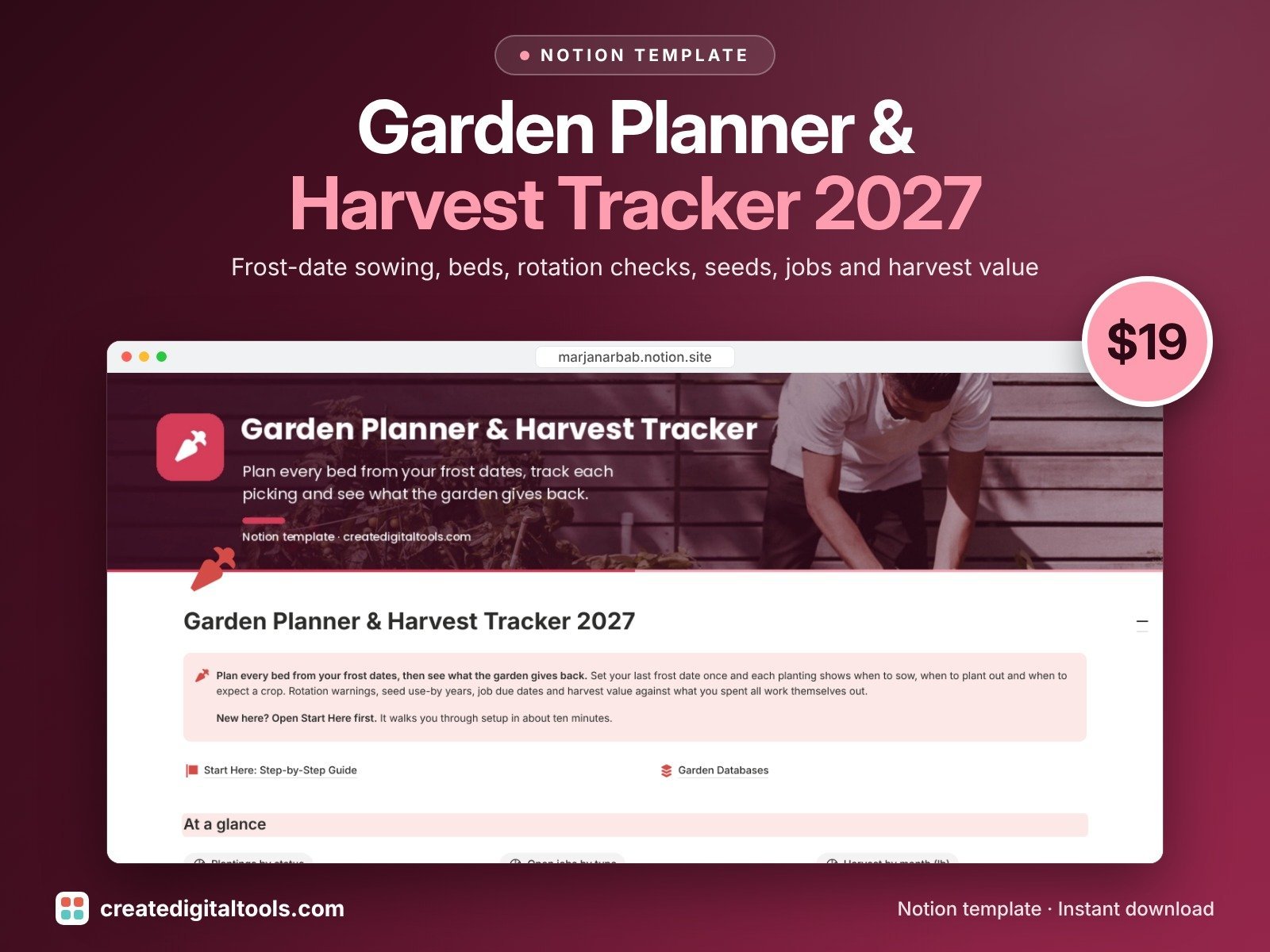
Plan every bed from your frost dates, then see what your garden gives back.
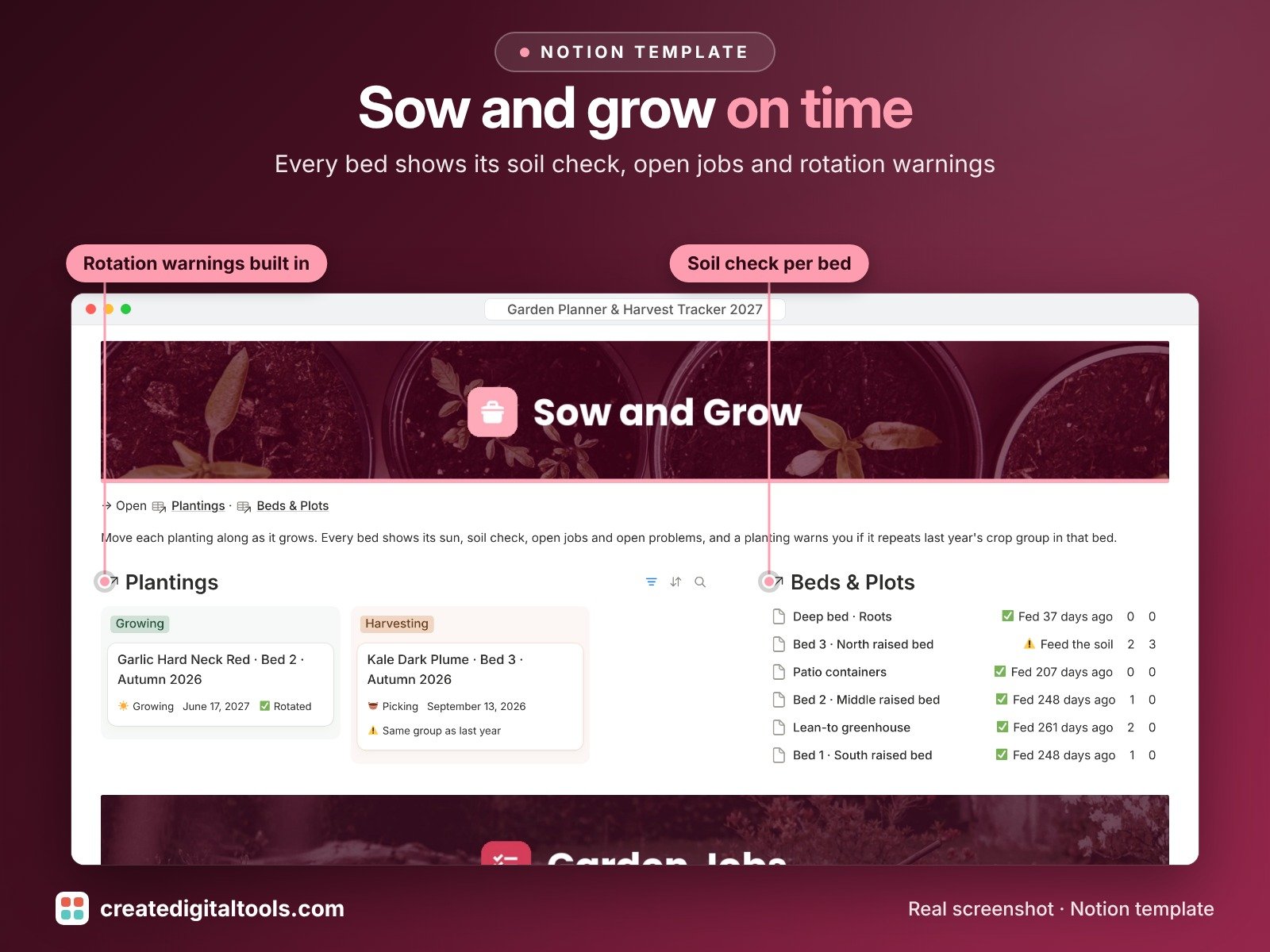
Set your last frost date once and every planting shows when to sow, when to plant out and when to expect a crop. It warns you before you repeat a crop group in the same bed, flags old seed before you sow it, keeps your garden jobs on a calendar and adds up what each harvest would have cost at the shop.
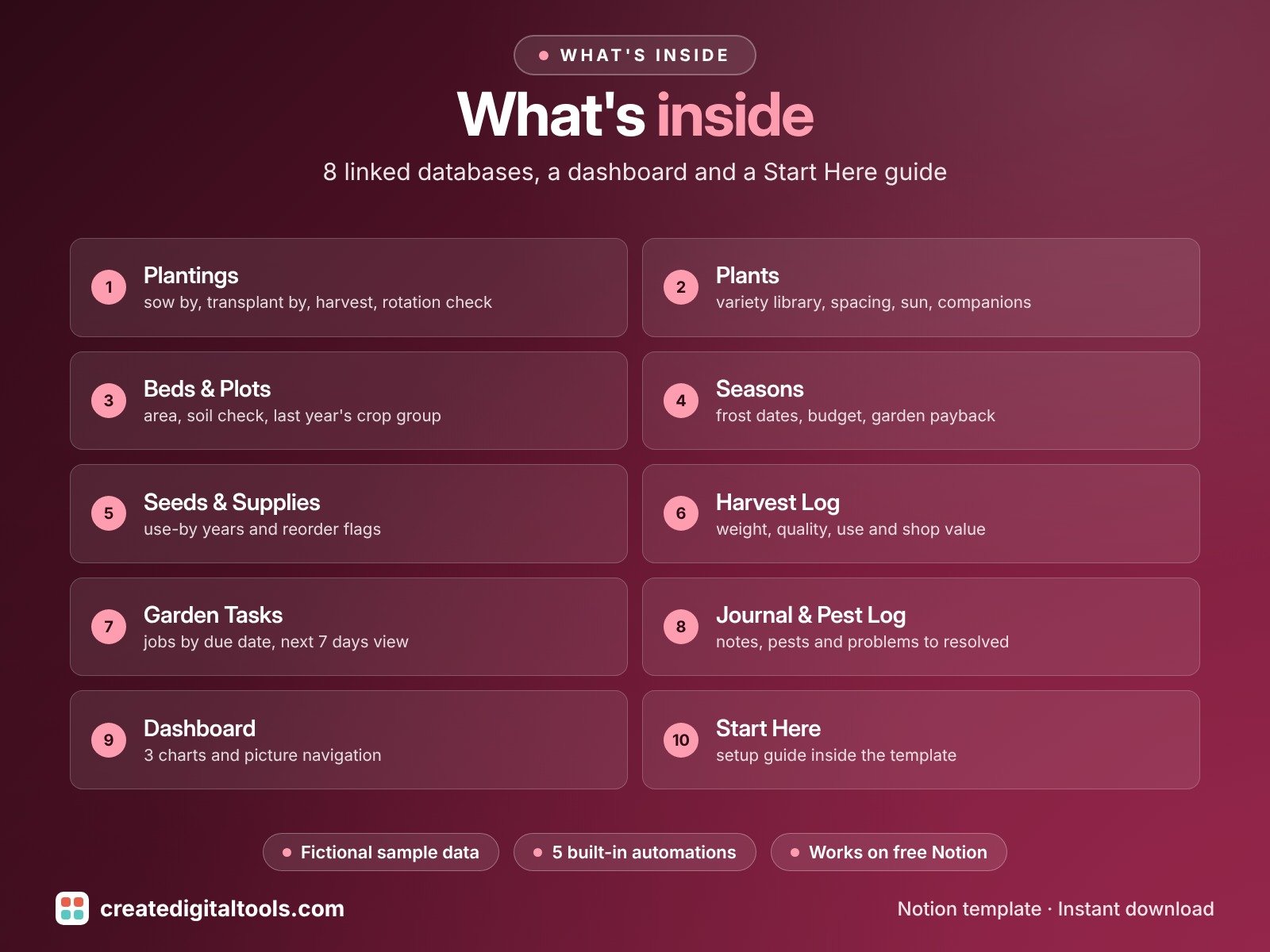
What’s inside
- Plantings: what grows where, with Sow by, Transplant by, Expected harvest, Next step and Rotation check worked out for you
- Plants: your variety library with sowing numbers, spacing, sun, water and companions
- Beds & Plots: every bed, container and greenhouse with area, soil check and last year's crop group
- Seasons: frost dates, budget, spend and harvest value, with a Garden payback check
- Seeds & Supplies: seed use-by years, reorder flags and costs
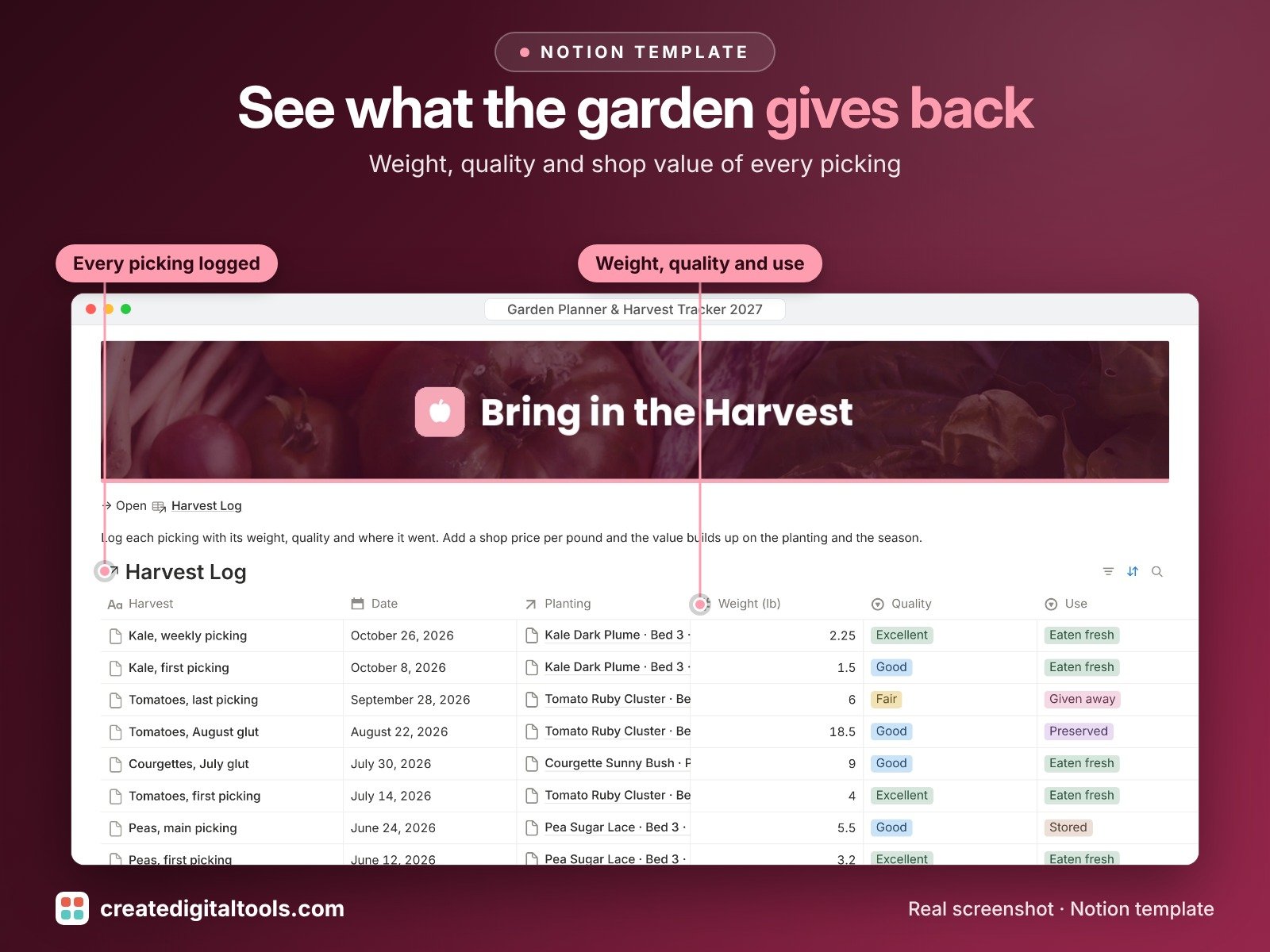
- Harvest Log: weight, quality, use and value of every picking
- Garden Tasks: jobs by due date, bed and planting, with a Due next 7 days view
- Journal & Pest Log: notes and every pest, disease or weather problem from spotted to resolved
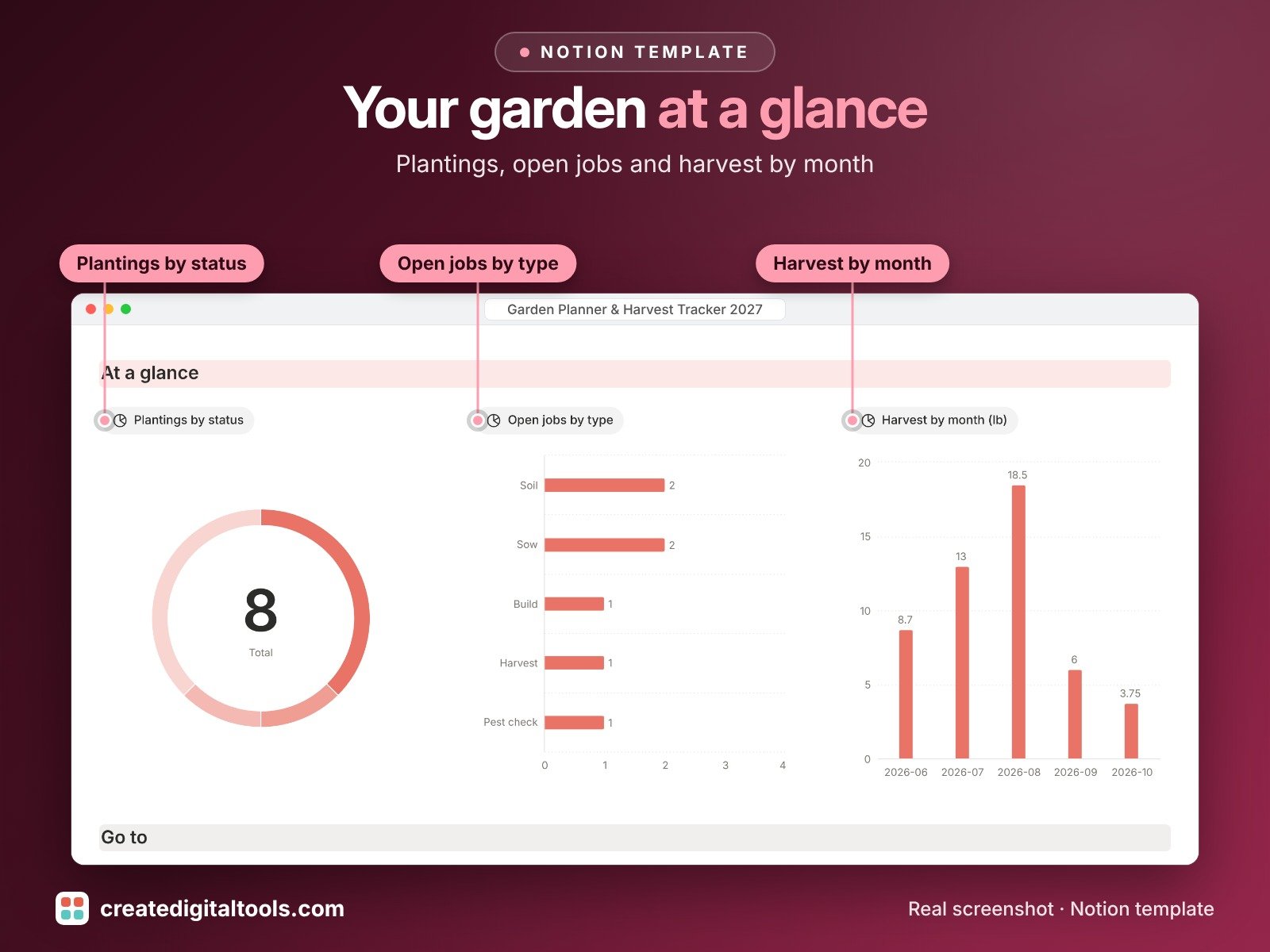
- Main dashboard with 3 charts, picture navigation and ready-made views, plus fictional sample data so you can see it working first.
Built-in automations
Five automations stamp the date when you sow, plant out, first harvest, finish a job or resolve a problem. Database automations run on Notion's paid plans (Plus and up). On the Free plan they pause, and you can make the same changes by hand.
Who it’s for
- Vegetable gardeners and allotment growers
- Raised-bed, container and greenhouse growers
- Homesteaders who want to know what the garden gives back
What you get
- Template link (PDF) to duplicate into your Notion workspace
- Setup Guide PDF with a step-by-step walkthrough
- Start Here: Step-by-Step Guide inside the template
- Video walkthrough: setup guide and full tour (at the top of this page)
How delivery works
You get a PDF with the Duplicate link. Click Duplicate to copy it into your free Notion workspace.
- Buy and download the PDF with your template link.
- Open the link and click Duplicate (log in to Notion first; the free plan works).
- Open the Start Here page and follow the setup steps.
Good to know
- Digital product: nothing physical is shipped.
- You need a Notion account (the free plan works).
- This is an organising tool, not horticultural, food-safety or financial advice.
- Sowing dates are estimates from the frost date and week offsets you enter, so check your seed packet and local guidance, and follow the label on any garden product.
- Notion is a trademark of Notion Labs, Inc.; this is an independent template.
New to Notion? Create a free account (affiliate link: I may earn a commission at no extra cost to you).
Want your own store like this one? createdigitaltools.com runs on Hostinger WordPress hosting. Start your own shop with Hostinger, or try the no-code Hostinger Website Builder.
Affiliate links: I may earn a commission at no extra cost to you.