

Description
Setup Guide & Full Tour
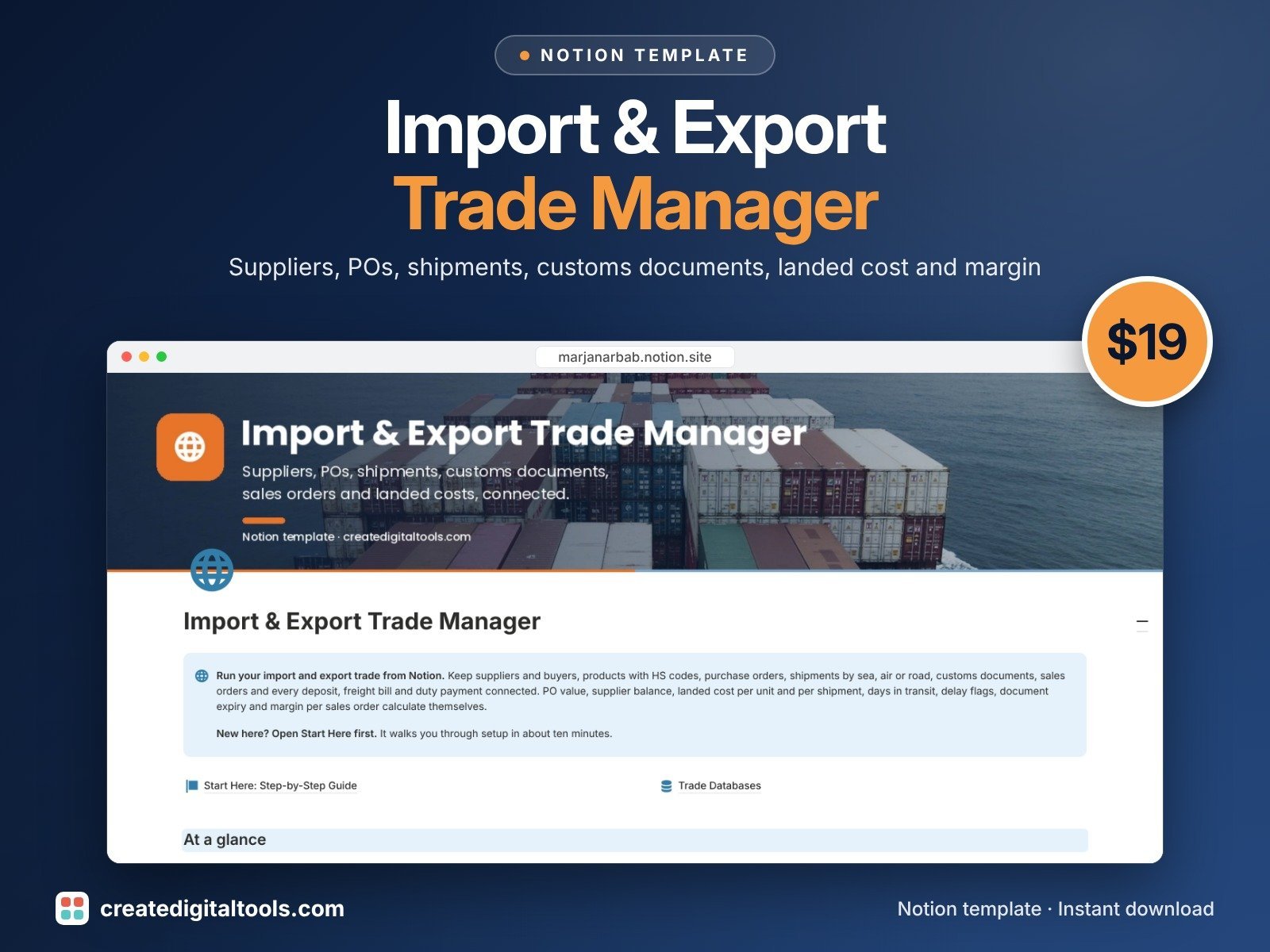
Run your import and export business from one connected Notion workspace. Track suppliers and buyers, products with HS codes, purchase orders, shipments by sea, air or road, customs documents, sales orders and every deposit, freight bill, duty and customer payment, with landed cost and margin calculated for you.
Built for small import/export traders, sourcing agents and wholesale importers who are tired of juggling separate spreadsheets for POs, shipments and costs.
What’s inside
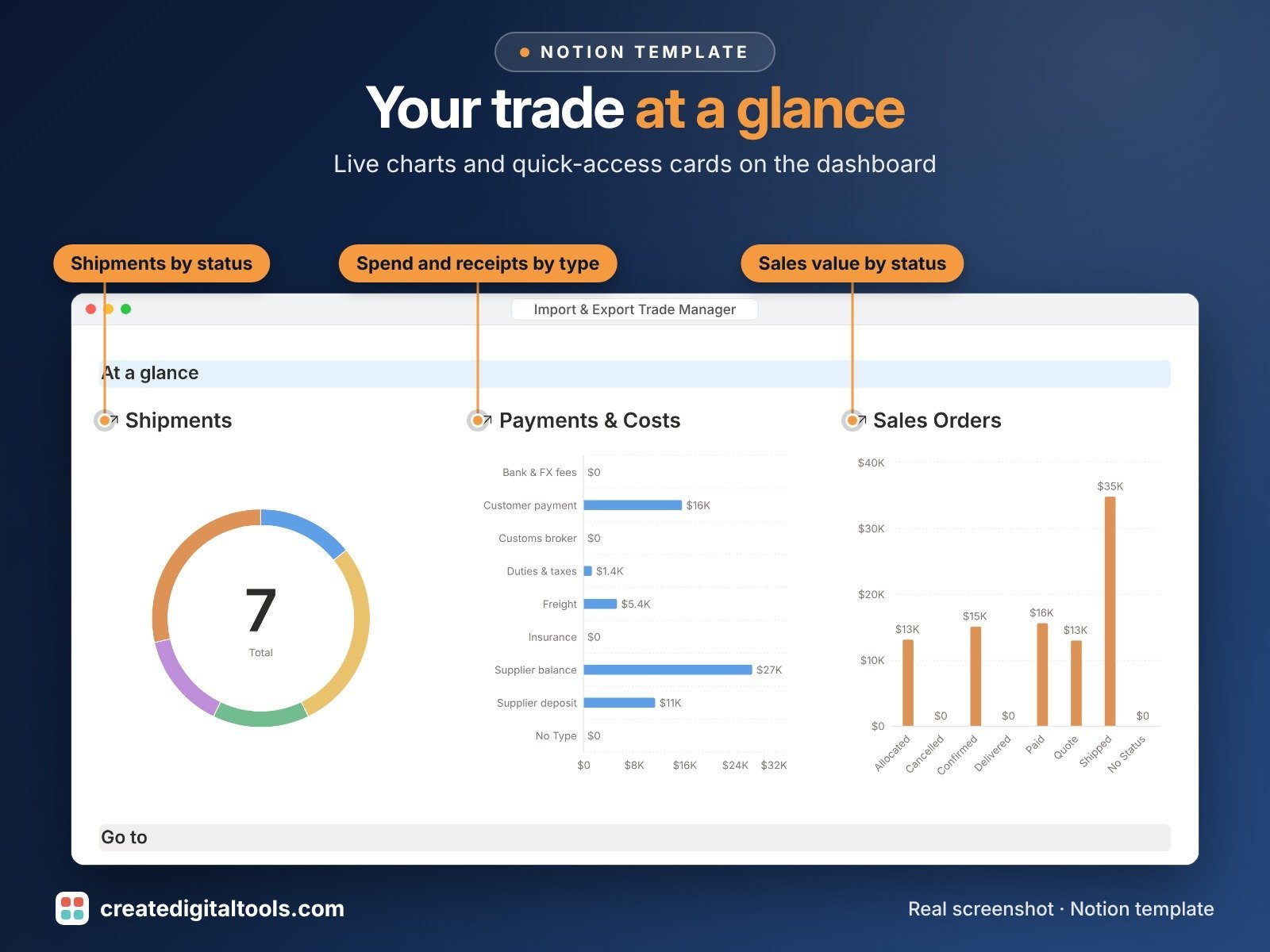
- Main dashboard: 3 live charts (shipments by status, spend and receipts by type, sales value by order status), quick-access cards and 5 focused sections
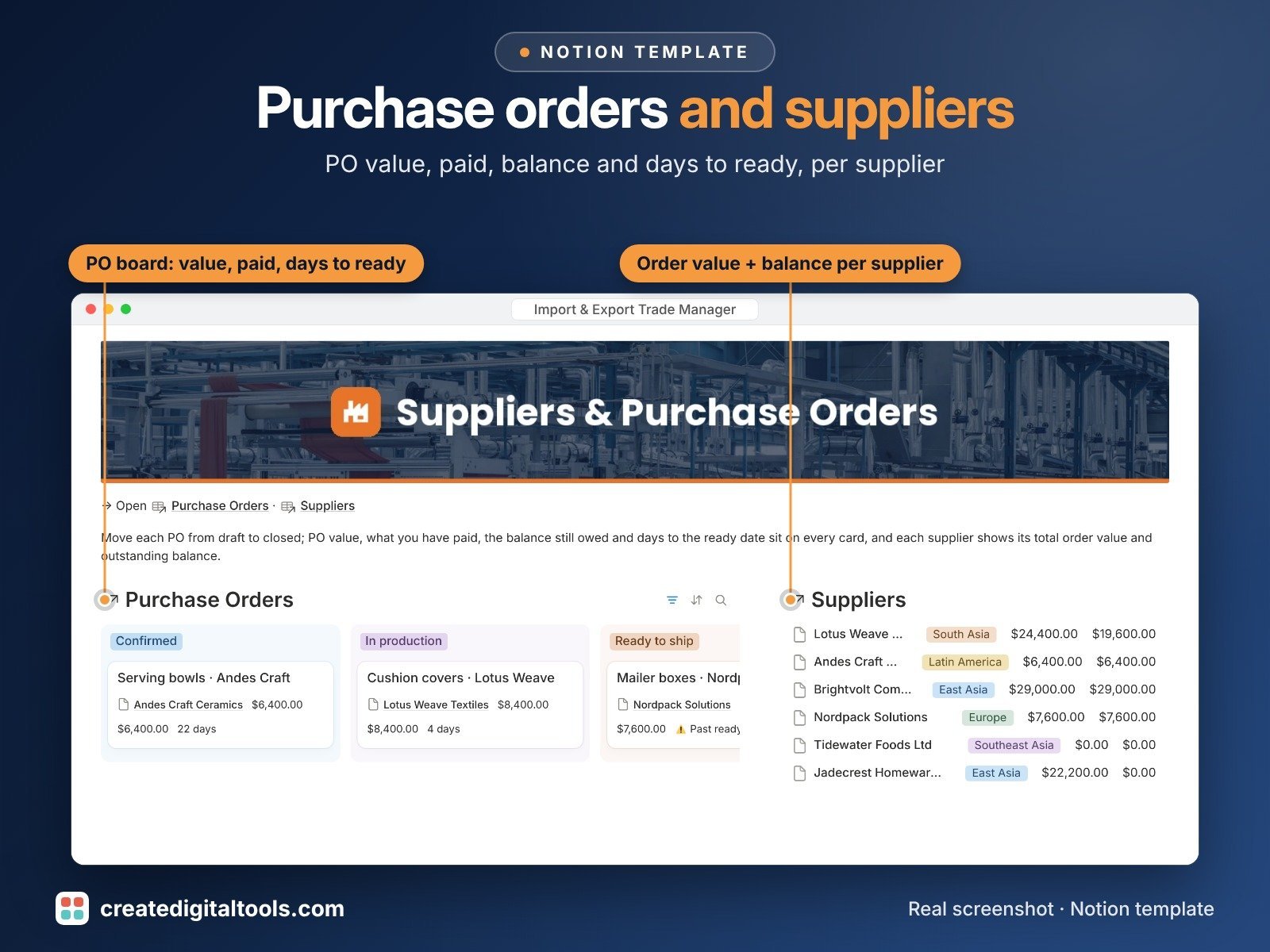
- Suppliers: region, category, payment terms, lead time, rating, audit check; PO value total and outstanding balance roll up automatically
- Customers / Buyers: type, region, payment terms, credit limit; sales value, total margin and balance owed per buyer
- Products & HS Codes: SKU, HS code, unit cost, freight per unit, duty %, fees; landed cost per unit, unit margin and margin % calculate
- Purchase Orders: Incoterm, quantity, unit price; PO value, paid to supplier, balance to supplier, % paid and days to ready date
- Shipments: mode (sea, air, road, rail), Incoterm, load, carrier, ETD/ETA; days in transit, delay flag, goods value, freight/duty/fees, landed cost per shipment and documents-ready counter
- Customs & Documents: commercial invoice, packing list, bill of lading, air waybill, certificate of origin, licences; status, file upload and expiry warnings
- Sales Orders: order value, landed cost, cost of goods, margin, margin %, received and balance due
- Payments & Costs: deposits, balances, freight, duties, broker fees, insurance, bank fees and customer payments in any currency, with FX rate and amount in your base currency; due-soon and overdue flags
- Boards, calendars and filtered views on every database (open POs, shipment board, arrivals calendar, documents to chase, payments due and more)
- Fictional sample data so you can see everything working before you add your own
Built-in automations
Four database automations save you typing: confirming a PO stamps Confirmed on, marking a payment Paid stamps Paid on, approving a document stamps Approved on, and setting a shipment to Delivered stamps Delivered on. Database automations run on Notion's paid plans (Plus and up). On the Free plan they pause, and you can make the same changes by hand.
Who it’s for
- Small import and export traders
- Sourcing agents and wholesale importers
- Online sellers bringing stock in from overseas suppliers
What you get
- Template link (PDF) to duplicate into your Notion workspace
- Setup Guide PDF with a step-by-step walkthrough
- Start Here: Step-by-Step Guide inside the template
- Video walkthrough: setup guide and full tour (at the top of this page)
How delivery works
You get a PDF with the Duplicate link. Click Duplicate to copy it into your free Notion workspace.
- Buy and download the PDF with your template link.
- Open the link and click Duplicate (log in to Notion first; the free plan works).
- Open the Start Here page and follow the setup steps.
Good to know
- Digital product: nothing physical is shipped.
- You need a Notion account (the free plan works).
- This is an organising tool, not legal, customs, tax or financial advice.
- Customs, duty and tax rules vary by country; check HS codes, duty rates, Incoterms and document requirements with a licensed customs broker or qualified adviser.
- Notion is a trademark of Notion Labs, Inc.; this is an independent template.
New to Notion? Create a free account (affiliate link: I may earn a commission at no extra cost to you).
Want your own store like this one? createdigitaltools.com runs on Hostinger WordPress hosting. Start your own shop with Hostinger, or try the no-code Hostinger Website Builder.
Affiliate links: I may earn a commission at no extra cost to you.