Description
Setup Guide & Full Tour (5 min, start here if you are new to Notion)
Quick demo
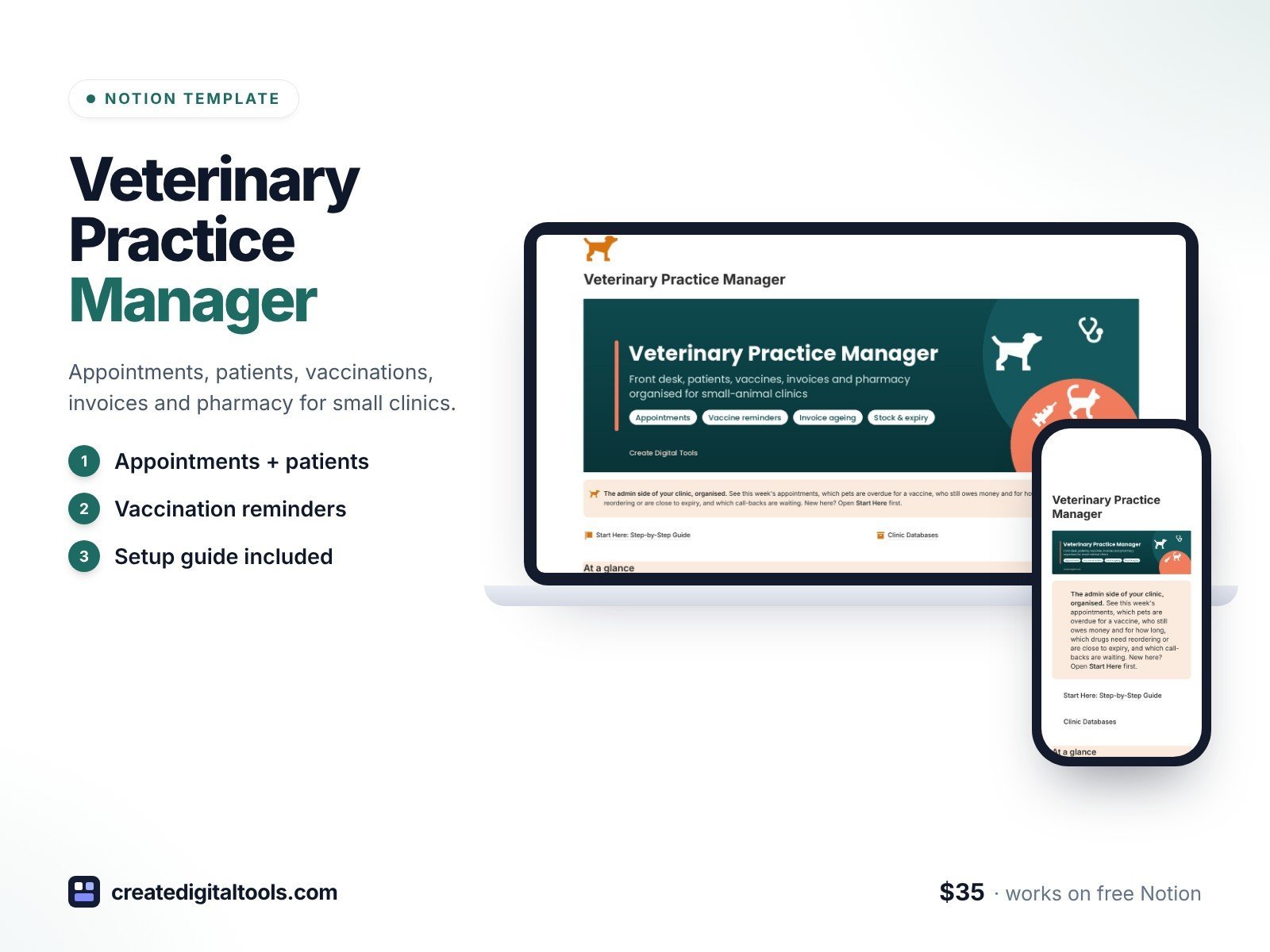
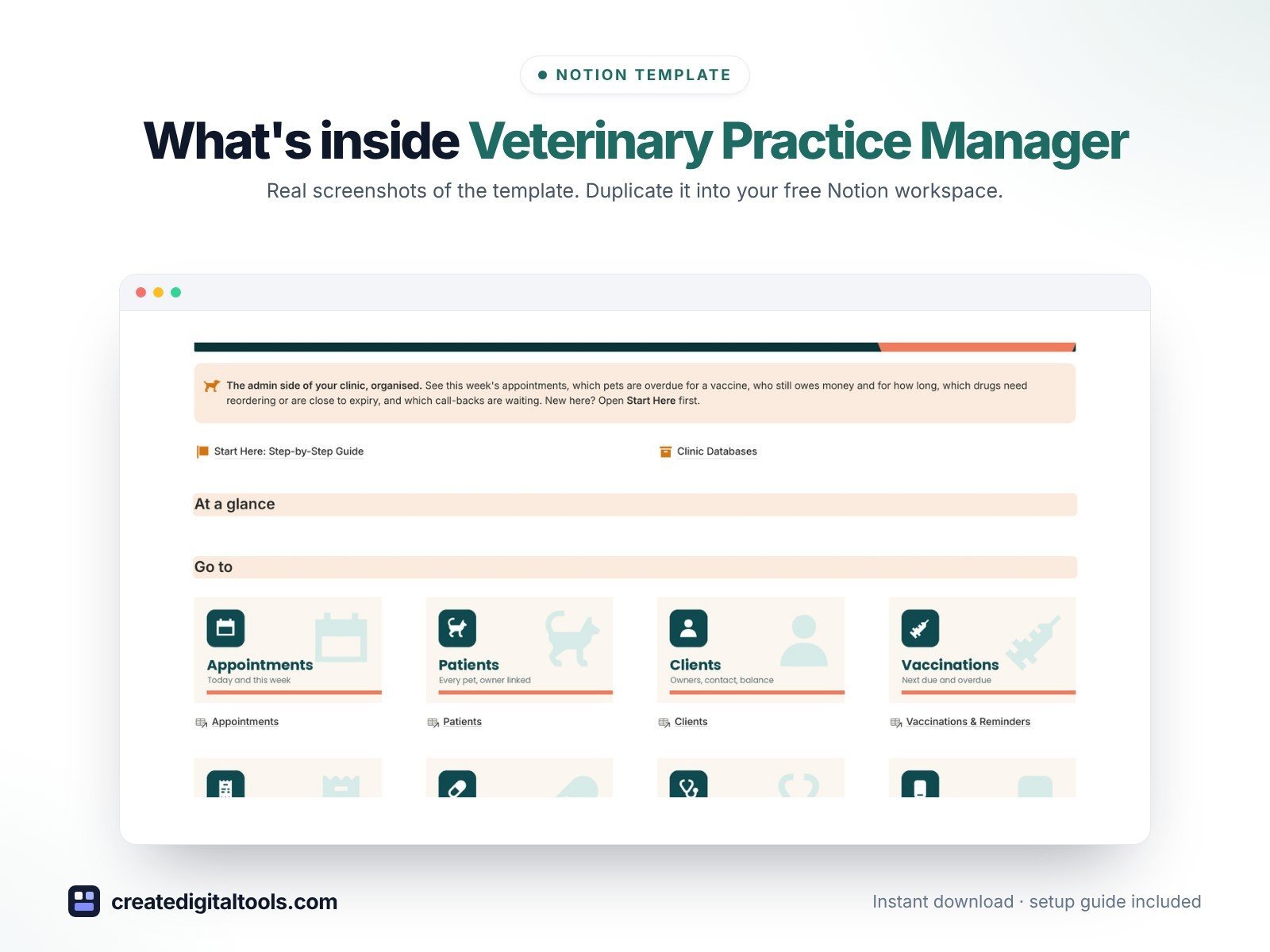
Run the front desk of your small-animal clinic from an organised Notion workspace. Veterinary Practice Manager tracks this week’s appointments, works out when every pet’s next vaccine is due, flags overdue boosters, shows who owes money and for how long, warns you before drugs run low or expire, and keeps call-backs and licence renewals in view. It sits next to your practice management software: clinical records stay there.
What’s inside
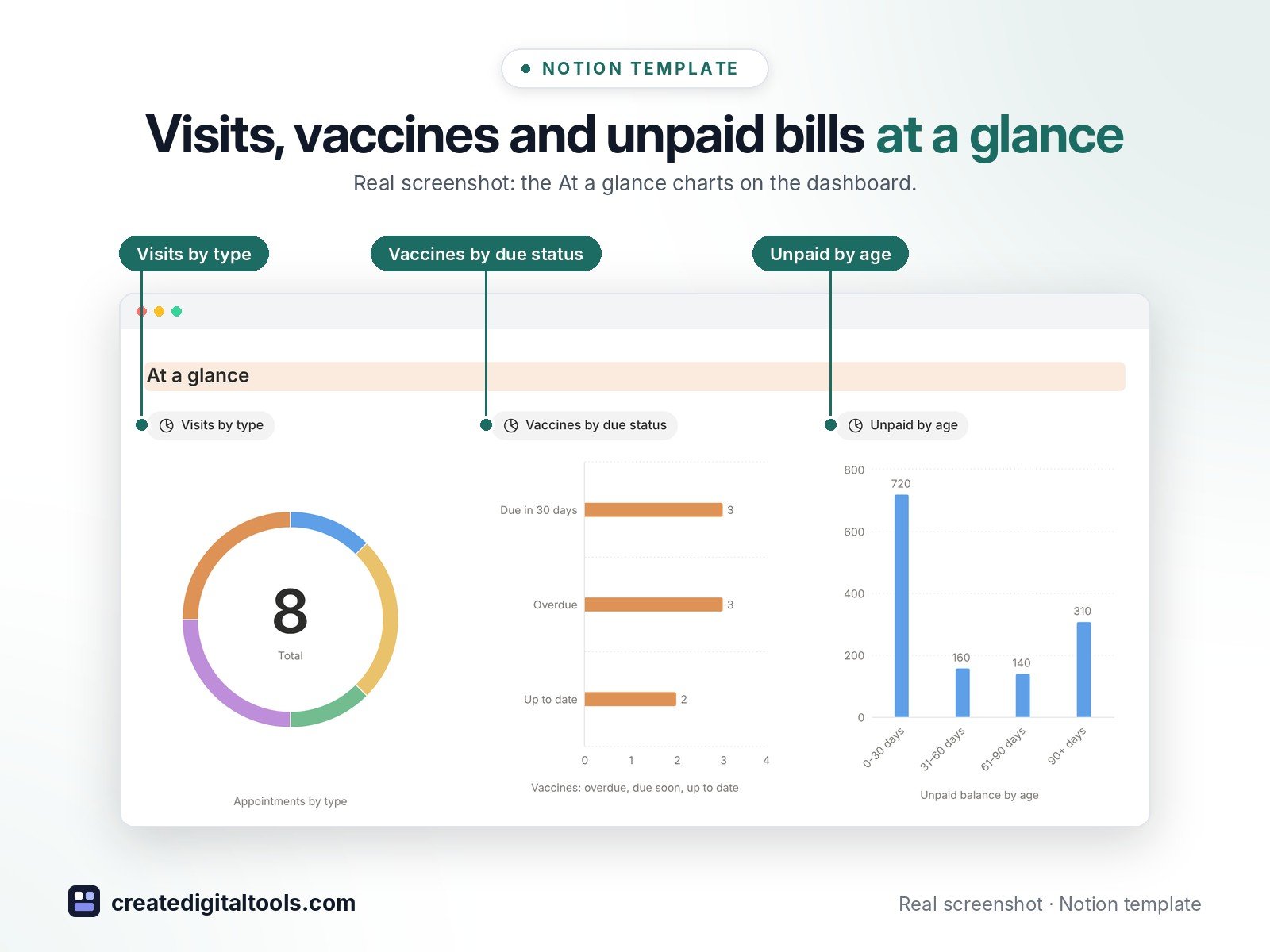
- Dashboard with three charts (appointments by type, vaccines by due status, unpaid balance by age), image navigation cards and five sections
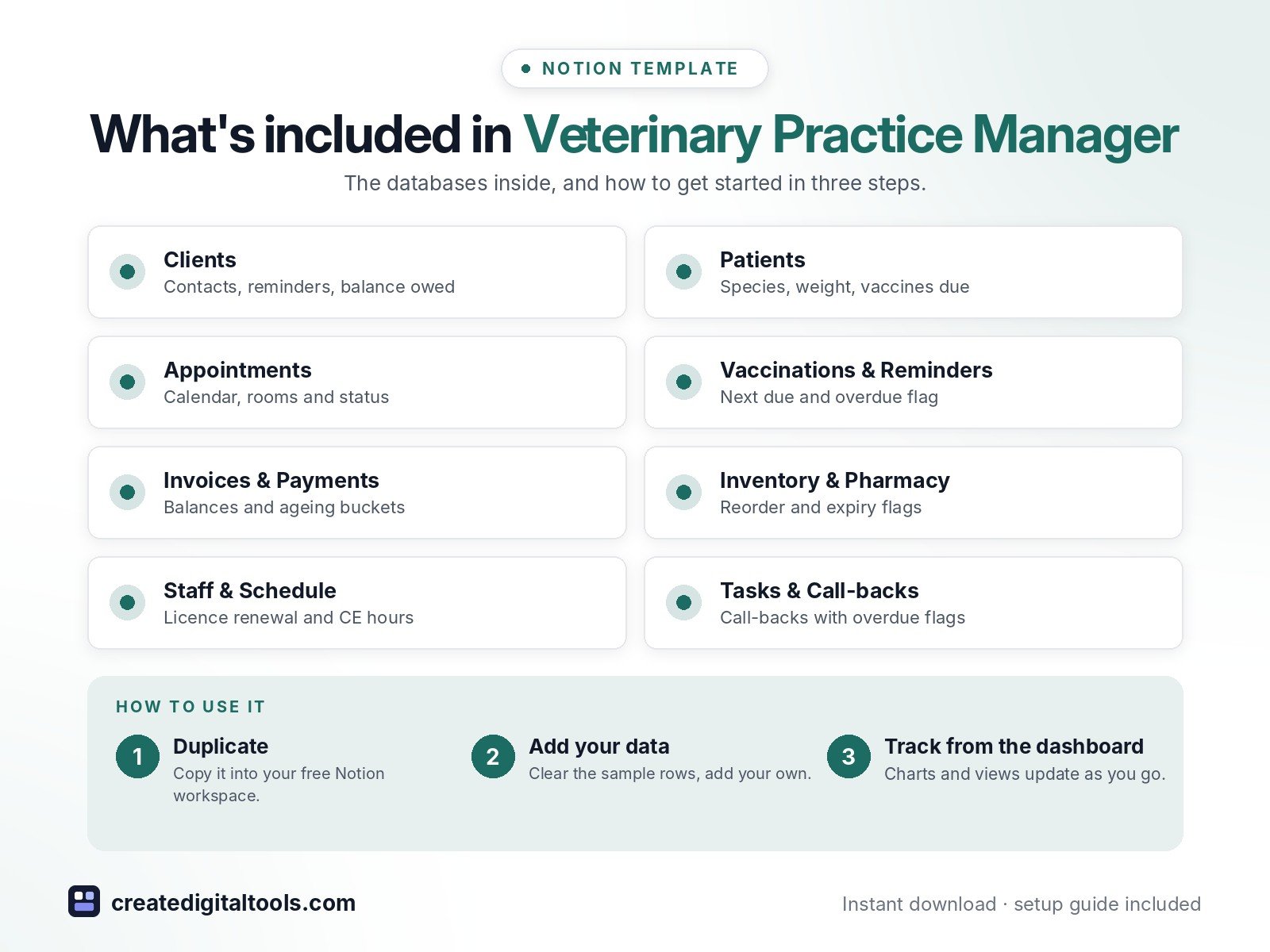
- Clients: contact, preferred channel, reminder opt-in, balance owed rolled up from invoices, number of pets
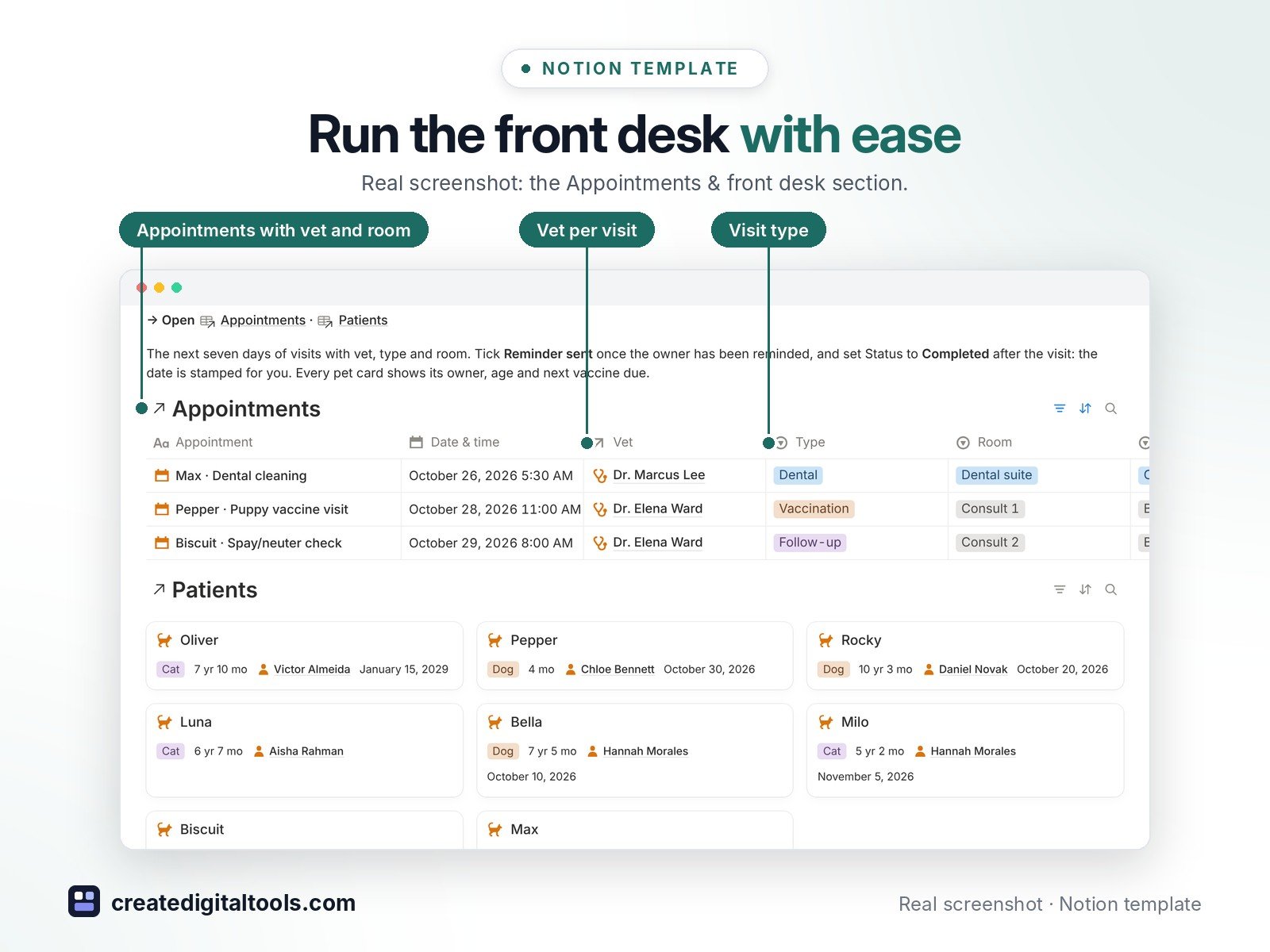
- Patients: species, breed, age from date of birth, weight, microchip, primary vet, next vaccine due, overdue vaccines, last visit
- Appointments: vet, type, room, status, reminder sent, fee; calendar, this-week and status views
- Vaccinations & Reminders: given on, interval, next due, days until due, overdue flag and a reminders-to-send view
- Invoices & Payments: balance, payment status, days outstanding and ageing buckets (0-30, 31-60, 61-90, 90+ days)
- Inventory & Pharmacy: reorder level and flag, expiry countdown, Use first flag, supplier, stock value
- Staff & Schedule (licence renewal countdown, CE hours) and Tasks & Call-backs with overdue flags
- 3 built-in automations: appointment Completed, vaccine Given today and stock Restocked stamp their dates
- 8 linked databases with relations, rollups, formulas, fictional sample data and a ready-made page template in each, plus a Start Here guide
Database automations run on Notion’s paid plans (Plus and up). On the Free plan they pause, and you can make the same changes by hand.
Who it’s for
- Small-animal and mixed vet clinics
- Practice managers, receptionists and vet nurses
- Mobile vets who want reminders, billing follow-up and stock control in one place
What you get
- Template link (PDF) to duplicate into your Notion workspace
- Start Here: Step-by-Step Guide inside the template
- Video walkthrough (being added to the Start Here page)
How delivery works
You get a PDF with the Duplicate link. Click Duplicate to copy it into your free Notion workspace.
- Buy and download the PDF with your template link.
- Open the link and click Duplicate (log in to Notion first; the free plan works).
- Open the Start Here page and follow the setup steps.
Good to know
- Digital product: nothing physical is shipped.
- You need a Notion account (the free plan works).
- Sample data is fictional.
- This template is an organising tool, not veterinary, medical or legal advice. Keep clinical records in your practice management software.
- Notion is a trademark of Notion Labs, Inc.; this is an independent template.
New to Notion? Create a free account (affiliate link: I may earn a commission at no extra cost to you).
Want your own store like this one? createdigitaltools.com runs on Hostinger WordPress hosting. Start your own shop with Hostinger, or try the no-code Hostinger Website Builder.
Affiliate links: I may earn a commission at no extra cost to you.