Description
Full Walkthrough
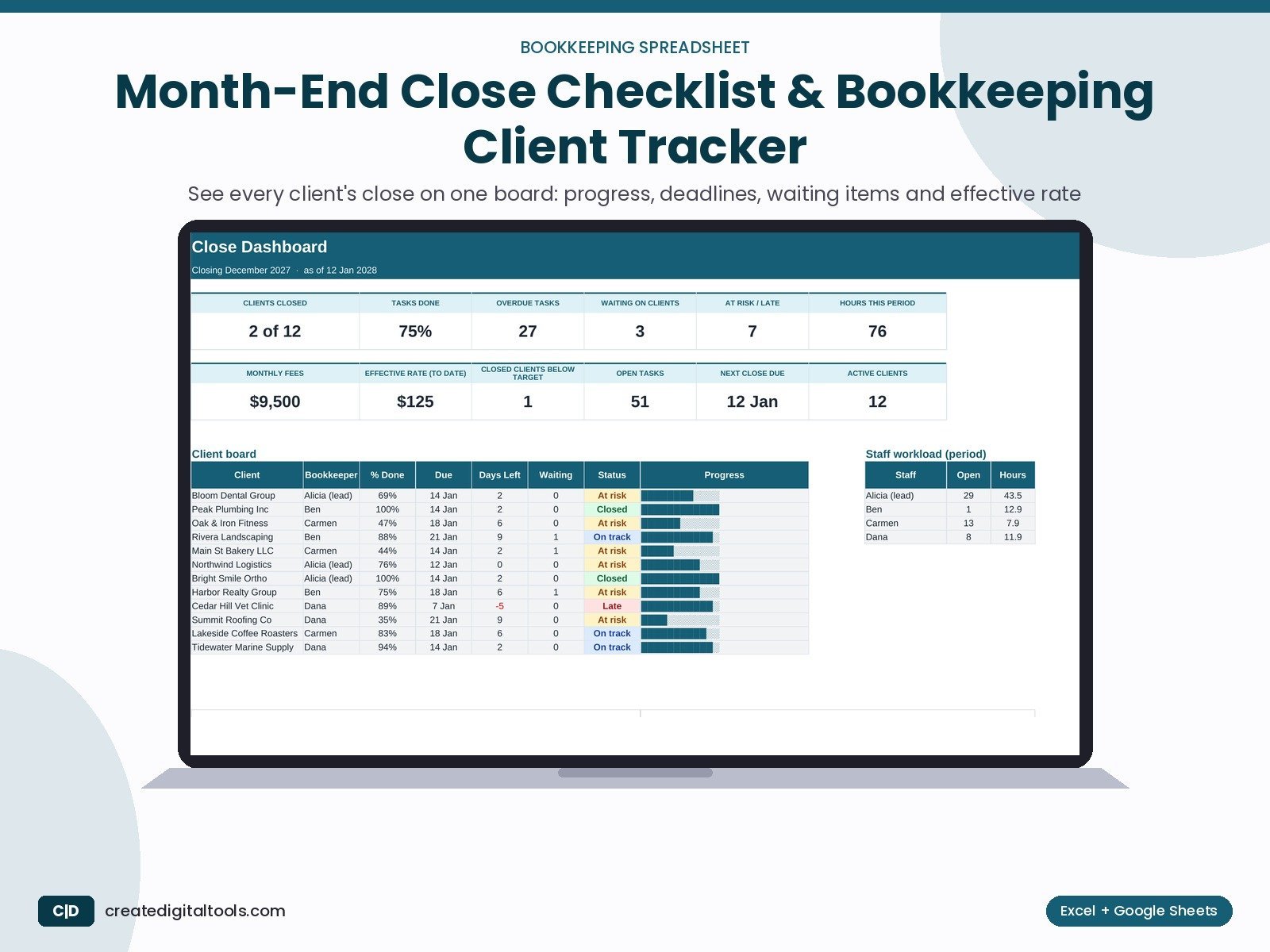
Run each client's close from one checklist. Track % done, due dates, late and at-risk closes, staff workload and effective rate.
Who it’s for
Bookkeepers, virtual CFOs and small accounting firms closing the books for several clients each month, who want one board instead of a folder of checklists.
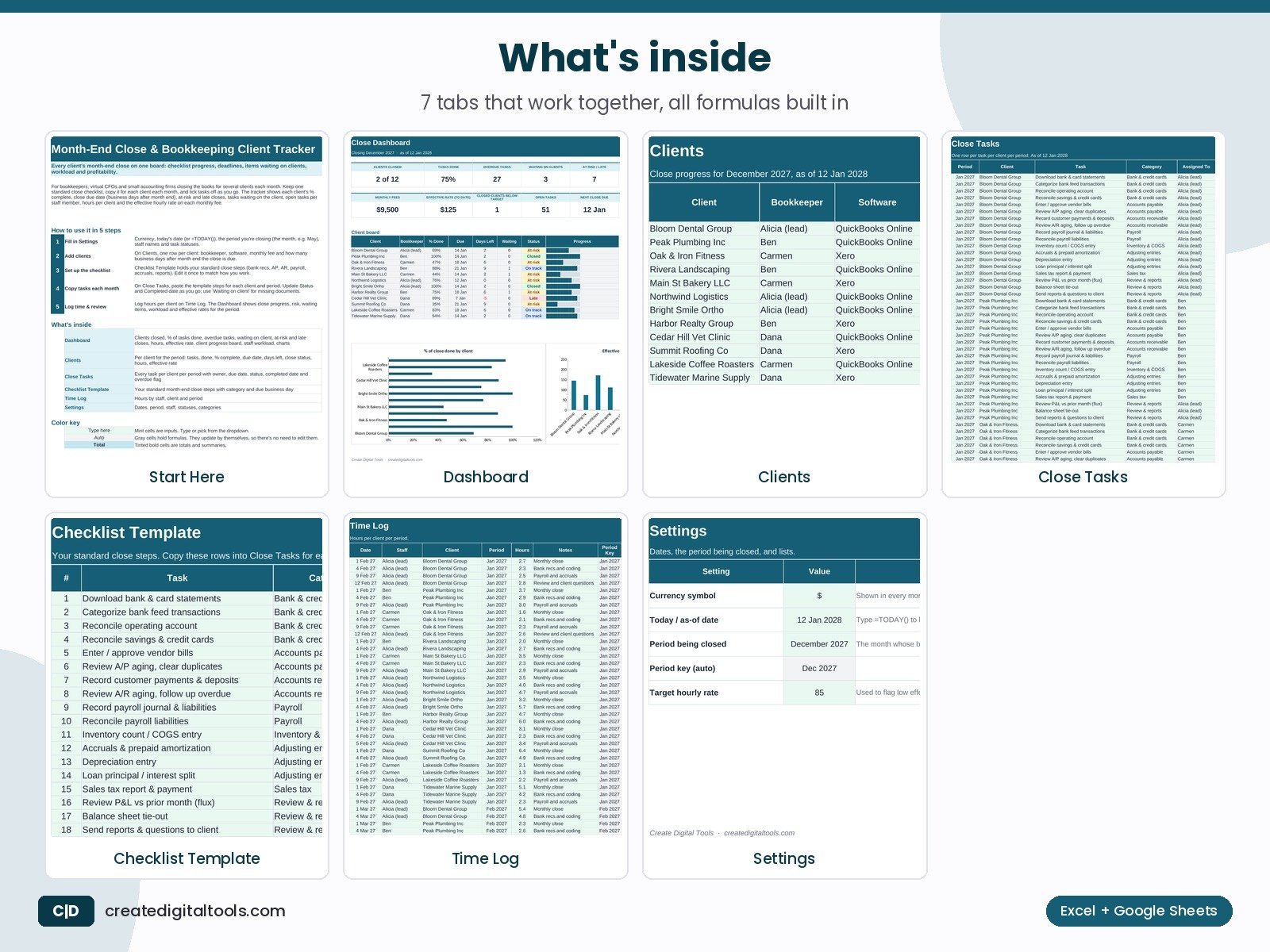
What’s inside
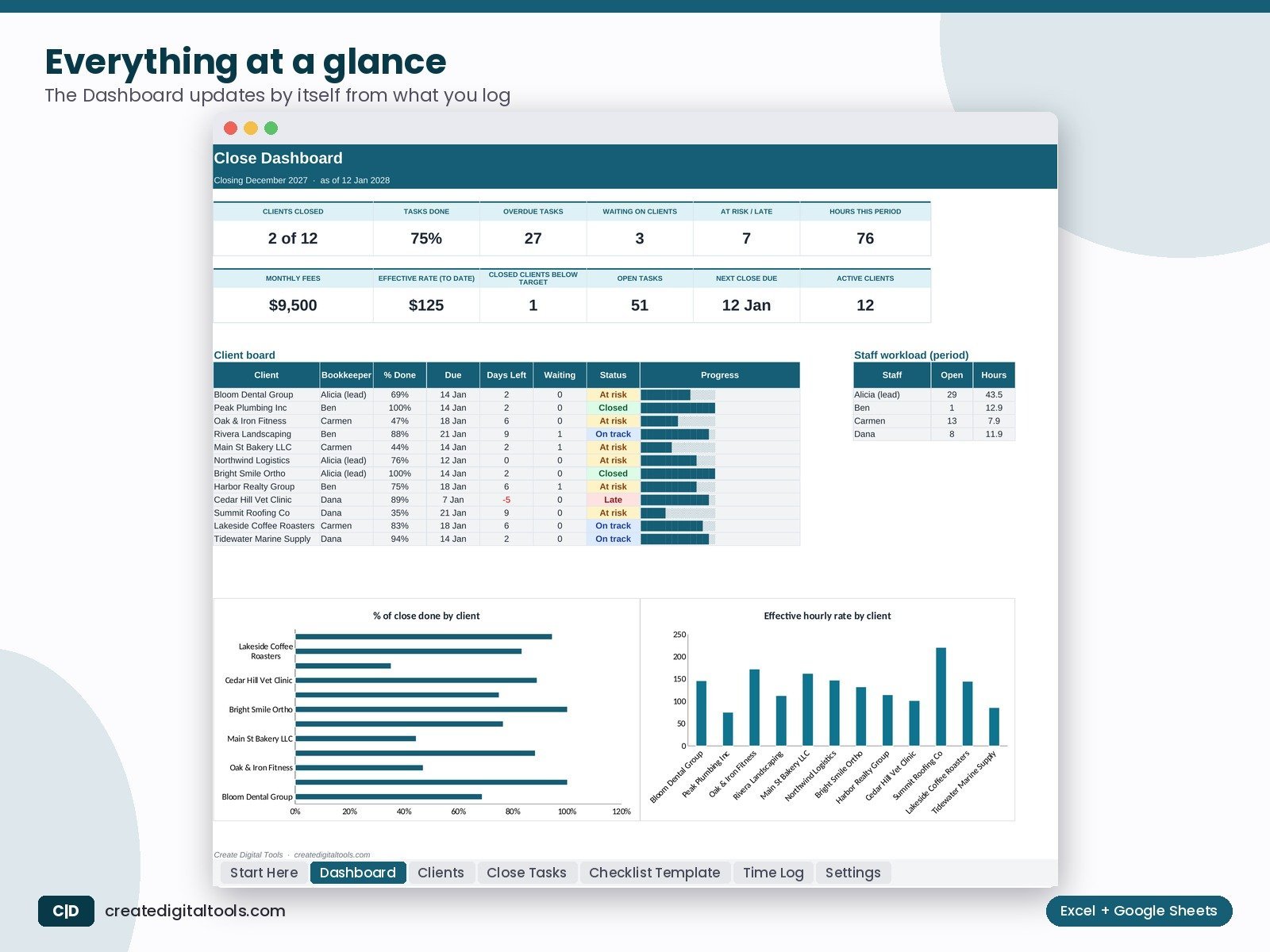
- Dashboard: Clients closed, % of tasks done, overdue tasks, waiting on client, at-risk and late closes, hours, effective rate, client progress board, staff workload, charts
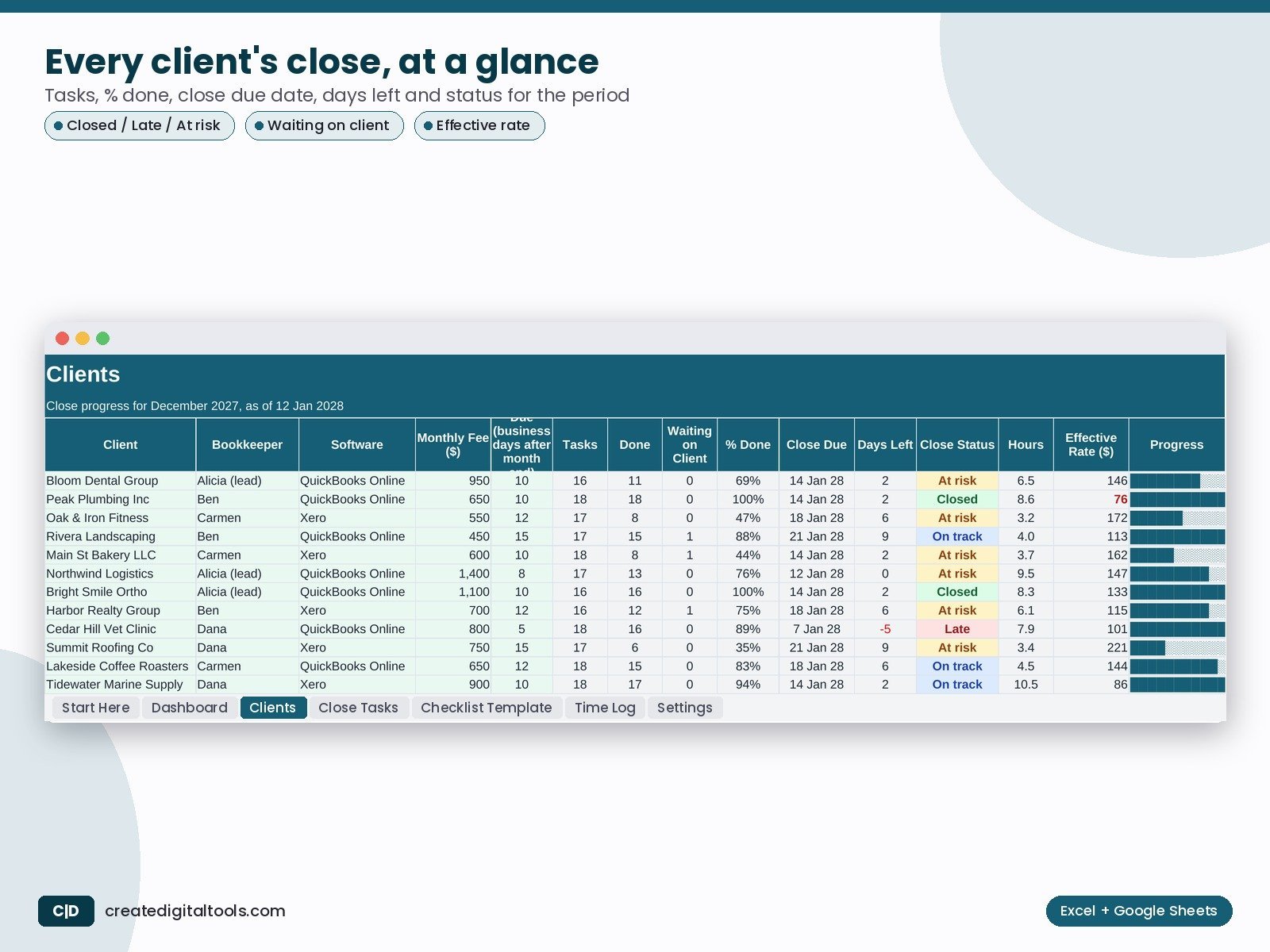
- Clients: Per client for the period: tasks, done, % complete, due date, days left, close status, hours, effective rate
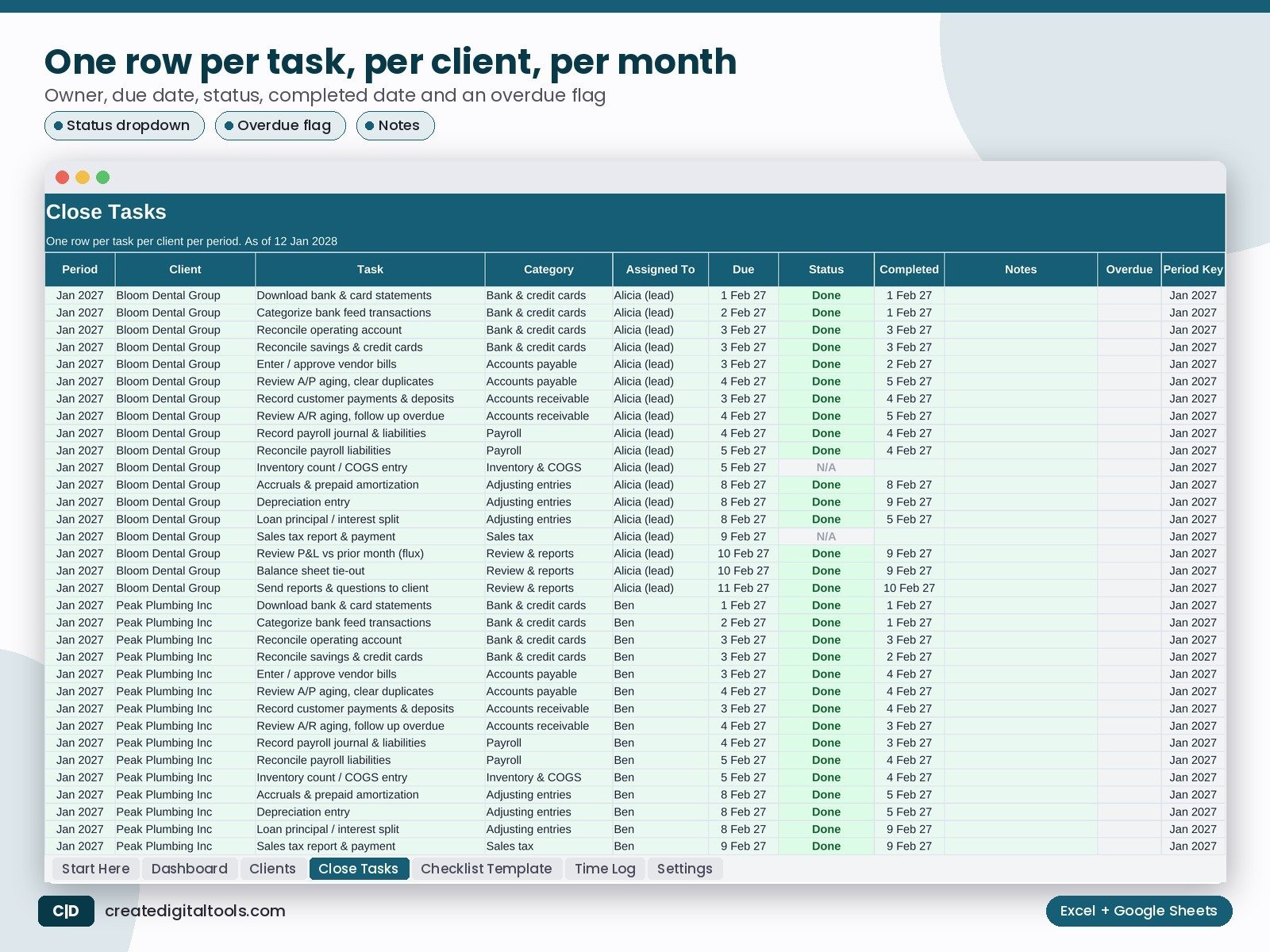
- Close Tasks: Every task per client per period with owner, due date, status, completed date and overdue flag
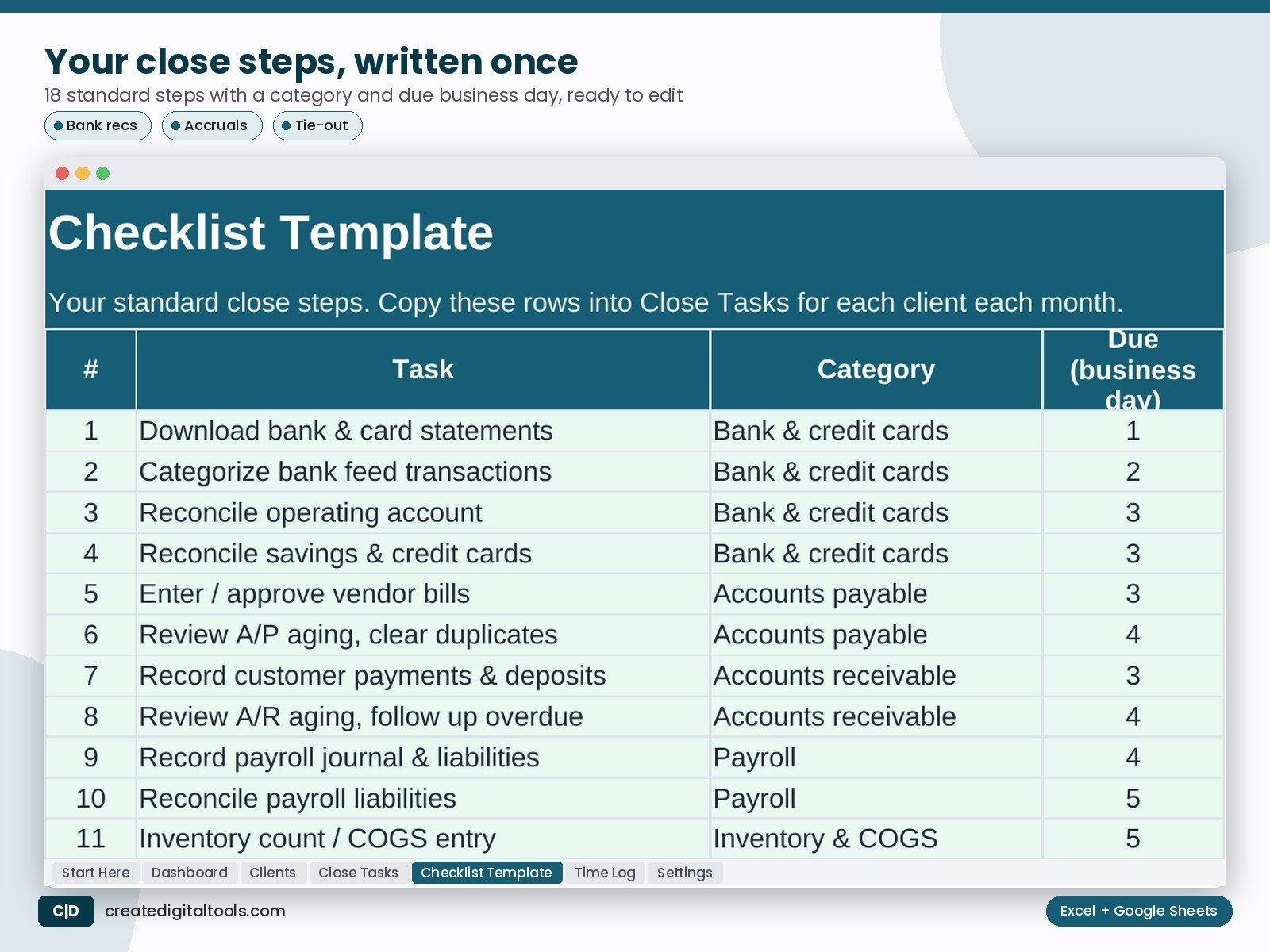
- Checklist Template: Your standard month-end close steps with category and due business day
- Time Log: Hours by staff, client and period
- Settings: Dates, period, staff, statuses, categories
What you get
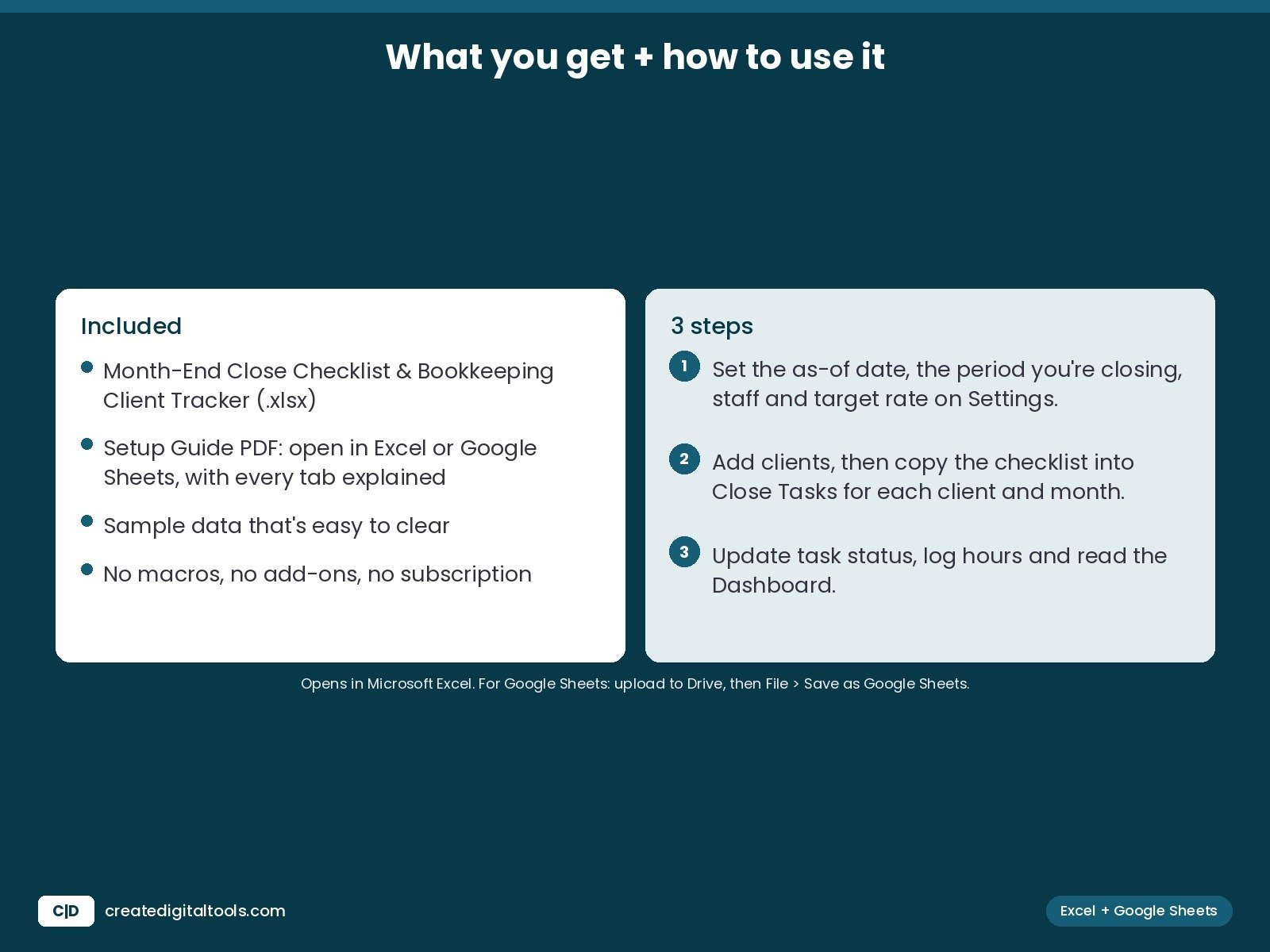
- The .xlsx workbook with sample data that’s easy to clear
- Setup Guide PDF, with every tab explained
- A video walkthrough
FAQ
Does it work in Google Sheets?
Yes. Upload it to Google Drive, open it with Google Sheets, then choose File > Save as Google Sheets.
Which Excel version do I need?
Excel 2019 or newer, Microsoft 365 or Excel for Mac.
Is this a subscription?
No. You pay once and keep the file. No macros, no add-ons.
This tracks the work, not the books. Keep bank logins and client financial data in your accounting software.
This is a digital product. No physical item will be shipped.
Also on Gumroad: Month-End Close Checklist & Bookkeeping Client Tracker on Gumroad
Build your own store: Hostinger WordPress hosting (affiliate link: I may earn a commission at no extra cost to you)