
Description
Cleaning Business Tracker
A cleaning business tracker for house cleaners, maid services and small commercial cleaning companies. Log every visit and it works out labor cost, supplies, travel, job profit and margin, then rolls it all into a monthly summary and a dashboard.
Who it’s for
Solo house cleaners, residential and office cleaning companies, move-out and deep-clean specialists, and anyone starting a cleaning business.
What’s inside
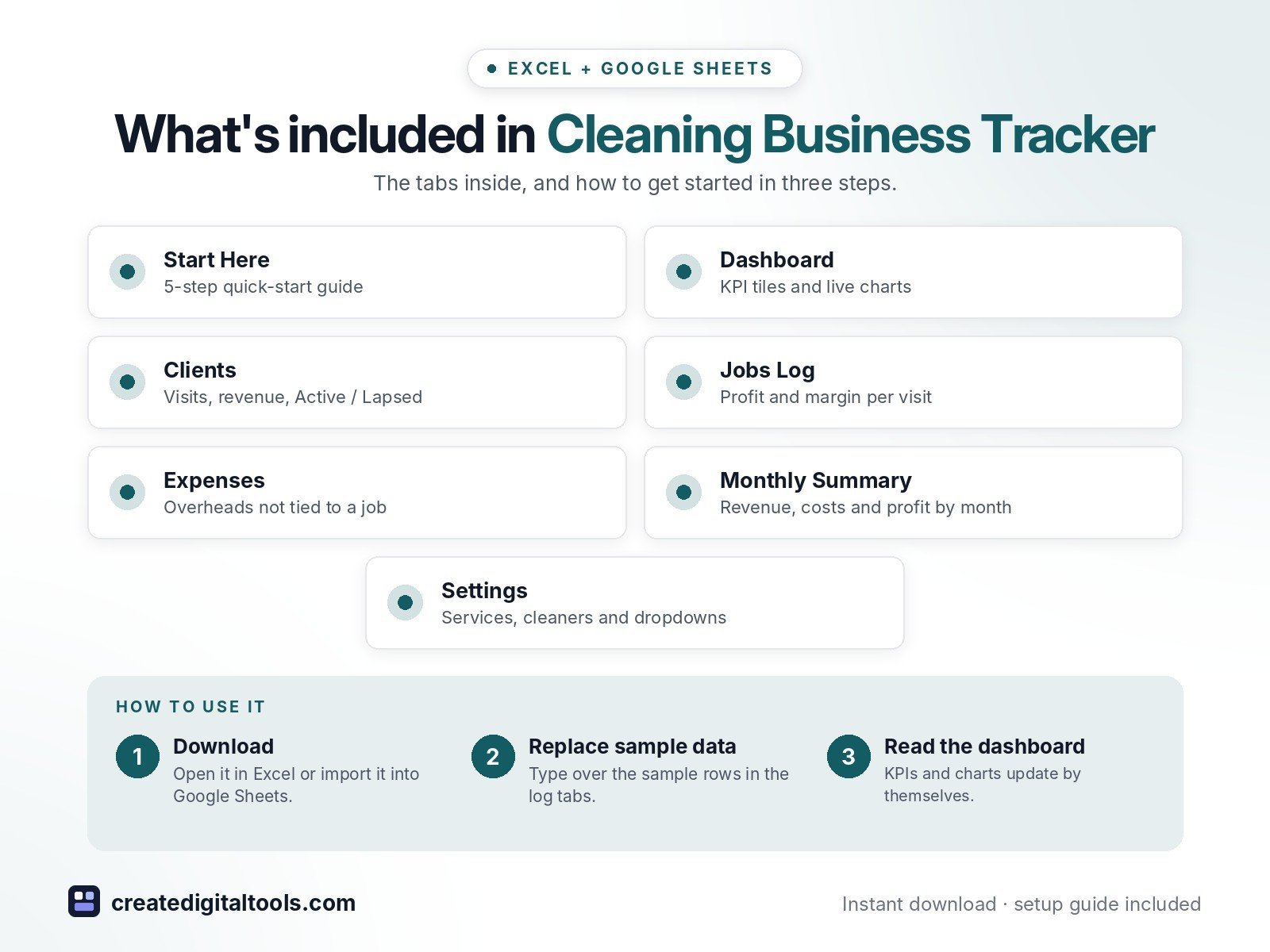
- Start Here – a 5-step quick-start guide inside the file
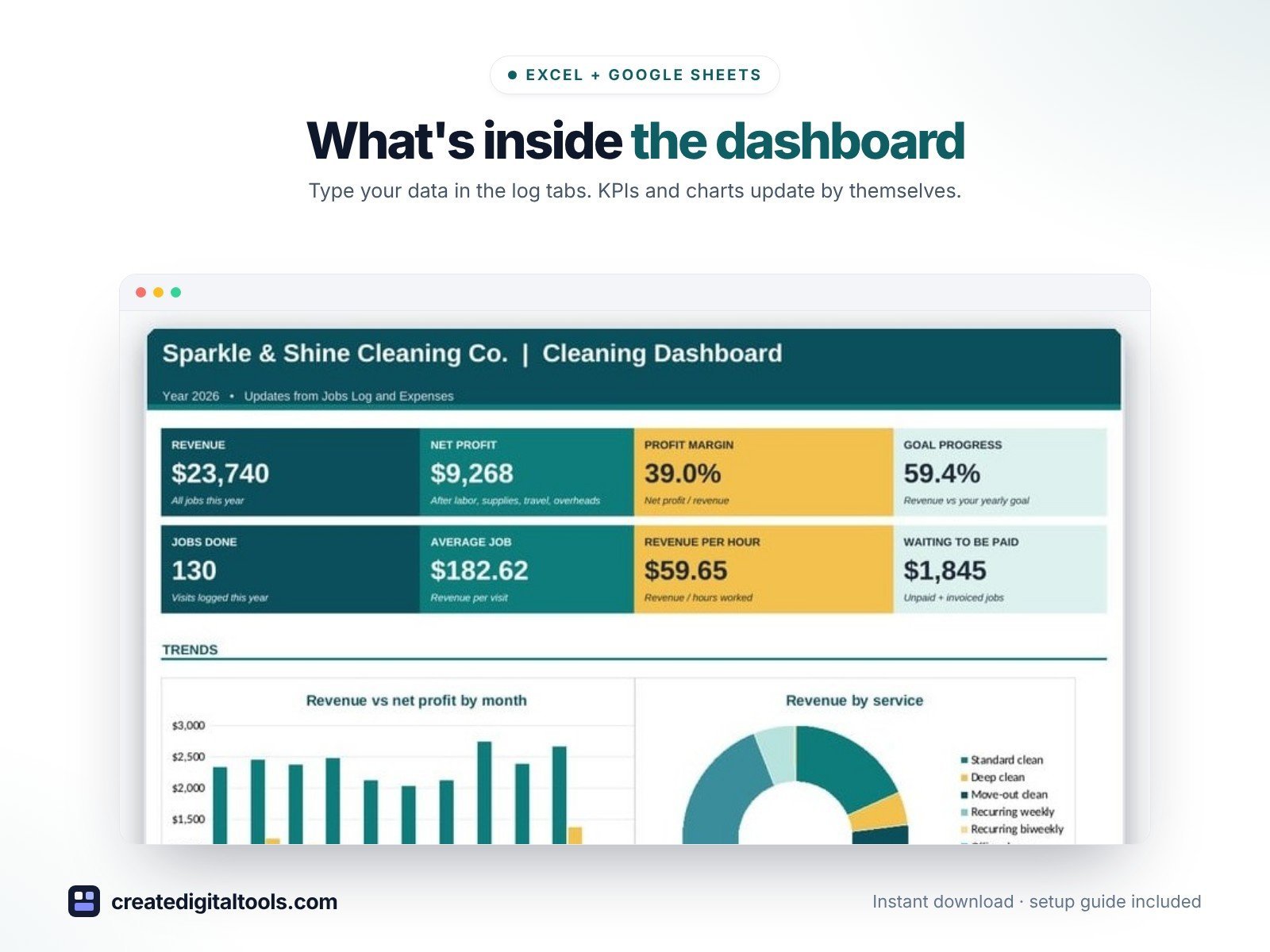
- Dashboard – KPI tiles, monthly revenue vs profit, service mix, revenue by cleaner.
- Clients – Client list with visits, revenue, last visit and an Active / Lapsed status.
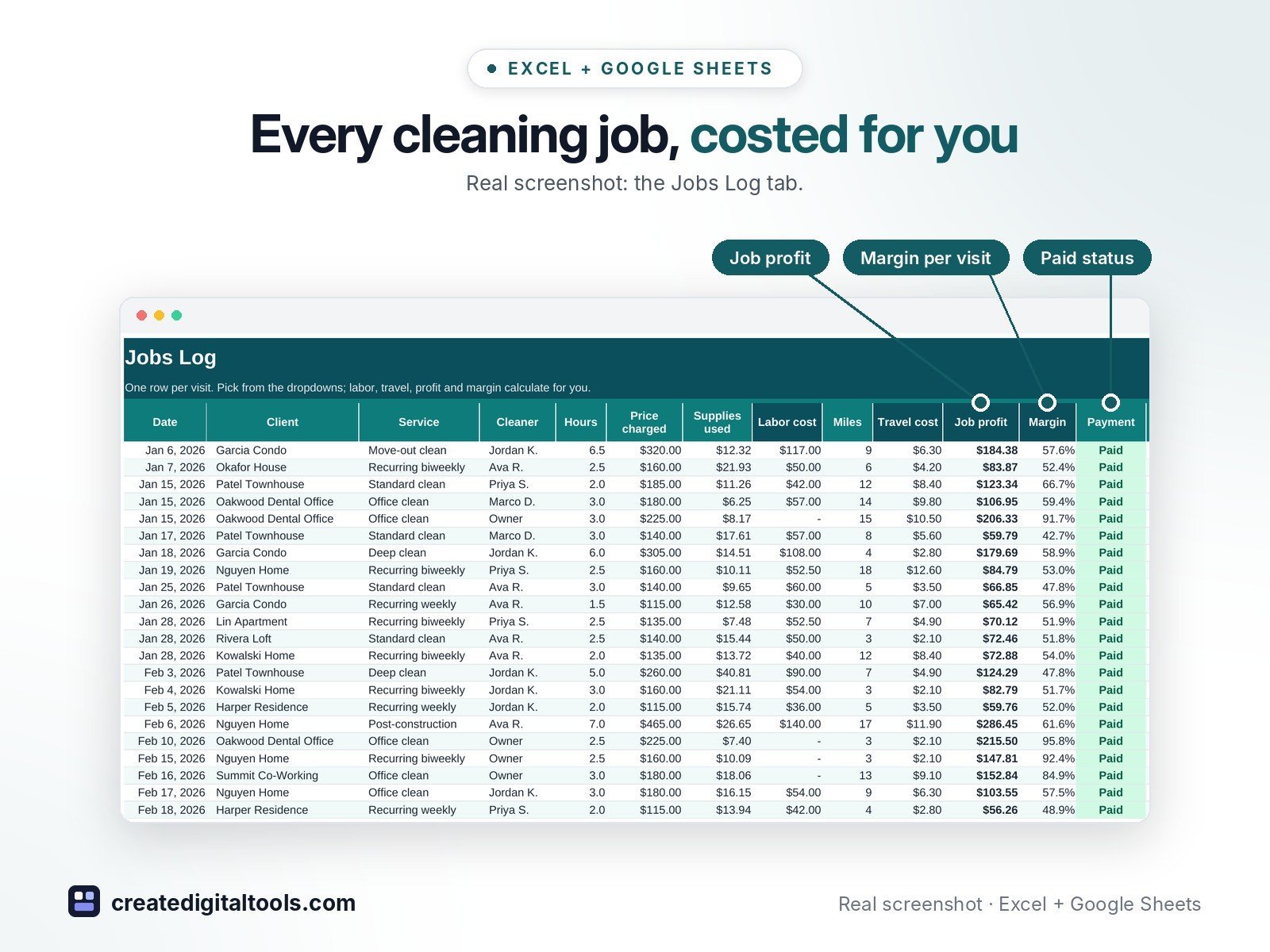
- Jobs Log – Every visit with labor cost, travel cost, job profit and margin worked out.
- Expenses – Overheads not tied to one job.
- Monthly Summary – Jobs, revenue, costs, net profit, margin and hours for each month.
- Settings – Business name, year, goal, mileage rate, services, cleaners and dropdown lists.
Features
- Client list with visits, revenue, last visit and an Active / Lapsed status
- Jobs log with labor cost from each cleaner's hourly pay
- Supplies and mileage cost per job, then job profit and margin
- Margins under 30% flagged in red so underpriced jobs stand out
- Paid / Invoiced / Unpaid tracking and a 'waiting to be paid' total
- Monthly summary of jobs, revenue, costs, net profit, margin and hours
- Dashboard with 8 KPI tiles, revenue vs profit chart, service mix and revenue by cleaner
- Editable services, prices, cleaners, payment methods and expense categories
How delivery works
- Instant download right after purchase: the .xlsx workbook plus a step-by-step Setup Guide PDF.
- Works in Microsoft Excel (Windows, Mac, Excel for the web) and Google Sheets (upload to Google Drive and open with Google Sheets, or File > Import).
- Comes with realistic sample data so you can see how it works, and clear instructions to remove it.
- No macros, no add-ons, no subscriptions. Pay once, use it for as long as you like.
FAQ
Can I use it for an office cleaning company?
Yes. Rename the services on Settings (for example Nightly office clean, Carpet clean) and log each visit the same way.
How is labor cost worked out?
Hours on the job times the cleaner's hourly pay from Settings. Set your own rate to 0 if you do the job yourself.
Does it work in Google Sheets?
Yes. Upload it to Google Drive and open it with Google Sheets, or use File > Import. Formulas, dropdowns and charts carry over.
This is a digital product. No physical item will be shipped.
Want your own store like this one? createdigitaltools.com runs on Hostinger WordPress hosting. Start your own shop with Hostinger, or try the no-code Hostinger Website Builder.
Affiliate links: I may earn a commission at no extra cost to you.