Description
Restaurant Shift Schedule & Timesheet
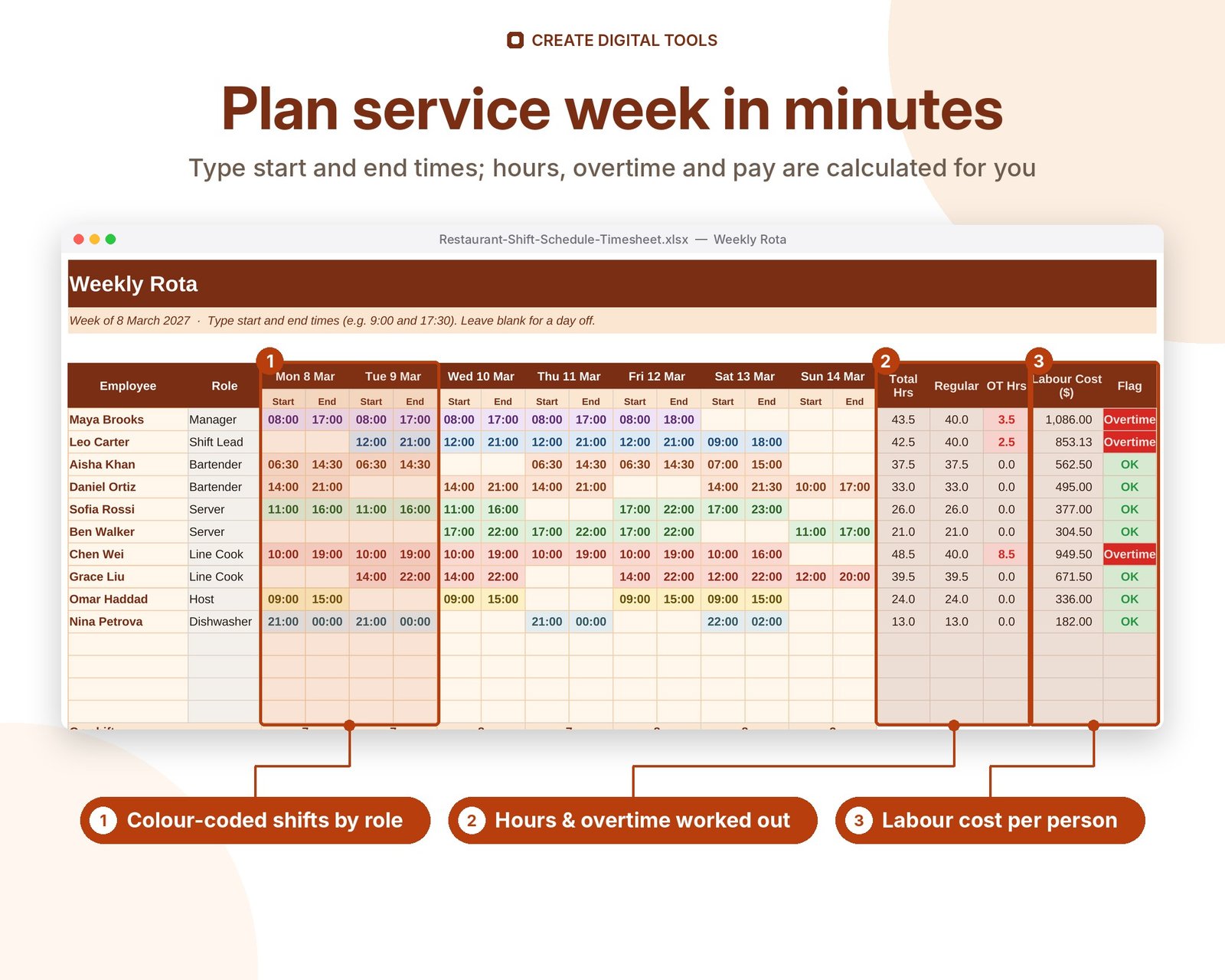
A weekly employee shift schedule and timesheet spreadsheet for small teams. Type start and end times for each person and day and it works out hours, unpaid breaks, overtime and labour cost per employee and per day. A clock in / clock out timesheet compares actual hours and pay with the schedule.
This is the Restaurant Warm edition: the same workbook as our Employee Shift Schedule & Timesheet, with kitchen and front-of-house roles (Line Cook, Prep Cook, Server, Host, Bartender, Dishwasher) and a warm brick and amber design. Shifts are colour-coded by role.
Who it’s for
Restaurant, bar, cafe and food truck managers who schedule chefs, line cooks, servers, hosts, bartenders and dishwashers every week and want to keep labour cost in check.
What’s inside
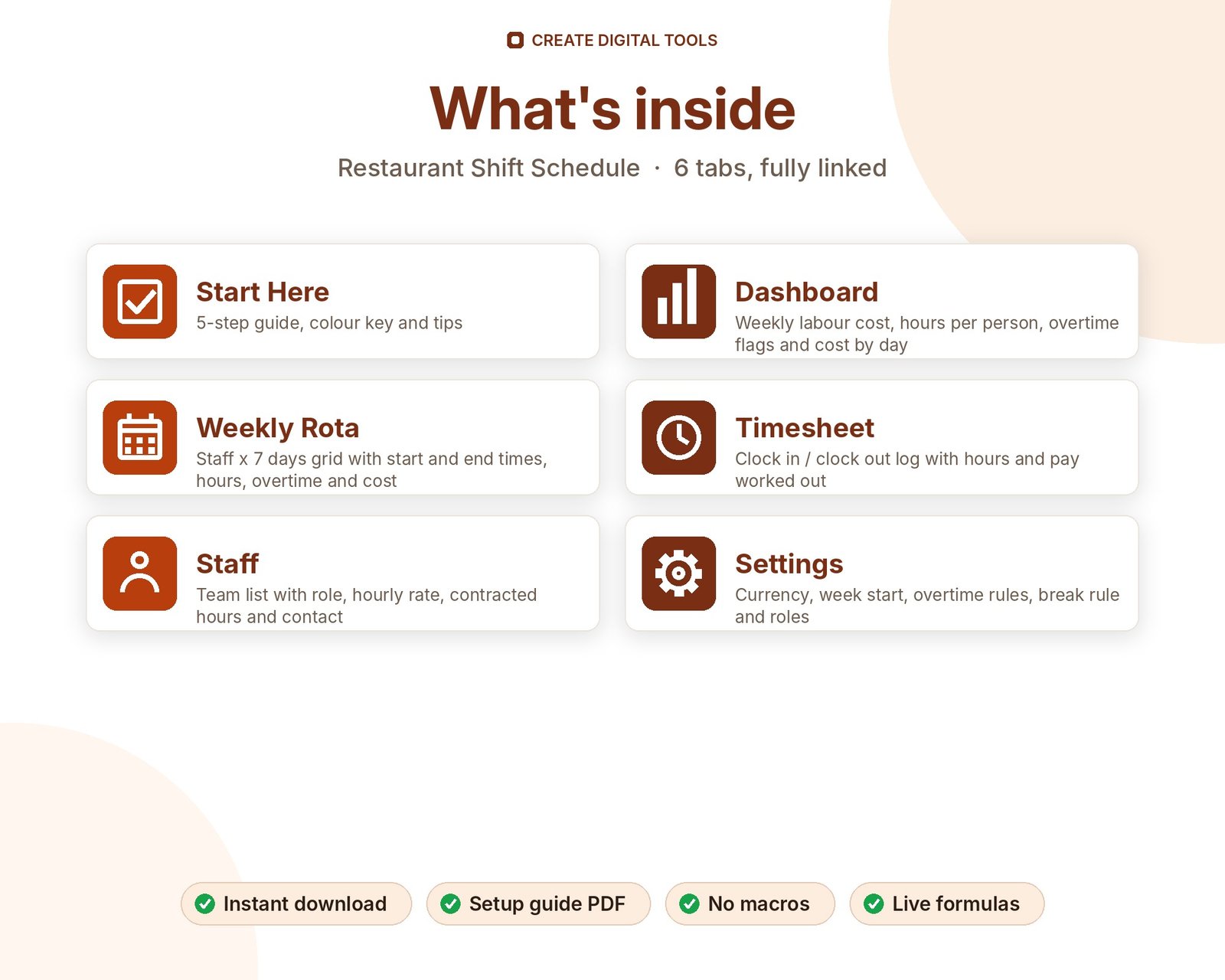
- Start Here – a 5-step quick-start guide inside the file
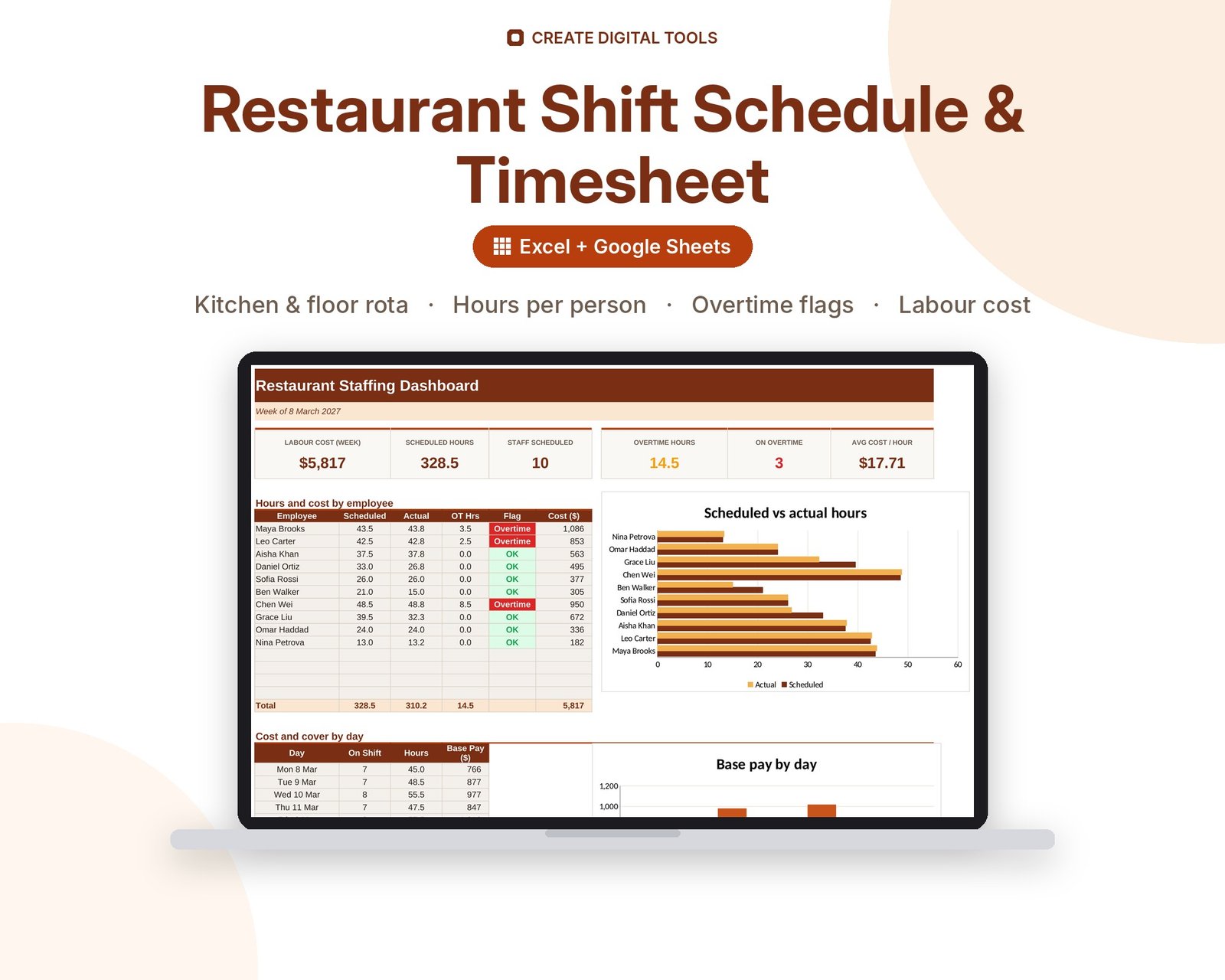
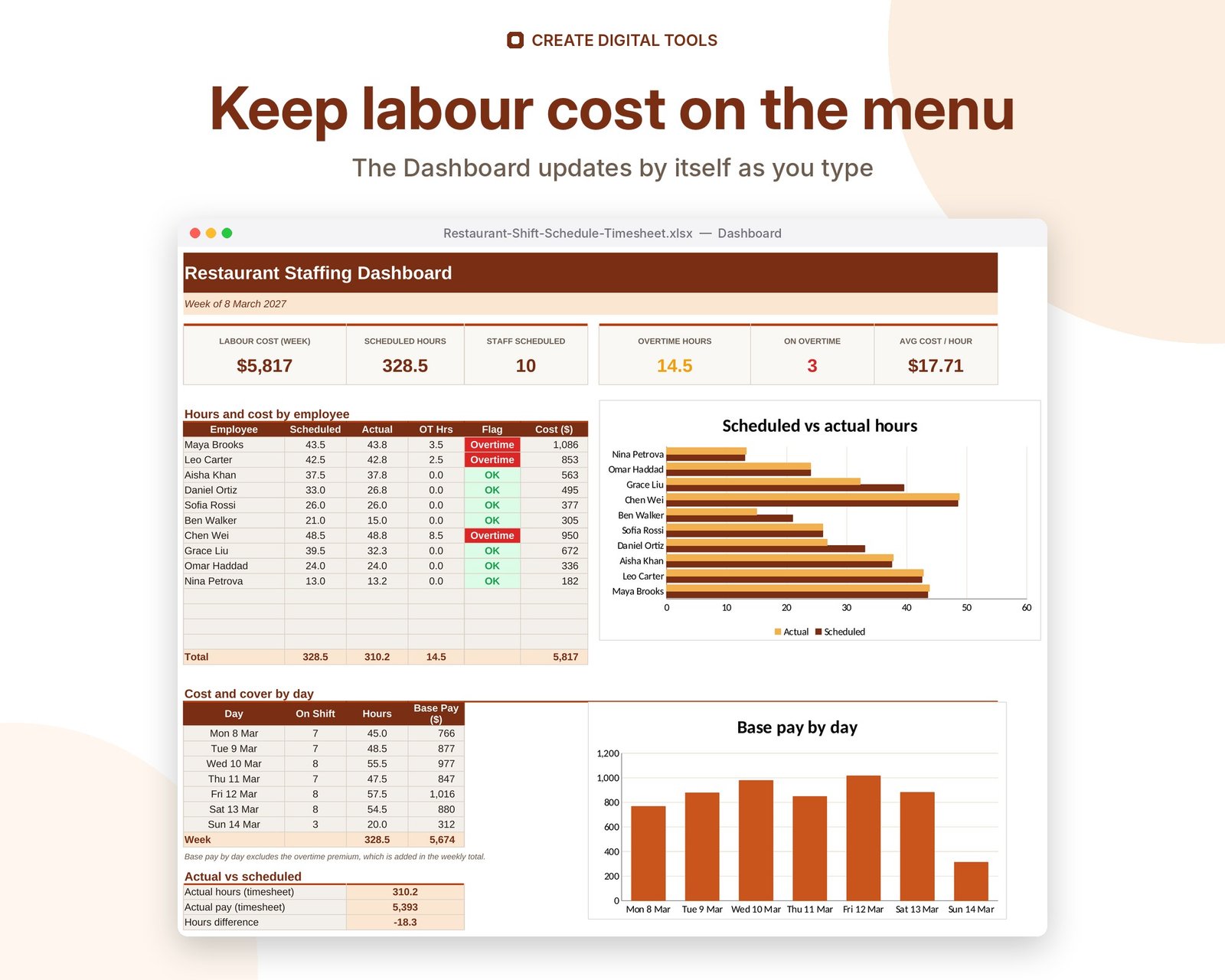
- Dashboard – Weekly labour cost, hours per person, overtime flags and cost by day
- Weekly Rota – Staff x 7 days grid with start and end times, hours, overtime and cost
- Timesheet – Clock in / clock out log with hours and pay worked out
- Staff – Team list with role, hourly rate, contracted hours and contact
- Settings – Currency, week start, overtime rules, break rule and roles
Features
- Weekly rota for up to 14 staff with start and end times per day
- Automatic hours with unpaid break rule and overnight shifts
- Overtime hours and overtime flag per employee
- Labour cost per person, per day and per week
- Staff on shift and hours per day
- Timesheet log with clock in / out, hours and pay
- Dashboard: scheduled vs actual hours, cost by day, overtime list
- Your own currency, overtime threshold and multiplier
How delivery works
- Instant download right after purchase: the .xlsx workbook plus a step-by-step Setup Guide PDF.
- Works in Microsoft Excel (Windows, Mac, Excel for the web) and Google Sheets (upload to Google Drive and open with Google Sheets, or File > Import).
- Comes with realistic sample data so you can see how it works, and clear instructions to remove it.
- No macros, no add-ons, no subscriptions. Pay once, use it for as long as you like.
FAQ
Does it work in Google Sheets?
Yes. Upload the .xlsx to Google Drive and open with Google Sheets, or use File > Import. Time maths and dropdowns work the same.
Can it handle night shifts?
Yes. A shift from 22:00 to 06:00 counts as 8 hours automatically.
How is overtime worked out?
Hours over the weekly threshold on Settings (for example 40) are paid at your overtime multiplier (for example 1.5x).
How many employees can I schedule?
14 staff on the weekly rota and 30 on the staff list. You can copy rows to add more.
Also available in Calm Slate + Role Colours: Employee Shift Schedule & Timesheet (the original edition)
This is a digital product. No physical item will be shipped.
Want your own store like this one? createdigitaltools.com runs on Hostinger WordPress hosting. Start your own shop with Hostinger, or try the no-code Hostinger Website Builder.
Affiliate links: I may earn a commission at no extra cost to you.