Wedding Photographer Notion Template for Your Studio

Picture a wedding photographer on a Monday morning in peak season. Three inquiries arrived over the weekend, one couple has not paid their second instalment, a gallery is due on Friday, and the shot list for Saturday’s wedding lives in a text thread with the planner. Nothing is lost exactly, but everything is in a different app. This illustrative scene is why so many photographers start looking for a wedding photographer Notion template: a way to see every couple, every task and every payment without opening six tabs.
In this guide you will find a practical way to set up a studio workflow in Notion yourself, plus a walk-through of the Wedding Photographer Studio template if you would rather start from a finished build.
Get the Wedding Photographer Studio →
Why wedding studios outgrow scattered tools
A wedding is a long project. The first email can arrive more than a year before the day, and the final album can go out months after it. Across that stretch you are tracking contracts, payments, timelines, family-photo lists, location notes, editing deadlines and delivery. Most photographers patch this together with an inbox, a calendar, a spreadsheet of invoices and a notes app for shot lists.
The trouble is not any single tool. It is that none of them talk to each other. Your calendar knows the date but not the package. Your invoice sheet knows who owes money but not which stage the couple is at. Your shot list is not linked to the shoot it belongs to. When you want to answer a simple question such as “which galleries are due in the next two weeks?”, you have to rebuild the answer by hand.
Generic project tools help a little, but they are built for software teams or marketing agencies. They do not know what a golden-hour window is, or that a mini-session weekend needs its own booking view.
How to set up a wedding photography workflow in Notion
You can build a solid version of this yourself. Here is the structure that works best for a studio.
1. Start with a Clients database, not a task list
Make each couple a row. Add properties for wedding date, package, stage, total fee and amount paid. The couple is the centre of everything else, so every other database should link back to this one.
2. Define your pipeline stages
Write down every stage a couple moves through, from first inquiry to the moment they leave a review. Keep the names short and clear (Inquiry, Proposal sent, Booked, Pre-wedding, Wedding day, Editing, Delivered, Closed). A Board view grouped by stage then gives you a visual pipeline.
3. Split tasks by phase
Create a Tasks database with a Phase property: booking, pre-wedding, wedding day, post-production, delivery and follow-up. Relate each task to a couple. Then filter views by due date so you can see what is overdue and what is coming this week.
4. Link shoots and shot lists
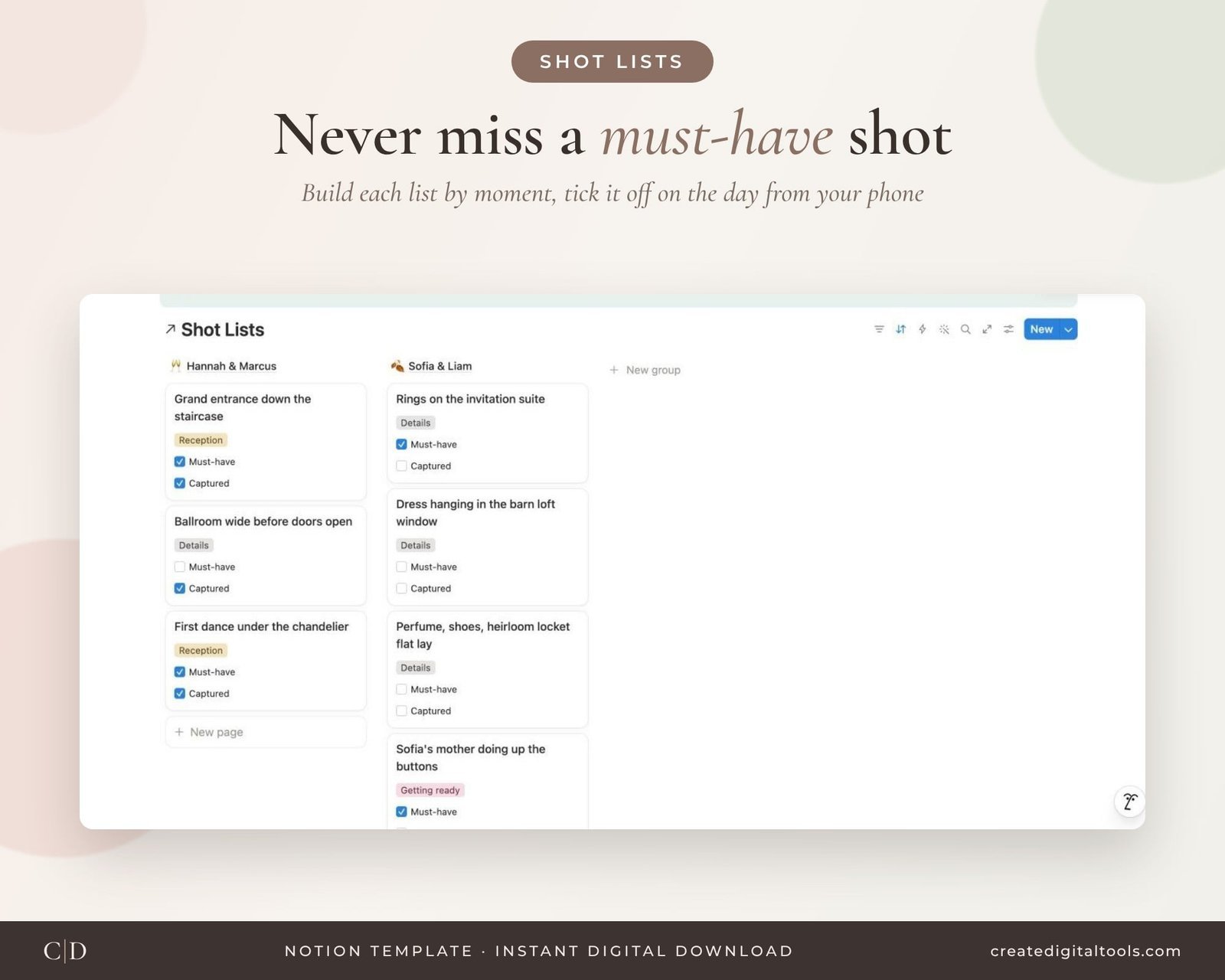
Keep shoots (engagement, wedding, portraits) in their own database with date, location and timing notes. Give shot list items a relation to the shoot and a checkbox for “captured”. On the day, a filtered view on your phone shows only the shots still to get.
5. Track galleries and money separately
A Galleries database with a due date formula based on the shoot date stops delivery slipping. An Invoices database with status (Paid, Due soon, Overdue) shows exactly who to follow up with.
6. Use templates for repeat rows
Notion lets you set a template for new rows. A couple template that already contains your standard task list saves you from retyping the same steps for every booking.
If you enjoy building, this is a rewarding weekend project. If you would rather spend that weekend editing, the template below has this structure ready.
Inside the Wedding Photographer Studio Notion template
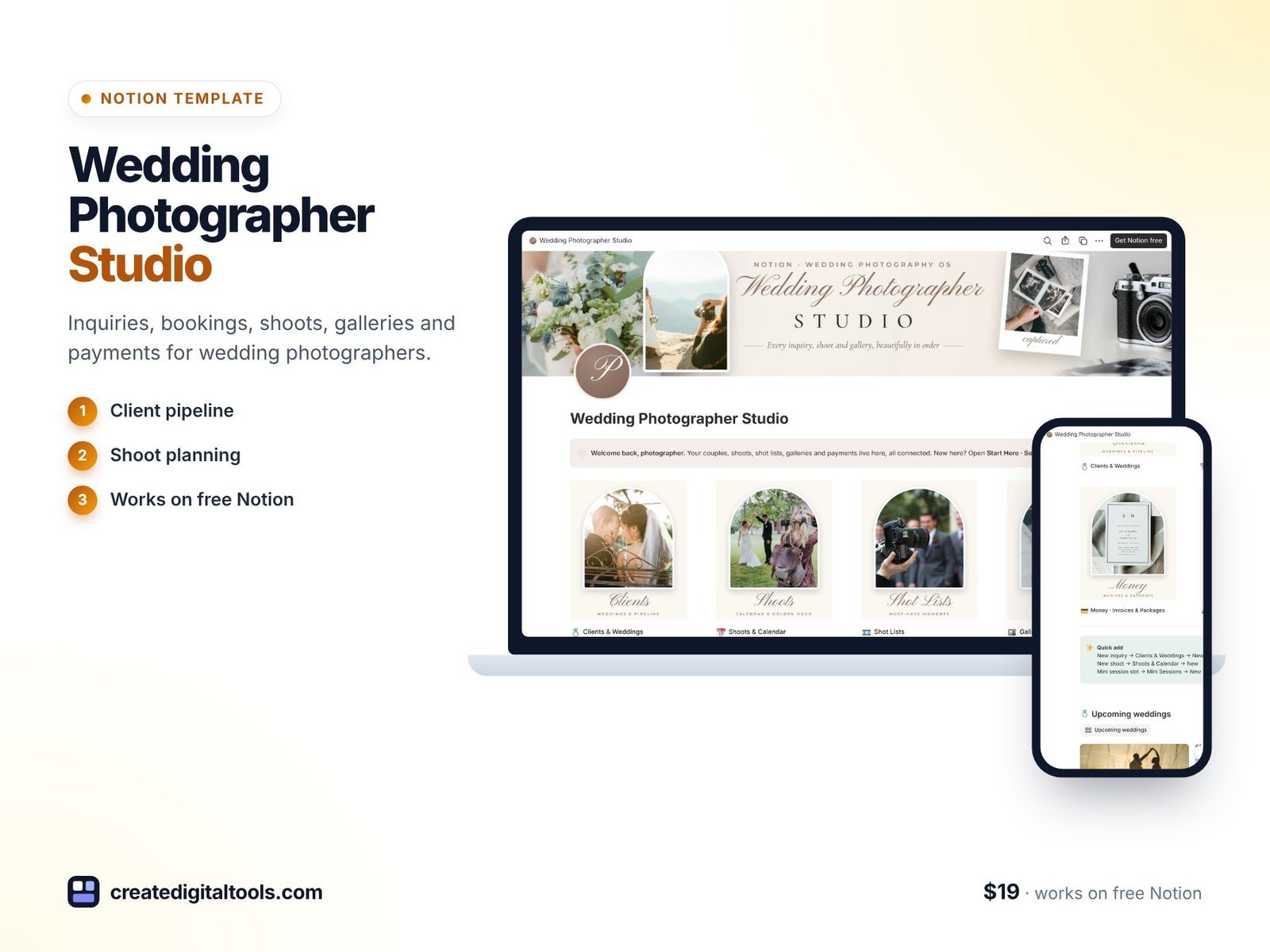
The template is built around 10 linked databases, and each one comes with a ready-made template for new rows. Here is what each part does.
Studio home
The home page uses arched photo navigation and shows upcoming weddings, your next tasks, payments to collect, and booked revenue by stage. It is the screen you open with your morning coffee.
Client pipeline
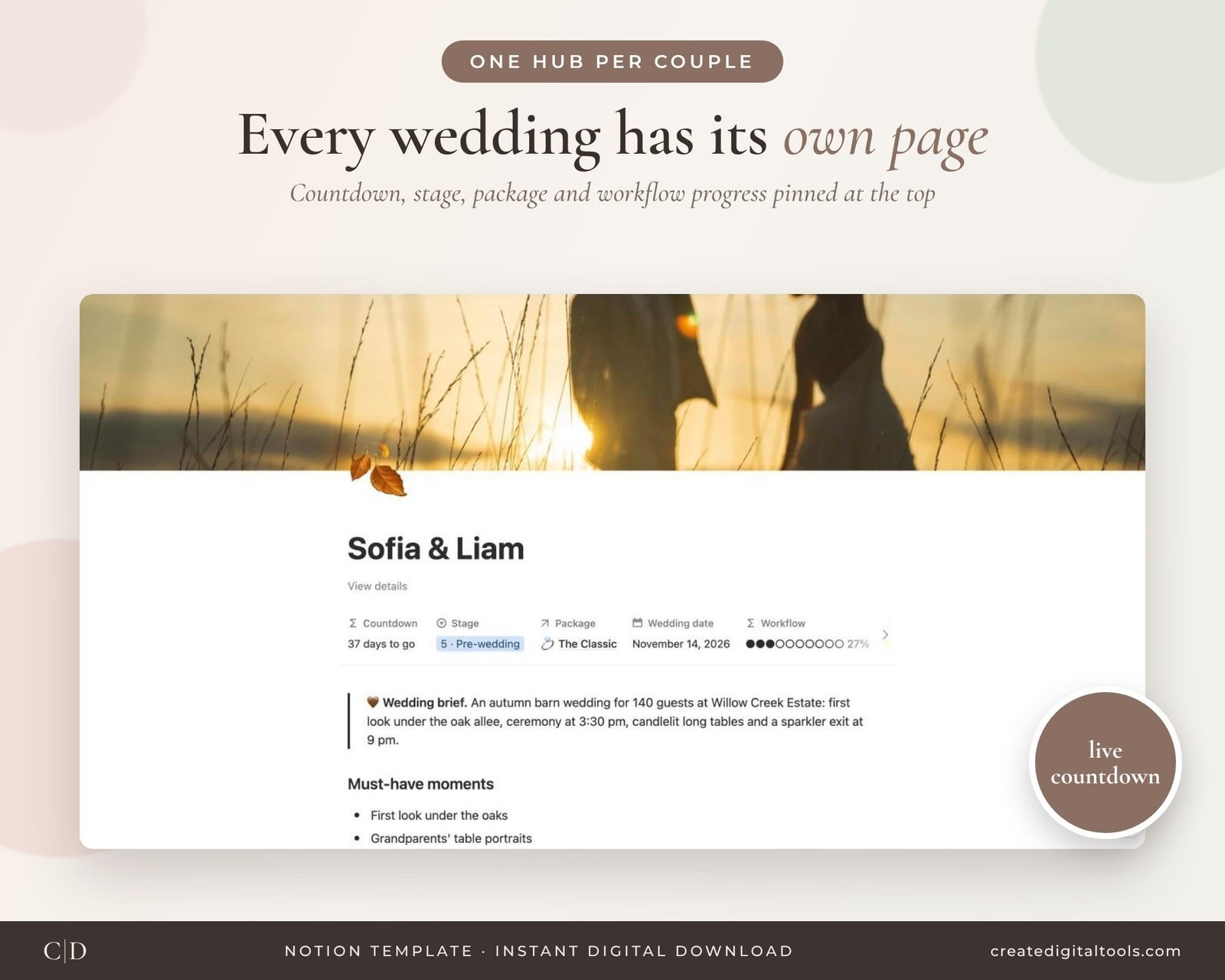
Couples move through 9 stages, from inquiry to closed and reviewed. Each card shows days to go and the percentage paid, so you can see at a glance who is close to the date and who still has a balance.
A hub for every couple
Open any couple and you get their countdown, stage, package, workflow progress, wedding brief, must-have moments, tasks, shoots, shot list, galleries and invoices together.
Workflow tasks by phase
Tasks are grouped into booking, pre-wedding, wedding day, post-production, delivery and follow-up, with Overdue, This week and Upcoming views.
Shoots, calendar and shot lists
Shoots carry golden-hour windows and location. Shot lists are organised by moment, with Must-have and Captured checkboxes so nothing important is missed on the day.
Galleries and delivery
Delivery due dates are based on the shoot date, with days left and late flags, so you can see which galleries need attention first.
Money and packages
Invoices show Paid, Due soon and Overdue statuses, with a total-by-type chart. A packages and pricing database includes price per hour, which helps when you review what each offer is worth.
Mini sessions, team, vendors and gear
Mini sessions are grouped by event (fall, holiday, valentine) with Open, Booked and Paid statuses. There is also a team and vendors database, plus a gear and kit list with value, service status, insurance and a wedding-day packing tick.
Sample couples are included so you can see how everything connects, and you can clear them when you are ready. Setup takes about ten minutes. You get the Notion template (with an instant duplicate link in the PDF), a Setup Guide PDF with screenshots, and a setup and full tour video.
Watch the full tour
Here is the setup guide and full tour of the Wedding Photographer Studio template:
Who it is for, and who it is not for
A good fit if you:
- Shoot weddings or elopements and want couples, tasks, shoots and payments linked together.
- Run mini sessions alongside weddings and want them tracked in the same workspace.
- Already use Notion, or are happy to learn the basics.
- Work solo or with a second shooter or small team.
Probably not for you if you:
- Need automatic contract signing, online payments or a client portal. This is an organising workspace, not a payment processor.
- Prefer a dedicated studio app and do not want to work in Notion.
If you also plan events or work with planners, the Bloom Event Studio template follows a similar approach for event businesses. You can browse more studio builds in our Notion templates collection.
Frequently asked questions
Do I need a paid Notion plan?
No. The template works on the free Notion plan, on desktop, web, tablet and phone.
How do I get the template after buying?
It is a digital download, and nothing is shipped. You receive a PDF with an instant duplicate link, which copies the template into your own Notion workspace.
Can I change the stages, packages and task lists?
Yes. Everything is ordinary Notion, so you can rename stages, edit packages, and adjust the task templates to match how your studio works.
What about the sample couples?
Sample couples are included so you can see how the databases connect. Clear them when you are ready to add your own clients.
Is there help with setup?
Yes. There is a Setup Guide PDF with screenshots and a setup and full tour video. Questions can go to hello@marjanarbab.com.
If your bookings, shot lists and payments are spread across different apps, the Wedding Photographer Studio puts them in a single Notion workspace that is ready to use.
Get the Wedding Photographer Studio →
Notion is a trademark of Notion Labs, Inc. This is an independent template, not affiliated with or endorsed by Notion.
Notion systems, spreadsheets and planners with a setup guide. Instant download.