Description
Wedding Budget Planner
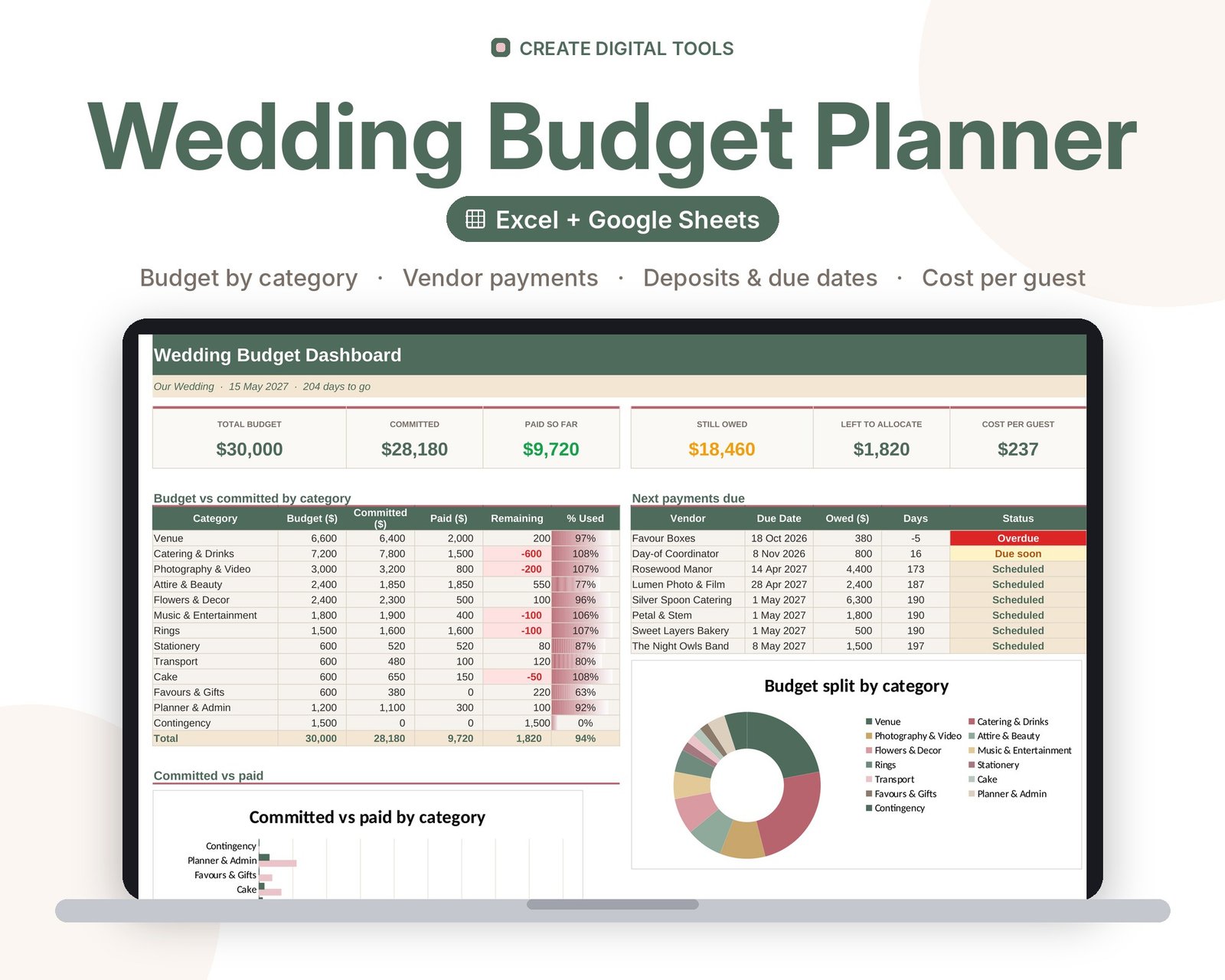
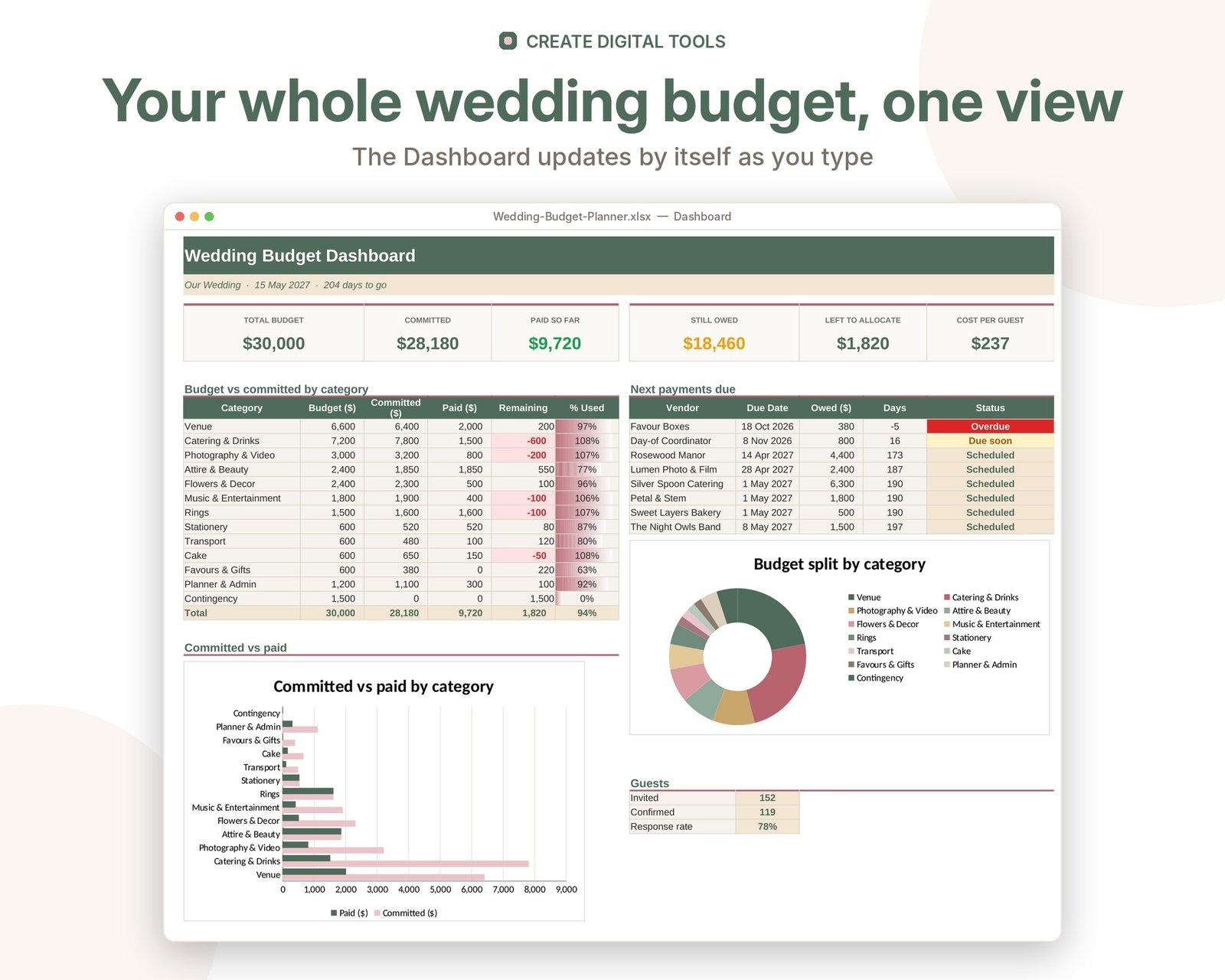
A complete wedding budget spreadsheet that splits your total budget across categories using a typical percentage guide, tracks every vendor's quote, deposit and payments, and warns you when balances are due. The dashboard shows budget vs spend, paid vs owed and the real cost per guest.
Who it’s for
Engaged couples, wedding planners and families organising a wedding who want every cost, deposit and deadline in one place.
What’s inside
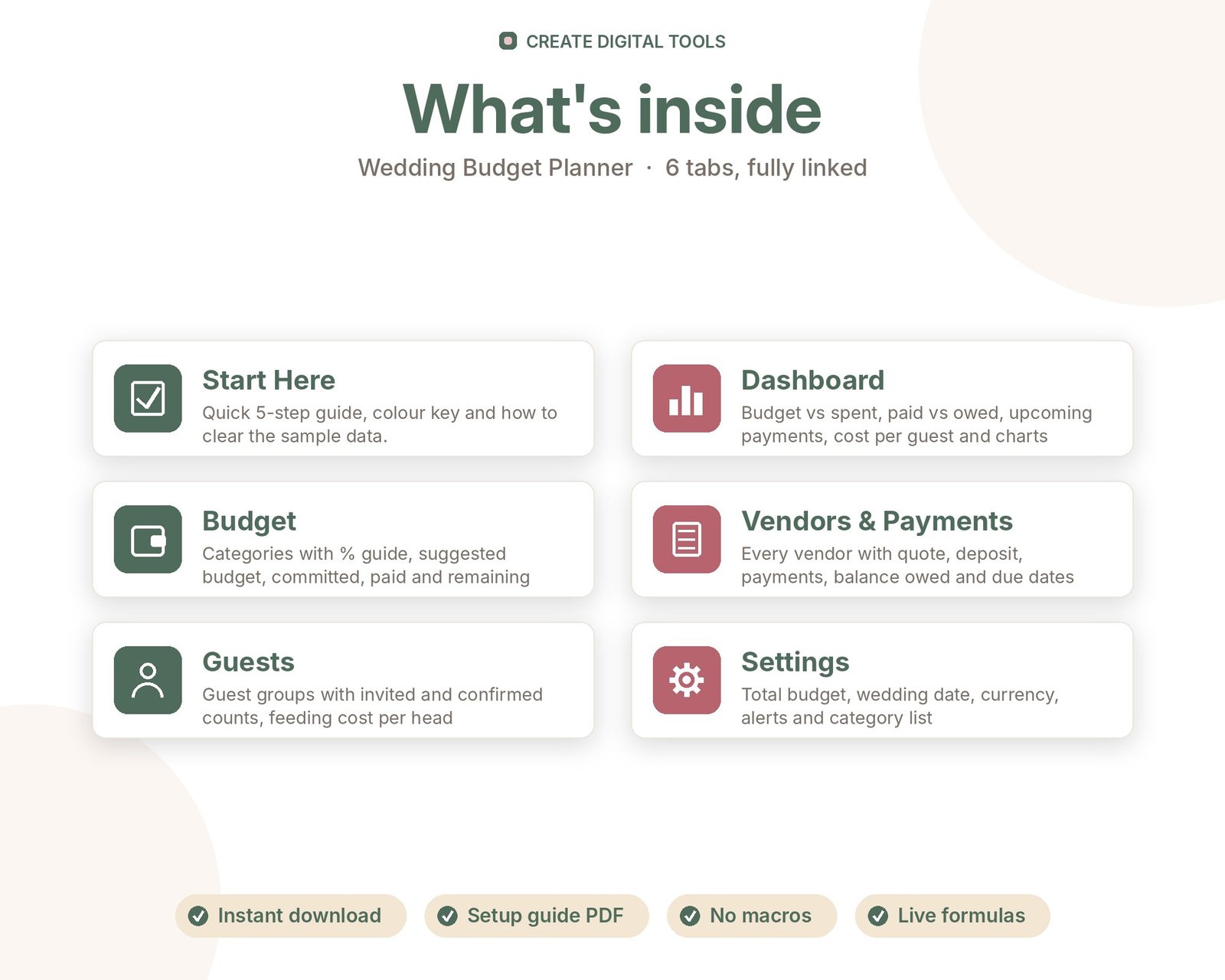
- Start Here – a 5-step quick-start guide inside the file
- Dashboard – Budget vs spent, paid vs owed, upcoming payments, cost per guest and charts
- Budget – Categories with % guide, suggested budget, committed, paid and remaining
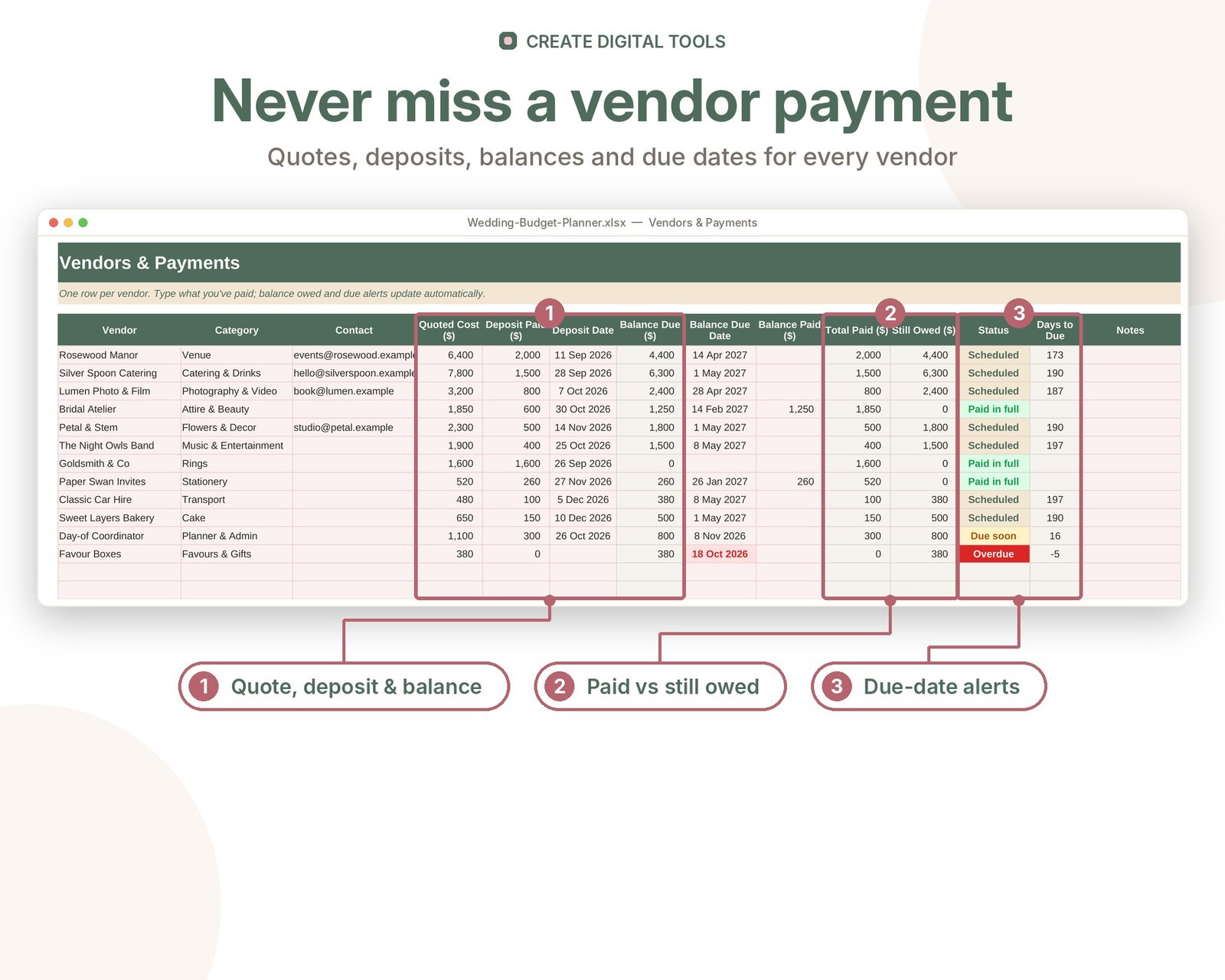
- Vendors & Payments – Every vendor with quote, deposit, payments, balance owed and due dates
- Guests – Guest groups with invited and confirmed counts, feeding cost per head
- Settings – Total budget, wedding date, currency, alerts and category list
Features
- Total budget split by category with an editable % guide
- Vendor tracker with quote, deposit, amount paid and balance owed
- Due dates with Due soon / Overdue / Paid in full alerts
- Budget vs committed vs paid for every category
- Guest list summary with invited and confirmed counts
- Cost per guest worked out automatically
- Dashboard with charts, upcoming payments and countdown to the big day
- Your own currency symbol and categories
How delivery works
- Instant download right after purchase: the .xlsx workbook plus a step-by-step Setup Guide PDF.
- Works in Microsoft Excel (Windows, Mac, Excel for the web) and Google Sheets (upload to Google Drive and open with Google Sheets, or File > Import).
- Comes with realistic sample data so you can see how it works, and clear instructions to remove it.
- No macros, no add-ons, no subscriptions. Pay once, use it for as long as you like.
FAQ
Does it work in Google Sheets?
Yes. Upload the .xlsx to Google Drive and open it with Google Sheets, or use File > Import. All formulas and charts carry over.
Can I change the categories?
Yes. Edit the category names on Settings and the Budget tab and dropdowns update.
Where do the percentages come from?
They are a common starting guide (for example venue and catering around 45%). Change any % to match your priorities.
Can two of us use it?
Yes. Upload it to Google Sheets and share it with your partner or planner so you both see the same numbers.
Also available in Boho Terracotta: Wedding Budget Planner – Boho Terracotta
This is a digital product. No physical item will be shipped.
Want your own store like this one? createdigitaltools.com runs on Hostinger WordPress hosting. Start your own shop with Hostinger, or try the no-code Hostinger Website Builder.
Affiliate links: I may earn a commission at no extra cost to you.