Description
Salon Commission & Stylist Pay Tracker
A salon commission and stylist pay tracker. Log each client visit and it works out service commission, retail commission, stylist pay and what the salon keeps. Set the pay period dates and Stylist Payroll totals every stylist for payday.
Who it’s for
Hair salon owners and managers, barbershops, nail and beauty salons with commission-based staff, and stylists who want to check their own pay.
What’s inside
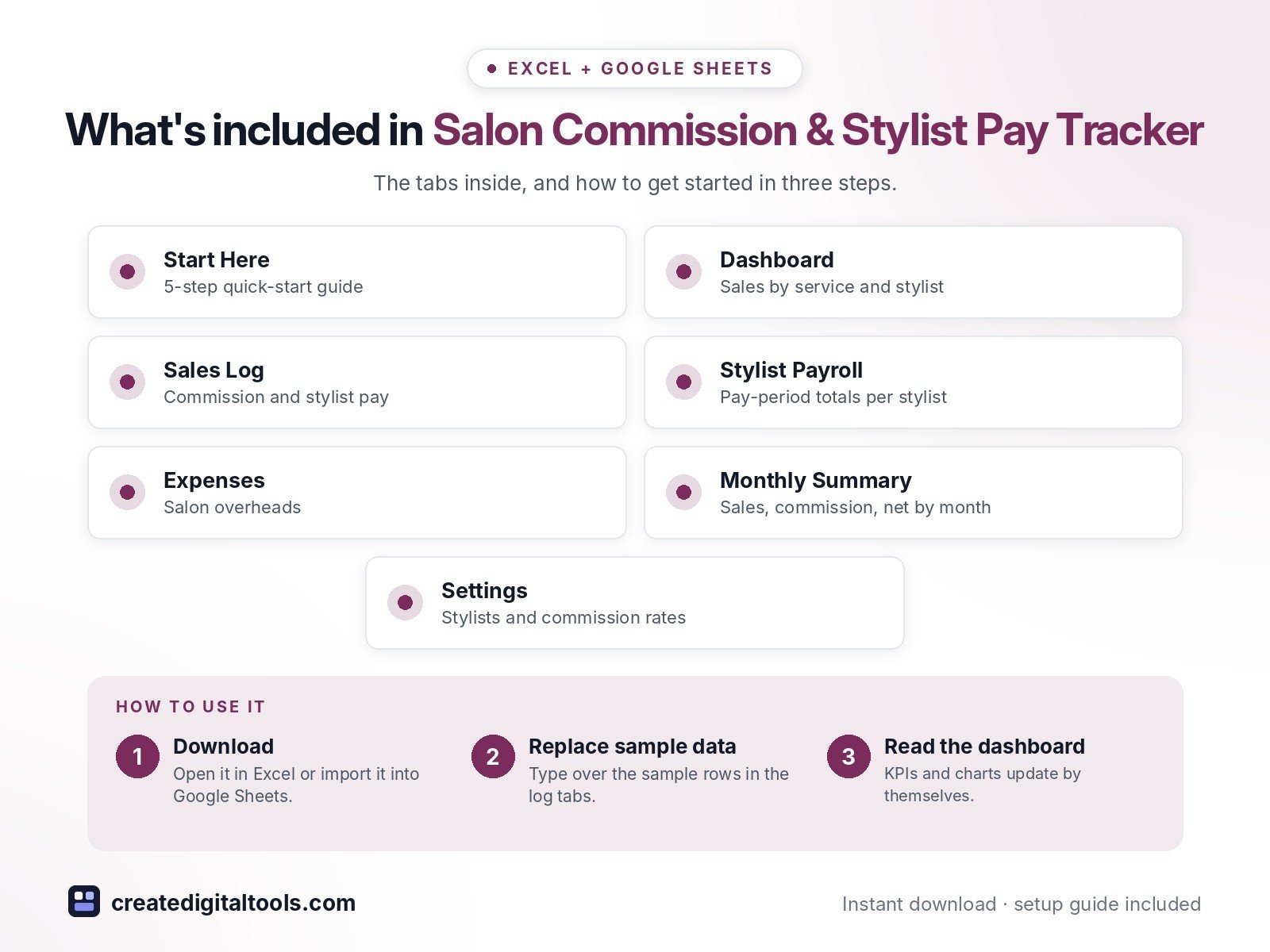
- Start Here – a 5-step quick-start guide inside the file
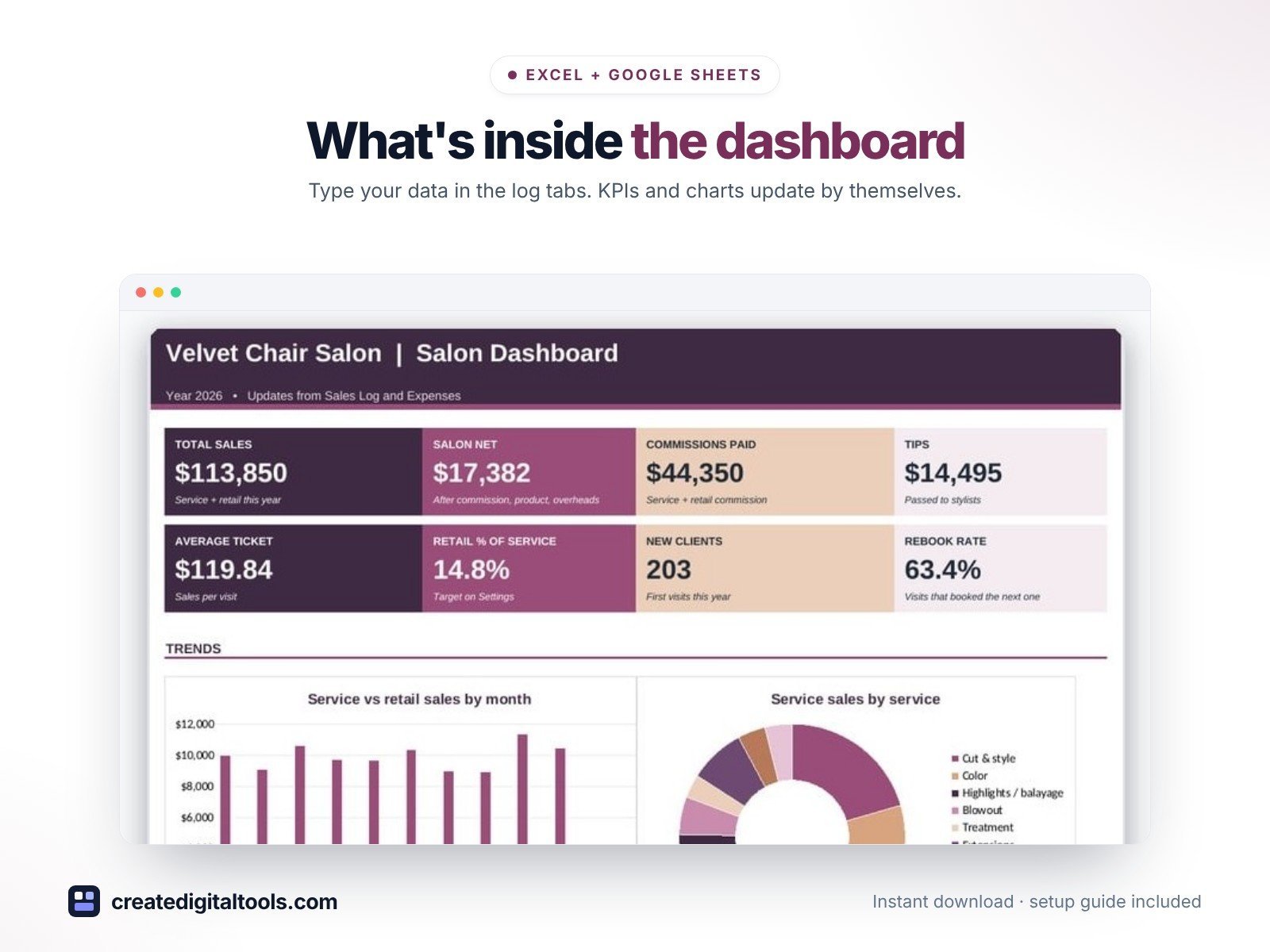
- Dashboard – KPI tiles, monthly service vs retail sales, sales by service and by stylist.
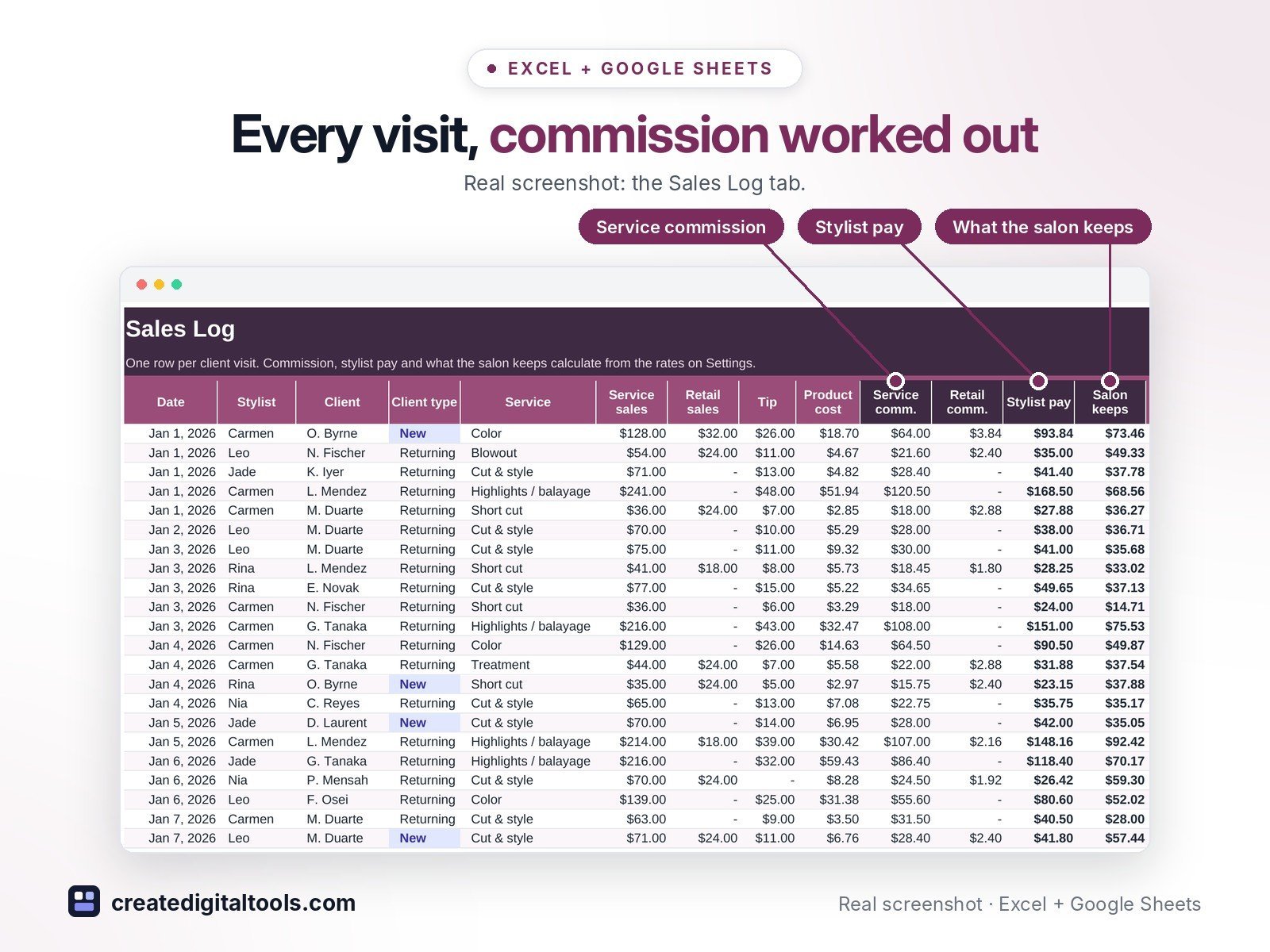
- Sales Log – Every visit with service and retail commission, stylist pay and what the salon keeps.
- Stylist Payroll – Pay-period totals per stylist: sales, commission, tips, total pay, avg ticket, retail % and rebook rate.
- Expenses – Salon overheads.
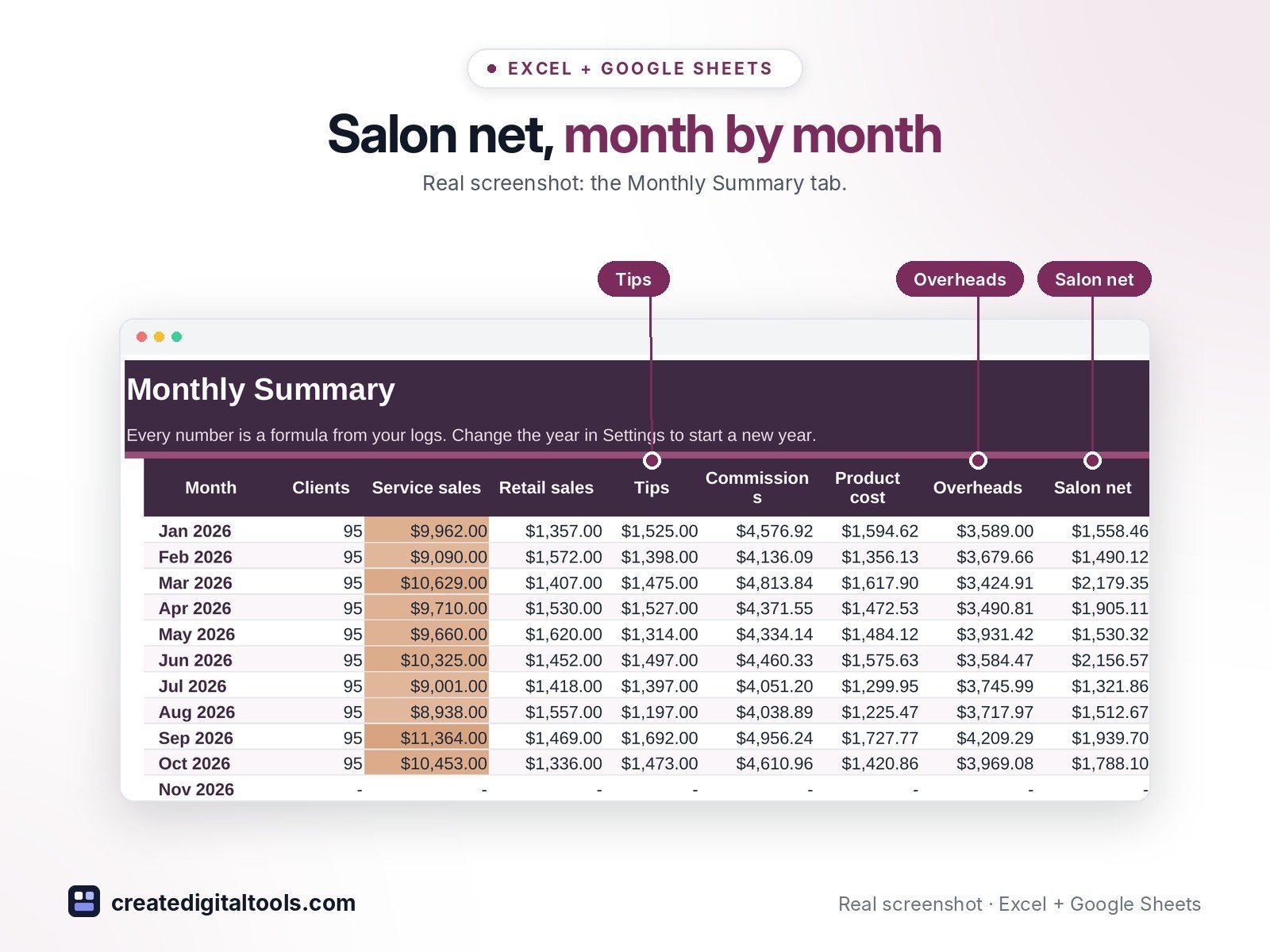
- Monthly Summary – Clients, sales, tips, commission, product cost, overheads, net and new clients by month.
- Settings – Salon details, pay period, stylists and commission rates, services and lists.
Features
- Sales log with service sales, retail sales, tips and product cost per visit
- Service and retail commission from each stylist's own rates
- Stylist pay and 'salon keeps' worked out on every visit
- Stylist Payroll for any pay period: clients, sales, commission, tips, total pay
- Average ticket, retail % of service sales and rebook rate per stylist
- New vs returning clients by month
- Monthly summary and a dashboard with 8 KPI tiles and 3 charts
- Editable stylists, commission rates, services, payment methods and categories
How delivery works
- Instant download right after purchase: the .xlsx workbook plus a step-by-step Setup Guide PDF.
- Works in Microsoft Excel (Windows, Mac, Excel for the web) and Google Sheets (upload to Google Drive and open with Google Sheets, or File > Import).
- Comes with realistic sample data so you can see how it works, and clear instructions to remove it.
- No macros, no add-ons, no subscriptions. Pay once, use it for as long as you like.
FAQ
Can stylists have different commission rates?
Yes. Each stylist has their own service and retail commission % on Settings.
Does it handle tiered commission?
It uses one service rate per stylist. For a tier change, update the rate on Settings at the start of the new period.
Does it work in Google Sheets?
Yes. Upload it to Google Drive and open it with Google Sheets, or use File > Import. Formulas, dropdowns and charts carry over.
Pay figures are for tracking only. Check payroll, tip and tax rules with your accountant or payroll provider.
This is a digital product. No physical item will be shipped.
Want your own store like this one? createdigitaltools.com runs on Hostinger WordPress hosting. Start your own shop with Hostinger, or try the no-code Hostinger Website Builder.
Affiliate links: I may earn a commission at no extra cost to you.