

Description
Setup Guide & Full Tour
Keep your renovation or remodel in order, room by room: what each scope should cost, who quoted what, what you still owe, what must be ordered this week and which inspection is holding up the next trade.
Who it’s for
- Homeowners planning a kitchen, bathroom or whole-house remodel
- DIY renovators managing their own trades
- Anyone comparing contractor quotes and tracking a renovation budget
What’s inside
- Side-by-side quote comparison per scope: every quote with how far it sits above the lowest, plus lowest, highest and price spread for each scope
- Contractor balance after stage payments and retainage: quoted, paid, retainage held, balance and balance less retainage for each contractor
- Contingency remaining and an over-budget flag per room: budget, actual and forecast add up per room, and the flag uses accepted quotes, so an overrun shows before the money has gone
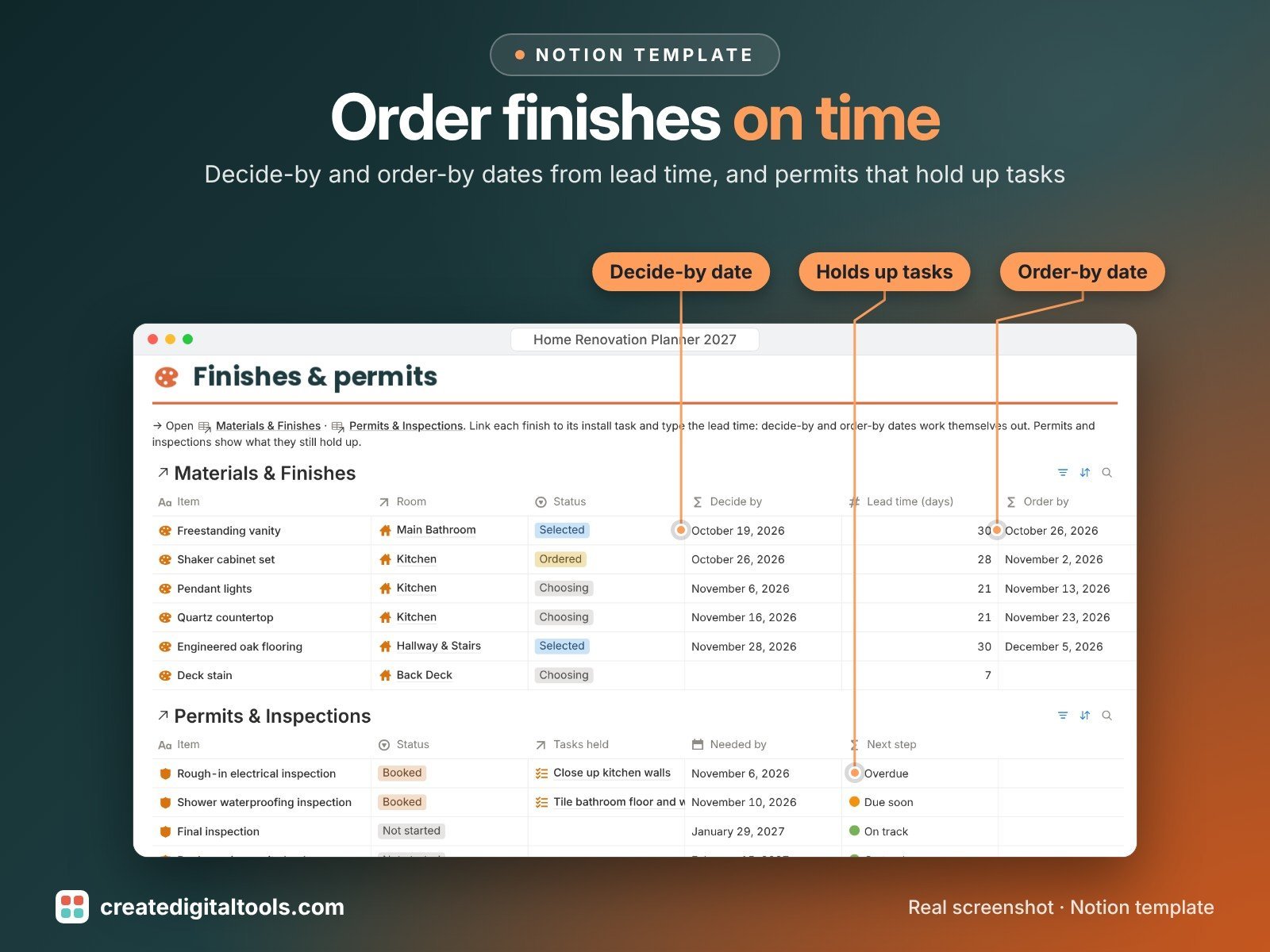
- Order-by dates worked out from lead time: link a finish to its install task, type the lead time and get decide-by and order-by dates
- Permits and inspections tied to tasks: every task shows a ready check that stops at an open permit or inspection, then at materials not yet on site
- 8 connected databases: Rooms & Areas, Renovation Tasks, Budget Lines, Contractors, Quotes, Payments, Materials & Finishes, Permits & Inspections
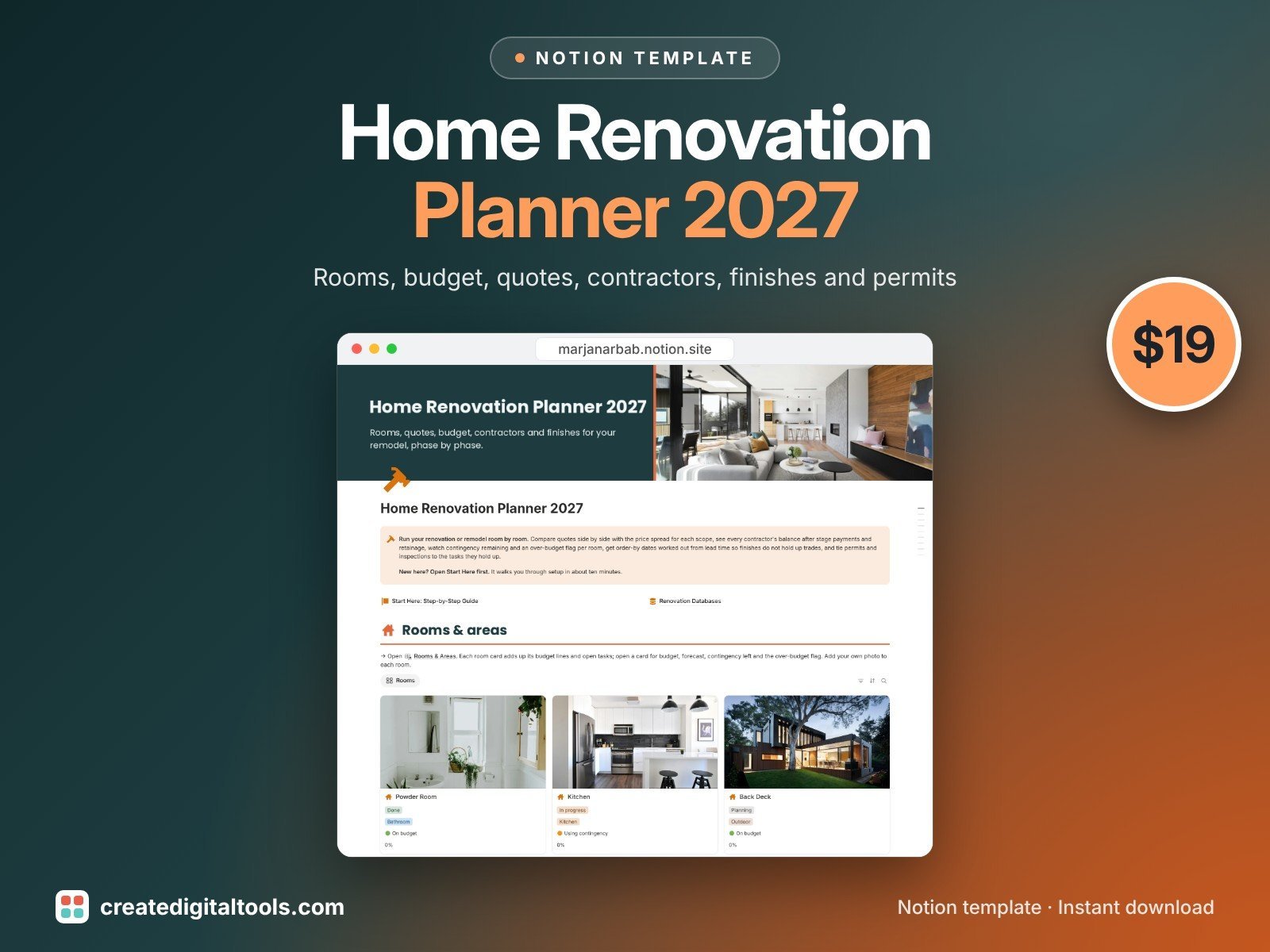
- Front page: room cards, budget vs actual charts, contractors and payments, a phase checklist and quick links to every database
- Start Here: Step-by-Step Guide inside the template, written for complete beginners
- Fictional sample project so you can see it working first
How it works
Add your rooms and budget lines, log quotes as they arrive and accept the one you choose. Payments reduce each contractor's balance, materials get order-by dates from their lead time, and tasks only show ready once permits and materials are in place.
Built-in automations
Five date stamps fill in for you: quote accepted, payment paid, material ordered, task done and inspection passed.
Set up in 3 steps
- Open the template link in your PDF and click Duplicate to copy it into your own Notion workspace.
- Open Start Here and follow the setup: add your own details and clear the sample data when you’re ready.
- Work from the front page every day and use the weekly checklist in Start Here to keep everything up to date.
What you get
- The Notion template (instant download: a PDF with your duplicate link)
- Setup Guide PDF with a step-by-step walkthrough and FAQ
- Start Here guide inside the template
- Video walkthrough: setup guide and full tour (at the top of this page)
Free plan
Works on the Free Notion plan. The built-in automations are Notion database automations, which run on paid plans (Plus and up). On the Free plan they pause and you fill those dates in by hand; every database, formula and view still works. Desktop, web and the Notion mobile app.
Please note
This is an organising tool, not legal, building-code or financial advice; check local rules with your contractor or building office.
Digital product: nothing physical is shipped. Sample data is fictional.
Notion is a trademark of Notion Labs, Inc.; this is an independent template by Create Digital Tools (createdigitaltools.com).
New to Notion? Try it free here (affiliate link: we may earn a commission at no extra cost to you).
Want your own store like this one? createdigitaltools.com runs on Hostinger WordPress hosting. Start your own shop with Hostinger, or try the no-code Hostinger Website Builder.
Affiliate links: I may earn a commission at no extra cost to you.