

Description
Setup Guide & Full Tour
Run the week-to-week life of your church or ministry from an organised Notion workspace: people, teams, the serving roster, services, small groups, care and prayer requests, pledges and room bookings, all linked together.
Who it’s for
- Pastors, church administrators and ministry leaders
- Small and growing churches that outgrew spreadsheets
- Ministry teams coordinating volunteers, groups and care
What’s inside
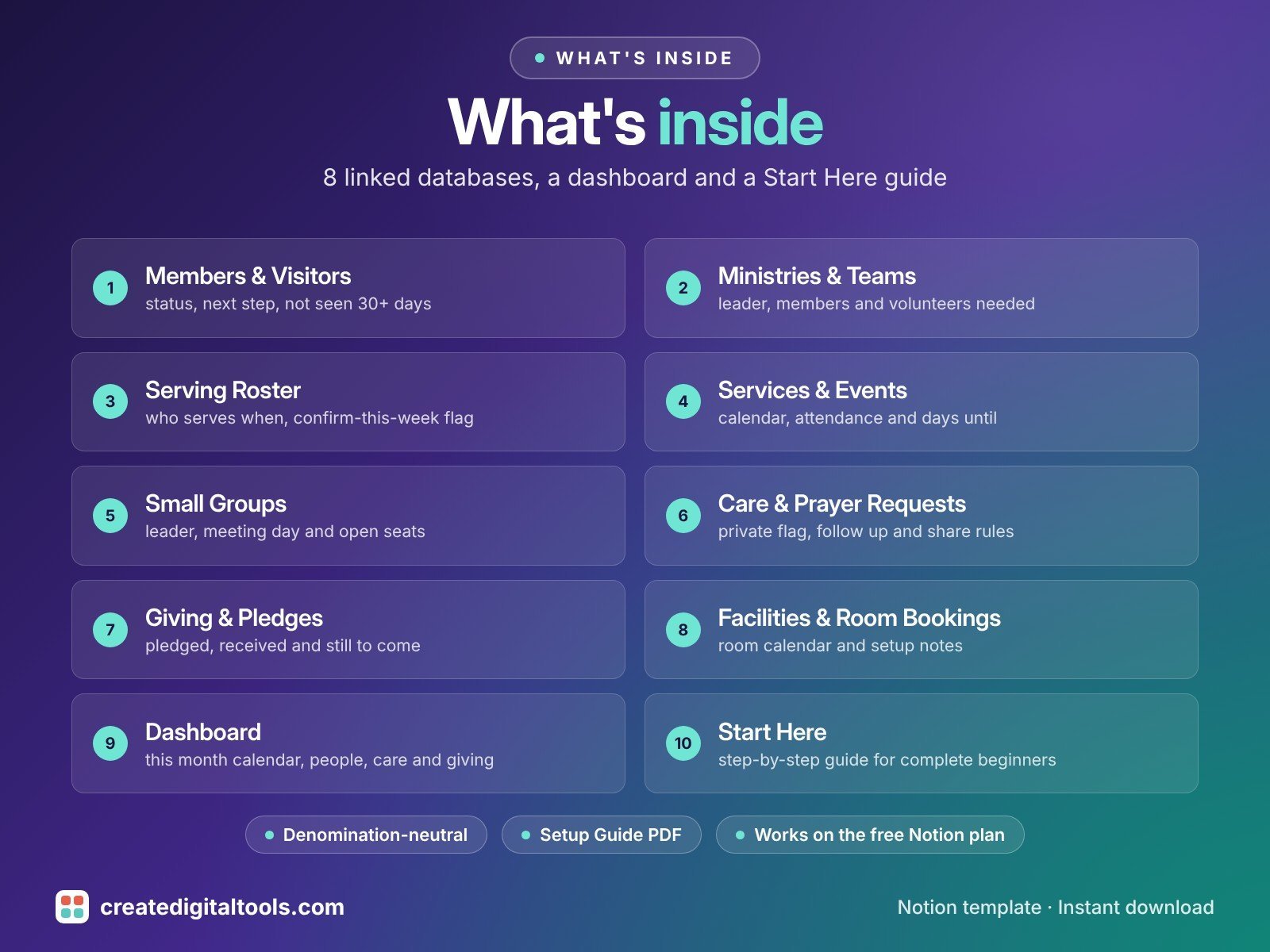
- Members & Visitors: status (Visitor, Regular attender, Member, Inactive), first visit, last attended, follow-up needed, Welcomed on, teams and small group; Next step and a Not seen 30+ days check calculate themselves
- Ministries & Teams: leader, members count, meeting day and volunteers still needed
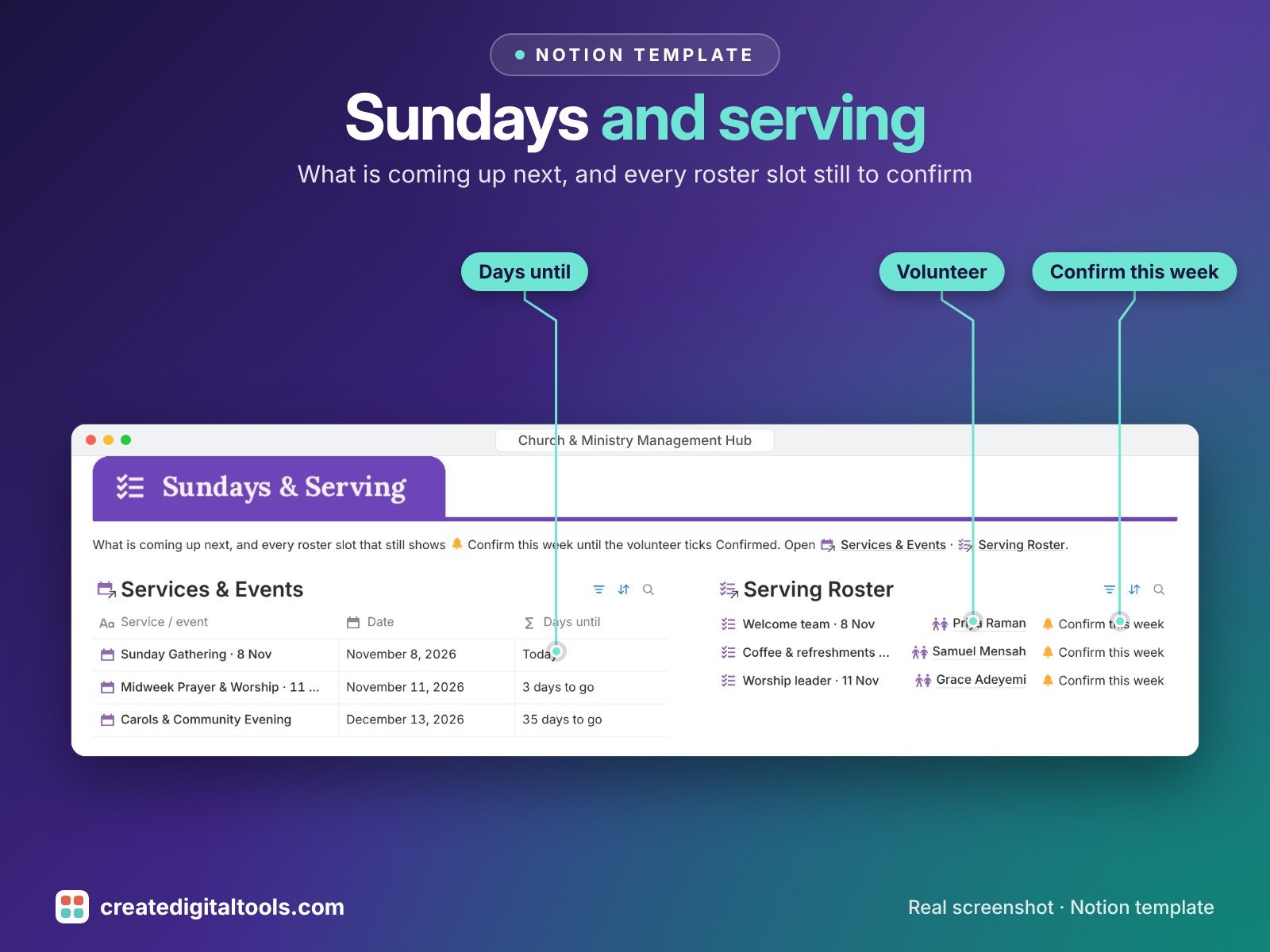
- Serving Roster: service date, role, ministry, volunteer, Confirmed and Confirmed on, with a Confirm this week reminder
- Services & Events: Sunday service, midweek, outreach and special events with theme, attendance, volunteer counts and days until
- Small Groups: leader, meeting day, format, capacity, members and open seats
- Care & Prayer Requests: requester, type, status (New, Praying, Followed up, Closed), assigned to, Private flag and Share with
- Giving & Pledges: campaign, pledged, received, % received and still to come
- Facilities & Room Bookings: room, date, event, equipment and setup notes, with a room calendar
- Dashboard: this month calendar, go-to cards for every database, people and follow-ups, care, Sundays and serving, groups and giving
- Start Here: Step-by-Step Guide inside the template, written for complete beginners
- Fictional sample data so you can see how everything connects, easy to clear
How it works
Add services and events to the calendar, build the serving roster for each one and watch who has confirmed. Every visitor gets a next step, anyone not seen for 30+ days is flagged, and care requests stay private unless shared with permission.
Built-in automations
Four date stamps run for you: Regular attender stamps Welcomed on, Confirmed stamps Confirmed on, care request Followed up stamps Followed up on, and pledge Fulfilled stamps Fulfilled on.
Set up in 3 steps
- Open the template link in your PDF and click Duplicate to copy it into your own Notion workspace.
- Open Start Here and follow the setup: add your own details and clear the sample data when you're ready.
- Work from the dashboard and use the checklists in Start Here to keep everything up to date.
What you get
- The Notion template (instant download: a PDF with your duplicate link)
- Setup Guide PDF with a step-by-step walkthrough and FAQ
- Start Here guide inside the template
- Video walkthrough
Free plan
Works on the Free Notion plan. The built-in automations are Notion database automations, which run on paid plans (Plus and up). On the Free plan they pause and you fill those dates in by hand; every database, formula and view still works. Desktop, web and the Notion mobile app.
Please note
Denomination-neutral wording; rename any status, team or campaign.
Giving and pledge tracking is an organising tool, not tax or legal advice; check giving rules where you are. It does not produce tax receipts. Keep sensitive care requests private and share only with permission.
Digital product: nothing physical is shipped. Sample data is fictional.
Notion is a trademark of Notion Labs, Inc.; this is an independent template by Create Digital Tools (createdigitaltools.com).
New to Notion? Try it free here (affiliate link: we may earn a commission at no extra cost to you).
Want your own store like this one? createdigitaltools.com runs on Hostinger WordPress hosting. Start your own shop with Hostinger, or try the no-code Hostinger Website Builder.
Affiliate links: I may earn a commission at no extra cost to you.