Company Handbook Notion Template (Free) for Small Teams
Picture a small business that has just hired its fourth employee. The owner has explained the working hours three times, the time-off rules live in an old email, and the new hire asks, quite reasonably, “Is this written down anywhere?” A company handbook Notion template gives you a ready structure to write those answers down once, in a place the whole team can open and read.
Below you will find a practical guide to writing a company handbook for a small team, followed by a walk-through of the free Company Handbook template from Create Digital Tools.
This is an organising tool, not legal or HR advice. Check employment rules where you operate and have your policies reviewed by a qualified professional.
Why small teams end up without a handbook
Large companies have HR departments to write and maintain handbooks. Small businesses usually do not, so policies grow up informally. That works until it does not:
- Answers depend on who you ask. Two managers may explain the same rule differently, and neither version is written anywhere.
- Onboarding repeats itself. Every new person gets the same verbal tour, and details get dropped along the way.
- Documents drift. A policy PDF saved on a laptop in one year is out of date the next, and nobody is sure which copy is current.
A word-processor document is better than nothing, but it is hard to navigate, hard to keep current and easy to duplicate into conflicting versions. A Notion workspace lets you split the handbook into clear sections, link between them, and share a single live version with the team.
How to write a company handbook for a small team
Whether you use a template or start from a blank workspace, these steps help you get a usable first version done.
1. Start with a welcome
Open with a short welcome: what the business does, who it serves and how the team works together. Keep it human and brief. New starters read this first, so it sets the tone for everything else.
2. List the policies people actually ask about
Before writing anything, make a list of the questions your team asks most often. Typical ones are working hours, time off, expenses, remote work and who to contact for what. Write those sections first; you can add the rarer topics later.
3. Write a code of conduct in plain language
Describe the behaviour you expect in clear, everyday words. Avoid copying long legal text you do not fully understand. Short paragraphs and examples are easier to follow than dense rules.
4. Include equal opportunity and employment classifications
Explain your commitment to equal opportunity and how roles are classified (for example full-time, part-time or contractor), using the categories that apply where you operate. This is an area where professional review is worth the time.
5. Describe working hours and benefits
Set out standard hours, breaks, how scheduling works and which benefits apply to which roles. If benefits differ by classification, say so clearly.
6. Assign an owner and a review date
Give the handbook an owner and add a “last reviewed” date to each section. A quick review each year, or whenever a rule changes, keeps it trustworthy.
7. Share it and ask for questions
Share the handbook with the team and invite questions. Questions show you which sections need clearer wording.
Inside the free Company Handbook Notion template
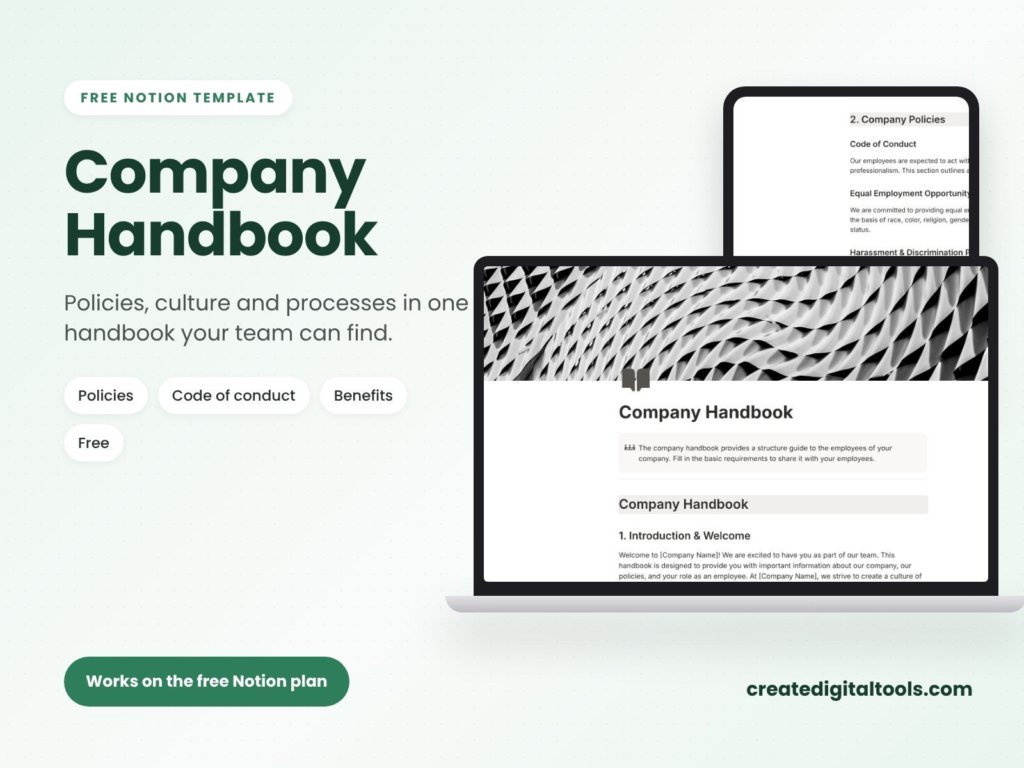
The Company Handbook is a free Notion template that gives you this structure ready to fill in. It works on the free Notion plan and is part of the Small Business Back-Office Kit from Create Digital Tools.
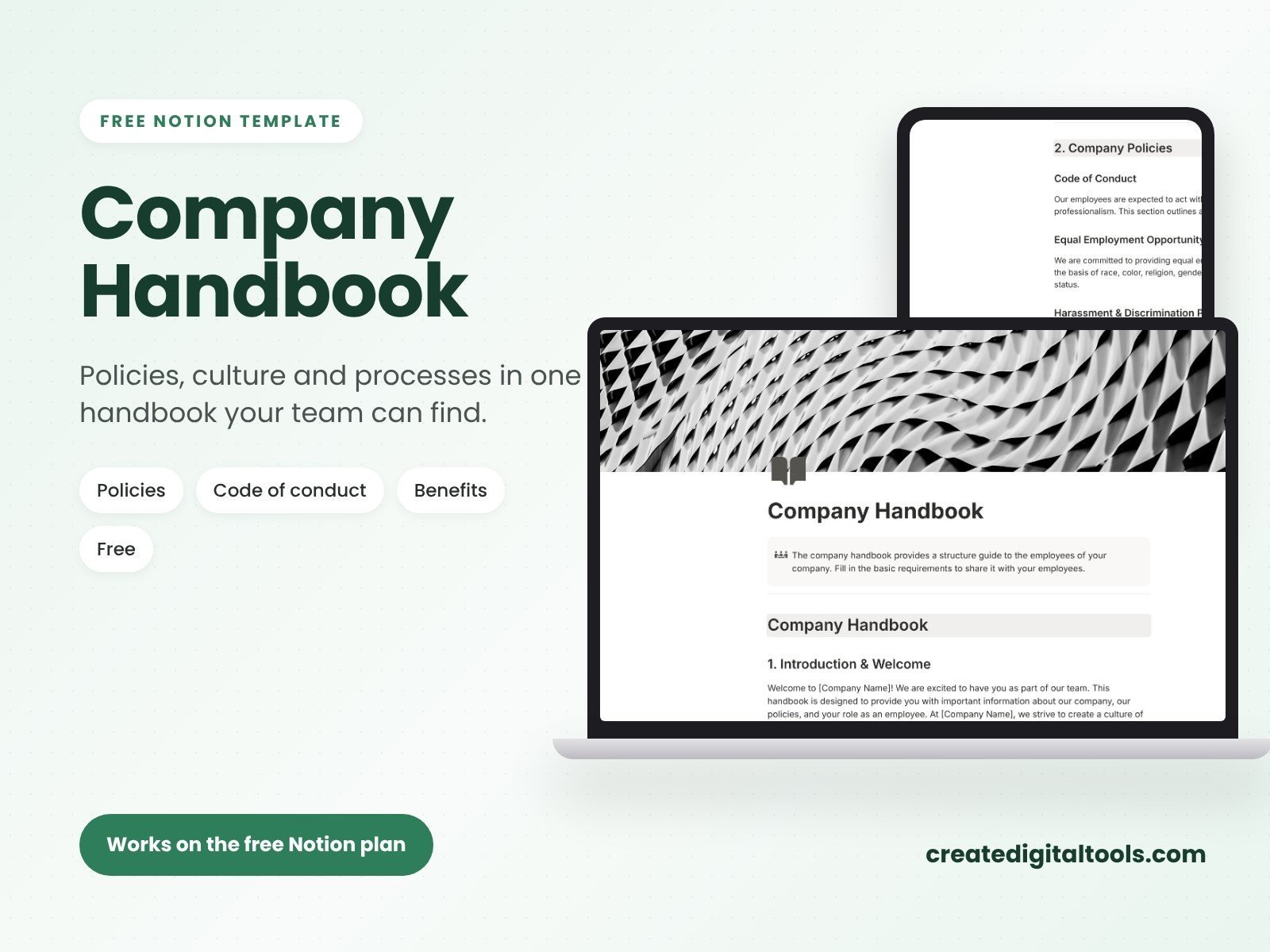
Welcome
A starting section where you introduce the business and the way your team works.
Company policies
A home for the everyday rules your team needs to know, written in your own words.
Code of conduct
A section to describe expected behaviour and how concerns are raised.
Equal opportunity
A place to state your equal opportunity commitment.
Employment classifications
A section to explain the types of roles in your business.
Working hours and benefits
Sections for standard hours and for the benefits you offer. The product page notes there are more sections beyond these, so you have room for the other topics your team asks about.
What you receive
You get a PDF with your Duplicate link and a 3-step setup guide. The download is instant after checkout, a copy is sent to your order email, and you have lifetime access including updates.
Tips for keeping your handbook useful
- Keep sections short. If a section scrolls for a long time, split it.
- Link instead of repeating. If two sections touch the same rule, link to the source section rather than copying text.
- Use plain headings. “Time off” is easier to find than “Leave entitlement framework”.
- Pair it with a team directory. New starters need to know the rules and who to ask. Our free Employee Directory template covers roles, departments and contact details.
Common handbook mistakes to avoid
- Copying another company’s handbook word for word. Their rules, location and culture are not yours. Borrow the structure, then write your own policies.
- Writing for lawyers instead of staff. If a new starter cannot understand a section on first read, it will not guide anyone’s behaviour. Plain language works better, with professional review for the legal points.
- Promising what you cannot keep. Only describe benefits and practices you actually offer today. Add new ones when they start.
- Leaving out how to raise a concern. A code of conduct should say who to contact and what happens next.
- Never updating it. A handbook that contradicts what actually happens day to day loses trust quickly. Change the page when the rule changes.
- Hiding it. Link to the handbook from your team’s main workspace and from onboarding materials, so people can find it without asking.
A useful test: ask someone who joined recently to read the handbook and mark anything unclear. Their questions show you exactly where to rewrite.
Who it is for (and who it is not for)
A good fit if you are:
- A small business owner writing a first handbook for a growing team.
- An office manager or operations lead who wants policies in one shared Notion workspace.
- A founder who already uses Notion and wants a ready structure to fill in.
Probably not the right fit if you:
- Need pre-written, legally reviewed policy text. The template provides structure; the wording is yours to write and check.
- Need an HR platform with e-signatures or acknowledgement tracking.
- Do not use Notion.
Looking for more business templates? Browse our Notion templates collection.
FAQ
Is the Company Handbook really free?
Yes. It is listed at $0.00. You check out as normal and receive the download instantly.
Do I need a paid Notion plan?
No. The template works on the free Notion plan.
Does it include ready-made policy text?
It gives you the sections and structure. You add your own policies, and you should have them checked for the rules that apply where you operate.
How do I get it into my workspace?
The PDF includes your Duplicate link and a 3-step setup guide. Open the link while logged in to Notion and duplicate it.
Can I rename or add sections?
Yes. Once duplicated, it is your page to edit, reorder and extend.
Notion is a trademark of Notion Labs, Inc. This is an independent template, not affiliated with or endorsed by Notion.
Notion systems, spreadsheets and planners with a setup guide. Instant download.