

Description
Setup Guide & Full Tour (5 min, start here if you are new to Notion)
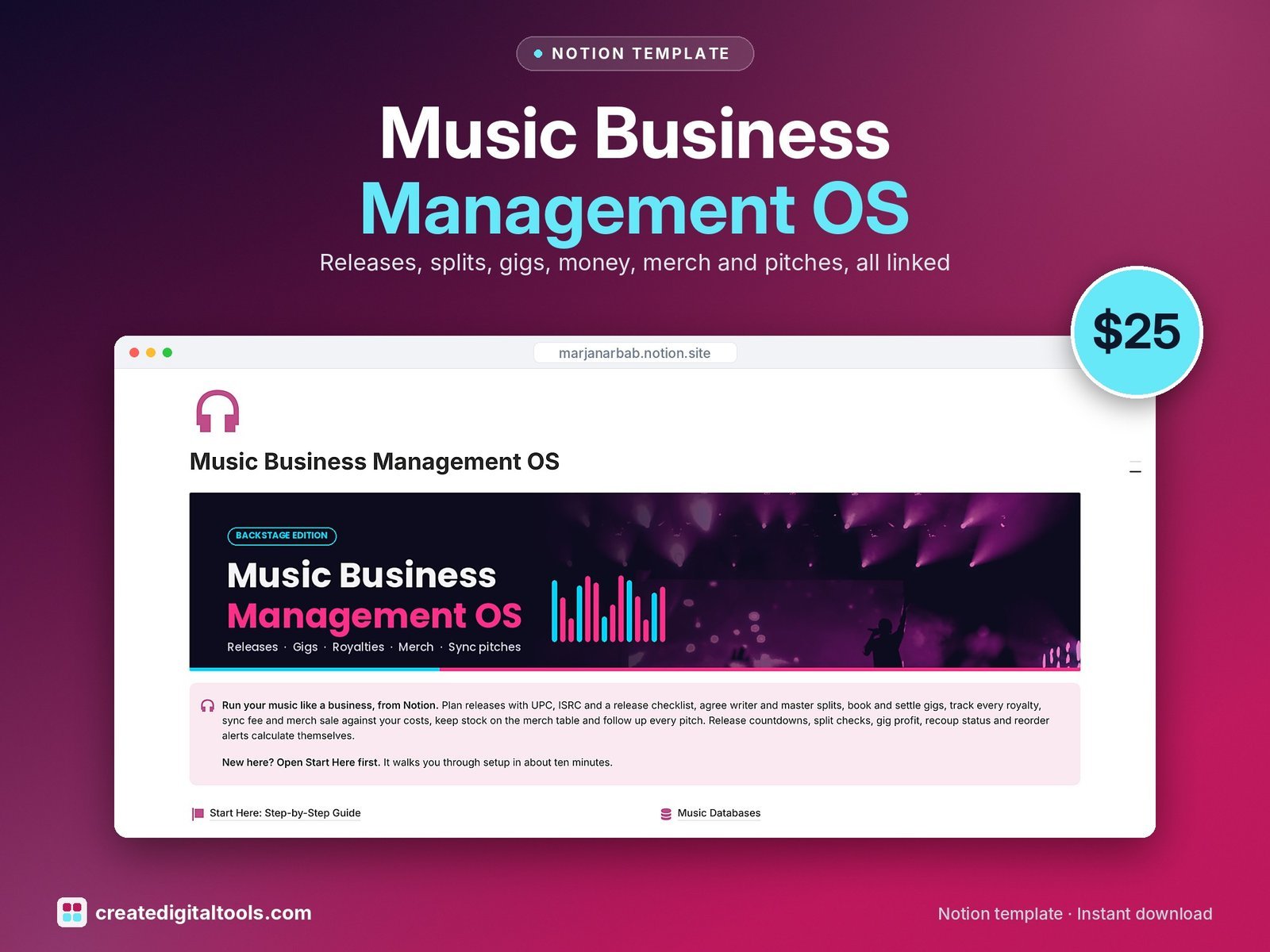
Run your music like a business. Releases, gigs, money, merch and pitches sit in a single linked Notion workspace instead of five spreadsheets, and release profit, gig profit and merch margins work themselves out.
Who it’s for
- Independent musicians, singer-songwriters and producers
- Bands who share the admin
- Small artist managers looking after a few acts
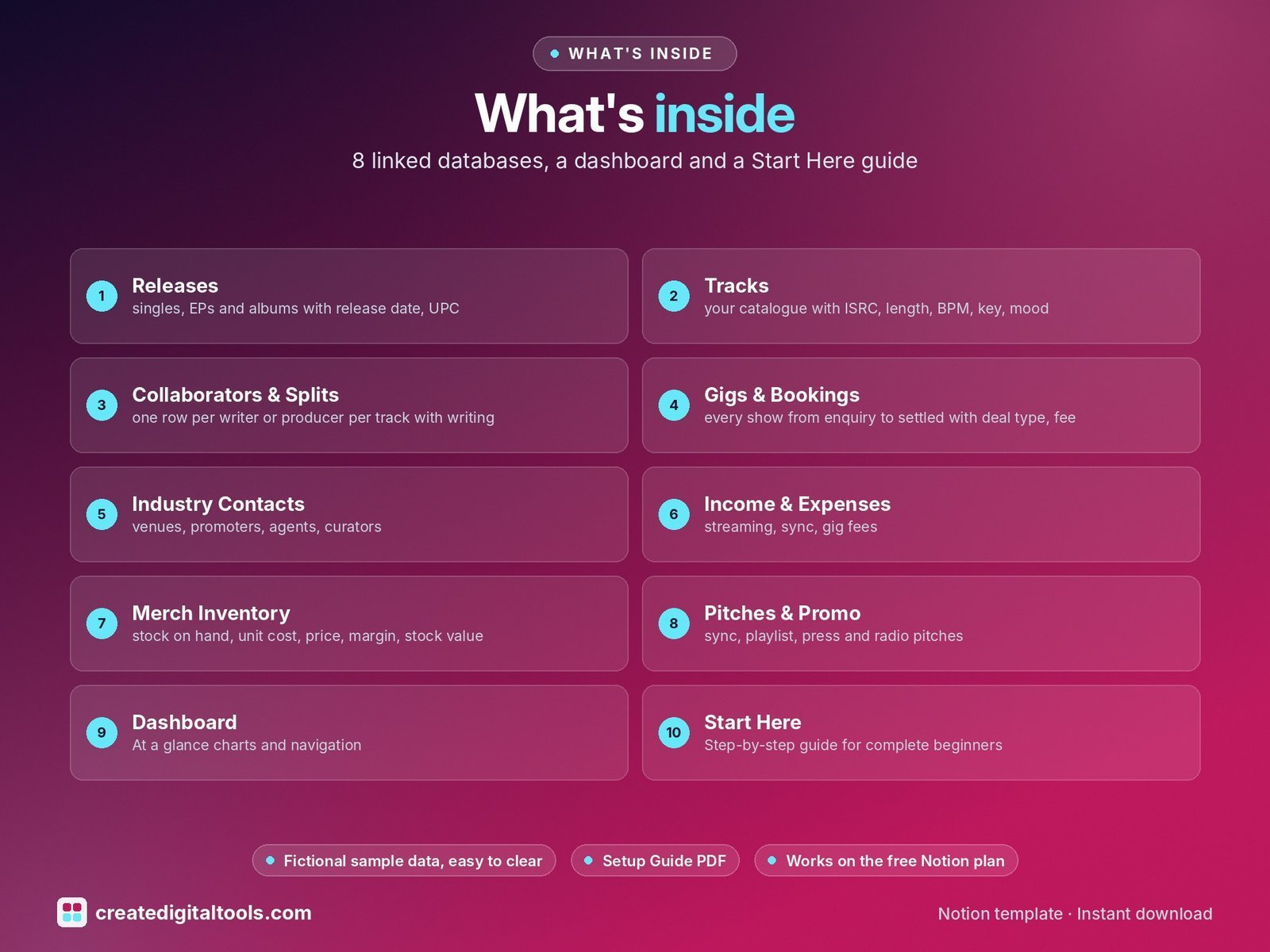
What’s inside
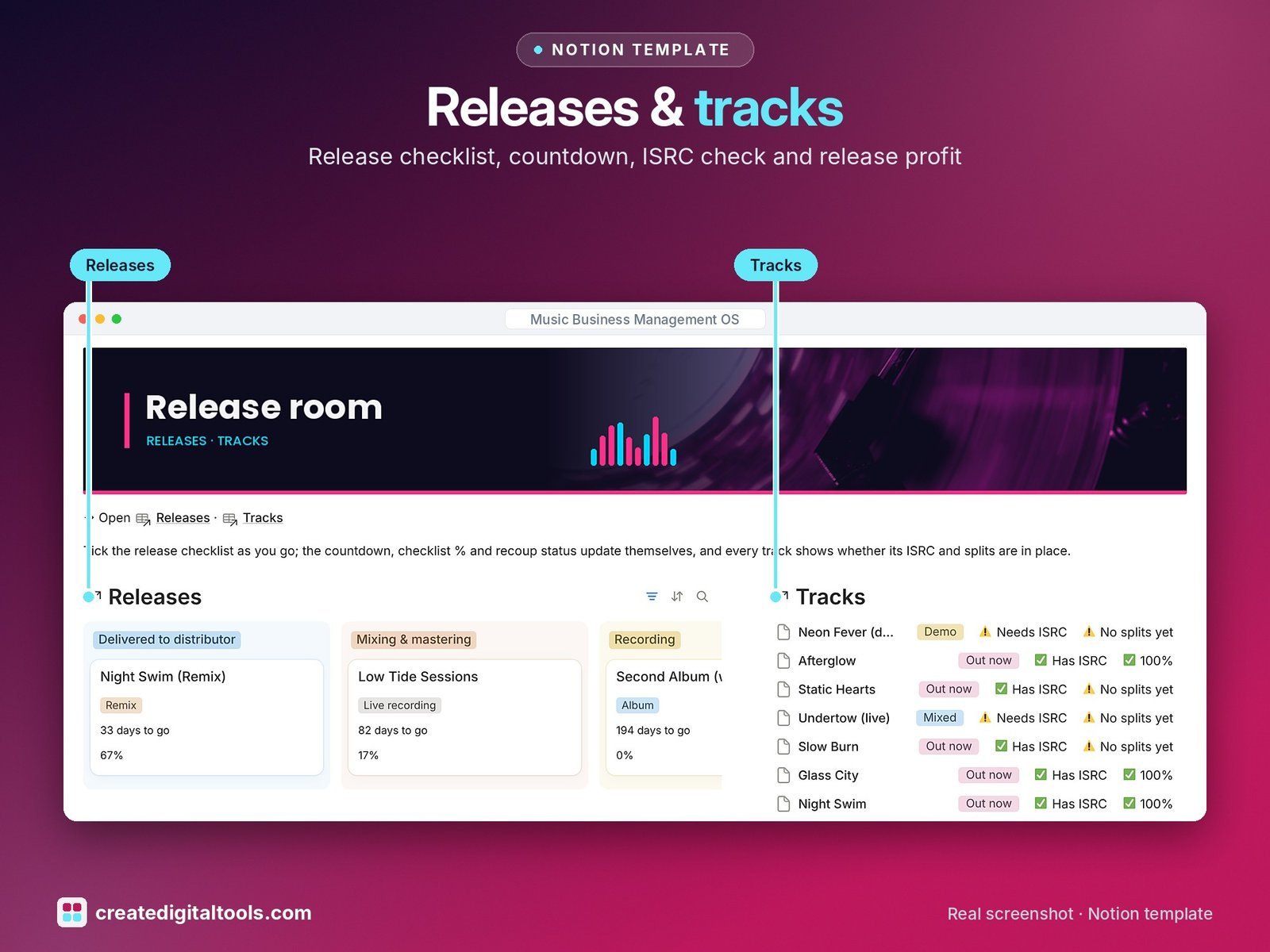
- Releases: singles, EPs and albums with release date, UPC, distribution, a 6-step release checklist with Checklist %, a countdown, release profit and recouped status
- Tracks: your catalogue with ISRC, length, BPM, key, mood, a sync-ready flag, an ISRC check and a splits check that must total 100%
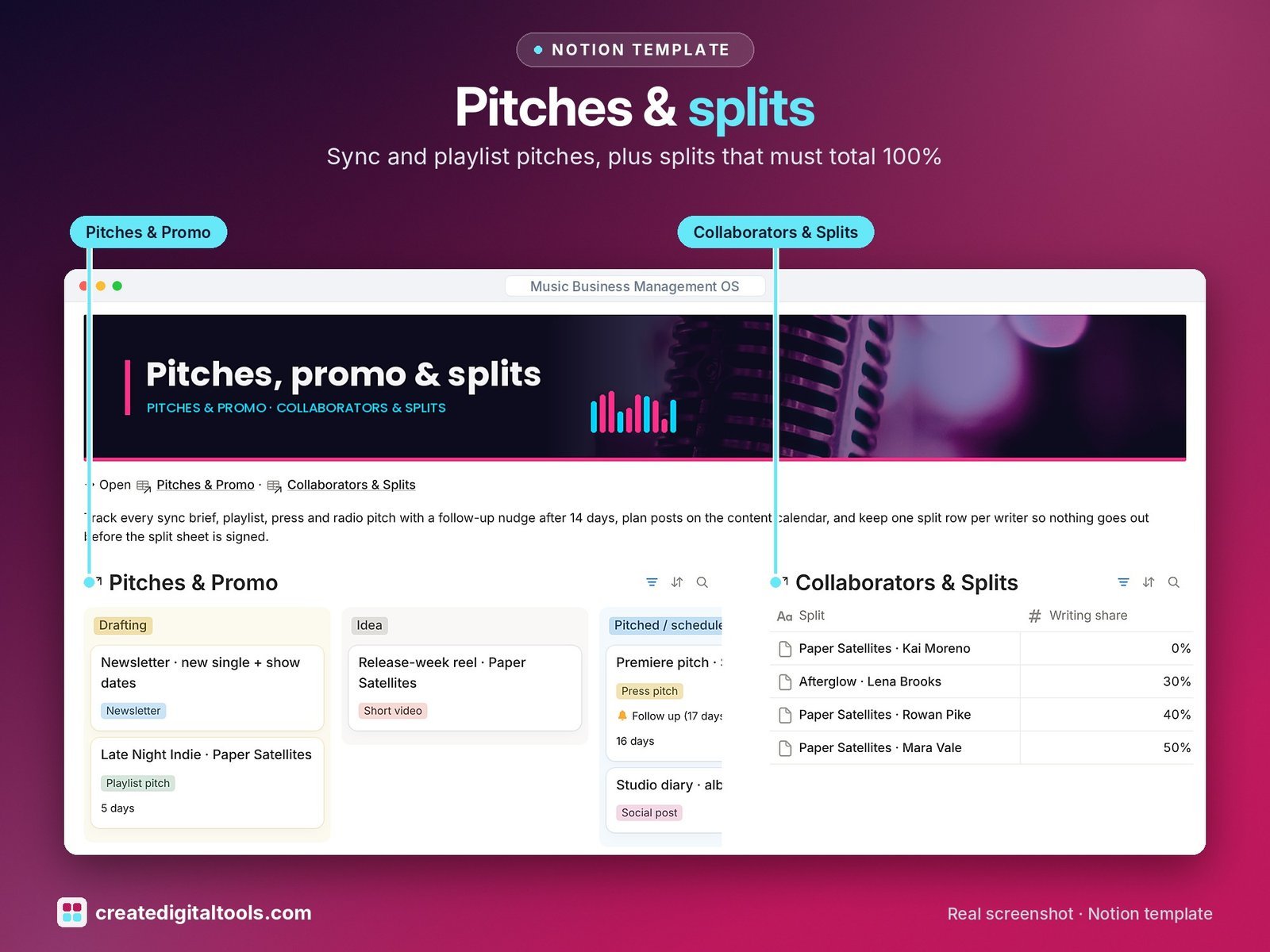
- Collaborators & Splits: one row per writer or producer per track with writing and master share, PRO details and split-sheet status
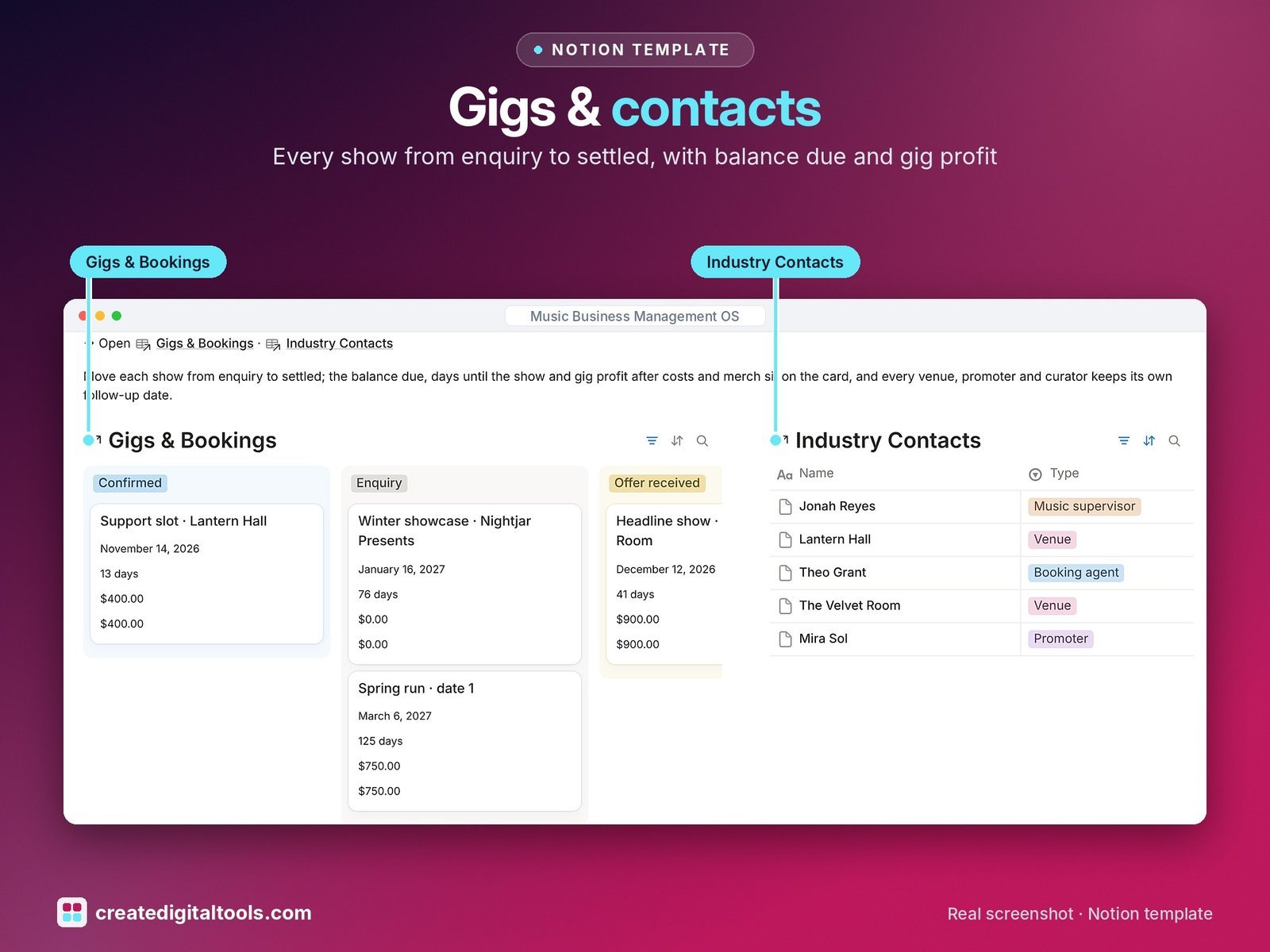
- Gigs & Bookings: every show from enquiry to settled with deal type, fee, deposit, balance due, days until the show and gig profit
- Industry Contacts: venues, promoters, agents, curators, music supervisors and press with follow-up dates, gigs played, fees and pitches sent
- Income & Expenses: streaming, sync, gig fees, merch and royalties next to studio, artwork, ads and travel costs, linked to releases and gigs, with a flag on late money
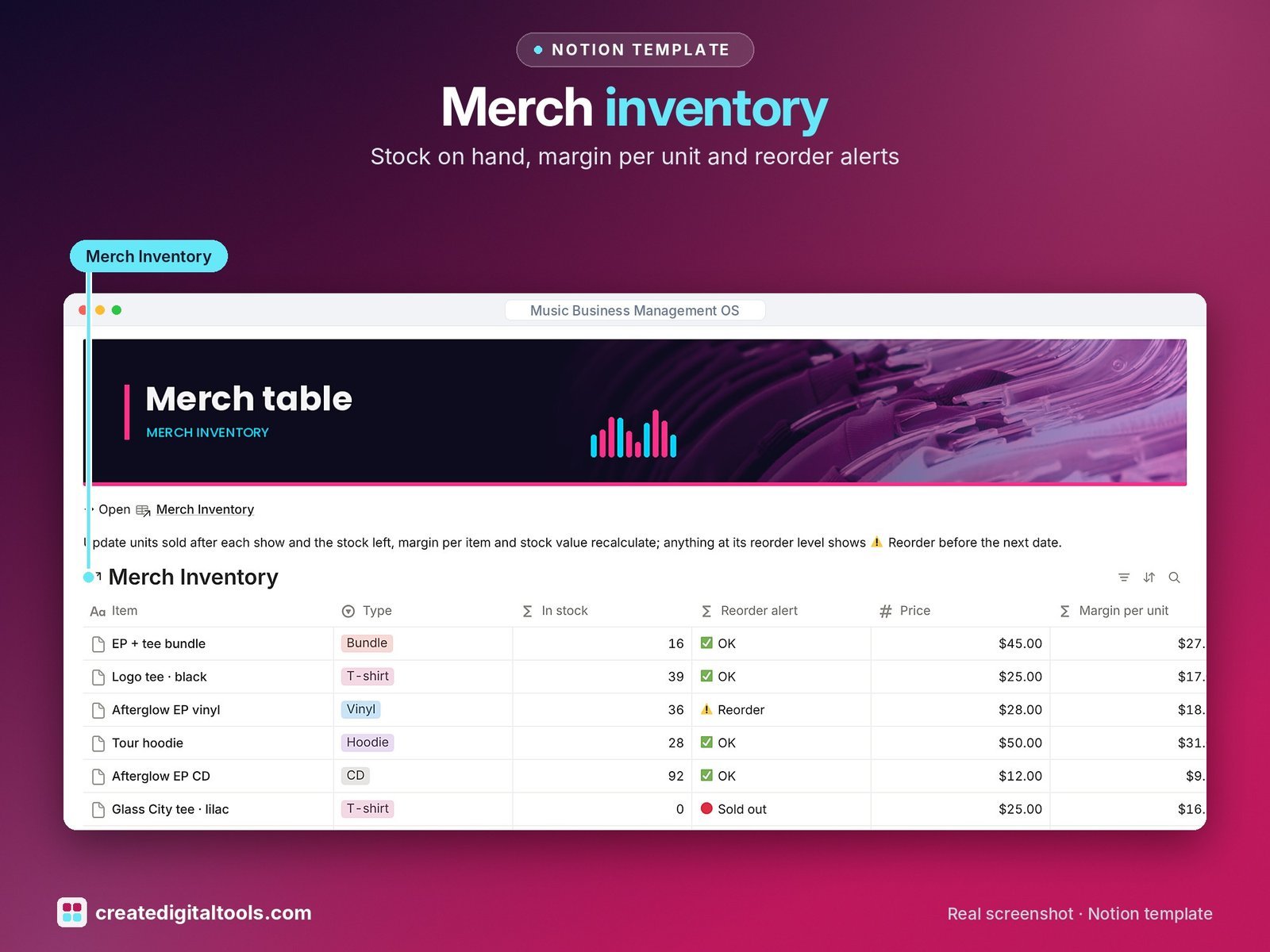
- Merch Inventory: stock on hand, unit cost, price, margin, stock value, sales income and reorder alerts
- Pitches & Promo: sync, playlist, press and radio pitches with a 14-day follow-up nudge, plus your content calendar
- Dashboard: at a glance charts (income by stream, spend by category, gigs by stage), photo navigation cards, a release pipeline, booking board, follow-ups due, money to collect, merch stock, pitch board and unsigned split sheets.
- Start Here: Step-by-Step Guide inside the template, written for complete beginners
- Fictional sample data so you can see how everything connects, easy to clear
How it works
Plan a release and its tracks, record who wrote what, book gigs and log every payment and cost against the release or gig it belongs to. Income and costs roll up, so release profit, recouped status and gig profit calculate themselves.
Built-in automations
Five automations stamp the dates for you: Released on, Pitched on, Confirmed on and Settled on for gigs, and Paid on for money in or out.
Set up in 3 steps
- Open the template link in your PDF and click Duplicate to copy it into your own Notion workspace.
- Open Start Here and follow the setup: add your own details and clear the sample data when you’re ready.
- Work from the dashboard every day and use the weekly checklist in Start Here to keep everything up to date.
What you get
- The Notion template (duplicate link delivered as a PDF)
- Setup Guide PDF with a step-by-step walkthrough and FAQ
- Start Here guide inside the template
Free plan
Works on the Free Notion plan. The built-in automations are Notion database automations, which run on paid plans (Plus and up). On the Free plan they pause and you fill those dates in by hand; every database, formula and view still works. Desktop, web and the Notion mobile app.
Please note
Organising tool, not legal, tax, accounting or royalty-collection advice. Check contracts, splits and tax with a qualified professional.
Digital product: nothing physical is shipped. Sample data is fictional.
Notion is a trademark of Notion Labs, Inc.; this is an independent template by Create Digital Tools (createdigitaltools.com).
New to Notion? Try it free here (affiliate link: we may earn a commission at no extra cost to you).
Also on Gumroad: Music Business Management OS: Notion Template
Want your own store like this one? createdigitaltools.com runs on Hostinger WordPress hosting. Start your own shop with Hostinger, or try the no-code Hostinger Website Builder.
Affiliate links: I may earn a commission at no extra cost to you.