Description
Food Truck Sales & Profit Tracker
A food truck sales and profit tracker. Log each service day or event with card and cash sales and your costs, and it works out net profit, profit per hour, food cost % and average order. Menu costing shows which items need a price change.
Who it’s for
Food truck and food trailer owners, street food vendors, market stall traders, caterers who work events, and anyone planning to start a food truck.
What’s inside
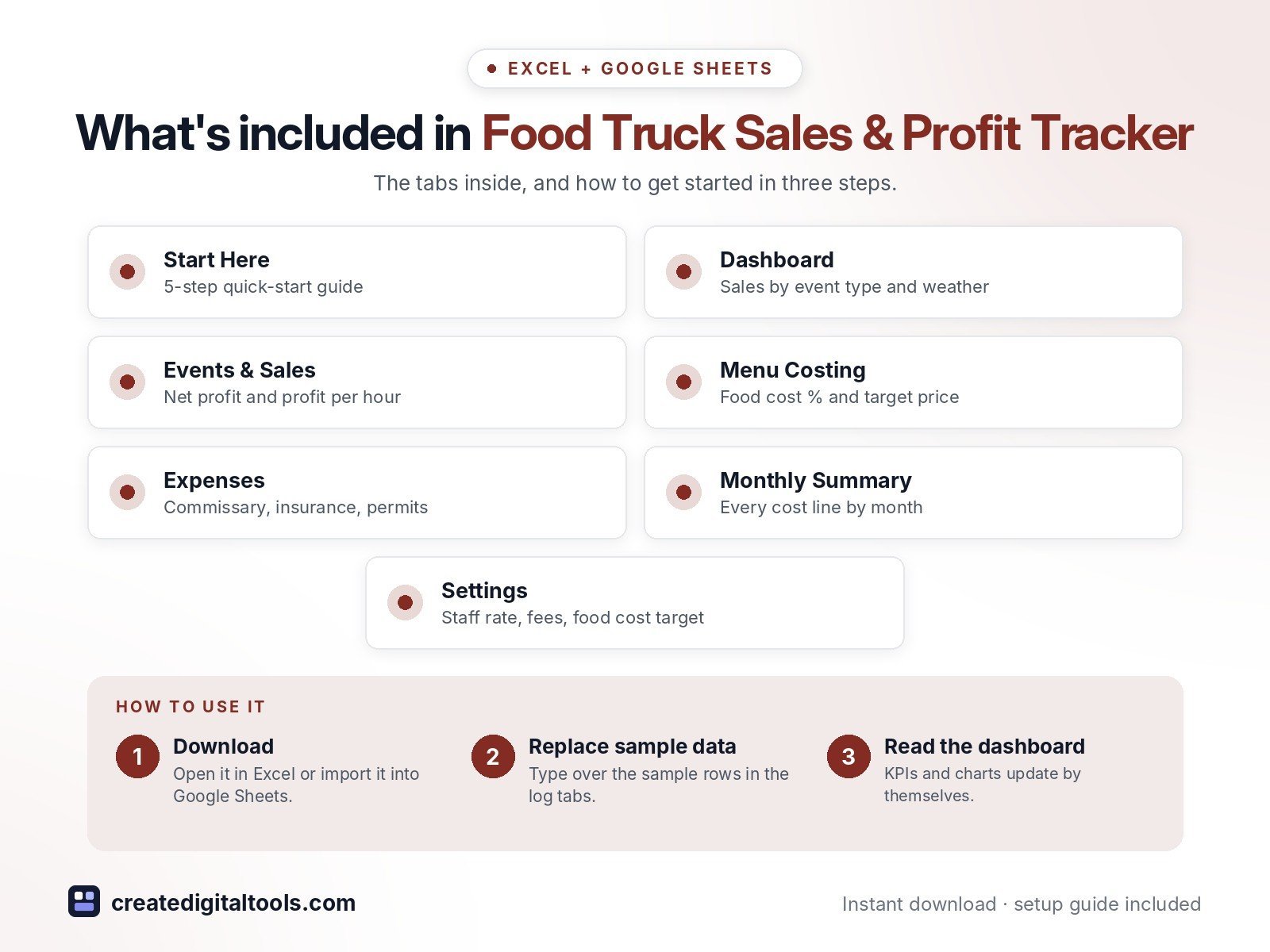
- Start Here – a 5-step quick-start guide inside the file
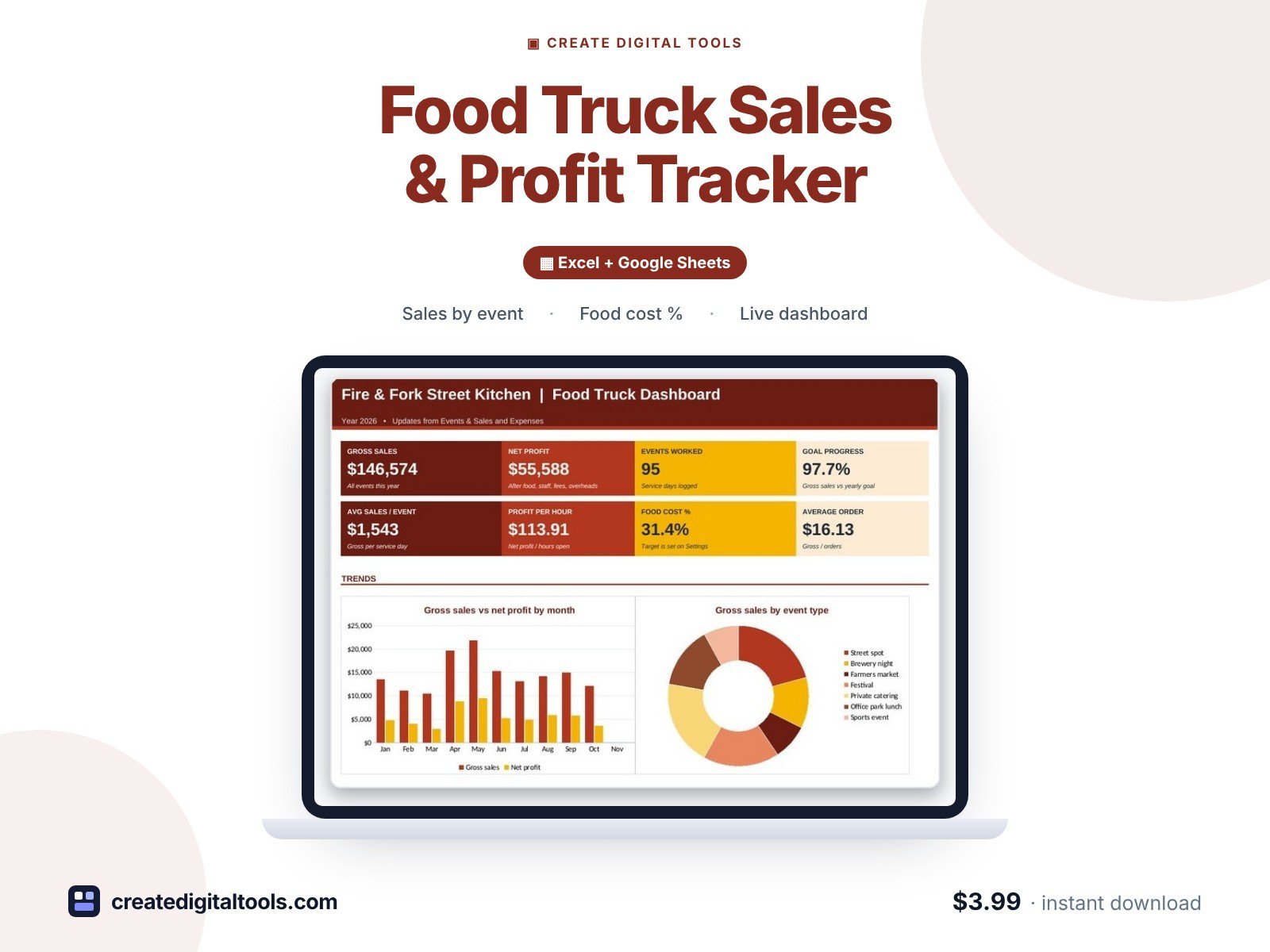
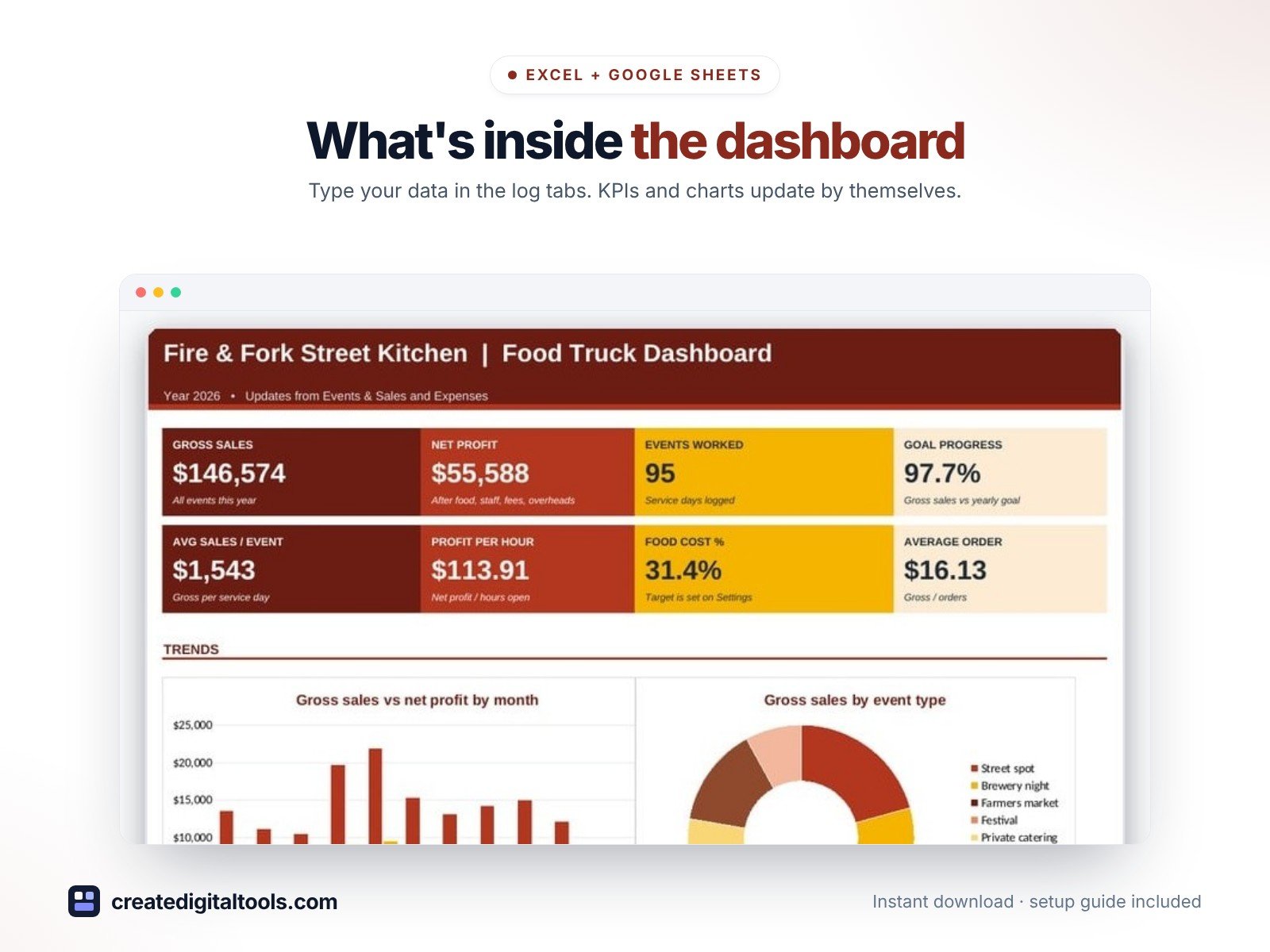
- Dashboard – KPI tiles, monthly sales vs profit, sales by event type, sales by weather.
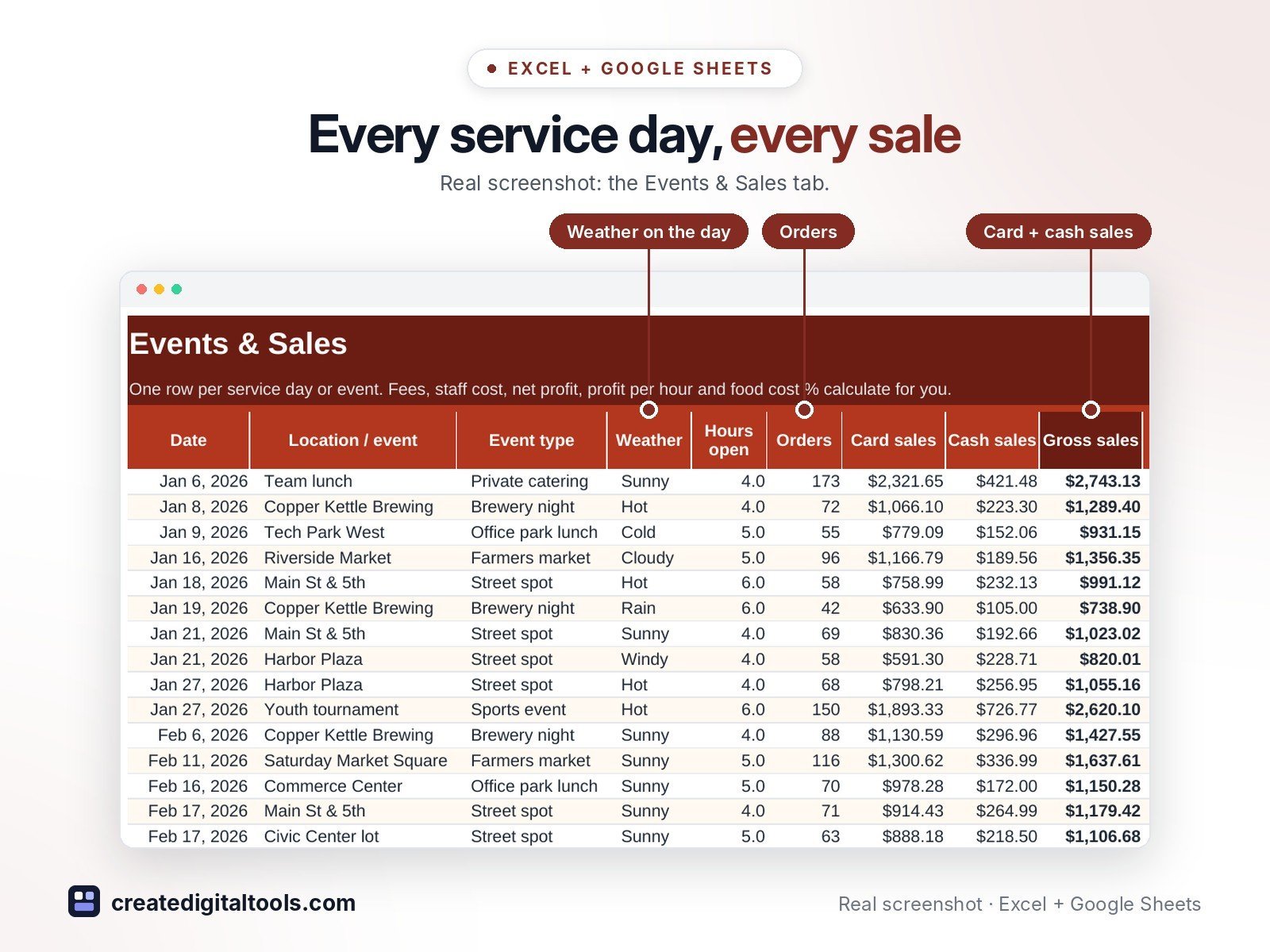
- Events & Sales – Every service day with net profit, profit per hour, food cost % and average order.
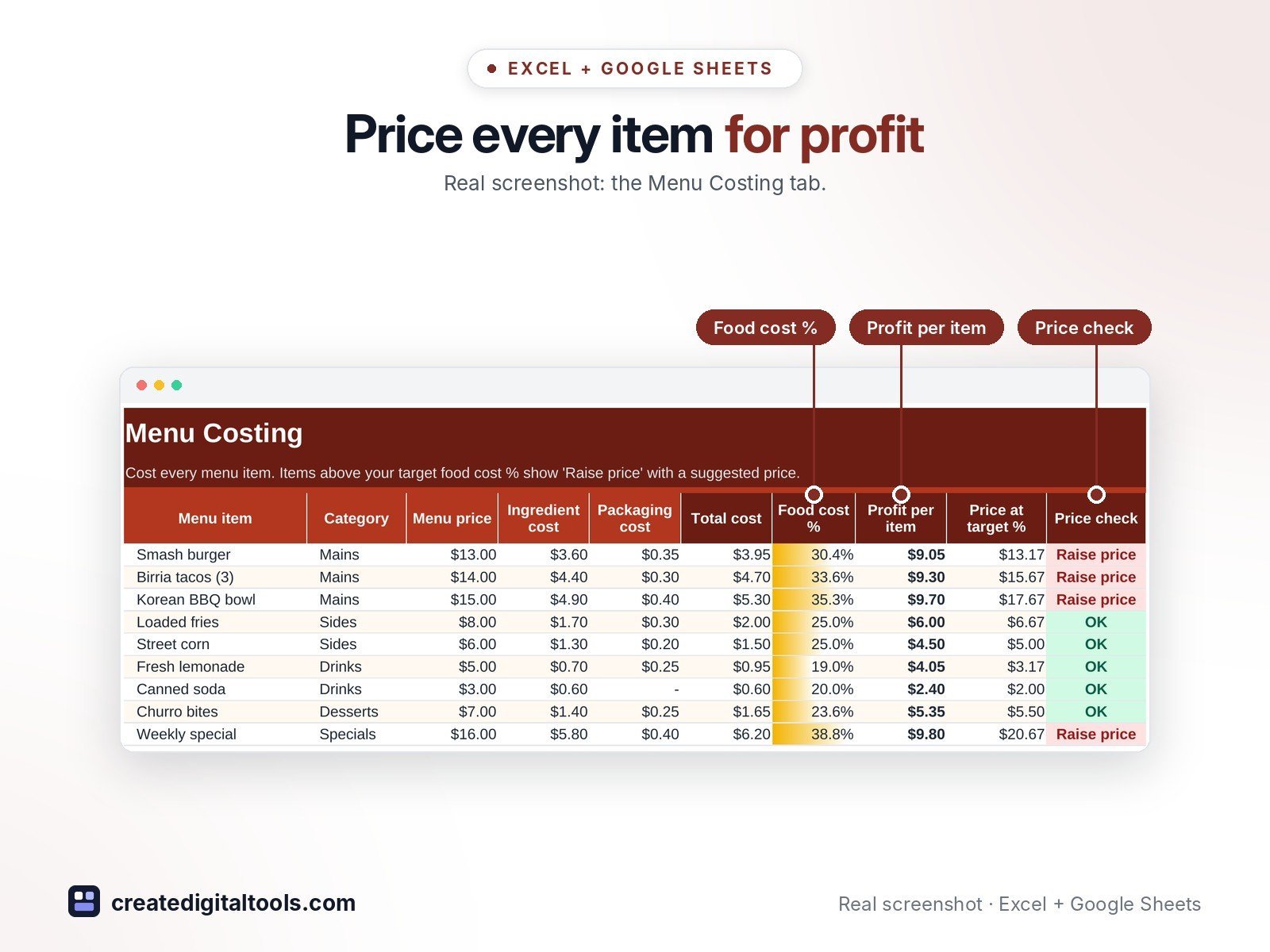
- Menu Costing – Item cost, food cost %, profit per item and the price that hits your target.
- Expenses – Overheads such as commissary rent, insurance, repairs and permits.
- Monthly Summary – Events, sales, every cost line, net profit, food cost %, hours and orders by month.
- Settings – Truck details, staff rate, fees, food cost target and dropdown lists.
Features
- Events & Sales log with card and cash sales, orders and hours open
- Food and packaging cost, event fees, staff cost, fuel and propane, card fees
- Net profit, profit per hour, food cost % and average order per event
- Food cost % above your target flagged in red
- Menu Costing: cost per item, food cost %, profit per item and the price at your target %
- Average sales by event type and by weather, so you know which spots pay
- Monthly summary with every cost line, net profit, food cost %, hours and orders
- Dashboard with 8 KPI tiles and 3 charts
How delivery works
- Instant download right after purchase: the .xlsx workbook plus a step-by-step Setup Guide PDF.
- Works in Microsoft Excel (Windows, Mac, Excel for the web) and Google Sheets (upload to Google Drive and open with Google Sheets, or File > Import).
- Comes with realistic sample data so you can see how it works, and clear instructions to remove it.
- No macros, no add-ons, no subscriptions. Pay once, use it for as long as you like.
FAQ
Can I track catering jobs too?
Yes. 'Private catering' is one of the event types; edit the list on Settings to suit your business.
Where do commissary rent and insurance go?
On Expenses. They come off your monthly net profit, not off one event.
Does it work in Google Sheets?
Yes. Upload it to Google Drive and open it with Google Sheets, or use File > Import. Formulas, dropdowns and charts carry over.
This is a digital product. No physical item will be shipped.
Want your own store like this one? createdigitaltools.com runs on Hostinger WordPress hosting. Start your own shop with Hostinger, or try the no-code Hostinger Website Builder.
Affiliate links: I may earn a commission at no extra cost to you.