Description
Family Meal Planner & Grocery List
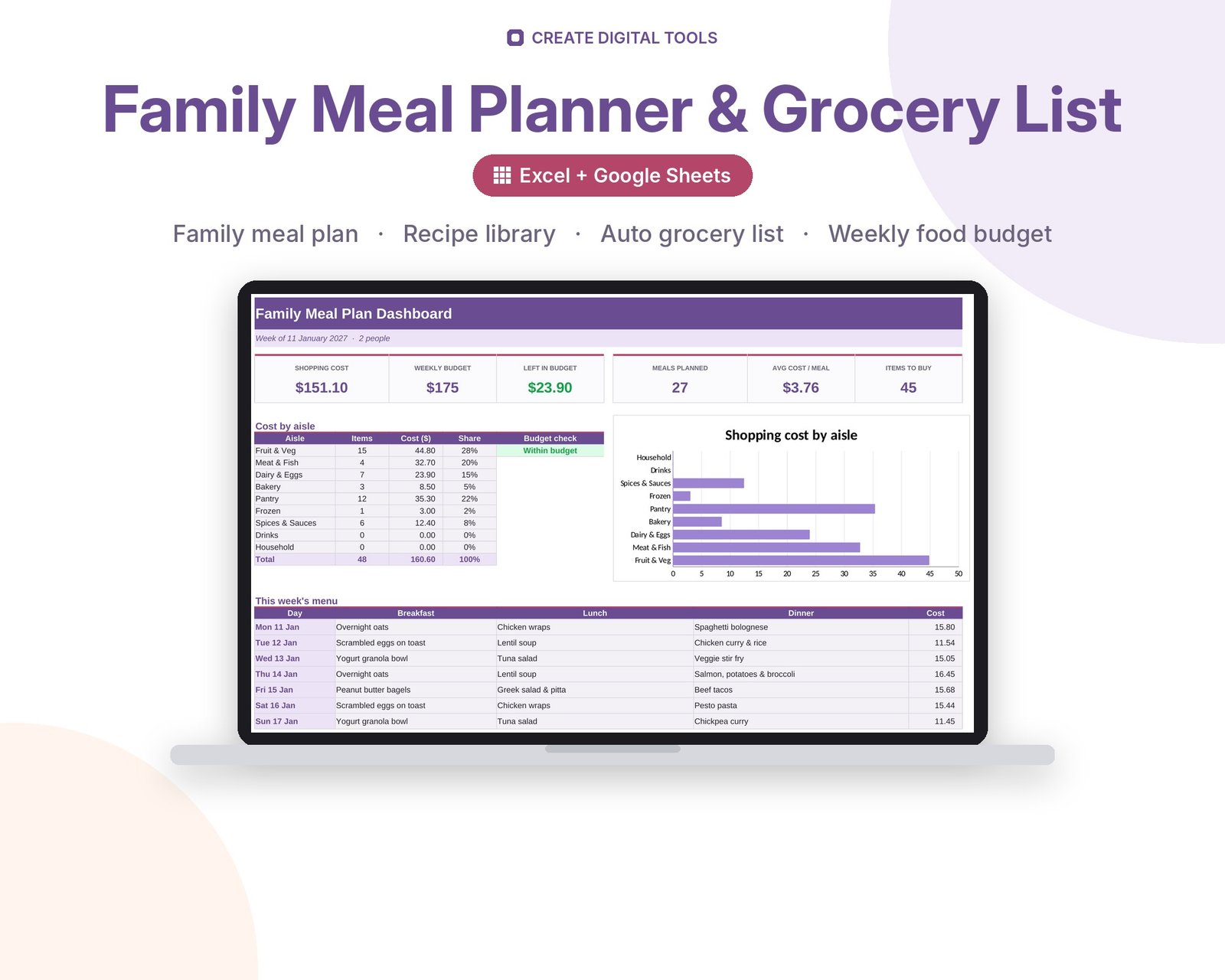
A weekly meal planner spreadsheet with a recipe library and an automatic grocery list. Pick a recipe for each meal and the planner totals every ingredient for the week, groups the list by supermarket aisle, removes what you already have and prices the shop against your weekly budget.
This is the Family Pastel edition: the same workbook as our Meal Planner & Grocery List, styled in soft lavender, peach and mint for family kitchens.
Who it’s for
Busy parents and families who plan meals for the whole household, want one shopping trip a week and like a calm, soft-coloured planner on the fridge or the phone.
What’s inside
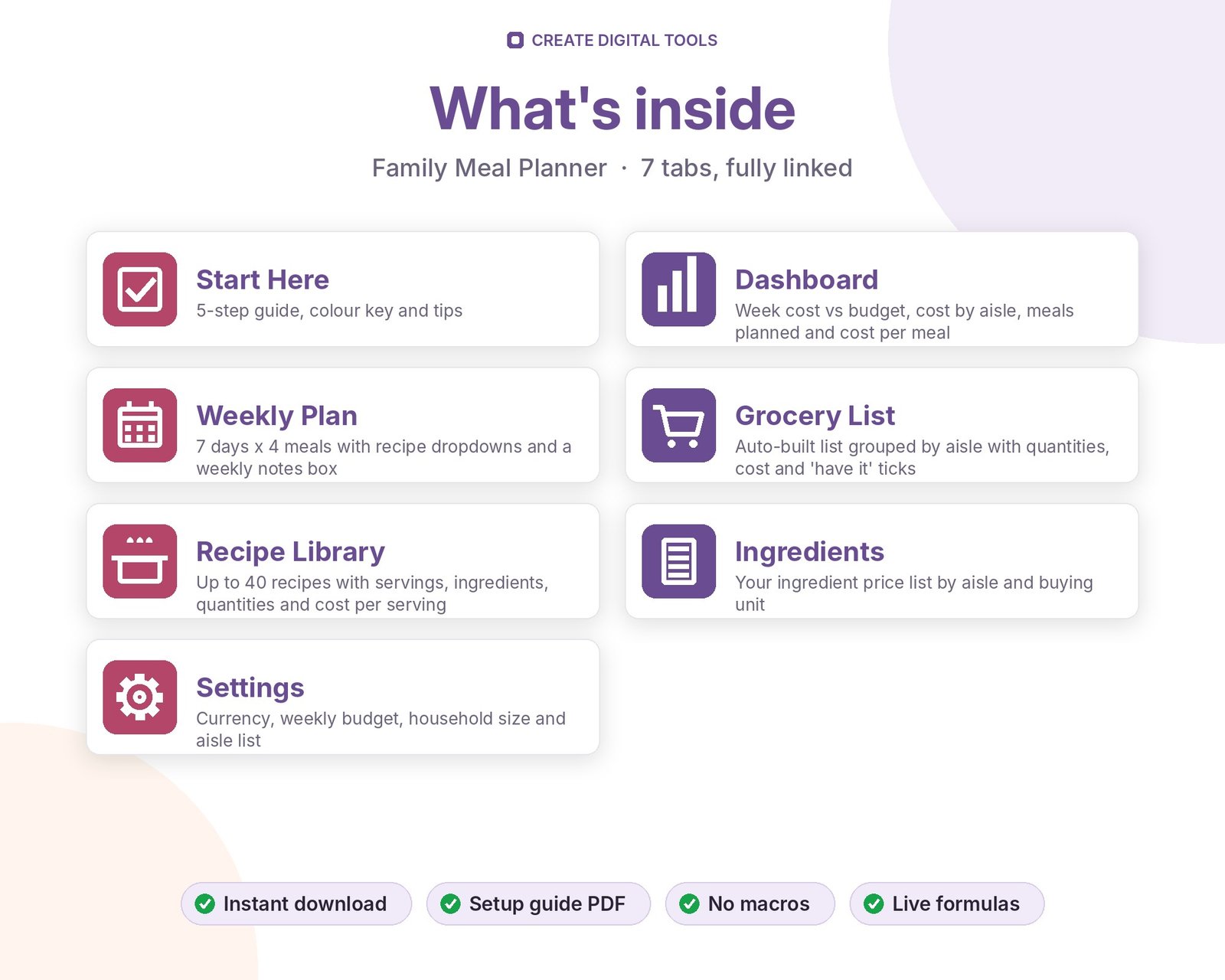
- Start Here – a 5-step quick-start guide inside the file
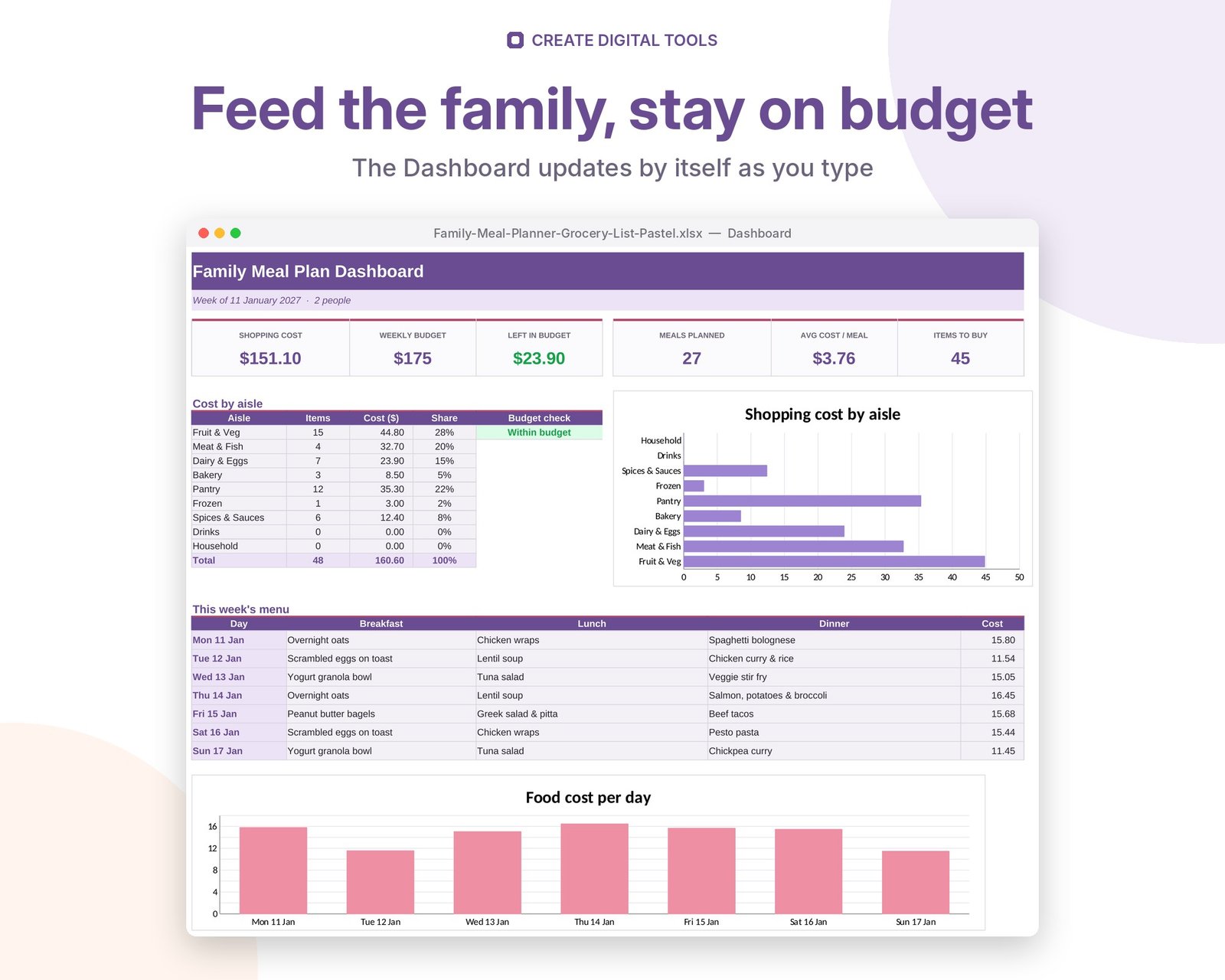
- Dashboard – Week cost vs budget, cost by aisle, meals planned and cost per meal
- Weekly Plan – 7 days x 4 meals with recipe dropdowns and a weekly notes box
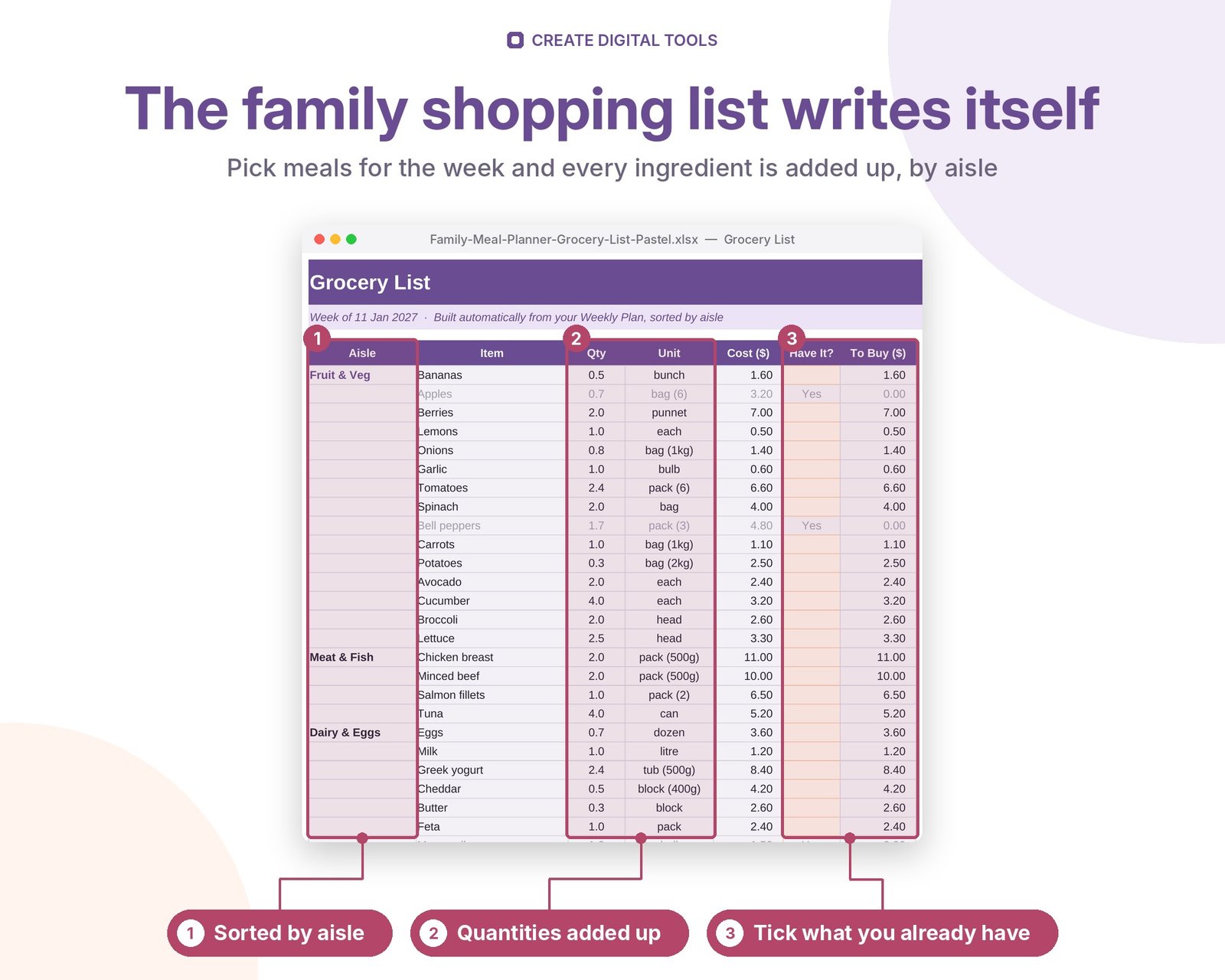
- Grocery List – Auto-built list grouped by aisle with quantities, cost and 'have it' ticks
- Recipe Library – Up to 40 recipes with servings, ingredients, quantities and cost per serving
- Ingredients – Your ingredient price list by aisle and buying unit
- Settings – Currency, weekly budget, household size and aisle list
Features
- 7-day meal plan with breakfast, lunch, dinner and snack
- Recipe library with up to 40 recipes and 8 ingredients each
- Grocery list built automatically and grouped by aisle
- Quantities totalled across the whole week
- 'Have it' tick to remove what's already in the cupboard
- Weekly cost vs budget, cost per meal and cost by aisle chart
- Ingredient price list with 60 common items to start
- Your own currency, aisles and household size
How delivery works
- Instant download right after purchase: the .xlsx workbook plus a step-by-step Setup Guide PDF.
- Works in Microsoft Excel (Windows, Mac, Excel for the web) and Google Sheets (upload to Google Drive and open with Google Sheets, or File > Import).
- Comes with realistic sample data so you can see how it works, and clear instructions to remove it.
- No macros, no add-ons, no subscriptions. Pay once, use it for as long as you like.
FAQ
Does the grocery list really build itself?
Yes. As soon as you choose recipes on the Weekly Plan, the list fills with every ingredient and its total quantity, sorted by aisle.
Does it work in Google Sheets?
Yes. Upload to Google Drive and open with Google Sheets, or use File > Import. All dropdowns and formulas work.
Can I print the shopping list?
Yes. The Grocery List tab is set up to print neatly on a single sheet of paper, or you can open it on your phone in the store.
Can I add my own recipes?
Yes, up to 40 recipes. Add ingredients to the Ingredients tab first so they appear in the dropdowns.
Also available in Fresh Herb & Tomato: Meal Planner & Grocery List (the original edition)
This is a digital product. No physical item will be shipped.
Want your own store like this one? createdigitaltools.com runs on Hostinger WordPress hosting. Start your own shop with Hostinger, or try the no-code Hostinger Website Builder.
Affiliate links: I may earn a commission at no extra cost to you.