Ramadan Planner Notion Template and Prayer Tracker
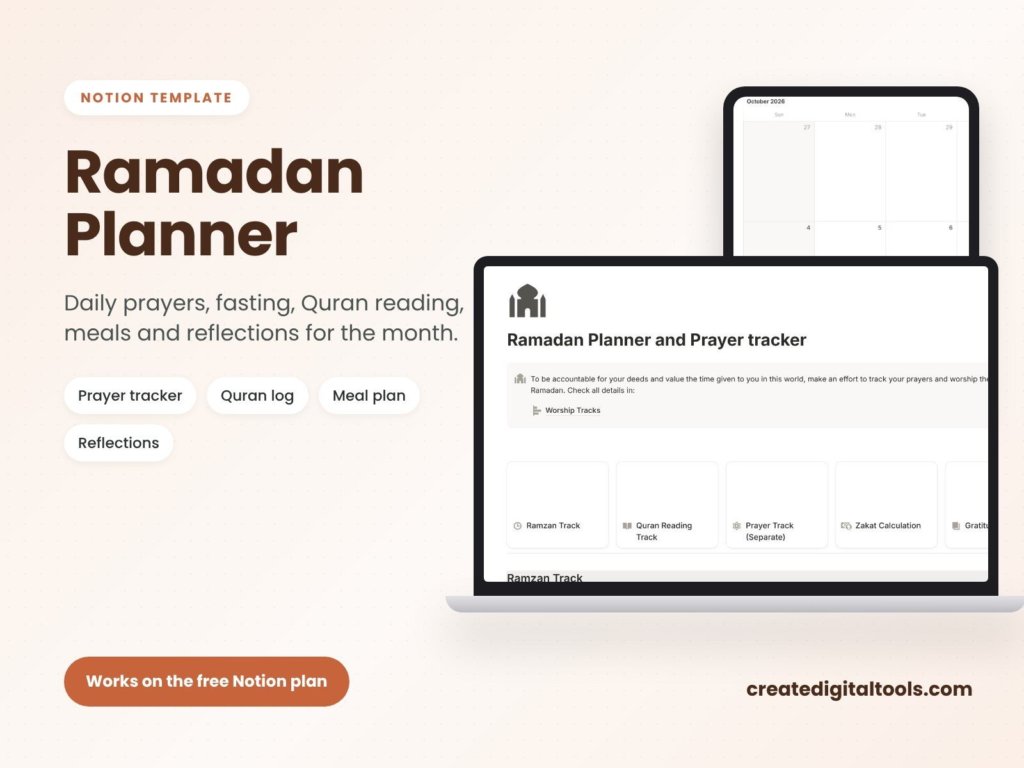
Picture someone heading into Ramadan with good intentions: pray every prayer on time, read a set portion of the Quran each day, plan simple suhoor and iftar meals, set aside zakat and write a few lines of reflection each night. By the second week, the notes are spread across a phone app, a paper list and a calculator. A Ramadan planner Notion template brings those daily intentions together so you can see the whole month at a glance and keep going, one day at a time.
Below is a practical guide to planning the month in Notion, followed by a look inside the Ramadan Planner and Prayer Tracker from Create Digital Tools.
Get the Ramadan Planner and Prayer Tracker →
This is an organising tool, not religious or financial advice. For questions about zakat or fasting, consult a qualified scholar.
Why Ramadan planning gets scattered
Ramadan changes the shape of every day. Sleep moves, meals move, and worship takes more of the evening. Trying to track all of that in separate places brings a few familiar problems:
- Too many apps. A prayer app, a Quran app, a notes app and a meal list each hold part of the picture.
- No view of progress. It is hard to see how the month is going when every day’s record is in a different place.
- Reflection gets skipped. Without a set place to write, the daily reflection is the first thing to slip.
A Notion database fixes much of this, because each day of the month becomes a row with the same checkboxes and notes.
How to plan Ramadan in Notion
Whether you use a template or build your own, this structure works well.
1. Create a row for each day
Make a database with one entry per day of the month. Number the days so you can sort and filter easily.
2. Add a checkbox for each prayer
Add five checkbox properties, one for each daily prayer, plus a checkbox for the fast. Ticking boxes takes seconds and builds a clear record of the month.
3. Track Quran reading as a number
Choose a unit that suits you, such as pages or a juz, and record it as a number each day. A simple rollup or sum then shows your total for the month.
4. Plan suhoor and iftar ahead
Write down meals a few days in advance. Planning ahead keeps shopping simple and helps avoid last-minute decisions just before sunset.
5. Keep a zakat calculation in the same place
List the assets you are counting and let a formula total them. Check the method and thresholds with a trusted source before you give.
6. Leave space for reflection
Add a text property or page body for a short daily reflection. One or two sentences is enough; the aim is a habit, not an essay.
7. Review each week
At the end of each week, look back at the prayers, reading and reflections. Adjust your goals for the next week if they felt too heavy or too light.
Inside this Ramadan planner Notion template
The Ramadan Planner and Prayer Tracker is a Notion template that covers the whole month. It works on the free Notion plan.
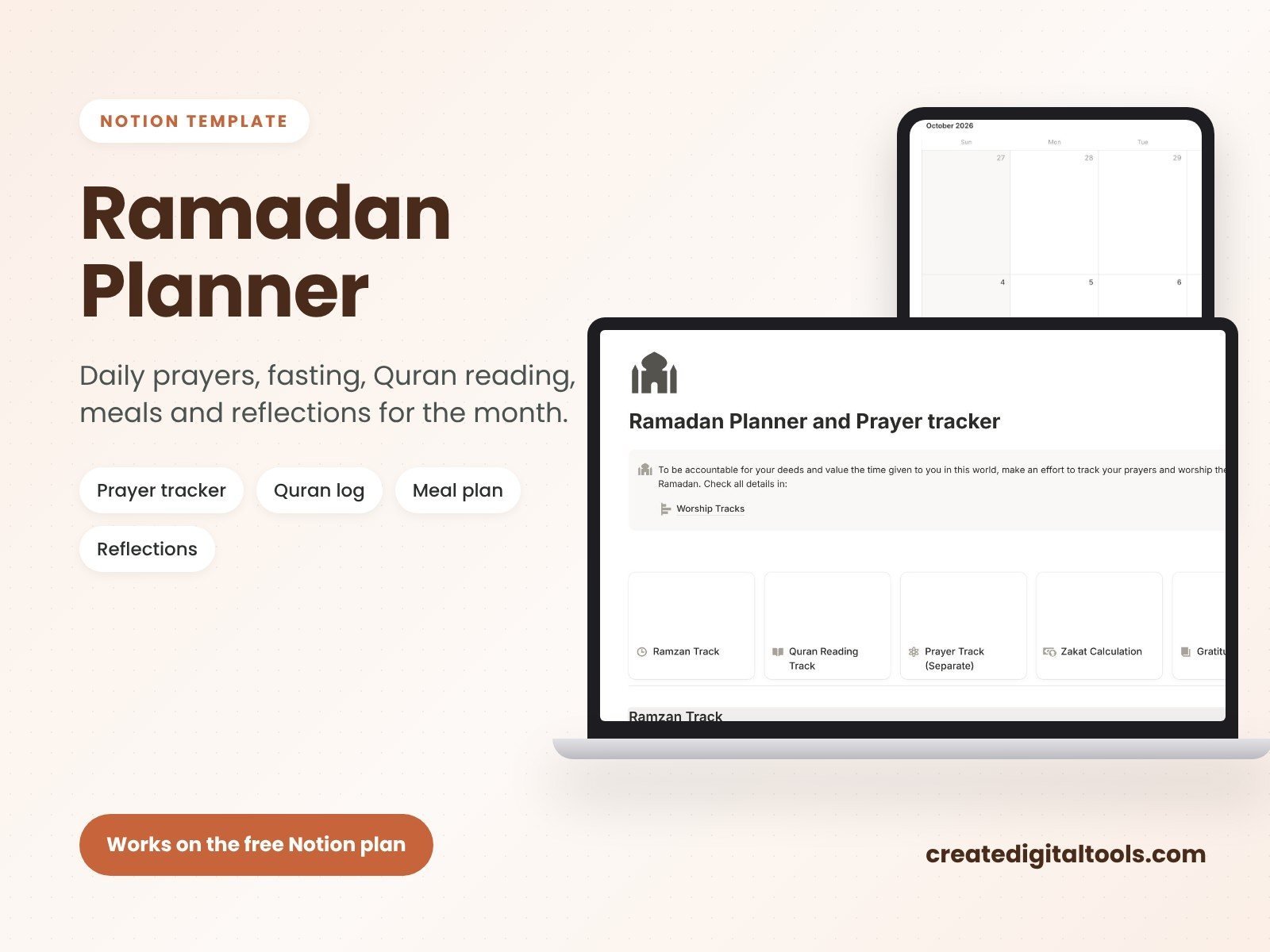
Prayer and fasting tracker
Track the five daily prayers and your fast for each day of the month.
Quran reading log
Log your Quran reading so you can see your progress through the month.
Suhoor and iftar meal plans
Plan suhoor and iftar meals in advance, which also helps with your shopping list.
Zakat calculator
Calculate zakat inside the template, alongside the rest of your Ramadan plans.
Daily reflection journal
Write a daily reflection for the whole month, kept with your prayer and reading records.
What you receive
You get a PDF with your Duplicate link and a 3-step setup guide. The download is instant after checkout, a copy is sent to your order email, and you have lifetime access including updates, so you can use it again next year.
Tips for a calmer Ramadan routine
- Set realistic reading goals. A steady daily amount is easier to keep than a large target you fall behind on.
- Plan meals in batches. Plan three or four days of suhoor and iftar at a time.
- Use the phone app for ticking boxes. Notion works on mobile, which makes it easy to tick off a prayer straight away.
- Keep reflection short. A single line each night still adds up to a meaningful record by the end of the month.
- Look back at the last ten nights. Filter the database to the final ten days to see them together.
A simple weekly rhythm for the month
Ramadan is easier to plan in four parts than as thirty separate days. Here is one way to break it up:
Before the month begins
Set your intentions for prayer, Quran reading and charity. Plan the first week of suhoor and iftar, and stock up on staples. Note any work or other commitments that affect your evenings.
Weeks one and two
Focus on building the routine. Tick off prayers and fasting each day, log your reading and keep reflections short. If a goal feels too heavy, adjust it now rather than dropping it later.
Week three
Check your progress. Look at your reading total so far and decide whether to keep the same pace. This is also a good time to work through your zakat calculation, so you are not rushing at the end.
The last ten nights
Many people give more time to worship in the final ten nights. Lighten other commitments where you can, plan simpler meals and leave room in the evenings.
After Eid
Read back through your reflections. Note what helped and what you would change, so next year’s plan starts from experience.
Who it is for (and who it is not for)
A good fit if you:
- Already use Notion and want your Ramadan routine in your workspace.
- Want prayer, fasting, Quran reading, meals, zakat and reflection tracked together.
- Like a digital tracker you can open on your phone and computer.
Probably not the right fit if you:
- Prefer a printed planner on paper. You might like our 2027 All-in-One Digital Planner or our printable range instead.
- Need prayer time notifications. This template tracks prayers; it does not send prayer time alerts.
- Do not use Notion.
Browse more in our Notion templates collection.
FAQ
Does it work on the free Notion plan?
Yes. The product page states that it works on the free Notion plan.
Can I use it on my phone?
Notion has mobile apps, so you can open and update the template on your phone once it is in your workspace.
How do I get the template?
The download is instant after checkout. The PDF includes your Duplicate link and a 3-step setup guide, and a copy is sent to your order email.
Can I reuse it next Ramadan?
Yes. You have lifetime access, including updates, and you can duplicate a fresh copy each year.
Can I change what it tracks?
Yes. Once duplicated, you can rename properties, add goals such as extra prayers or charity, or remove anything you do not need.
Get the Ramadan Planner and Prayer Tracker →
Notion is a trademark of Notion Labs, Inc. This is an independent template, not affiliated with or endorsed by Notion.
Notion systems, spreadsheets and planners with a setup guide. Instant download.